Introduction
Kanban tools are visual workflow management platforms designed to help teams organize tasks, track progress, and improve productivity using boards, lists, and cards. Originating from lean manufacturing principles, Kanban has evolved into a core project management methodology used across software development, marketing, operations, and even HR workflows.
In today’s fast-moving work environment, Kanban tools matter more than ever. Teams need real-time visibility, remote collaboration capabilities, and automation to handle complex workflows. Modern Kanban tools now integrate AI, analytics, and cross-platform connectivity to streamline operations and reduce manual effort.
Common use cases include:
- Software development sprint tracking
- Marketing campaign planning
- Product backlog management
- Customer support workflows
- Personal productivity and task tracking
What buyers should evaluate:
- Ease of use and onboarding
- Customization of boards and workflows
- Automation capabilities
- Integration ecosystem
- Reporting and analytics
- Security and compliance
- Scalability
- Pricing and licensing flexibility
Best for: Agile teams, startups, product managers, developers, and distributed teams that need visual task tracking and workflow clarity.
Not ideal for: Highly structured projects requiring strict dependencies (where Gantt-based tools may be better) or teams that need deep financial/project forecasting capabilities.
Key Trends in Kanban Tools for 2026 and Beyond
- AI-powered task prioritization and workflow recommendations
- No-code automation for repetitive processes
- Deeper integrations with DevOps and CI/CD pipelines
- Real-time collaboration with embedded communication tools
- Advanced analytics and predictive performance insights
- Increased focus on data security and compliance standards
- Cross-platform synchronization (desktop, mobile, cloud)
- Hybrid deployment models for enterprise flexibility
- Modular pricing models based on usage and features
- Integration with knowledge management and documentation tools
How We Selected These Tools (Methodology)
- High market adoption and strong user base across industries
- Feature completeness including boards, automation, and reporting
- Proven reliability and performance across large teams
- Security posture including authentication and access control
- Rich integration ecosystem with third-party tools
- Flexibility for different team sizes (solo to enterprise)
- Usability and onboarding experience
- Community support and documentation quality
- Continuous innovation and product updates
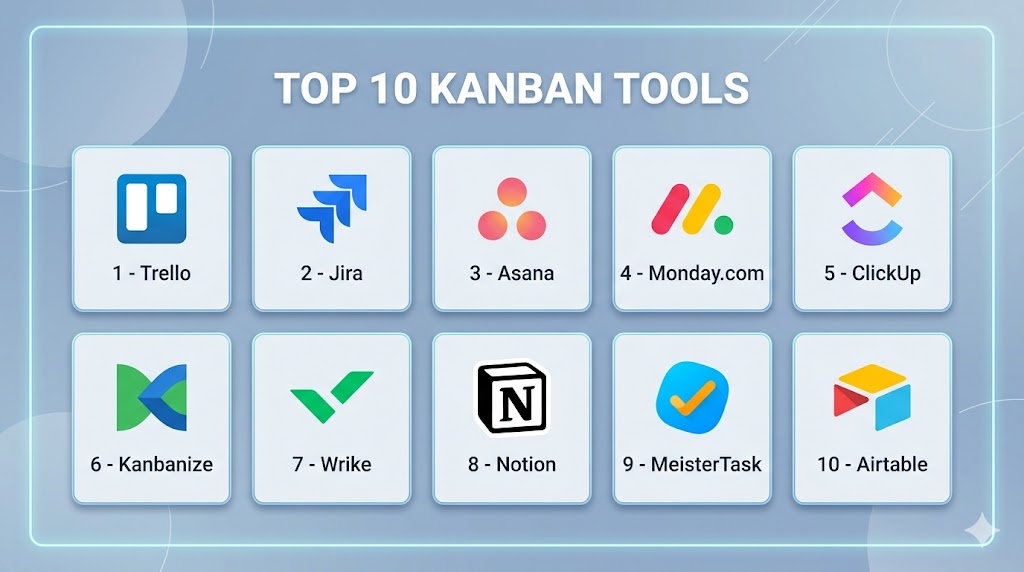
Top 10 Kanban Tools Tools
#1 — Trello
Short description: A simple and highly visual Kanban tool ideal for individuals and small teams.
Key Features
- Drag-and-drop Kanban boards
- Custom labels and tags
- Power-ups for extended functionality
- Workflow automation
- Collaboration and comments
- Mobile-friendly interface
Pros
- Extremely easy to use
- Quick setup for beginners
Cons
- Limited advanced features
- Can become cluttered at scale
Platforms / Deployment
Web / iOS / Android / Cloud
Security & Compliance
SSO, MFA, encryption, RBAC (specific certifications not publicly stated)
Integrations & Ecosystem
Trello integrates with popular tools like Slack, Google Workspace, and Jira.
- Slack
- Google Workspace
- Jira
- Zapier
Support & Community
Strong community and extensive documentation; support varies by plan.
#2 — Jira
Short description: A powerful tool designed for software development teams with advanced workflow tracking.
Key Features
- Agile boards and backlog management
- Advanced reporting
- Custom workflows
- Issue tracking
- Automation rules
- DevOps integration
Pros
- Highly customizable
- Excellent for engineering teams
Cons
- Steeper learning curve
- Complex setup
Platforms / Deployment
Web / Cloud / Self-hosted
Security & Compliance
SSO, MFA, encryption, audit logs, RBAC (compliance varies)
Integrations & Ecosystem
Deep integration with development tools and Atlassian ecosystem.
- Bitbucket
- Confluence
- GitHub
- CI/CD tools
Support & Community
Extensive documentation and large global user community.
#3 — Asana
Short description: A flexible project management tool with Kanban-style boards and task tracking.
Key Features
- Task and workflow automation
- Timeline and board views
- Collaboration tools
- Goal tracking
- Reporting dashboards
Pros
- Clean interface
- Strong collaboration features
Cons
- Limited customization for Kanban purists
- Pricing can scale quickly
Platforms / Deployment
Web / iOS / Android / Cloud
Security & Compliance
SSO, MFA, encryption (certifications not publicly stated)
Integrations & Ecosystem
Supports a wide range of productivity tools.
- Slack
- Microsoft Teams
- Google Workspace
Support & Community
Good documentation and onboarding resources.
#4 — Monday.com
Short description: A visual work management platform with customizable Kanban workflows.
Key Features
- Custom dashboards
- Automation workflows
- Visual project tracking
- Time tracking
- Collaboration tools
Pros
- Highly customizable
- Visual interface
Cons
- Can be expensive
- Complexity increases with scale
Platforms / Deployment
Web / iOS / Android / Cloud
Security & Compliance
SSO, MFA, encryption (compliance varies)
Integrations & Ecosystem
Integrates with a wide variety of business tools.
- Slack
- Zoom
- CRM tools
Support & Community
Responsive support and strong onboarding guides.
#5 — ClickUp
Short description: An all-in-one productivity platform with Kanban boards and extensive customization.
Key Features
- Custom workflows
- Docs and collaboration
- Automation
- Goal tracking
- Multiple views
Pros
- Feature-rich
- Flexible for multiple use cases
Cons
- Overwhelming for new users
- Performance issues in large setups
Platforms / Deployment
Web / Windows / macOS / iOS / Android / Cloud
Security & Compliance
SSO, MFA, encryption (details vary)
Integrations & Ecosystem
Supports many third-party integrations.
- Slack
- GitHub
- Google Workspace
Support & Community
Large community and growing documentation base.
#6 — Kanbanize
Short description: A dedicated Kanban tool focused on advanced workflow management and analytics.
Key Features
- Advanced analytics
- Workflow automation
- Swimlanes
- WIP limits
- Custom boards
Pros
- Strong Kanban focus
- Powerful analytics
Cons
- Less intuitive UI
- Limited ecosystem
Platforms / Deployment
Web / Cloud
Security & Compliance
Not publicly stated
Integrations & Ecosystem
Integrates with common productivity tools.
- Slack
- Zapier
Support & Community
Moderate support resources.
#7 — Wrike
Short description: A project management platform with Kanban boards and enterprise-grade features.
Key Features
- Custom workflows
- Real-time collaboration
- Reporting dashboards
- Resource management
- Automation
Pros
- Scalable
- Enterprise-ready
Cons
- Complex UI
- Higher pricing tiers
Platforms / Deployment
Web / iOS / Android / Cloud
Security & Compliance
SSO, MFA, encryption (details vary)
Integrations & Ecosystem
Wide integration support.
- Salesforce
- Slack
- Microsoft Teams
Support & Community
Strong enterprise support.
#8 — Notion
Short description: A flexible workspace combining notes, databases, and Kanban boards.
Key Features
- Custom databases
- Kanban boards
- Collaboration tools
- Templates
- Knowledge management
Pros
- Highly flexible
- All-in-one workspace
Cons
- Performance can lag
- Limited automation
Platforms / Deployment
Web / Windows / macOS / iOS / Android / Cloud
Security & Compliance
Not publicly stated
Integrations & Ecosystem
Growing ecosystem of integrations.
- Slack
- API access
Support & Community
Strong community and templates.
#9 — MeisterTask
Short description: A simple and intuitive Kanban tool for small teams.
Key Features
- Task automation
- Visual boards
- Collaboration
- Time tracking
Pros
- Easy to use
- Clean interface
Cons
- Limited advanced features
- Not ideal for large teams
Platforms / Deployment
Web / iOS / Android / Cloud
Security & Compliance
Not publicly stated
Integrations & Ecosystem
Supports basic integrations.
- Slack
- Zapier
Support & Community
Basic support resources.
#10 — Airtable
Short description: A hybrid spreadsheet-database tool with Kanban capabilities.
Key Features
- Custom views
- Automation
- Database functionality
- Collaboration
- Reporting
Pros
- Highly customizable
- Flexible use cases
Cons
- Learning curve
- Not purely Kanban-focused
Platforms / Deployment
Web / iOS / Android / Cloud
Security & Compliance
Not publicly stated
Integrations & Ecosystem
Extensive integrations.
- Slack
- Google Workspace
- API
Support & Community
Strong documentation and community.
Comparison Table (Top 10)
| Tool Name | Best For | Platform(s) Supported | Deployment | Standout Feature | Public Rating |
|---|---|---|---|---|---|
| Trello | Beginners | Web, Mobile | Cloud | Simplicity | N/A |
| Jira | Developers | Web | Cloud/Self-hosted | Agile workflows | N/A |
| Asana | Teams | Web, Mobile | Cloud | Collaboration | N/A |
| Monday.com | SMBs | Web, Mobile | Cloud | Custom dashboards | N/A |
| ClickUp | All-in-one | Multi-platform | Cloud | Flexibility | N/A |
| Kanbanize | Kanban purists | Web | Cloud | Advanced analytics | N/A |
| Wrike | Enterprise | Web, Mobile | Cloud | Scalability | N/A |
| Notion | Knowledge teams | Multi-platform | Cloud | All-in-one workspace | N/A |
| MeisterTask | Small teams | Web, Mobile | Cloud | Ease of use | N/A |
| Airtable | Flexible workflows | Multi-platform | Cloud | Database + Kanban | N/A |
Evaluation & Scoring of Kanban Tools
| Tool Name | Core | Ease | Integrations | Security | Performance | Support | Value | Weighted Total |
|---|---|---|---|---|---|---|---|---|
| Trello | 7 | 9 | 7 | 7 | 8 | 7 | 9 | 7.9 |
| Jira | 9 | 6 | 9 | 8 | 9 | 8 | 7 | 8.2 |
| Asana | 8 | 8 | 8 | 7 | 8 | 8 | 7 | 7.8 |
| Monday.com | 8 | 8 | 8 | 7 | 8 | 8 | 6 | 7.7 |
| ClickUp | 9 | 7 | 9 | 7 | 7 | 8 | 8 | 8.1 |
| Kanbanize | 8 | 6 | 6 | 6 | 8 | 6 | 7 | 7.0 |
| Wrike | 8 | 7 | 8 | 8 | 8 | 8 | 6 | 7.7 |
| Notion | 7 | 8 | 7 | 6 | 7 | 7 | 8 | 7.3 |
| MeisterTask | 6 | 9 | 6 | 6 | 7 | 6 | 8 | 7.0 |
| Airtable | 8 | 7 | 8 | 7 | 8 | 7 | 7 | 7.6 |
How to interpret:
These scores are comparative across tools in this list. A higher score reflects better overall balance across features, usability, integrations, and value. Enterprise tools tend to score higher in features but may lose points in ease of use or cost.
Which Kanban ToolsTool Is Right for You?
Solo / Freelancer
Trello, Notion, and MeisterTask are ideal due to simplicity and low cost.
SMB
Monday.com, ClickUp, and Asana offer a balance of features and scalability.
Mid-Market
ClickUp, Wrike, and Jira provide customization and integrations.
Enterprise
Jira and Wrike stand out for scalability, security, and complex workflows.
Budget vs Premium
Budget users should consider Trello or MeisterTask. Premium users benefit from Jira or Wrike.
Feature Depth vs Ease of Use
Trello = easiest. Jira = most powerful.
Integrations & Scalability
ClickUp and Jira excel in integrations.
Security & Compliance Needs
Enterprise users should prioritize Jira and Wrike.
Frequently Asked Questions (FAQs)
What are Kanban tools used for?
Kanban tools help teams visualize work, manage tasks, and optimize workflows using boards and cards.
Are Kanban tools suitable for Agile teams?
Yes, Kanban is a core Agile methodology and widely used in Agile environments.
Do Kanban tools support automation?
Most modern tools include automation features for repetitive workflows.
How much do Kanban tools cost?
Pricing varies widely, from free tiers to enterprise plans depending on features.
Can Kanban tools integrate with other software?
Yes, most tools support integrations with productivity, DevOps, and communication tools.
Are Kanban tools secure?
Security varies by vendor; enterprise tools typically offer SSO, MFA, and encryption.
Can I migrate between Kanban tools?
Yes, but data migration may require manual setup or third-party tools.
What is the difference between Kanban and Scrum tools?
Kanban focuses on continuous flow, while Scrum uses time-boxed sprints.
Are Kanban tools good for non-technical teams?
Yes, they are widely used in marketing, HR, and operations.
What mistakes should I avoid when using Kanban tools?
Avoid overloading boards, poor task definitions, and lack of workflow structure.
Conclusion
Kanban tools have evolved from simple task boards into powerful workflow management platforms that support teams across industries. Whether you are an individual looking for a lightweight solution or an enterprise managing complex processes, there is a Kanban tool tailored to your needs. The key is to balance usability, features, and scalability based on your workflow complexity. Tools like Trello and MeisterTask offer simplicity, while Jira and Wrike provide enterprise-grade capabilities. Ultimately, the best choice depends on your team size, integration needs, and long-term goals. Start by shortlisting two or three tools, test them with real workflows, and validate how well they align with your processes before making a final decision.