Introduction
Game engines are software frameworks used to build video games and interactive 3D or 2D experiences. They provide essential tools for rendering graphics, handling physics, managing assets, scripting gameplay logic, and deploying across platforms such as PC, consoles, mobile devices, and web.
Today, game engines go far beyond gaming—they power simulations, AR/VR experiences, architectural visualization, film production, and digital twins. With the growing demand for real-time interactive content, choosing the right engine has become a critical decision for developers and studios.
Common use cases include:
- 2D and 3D game development
- AR/VR and immersive experiences
- Simulation and training applications
- Film and animation production
- Interactive product visualization
Key evaluation criteria:
- Rendering quality and performance
- Ease of use and learning curve
- Supported platforms and export options
- Programming and scripting capabilities
- Asset ecosystem and marketplace
- Physics and animation systems
- Community and documentation
- Licensing and pricing model
- Integration with external tools and SDKs
Best for: Game developers, indie creators, studios, XR developers, and simulation engineers.
Not ideal for: Simple static applications or teams without programming/design expertise—lighter tools may be more suitable.
Key Trends in Game Engines
- Real-time rendering advancements: Near-photorealistic graphics becoming standard
- AI-assisted development: Automated asset creation, animation, and scripting
- Cross-platform development: Single codebase deployment across devices
- Cloud-based workflows: Collaboration and remote asset management
- Integration with AR/VR: Native support for immersive technologies
- Procedural content generation: Faster world-building using algorithms
- Open-source growth: Increased adoption of community-driven engines
- Low-code tools: Visual scripting for non-programmers
- Live service support: Tools for continuous updates and monetization
- Virtual production usage: Film and media industries using game engines
How We Selected These Tools (Methodology)
- Evaluated market adoption and industry usage
- Assessed rendering capabilities and performance
- Reviewed ease of use and onboarding experience
- Analyzed cross-platform deployment support
- Considered community size and ecosystem strength
- Evaluated integration with external tools and SDKs
- Reviewed scripting flexibility and programming support
- Considered pricing and licensing models
- Included engines for both beginners and professionals
- Ensured balance between open-source and commercial solutions
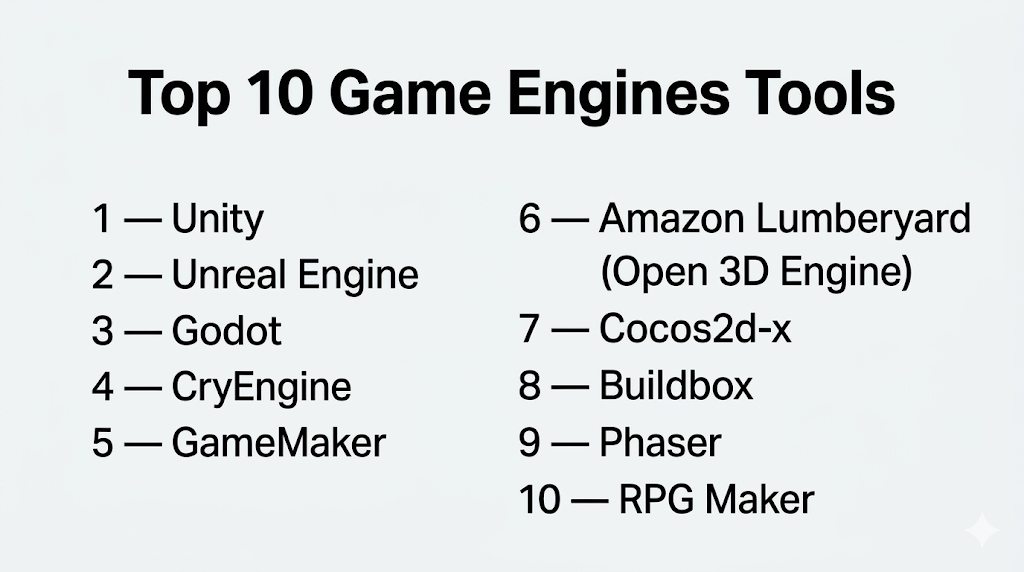
Top 10 Game Engines Tools
#1 — Unity
Short description: A versatile and widely used engine for 2D, 3D, AR, and VR development across platforms.
Key Features
- Cross-platform deployment
- Real-time rendering engine
- C# scripting
- Large Asset Store
- XR development support
- Visual scripting tools
Pros
- Beginner-friendly with scalability
- Massive community and ecosystem
Cons
- Performance tuning can be complex
- Licensing considerations for larger studios
Platforms / Deployment
- Windows / macOS / Linux / iOS / Android / Web
- Cloud / Hybrid
Security & Compliance
- Not publicly stated
Integrations & Ecosystem
Extensive ecosystem with broad compatibility.
- ARKit, ARCore
- Third-party SDKs
- APIs
Support & Community
One of the largest developer communities with extensive learning resources.
#2 — Unreal Engine
Short description: A high-performance engine known for cutting-edge graphics and cinematic-quality rendering.
Key Features
- Photorealistic rendering
- Blueprint visual scripting
- Advanced physics system
- Cross-platform support
- Real-time ray tracing
Pros
- Best-in-class graphics
- Strong for AAA game development
Cons
- Steep learning curve
- High hardware requirements
Platforms / Deployment
- Windows / macOS / Linux
- Cloud / Self-hosted
Security & Compliance
- Not publicly stated
Integrations & Ecosystem
Robust development ecosystem.
- VR SDKs
- Asset marketplace
- APIs
Support & Community
Strong documentation and professional community.
#3 — Godot
Short description: An open-source game engine known for its flexibility and lightweight design.
Key Features
- Open-source and free
- Node-based architecture
- GDScript and C# support
- 2D and 3D capabilities
- Scene system
Pros
- Completely free
- Lightweight and flexible
Cons
- Smaller ecosystem
- Limited AAA capabilities
Platforms / Deployment
- Windows / macOS / Linux
- Self-hosted
Security & Compliance
- Not publicly stated
Integrations & Ecosystem
Growing open-source ecosystem.
- Plugins
- APIs
- Community tools
Support & Community
Active open-source community.
#4 — CryEngine
Short description: A powerful engine known for high-quality visuals and realistic environments.
Key Features
- Advanced rendering engine
- Real-time lighting
- Physics simulation
- Sandbox editor
- VR support
Pros
- Excellent graphics quality
- Strong environment rendering
Cons
- Complex to learn
- Smaller community
Platforms / Deployment
- Windows
- Self-hosted
Security & Compliance
- Not publicly stated
Integrations & Ecosystem
Focused development ecosystem.
- APIs
- Asset tools
Support & Community
Moderate support and documentation.
#5 — GameMaker
Short description: A beginner-friendly engine focused on 2D game development.
Key Features
- Drag-and-drop interface
- GML scripting
- 2D rendering engine
- Cross-platform export
- Asset management
Pros
- Easy to learn
- Fast prototyping
Cons
- Limited 3D support
- Less suitable for complex games
Platforms / Deployment
- Windows / macOS
- Cloud / Self-hosted
Security & Compliance
- Not publicly stated
Integrations & Ecosystem
Focused on 2D workflows.
- Plugins
- APIs
Support & Community
Strong indie developer community.
#6 — Amazon Lumberyard (Open 3D Engine)
Short description: A 3D engine with cloud integration and open-source evolution.
Key Features
- High-quality rendering
- AWS integration
- Multiplayer support
- Open-source foundation
- Visual scripting
Pros
- Strong cloud capabilities
- No licensing fees
Cons
- Complex setup
- Smaller community
Platforms / Deployment
- Windows / Linux
- Cloud / Self-hosted
Security & Compliance
- Not publicly stated
Integrations & Ecosystem
Cloud-focused integrations.
- AWS services
- APIs
Support & Community
Growing open-source community.
#7 — Cocos2d-x
Short description: A lightweight open-source engine for mobile game development.
Key Features
- 2D game development
- Cross-platform support
- C++ scripting
- Lightweight performance
- Mobile optimization
Pros
- Efficient for mobile games
- Open-source
Cons
- Limited 3D capabilities
- Smaller ecosystem
Platforms / Deployment
- Windows / macOS / Android / iOS
- Self-hosted
Security & Compliance
- Not publicly stated
Integrations & Ecosystem
Mobile-focused ecosystem.
- APIs
- Plugins
Support & Community
Moderate community support.
#8 — Buildbox
Short description: A no-code game engine designed for rapid game creation.
Key Features
- Drag-and-drop development
- No coding required
- Prebuilt templates
- Visual scripting
- Asset library
Pros
- Very beginner-friendly
- Fast game development
Cons
- Limited customization
- Subscription pricing
Platforms / Deployment
- Windows / macOS
- Cloud
Security & Compliance
- Not publicly stated
Integrations & Ecosystem
Simplified ecosystem.
- Templates
- Plugins
Support & Community
Beginner-focused support.
#9 — Phaser
Short description: A JavaScript-based framework for building browser-based games.
Key Features
- HTML5 game development
- Lightweight framework
- JavaScript support
- Web deployment
- 2D rendering
Pros
- Great for web games
- Easy integration with web tech
Cons
- Limited 3D support
- Browser performance limitations
Platforms / Deployment
- Web
- Cloud
Security & Compliance
- Not publicly stated
Integrations & Ecosystem
Web development ecosystem.
- JavaScript libraries
- APIs
Support & Community
Strong web developer community.
#10 — RPG Maker
Short description: A specialized engine for creating role-playing games with minimal coding.
Key Features
- RPG-focused tools
- Visual editor
- Event system
- Asset libraries
- Scripting support
Pros
- Easy for RPG creation
- No advanced coding needed
Cons
- Limited to RPG genre
- Less flexibility
Platforms / Deployment
- Windows
- Self-hosted
Security & Compliance
- Not publicly stated
Integrations & Ecosystem
Niche ecosystem.
- Plugins
- APIs
Support & Community
Strong niche community.
Comparison Table (Top 10)
| Tool Name | Best For | Platform(s) Supported | Deployment | Standout Feature | Public Rating |
|---|---|---|---|---|---|
| Unity | General development | Multi-platform | Hybrid | Asset ecosystem | N/A |
| Unreal Engine | AAA games | Multi-platform | Hybrid | Photorealistic rendering | N/A |
| Godot | Open-source dev | Multi-platform | Self-hosted | Free and flexible | N/A |
| CryEngine | High-end visuals | Windows | Self-hosted | Realistic environments | N/A |
| GameMaker | 2D games | Desktop | Hybrid | Drag-and-drop tools | N/A |
| Open 3D Engine | Cloud games | Multi-platform | Hybrid | AWS integration | N/A |
| Cocos2d-x | Mobile games | Multi-platform | Self-hosted | Lightweight | N/A |
| Buildbox | No-code dev | Desktop | Cloud | No-code tools | N/A |
| Phaser | Web games | Web | Cloud | HTML5 framework | N/A |
| RPG Maker | RPG games | Windows | Self-hosted | RPG templates | N/A |
Evaluation & Scoring of Game Engines
| Tool Name | Core (25%) | Ease (15%) | Integrations (15%) | Security (10%) | Performance (10%) | Support (10%) | Value (15%) | Weighted Total (0–10) |
|---|---|---|---|---|---|---|---|---|
| Unity | 10 | 8 | 9 | 6 | 9 | 10 | 8 | 8.9 |
| Unreal | 10 | 6 | 9 | 6 | 10 | 9 | 8 | 8.7 |
| Godot | 8 | 8 | 7 | 6 | 8 | 8 | 10 | 8.3 |
| CryEngine | 9 | 5 | 7 | 6 | 9 | 7 | 7 | 7.6 |
| GameMaker | 7 | 9 | 6 | 6 | 7 | 8 | 8 | 7.6 |
| Open 3D Engine | 8 | 6 | 8 | 6 | 8 | 7 | 9 | 7.9 |
| Cocos2d-x | 7 | 7 | 6 | 6 | 8 | 7 | 9 | 7.5 |
| Buildbox | 6 | 9 | 5 | 6 | 6 | 7 | 7 | 6.8 |
| Phaser | 7 | 8 | 7 | 6 | 7 | 8 | 9 | 7.6 |
| RPG Maker | 6 | 9 | 5 | 6 | 6 | 7 | 8 | 6.9 |
How to interpret scores:
- Unity and Unreal dominate for professional development
- Open-source engines offer strong value and flexibility
- No-code tools excel in ease of use but lack depth
- Web and mobile engines are optimized for specific use cases
- Choose based on project complexity and platform needs
Which Game Engine Is Right for You?
Solo / Freelancer
- Best options: Godot, Unity, Buildbox
- Focus on ease of use and low cost
SMB
- Best options: Unity, GameMaker
- Balance between flexibility and usability
Mid-Market
- Best options: Unreal Engine, Unity
- Strong performance and scalability
Enterprise
- Best options: Unreal Engine, Unity, Open 3D Engine
- Full-featured and scalable
Budget vs Premium
- Budget: Godot, Phaser
- Premium: Unreal, Unity enterprise
Feature Depth vs Ease of Use
- Easy: Buildbox, GameMaker
- Advanced: Unreal, Unity
Integrations & Scalability
- Strong: Unity, Unreal
- Moderate: Open-source engines
Security & Compliance Needs
- Enterprise teams require governance and secure pipelines
- Open-source tools require additional configuration
Frequently Asked Questions (FAQs)
What is a game engine?
It is software used to build games and interactive applications.
Which engine is best for beginners?
Unity and Godot are beginner-friendly options.
Is Unreal Engine better than Unity?
Unreal offers better graphics; Unity offers more flexibility.
Are game engines free?
Some are free or open-source; others use licensing models.
Can I build mobile games?
Yes, most engines support mobile platforms.
Do I need coding skills?
Most engines require coding, but some offer visual tools.
What languages are used?
Common languages include C#, C++, and JavaScript.
Can game engines be used outside gaming?
Yes, for simulations, AR/VR, and visualization.
How long does development take?
Depends on complexity—weeks to years.
Which engine is best for 2D games?
GameMaker and Godot are strong choices.
Conclusion
Game engines are powerful platforms that enable developers to create immersive and interactive experiences across industries. Whether you’re building a simple 2D game or a complex 3D simulation, the right engine depends on your goals, skills, and target platforms.