Introduction
Mobile app development platforms are tools and frameworks that help developers build, test, and deploy mobile applications for iOS, Android, and other devices. These platforms range from cross-platform frameworks and backend services to integrated development environments (IDEs), enabling faster and more efficient app creation.
With the increasing demand for mobile apps, businesses rely on these platforms to reduce development time, improve performance, and scale applications globally. Many modern platforms now support cross-platform development, allowing developers to use a single codebase for multiple operating systems, which significantly reduces cost and effort.
Common Use Cases
- Cross-platform mobile app development
- Backend services and app infrastructure
- UI/UX development and testing
- Enterprise and consumer app creation
- Rapid prototyping and MVP development
What Buyers Should Evaluate
- Platform support (iOS, Android, web)
- Programming language and flexibility
- Performance and scalability
- Backend and cloud support
- Integration capabilities
- Ease of development and learning curve
- Community and ecosystem
- Security and compliance
- Cost and licensing
Best for: Developers, startups, enterprises, and product teams building scalable mobile applications.
Not ideal for: Users looking for purely no-code tools or simple website-based solutions.
Key Trends in Mobile App Development Platforms
- Growth of cross-platform frameworks
- AI-assisted app development workflows
- Backend-as-a-Service (BaaS) adoption
- Integration with cloud and microservices
- Faster development cycles with reusable components
- Increased focus on app performance and UX
- Real-time updates and hot reload features
- API-first development ecosystems
- Enhanced security and compliance practices
- Expansion into web and desktop app support
How We Selected These Tools (Methodology)
- Market adoption and developer popularity
- Feature completeness (frontend + backend capabilities)
- Performance and scalability
- Integration ecosystem
- Ease of use for developers
- Cross-platform support
- Security considerations
- Support and community strength
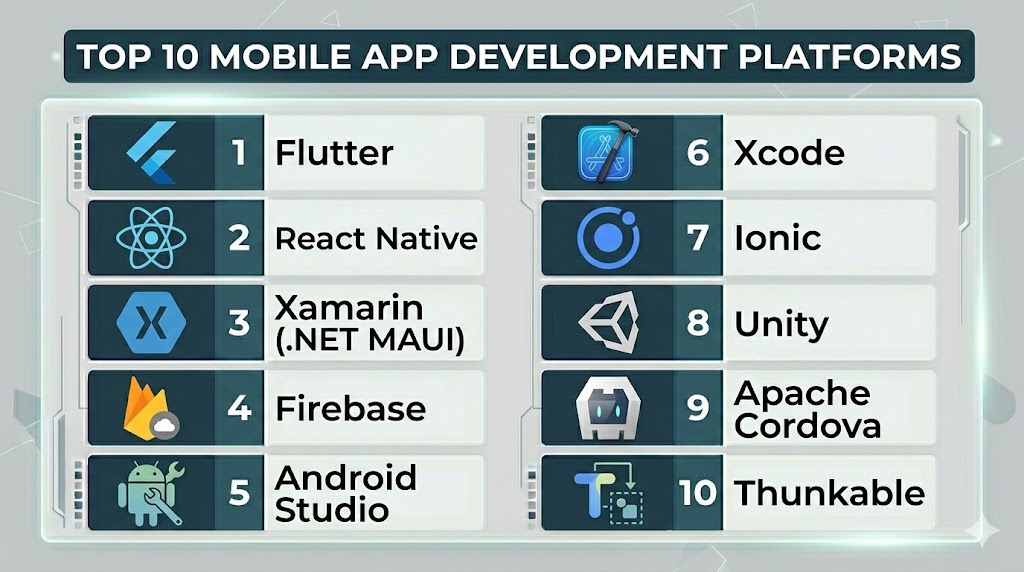
Top 10 Mobile App Development Platforms
#1 — Flutter
Short description: An open-source framework for building cross-platform apps with a single codebase.
Key Features
- Single codebase for multiple platforms
- Fast rendering engine
- Rich UI components
- Hot reload
- High performance
Pros
- Cross-platform efficiency
- Strong performance
Cons
- Requires learning Dart
- Large app size
Platforms / Deployment
- Web / iOS / Android / Desktop
- Cloud / Local
Security & Compliance
- Not publicly stated
Integrations & Ecosystem
Supports integration with backend services and APIs.
- Firebase
- APIs
- Third-party plugins
Support & Community
Large and active developer community.
#2 — React Native
Short description: A popular framework for building mobile apps using JavaScript and React.
Key Features
- Cross-platform development
- Live reload
- Native components
- Large ecosystem
- Code reuse
Pros
- Strong community
- JavaScript-based
Cons
- Performance limitations
- Requires native knowledge
Platforms / Deployment
- iOS / Android
- Local / Cloud
Security & Compliance
- Not publicly stated
Integrations & Ecosystem
- APIs
- Third-party libraries
Support & Community
Very large developer ecosystem.
#3 — Xamarin (.NET MAUI)
Short description: A Microsoft platform for building cross-platform apps using C# and .NET.
Key Features
- Single codebase
- Native performance
- Visual Studio integration
- Code sharing
- Cross-platform support
Pros
- Strong Microsoft ecosystem
- Native app performance
Cons
- Learning curve
- Limited flexibility
Platforms / Deployment
- iOS / Android / Windows
- Cloud / Local
Security & Compliance
- Not publicly stated
Integrations & Ecosystem
- .NET ecosystem
- APIs
Support & Community
Strong enterprise and developer support.
#4 — Firebase
Short description: A backend platform offering services for app development, hosting, and analytics.
Key Features
- Backend-as-a-Service
- Authentication
- Real-time database
- Hosting
- Analytics
Pros
- Easy backend setup
- Scalable
Cons
- Vendor lock-in
- Pricing can increase
Platforms / Deployment
- Web / Mobile
- Cloud
Security & Compliance
- Not publicly stated
Integrations & Ecosystem
- Google ecosystem
- APIs
Support & Community
Widely used with strong documentation.
#5 — Android Studio
Short description: The official IDE for Android app development.
Key Features
- Code editor
- Debugging tools
- Emulator
- Performance profiling
- Integration with Android SDK
Pros
- Official tool
- Full Android support
Cons
- Resource-heavy
- Android-only
Platforms / Deployment
- Windows / macOS / Linux
- Local
Security & Compliance
- Not publicly stated
Integrations & Ecosystem
- Android SDK
- APIs
Support & Community
Extensive documentation and support.
#6 — Xcode
Short description: Apple’s official IDE for building iOS applications.
Key Features
- Code editor
- Interface builder
- Debugging tools
- Simulator
- Performance analysis
Pros
- Native iOS development
- Strong performance
Cons
- macOS only
- Learning curve
Platforms / Deployment
- macOS
- Local
Security & Compliance
- Not publicly stated
Integrations & Ecosystem
- Apple ecosystem
- APIs
Support & Community
Strong Apple developer community.
#7 — Ionic
Short description: A framework for building hybrid mobile apps using web technologies.
Key Features
- HTML, CSS, JavaScript support
- Cross-platform apps
- UI components
- Plugin ecosystem
- Rapid development
Pros
- Easy for web developers
- Fast development
Cons
- Performance limitations
- Less native feel
Platforms / Deployment
- Web / iOS / Android
- Cloud / Local
Security & Compliance
- Not publicly stated
Integrations & Ecosystem
- APIs
- Plugins
Support & Community
Strong community support.
#8 — Unity
Short description: A platform for building mobile apps and games with advanced graphics.
Key Features
- Game development tools
- Cross-platform support
- 3D rendering
- Asset store
- Real-time rendering
Pros
- Powerful graphics
- Cross-platform
Cons
- Heavy tool
- Not ideal for simple apps
Platforms / Deployment
- iOS / Android / Web
- Cloud / Local
Security & Compliance
- Not publicly stated
Integrations & Ecosystem
- APIs
- Game development tools
Support & Community
Large developer community.
#9 — Apache Cordova
Short description: A framework for building mobile apps using web technologies.
Key Features
- Cross-platform apps
- Plugin support
- Web-based development
- API access
- Open-source
Pros
- Easy to learn
- Flexible
Cons
- Performance limitations
- Outdated ecosystem
Platforms / Deployment
- Web / iOS / Android
- Local
Security & Compliance
- Not publicly stated
Integrations & Ecosystem
- Plugins
- APIs
Support & Community
Moderate support.
#10 — Thunkable
Short description: A no-code platform for building mobile apps visually.
Key Features
- Drag-and-drop builder
- Cross-platform apps
- Logic blocks
- API integration
- Publishing tools
Pros
- No coding required
- Fast development
Cons
- Limited customization
- Performance constraints
Platforms / Deployment
- Web / iOS / Android
- Cloud
Security & Compliance
- Not publicly stated
Integrations & Ecosystem
- APIs
- Mobile tools
Support & Community
Growing community.
Comparison Table (Top 10)
| Tool Name | Best For | Platform(s) Supported | Deployment | Standout Feature | Public Rating |
|---|---|---|---|---|---|
| Flutter | Cross-platform apps | Web, Mobile, Desktop | Cloud/Local | Single codebase | N/A |
| React Native | JS developers | iOS, Android | Local/Cloud | JavaScript framework | N/A |
| Xamarin | .NET developers | iOS, Android, Windows | Cloud/Local | Native performance | N/A |
| Firebase | Backend services | Web, Mobile | Cloud | Backend-as-a-Service | N/A |
| Android Studio | Android apps | Desktop | Local | Official IDE | N/A |
| Xcode | iOS apps | macOS | Local | Apple ecosystem | N/A |
| Ionic | Web-based apps | Web, Mobile | Cloud/Local | Hybrid apps | N/A |
| Unity | Games/apps | Mobile, Web | Cloud/Local | 3D engine | N/A |
| Cordova | Hybrid apps | Web, Mobile | Local | Web technologies | N/A |
| Thunkable | No-code apps | Web, Mobile | Cloud | Visual builder | N/A |
Evaluation & Scoring of Mobile App Development Platforms
| Tool Name | Core | Ease | Integrations | Security | Performance | Support | Value | Weighted Total |
|---|---|---|---|---|---|---|---|---|
| Flutter | 9 | 7 | 9 | 7 | 9 | 9 | 8 | 8.4 |
| React Native | 9 | 7 | 9 | 7 | 8 | 9 | 8 | 8.3 |
| Xamarin | 8 | 6 | 8 | 7 | 9 | 8 | 7 | 7.9 |
| Firebase | 8 | 8 | 9 | 7 | 8 | 9 | 7 | 8.0 |
| Android Studio | 9 | 6 | 8 | 7 | 9 | 9 | 8 | 8.2 |
| Xcode | 9 | 6 | 8 | 7 | 9 | 9 | 8 | 8.2 |
| Ionic | 7 | 8 | 7 | 6 | 7 | 8 | 8 | 7.4 |
| Unity | 8 | 6 | 7 | 6 | 9 | 8 | 7 | 7.6 |
| Cordova | 6 | 8 | 6 | 6 | 6 | 7 | 7 | 6.9 |
| Thunkable | 7 | 9 | 6 | 6 | 7 | 7 | 9 | 7.5 |
How to interpret scores:
- Scores are relative comparisons
- Higher scores indicate stronger capabilities
- Developer tools prioritize performance
- No-code tools prioritize ease of use
- Choose based on your development needs
Which Mobile App Development Platform Is Right for You?
Solo / Freelancer
Use Thunkable or Firebase for simplicity and fast development.
SMB
React Native or Ionic provide flexibility and speed.
Mid-Market
Flutter or Xamarin offer better scalability and performance.
Enterprise
OutSystems, Firebase, and native tools like Android Studio and Xcode are ideal.
Budget vs Premium
- Budget: Ionic, Cordova
- Premium: Xamarin, Unity
Feature Depth vs Ease of Use
- Deep features: Flutter, React Native
- Easy to use: Thunkable
Integrations & Scalability
- Strong integrations: Firebase, React Native
- Moderate: Ionic, Cordova
Security & Compliance Needs
Choose platforms with strong backend and access control features.
Frequently Asked Questions (FAQs)
What are mobile app development platforms?
They are tools used to build and deploy mobile applications.
Are cross-platform tools better?
They reduce development time but may have performance trade-offs.
Do I need coding skills?
Most platforms require coding, except no-code tools.
Which platform is best for beginners?
Thunkable and Ionic are beginner-friendly.
Can I build apps for both iOS and Android?
Yes, cross-platform tools support both.
Are these platforms scalable?
Yes, especially frameworks like Flutter and React Native.
Do they support backend services?
Some platforms like Firebase provide backend support.
Are they free?
Many tools offer free versions with limitations.
Can I switch platforms later?
Yes, but migration can be complex.
Are they secure?
Security varies depending on the platform.
Conclusion
Mobile app development platforms are essential for building scalable and high-performance applications. The right platform depends on your technical skills, project requirements, and budget. Cross-platform tools offer efficiency, while native tools provide better performance. It’s important to evaluate scalability, integrations, and development flexibility before choosing. No single platform fits all needs, so aligning the platform with your goals is key. Start by testing a few options and choose the one that best fits your development workflow.