Introduction
A Configuration Management Database (CMDB) is a centralized system that stores information about an organization’s IT assets—such as servers, applications, networks, and cloud resources—and maps the relationships between them. In simple terms, it acts as a single source of truth for your entire IT environment.
As modern infrastructures become more complex with hybrid cloud, microservices, and distributed systems, CMDBs play a critical role in ensuring visibility, control, and operational efficiency. They help teams understand how systems are connected, which is essential for managing incidents, changes, and compliance requirements.
Common use cases include:
- IT asset lifecycle management
- Incident and root cause analysis
- Change impact assessment
- Compliance and audit reporting
- Service dependency mapping
What buyers should evaluate:
- Automated discovery capabilities
- Accuracy of relationship mapping
- Integration with ITSM, DevOps, and cloud tools
- Scalability across environments
- Ease of use and UI design
- Reporting and analytics capabilities
- Security and access controls
- Deployment flexibility
- Cost and licensing model
Best for: IT managers, DevOps teams, and enterprises managing complex infrastructure across industries like finance, healthcare, and SaaS.
Not ideal for: Small teams with minimal infrastructure or startups that rely on simple cloud-native setups where a full CMDB may be unnecessary.
Key Trends in Configuration Management Databases (CMDB)
- AI-driven asset discovery and dependency mapping
- Service graph models replacing static CMDB structures
- Cloud-native and multi-cloud support
- Integration with observability and monitoring platforms
- Automation-first workflows for IT operations
- Stronger focus on security and compliance tracking
- Low-code and no-code customization capabilities
- Real-time updates using event-driven architecture
- Improved data quality automation to reduce stale records
- Usage-based and scalable pricing models
How We Selected These Tools (Methodology)
- Strong market presence and adoption
- Comprehensive CMDB feature set
- Proven reliability and performance indicators
- Availability of automation and intelligent capabilities
- Security and compliance readiness
- Integration ecosystem strength
- Suitability for different organization sizes
- Flexible deployment models
- Overall usability and customer feedback trends
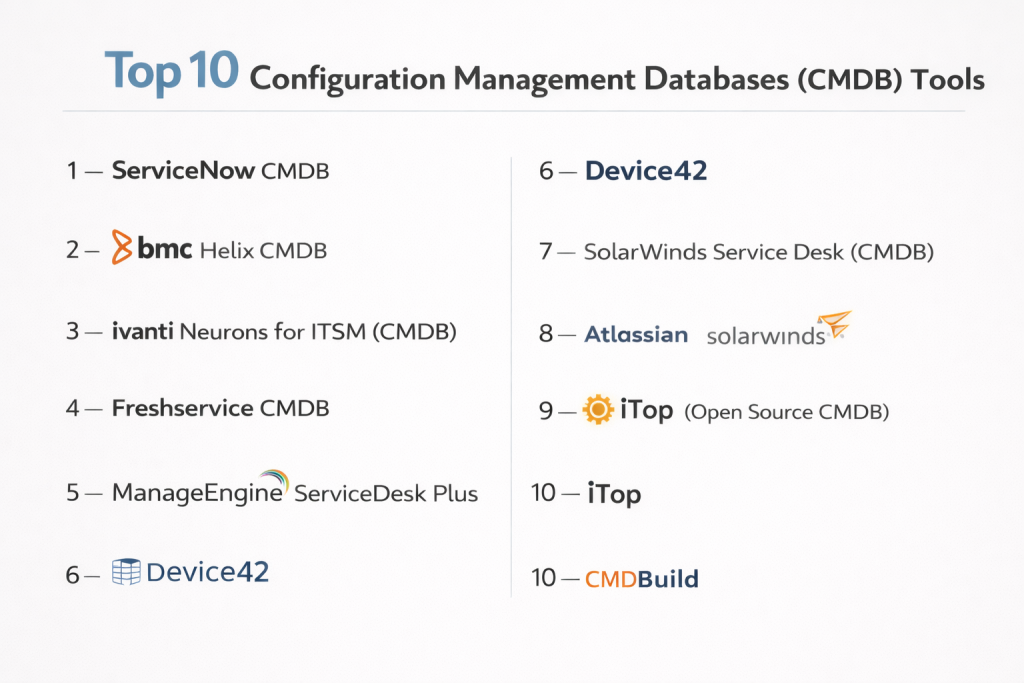
Top 10 Configuration Management Databases (CMDB) Tools
#1 — ServiceNow CMDB
Short description: A leading enterprise-grade CMDB platform integrated within a broader ITSM ecosystem, designed for large-scale organizations.
Key Features
- Automated discovery and service mapping
- Dependency mapping and service graphs
- Integration with ITSM and IT operations tools
- AI-driven insights and analytics
- Configuration compliance tracking
- Change impact analysis
- Hybrid environment support
Pros
- Highly scalable for large enterprises
- Deep integration across IT workflows
Cons
- High cost for smaller teams
- Complex implementation process
Platforms / Deployment
Cloud / Hybrid
Security & Compliance
SSO, MFA, RBAC, audit logs; certifications not publicly stated
Integrations & Ecosystem
Strong ecosystem with ITSM, cloud, and monitoring tools
- Cloud providers
- Collaboration tools
- Monitoring platforms
- APIs
Support & Community
Extensive documentation, enterprise support, and a large user community
#2 — BMC Helix CMDB
Short description: A powerful CMDB platform built for enterprise IT operations with strong automation and service modeling.
Key Features
- Automated discovery
- Service modeling and mapping
- Multi-cloud visibility
- Impact analysis
- Data reconciliation
- ITSM integration
Pros
- Strong automation capabilities
- Suitable for large IT environments
Cons
- Steep learning curve
- Complex interface
Platforms / Deployment
Cloud / On-prem / Hybrid
Security & Compliance
SSO, RBAC, encryption; certifications not publicly stated
Integrations & Ecosystem
- Cloud platforms
- DevOps tools
- APIs
Support & Community
Enterprise support with structured documentation
#3 — Ivanti Neurons for ITSM (CMDB)
Short description: A modern CMDB embedded within an ITSM platform, focused on automation and user-friendly workflows.
Key Features
- Asset discovery and tracking
- Service mapping
- Workflow automation
- Analytics dashboards
- Configuration tracking
Pros
- Balanced features and usability
- Strong automation support
Cons
- Customization complexity
- Limited open ecosystem
Platforms / Deployment
Cloud / Hybrid
Security & Compliance
SSO, MFA, RBAC; certifications not publicly stated
Integrations & Ecosystem
- Enterprise tools
- APIs
- Third-party integrations
Support & Community
Moderate community with enterprise-level support
#4 — Freshservice CMDB
Short description: A simple and intuitive CMDB solution designed for SMBs and growing IT teams.
Key Features
- Auto asset discovery
- Visual dependency mapping
- ITSM integration
- Workflow automation
- Reporting tools
Pros
- Easy to deploy and use
- Quick onboarding
Cons
- Limited advanced capabilities
- Not ideal for complex environments
Platforms / Deployment
Cloud
Security & Compliance
SSO, RBAC; certifications not publicly stated
Integrations & Ecosystem
- SaaS tools
- Cloud integrations
- APIs
Support & Community
Strong onboarding and responsive support
#5 — ManageEngine ServiceDesk Plus (CMDB)
Short description: A cost-effective CMDB integrated into an ITSM platform, ideal for SMBs.
Key Features
- Asset tracking
- Relationship mapping
- Discovery tools
- Reporting dashboards
- Change management integration
Pros
- Affordable pricing
- Easy implementation
Cons
- Limited scalability
- Basic UI experience
Platforms / Deployment
Cloud / On-prem
Security & Compliance
SSO, RBAC; certifications not publicly stated
Integrations & Ecosystem
- IT tools ecosystem
- APIs
- Third-party integrations
Support & Community
Strong documentation and active community
#6 — Device42
Short description: A hybrid IT discovery and CMDB platform focused on infrastructure visibility.
Key Features
- Agentless discovery
- Dependency mapping
- IP address management
- Data center mapping
- Cloud discovery
Pros
- Strong discovery capabilities
- Good hybrid support
Cons
- Complex UI
- Requires setup effort
Platforms / Deployment
Cloud / On-prem
Security & Compliance
RBAC, encryption; certifications not publicly stated
Integrations & Ecosystem
- Monitoring tools
- Cloud platforms
- APIs
Support & Community
Comprehensive documentation with enterprise support
#7 — SolarWinds Service Desk (CMDB)
Short description: A cloud-based ITSM tool with built-in CMDB functionality for mid-sized organizations.
Key Features
- Asset discovery
- Relationship tracking
- ITSM workflows
- Reporting tools
- Incident integration
Pros
- Easy to deploy
- Good integration with ITSM
Cons
- Limited advanced features
- Not ideal for enterprise scale
Platforms / Deployment
Cloud
Security & Compliance
SSO, RBAC; certifications not publicly stated
Integrations & Ecosystem
- Cloud services
- APIs
- Monitoring tools
Support & Community
Reliable support with growing user base
#8 — Atlassian Assets (Insight)
Short description: A CMDB tool integrated with Jira Service Management, ideal for DevOps teams.
Key Features
- Asset tracking
- Relationship modeling
- Workflow automation
- Custom schemas
- Integration with Jira
Pros
- Seamless integration with Jira
- Flexible configuration
Cons
- Limited standalone capabilities
- Requires Atlassian ecosystem
Platforms / Deployment
Cloud / On-prem
Security & Compliance
SSO, RBAC; certifications not publicly stated
Integrations & Ecosystem
- Jira
- Collaboration tools
- APIs
Support & Community
Large global community and documentation resources
#9 — iTop (Open Source CMDB)
Short description: An open-source CMDB platform suitable for customization-heavy use cases.
Key Features
- Configuration tracking
- Relationship mapping
- ITSM integration
- Custom data models
- Reporting tools
Pros
- Highly customizable
- Open-source flexibility
Cons
- Requires technical expertise
- Limited enterprise support
Platforms / Deployment
Self-hosted
Security & Compliance
Varies / Not publicly stated
Integrations & Ecosystem
- APIs
- Plugins
- Custom integrations
Support & Community
Community-driven support and documentation
#10 — CMDBuild
Short description: A flexible open-source CMDB platform with workflow automation capabilities.
Key Features
- Asset and configuration management
- Workflow engine
- Data modeling
- Reporting capabilities
- Integration support
Pros
- Flexible and customizable
- Open-source option
Cons
- Complex setup
- Less polished UI
Platforms / Deployment
Self-hosted
Security & Compliance
Varies / Not publicly stated
Integrations & Ecosystem
- APIs
- Custom integrations
Support & Community
Community-based support
Comparison Table (Top 10)
| Tool Name | Best For | Platform(s) Supported | Deployment | Standout Feature | Public Rating |
|---|---|---|---|---|---|
| ServiceNow CMDB | Enterprise | Web | Cloud/Hybrid | Service graph | N/A |
| BMC Helix CMDB | Enterprise | Web | Cloud/Hybrid | Automation | N/A |
| Ivanti Neurons | Mid-Market | Web | Cloud/Hybrid | Workflow automation | N/A |
| Freshservice | SMB | Web | Cloud | Ease of use | N/A |
| ManageEngine | SMB | Web | Cloud/On-prem | Cost efficiency | N/A |
| Device42 | Infrastructure teams | Web | Hybrid | Discovery engine | N/A |
| SolarWinds | SMB | Web | Cloud | ITSM integration | N/A |
| Atlassian Assets | DevOps teams | Web | Hybrid | Jira integration | N/A |
| iTop | Custom environments | Web | Self-hosted | Open-source | N/A |
| CMDBuild | Custom workflows | Web | Self-hosted | Workflow engine | N/A |
Evaluation & Scoring of Configuration Management Databases (CMDB)
| Tool | Core | Ease | Integrations | Security | Performance | Support | Value | Weighted Total |
|---|---|---|---|---|---|---|---|---|
| ServiceNow | 10 | 7 | 10 | 9 | 9 | 9 | 6 | 8.75 |
| BMC Helix | 9 | 7 | 9 | 9 | 9 | 8 | 6 | 8.40 |
| Ivanti | 8 | 8 | 8 | 8 | 8 | 7 | 7 | 7.85 |
| Freshservice | 7 | 9 | 7 | 7 | 8 | 8 | 8 | 7.85 |
| ManageEngine | 7 | 8 | 7 | 7 | 7 | 7 | 9 | 7.65 |
| Device42 | 8 | 6 | 8 | 7 | 8 | 7 | 7 | 7.45 |
| SolarWinds | 7 | 8 | 7 | 7 | 7 | 7 | 7 | 7.30 |
| Atlassian | 7 | 8 | 9 | 7 | 7 | 8 | 7 | 7.55 |
| iTop | 6 | 6 | 6 | 6 | 6 | 6 | 9 | 6.50 |
| CMDBuild | 6 | 6 | 6 | 6 | 6 | 6 | 8 | 6.40 |
How to interpret scores:
These scores are comparative and designed to help you evaluate trade-offs. Enterprise tools rank higher in features and scalability but may score lower in cost efficiency. Simpler tools often perform better in usability and value. Always match the scoring with your specific requirements and infrastructure size.
Which Configuration Management Databases (CMDB) Tool Is Right for You?
Solo / Freelancer
Open-source tools like iTop or CMDBuild may be sufficient if you need basic tracking with customization.
SMB
Freshservice and ManageEngine offer the best balance of usability and affordability.
Mid-Market
Ivanti and Atlassian Assets provide scalability with manageable complexity.
Enterprise
ServiceNow and BMC Helix are ideal for large, complex environments requiring deep automation.
Budget vs Premium
- Budget: ManageEngine, iTop
- Premium: ServiceNow, BMC Helix
Feature Depth vs Ease of Use
- Advanced features: ServiceNow, BMC
- Simplicity: Freshservice, SolarWinds
Integrations & Scalability
- Strong integrations: ServiceNow, Atlassian
- High scalability: BMC, Ivanti
Security & Compliance Needs
- High-security environments: ServiceNow, BMC
- Moderate needs: Freshservice, SolarWinds
Frequently Asked Questions (FAQs)
1. What is a CMDB used for?
A CMDB helps organizations track IT assets and their relationships, enabling better incident management, change tracking, and operational visibility.
2. Do small businesses need a CMDB?
Not always. Small teams with limited infrastructure may find simpler asset management tools more practical.
3. How long does implementation take?
Implementation can range from a few weeks for simple setups to several months for enterprise deployments.
4. What are common CMDB challenges?
Maintaining accurate data, integrating multiple systems, and ensuring continuous updates are common challenges.
5. Are CMDBs cloud-based?
Many modern CMDBs are cloud-based, but some also support on-prem or hybrid deployments.
6. How does CMDB integrate with ITSM?
CMDB provides foundational data that powers incident, change, and problem management processes in ITSM tools.
7. Can CMDB improve security?
Yes, by tracking assets and dependencies, it helps identify vulnerabilities and supports compliance audits.
8. What is service mapping?
Service mapping visualizes how IT components are connected to deliver business services.
9. How to maintain CMDB accuracy?
Using automated discovery and regular audits ensures data remains accurate.
10. Is it easy to switch CMDB tools?
Switching can be complex due to data migration and integrations, so planning is essential.
Conclusion
A CMDB is a foundational component for modern IT operations, but the right choice depends heavily on your organization’s size, complexity, and goals. Enterprise platforms deliver deep automation and scalability, while simpler tools prioritize usability and faster implementation. Open-source options offer flexibility but require technical expertise and maintenance effort. The most important factors to focus on are data accuracy, integration capabilities, and long-term scalability. Instead of chasing feature-heavy platforms, prioritize tools that align with your workflows and team capabilities. Start by shortlisting a few options, test them in a controlled environment, and validate how well they integrate with your existing systems before making a final decision.