Introduction
Archiving Tools help organizations securely store, retain, search, and manage historical business data for long periods. Unlike standard backups, archiving platforms are optimized for retention, legal discovery, compliance, storage efficiency, and quick retrieval of older information such as emails, documents, chats, logs, and records.
As regulations tighten and businesses generate more digital content, archiving has become essential for governance, risk reduction, and operational efficiency. Many organizations need to preserve records for years while still enabling fast access during audits, legal matters, investigations, or internal reviews.
Common use cases include:
- Email retention and retrieval
- Legal hold and eDiscovery
- Compliance record retention
- Historical data storage optimization
- Microsoft 365 and Google Workspace archiving
- Chat and collaboration record preservation
- Long-term business continuity recordkeeping
What buyers should evaluate:
- Supported data sources
- Search and eDiscovery features
- Retention policy flexibility
- Security and encryption
- Compliance capabilities
- Storage efficiency
- Ease of administration
- Scalability
- Integration ecosystem
- Pricing model
Best for: Enterprises, regulated industries, legal teams, finance, healthcare, education, and any organization with retention obligations.
Not ideal for: Very small businesses with minimal compliance needs and low data volume.
Key Trends in Archiving Tools
- AI-powered eDiscovery search assistance
- Archiving for chat and collaboration apps growing rapidly
- Cloud-native archiving replacing legacy storage systems
- Automated retention policy enforcement
- Immutable records for compliance readiness
- Lower-cost cold storage integrations
- Multi-tenant archiving demand from MSPs
- Unified governance across email, chat, and files
- Privacy-aware retention workflows
- Faster retrieval from long-term archives
How We Selected These Tools (Methodology)
- Strong market reputation and adoption
- Broad archiving workload support
- Search and legal discovery strength
- Security and compliance readiness
- Cloud and hybrid flexibility
- Ease of management
- Integration ecosystem quality
- Suitability from SMB to enterprise
- Support reputation
- Overall value for cost
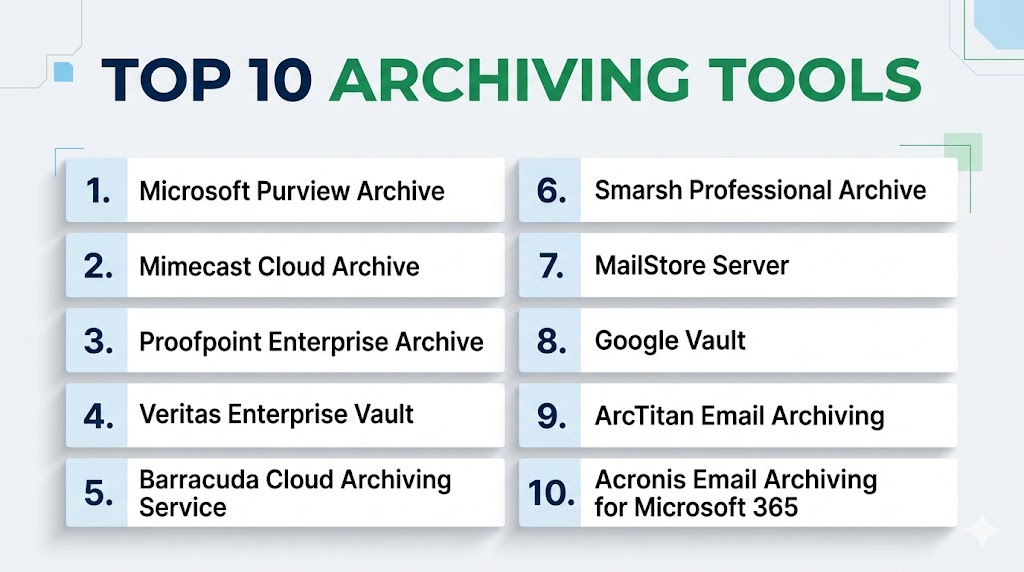
Top 10 Archiving Tools
#1 — Microsoft Purview Archive
Short description: A strong choice for organizations using Microsoft ecosystems that need retention, compliance, and governance capabilities.
Key Features
- Microsoft 365 retention policies
- eDiscovery workflows
- Legal hold tools
- Audit logging
- Search across workloads
- Governance controls
- Compliance integrations
Pros
- Excellent Microsoft ecosystem fit
- Strong enterprise governance features
- Broad compliance tooling
Cons
- Best value inside Microsoft stack
- Complexity for smaller teams
Platforms / Deployment
Cloud
Security & Compliance
SSO, MFA, RBAC, audit logs, encryption
Integrations & Ecosystem
- Microsoft 365
- Teams
- Exchange
- SharePoint
- APIs
Support & Community
Large enterprise ecosystem with strong documentation.
#2 — Mimecast Cloud Archive
Short description: A popular cloud archive platform focused on email continuity, retention, and cyber resilience.
Key Features
- Email archiving
- Fast message search
- Legal hold
- Data retention policies
- Continuity features
- Security integrations
- Compliance workflows
Pros
- Strong email specialization
- Reliable cloud delivery
- Good search performance
Cons
- Primarily email-centric
- Premium pricing possible
Platforms / Deployment
Cloud
Security & Compliance
Encryption, RBAC, MFA, audit logs
Integrations & Ecosystem
- Microsoft 365
- Google Workspace
- Email systems
- APIs
Support & Community
Strong enterprise support presence.
#3 — Proofpoint Enterprise Archive
Short description: A leading enterprise archive platform with strong compliance, legal discovery, and messaging retention capabilities.
Key Features
- Email retention
- eDiscovery tools
- Supervision workflows
- Legal hold
- Fast search indexing
- Policy controls
- Multi-source archiving
Pros
- Excellent compliance focus
- Strong regulated-industry fit
Cons
- Enterprise-oriented pricing
- Can exceed SMB needs
Platforms / Deployment
Cloud
Security & Compliance
Encryption, RBAC, MFA, audit trails
Integrations & Ecosystem
- Email systems
- Collaboration platforms
- Governance tools
- APIs
Support & Community
Strong enterprise support.
#4 — Veritas Enterprise Vault
Short description: A long-established archiving platform trusted in large organizations needing retention and governance depth.
Key Features
- Email archiving
- File archiving
- Legal hold
- eDiscovery support
- Retention automation
- Storage optimization
- Large-scale deployments
Pros
- Proven enterprise history
- Broad retention capabilities
Cons
- Legacy feel compared with cloud-first tools
- Administration complexity possible
Platforms / Deployment
On-prem / Hybrid
Security & Compliance
RBAC, encryption, audit logs
Integrations & Ecosystem
- Exchange
- File systems
- Governance tools
- APIs
Support & Community
Strong enterprise support base.
#5 — Barracuda Cloud Archiving Service
Short description: A practical cloud archiving solution with strong SMB and mid-market appeal.
Key Features
- Email archiving
- Retention policies
- Search tools
- Compliance workflows
- Secure storage
- Cloud management
- Easy administration
Pros
- Easy to deploy
- Strong SMB value
- Good usability
Cons
- Less enterprise depth than premium suites
- Mostly email-focused
Platforms / Deployment
Cloud
Security & Compliance
Encryption, MFA, RBAC
Integrations & Ecosystem
- Microsoft 365
- Google Workspace
- Email systems
Support & Community
Reliable vendor support.
#6 — Smarsh Professional Archive
Short description: A compliance-focused archive platform widely used in regulated sectors such as finance.
Key Features
- Email retention
- Chat and messaging archiving
- Supervision workflows
- Legal hold
- Search and review
- Policy controls
- Compliance reporting
Pros
- Excellent regulated-industry fit
- Strong supervision features
Cons
- Specialized use cases
- Premium pricing possible
Platforms / Deployment
Cloud
Security & Compliance
Encryption, RBAC, audit logs
Integrations & Ecosystem
- Email systems
- Collaboration tools
- Messaging apps
Support & Community
Strong industry-focused support.
#7 — MailStore Server
Short description: A cost-effective archiving platform popular with SMBs needing on-prem email retention.
Key Features
- Email archiving
- Fast search
- Retention support
- PST import/export
- Storage efficiency
- User self-service access
- Backup-friendly design
Pros
- Good value for SMBs
- Easy administration
- Strong email archive focus
Cons
- Less enterprise breadth
- Primarily email-focused
Platforms / Deployment
On-prem / Hybrid
Security & Compliance
RBAC, encryption
Integrations & Ecosystem
- Exchange
- Microsoft 365
- IMAP systems
Support & Community
Good SMB support reputation.
#8 — Google Vault
Short description: A natural choice for organizations using Google Workspace that need retention and eDiscovery.
Key Features
- Gmail retention
- Google Drive search
- Legal holds
- Audit tools
- Search workflows
- Export tools
- Governance controls
Pros
- Excellent Google Workspace fit
- Easy cloud administration
Cons
- Best for Google ecosystem users
- Less universal outside Workspace
Platforms / Deployment
Cloud
Security & Compliance
SSO, MFA, RBAC, audit logs
Integrations & Ecosystem
- Gmail
- Google Drive
- Workspace apps
Support & Community
Strong cloud ecosystem support.
#9 — ArcTitan Email Archiving
Short description: A streamlined cloud email archiving platform known for simplicity and affordability.
Key Features
- Email retention
- Search and retrieval
- Secure storage
- Retention rules
- Fast deployment
- Compliance support
- Cloud management
Pros
- Easy to deploy
- Strong SMB value
Cons
- Narrower feature set than enterprise leaders
- Primarily email-focused
Platforms / Deployment
Cloud
Security & Compliance
Encryption, RBAC
Integrations & Ecosystem
- Microsoft 365
- Email systems
- APIs
Support & Community
Practical support for SMB buyers.
#10 — Acronis Email Archiving for Microsoft 365
Short description: A Microsoft 365-focused archiving option for businesses wanting integrated email retention and protection.
Key Features
- Microsoft 365 email archiving
- Retention workflows
- Search tools
- Secure storage
- Policy management
- Centralized console
- Compliance readiness
Pros
- Good Microsoft 365 fit
- Useful bundled ecosystem potential
Cons
- Narrower workload scope
- Less broad enterprise governance depth
Platforms / Deployment
Cloud
Security & Compliance
Encryption, MFA, RBAC
Integrations & Ecosystem
- Microsoft 365
- Acronis ecosystem
Support & Community
Growing business support ecosystem.
Comparison Table (Top 10)
| Tool Name | Best For | Platform(s) Supported | Deployment | Standout Feature | Public Rating |
|---|---|---|---|---|---|
| Microsoft Purview Archive | Microsoft enterprises | Web | Cloud | Governance depth | N/A |
| Mimecast Cloud Archive | Email resilience | Web | Cloud | Email continuity | N/A |
| Proofpoint Enterprise Archive | Regulated sectors | Web | Cloud | Compliance strength | N/A |
| Veritas Enterprise Vault | Large legacy estates | Web | Hybrid | Enterprise retention | N/A |
| Barracuda Cloud Archiving | SMB / Mid-market | Web | Cloud | Ease of use | N/A |
| Smarsh Professional Archive | Financial compliance | Web | Cloud | Supervision tools | N/A |
| MailStore Server | SMB on-prem users | Web | On-prem | SMB value | N/A |
| Google Vault | Google Workspace users | Web | Cloud | Native Workspace fit | N/A |
| ArcTitan | SMB email archive | Web | Cloud | Simplicity | N/A |
| Acronis Email Archiving | Microsoft 365 SMBs | Web | Cloud | Ecosystem alignment | N/A |
Evaluation & Scoring of Archiving Tools
| Tool Name | Core (25%) | Ease (15%) | Integrations (15%) | Security (10%) | Performance (10%) | Support (10%) | Value (15%) | Weighted Total |
|---|---|---|---|---|---|---|---|---|
| Microsoft Purview Archive | 9 | 7 | 10 | 9 | 9 | 8 | 7 | 8.35 |
| Mimecast Cloud Archive | 8 | 8 | 8 | 9 | 8 | 8 | 7 | 7.95 |
| Proofpoint Enterprise Archive | 9 | 7 | 8 | 9 | 8 | 8 | 6 | 7.95 |
| Veritas Enterprise Vault | 8 | 6 | 8 | 8 | 8 | 8 | 6 | 7.30 |
| Barracuda Cloud Archiving | 7 | 9 | 7 | 8 | 8 | 8 | 9 | 8.00 |
| Smarsh Professional Archive | 8 | 7 | 7 | 9 | 8 | 8 | 6 | 7.55 |
| MailStore Server | 7 | 8 | 6 | 7 | 8 | 8 | 9 | 7.65 |
| Google Vault | 8 | 8 | 8 | 8 | 8 | 8 | 8 | 8.00 |
| ArcTitan | 7 | 9 | 6 | 7 | 8 | 7 | 9 | 7.55 |
| Acronis Email Archiving | 7 | 8 | 7 | 8 | 8 | 7 | 8 | 7.55 |
These scores are comparative benchmarks designed to simplify shortlisting. Enterprise platforms often score higher in governance and compliance, while SMB tools may deliver better ease of use and value.
Which Archiving Tool Is Right for You?
Solo / Freelancer
Most solo users do not need enterprise archiving unless legal retention is required.
SMB
Barracuda, MailStore, ArcTitan, and Acronis offer practical value and easier deployment.
Mid-Market
Mimecast, Google Vault, and Barracuda provide stronger scale with manageable complexity.
Enterprise
Microsoft Purview, Proofpoint, Veritas, and Smarsh are strong for governance-heavy environments.
Budget vs Premium
- Budget: MailStore, ArcTitan, Barracuda
- Premium: Proofpoint, Microsoft Purview, Smarsh
Feature Depth vs Ease of Use
- Deep features: Microsoft Purview, Proofpoint, Veritas
- Easy to use: Barracuda, Google Vault, ArcTitan
Integrations & Scalability
- Best integrations: Microsoft Purview, Google Vault, Mimecast
- Best scalability: Proofpoint, Veritas, Microsoft Purview
Security & Compliance Needs
- High-security environments: Proofpoint, Purview, Smarsh
- General business needs: Barracuda, MailStore, ArcTitan
Frequently Asked Questions (FAQs)
1. What is an archiving tool?
It stores historical business data long term for compliance, search, retrieval, and governance purposes.
2. How is archiving different from backup?
Backup focuses on recovery after data loss. Archiving focuses on long-term retention and searchable records.
3. Why do businesses need archiving?
For audits, legal holds, compliance, historical search, and storage optimization.
4. What data can be archived?
Emails, files, chats, logs, documents, and collaboration platform records depending on the tool.
5. Is cloud archiving secure?
Yes, many platforms provide encryption, access controls, and audit logs.
6. Do SMBs need archiving tools?
SMBs with legal, regulated, or long-retention needs often benefit significantly.
7. Can archived data be searched quickly?
Modern tools usually provide indexed search and filtering for fast retrieval.
8. What is legal hold?
It preserves relevant records so they cannot be deleted during investigations or litigation.
9. How is pricing structured?
Often by users, mailbox count, storage usage, or feature tier.
10. How should I choose an archiving tool?
Start with data sources, retention rules, compliance needs, search requirements, and budget. Then pilot 2–3 vendors.
Conclusion
Archiving tools are essential for organizations that need long-term control over growing volumes of business data. The right platform can simplify compliance, accelerate investigations, reduce storage pressure, and improve governance readiness. Enterprise buyers may prioritize advanced eDiscovery and policy depth, while SMBs often value simplicity and affordability. Microsoft or Google-centric organizations may gain extra value from native ecosystem options. There is no universal best platform—only the best fit for your retention obligations and operational model. Shortlist a few strong options, test search and retrieval workflows, and validate policy controls before making a final decision.