Introduction
CAD/CAM manufacturing software combines computer-aided design (CAD) and computer-aided manufacturing (CAM) to streamline the process of designing and producing physical parts. These tools allow engineers and manufacturers to create precise digital models and then generate toolpaths and instructions for CNC machines, 3D printers, and other fabrication systems.
As manufacturing becomes more automated and data-driven, CAD/CAM software plays a critical role in improving efficiency, reducing waste, and ensuring high precision. Modern platforms now integrate simulation, cloud collaboration, and AI-assisted toolpath optimization to accelerate production cycles.
Common use cases include:
- CNC machining and toolpath generation
- Product design and prototyping
- Industrial manufacturing workflows
- Mold and die design
- Aerospace and automotive part production
Key evaluation criteria:
- CAD and CAM integration depth
- Toolpath generation capabilities
- Simulation and verification features
- Ease of use and learning curve
- Machine compatibility
- Performance with complex designs
- Integration with PLM/ERP systems
- Automation and customization
- Pricing and licensing flexibility
- Security and data management
Best for: Mechanical engineers, manufacturers, CNC operators, product designers, and industrial production teams.
Not ideal for: Users who only need simple 2D drafting or non-manufacturing design tools.
Key Trends in CAD/CAM Manufacturing Software
- AI-assisted toolpath optimization and automation
- Cloud-based collaboration and design sharing
- Integration with IoT and smart manufacturing systems
- Real-time simulation and digital twin workflows
- Increased adoption of hybrid manufacturing (additive + subtractive)
- Improved multi-axis machining support
- Subscription-based licensing models
- Enhanced interoperability across CAD platforms
- Automation of repetitive manufacturing tasks
How We Selected These Tools (Methodology)
- Evaluated adoption across manufacturing industries
- Assessed CAD and CAM feature completeness
- Considered performance with complex machining tasks
- Reviewed simulation and verification capabilities
- Examined integration with manufacturing ecosystems
- Included tools for SMB to enterprise users
- Analyzed usability and learning curve
- Prioritized actively maintained and supported platforms
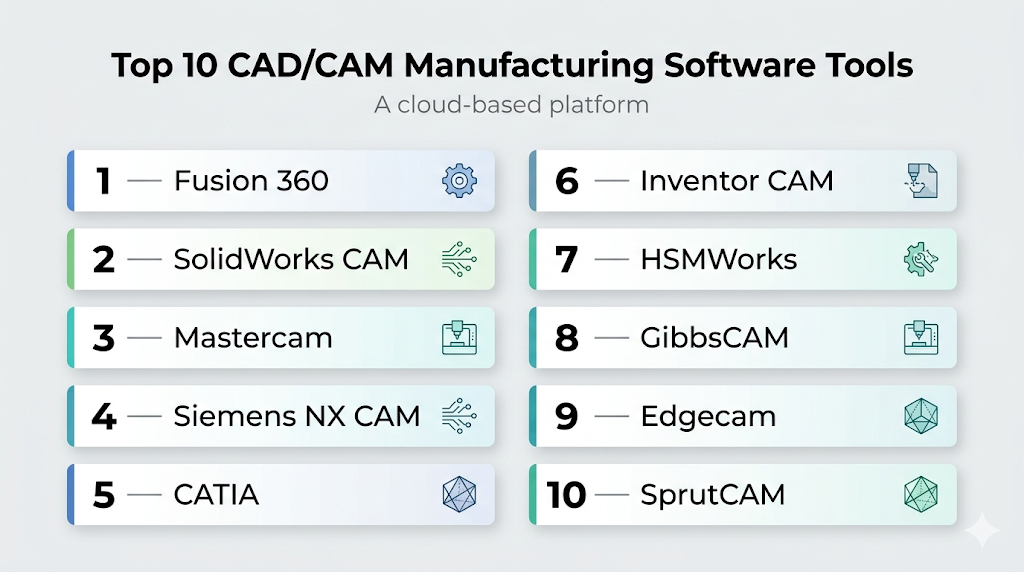
Top 10 CAD/CAM Manufacturing Software Tools
#1 — Fusion 360
Short description: An all-in-one CAD/CAM platform combining design, simulation, and manufacturing tools in a cloud-enabled environment.
Key Features
- Integrated CAD and CAM
- Cloud collaboration
- Toolpath generation
- Simulation tools
- CNC support
Pros
- All-in-one solution
- Collaborative workflows
Cons
- Internet dependency
- Subscription model
Platforms / Deployment
Windows / macOS / Cloud
Security & Compliance
Not publicly stated
Integrations & Ecosystem
Strong integration across design and manufacturing workflows.
- APIs
- Cloud services
- File compatibility
Support & Community
Large community and extensive tutorials.
#2 — SolidWorks CAM
Short description: A CAM solution integrated within SolidWorks for seamless design-to-manufacturing workflows.
Key Features
- Integrated CAM
- Toolpath automation
- CNC machining
- Feature recognition
Pros
- Seamless integration
- Efficient workflows
Cons
- Requires SolidWorks
- Cost
Platforms / Deployment
Windows
Security & Compliance
Not publicly stated
Integrations & Ecosystem
Part of a strong design ecosystem.
- CAD integration
- APIs
Support & Community
Strong professional support.
#3 — Mastercam
Short description: A leading CAM software for CNC programming and machining.
Key Features
- Advanced toolpaths
- Multi-axis machining
- Simulation tools
- Customization
Pros
- Industry standard in machining
- Highly customizable
Cons
- Complex interface
- Expensive
Platforms / Deployment
Windows
Security & Compliance
Not publicly stated
Integrations & Ecosystem
Widely used in manufacturing workflows.
- Post-processors
- APIs
Support & Community
Large manufacturing community.
#4 — Siemens NX CAM
Short description: An enterprise-grade CAD/CAM solution for complex manufacturing and engineering workflows.
Key Features
- Advanced CAD/CAM integration
- Multi-axis machining
- Simulation and validation
- Digital twin support
Pros
- Extremely powerful
- Enterprise scalability
Cons
- High cost
- Steep learning curve
Platforms / Deployment
Windows / Linux
Security & Compliance
Not publicly stated
Integrations & Ecosystem
Deep integration in enterprise systems.
- PLM systems
- APIs
Support & Community
Strong enterprise support.
#5 — CATIA
Short description: A comprehensive CAD/CAM platform widely used in aerospace and automotive industries.
Key Features
- Advanced design tools
- Manufacturing workflows
- Simulation capabilities
- Collaboration tools
Pros
- Industry-leading capabilities
- Scalable
Cons
- Very expensive
- Complex
Platforms / Deployment
Windows
Security & Compliance
Not publicly stated
Integrations & Ecosystem
Enterprise-grade ecosystem.
- PLM integration
- APIs
Support & Community
Professional and enterprise-level support.
#6 — Inventor CAM
Short description: A CAM solution integrated with Inventor for streamlined manufacturing workflows.
Key Features
- Toolpath generation
- CNC support
- Simulation
- CAD integration
Pros
- Integrated workflow
- Easy for Inventor users
Cons
- Limited outside ecosystem
- Subscription model
Platforms / Deployment
Windows
Security & Compliance
Not publicly stated
Integrations & Ecosystem
Works within design ecosystems.
- APIs
- File compatibility
Support & Community
Strong documentation.
#7 — HSMWorks
Short description: A CAM solution integrated with SolidWorks and Inventor for CNC machining.
Key Features
- Toolpath strategies
- Simulation
- CNC programming
- Integration
Pros
- Efficient workflows
- Good integration
Cons
- Requires host CAD software
- Limited standalone use
Platforms / Deployment
Windows
Security & Compliance
Not publicly stated
Integrations & Ecosystem
Works with CAD tools.
- APIs
- Integration
Support & Community
Moderate community.
#8 — GibbsCAM
Short description: A CAM software focused on CNC programming and manufacturing efficiency.
Key Features
- CNC programming
- Multi-task machining
- Simulation
- Customization
Pros
- Flexible
- Strong machining capabilities
Cons
- Interface complexity
- Cost
Platforms / Deployment
Windows
Security & Compliance
Not publicly stated
Integrations & Ecosystem
Manufacturing-focused integrations.
- Post-processors
- APIs
Support & Community
Established user base.
#9 — Edgecam
Short description: A CAM solution designed for advanced machining and automation.
Key Features
- Toolpath automation
- Multi-axis machining
- Simulation
- Optimization
Pros
- Strong automation
- Reliable
Cons
- Learning curve
- Cost
Platforms / Deployment
Windows
Security & Compliance
Not publicly stated
Integrations & Ecosystem
Works in industrial workflows.
- APIs
- File compatibility
Support & Community
Professional support.
#10 — SprutCAM
Short description: A CAM software offering advanced CNC programming and simulation features.
Key Features
- Multi-axis support
- Simulation tools
- Robot programming
- Toolpath optimization
Pros
- Advanced capabilities
- Good simulation
Cons
- Complex setup
- Smaller ecosystem
Platforms / Deployment
Windows
Security & Compliance
Not publicly stated
Integrations & Ecosystem
Supports manufacturing workflows.
- APIs
- File compatibility
Support & Community
Growing community.
Comparison Table (Top 10)
| Tool Name | Best For | Platform(s) Supported | Deployment | Standout Feature | Public Rating |
|---|---|---|---|---|---|
| Fusion 360 | SMB | Win/macOS/Cloud | Hybrid | All-in-one | N/A |
| SolidWorks CAM | Designers | Windows | Self-hosted | Integration | N/A |
| Mastercam | CNC | Windows | Self-hosted | Toolpaths | N/A |
| NX CAM | Enterprise | Win/Linux | Self-hosted | Digital twin | N/A |
| CATIA | Aerospace | Windows | Self-hosted | Advanced design | N/A |
| Inventor CAM | SMB | Windows | Self-hosted | Integration | N/A |
| HSMWorks | Designers | Windows | Self-hosted | Efficiency | N/A |
| GibbsCAM | CNC | Windows | Self-hosted | Flexibility | N/A |
| Edgecam | Manufacturing | Windows | Self-hosted | Automation | N/A |
| SprutCAM | Robotics | Windows | Self-hosted | Simulation | N/A |
Evaluation & Scoring of CAD/CAM Manufacturing Software
| Tool Name | Core (25%) | Ease (15%) | Integrations (15%) | Security (10%) | Performance (10%) | Support (10%) | Value (15%) | Weighted Total |
|---|---|---|---|---|---|---|---|---|
| Fusion 360 | 9 | 8 | 8 | 6 | 8 | 9 | 9 | 8.5 |
| SolidWorks CAM | 8 | 8 | 9 | 6 | 8 | 8 | 7 | 8.0 |
| Mastercam | 10 | 6 | 8 | 6 | 9 | 8 | 6 | 8.1 |
| NX CAM | 10 | 5 | 9 | 7 | 10 | 9 | 6 | 8.4 |
| CATIA | 10 | 5 | 9 | 7 | 9 | 9 | 5 | 8.1 |
| Inventor CAM | 8 | 8 | 8 | 6 | 8 | 8 | 8 | 8.0 |
| HSMWorks | 8 | 7 | 8 | 6 | 8 | 7 | 7 | 7.6 |
| GibbsCAM | 9 | 6 | 7 | 6 | 8 | 7 | 6 | 7.5 |
| Edgecam | 9 | 6 | 7 | 6 | 8 | 7 | 6 | 7.5 |
| SprutCAM | 9 | 6 | 7 | 6 | 8 | 7 | 7 | 7.6 |
How to interpret scores:
- Scores are comparative across tools
- Higher scores indicate better balance of features
- Some tools excel in specific industries
- Choose based on manufacturing needs
Which CAD/CAM Manufacturing Software Is Right for You?
Solo / Freelancer
Fusion 360 is ideal due to affordability and ease of use.
SMB
Inventor CAM and SolidWorks CAM provide balanced workflows.
Mid-Market
Mastercam and Edgecam offer strong machining capabilities.
Enterprise
NX CAM and CATIA are best for complex and large-scale operations.
Budget vs Premium
- Budget: Fusion 360
- Premium: NX CAM, CATIA
Feature Depth vs Ease of Use
- Feature depth: NX CAM, CATIA
- Ease of use: Fusion 360
Integrations & Scalability
- Strong: NX CAM, SolidWorks CAM
- Moderate: Fusion 360
Security & Compliance Needs
Organizations should evaluate access controls and internal policies.
Frequently Asked Questions (FAQs)
What is CAD/CAM software?
It combines design and manufacturing processes into one system.
Is CAD/CAM necessary for CNC?
Yes, it generates machine instructions.
Are there beginner-friendly tools?
Yes, Fusion 360 is widely used.
Can I integrate with ERP systems?
Some tools support enterprise integrations.
Is cloud CAD/CAM common?
It is growing but not universal.
What industries use CAD/CAM?
Manufacturing, aerospace, automotive, and engineering.
Can I simulate machining?
Yes, most tools offer simulation features.
What hardware is needed?
High-performance systems are recommended.
Can I switch tools later?
Yes, but migration can be complex.
What are common mistakes?
Incorrect toolpaths and poor simulation checks.
Conclusion
CAD/CAM manufacturing software is essential for modern production workflows, enabling seamless transitions from design to manufacturing. The tools vary significantly in complexity, capability, and cost.