Introduction
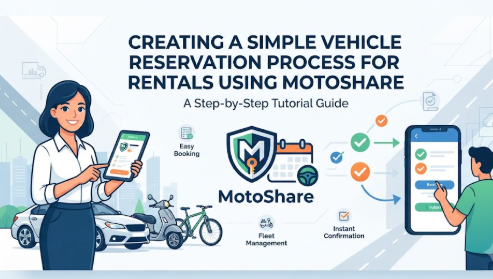
The vehicle rental sector is experiencing significant expansion as modern consumer preferences shift away from asset ownership toward flexible, on-demand mobility solutions. However, many rental business operators still rely on manual administration systems, organizing bookings with paper notebooks, disjointed spreadsheet cells, incoming phone calls, and chaotic WhatsApp threads. These outdated approaches frequently lead to administrative friction, scheduling oversights, lost customer details, and missed revenue opportunities. As operational complexities grow, transitioning to a digital framework becomes essential to maintain organizational control and protect profit margins. MotoShare offers a practical digital architecture designed to help rental operators centralize their business workflows, coordinate logistics, and modernise their customer interface without adding prohibitive software expenses to their overhead.
What is MotoShare?
MotoShare is a web-based operational system built to modernize how independent vehicle rental businesses, regional fleet operators, and individual asset owners manage their daily workflows. Developed to bridge the gap between expensive enterprise systems and inefficient manual tracking methods, the platform acts as a centralized administrative workspace. Its core mission revolves around democratizing access to modern logistics technology, enabling small and medium-sized rental operators to transition into organized digital businesses without enduring financial strain. By removing high software subscription costs, the platform levels the playing field for emerging transport entrepreneurs.
The infrastructure supports a diverse ecosystem of transport types, making it highly versatile for multimodal rental companies. Operators can list and coordinate compact city cars, commercial delivery vans, sports utility vehicles, long-distance motorcycles, urban scooters, and specialized all-terrain vehicles. By accommodating multiple vehicle tiers, the platform eliminates the need for businesses to run separate tracking applications for different asset classes.
Consider a regional rental operator managing twelve commuter cars and fifteen high-end touring motorcycles. Before adopting a digital hub, the owner had to juggle separate paper logs for car bookings and WhatsApp chats for motorcycle reservations. By integrating their business into a single digital platform, the operator can view the real-time status of every car and motorcycle side-by-side, assign driver details, update pricing tiers, and track customer communication from a single administrative interface.
Why Modern Vehicle Rental Businesses Need MotoShare
Embracing digital transformation is no longer a luxury for vehicle rental operations; it is a fundamental baseline for survival in a highly competitive market. Consumers expect rapid, predictable booking confirmations, transparent pricing, and professional communication. Moving away from manual processes allows businesses to build an automated operational foundation that coordinates fleet visibility, reduces human error, and ensures scheduling conflicts are systematically avoided.
Centralized operations unlock significant time savings that directly influence a business’s capacity to scale up its fleet size. When administrative staff spend less time cross-referencing paper logs or verifying vehicle availability across scattered messaging channels, they can focus on fleet maintenance, customer service, and strategic marketing. Digital centralization ensures that data entered during a customer’s first booking remains securely archived for future rentals, drastically reducing check-in times and fostering long-term customer retention.
Comparison Table
| Operational Area | Traditional Rental Management | MotoShare Platform |
| Booking Process | Manual ledger tracking or voice calls | Centralized digital booking interface |
| Customer Management | Paper binders or unindexed notes | Indexable, retrievable customer records |
| Reservation Handling | Multi-step manual logging loops | Automated status tracking |
| Vehicle Availability | Manual calendar cross-checking | Real-time vehicle availability tracking |
| Fleet Management | Physical inspection boards | Digital fleet status monitoring |
| Pricing Updates | Verbal adjustments or paper sheets | Instantaneous platform pricing updates |
| Record Keeping | Scattered files vulnerable to physical damage | Secure digital storage |
| Time Required | Hours spent sorting paperwork daily | Minutes of fast administrative work |
| Scalability | Extremely limited due to high friction | Smooth fleet growth support |
Features and Their Business Benefits
| MotoShare Feature | Business Benefit |
| Vehicle Listings | Clear showcase of vehicle images, categories, and descriptions to ensure accurate client alignment. |
| Online Booking | Moves customer intake to digital channels, reducing time spent on administrative phone calls. |
| Reservation Management | Organizes active, upcoming, and past rentals to prevent scheduling overlaps and double bookings. |
| Customer Management | Securely arches customer contact details and rental history for fast identification and future booking verification. |
| Pricing Management | Allows fleet owners to set explicit daily rental rates, reducing payment confusion and disputes. |
| Availability Calendar | Provides clear visibility into fleet scheduling, helping team members track handovers and maintenance windows. |
| Fleet Organization | Groups cars, bikes, and other transportation assets into defined digital categories for simpler navigation. |
| Multi-Vehicle Support | Enables scaling businesses to handle diverse inventories from a single unified system workspace. |
| Partner Dashboard | Simplifies fleet management by organizing operational insights into a clean, easy-to-read workspace. |
| Booking Tracking | Monitors a rental’s status from the initial intake request down to the final return drop-off point. |
Key Benefits of MotoShare
Adopting a specialized management layout yields immediate operational enhancements across every level of a rental organization.
- Completely Free Platform Access: By offering its core digital utility without charging monthly user licensing fees or setup penalties, the platform allows operators to channel capital into expanding their fleet or running marketing campaigns. This approach lowers entry barriers for new transport businesses, helping them transition into digital workflows without financial pressure.
- Simple Registration and Quick Setup: The onboarding workflow is simple and straightforward, allowing non-technical managers to create a corporate workspace within minutes. New users do not have to navigate complex software configurations; they can begin structuring their database right away.
- Intuitive Partner Dashboard: The central management space consolidates vehicle inventories, active reservations, and customer communications into a clean visual interface. Staff can verify scheduling patterns at a glance without switching between multiple browser tabs.
- Detailed Vehicle Listings: The platform allows managers to upload clear asset photos, specify mechanical categories, choose specific body colors, and document feature lists for every vehicle. This transparency ensures clients understand what they are booking, preventing mismatched expectations at check-out.
- Centralized Booking Handling: Incoming reservation requests flow into a single queue, enabling team members to systematically confirm or decline bookings. This replaces chaotic setups where rental details are split across text messages and phone call logs.
Who Should Use MotoShare?
The system layout scales efficiently to support diverse business models across the transportation sector.
- Car Rental Agencies: Traditional regional car agencies can transition away from vulnerable paper check-in sheets, digitize customer records, and monitor car cleaning windows between customer turnarounds.
- Bike and Motorcycle Rental Providers: Teams managing standard city bikes, touring motorcycles, or delivery scooters can keep their inventory highly organized. They can easily track unique bike assets, record mileage, and verify seasonal daily pricing parameters.
- Fleet Owners and Operators: Independent asset managers overseeing dozens of diverse transportation assets can manage their operations from one dashboard, eliminating the need to cross-reference multiple standalone software tracking tools.
- Tourism and Travel Operators: Tour agencies that bundle vehicle options with vacation packages can organize asset availability directly alongside their primary travel itineraries.
- Startups and Independent Asset Owners: Individuals looking to monetize a handful of personal vehicles can professionalize their client management workflows from day one, establishing a polished business presence without heavy software expenses.
Complete MotoShare Registration Process
Setting up an operational instance requires following a few structured configuration steps:
- Create a Partner Account: Navigate to the platform’s registration workspace, enter a primary corporate email address, and establish secure account credentials.
- Complete the Business Profile: Input formal operational details, including the business name, regional contact numbers, base location addresses, and primary operational hours.
- Build Vehicle Profiles: Access the inventory manager section and click the asset creation option. Select the primary transit category, such as a car, motorcycle, or scooter.
- Upload Clear Photos: Add high-quality, high-resolution images showing the vehicle’s interior condition, exterior profile, and key features to build customer confidence.
- Define Detail Configurations: Specify the vehicle’s exact make, model variant, production year, fuel or battery type, transmission setup, and special amenities like GPS units or integrated child seats.
- Set Rental Pricing: Input the default daily rental price structure for the specific vehicle listing, ensuring pricing clarity.
- Map Out Initial Availability: Use the internal calendar to mark specific days the asset is available for rent, highlighting any dates reserved for routine maintenance.
- Publish the Listings Live: Verify all inputs for accuracy, then commit the record to make the asset active within the digital administrative dashboard.
- Monitor the Booking Inbox: Keep the main partner dashboard active to review incoming reservation requests as they arrive from prospective clients.
- Confirm Active Reservations: Review incoming requests against current fleet availability, then click the validation toggle to confirm bookings and secure the rental slot.
How MotoShare Works
The lifecycle of an operational rental request follows a highly predictable, linear path that eliminates confusion for both the business team and the end consumer.
[Customer Browses Listings] ➔ [Submits Date & Vehicle Request] ➔ [Manager Reviews Dashboard] ➔ [Booking Confirmed & Locked] ➔ [Vehicle Pickup & Handover] ➔ [Asset Return & Inspection] ➔ [Booking Marked Complete]
The process begins when an individual seeks a specific transportation solution and views the company’s active digital profiles. They browse the categorized inventory, filtering by vehicle type, size, and features until they find a vehicle that fits their needs. Once selected, the customer inputs their required start and end dates and submits a formal reservation request into the system queue.
On the administrative side, the fleet manager receives an instant notification on their central partner dashboard. The manager can quickly review the customer’s details and check the vehicle’s availability on the master rental calendar. With a single click, the manager approves the request, which automatically updates the vehicle’s status to reserved and locks those calendar dates to prevent double bookings.
When the rental date arrives, the customer visits the designated pickup point. Counter staff quickly verify the customer’s identity against the digital record, complete the physical key handover, and update the reservation status to active. The vehicle remains marked as unavailable until the customer returns it at the end of the rental period. Once the vehicle passes a quick physical inspection, the team marks the booking as complete, freeing up the asset for its next rental cycle.
Managing Vehicles with MotoShare
Effective inventory organization is vital to running a profitable rental operation. The platform’s vehicle management module allows operators to treat each asset as an individual data profile, housing all its relevant documentation, specifications, and scheduling information under one digital roof. Managers can group their fleet into distinct categories, such as economy cars, premium SUVs, delivery vans, or urban scooters. This structured categorization makes it easy for counter staff to find specific assets during fast-paced client check-ins.
Maintaining up-to-date vehicle profiles directly impacts a business’s operational agility. When a car goes down for scheduled maintenance, such as an oil change or tire rotation, the fleet manager can immediately update its availability status on the dashboard. This removes the asset from the active booking pool, protecting the company from scheduling a customer asset that is stuck in a service bay. Detailed description fields also allow teams to note unique details about specific vehicles, such as a unique keyless entry process or particular fuel requirements, keeping everyone on the team aligned.
Managing Bookings and Reservations
Juggling multiple rental timelines simultaneously requires high organizational precision. The platform’s reservation management workspace consolidates all active, upcoming, and past rental contracts into a single operational interface. By organizing bookings Chronologically, the system allows dispatchers to anticipate heavy pickup days, organize vehicle detailing schedules, and allocate staff resources effectively during peak hours.
This clear visibility helps businesses prevent double bookings, which can damage a company’s reputation. When a specific vehicle is assigned to a customer timeline, its availability dates lock across the entire dashboard. If another customer requests the same vehicle for an overlapping window, the system alerts the staff, allowing them to offer an alternative vehicle instead. This proactive scheduling keeps daily operations running smoothly, reduces customer wait times, and builds long-term trust.
MotoShare as a Free Vehicle Rental Management Software
Navigating the competitive transport market requires tools that streamline logistics without introducing heavy software overhead. Using Free vehicle rental management software like MotoShare allows operators to transition away from inefficient manual tracking systems and build an organized digital workflow. By functioning as a comprehensive vehicle booking software and reservation system, the platform ensures that customer requests are systematically recorded rather than lost in unindexed messaging apps.
For businesses focused on two-wheel mobility, the system acts as a dedicated free bike rental software and bike rental management software. It allows operators to track high-turnover scooter fleets, log maintenance windows, and keep daily rates transparent. At the same time, operators managing larger fleets can use it as a robust free car rental software and car rental management software, organizing multiple vehicle tiers from a single dashboard.
The platform provides small and medium-sized operators with a 100% free vehicle rental software solution that delivers the core utilities of expensive rental fleet management software. By combining inventory tracking, customer record management, and live availability tools into one cost-free platform, MotoShare serves as a reliable vehicle rental management software option for businesses looking to scale their operations efficiently.
Real-Life Business Scenarios
Scenario 1: The Rapidly Growing Bike Rental Startup
An ambitious urban entrepreneur launched a beachside scooter and bike rental venture with eight vehicles. Initially, they tracked bookings using a standard paper notebook. Within two months, the fleet grew to twenty bikes, and the paper log became chaotic. Bookings were frequently double-booked, and staff struggled to track which bikes were out on rentals.
After migrating their inventory to the digital dashboard, the business gained a clear, real-time view of their entire fleet. Double bookings dropped to zero, and the team could instantly see which bikes were available for walk-in clients, leading to a 25% increase in daily rental volumes during peak weekends.
Scenario 2: The Expanding Regional Car Rental Agency
A family-owned regional car rental agency managing fifteen sedans relied heavily on incoming phone calls and WhatsApp chats to coordinate bookings. Customers often faced long wait times at the counter while staff searched through messaging histories to confirm pricing and rental terms.
By centralizing their operations on the digital platform, the agency created a single, structured system for all client files, vehicle assignments, and pricing structures. Counter check-in times were cut in half, and the team used the digital calendar to schedule routine maintenance without disrupting customer bookings.
Scenario 3: The Specialized Local Eco-Tourism Company
A specialized tourism agency offered guided all-terrain vehicle excursions alongside independent 4×4 rentals. Managing mixed-use fleets proved difficult, as vehicles were often accidentally assigned to independent renters when they were supposed to be reserved for guided tours.
The platform’s clear categorization tools allowed the agency to separate their fleet into distinct operational groups. This precise organization eliminated scheduling conflicts, ensuring vehicles were always prepped and ready for guided group tours.
Scenario 4: The Individual Asset Maximizer
An IT professional owned an SUV that sat unused in a garage during the workweek. They decided to rent the vehicle out to local delivery drivers but struggled to manage booking inquiries around their personal corporate schedule.
By setting up a clean vehicle profile and keeping the availability calendar strictly updated, they were able to accept weekday rentals while blocking out weekends for personal family use. This simple setup generated a steady secondary income stream without causing any scheduling conflicts with their day job.
Common Mistakes Rental Businesses Make
- Relying on Manual Ledger Tracking: Using paper notebooks leaves crucial business data vulnerable to physical damage, loss, or simple misread handwriting errors.
- Using Fragmented Spreadsheets: Spreadsheets lack automated calendar locks, which regularly leads to accidental double bookings when multiple staff members update files simultaneously.
- Managing via WhatsApp and Voice Alone: Storing reservation agreements in unstructured chat history feeds makes it difficult to search records quickly or settle pricing disputes with clients.
- Neglecting Structured Customer History: Failing to maintain indexable records makes it harder to identify returning customers, reward loyalty, or flag high-risk renters.
- Failing to Track Maintenance Windows: Running vehicles continuously without logging service intervals on a master schedule increases the risk of mechanical breakdowns during a customer rental.
Common Mistakes While Using MotoShare
- Leaving Business Profiles Incomplete: Skipping primary contact fields or location addresses can make a business look unprofessional to prospective clients checking their details.
- Solution: Take five minutes to fill out every field in the profile settings, including active contact numbers and exact pickup instructions.
- Uploading Lower-Quality Vehicle Images: Using dark, blurry, or low-resolution vehicle photos fails to build trust and can cause customers to overlook the listing.
- Solution: Capture clear, well-lit photos of the vehicle’s exterior and clean interior from multiple angles in bright daylight.
- Setting Inconsistent Pricing Models: Entering incorrect base daily rates creates confusion and can lead to awkward pricing disputes during vehicle check-outs.
- Solution: Establish clear, upfront standard daily rates and double-check your asset listings before publishing them live.
- Neglecting the Availability Calendar: Forgetting to update the calendar when a vehicle is down for service or personal use can lead to frustrating, unfulfillable booking requests.
- Solution: Make it a daily habit to log into the dashboard and mark maintenance days or unavailable periods immediately.
- Ignoring Pending Booking Requests: Allowing incoming reservation requests to sit unreviewed in the dashboard queue causes customers to look elsewhere for faster service.
- Solution: Enable email alerts or set specific times throughout the day to check the partner dashboard and respond to requests promptly.
Best Practices for Using MotoShare
To get the most value out of the platform, fleet managers should follow a few reliable operational habits.
First, keep vehicle listings updated by conducting regular inventory reviews. If a vehicle receives an upgrade, such as new tires or a fresh paint job, update the profile description to reflect those improvements. High-quality photos also play a significant role in attracting clients; clean the vehicle thoroughly before taking pictures, and ensure the images show the dashboard, seating areas, and tire tread depth clearly.
Second, maintain an accurate, up-to-date availability calendar. Make it a rule for your staff to log vehicle maintenance windows, unexpected repairs, or personal use slots the moment they come up. Developing a habit of checking the dashboard at the start and end of every shift ensures new booking requests are processed quickly, helping you capture more business and build a reputation for reliability.
Frequently Asked Questions
What exactly is MotoShare?
It is a web-based operational system built to help rental operators manage their fleets, track customer bookings, and organize daily schedules from a single digital dashboard.
Is there a hidden subscription fee after signup?
No, the core system utility provides its foundational vehicle organization, listing management, and scheduling tools completely free of charge.
What types of transport assets can I list?
The platform accommodates a wide variety of vehicles, including compact cars, utility trucks, motorcycles, motor scooters, e-bikes, and specialized recreation vehicles.
Can it prevent accidental double bookings?
Yes. When a manager confirms a reservation request for a specific vehicle, those dates lock on the calendar, helping staff avoid overlapping bookings.
Do I need advanced IT skills to use it?
Not at all. The user dashboard features an intuitive, non-technical layout that allows anyone comfortable with basic web browsing to manage their fleet efficiently.
Can I manage multiple vehicle types at the same time?
Yes, you can group cars, bikes, and other transportation assets into distinct digital categories within a single partner dashboard.
How do customers submit booking requests?
Customers view your active vehicle profiles, select their required rental dates, and submit a digital request directly into your dashboard queue.
Can I track historical customer records?
Yes, the system stores past rental data, making it easy to review returning client histories, contact details, and booking frequencies.
How does updating vehicle availability work?
Managers can manually update any asset’s status directly from the dashboard calendar, instantly marking it as available, reserved, or down for maintenance.
Is the dashboard accessible on mobile devices?
Yes, the platform is designed to run smoothly on desktop computers, tablets, and smartphones, allowing you to manage your fleet on the go.
Can individual vehicle owners use this platform?
Yes, it is an excellent tool for private owners looking to safely organize and monetize personal assets during periods when they aren’t using them.
How many vehicles can I add to my dashboard?
The platform architecture supports growing businesses, allowing you to expand your digital fleet size from a single vehicle to multiple units smoothly.
What should I do if a vehicle needs sudden repairs?
Log into the dashboard immediately, open the vehicle’s availability calendar, and block out the service dates to prevent new bookings during the repair window.
Does the software automate physical vehicle handovers?
No, the platform manages the digital scheduling, records, and calendar tracking, while your on-site counter staff handle the physical key handovers and vehicle inspections.
Can I update my rental prices later on?
Yes, you can adjust your standard daily rates at any time through the vehicle profile workspace, and the changes will reflect instantly.
Conclusion
Transitioning from manual tracking systems to a centralized digital workflow is a vital step for any modern vehicle rental business looking to scale efficiently. MotoShare provides an accessible, practical platform that helps operators organize their fleet listings, track customer bookings, secure reservations, and manage daily pricing structures from a single dashboard. By removing the burden of expensive software fees, the platform allows car, bike, and scooter rental businesses to eliminate administrative errors, prevent costly double bookings, and improve their customer service. Adopting a structured layout like this enables fleet owners to protect their margins, build operational resilience, and position their business for reliable, long-term growth.