Introduction
Child Safety Monitoring Apps, also known as parental control apps, are software tools designed to help parents monitor, manage, and protect their children’s digital activities. These apps provide visibility into screen time, online behavior, app usage, location tracking, and potential online threats such as cyberbullying or harmful content exposure.
In today’s hyper-connected world, children are exposed to smartphones, social media, and online platforms at an early age. With rising concerns around digital safety, privacy, and mental well-being, these apps have become essential tools for modern parenting. They empower guardians to strike a balance between freedom and safety while fostering responsible digital habits.
Common use cases include:
- Monitoring screen time and app usage
- Blocking harmful websites and content
- Tracking real-time location and geofencing
- Detecting cyberbullying and online risks
- Managing device usage remotely
Key evaluation criteria:
- Monitoring depth (apps, web, social media)
- Ease of setup and usability
- Cross-platform support
- Real-time alerts and reporting
- Privacy and data security features
- Integration with devices and OS ecosystems
- Pricing and scalability
- Customer support and reliability
Best for: Parents, guardians, and families with children aged 5–18 who use smartphones, tablets, or computers regularly. Ideal for both individual households and families managing multiple devices.
Not ideal for: Users seeking complete privacy for teens without monitoring, or households preferring non-digital parenting approaches. Basic device-level controls may suffice for very young children.
Key Trends in Child Safety Monitoring Apps
- AI-powered threat detection for identifying cyberbullying and harmful content
- Real-time alerts and notifications for suspicious activity
- Cross-device synchronization across phones, tablets, and desktops
- Geofencing and live location tracking for physical safety
- Privacy-first monitoring models balancing oversight with child autonomy
- Integration with social media platforms for deeper monitoring
- Cloud-based dashboards for centralized control
- Behavior analytics and usage insights for digital wellness
- Subscription-based pricing models with tiered features
- Enhanced parental education tools within apps
How We Evaluated Child Safety Monitoring Apps (Methodology)
- Assessed market popularity and adoption
- Evaluated feature completeness across monitoring capabilities
- Reviewed ease of installation and usability
- Analyzed security and privacy practices
- Checked compatibility across devices and platforms
- Considered alert accuracy and reporting quality
- Evaluated integration with OS ecosystems (Android, iOS, etc.)
- Reviewed customer support and onboarding experience
- Assessed value for money across pricing tiers
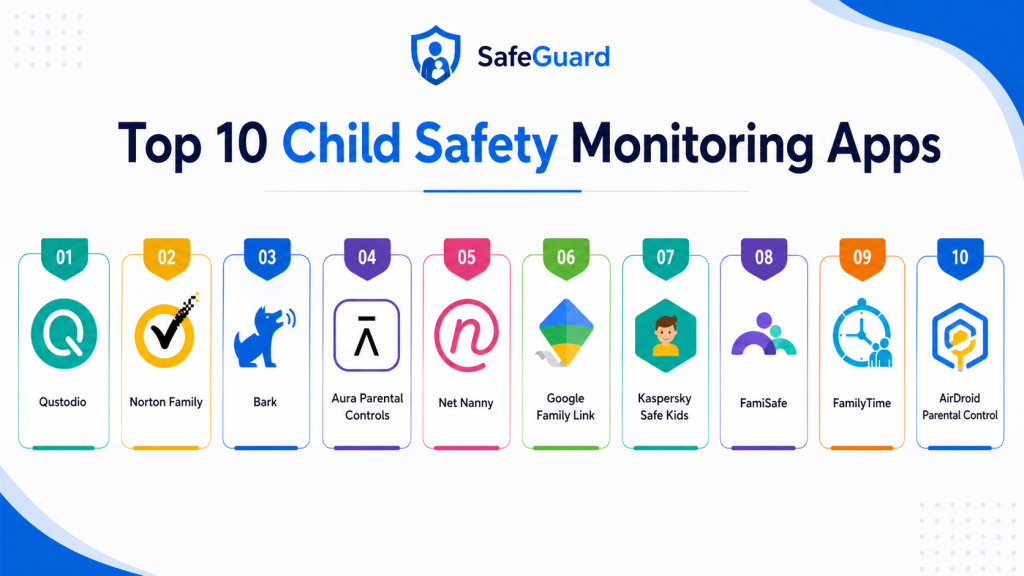
Top 10 Child Safety Monitoring Apps
#1 — Qustodio
Short description:
Qustodio is one of the most comprehensive parental control apps available today. It provides full visibility into a child’s digital activity, including screen time, web browsing, app usage, and location tracking. Designed for families of all sizes, it offers a clean dashboard and easy controls. The platform supports multiple devices and operating systems. Its real-time alerts help parents act quickly. Strong reporting tools provide detailed insights into behavior. Ideal for parents seeking an all-in-one solution.
Key Features
- Screen time management
- Web filtering and blocking
- App usage tracking
- GPS location tracking
- Panic button feature
- Detailed activity reports
- Multi-device support
Pros
- Comprehensive feature set
- Easy-to-use interface
Cons
- Premium pricing tiers
- Some features limited on iOS
Platforms / Deployment
Web / Android / iOS / Windows / macOS
Security & Compliance
Encryption, parental controls, account protection; further certifications not publicly stated
Integrations & Ecosystem
Works across major device ecosystems with centralized dashboard.
- Android devices
- iOS devices
- Desktop systems
- Web dashboard
Support & Community
Strong documentation and responsive support; widely used globally.
#2 — Norton Family
Short description:
Norton Family is a reliable parental control solution backed by a well-known cybersecurity brand. It focuses on web monitoring, search supervision, and screen time management. Parents can track browsing history and block inappropriate websites. It provides detailed activity reports and alerts. Best suited for families already using Norton products. Offers strong security integration. Good for monitoring online behavior.
Key Features
- Web monitoring
- Search supervision
- Screen time scheduling
- Activity reporting
- Location tracking
- App supervision
- Alerts and notifications
Pros
- Trusted brand
- Strong web monitoring
Cons
- Limited social media tracking
- Requires subscription
Platforms / Deployment
Web / Android / iOS / Windows
Security & Compliance
Encryption and secure account management; certifications vary
Integrations & Ecosystem
Integrates with Norton security ecosystem.
- Norton antivirus
- Browser tools
- Mobile apps
Support & Community
Strong support network and documentation.
#3 — Bark
Short description:
Bark uses AI to monitor texts, emails, and social media for signs of cyberbullying, depression, or inappropriate content. Instead of giving full access, it sends alerts when issues are detected. This privacy-focused approach balances monitoring with trust. It supports multiple platforms and messaging apps. Ideal for parents concerned about online behavior. Focuses on emotional and social safety. Widely used for teen monitoring.
Key Features
- AI-based content monitoring
- Social media tracking
- Email and SMS monitoring
- Real-time alerts
- Screen time control
- Web filtering
- Multi-device support
Pros
- Privacy-focused alerts
- Strong AI detection
Cons
- Limited manual control
- Subscription required
Platforms / Deployment
Web / Android / iOS
Security & Compliance
Encryption; further compliance details not publicly stated
Integrations & Ecosystem
Supports major communication platforms.
- Social media apps
- Messaging services
- Email platforms
Support & Community
Good support and educational resources.
#4 — Net Nanny
Short description:
Net Nanny is known for its advanced web filtering technology. It uses dynamic content analysis to block harmful material in real time. Parents can manage screen time and monitor activity. The app offers a user-friendly interface and strong reporting tools. It supports multiple devices. Ideal for families prioritizing content filtering. Long-standing reputation in parental control space. Reliable and effective.
Key Features
- Real-time content filtering
- Screen time controls
- App blocking
- Activity reports
- Location tracking
- Family dashboard
- Alerts system
Pros
- Best-in-class filtering
- Easy setup
Cons
- Higher pricing
- Limited free features
Platforms / Deployment
Web / Android / iOS / Windows / macOS
Security & Compliance
Not publicly stated
Integrations & Ecosystem
Works across device ecosystems.
- Mobile devices
- Desktop systems
- Web interfaces
Support & Community
Reliable support and documentation.
#5 — Google Family Link
Short description:
Google Family Link is a free parental control app designed for Android devices. It allows parents to manage app usage, screen time, and device activity. It integrates deeply with Google services. Ideal for families using Android ecosystem. Provides simple controls and insights. Easy to set up and use. Best for basic monitoring needs.
Key Features
- Screen time limits
- App approvals
- Device usage tracking
- Location tracking
- Remote device control
- Activity reports
- Google account integration
Pros
- Free to use
- Easy setup
Cons
- Limited advanced features
- Android-focused
Platforms / Deployment
Android / Web
Security & Compliance
Google account security features; further details vary
Integrations & Ecosystem
Deep Google ecosystem integration.
- Google accounts
- Android devices
- Google services
Support & Community
Strong documentation; widely used globally.
#6 — Kaspersky Safe Kids
Short description:
Kaspersky Safe Kids provides a balanced mix of monitoring and guidance tools. It includes screen time management, web filtering, and location tracking. The app also offers educational insights for parents. It supports multiple platforms. Known for its affordability and reliability. Suitable for families seeking value. Provides strong safety features.
Key Features
- Screen time control
- Web filtering
- Location tracking
- App monitoring
- Battery alerts
- Activity reports
- Safe search
Pros
- Affordable pricing
- Good feature balance
Cons
- Limited advanced analytics
- Interface could improve
Platforms / Deployment
Android / iOS / Windows / macOS
Security & Compliance
Encryption; additional certifications not publicly stated
Integrations & Ecosystem
Works across devices and systems.
- Mobile OS
- Desktop OS
- Web dashboard
Support & Community
Good support with helpful resources.
#7 — Aura Parental Controls
Short description:
Aura offers parental controls alongside identity protection features. It focuses on digital safety and online behavior insights. The platform includes monitoring, alerts, and security tools. Ideal for families seeking combined cybersecurity and parental control solutions. Provides real-time alerts and reports. Strong focus on privacy. Modern and easy to use.
Key Features
- Screen monitoring
- Content filtering
- Identity protection
- Alerts system
- Activity tracking
- Family dashboard
- Security tools
Pros
- All-in-one security solution
- Modern interface
Cons
- Higher pricing
- Limited customization
Platforms / Deployment
Web / Android / iOS
Security & Compliance
Encryption; additional certifications not publicly stated
Integrations & Ecosystem
Part of Aura security ecosystem.
- Identity protection tools
- Mobile apps
- Web dashboard
Support & Community
Strong support and onboarding.
#8 — FamilyTime
Short description:
FamilyTime provides robust parental control features with a focus on location tracking and app management. It includes geofencing, screen time controls, and SOS alerts. The app is designed for families managing multiple devices. Offers a simple interface. Suitable for both beginners and advanced users. Strong safety features. Reliable performance.
Key Features
- GPS tracking
- Geofencing
- Screen time control
- App blocking
- SOS alerts
- Activity reports
- Remote control
Pros
- Strong location features
- Easy to use
Cons
- Limited analytics
- UI could improve
Platforms / Deployment
Android / iOS
Security & Compliance
Not publicly stated
Integrations & Ecosystem
Works with mobile ecosystems.
- Android
- iOS
- Web dashboard
Support & Community
Moderate support; improving documentation.
#9 — FamiSafe
Short description:
FamiSafe offers a wide range of parental control features including screen monitoring, app blocking, and location tracking. It also includes driving safety features. The app is designed for modern families. Provides real-time alerts. Easy to set up and use. Supports multiple devices. Strong feature set for safety monitoring.
Key Features
- Screen monitoring
- App blocking
- Location tracking
- Driving reports
- Web filtering
- Alerts system
- Activity reports
Pros
- Feature-rich
- User-friendly
Cons
- Subscription required
- Limited free version
Platforms / Deployment
Android / iOS / Web
Security & Compliance
Not publicly stated
Integrations & Ecosystem
Works across mobile platforms.
- Android
- iOS
- Web dashboard
Support & Community
Good support and tutorials.
#10 — AirDroid Parental Control
Short description:
AirDroid Parental Control provides real-time monitoring and remote management features. It allows parents to view screens, track location, and manage apps. The platform is easy to use and supports multiple devices. Ideal for parents needing real-time visibility. Offers alerts and activity tracking. Strong remote control capabilities. Suitable for tech-savvy users.
Key Features
- Real-time screen monitoring
- App management
- Location tracking
- Alerts system
- Remote control
- Activity reports
- Multi-device support
Pros
- Real-time monitoring
- Strong control features
Cons
- Privacy concerns for some users
- Requires setup permissions
Platforms / Deployment
Android / iOS / Web
Security & Compliance
Not publicly stated
Integrations & Ecosystem
Works with mobile ecosystems.
- Android
- iOS
- Web dashboard
Support & Community
Good support; growing user base.
Comparison Table
| Tool Name | Best For | Platform(s) Supported | Deployment | Standout Feature | Public Rating |
|---|---|---|---|---|---|
| Qustodio | All-in-one control | Multi-platform | Cloud | Full monitoring suite | N/A |
| Norton Family | Web monitoring | Multi-platform | Cloud | Trusted security brand | N/A |
| Bark | AI alerts | Mobile/Web | Cloud | Behavior detection | N/A |
| Net Nanny | Content filtering | Multi-platform | Cloud | Real-time filtering | N/A |
| Google Family Link | Basic control | Android | Cloud | Free tool | N/A |
| Kaspersky Safe Kids | Budget option | Multi-platform | Cloud | Balanced features | N/A |
| Aura | Security + control | Mobile/Web | Cloud | Identity protection | N/A |
| FamilyTime | Location tracking | Mobile | Cloud | Geofencing | N/A |
| FamiSafe | Feature-rich | Mobile/Web | Cloud | Driving safety | N/A |
| AirDroid | Real-time monitoring | Mobile/Web | Cloud | Screen viewing | N/A |
Evaluation & Scoring of Child Safety Monitoring Apps
| Tool Name | Core | Ease | Integrations | Security | Performance | Support | Value | Weighted Total |
|---|---|---|---|---|---|---|---|---|
| Qustodio | 9 | 8 | 8 | 8 | 9 | 8 | 7 | 8.3 |
| Norton | 8 | 8 | 7 | 9 | 8 | 8 | 7 | 8.0 |
| Bark | 8 | 8 | 7 | 8 | 8 | 7 | 7 | 7.8 |
| Net Nanny | 9 | 8 | 7 | 7 | 8 | 7 | 7 | 8.0 |
| Google Family Link | 7 | 9 | 6 | 8 | 8 | 7 | 9 | 7.9 |
| Kaspersky | 8 | 8 | 7 | 8 | 8 | 7 | 8 | 8.0 |
| Aura | 8 | 8 | 7 | 9 | 8 | 8 | 6 | 8.0 |
| FamilyTime | 7 | 8 | 6 | 7 | 7 | 6 | 8 | 7.3 |
| FamiSafe | 8 | 8 | 7 | 7 | 8 | 7 | 7 | 7.8 |
| AirDroid | 8 | 7 | 6 | 7 | 8 | 7 | 7 | 7.5 |
Interpretation:
Scores compare tools relative to each other. Higher totals indicate stronger overall performance. Choose based on your priorities like ease, security, or features rather than just total score.
Which Child Safety Monitoring Apps Is Right for You?
Solo / Freelancer
Not applicable; individual use cases are limited.
SMB
Families should choose easy tools like Google Family Link or Kaspersky.
Mid-Market
Apps like Qustodio or FamiSafe provide balance.
Enterprise
Not typically required; focus on family-level tools.
Budget vs Premium
- Budget: Google Family Link, Kaspersky
- Premium: Qustodio, Aura
Feature Depth vs Ease of Use
- Deep features: Qustodio, Bark
- Easy use: Google Family Link
Integrations & Scalability
Choose multi-device apps for growing families.
Security & Compliance Needs
Select tools with encryption and strong privacy controls.
Frequently Asked Questions (FAQs)
1. What are Child Safety Monitoring Apps?
These apps help parents monitor and manage children’s digital activity. They track screen time, apps, and online behavior. They also provide alerts for risks. Many include location tracking. They improve digital safety.
2. Are these apps legal to use?
Yes, for monitoring children under parental supervision. Laws vary by region. Always inform children about monitoring. Transparency is recommended. Avoid misuse.
3. Do these apps invade privacy?
Some apps monitor deeply, while others use alerts. Choose based on comfort level. Balance safety with trust. Privacy-focused tools like Bark help. Communication is key.
4. Can these apps track location?
Yes, most apps include GPS tracking. Some offer geofencing alerts. Parents can monitor movement. Useful for safety. Accuracy depends on device.
5. Are free apps good enough?
Free apps offer basic features. Paid apps provide advanced monitoring. Choose based on needs. Free tools are good for beginners. Premium tools offer more control.
6. How accurate are alerts?
Accuracy varies by app. AI-based tools improve detection. False positives may occur. Regular review is needed. Choose reliable tools.
7. Can teens bypass these apps?
Tech-savvy teens may try. Good apps include anti-tampering features. Regular monitoring helps. Use device-level controls too. Education is important.
8. Do these apps affect device performance?
Most apps are optimized. Minimal impact expected. Some background usage occurs. Older devices may slow slightly. Choose lightweight apps.
9. How many devices can be monitored?
Depends on subscription plan. Some support multiple devices. Family plans are common. Check limits before purchase. Scalability matters.
10. What is the best app overall?
No single best app exists. Qustodio is strong overall. Bark is best for behavior monitoring. Google Family Link is best free option. Choose based on needs.
Conclusion
Child Safety Monitoring Apps have become an essential part of modern parenting, offering a structured way to manage children’s digital exposure while ensuring their safety. With increasing screen time and online risks, these tools provide visibility into online behavior, helping parents make informed decisions. From comprehensive solutions like Qustodio to AI-driven platforms like Bark and budget-friendly options like Google Family Link, the market offers diverse choices tailored to different needs. The right app depends on your priorities—whether it’s deep monitoring, privacy-focused alerts, ease of use, or affordability. Families should evaluate their requirements carefully, considering factors such as device compatibility, feature depth, and security practices. No single tool fits all scenarios, and flexibility is key when choosing a solution. Start by shortlisting two or three apps that align with your needs, test them in real-world conditions, and assess how well they integrate into your daily routines. The best solution is one that balances safety,usability, and trust while empowering both parents and children to navigate the digital world responsibly.
This comparison makes it easier to choose the right child safety monitoring app based on family and security requirements.
This article explains child safety monitoring apps in simple language and helps parents improve children’s online safety and digital protection.
Informative comparison explaining the role of child safety apps in improving online protection and responsible internet usage for families.