Introduction
School Timetabling Software helps educational institutions automatically create, manage, and optimize class schedules for teachers, students, classrooms, and resources. Instead of manual scheduling—which is time-consuming and prone to conflicts—these tools use algorithms to generate efficient, conflict-free timetables.
These platforms are critical because schools now handle complex scheduling constraints, hybrid learning models, and resource optimization needs. Manual planning cannot keep up with changing requirements, teacher availability, and student choices.
Common use cases include:
- Class and subject scheduling
- Teacher workload balancing
- Room and resource allocation
- Exam timetable creation
- Substitute and rescheduling management
Buyers should evaluate:
- Scheduling automation and optimization
- Constraint handling (teacher availability, room capacity)
- Ease of use and UI
- Integration with SIS and school ERP
- Real-time updates and mobile access
- Scalability for multi-campus institutions
- Reporting and analytics
- Customization and flexibility
Best for: Schools, colleges, and institutions managing complex schedules and multiple constraints.
Not ideal for: Very small institutions with simple schedules that can be managed manually.
Key Trends in School Timetabling Software
- AI-based scheduling engines for optimized timetable generation
- Cloud-based timetabling tools for remote access and collaboration
- Real-time schedule updates and notifications
- Integration with SIS, LMS, and school ERP systems
- Mobile apps for teachers and students
- Automated substitute teacher scheduling
- Data-driven scheduling analytics
- Support for hybrid and flexible learning models
- Multi-campus and multi-branch scheduling
- API-based integration for EdTech ecosystems
How We Selected These Tools (Methodology)
- Adoption across K-12 and higher education institutions
- Capability to handle complex scheduling constraints
- Automation and AI-based timetable generation
- Integration with SIS, LMS, and ERP systems
- Ease of use for administrators and staff
- Scalability for large institutions
- Real-time updates and reporting features
- Vendor ecosystem and innovation
- Flexibility and customization options
- Fit across SMB, mid-market, and enterprise institutions
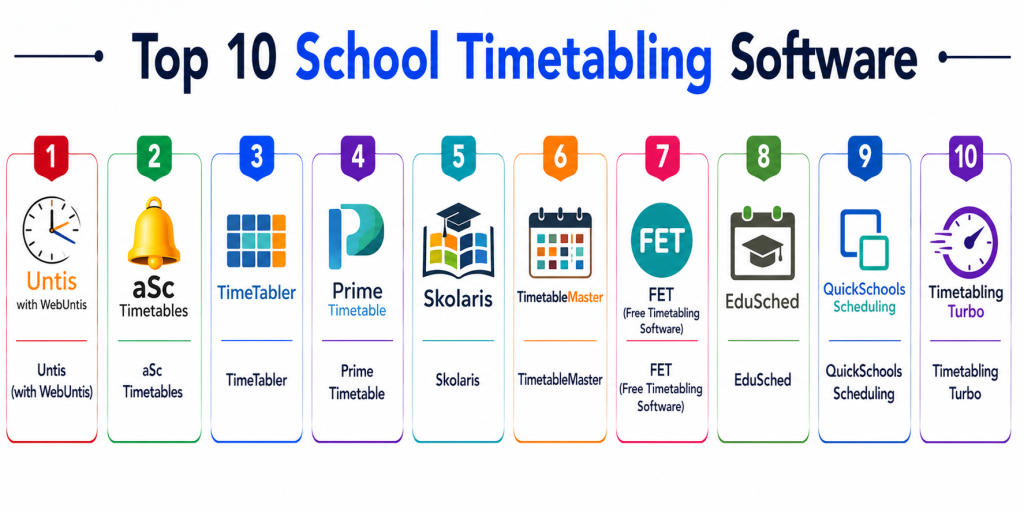
Top 10 School Timetabling Software
#1 — Untis (with WebUntis)
Short description: Untis is a powerful timetabling solution widely used in schools for managing schedules, substitutions, and resource planning.
Key Features
- Automated timetable generation
- Substitution management
- Room scheduling
- Teacher workload optimization
- Web and mobile access
Pros
- Highly reliable
- Scalable
- Strong feature set
- Widely adopted
Cons
- Complex setup
- Pricing varies
- Learning curve
- Requires configuration
Platforms / Deployment
Web / Windows / Mobile
Cloud / On-prem
Security & Compliance
Not publicly stated
Integrations & Ecosystem
Integrates with school systems and student portals
- SIS platforms
- Mobile apps
- APIs
Support & Community
Strong global user base and support
#2 — aSc Timetables
Short description: aSc Timetables is a popular scheduling software for schools with powerful automation and ease of use.
Key Features
- Automatic timetable generation
- Conflict resolution
- Room allocation
- Substitution handling
- Reporting tools
Pros
- Easy to use
- Powerful automation
- Scalable
- Affordable
Cons
- Limited advanced analytics
- UI can feel dated
- Integration required
- Setup needed
Platforms / Deployment
Windows / Web
Cloud / On-prem
Security & Compliance
Not publicly stated
Integrations & Ecosystem
- School systems
- Web apps
- APIs
Support & Community
Strong user community
#3 — TimeTabler
Short description: TimeTabler offers advanced scheduling features with flexibility for complex school environments.
Key Features
- Constraint-based scheduling
- Automated timetable generation
- Room allocation
- Staff scheduling
- Reporting tools
Pros
- Flexible
- Handles complex constraints
- Scalable
- Reliable
Cons
- Learning curve
- Pricing varies
- Setup complexity
- UI not modern
Platforms / Deployment
Windows
On-prem
Security & Compliance
Not publicly stated
Integrations & Ecosystem
- School systems
- Data export tools
Support & Community
Support available
#4 — Prime Timetable
Short description: Prime Timetable uses advanced algorithms to generate optimized schedules quickly.
Key Features
- AI-based scheduling
- Conflict resolution
- Resource optimization
- Automated timetable generation
- Scenario testing
Pros
- Fast scheduling
- Advanced optimization
- Scalable
- Flexible
Cons
- Complex setup
- Pricing varies
- Requires training
- Integration effort
Platforms / Deployment
Web / Windows
Cloud / On-prem
Security & Compliance
Not publicly stated
Integrations & Ecosystem
- SIS systems
- APIs
- Reporting tools
Support & Community
Professional support available
#5 — Skolaris
Short description: Skolaris provides scheduling and school management features for educational institutions.
Key Features
- Timetable generation
- Resource management
- Scheduling automation
- Reporting tools
- Integration features
Pros
- Scalable
- Easy to use
- Flexible
- Cloud-ready
Cons
- Limited global adoption
- Pricing varies
- Integration needed
- Setup required
Platforms / Deployment
Web
Cloud
Security & Compliance
Not publicly stated
Integrations & Ecosystem
- School ERP systems
- APIs
Support & Community
Support available
#6 — TimetableMaster
Short description: TimetableMaster offers automated scheduling and optimization for schools and colleges.
Key Features
- Automatic timetable creation
- Constraint handling
- Room scheduling
- Staff allocation
- Reporting tools
Pros
- Easy scheduling
- Scalable
- Reliable
- Cost-effective
Cons
- Limited advanced features
- UI outdated
- Integration required
- Setup needed
Platforms / Deployment
Windows
On-prem
Security & Compliance
Not publicly stated
Integrations & Ecosystem
- School systems
- Data export tools
Support & Community
Support available
#7 — FET (Free Timetabling Software)
Short description: FET is an open-source timetabling software with strong constraint-based scheduling capabilities.
Key Features
- Automatic timetable generation
- Constraint handling
- Open-source flexibility
- Multi-language support
- Export tools
Pros
- Free and open-source
- Highly customizable
- Scalable
- Strong constraint engine
Cons
- Requires technical expertise
- No official support
- Limited UI
- Integration effort
Platforms / Deployment
Windows / Linux / macOS
Self-hosted
Security & Compliance
Not publicly stated
Integrations & Ecosystem
- Open-source tools
- Data export/import
Support & Community
Open-source community
#8 — EduSched
Short description: EduSched provides automated scheduling tools with real-time updates and optimization features.
Key Features
- Automated scheduling
- Real-time updates
- Resource allocation
- Reporting tools
- Integration features
Pros
- Easy to use
- Scalable
- Real-time updates
- Flexible
Cons
- Limited enterprise features
- Pricing varies
- Integration needed
- Setup required
Platforms / Deployment
Web
Cloud
Security & Compliance
Not publicly stated
Integrations & Ecosystem
- School systems
- APIs
Support & Community
Support available
#9 — QuickSchools Scheduling
Short description: QuickSchools offers scheduling features integrated with its school management system.
Key Features
- Class scheduling
- Student timetable management
- Integration with SIS
- Reporting tools
- Cloud access
Pros
- Easy to use
- Integrated platform
- Scalable
- Cloud-based
Cons
- Limited advanced scheduling
- Pricing varies
- Customization limits
- Setup required
Platforms / Deployment
Web
Cloud
Security & Compliance
Not publicly stated
Integrations & Ecosystem
- SIS systems
- School ERP
- APIs
Support & Community
Support available
#10 — Timetabling Turbo
Short description: Timetabling Turbo offers automated timetable generation with optimization features.
Key Features
- Automated scheduling
- Conflict resolution
- Resource allocation
- Reporting tools
- Scenario planning
Pros
- Efficient scheduling
- Flexible
- Scalable
- Easy setup
Cons
- Limited adoption
- Pricing varies
- Integration needed
- Setup required
Platforms / Deployment
Windows
On-prem
Security & Compliance
Not publicly stated
Integrations & Ecosystem
- School systems
- Data tools
Support & Community
Support available
Comparison Table
| Tool Name | Best For | Platform(s) Supported | Deployment | Standout Feature | Public Rating |
|---|---|---|---|---|---|
| Untis | Enterprise schools | Web/Windows/Mobile | Cloud/On-prem | Substitution mgmt | N/A |
| aSc Timetables | SMB schools | Windows/Web | Cloud/On-prem | Easy automation | N/A |
| TimeTabler | Complex scheduling | Windows | On-prem | Constraint engine | N/A |
| Prime Timetable | Large institutions | Web/Windows | Cloud/On-prem | AI optimization | N/A |
| Skolaris | Growing schools | Web | Cloud | Flexible scheduling | N/A |
| TimetableMaster | Basic scheduling | Windows | On-prem | Cost-effective | N/A |
| FET | Open-source users | Multi-platform | Self-hosted | Free + customizable | N/A |
| EduSched | SMB schools | Web | Cloud | Real-time updates | N/A |
| QuickSchools | Integrated SIS | Web | Cloud | SIS integration | N/A |
| Timetabling Turbo | Small institutions | Windows | On-prem | Fast scheduling | N/A |
Evaluation & Scoring of School Timetabling Software
| Tool | Core | Ease | Integrations | Security | Performance | Support | Value | Weighted Total |
|---|---|---|---|---|---|---|---|---|
| Untis | 9 | 7.5 | 8.5 | 8 | 9 | 8 | 7.5 | 8.4 |
| aSc | 8.5 | 8.5 | 8 | 8 | 8.5 | 8 | 8.5 | 8.4 |
| TimeTabler | 8.5 | 7 | 7.5 | 8 | 8.5 | 7.5 | 7.5 | 7.9 |
| Prime | 9 | 7.5 | 8.5 | 8 | 9 | 8 | 7.5 | 8.4 |
| Skolaris | 8 | 8 | 8 | 8 | 8 | 7.5 | 8 | 8.0 |
| TimetableMaster | 7.5 | 8 | 7.5 | 8 | 8 | 7.5 | 8 | 7.9 |
| FET | 8 | 7.5 | 7 | 7.5 | 8 | 7 | 9 | 7.9 |
| EduSched | 8 | 8 | 7.5 | 8 | 8 | 7.5 | 8 | 8.0 |
| QuickSchools | 7.5 | 8.5 | 8 | 8 | 8 | 7.5 | 8 | 8.0 |
| Turbo | 7.5 | 8 | 7 | 8 | 8 | 7.5 | 8 | 7.8 |
How to interpret:
- Enterprise tools score higher on optimization and scalability
- Cloud tools score higher on usability and accessibility
- Open-source tools score higher on value
- Scores are comparative, not absolute benchmarks
Which School Timetabling Software Is Right for You?
Solo / Small Schools
Use FET or TimetableMaster for simple scheduling needs.
SMB Schools
Choose aSc Timetables or EduSched for ease of use and affordability.
Mid-Market Institutions
Consider Untis or Skolaris for scalability and automation.
Enterprise Schools
Use Prime Timetable or Untis for complex scheduling and optimization.
Budget vs Premium
Free tools provide basic features; premium tools offer advanced automation.
Feature Depth vs Ease of Use
Advanced tools offer depth; SMB tools prioritize usability.
Integrations & Scalability
Ensure compatibility with SIS and school ERP systems.
Security & Compliance Needs
Important for institutions handling sensitive data.
Frequently Asked Questions (numbring)
1. What is school timetabling software?
It is software that automates the creation of school schedules for classes, teachers, and rooms.
2. Why is it important?
It saves time, reduces conflicts, and optimizes resource allocation.
3. Who uses these tools?
Schools, colleges, and educational institutions.
4. What features matter most?
Automation, constraint handling, and integration.
5. Are these tools cloud-based?
Many modern tools are cloud-based, though some are on-prem.
6. Can they handle complex schedules?
Yes, advanced tools can manage complex constraints.
7. Do they integrate with SIS?
Yes, most tools support SIS integration.
8. Are they easy to use?
Ease varies; some tools require training.
9. How long does setup take?
It can take from days to weeks depending on complexity.
10. What are alternatives?
Manual scheduling or spreadsheets.
Conclusion
School Timetabling Software is essential for efficiently managing academic schedules.
It automates complex scheduling tasks and reduces manual errors.
Tools like Untis and Prime Timetable provide advanced optimization for large institutions.
Solutions like aSc Timetables offer a balance of ease and functionality.
Open-source tools like FET provide cost-effective options.
The right solution depends on school size, complexity, and budget.
Institutions should prioritize automation, flexibility, and integration.
Pilot testing helps validate performance and usability.
Ultimately, the best tool aligns with your scheduling needs and operational goals.
This article helps readers understand the importance of school timetabling software for organized and efficient educational administration.
Informative post. These tools are really helpful for managing teachers, classes, and resources in a structured way.