Introduction
Court Docket Management Tools are specialized platforms designed to track court cases, manage litigation deadlines, monitor filings, and organize legal workflows. These tools act as a centralized system for managing court schedules, ensuring that legal professionals never miss hearings, filing deadlines, or procedural updates.
In today’s legal environment, where cases span multiple courts and jurisdictions, manual tracking is inefficient and risky. Docket management tools solve this by offering real-time alerts, automated calendaring, and centralized case tracking, helping law firms improve accuracy and compliance.
Common Use Cases
- Tracking court filings and case updates
- Managing litigation deadlines and hearings
- Monitoring multiple cases across jurisdictions
- Automating legal calendaring
- Improving compliance and reducing missed deadlines
What Buyers Should Evaluate
- Real-time docket tracking capabilities
- Automated alerts and notifications
- Integration with legal research and case management tools
- Calendar and deadline management
- Multi-jurisdiction support
- Ease of use
- Reporting and analytics
- Security and compliance
- Scalability
Best for: Law firms, litigation teams, legal departments, and courts managing multiple cases
Not ideal for: Small teams with minimal litigation or simple case tracking needs
Key Trends in Court Docket Management Tools
- AI-powered docket tracking and alerts
- Automated calendaring and deadline management
- Integration with legal research platforms
- Real-time case monitoring across jurisdictions
- Cloud-based docket management systems
- Predictive analytics for case timelines
- Workflow automation for legal teams
- Centralized dashboards for case tracking
- Mobile accessibility for legal professionals
- Increased focus on compliance and audit trails
How We Selected These Tools Methodology
- Evaluated adoption among legal professionals
- Assessed docket tracking and alert capabilities
- Reviewed integration with legal research and case management tools
- Considered scalability and performance
- Analyzed usability and dashboards
- Included tools for SMB, mid-market, and enterprise
- Focused on automation and real-time updates
- Balanced innovation with practical usability
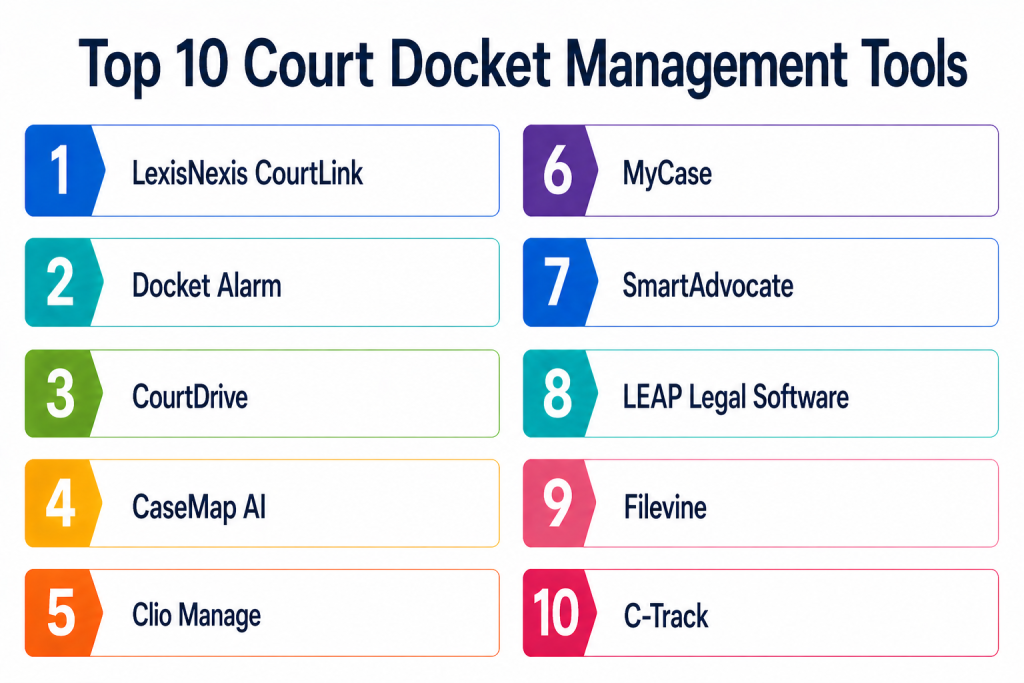
Top 10 Court Docket Management Tools
#1 — LexisNexis CourtLink
Short description: CourtLink is a powerful docket tracking and research platform that provides access to millions of court records and real-time alerts. It is widely used by litigation teams.
Key Features
- Real-time docket alerts
- Nationwide court coverage
- Advanced search capabilities
- Case tracking dashboards
- Litigation analytics
Pros
- Extensive docket database
- Real-time updates
Cons
- Premium pricing
- Requires training
Platforms / Deployment
Web — Cloud
Security & Compliance
Not publicly stated
Integrations & Ecosystem
Integrates with legal research and analytics tools.
- Legal research platforms
- APIs
Support & Community
Enterprise support
#2 — Docket Alarm
Short description: Docket Alarm provides full-text search across lawsuits with automated alerts and analytics for litigation tracking.
Key Features
- Full-text docket search
- Real-time alerts
- Litigation analytics
- Case monitoring
- Reporting tools
Pros
- Strong search capabilities
- Real-time notifications
Cons
- Limited workflow features
- Pricing varies
Platforms / Deployment
Web — Cloud
Security & Compliance
Not publicly stated
Integrations & Ecosystem
Integrates with legal tools and APIs.
- APIs
- Legal systems
Support & Community
Standard support
#3 — CourtDrive
Short description: CourtDrive is an AI-powered docketing assistant that helps track deadlines, hearings, and court events automatically.
Key Features
- AI docket tracking
- Automated calendaring
- Deadline alerts
- Workflow automation
- Collaboration tools
Pros
- Strong automation
- Reduces manual effort
Cons
- Newer platform
- Limited ecosystem
Platforms / Deployment
Web — Cloud
Security & Compliance
Not publicly stated
Integrations & Ecosystem
Integrates with case management tools.
- Legal systems
- APIs
Support & Community
Professional support
#4 — CaseMap AI
Short description: CaseMap AI is a litigation management platform that helps track cases, timelines, and docket-related activities with AI insights.
Key Features
- Case tracking
- Timeline analysis
- AI summaries
- Collaboration tools
- Reporting dashboards
Pros
- Strong analytics
- AI-powered insights
Cons
- Learning curve
- Premium pricing
Platforms / Deployment
Web — Cloud
Security & Compliance
Encryption and data protection — Not publicly stated
Integrations & Ecosystem
Integrates with legal research tools.
- Legal platforms
- APIs
Support & Community
Enterprise support
#5 — Clio Manage
Short description: Clio Manage is a widely used legal case management platform that includes docket tracking, calendaring, and workflow management features.
Key Features
- Case and docket tracking
- Calendar management
- Document management
- Billing and time tracking
- Collaboration tools
Pros
- Easy to use
- Strong integrations
Cons
- Limited advanced docket analytics
- Subscription cost
Platforms / Deployment
Web, Mobile — Cloud
Security & Compliance
Not publicly stated
Integrations & Ecosystem
Supports 300+ integrations.
- Legal apps
- Accounting tools
Support & Community
Strong support and community
#6 — MyCase
Short description: MyCase is a legal case management tool that helps law firms track cases, deadlines, and court events efficiently.
Key Features
- Case tracking
- Deadline management
- Client communication
- Billing tools
- Document management
Pros
- User-friendly
- Quick setup
Cons
- Limited advanced features
- Smaller ecosystem
Platforms / Deployment
Web — Cloud
Security & Compliance
Not publicly stated
Integrations & Ecosystem
Integrates with legal and accounting tools.
- APIs
- Finance tools
Support & Community
Strong support
#7 — SmartAdvocate
Short description: SmartAdvocate is a litigation management platform with AI-powered docket tracking and case insights.
Key Features
- AI case tracking
- Workflow automation
- Document management
- Analytics
- Reporting
Pros
- Strong automation
- AI capabilities
Cons
- Complex setup
- Training required
Platforms / Deployment
Web — Cloud
Security & Compliance
Not publicly stated
Integrations & Ecosystem
Integrates with legal systems.
- APIs
- Document tools
Support & Community
Professional support
#8 — LEAP Legal Software
Short description: LEAP provides legal case management with docket tracking and workflow automation for law firms.
Key Features
- Case tracking
- Document management
- Workflow automation
- Mobile access
- Reporting
Pros
- Comprehensive features
- Mobile support
Cons
- Pricing varies
- Learning curve
Platforms / Deployment
Web, Mobile — Cloud
Security & Compliance
Not publicly stated
Integrations & Ecosystem
Integrates with legal tools.
- APIs
- Legal systems
Support & Community
Strong support
#9 — Iolite Litigation Management Software
Short description: Iolite offers docket tracking with deadline calendars and litigation workflow management.
Key Features
- Deadline tracking
- Calendar management
- Case tracking
- Reporting tools
- Workflow automation
Pros
- Strong deadline tracking
- Easy calendar integration
Cons
- Limited analytics
- Smaller ecosystem
Platforms / Deployment
Web — Cloud
Security & Compliance
Not publicly stated
Integrations & Ecosystem
Integrates with calendars and legal tools.
- Google Calendar
- Outlook
Support & Community
Standard support
#10 — C-Track
Short description: C-Track is a court-focused system designed to manage case workflows, filings, and docket processes efficiently.
Key Features
- Court workflow management
- Case tracking
- Document processing
- Reporting tools
- Automation
Pros
- Court-specific workflows
- Efficient case processing
Cons
- Limited flexibility
- Enterprise-focused
Platforms / Deployment
Web — Cloud
Security & Compliance
Not publicly stated
Integrations & Ecosystem
Integrates with court systems and tools.
- Court systems
- APIs
Support & Community
Enterprise support
Comparison Table
| Tool Name | Best For | Platform Supported | Deployment | Standout Feature | Public Rating |
|---|---|---|---|---|---|
| CourtLink | Enterprise | Web | Cloud | Real-time docket alerts | N/A |
| Docket Alarm | Mid-market | Web | Cloud | Full-text search | N/A |
| CourtDrive | SMB | Web | Cloud | AI docketing | N/A |
| CaseMap AI | Enterprise | Web | Cloud | Case analytics | N/A |
| Clio | SMB | Web, Mobile | Cloud | Case management | N/A |
| MyCase | SMB | Web | Cloud | Ease of use | N/A |
| SmartAdvocate | Enterprise | Web | Cloud | AI automation | N/A |
| LEAP | Mid-market | Web, Mobile | Cloud | Mobile workflows | N/A |
| Iolite | SMB | Web | Cloud | Deadline tracking | N/A |
| C-Track | Enterprise | Web | Cloud | Court workflows | N/A |
Evaluation & Scoring of Court Docket Management Tools
| Tool Name | Core | Ease | Integrations | Security | Performance | Support | Value | Weighted Total |
|---|---|---|---|---|---|---|---|---|
| CourtLink | 9 | 7 | 9 | 8 | 9 | 9 | 6 | 8.3 |
| Docket Alarm | 8 | 8 | 8 | 7 | 8 | 8 | 8 | 8.0 |
| CourtDrive | 8 | 9 | 7 | 7 | 8 | 8 | 8 | 8.0 |
| CaseMap AI | 9 | 7 | 8 | 8 | 9 | 8 | 7 | 8.1 |
| Clio | 8 | 9 | 8 | 7 | 8 | 8 | 9 | 8.2 |
| MyCase | 7 | 9 | 7 | 7 | 7 | 8 | 9 | 7.9 |
| SmartAdvocate | 8 | 7 | 8 | 7 | 8 | 8 | 7 | 7.8 |
| LEAP | 8 | 8 | 8 | 7 | 8 | 8 | 7 | 7.9 |
| Iolite | 7 | 9 | 6 | 7 | 7 | 7 | 9 | 7.8 |
| C-Track | 8 | 7 | 8 | 8 | 8 | 8 | 7 | 7.9 |
These scores are comparative and highlight relative strengths. Organizations should align tool selection with litigation complexity and workflow requirements.
Which Court Docket Management Tool Is Right for You
Solo / Small Business
MyCase and Iolite offer simple and affordable solutions.
SMB
Clio and CourtDrive provide automation and ease of use.
Mid-Market
Docket Alarm and LEAP offer balanced features.
Enterprise
CourtLink, CaseMap AI, and C-Track provide advanced capabilities.
Budget vs Premium
SMB tools are cost-effective, while enterprise tools require higher investment.
Feature Depth vs Ease of Use
Enterprise tools provide depth, while SMB tools focus on usability.
Integrations & Scalability
CourtLink and Clio provide strong integration ecosystems.
Security & Compliance Needs
Large organizations should prioritize enterprise-grade solutions.
Frequently Asked Questions
1. What is a court docket management tool
It is software that helps track court cases, deadlines, and filings in a centralized system.
2. Why are these tools important
They reduce the risk of missed deadlines and improve legal workflow efficiency.
3. Do these tools provide real-time updates
Yes, most platforms offer real-time alerts and tracking features.
4. Can they integrate with legal research tools
Yes, many tools integrate with research and case management systems.
5. Are these tools suitable for small firms
Some tools are designed specifically for SMBs, while others are enterprise-focused.
6. How long does implementation take
It depends on complexity and integration needs.
7. Do they use AI
Many modern tools use AI for tracking, alerts, and analytics.
8. What are common challenges
Integration complexity and data management.
9. Can they improve compliance
Yes, they help ensure deadlines and legal requirements are met.
10. What are alternatives
Manual tracking or basic case management systems.
Conclusion
Court docket management tools are essential for modern legal operations, helping professionals manage cases, deadlines, and filings efficiently. They provide automation, real-time alerts, and centralized visibility. The right tool depends on your organization’s size, litigation complexity, and workflow needs. Smaller firms benefit from simple tools, while enterprises require advanced platforms. Modern solutions are evolving with AI, automation, and real-time tracking, making legal workflows more efficient and reliable. Choosing the right platform requires evaluating features, integrations, and scalability. A practical approach is to shortlist a few tools and test them through pilot implementations. Ultimately, the best docket management tool is one that improves efficiency, reduces risk, and ensures compliance.