Introduction
Work Order Management Software helps organizations create, assign, track, and complete maintenance and service tasks efficiently. It centralizes work requests, automates workflows, and ensures that teams can manage operations without relying on manual processes like spreadsheets or paper-based systems.
As businesses scale and operations become more complex, managing work orders manually leads to delays, errors, and lack of visibility. Modern work order tools bring automation, mobile access, and real-time tracking—making them essential for industries like facilities management, field service, manufacturing, and maintenance operations.
Real-world use cases
- Maintenance task tracking – Manage repair and service requests
- Field service management – Assign and monitor technician work
- Asset maintenance workflows – Link tasks with equipment lifecycle
- Service request automation – Streamline internal or customer requests
- Compliance tracking – Maintain audit trails and service records
What buyers should evaluate
- Ease of use and technician adoption
- Work order automation capabilities
- Mobile accessibility for field teams
- Integration with existing systems
- Reporting and analytics features
- Scalability across teams and locations
- Custom workflow support
- Notification and alert systems
- Cost and ROI
Best for: Maintenance teams, facility managers, field service teams, operations leaders, and organizations managing service requests at scale.
Not ideal for: Very small teams with minimal operational workflows or businesses that do not require structured task management systems.
Key Trends in Work Order Management Software
- AI-driven task prioritization for faster resolution
- Mobile-first platforms for field technicians
- Automation of workflows and approvals
- Integration with IoT for predictive maintenance
- Cloud-based systems replacing legacy tools
- Real-time notifications and alerts
- Advanced reporting dashboards
- Integration with CRM and ERP platforms
- Low-code customization of workflows
- Focus on user-friendly interfaces
How We Selected These Tools (Methodology)
- Strong industry adoption and reliability
- Comprehensive work order management features
- Performance and uptime consistency
- Security and data protection capabilities
- Integration ecosystem strength
- Fit across SMB, mid-market, and enterprise
- Ease of implementation and usability
- Value for cost and scalability
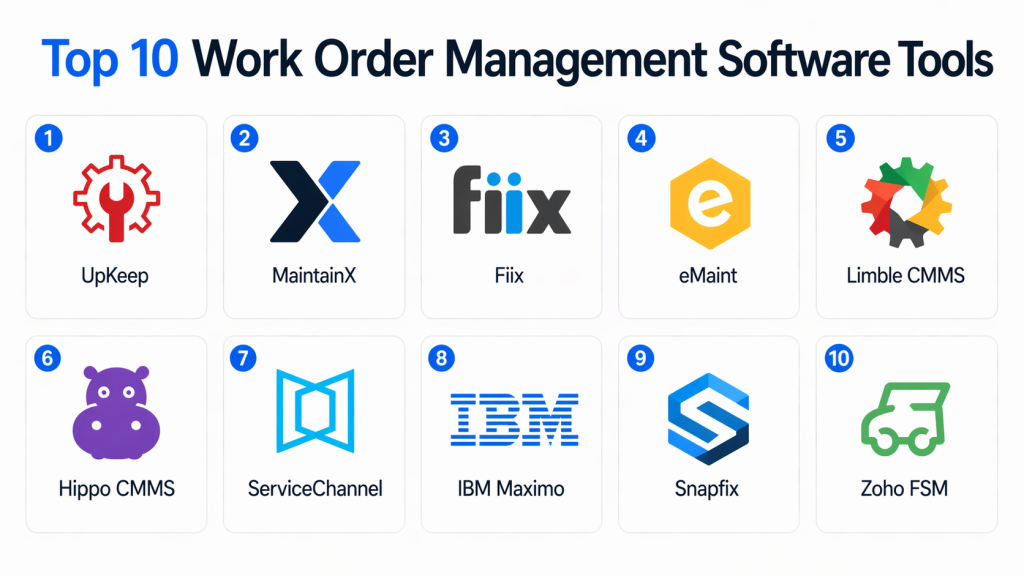
Top 10 Work Order Management Software Tools
#1 — UpKeep
Short description: UpKeep is a mobile-first work order and maintenance management platform designed to help teams manage tasks efficiently in real time.
Key Features
- Work order creation and tracking
- Preventive maintenance scheduling
- Mobile app for technicians
- Asset management integration
- Reporting dashboards
- Notifications and alerts
Pros
- Easy to use
- Strong mobile experience
Cons
- Limited enterprise features
- Customization can be limited
Platforms / Deployment
Web / iOS / Android / Cloud
Security & Compliance
Not publicly stated
Integrations & Ecosystem
Integrates with business and maintenance tools.
- APIs
- ERP systems
- IoT platforms
Support & Community
Good onboarding and customer support.
#2 — MaintainX
Short description: MaintainX is a modern work order management tool focused on simplicity, collaboration, and mobile-first task management.
Key Features
- Work order tracking
- Real-time team collaboration
- Mobile-first interface
- Preventive maintenance
- Asset tracking
Pros
- Very intuitive UI
- Strong collaboration features
Cons
- Limited advanced analytics
- Not ideal for complex enterprise setups
Platforms / Deployment
Web / iOS / Android / Cloud
Security & Compliance
Not publicly stated
Integrations & Ecosystem
- APIs
- Business tools
- Maintenance systems
Support & Community
Strong support and active user base.
#3 — Fiix
Short description: Fiix provides work order management as part of its CMMS platform, offering automation and reporting for maintenance operations.
Key Features
- Work order automation
- Maintenance scheduling
- Asset tracking
- Reporting dashboards
- Workflow automation
Pros
- Scalable platform
- Good reporting capabilities
Cons
- Limited customization
- Integration limitations
Platforms / Deployment
Cloud
Security & Compliance
Not publicly stated
Integrations & Ecosystem
- APIs
- ERP systems
- IoT tools
Support & Community
Reliable documentation and support.
#4 — eMaint
Short description: eMaint offers flexible work order management with strong customization and reporting features.
Key Features
- Work order tracking
- Preventive maintenance
- Custom workflows
- Reporting tools
- Asset management
Pros
- Highly customizable
- Strong reporting
Cons
- Learning curve
- UI feels outdated
Platforms / Deployment
Cloud
Security & Compliance
Not publicly stated
Integrations & Ecosystem
- APIs
- ERP tools
- Data systems
Support & Community
Good training and support.
#5 — Limble CMMS
Short description: Limble CMMS is a user-friendly platform that simplifies work order management and maintenance tracking.
Key Features
- Work order management
- Preventive maintenance
- Asset tracking
- Mobile access
- Reporting dashboards
Pros
- Easy to use
- Fast implementation
Cons
- Limited enterprise features
- Fewer integrations
Platforms / Deployment
Cloud
Security & Compliance
Not publicly stated
Integrations & Ecosystem
- APIs
- Maintenance tools
Support & Community
Strong onboarding support.
#6 — Hippo CMMS
Short description: Hippo CMMS provides simple work order tracking and maintenance tools for small to mid-sized teams.
Key Features
- Work order management
- Asset tracking
- Preventive maintenance
- Reporting tools
- Easy setup
Pros
- Budget-friendly
- Easy to use
Cons
- Limited advanced features
- Not suitable for enterprises
Platforms / Deployment
Cloud
Security & Compliance
Not publicly stated
Integrations & Ecosystem
- Basic integrations
- APIs
Support & Community
Good SMB-focused support.
#7 — ServiceChannel
Short description: ServiceChannel specializes in managing work orders across vendors and contractors, making it ideal for enterprise operations.
Key Features
- Work order tracking
- Vendor management
- Invoice management
- Analytics dashboards
- Compliance tracking
Pros
- Strong vendor management
- Scalable for enterprises
Cons
- Complex pricing
- Requires onboarding
Platforms / Deployment
Cloud
Security & Compliance
Not publicly stated
Integrations & Ecosystem
- ERP systems
- Vendor platforms
- APIs
Support & Community
Enterprise support and onboarding.
#8 — IBM Maximo
Short description: IBM Maximo offers advanced work order management as part of its enterprise asset management platform.
Key Features
- Work order automation
- Predictive maintenance
- Asset lifecycle management
- IoT integration
- Advanced analytics
Pros
- Enterprise-grade capabilities
- Highly scalable
Cons
- Complex implementation
- Expensive
Platforms / Deployment
Cloud / On-premise / Hybrid
Security & Compliance
RBAC, encryption (Not publicly stated fully)
Integrations & Ecosystem
- ERP systems
- IoT platforms
- APIs
Support & Community
Enterprise-level support.
#9 — Snapfix
Short description: Snapfix is a visual work order management tool that allows teams to create tasks using images and simple workflows.
Key Features
- Visual work order creation
- Task tracking
- Mobile-first design
- Simple workflows
- Notifications
Pros
- Very easy to use
- Visual task management
Cons
- Limited advanced features
- Not suitable for large enterprises
Platforms / Deployment
Web / Mobile / Cloud
Security & Compliance
Not publicly stated
Integrations & Ecosystem
- APIs
- Basic integrations
Support & Community
Simple onboarding and support.
#10 — Zoho FSM
Short description: Zoho FSM provides work order and field service management tools with strong integration across the Zoho ecosystem.
Key Features
- Work order management
- Scheduling and dispatch
- Field service tracking
- Automation workflows
- Reporting tools
Pros
- Strong integrations
- Affordable pricing
Cons
- Limited advanced enterprise features
- Learning curve for new users
Platforms / Deployment
Web / Mobile / Cloud
Security & Compliance
Not publicly stated
Integrations & Ecosystem
- Zoho ecosystem
- APIs
- Business apps
Support & Community
Good support and documentation.
Comparison Table (Top 10)
| Tool Name | Best For | Platform(s) Supported | Deployment | Standout Feature | Public Rating |
|---|---|---|---|---|---|
| UpKeep | SMB teams | Web/Mobile | Cloud | Mobile-first design | N/A |
| MaintainX | Collaboration | Web/Mobile | Cloud | Real-time teamwork | N/A |
| Fiix | Mid-market | Web | Cloud | Workflow automation | N/A |
| eMaint | Custom workflows | Web | Cloud | Reporting | N/A |
| Limble CMMS | Ease of use | Web | Cloud | Fast setup | N/A |
| Hippo CMMS | Small teams | Web | Cloud | Simplicity | N/A |
| ServiceChannel | Enterprise | Web | Cloud | Vendor mgmt | N/A |
| IBM Maximo | Enterprise | Web | Hybrid | Predictive maintenance | N/A |
| Snapfix | Visual tasks | Web/Mobile | Cloud | Image-based tasks | N/A |
| Zoho FSM | SMB | Web/Mobile | Cloud | Ecosystem integration | N/A |
Evaluation & Scoring of Work Order Management Software
| Tool Name | Core (25%) | Ease (15%) | Integrations (15%) | Security (10%) | Performance (10%) | Support (10%) | Value (15%) | Weighted Total |
|---|---|---|---|---|---|---|---|---|
| UpKeep | 8 | 9 | 7 | 6 | 7 | 8 | 9 | 7.9 |
| MaintainX | 7 | 9 | 7 | 6 | 7 | 8 | 9 | 7.8 |
| Fiix | 7 | 8 | 7 | 6 | 7 | 7 | 8 | 7.5 |
| eMaint | 8 | 7 | 7 | 6 | 7 | 8 | 7 | 7.5 |
| Limble | 7 | 9 | 6 | 6 | 7 | 7 | 8 | 7.4 |
| Hippo | 6 | 9 | 6 | 6 | 7 | 7 | 9 | 7.3 |
| ServiceChannel | 8 | 7 | 8 | 7 | 8 | 8 | 6 | 7.7 |
| IBM Maximo | 9 | 6 | 9 | 8 | 9 | 9 | 6 | 8.2 |
| Snapfix | 6 | 9 | 5 | 5 | 6 | 6 | 8 | 6.8 |
| Zoho FSM | 7 | 8 | 8 | 6 | 7 | 7 | 8 | 7.5 |
How to interpret scores:
These scores are comparative and highlight strengths across different criteria. Higher scores indicate stronger overall capability, but the best choice depends on your use case. Enterprise tools typically score higher in features, while SMB tools perform better in usability and value.
Which Work Order Management Software Tool Is Right for You?
Solo / Freelancer
Simple task tools are sufficient; full systems may not be needed.
SMB
UpKeep, MaintainX, and Zoho FSM are ideal for ease of use and affordability.
Mid-Market
Fiix, eMaint, and Limble CMMS offer balanced functionality.
Enterprise
IBM Maximo and ServiceChannel provide advanced capabilities and scalability.
Budget vs Premium
- Budget: Hippo, MaintainX
- Premium: IBM Maximo
Feature Depth vs Ease of Use
- Advanced: IBM Maximo
- Easy: MaintainX
Integrations & Scalability
Choose API-driven platforms like IBM Maximo or Zoho FSM.
Security & Compliance Needs
Enterprise tools offer stronger compliance and control features.
Frequently Asked Questions (FAQs)
1. What is Work Order Management Software?
Work Order Management Software helps organizations create, assign, track, and complete maintenance or service tasks efficiently. It centralizes all work-related activities in one system.
2. Who should use Work Order Management Software?
Maintenance teams, facility managers, field service teams, and operations teams benefit most from these tools.
3. What are the key benefits?
Improved efficiency, better task tracking, reduced downtime, and enhanced team collaboration are the main benefits.
4. Is it suitable for small businesses?
Yes, especially tools designed for simplicity and affordability.
5. Does it support mobile usage?
Most modern tools offer mobile apps for technicians to manage tasks on the go.
6. How long does implementation take?
Implementation ranges from a few days for simple tools to several weeks for complex systems.
7. Can it integrate with other systems?
Yes, most tools integrate with ERP, CRM, and IoT platforms.
8. What are common mistakes when adopting these tools?
Choosing overly complex tools and not training users properly are common issues.
9. Is cloud-based software better?
Cloud-based tools are easier to deploy and scale compared to on-premise systems.
10. Can it help reduce costs?
Yes, by improving efficiency and reducing downtime, it helps lower operational costs.
Conclusion
Work Order Management Software plays a crucial role in modern operations by bringing structure, automation, and visibility to task management. It helps organizations streamline workflows, improve productivity, and reduce operational inefficiencies. However, the best tool depends on your organization’s size, complexity, and requirements. Enterprise solutions offer deep functionality, while simpler tools focus on ease of use and quick deployment. Before selecting a tool, it is important to evaluate usability, integrations, and long-term value. Running a pilot program can help ensure the solution fits your workflow and team requirements.