Introduction
Meeting Room Booking Software is a workplace solution that helps employees find, reserve, and manage meeting rooms, conference spaces, and shared resources in real time. Instead of manually checking availability or dealing with double bookings, these systems provide a centralized interface—often integrated with calendars and workplace tools—to streamline scheduling.
In modern hybrid workplaces, where teams operate across offices and remote environments, efficient space management is critical. Meeting room booking tools ensure real-time visibility of room availability, automated scheduling, and better workspace utilization. They also support features like recurring bookings, capacity management, and equipment allocation, making meetings more organized and efficient .
Common use cases include booking conference rooms, managing hybrid office spaces, coordinating team meetings, and optimizing office utilization. Buyers should evaluate ease of use, integrations (Google Workspace, Microsoft 365), real-time sync, analytics, scalability, automation, and security.
Best for: IT teams, office managers, HR teams, hybrid workplaces, and enterprises managing multiple meeting spaces.
Not ideal for: very small teams with minimal meeting room usage or informal scheduling needs.
Key Trends in Meeting Room Booking Software
- AI-powered workspace recommendations and automation
- Integration with Microsoft Teams, Google Workspace, and Slack
- Touchless booking and mobile-first interfaces
- Real-time occupancy tracking and analytics
- Hybrid workplace management (desk + room booking)
- Smart room displays and IoT integrations
- Automation of recurring bookings and no-show handling
- Multi-location workspace management
- Data-driven space optimization
- Cloud-based deployment for scalability
How We Selected These Tools (Methodology)
- Evaluated adoption across modern workplaces
- Assessed real-time booking and scheduling features
- Reviewed integrations with calendars and collaboration tools
- Analyzed scalability for multi-office environments
- Considered ease of use for employees and admins
- Evaluated analytics and reporting capabilities
- Assessed automation and workflow features
- Reviewed mobile and touchless booking capabilities
- Considered pricing flexibility and ROI
- Included a mix of SMB and enterprise solutions
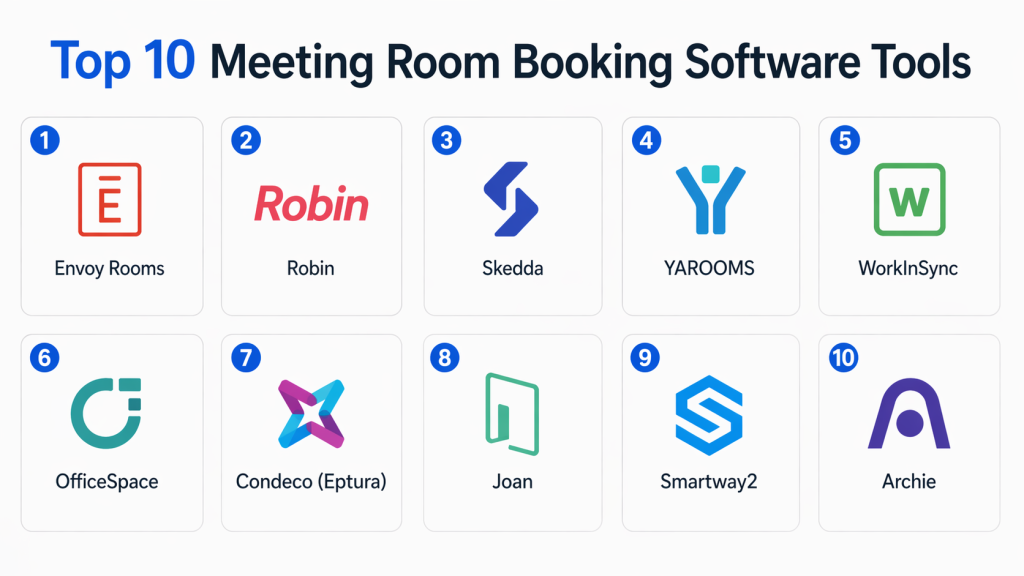
Top 10 Meeting Room Booking Software Tools
#1 — Envoy Rooms
Short description : Envoy Rooms is a modern meeting room booking system that allows employees to reserve spaces directly through mobile apps, calendars, or room displays. It simplifies scheduling by integrating with workplace tools and providing real-time availability. The platform is ideal for hybrid workplaces and corporate environments. It also supports resource booking and analytics.
Key Features
- Real-time room availability
- Calendar integrations
- Mobile booking
- Room display panels
- Analytics dashboards
Pros
- Easy to use
- Strong integrations
Cons
- Premium pricing
- Limited customization
Platforms / Deployment
- Web / iOS / Android / Cloud
Security & Compliance
- Not publicly stated
Integrations & Ecosystem
- Google Calendar
- Microsoft 365
- Slack APIs
Support & Community
- Vendor support and documentation
#2 — Robin
Short description : Robin is a workplace management platform that includes meeting room booking, desk booking, and analytics. It helps organizations optimize office space and improve collaboration. It is widely used in hybrid work environments.
Key Features
- Room and desk booking
- Analytics dashboards
- Workplace scheduling
- Mobile app
- Automation
Pros
- Scalable
- Strong analytics
Cons
- Learning curve
- Pricing tiers
Platforms / Deployment
- Web / Mobile / Cloud
Security & Compliance
- Not publicly stated
Integrations & Ecosystem
- Microsoft 365
- Google Workspace
- APIs
Support & Community
- Vendor support
#3 — Skedda
Short description : Skedda is a popular meeting room booking system designed for managing spaces with customizable booking rules and real-time availability. It supports interactive floor plans and automated scheduling. It is suitable for both SMBs and enterprises .
Key Features
- Real-time booking
- Interactive floor plans
- Booking rules
- Automation
- Reporting
Pros
- Flexible configuration
- Easy setup
Cons
- Limited enterprise features
- UI improvements needed
Platforms / Deployment
- Web / Cloud
Security & Compliance
- Not publicly stated
Integrations & Ecosystem
- Calendar tools
- APIs
Support & Community
- Vendor support
#4 — YAROOMS
Short description : YAROOMS is a workspace management platform that offers meeting room booking along with desk booking and visitor management. It is designed for hybrid workplaces and enterprise environments.
Key Features
- Room scheduling
- Desk booking
- Visitor management
- Analytics
- Reporting
Pros
- All-in-one platform
- Scalable
Cons
- Learning curve
- Setup required
Platforms / Deployment
- Web / Mobile / Cloud
Security & Compliance
- Not publicly stated
Integrations & Ecosystem
- Calendar tools
- APIs
Support & Community
- Vendor support
#5 — WorkInSync
Short description : WorkInSync provides meeting room booking and workplace management solutions focused on hybrid work environments. It offers real-time availability and scheduling tools to improve collaboration .
Key Features
- Real-time room booking
- Desk scheduling
- Analytics
- Automation
- Mobile support
Pros
- Hybrid workplace support
- Easy to use
Cons
- Limited advanced customization
- SMB focus
Platforms / Deployment
- Web / Mobile / Cloud
Security & Compliance
- Not publicly stated
Integrations & Ecosystem
- Microsoft 365
- Google Workspace
- APIs
Support & Community
- Vendor support
#6 — OfficeSpace
Short description : OfficeSpace is a workplace management platform that includes meeting room booking, desk booking, and analytics tools. It is designed for large enterprises and multi-location offices.
Key Features
- Room booking
- Space analytics
- Desk booking
- Reporting
- Automation
Pros
- Strong analytics
- Enterprise-ready
Cons
- Premium pricing
- Complex setup
Platforms / Deployment
- Web / Cloud
Security & Compliance
- Not publicly stated
Integrations & Ecosystem
- APIs
- Workplace tools
Support & Community
- Enterprise support
#7 — Condeco (Eptura)
Short description : Condeco, now part of Eptura, is an enterprise-grade meeting room booking solution that helps organizations manage workspace resources efficiently. It is widely used in large organizations.
Key Features
- Room booking
- Desk scheduling
- Analytics
- Automation
- Reporting
Pros
- Enterprise scalability
- Reliable
Cons
- Expensive
- Complex
Platforms / Deployment
- Web / Mobile / Cloud
Security & Compliance
- Not publicly stated
Integrations & Ecosystem
- Microsoft 365
- APIs
Support & Community
- Enterprise support
#8 — Joan
Short description : Joan is a meeting room booking system known for its smart display devices and simple booking interface. It integrates with calendars and provides real-time availability.
Key Features
- Room display panels
- Calendar sync
- Real-time booking
- Analytics
- Automation
Pros
- Easy to use
- Hardware integration
Cons
- Requires hardware investment
- Limited advanced features
Platforms / Deployment
- Web / Cloud / Hardware
Security & Compliance
- Not publicly stated
Integrations & Ecosystem
- Google Workspace
- Microsoft 365
Support & Community
- Vendor support
#9 — Smartway2
Short description : Smartway2 is a meeting room booking platform focused on improving workplace efficiency through automation and analytics. It supports hybrid work environments.
Key Features
- Room booking
- Analytics
- Automation
- Reporting
- Mobile support
Pros
- Good analytics
- Flexible
Cons
- Learning curve
- Setup required
Platforms / Deployment
- Web / Mobile / Cloud
Security & Compliance
- Not publicly stated
Integrations & Ecosystem
- APIs
- Calendar tools
Support & Community
- Vendor support
#10 — Archie
Short description : Archie is a workplace management platform offering meeting room booking, desk booking, and visitor management. It is designed for modern offices and coworking spaces.
Key Features
- Room booking
- Desk scheduling
- Visitor management
- Analytics
- Automation
Pros
- All-in-one solution
- Scalable
Cons
- Setup required
- Pricing
Platforms / Deployment
- Web / Cloud
Security & Compliance
- Not publicly stated
Integrations & Ecosystem
- Google Workspace
- Microsoft 365
- APIs
Support & Community
- Vendor support
Comparison Table (Top 10)
| Tool Name | Best For | Platform(s) Supported | Deployment | Standout Feature | Public Rating |
|---|---|---|---|---|---|
| Envoy Rooms | SMB–Enterprise | Web/Mobile | Cloud | Easy booking | N/A |
| Robin | Hybrid workplaces | Web/Mobile | Cloud | Analytics | N/A |
| Skedda | SMB–Mid | Web | Cloud | Booking rules | N/A |
| YAROOMS | Enterprise | Web/Mobile | Cloud | All-in-one | N/A |
| WorkInSync | Hybrid teams | Web/Mobile | Cloud | Real-time sync | N/A |
| OfficeSpace | Enterprise | Web | Cloud | Space analytics | N/A |
| Condeco | Enterprise | Web/Mobile | Cloud | Resource management | N/A |
| Joan | SMB–Mid | Web/Hardware | Cloud | Smart displays | N/A |
| Smartway2 | Mid-market | Web/Mobile | Cloud | Automation | N/A |
| Archie | SMB–Enterprise | Web | Cloud | Workplace suite | N/A |
Evaluation & Scoring of Meeting Room Booking Software
| Tool Name | Core (25%) | Ease (15%) | Integrations (15%) | Security (10%) | Performance (10%) | Support (10%) | Value (15%) | Weighted Total |
|---|---|---|---|---|---|---|---|---|
| Envoy | 9 | 9 | 9 | 7 | 8 | 8 | 7 | 8.4 |
| Robin | 9 | 8 | 9 | 7 | 8 | 8 | 7 | 8.2 |
| Skedda | 8 | 9 | 7 | 7 | 8 | 7 | 8 | 8.0 |
| YAROOMS | 8 | 7 | 8 | 7 | 8 | 7 | 7 | 7.7 |
| WorkInSync | 8 | 8 | 8 | 7 | 8 | 7 | 8 | 7.9 |
| OfficeSpace | 9 | 7 | 8 | 7 | 9 | 8 | 6 | 8.0 |
| Condeco | 9 | 6 | 9 | 8 | 9 | 8 | 6 | 8.1 |
| Joan | 7 | 9 | 7 | 7 | 7 | 7 | 8 | 7.6 |
| Smartway2 | 8 | 7 | 7 | 7 | 8 | 7 | 7 | 7.6 |
| Archie | 9 | 8 | 8 | 7 | 8 | 7 | 7 | 8.0 |
Scores are comparative and should be used to shortlist tools based on priorities like ease of use, integrations, and scalability.
Which Meeting Room Booking Software Tool Is Right for You?
Solo / Freelancer
- Basic scheduling tools or simple apps
SMB
- Skedda, WorkInSync, Joan
Mid-Market
- Robin, Smartway2
Enterprise
- Envoy, Condeco, OfficeSpace
Budget vs Premium
- Budget → Skedda
- Premium → Envoy
Feature Depth vs Ease of Use
- Easy → Joan
- Advanced → Condeco
Integrations & Scalability
- Choose tools with Microsoft 365 or Google Workspace
Security & Compliance Needs
- Enterprise tools provide stronger controls
Frequently Asked Questions (FAQs)
1. What is meeting room booking software?
It allows employees to reserve rooms and resources in real time.
2. Why is it important?
It prevents double bookings and improves efficiency.
3. Can it integrate with calendars?
Yes, most tools integrate with Google and Microsoft calendars.
4. Is it suitable for hybrid work?
Yes, it supports hybrid and flexible workplaces.
5. Does it provide analytics?
Yes, most tools include reporting dashboards.
6. Can it automate scheduling?
Yes, automation is a core feature.
7. Is it cloud-based?
Most modern tools are cloud-based.
8. How long does implementation take?
Cloud tools are quick; enterprise tools take longer.
9. Can it manage multiple locations?
Yes, many tools support multi-office setups.
10. What is the biggest benefit?
Efficient use of office space and improved collaboration.
Conclusion
Meeting Room Booking Software has become a critical component of modern workplaces, especially with the rise of hybrid work models. These platforms eliminate scheduling conflicts, improve collaboration, and provide valuable insights into how office spaces are used. From simple tools like Skedda and Joan to enterprise-grade solutions like Envoy and Condeco, the right choice depends on your organization’s size, integration needs, and budget. Businesses should start by identifying their workspace challenges, shortlist tools that align with their workflows, and test them in real-world scenarios to ensure seamless adoption and long-term efficiency.