Introduction
AI Image Generation Tools are platforms that use artificial intelligence to create images from text prompts, sketches, or existing visuals. These tools rely on advanced deep learning models such as diffusion models and generative adversarial networks to generate realistic, artistic, or stylized images instantly.
As visual content demand increases across marketing, design, gaming, and media, AI image tools are transforming creative workflows. They enable rapid prototyping, scalable content production, and creative experimentation without requiring advanced design skills.
Real-world use cases include:
- Creating marketing visuals and ad creatives
- Generating concept art and illustrations
- Designing social media posts and thumbnails
- Game asset and character design
- Product mockups and UI prototypes
Key evaluation criteria for buyers:
- Image quality and realism
- Prompt accuracy and control
- Style customization and editing tools
- Speed and generation time
- Integration with design tools and workflows
- Scalability for bulk image generation
- Multi-modal capabilities (text-to-image, image-to-image)
- Security and usage rights
- Ease of use and UI
- Pricing and value
Best for:
AI image tools are ideal for designers, marketers, content creators, game developers, and AI enthusiasts.
Not ideal for:
Highly regulated creative industries requiring manual design precision or strict copyright control without review.
Key Trends in AI Image Generation Tools
- Diffusion models improving image realism and detail
- Text-to-image and image-to-image workflows
- Integration with design platforms and creative suites
- Real-time image generation and editing
- Multimodal AI combining text, image, and video
- Custom model training for brand-specific visuals
- AI-assisted editing (inpainting, outpainting)
- High-resolution image generation (4K and beyond)
- Ethical AI and copyright-safe generation models
- Personalized image generation using user data
How We Selected These Tools (Methodology)
- Evaluated image quality and realism
- Assessed prompt accuracy and control
- Reviewed customization and editing capabilities
- Checked speed and performance
- Considered integration with design tools
- Examined ease of use and UI/UX
- Evaluated scalability and batch generation
- Reviewed community and ecosystem support
- Considered open-source vs enterprise tools
- Ensured applicability across creators, SMBs, and enterprises
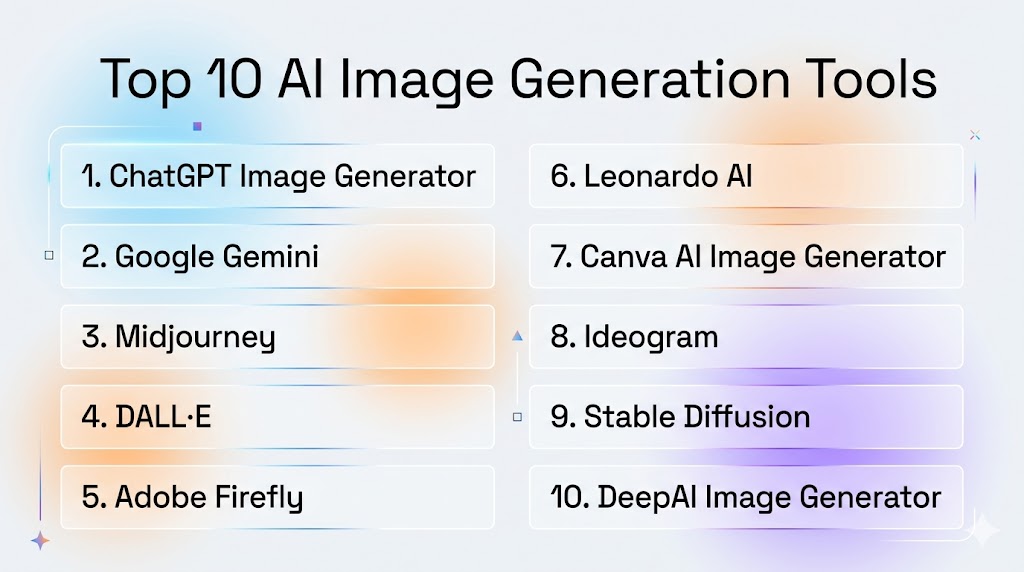
Top 10 AI Image Generation Tools
#1 — ChatGPT Image Generator
Short description (3-4 lines): ChatGPT Image Generator enables users to create high-quality images using text prompts with strong prompt understanding and editing capabilities.
Key Features
- Text-to-image generation
- Image editing and refinement
- Style customization
- Multi-language prompts
- High-resolution outputs
Pros
- Excellent prompt understanding
- Versatile and easy to use
Cons
- Requires prompt tuning
- Cloud-based
Platforms / Deployment
- Web / Cloud
Security & Compliance
- Encryption, access controls
Integrations & Ecosystem
- APIs, productivity tools
Support & Community
- Large user base
#2 — Google Gemini (Nano Banana)
Short description: Google Gemini provides advanced image generation with personalization and editing capabilities.
Key Features
- Text-to-image generation
- Image editing
- Personalization features
- High-resolution outputs
- Integration with Google ecosystem
Pros
- Strong contextual understanding
- Easy to use
Cons
- Cloud-only
- Limited customization
Platforms / Deployment
- Cloud
Security & Compliance
- Encryption, IAM
Integrations & Ecosystem
- Google services
Support & Community
- Google support
#3 — Midjourney
Short description: Midjourney is a popular AI art generator known for highly creative and artistic outputs.
Key Features
- Artistic image generation
- Style customization
- High-quality outputs
- Prompt-based creation
- Community-driven workflows
Pros
- Best for creative visuals
- High-quality outputs
Cons
- Learning curve
- Limited editing tools
Platforms / Deployment
- Web / Cloud
Security & Compliance
- Standard controls
Integrations & Ecosystem
- Community platforms
Support & Community
- Strong community
#4 — DALL·E
Short description: DALL·E is an AI model designed for generating detailed and realistic images from text prompts.
Key Features
- Text-to-image generation
- Image editing
- Prompt-based creativity
- High-resolution output
- Style variation
Pros
- Accurate prompt interpretation
- Creative flexibility
Cons
- Limited control over outputs
- Cloud-based
Platforms / Deployment
- Cloud
Security & Compliance
- Encryption
Integrations & Ecosystem
- AI platforms
Support & Community
- Large community
#5 — Adobe Firefly
Short description: Adobe Firefly integrates AI image generation directly into creative workflows.
Key Features
- Text-to-image generation
- Image editing tools
- Style presets
- Integration with design tools
- Commercial-safe outputs
Pros
- Seamless design integration
- Easy editing
Cons
- Requires Adobe ecosystem
- Subscription cost
Platforms / Deployment
- Web / Cloud
Security & Compliance
- Enterprise security
Integrations & Ecosystem
- Adobe Creative Suite
Support & Community
- Enterprise support
#6 — Leonardo AI
Short description: Leonardo AI is a creator-focused platform offering advanced image generation and editing tools.
Key Features
- Text-to-image generation
- Custom model training
- Image editing tools
- Style control
- High-resolution outputs
Pros
- High-quality visuals
- Customization
Cons
- Paid features
- Learning curve
Platforms / Deployment
- Cloud
Security & Compliance
- Standard controls
Integrations & Ecosystem
- APIs
Support & Community
- Active community
#7 — Canva AI Image Generator
Short description: Canva AI provides simple and fast image generation integrated into a design platform.
Key Features
- Text-to-image generation
- Templates and design tools
- Drag-and-drop interface
- Multi-language support
- Quick editing
Pros
- Beginner-friendly
- Integrated design tools
Cons
- Limited advanced features
- Less control
Platforms / Deployment
- Web / Cloud
Security & Compliance
- Standard controls
Integrations & Ecosystem
- Canva ecosystem
Support & Community
- Large community
#8 — Ideogram
Short description: Ideogram focuses on generating images with accurate text rendering and design elements.
Key Features
- Text rendering in images
- High-quality generation
- Prompt-based design
- Creative styles
- Fast processing
Pros
- Best for text in images
- High accuracy
Cons
- Limited ecosystem
- Newer platform
Platforms / Deployment
- Cloud
Security & Compliance
- Standard controls
Integrations & Ecosystem
- APIs
Support & Community
- Growing community
#9 — Stable Diffusion
Short description: Stable Diffusion is an open-source image generation model offering full control and customization.
Key Features
- Open-source model
- Text-to-image generation
- Image editing
- Custom model training
- Local deployment
Pros
- Highly customizable
- Free and open-source
Cons
- Requires setup
- Technical complexity
Platforms / Deployment
- Linux / Windows / macOS
Security & Compliance
- Depends on deployment
Integrations & Ecosystem
- ML frameworks
Support & Community
- Large open-source community
#10 — DeepAI Image Generator
Short description: DeepAI offers a simple and accessible platform for generating images from text prompts.
Key Features
- Text-to-image generation
- Simple interface
- Fast outputs
- API support
- Free access
Pros
- Easy to use
- Free tier available
Cons
- Limited customization
- Lower image quality
Platforms / Deployment
- Web / Cloud
Security & Compliance
- Standard controls
Integrations & Ecosystem
- APIs
Support & Community
- Community support
Comparison Table
| Tool | Best For | Platform | Deployment | Standout Feature | Rating |
|---|---|---|---|---|---|
| ChatGPT | Versatility | Web | Cloud | Prompt accuracy | N/A |
| Gemini | Personalization | Cloud | Cloud | Context awareness | N/A |
| Midjourney | Artistic output | Web | Cloud | Creativity | N/A |
| DALL·E | Realism | Cloud | Cloud | Prompt understanding | N/A |
| Firefly | Designers | Web | Cloud | Adobe integration | N/A |
| Leonardo | Creators | Cloud | Cloud | Custom models | N/A |
| Canva | Beginners | Web | Cloud | Ease of use | N/A |
| Ideogram | Text images | Cloud | Cloud | Text rendering | N/A |
| Stable Diffusion | Developers | Multi | Local | Customization | N/A |
| DeepAI | Simplicity | Web | Cloud | Accessibility | N/A |
Evaluation & Scoring
| Tool | Core | Ease | Integration | Security | Performance | Support | Value | Total |
|---|---|---|---|---|---|---|---|---|
| ChatGPT | 10 | 9 | 9 | 8 | 9 | 9 | 9 | 9.3 |
| Gemini | 9 | 8 | 9 | 8 | 9 | 8 | 8 | 8.5 |
| Midjourney | 9 | 7 | 7 | 7 | 9 | 8 | 8 | 8.2 |
| DALL·E | 9 | 8 | 8 | 8 | 9 | 8 | 8 | 8.5 |
| Firefly | 8 | 9 | 9 | 8 | 8 | 8 | 7 | 8.3 |
| Leonardo | 8 | 8 | 8 | 7 | 9 | 7 | 8 | 8.0 |
| Canva | 7 | 10 | 8 | 7 | 8 | 8 | 9 | 8.1 |
| Ideogram | 8 | 8 | 7 | 7 | 8 | 7 | 8 | 7.8 |
| Stable Diffusion | 9 | 6 | 8 | 7 | 9 | 8 | 9 | 8.3 |
| DeepAI | 7 | 9 | 6 | 7 | 7 | 6 | 9 | 7.3 |
Which AI Image Generation Tool Is Right for You?
Solo / Freelancer
Canva or DeepAI is best for quick and easy image creation.
SMB
Leonardo AI or Writesonic-style tools provide balance and scalability.
Mid-Market
Adobe Firefly or Ideogram offers design integration and flexibility.
Enterprise
ChatGPT Image Generator, Gemini, or Stable Diffusion provides advanced capabilities.
Frequently Asked Questions (FAQs)
What is an AI image generation tool?
An AI image generation tool creates images from text prompts using deep learning models. Users describe a scene, and the AI generates a visual representation based on learned patterns. These tools make visual content creation faster and more accessible.
How do AI image generators work?
They use models like diffusion models to generate images step-by-step from noise based on a text prompt. The AI interprets the prompt and constructs a visual output that matches the description as closely as possible.
Are AI-generated images copyright-free?
It depends on the platform. Some tools provide commercial usage rights, while others have restrictions. Users should always check platform policies before using generated images commercially.
Can AI image tools replace designers?
AI tools assist designers but do not fully replace them. They help generate ideas and drafts, while designers refine and ensure quality. Human creativity and judgment remain essential.
Are these tools easy to use?
Yes, many tools are beginner-friendly and require only text prompts. Platforms like Canva and DeepAI make it easy for anyone to generate images without technical knowledge.
Can AI generate realistic images?
Yes, modern AI tools can generate highly realistic images, including photorealistic portraits and environments. Advances in diffusion models have significantly improved image quality.
Do AI image tools support editing?
Many platforms offer editing features like inpainting and outpainting. Users can refine images, change parts of visuals, or enhance details without starting from scratch.
Are AI image tools secure?
Most platforms provide encryption and security features. However, users should avoid uploading sensitive data and review platform privacy policies.
Can AI generate images in real time?
Yes, many tools generate images within seconds. Real-time generation is becoming a standard feature in modern platforms.
How to choose the right AI image tool?
Choose based on your needs—creativity, realism, ease of use, or customization. Testing multiple tools helps determine the best fit for your workflow.
Conclusion
AI image generation tools are revolutionizing digital creativity by enabling users to generate high-quality visuals quickly and efficiently. Beginner-friendly tools like Canva and DeepAI make image creation accessible to everyone, while platforms like Leonardo AI and Adobe Firefly provide advanced features for creators and designers. Mid-market users benefit from tools like Ideogram and Midjourney, which offer creativity and flexibility, while enterprises can leverage powerful platforms like ChatGPT Image Generator, Gemini, and Stable Diffusion for scalability and customization. Choosing the right tool depends on your creative goals, technical expertise, and workflow requirements. A practical approach is to experiment with multiple tools, refine prompts, and combine AI-generated visuals with human creativity to achieve the best results.