Introduction
Self-service analytics tools empower business users to access, analyze, and visualize data independently without relying on IT or data engineering teams. They provide intuitive dashboards, interactive reports, and drag-and-drop interfaces to make data analysis accessible to non-technical stakeholders. Essentially, these tools enable faster decision-making by putting analytics directly in the hands of those who need it.
In modern organizations, with growing data volumes and distributed teams, self-service analytics helps reduce bottlenecks, increase adoption of data-driven decision-making, and improve operational efficiency.
Real-world use cases include:
- Business users creating their own dashboards without IT support.
- Real-time monitoring of KPIs across departments.
- Performing ad-hoc analysis to answer business questions quickly.
- Reducing dependency on centralized analytics teams.
- Enabling cross-functional collaboration with shared insights.
Key evaluation criteria for buyers:
- Intuitive, user-friendly interfaces.
- Drag-and-drop dashboard and report creation.
- Integration with multiple data sources.
- Interactive visualizations and drill-down capabilities.
- Real-time or near real-time analytics.
- Collaboration and sharing functionality.
- Scalability for growing teams and data volumes.
- Security, compliance, and governance features.
- AI-assisted analytics and recommendations.
- Pricing flexibility and value for business units.
Best for:
Self-service analytics tools are ideal for business analysts, managers, and departmental users who need quick, independent access to insights without heavy IT involvement.
Not ideal for:
Organizations with minimal data complexity or highly regulated environments where centralized governance is mandatory may require more controlled analytics platforms.
Key Trends in Self-Service Analytics Tools
- No-code and low-code interfaces: Simplifying analysis for non-technical users.
- AI and machine learning assistance: Automated insights, anomaly detection, and predictive analytics.
- Real-time dashboards: Data updated instantly for quick decision-making.
- Embedded analytics: Self-service dashboards integrated within business applications.
- Collaboration features: Shared dashboards, annotations, and team insights.
- Integration with cloud and on-premises data: Connecting to multiple sources seamlessly.
- Mobile-friendly dashboards: Accessing analytics on smartphones and tablets.
- Natural language query support: Users ask questions in plain language to generate reports.
- Governance and security compliance: Access controls, encryption, and audit logs.
- Interactive visualization: Advanced chart types, drill-downs, and filtering options.
How We Selected These Tools (Methodology)
- Evaluated market adoption and visibility among business users.
- Reviewed feature completeness, including dashboarding, visualizations, AI assistance, and collaboration.
- Assessed performance and reliability, particularly for real-time and large dataset handling.
- Examined integration capabilities with data warehouses, spreadsheets, and cloud platforms.
- Checked security and compliance measures.
- Factored ease of use for non-technical stakeholders.
- Reviewed support and community resources.
- Considered AI-powered insights and automation features.
- Evaluated scalability for growing teams.
- Ensured suitability across SMB to enterprise segments.
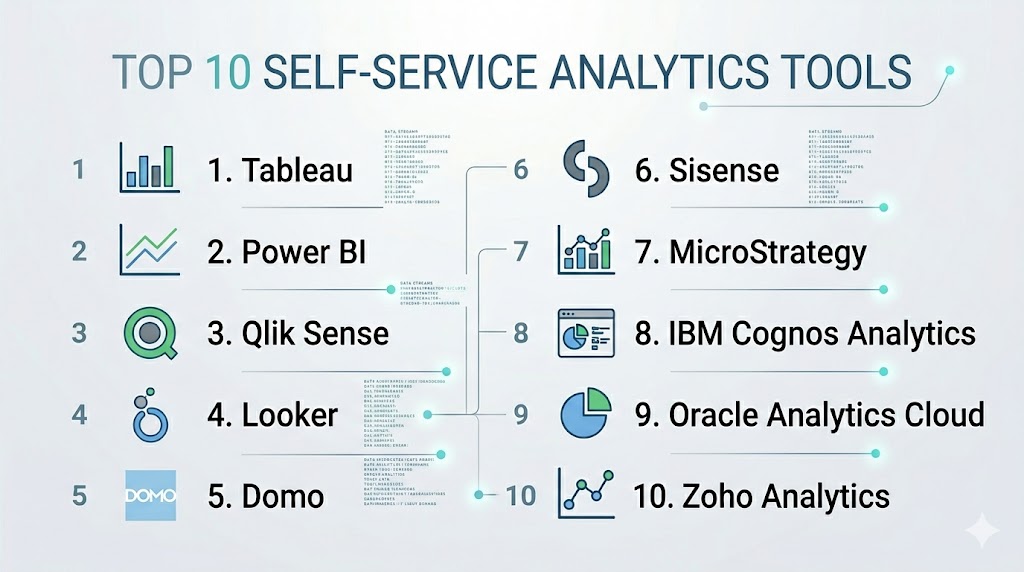
Top 10 Self-Service Analytics Tools
#1 — Tableau
Short description: Tableau enables users to create interactive dashboards and visualizations without technical expertise.
Key Features
- Drag-and-drop interface
- Interactive dashboards and charts
- Real-time analytics and alerts
- AI-driven insights and recommendations
- Mobile-friendly dashboards
- Integration with multiple data sources
- Collaboration and sharing tools
Pros
- Intuitive and visually compelling
- Strong community support
Cons
- Higher cost for larger teams
- Can lag with very large datasets
Platforms / Deployment
- Web / Windows / macOS
- Cloud / On-prem / Hybrid
Security & Compliance
- SSO, encryption, RBAC
- SOC 2, GDPR
Integrations & Ecosystem
- Snowflake, Redshift, BigQuery, SQL, Salesforce
- APIs for custom workflows
Support & Community
- Professional support tiers
- Active community and knowledge base
#2 — Power BI
Short description: Microsoft Power BI provides self-service dashboards and reporting integrated with the Microsoft ecosystem.
Key Features
- Drag-and-drop dashboards
- Real-time analytics and alerts
- AI-assisted insights and predictions
- Natural language querying
- Integration with Excel, SQL Server, and Azure
- Mobile dashboards
- Collaboration and sharing
Pros
- Affordable and easy to adopt
- Deep Microsoft integration
Cons
- Limited customization for complex analytics
- Can be slower with extremely large datasets
Platforms / Deployment
- Web / Windows / iOS / Android
- Cloud / On-prem / Hybrid
Security & Compliance
- SSO, RBAC, encryption
- SOC 2, GDPR
Integrations & Ecosystem
- SQL Server, Azure, Excel, SharePoint
- REST APIs for embedding
Support & Community
- Microsoft support
- Large user community
#3 — Qlik Sense
Short description: Qlik Sense allows business users to explore data and create dashboards with associative modeling.
Key Features
- Associative data model
- AI-powered suggestions for visualization
- Interactive dashboards
- Collaboration tools
- Real-time updates
- Mobile-ready interface
Pros
- Strong for exploratory analytics
- Flexible deployment
Cons
- Learning curve for beginners
- Higher pricing
Platforms / Deployment
- Web / Windows / macOS / iOS / Android
- Cloud / On-prem / Hybrid
Security & Compliance
- SSO, RBAC, encryption
- SOC 2
Integrations & Ecosystem
- Databases, ETL pipelines, BI connectors
Support & Community
- Professional support
- Active community
#4 — Looker
Short description: Looker enables web-based self-service analytics with modeling capabilities for business users.
Key Features
- Cloud-based dashboards
- Embedded analytics
- Real-time insights
- Data modeling with LookML
- Collaboration tools
Pros
- Cloud-native
- Strong modeling for accurate results
Cons
- Requires LookML knowledge
- Higher cost for small teams
Platforms / Deployment
- Web
- Cloud
Security & Compliance
- SSO, RBAC, encryption
- SOC 2, GDPR
Integrations & Ecosystem
- BigQuery, Snowflake, Redshift, DBT
- APIs for embedding
Support & Community
- Professional services
- Community support
#5 — Domo
Short description: Domo provides real-time self-service analytics dashboards for business users.
Key Features
- Cloud-native dashboards
- Prebuilt data connectors
- Real-time updates
- Collaboration tools
- AI-driven insights
- Mobile accessibility
Pros
- Fast deployment
- Easy-to-use interface
Cons
- High pricing for enterprise use
- Limited advanced customization
Platforms / Deployment
- Web / iOS / Android
- Cloud
Security & Compliance
- SSO, RBAC, encryption
- SOC 2
Integrations & Ecosystem
- Salesforce, Snowflake, Redshift, Google Sheets
- APIs for connectors
Support & Community
- Enterprise support
- Training resources
#6 — Sisense
Short description: Sisense provides self-service dashboards with embedded analytics for complex data.
Key Features
- In-chip analytics for speed
- Embedded BI
- Interactive dashboards
- AI-powered insights
- Data integration from multiple sources
Pros
- Handles large datasets efficiently
- Good for embedded analytics
Cons
- Requires technical expertise
- Complex for small teams
Platforms / Deployment
- Web / Windows / macOS
- Cloud / On-prem / Hybrid
Security & Compliance
- SSO, RBAC, encryption
- SOC 2
Integrations & Ecosystem
- Snowflake, Redshift, BigQuery, Excel
Support & Community
- Enterprise support
- Community forums
#7 — MicroStrategy
Short description: MicroStrategy offers enterprise-level self-service analytics with dashboards, visualizations, and predictive insights.
Key Features
- Interactive dashboards
- Predictive analytics
- Embedded analytics
- Mobile BI
- Integration with databases and cloud platforms
Pros
- Enterprise-grade capabilities
- Scalable for large organizations
Cons
- Steep learning curve
- High cost
Platforms / Deployment
- Web / Windows / macOS / iOS / Android
- Cloud / On-prem / Hybrid
Security & Compliance
- SSO, RBAC, encryption
- SOC 2
Integrations & Ecosystem
- Databases, cloud warehouses, ETL tools
Support & Community
- Professional support
- Established user community
#8 — IBM Cognos Analytics
Short description: IBM Cognos enables self-service dashboards, reporting, and AI-powered analytics for business users.
Key Features
- AI-assisted insights
- Interactive dashboards
- Predictive analytics
- Data exploration
- Collaboration features
Pros
- Enterprise-ready analytics
- Strong AI capabilities
Cons
- Requires training
- On-prem setup can be complex
Platforms / Deployment
- Web / Windows / macOS
- Cloud / On-prem / Hybrid
Security & Compliance
- SSO, RBAC, encryption
- SOC 2, GDPR
Integrations & Ecosystem
- Databases, ETL pipelines, cloud warehouses
Support & Community
- Enterprise support
- IBM community
#9 — Oracle Analytics Cloud
Short description: Oracle Analytics Cloud offers cloud-native dashboards, visualizations, and predictive self-service analytics.
Key Features
- Interactive dashboards
- Predictive analytics
- Embedded visualizations
- Real-time reporting
- Integration with Oracle and external sources
Pros
- Cloud-native, strong AI insights
- Suitable for Oracle ecosystem
Cons
- Limited outside Oracle
- Higher cost
Platforms / Deployment
- Web
- Cloud
Security & Compliance
- SSO, RBAC, encryption
- SOC 2, GDPR
Integrations & Ecosystem
- Oracle DB, ERP, cloud warehouses
Support & Community
- Oracle support
- Active user community
#10 — Zoho Analytics
Short description: Zoho Analytics is an affordable self-service analytics tool for SMBs and mid-market teams.
Key Features
- Drag-and-drop dashboards
- AI-powered insights
- Integration with multiple data sources
- Collaboration features
- Mobile-friendly reports
Pros
- Affordable, easy-to-use
- Quick deployment
Cons
- Limited scalability for enterprises
- Fewer advanced analytics
Platforms / Deployment
- Web / iOS / Android
- Cloud
Security & Compliance
- SSO, RBAC, encryption
- SOC 2
Integrations & Ecosystem
- Zoho Suite, Salesforce, SQL databases, cloud warehouses
Support & Community
- Professional support
- Online knowledge base
Comparison Table (Top 10)
| Tool Name | Best For | Platform(s) Supported | Deployment | Standout Feature | Public Rating |
|---|---|---|---|---|---|
| Tableau | Visual analytics | Web / Windows / macOS | Cloud / On-prem / Hybrid | Advanced dashboards | N/A |
| Power BI | Microsoft ecosystem | Web / Windows / iOS / Android | Cloud / On-prem / Hybrid | Office 365 integration | N/A |
| Qlik Sense | Self-service exploration | Web / Windows / macOS / iOS / Android | Cloud / On-prem / Hybrid | Associative model | N/A |
| Looker | Cloud analytics | Web | Cloud | Embedded analytics | N/A |
| Domo | Cloud dashboards | Web / iOS / Android | Cloud | Real-time dashboards | N/A |
| Sisense | Embedded analytics | Web / Windows / macOS | Cloud / On-prem / Hybrid | In-chip analytics | N/A |
| MicroStrategy | Enterprise BI | Web / Windows / macOS / iOS / Android | Cloud / On-prem / Hybrid | Predictive analytics | N/A |
| IBM Cognos Analytics | AI-assisted BI | Web / Windows / macOS | Cloud / On-prem / Hybrid | AI insights | N/A |
| Oracle Analytics Cloud | Cloud analytics | Web | Cloud | Cloud-native dashboards | N/A |
| Zoho Analytics | SMB analytics | Web / iOS / Android | Cloud | AI-powered insights | N/A |
Evaluation & Scoring of Self-Service Analytics Tools
| Tool Name | Core (25%) | Ease (15%) | Integrations (15%) | Security (10%) | Performance (10%) | Support (10%) | Value (15%) | Weighted Total (0–10) |
|---|---|---|---|---|---|---|---|---|
| Tableau | 9 | 8 | 8 | 9 | 8 | 8 | 6 | 8.0 |
| Power BI | 8 | 9 | 8 | 8 | 8 | 8 | 9 | 8.4 |
| Qlik Sense | 8 | 7 | 7 | 8 | 8 | 7 | 7 | 7.5 |
| Looker | 8 | 7 | 7 | 8 | 8 | 7 | 7 | 7.5 |
| Domo | 7 | 8 | 7 | 7 | 7 | 7 | 6 | 7.1 |
| Sisense | 8 | 7 | 7 | 8 | 8 | 7 | 7 | 7.5 |
| MicroStrategy | 9 | 6 | 7 | 8 | 8 | 7 | 6 | 7.5 |
| IBM Cognos Analytics | 8 | 7 | 7 | 8 | 8 | 7 | 6 | 7.3 |
| Oracle Analytics Cloud | 8 | 7 | 7 | 8 | 8 | 7 | 6 | 7.3 |
| Zoho Analytics | 7 | 8 | 6 | 7 | 7 | 7 | 8 | 7.1 |
Which Self-Service Analytics Tool Is Right for You?
Solo / Freelancer
Zoho Analytics or Power BI provides affordable, quick self-service dashboards for small teams.
SMB
Domo, Power BI, or Qlik Sense offers self-service dashboards and collaboration features for mid-sized teams.
Mid-Market
Tableau, Looker, or Sisense provides interactive, real-time dashboards and predictive insights.
Enterprise
MicroStrategy, IBM Cognos, or Oracle Analytics Cloud delivers enterprise-grade analytics, embedded reporting, and advanced visualization.
Budget vs Premium
Budget-conscious teams may choose Zoho Analytics or Domo, while enterprise teams needing scalability and predictive analytics should consider Tableau or MicroStrategy.
Feature Depth vs Ease of Use
Feature-rich tools (Tableau, MicroStrategy) offer comprehensive analytics but require training; simpler tools (Zoho, Power BI) allow faster adoption.
Integrations & Scalability
Choose tools that connect seamlessly with data warehouses, ETL pipelines, and business applications to scale with your organization.
Security & Compliance Needs
Ensure encryption, RBAC, SSO, and compliance features to protect sensitive or regulated data.
Frequently Asked Questions (FAQs)
What is a self-service analytics tool?
It enables users to create dashboards, reports, and insights independently, without relying on IT teams.
Can small teams use these tools?
Yes, tools like Zoho Analytics or Power BI are cost-effective and easy to deploy.
Do these tools support real-time dashboards?
Yes, most self-service analytics tools provide near real-time updates.
Are AI features available?
Many tools offer AI-assisted insights, predictions, and automated visualization suggestions.
Can non-technical users create dashboards?
Yes, drag-and-drop interfaces allow non-technical users to build interactive dashboards.
How do these tools integrate with data sources?
They connect to databases, cloud warehouses, spreadsheets, and BI pipelines via connectors or APIs.
Are mobile dashboards available?
Most modern tools provide apps for smartphones and tablets.
How secure are these tools?
Enterprise-grade tools include SSO, RBAC, encryption, and SOC 2/GDPR compliance.
Can these tools replace manual reporting?
Yes, they automate dashboards, reporting, and visualizations to reduce errors.
How long does deployment take?
Cloud-based tools can be operational within days; on-premises solutions may take weeks depending on complexity.
Conclusion
Self-service analytics tools empower organizations to put analytics directly into the hands of business users, enabling faster insights and data-driven decisions. Smaller teams benefit from Zoho Analytics or Power BI for affordable, intuitive dashboards. Mid-market teams gain value from Domo, Qlik Sense, or Looker, offering interactive, collaborative, and real-time dashboards. Enterprises with complex needs can leverage Tableau, MicroStrategy, or IBM Cognos Analytics for comprehensive analytics, embedded insights, and predictive capabilities. Choosing the right tool involves balancing ease of use, integration, scalability, security, and cost. Teams should shortlist 2–3 tools, run pilot dashboards, validate integrations, and adopt the platform that best meets analytical and business needs. By doing so, organizations can accelerate decision-making, improve performance monitoring, and foster a culture of self-service data analysis.