Introduction
Web Content Filtering Tools help organizations control, monitor, and secure internet access by blocking inappropriate, malicious, risky, or non-compliant web content. These platforms use category-based filtering, threat intelligence, URL inspection, DNS security, AI-driven analytics, and policy enforcement to protect users and networks from phishing attacks, malware, ransomware, data leakage, and unsafe online activity.
As organizations increasingly support hybrid workforces and cloud-first environments, web filtering has become a critical component of Zero Trust security and secure internet access strategies. Modern web content filtering platforms now combine secure web gateway capabilities, browser isolation, DLP integration, remote workforce protection, and cloud-native policy management to provide stronger visibility and control over web traffic.
Real-world use cases include:
- Malware and phishing prevention
- Acceptable-use policy enforcement
- Student and employee internet safety
- Remote workforce web protection
- Compliance-focused internet monitoring
Evaluation Criteria for Buyers
Organizations evaluating Web Content Filtering Tools should consider:
- Threat detection quality
- URL categorization accuracy
- Cloud and hybrid deployment flexibility
- Policy management capabilities
- Reporting and visibility features
- Remote workforce compatibility
- DNS and secure web gateway integration
- Scalability and performance
- Compliance and governance support
- Ease of administration
Best for: Enterprises, schools, healthcare organizations, government agencies, SMBs, managed service providers, and distributed workforce environments.
Not ideal for: Organizations with minimal internet usage controls or businesses relying entirely on endpoint-based browsing protection.
Key Trends in Web Content Filtering Tools
- Cloud-native web filtering is replacing appliance-heavy deployments.
- AI-driven threat intelligence is improving malicious URL detection.
- Secure web gateway and DNS filtering convergence is increasing.
- Browser isolation integration is becoming more common.
- Zero Trust internet access strategies are driving adoption.
- Real-time phishing protection is becoming more advanced.
- Remote workforce policy enforcement is expanding rapidly.
- DLP integration with web filtering is increasing.
- SASE and SSE ecosystems are incorporating advanced filtering workflows.
- Encrypted traffic inspection capabilities are becoming more important.
How We Selected These Tools
The following Web Content Filtering Tools were selected based on filtering quality, enterprise adoption, deployment flexibility, and ecosystem maturity.
- Strong URL and content filtering capabilities
- Malware and phishing protection effectiveness
- Enterprise and SMB adoption
- Reporting and visibility quality
- Scalability and reliability
- Integration ecosystem strength
- Governance and compliance support
- Cloud-native management capabilities
- Remote workforce support
- Long-term cybersecurity relevance
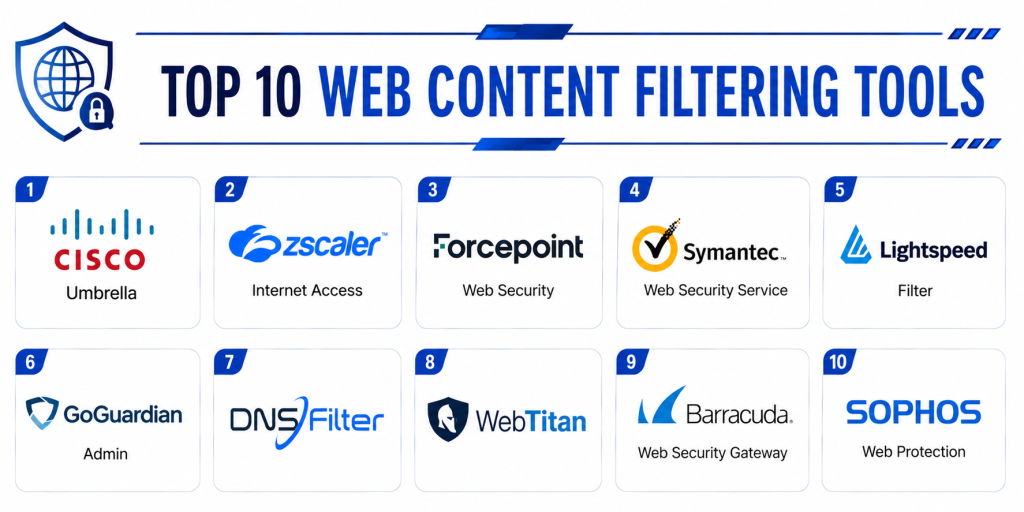
Top 10 Web Content Filtering Tools
1- Cisco Umbrella
Short description: Cisco Umbrella combines DNS-layer security, secure web gateway functionality, and web content filtering for enterprise internet protection and Zero Trust security.
Key Features
- DNS and web filtering
- Malware and phishing protection
- Content category controls
- Cloud-delivered security
- Threat intelligence analytics
- Remote workforce protection
- Secure web gateway support
Pros
- Strong enterprise threat intelligence
- Broad cloud security ecosystem
- Excellent scalability and reliability
Cons
- Advanced policy management complexity
- Premium enterprise licensing
- Enterprise tuning may require expertise
Platforms / Deployment
- Cloud
Security & Compliance
Supports governance workflows, audit logging, secure DNS protections, and operational monitoring.
Integrations & Ecosystem
Cisco Umbrella integrates with enterprise networking and security ecosystems.
- Cisco security tools
- SIEM platforms
- Identity providers
- Endpoint security systems
- SASE platforms
Support & Community
Large enterprise cybersecurity ecosystem with strong onboarding and implementation support.
2- Zscaler Internet Access
Short description: Zscaler Internet Access provides web content filtering and Zero Trust secure internet access using a cloud-native secure web gateway architecture.
Key Features
- URL filtering
- DNS security
- Secure web gateway workflows
- Threat intelligence
- Cloud sandboxing
- SSL inspection
- Remote user protection
Pros
- Strong Zero Trust architecture
- Broad cloud security integration
- Enterprise-grade scalability
Cons
- Enterprise deployment complexity
- Premium infrastructure positioning
- Advanced administration requires expertise
Platforms / Deployment
- Cloud
Security & Compliance
Supports DLP workflows, governance controls, secure traffic monitoring, and operational analytics.
Integrations & Ecosystem
Zscaler integrates with enterprise cloud security ecosystems.
- Identity providers
- SIEM systems
- Endpoint security tools
- CASB platforms
- SASE environments
Support & Community
Strong enterprise cloud security ecosystem with implementation-focused support.
3- Forcepoint ONE Web Security
Short description: Forcepoint ONE Web Security combines web filtering, DLP integration, and secure web gateway functionality for enterprise governance and internet security.
Key Features
- Web content filtering
- DLP integration
- Malware prevention
- URL categorization
- User activity monitoring
- SSL inspection
- Governance workflows
Pros
- Strong DLP integration
- Broad governance visibility
- Good enterprise compliance support
Cons
- Enterprise operational complexity
- Advanced policy tuning required
- Premium enterprise positioning
Platforms / Deployment
- Cloud / Hybrid
Security & Compliance
Supports governance workflows, DLP protections, secure traffic analytics, and audit logging.
Integrations & Ecosystem
Forcepoint integrates with enterprise governance and security ecosystems.
- DLP systems
- SIEM platforms
- Identity providers
- Endpoint security tools
- Cloud security systems
Support & Community
Strong enterprise governance ecosystem with onboarding-focused support.
4- Cloudflare Gateway
Short description: Cloudflare Gateway provides cloud-based web filtering and secure internet access integrated into Cloudflare Zero Trust infrastructure.
Key Features
- Web content filtering
- DNS security
- Zero Trust policy enforcement
- Remote workforce protection
- Threat intelligence
- URL filtering
- Session analytics
Pros
- Strong global infrastructure
- Broad Zero Trust ecosystem integration
- Good scalability for remote environments
Cons
- Best optimized for Cloudflare ecosystems
- Advanced governance varies by tier
- Enterprise customization may require planning
Platforms / Deployment
- Cloud
Security & Compliance
Supports governance controls, audit logging, secure traffic workflows, and operational monitoring.
Integrations & Ecosystem
Cloudflare Gateway integrates with enterprise networking and security ecosystems.
- Cloudflare Zero Trust
- Identity providers
- SIEM systems
- Endpoint protection tools
- SASE platforms
Support & Community
Large global security ecosystem with strong documentation and onboarding resources.
5- WebTitan
Short description: WebTitan provides web content filtering and DNS-layer protection designed for SMBs, schools, MSPs, and distributed workforce environments.
Key Features
- Web filtering
- DNS security
- Malware blocking
- Content categorization
- Roaming user protection
- Multi-tenant management
- Threat analytics
Pros
- Strong MSP compatibility
- Easy administration workflows
- Good SMB deployment support
Cons
- Enterprise analytics less extensive
- Smaller ecosystem than larger competitors
- Advanced customization varies
Platforms / Deployment
- Cloud
Security & Compliance
Supports governance workflows, secure DNS protections, and operational monitoring controls.
Integrations & Ecosystem
WebTitan integrates with SMB and MSP ecosystems.
- MSP management platforms
- Endpoint security systems
- Network infrastructure tools
- Identity providers
- SIEM platforms
Support & Community
Strong SMB and MSP ecosystem with accessible onboarding support.
6- Barracuda Web Security Gateway
Short description: Barracuda Web Security Gateway provides web filtering, malware protection, and acceptable-use policy enforcement for enterprise and SMB environments.
Key Features
- URL filtering
- Malware protection
- Application control
- SSL inspection
- User activity monitoring
- Policy management
- Threat analytics
Pros
- Broad deployment flexibility
- Good SMB and enterprise compatibility
- Easy policy administration
Cons
- Advanced analytics less extensive than premium competitors
- Enterprise customization may require tuning
- Premium features vary by deployment
Platforms / Deployment
- Cloud / Appliance / Hybrid
Security & Compliance
Supports governance workflows, secure browsing protections, and operational traffic monitoring.
Integrations & Ecosystem
Barracuda integrates with enterprise security ecosystems.
- Email security systems
- SIEM tools
- Identity providers
- Endpoint security platforms
- Network security environments
Support & Community
Strong SMB and enterprise ecosystem with onboarding-focused support.
7- Sophos Web Control
Short description: Sophos Web Control provides integrated web filtering and internet security capabilities within the Sophos cybersecurity ecosystem.
Key Features
- Web filtering
- Malware protection
- Threat intelligence
- URL categorization
- User policy enforcement
- SSL inspection
- Endpoint integration
Pros
- Strong endpoint integration
- Good SMB and enterprise balance
- Broad cybersecurity ecosystem support
Cons
- Enterprise reporting depth varies
- Large-scale deployments require tuning
- Advanced orchestration less extensive
Platforms / Deployment
- Cloud / Hybrid
Security & Compliance
Supports governance workflows, secure web protections, and operational analytics.
Integrations & Ecosystem
Sophos integrates with endpoint and network security ecosystems.
- Sophos Central
- Endpoint protection tools
- Firewall systems
- SIEM platforms
- Identity providers
Support & Community
Strong cybersecurity ecosystem with accessible onboarding resources.
8- Netskope Secure Web Gateway
Short description: Netskope Secure Web Gateway combines web content filtering, CASB functionality, and Zero Trust internet security for cloud-first enterprises.
Key Features
- URL filtering
- Cloud application visibility
- DLP integration
- Threat intelligence
- SSL inspection
- User activity analytics
- CASB integration
Pros
- Strong cloud application visibility
- Broad Zero Trust capabilities
- Good enterprise scalability
Cons
- Enterprise operational complexity
- Premium cloud security positioning
- Advanced administration requires expertise
Platforms / Deployment
- Cloud
Security & Compliance
Supports governance workflows, DLP protections, audit monitoring, and operational analytics.
Integrations & Ecosystem
Netskope integrates with enterprise cloud security ecosystems.
- CASB systems
- SIEM tools
- Identity providers
- Endpoint security tools
- SASE environments
Support & Community
Strong enterprise cloud security ecosystem with implementation-focused support.
9- iboss Cloud Platform
Short description: iboss Cloud Platform provides cloud-based web filtering and Zero Trust internet security for remote workforces and distributed enterprise environments.
Key Features
- Web filtering
- Malware prevention
- Secure web gateway workflows
- Threat intelligence
- SSL inspection
- Remote workforce security
- Cloud traffic analytics
Pros
- Strong remote workforce support
- Good cloud-native deployment
- Broad Zero Trust compatibility
Cons
- Enterprise deployment planning required
- Advanced policy customization varies
- Smaller ecosystem visibility
Platforms / Deployment
- Cloud
Security & Compliance
Supports governance workflows, secure traffic protections, and operational monitoring controls.
Integrations & Ecosystem
iboss integrates with enterprise networking and security ecosystems.
- Identity providers
- SIEM systems
- Endpoint security tools
- Cloud security environments
- SASE platforms
Support & Community
Growing enterprise cloud security ecosystem with onboarding-focused support.
10- Palo Alto Networks Prisma Access
Short description: Prisma Access combines secure web gateway capabilities, web filtering, and Zero Trust internet security within Palo Alto Networks cloud security infrastructure.
Key Features
- Web content filtering
- DNS security
- Secure web gateway support
- Threat intelligence analytics
- SSL inspection
- Remote user protection
- SASE integration
Pros
- Strong SASE ecosystem integration
- Broad enterprise cloud security visibility
- Good threat intelligence support
Cons
- Enterprise deployment complexity
- Best optimized for Prisma ecosystems
- Premium infrastructure positioning
Platforms / Deployment
- Cloud
Security & Compliance
Supports governance workflows, secure traffic protections, audit monitoring, and DLP integrations.
Integrations & Ecosystem
Prisma Access integrates with enterprise networking and cloud security ecosystems.
- Prisma Access
- Identity providers
- SIEM systems
- Endpoint security tools
- Cloud security environments
Support & Community
Strong enterprise cloud security ecosystem with implementation-focused onboarding resources.
Comparison Table
| Tool Name | Best For | Platform(s) Supported | Deployment | Standout Feature | Public Rating |
|---|---|---|---|---|---|
| Cisco Umbrella | Enterprise DNS and web filtering | Cloud | Cloud | DNS-layer threat intelligence | N/A |
| Zscaler Internet Access | Zero Trust internet security | Cloud | Cloud | Cloud-native secure web gateway | N/A |
| Forcepoint ONE Web Security | Governance-focused web filtering | Cloud / Hybrid | Hybrid | Integrated DLP workflows | N/A |
| Cloudflare Gateway | Remote workforce protection | Cloud | Cloud | Global Zero Trust infrastructure | N/A |
| WebTitan | SMB and MSP filtering | Cloud | Cloud | Multi-tenant web filtering | N/A |
| Barracuda Web Security Gateway | SMB web security | Cloud / Appliance | Hybrid | Easy administration workflows | N/A |
| Sophos Web Control | Endpoint-integrated filtering | Cloud / Hybrid | Hybrid | Endpoint security integration | N/A |
| Netskope Secure Web Gateway | Cloud application visibility | Cloud | Cloud | CASB and web filtering integration | N/A |
| iboss Cloud Platform | Distributed workforce security | Cloud | Cloud | Remote workforce optimization | N/A |
| Prisma Access | Enterprise SASE security | Cloud | Cloud | SASE-native web filtering | N/A |
Evaluation & Scoring of Web Content Filtering Tools
| Tool Name | Core 25% | Ease 15% | Integrations 15% | Security 10% | Performance 10% | Support 10% | Value 15% | Weighted Total |
|---|---|---|---|---|---|---|---|---|
| Cisco Umbrella | 10 | 8 | 9 | 10 | 9 | 9 | 7 | 8.9 |
| Zscaler Internet Access | 9 | 7 | 9 | 9 | 9 | 8 | 7 | 8.3 |
| Forcepoint ONE Web Security | 8 | 6 | 8 | 9 | 8 | 8 | 7 | 7.7 |
| Cloudflare Gateway | 9 | 8 | 9 | 9 | 9 | 8 | 8 | 8.6 |
| WebTitan | 8 | 8 | 7 | 8 | 8 | 7 | 8 | 7.8 |
| Barracuda Web Security Gateway | 8 | 8 | 7 | 8 | 8 | 8 | 8 | 7.9 |
| Sophos Web Control | 8 | 8 | 8 | 8 | 8 | 8 | 8 | 8.0 |
| Netskope Secure Web Gateway | 9 | 7 | 9 | 9 | 8 | 8 | 7 | 8.1 |
| iboss Cloud Platform | 8 | 7 | 8 | 8 | 8 | 7 | 7 | 7.6 |
| Prisma Access | 9 | 7 | 9 | 9 | 8 | 8 | 7 | 8.1 |
These scores are comparative evaluations intended to help organizations understand differences across web content filtering ecosystems. Some platforms focus heavily on Zero Trust cloud security and SASE integration, while others prioritize SMB usability, DLP governance, or endpoint security integration.
Which Web Content Filtering Tool Is Right for You?
Solo / Freelancer
Independent professionals and smaller organizations may benefit most from WebTitan or Cloudflare Gateway because of simplified cloud deployment and easier administration.
SMB
Small and medium-sized businesses should evaluate Cisco Umbrella, Sophos Web Control, or Barracuda Web Security Gateway for scalable filtering and phishing protection.
Mid-Market
Mid-market organizations should prioritize Cloudflare Gateway, Netskope Secure Web Gateway, or Prisma Access depending on cloud adoption and workforce requirements.
Enterprise
Large enterprises and regulated industries should evaluate Cisco Umbrella, Zscaler Internet Access, Forcepoint ONE Web Security, or Prisma Access for advanced governance and Zero Trust internet security.
Budget vs Premium
Cloud-native filtering tools reduce operational overhead and simplify management, while enterprise-grade ecosystems provide broader analytics, governance, and DLP integrations at higher infrastructure cost.
Feature Depth vs Ease of Use
Simpler filtering platforms focus on rapid onboarding and policy management, while enterprise systems provide stronger analytics, SSL inspection, and governance workflows.
Integrations & Scalability
Organizations with distributed workforces and cloud-first strategies should prioritize strong SIEM, SASE, identity-provider, and endpoint security integrations.
Security & Compliance Needs
Businesses should prioritize phishing protection, malware blocking, SSL inspection, governance workflows, and operational visibility before selecting a web filtering platform.
Frequently Asked Questions FAQs
1- What are Web Content Filtering Tools?
Web Content Filtering Tools control and secure internet access by blocking risky, malicious, or inappropriate websites and online content.
2- Why are web filtering platforms important?
They help prevent malware infections, phishing attacks, ransomware delivery, and unauthorized internet usage.
3- Which industries use web content filtering most?
Banking, healthcare, government, education, retail, SaaS, and enterprise IT environments are major adopters.
4- Can web filtering stop phishing attacks?
Yes. Modern platforms use threat intelligence and AI-driven analytics to block malicious phishing websites.
5- What is SSL inspection in web filtering?
SSL inspection analyzes encrypted web traffic to identify hidden malware, phishing pages, and malicious content.
6- Are web filtering platforms cloud-based?
Most modern web filtering tools use cloud-native deployment models for scalability and remote workforce support.
7- What should organizations evaluate before selecting a web filtering platform?
Organizations should evaluate threat intelligence quality, policy flexibility, integrations, scalability, reporting, and governance support.
8- Can web filtering integrate with Zero Trust architectures?
Yes. Web filtering is increasingly integrated into Zero Trust, SASE, and SSE security ecosystems.
9- Are web filtering tools suitable for SMBs?
Yes. Many vendors provide simplified deployment and MSP-friendly management models for SMB environments.
10- Which web filtering platform is best for enterprise deployments?
Cisco Umbrella, Zscaler Internet Access, Cloudflare Gateway, and Prisma Access are commonly evaluated for enterprise-scale deployments.
Conclusion
Web Content Filtering Tools have become an essential layer of modern cybersecurity because internet-based threats continue growing in sophistication and scale. As organizations increasingly support hybrid workforces, cloud-first operations, and Zero Trust architectures, secure web filtering helps reduce exposure to phishing attacks, malware delivery, ransomware campaigns, and unsafe online activity before users interact with dangerous content. Platforms such as Cisco Umbrella, Zscaler Internet Access, Cloudflare Gateway, and Prisma Access provide advanced enterprise-grade filtering with strong threat intelligence and cloud-native scalability, while solutions like WebTitan, Sophos Web Control, and Barracuda Web Security Gateway focus more heavily on usability, SMB deployment, and operational simplicity. The ideal platform depends heavily on organizational size, security maturity, compliance requirements, and remote workforce complexity. Smaller businesses may prioritize ease of deployment and simplified administration, while enterprises often focus more on governance, analytics, DLP integration, and SASE compatibility. Before selecting a web content filtering platform, organizations should benchmark threat detection quality, validate identity and endpoint integrations, review governance capabilities, and carefully evaluate long-term scalability for secure internet access operations.
Easy to understand blog explaining the features, benefits, and limitations of different web content filtering platforms clearly for readers.
In real setups, managing exceptions for specific users or teams becomes tricky. A note on flexible policy handling would make this more practical.