Introduction
Room Scheduling Displays are smart digital panels installed outside meeting rooms, conference spaces, classrooms, and shared workspaces to display room availability and simplify room booking. These displays integrate with calendar systems and workplace management software to provide real-time room status, booking controls, meeting visibility, and scheduling automation.
Modern organizations use room scheduling displays to reduce meeting conflicts, improve workspace utilization, and simplify hybrid workplace management. Many solutions now include touch-enabled booking interfaces, occupancy analytics, QR code check-ins, AI-powered scheduling insights, wireless connectivity, and integrations with Microsoft Teams, Zoom, Google Workspace, and workplace management platforms. Businesses increasingly deploy these systems to improve employee experience and optimize office space utilization.
Real-world use cases include:
- Conference room scheduling
- Hybrid workplace management
- Classroom and training room booking
- Hot desk and workspace coordination
- Enterprise meeting room management
Buyers should evaluate:
- Calendar and conferencing integrations
- Real-time room availability updates
- Display quality and touchscreen responsiveness
- Mounting and deployment flexibility
- Security and device management
- Occupancy analytics and reporting
- Booking workflow automation
- Scalability across locations
- Ease of administration
- Energy efficiency and hardware reliability
Best for: enterprises, hybrid offices, coworking spaces, educational institutions, corporate campuses, healthcare facilities, and organizations managing multiple shared meeting spaces.
Not ideal for: very small offices with limited meeting rooms, organizations relying entirely on virtual collaboration, or teams without centralized calendar infrastructure.
Key Trends in Room Scheduling Displays
- Real-time room availability visibility is becoming standard.
- AI-powered meeting and occupancy analytics are expanding.
- QR-code room check-in and release workflows are becoming common.
- Microsoft Teams Rooms and Zoom Rooms integrations are increasingly important.
- E-paper scheduling displays are growing because of energy efficiency.
- Hybrid workplace management platforms are integrating room scheduling with desk booking.
- Cloud-based centralized device management is improving enterprise scalability.
- Touch-enabled booking panels are replacing static room signage.
- Wireless deployment and PoE support are simplifying installations.
- Sustainability and low-power display technologies are becoming strategic priorities.
How We Selected These Tools
The platforms and devices in this list were selected based on scheduling functionality, hardware quality, enterprise adoption, integrations, and workplace management capabilities.
- Market adoption and workplace deployment scale
- Real-time scheduling and booking functionality
- Calendar ecosystem integrations
- Display quality and touch responsiveness
- Security and device management controls
- Hybrid workplace support
- Analytics and occupancy reporting
- Ease of deployment and installation
- Scalability across enterprise environments
- Vendor support and ecosystem maturity
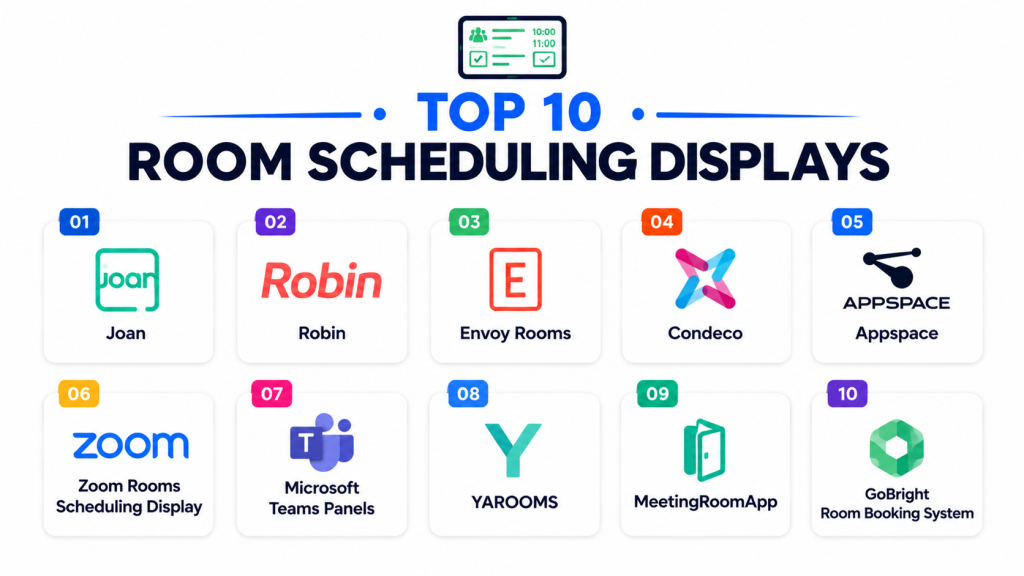
Top 10 Room Scheduling Displays
#1 — Logitech Tap Scheduler
Short description: Logitech Tap Scheduler is a purpose-built room scheduling panel designed for Microsoft Teams Rooms, Zoom Rooms, and workplace scheduling platforms. It provides real-time room availability and touch-enabled booking workflows.
Key Features
- Touch-enabled scheduling interface
- Real-time room availability
- Teams and Zoom Rooms compatibility
- Clean cable management
- LED availability indicators
- Enterprise device management
- Flexible mounting options
Pros
- Strong enterprise integration support
- Clean and professional hardware design
- Easy deployment and installation
Cons
- Premium enterprise pricing
- Best suited for managed workplace ecosystems
- Requires compatible scheduling software
Platforms / Deployment
- Cloud / Hybrid
- Android-based scheduling appliance
Security & Compliance
Supports enterprise device management, SSO integrations, encryption, and administrative controls.
Integrations & Ecosystem
Logitech Tap Scheduler integrates with leading workplace scheduling and conferencing ecosystems.
- Microsoft Teams Rooms
- Zoom Rooms
- Google Workspace
- Robin
- Appspace
- Workspace management platforms
Support & Community
Strong enterprise support ecosystem and broad AV deployment partner network.
#2 — Joan Meeting Room Displays
Short description: Joan provides e-paper meeting room displays focused on energy-efficient room scheduling, workplace management, and hybrid office coordination.
Key Features
- E-paper display technology
- Wireless deployment
- Room booking automation
- QR-code check-ins
- Calendar synchronization
- Occupancy analytics
- Low power consumption
Pros
- Excellent energy efficiency
- Minimal cabling requirements
- Strong hybrid workplace support
Cons
- Smaller display sizes
- Limited multimedia functionality
- Premium pricing for enterprise deployments
Platforms / Deployment
- Cloud
- Wireless room scheduling hardware
Security & Compliance
Supports encryption, administrative controls, and enterprise scheduling governance.
Integrations & Ecosystem
Joan integrates with major workplace scheduling and calendar platforms.
- Microsoft 365
- Google Workspace
- Zoom
- Slack
- Workplace management tools
- APIs
Support & Community
Strong workplace deployment support and practical onboarding guidance.
#3 — Roomz Displays
Short description: Roomz offers wireless meeting room scheduling displays designed to provide real-time availability updates, room booking visibility, and occupancy management.
Key Features
- Wireless room displays
- Real-time availability updates
- Occupancy analytics
- Touch-enabled booking
- Calendar synchronization
- Room utilization reporting
- Battery-powered operation
Pros
- Flexible wireless deployment
- Strong real-time visibility
- Good occupancy analytics
Cons
- Enterprise deployment costs can increase
- Limited broader workplace management functionality
- Smaller ecosystem compared to larger vendors
Platforms / Deployment
- Cloud
- Wireless scheduling display system
Security & Compliance
Supports encrypted communications and enterprise scheduling controls.
Integrations & Ecosystem
Roomz integrates with enterprise calendar and workplace scheduling platforms.
- Microsoft 365
- Google Calendar
- Exchange
- Workplace scheduling tools
- Analytics platforms
- APIs
Support & Community
Good onboarding support and enterprise deployment assistance.
#4 — Crestron Room Scheduling Panels
Short description: Crestron Room Scheduling Panels are enterprise-grade scheduling displays designed for conference rooms, boardrooms, and smart workplace management environments.
Key Features
- Touchscreen scheduling panels
- Enterprise room booking
- LED room status indicators
- Teams and Zoom integration
- Centralized device management
- Occupancy monitoring
- Smart building integrations
Pros
- Strong enterprise scalability
- Excellent smart building integration
- Broad AV ecosystem compatibility
Cons
- Complex enterprise deployments
- Premium infrastructure costs
- Requires professional configuration
Platforms / Deployment
- Cloud / Hybrid
- Enterprise AV scheduling hardware
Security & Compliance
Supports SSO, encryption, RBAC, audit controls, and centralized enterprise device management.
Integrations & Ecosystem
Crestron integrates deeply into enterprise AV and workplace ecosystems.
- Microsoft Teams Rooms
- Zoom Rooms
- Exchange
- Smart building systems
- AV management platforms
- APIs
Support & Community
Large enterprise AV ecosystem and strong deployment partner network.
#5 — Appspace Room Scheduling
Short description: Appspace provides conference room scheduling software and display management designed to support hybrid workplaces and enterprise space reservation workflows.
Key Features
- Conference room scheduling
- Workplace reservation management
- Digital signage integration
- Calendar synchronization
- Occupancy reporting
- Hybrid office support
- Enterprise analytics
Pros
- Strong hybrid workplace functionality
- Broad workplace management capabilities
- Good digital signage support
Cons
- Enterprise-focused pricing
- Advanced setup may require IT support
- Complex feature set for smaller offices
Platforms / Deployment
- Cloud / Hybrid
- Cross-platform scheduling environment
Security & Compliance
Supports SSO, encryption, RBAC, audit logging, and enterprise governance controls.
Integrations & Ecosystem
Appspace integrates with workplace management and conferencing environments.
- Microsoft 365
- Google Workspace
- Teams Rooms
- Zoom Rooms
- Digital signage systems
- APIs
Support & Community
Strong enterprise onboarding and workplace management support.
#6 — Extron Room Scheduling Panels
Short description: Extron Room Scheduling Panels are enterprise meeting room touchpanels designed for scheduling visibility, occupancy analytics, and smart room management.
Key Features
- Room scheduling touchpanels
- Occupancy analytics
- Activity reporting
- Real-time room visibility
- Centralized scheduling management
- Enterprise AV integrations
- Meeting usage analytics
Pros
- Strong analytics and reporting
- Enterprise AV reliability
- Good centralized management
Cons
- Enterprise-oriented complexity
- Premium deployment costs
- Less SMB-focused usability
Platforms / Deployment
- Hybrid
- Enterprise AV scheduling hardware
Security & Compliance
Supports enterprise governance controls, encryption, and centralized administration.
Integrations & Ecosystem
Extron integrates with enterprise AV and workplace management environments.
- Microsoft Exchange
- Office 365
- Google Calendar
- AV management platforms
- Scheduling software
- APIs
Support & Community
Strong AV industry support and enterprise deployment expertise.
#7 — Skedda Room Booking Displays
Short description: Skedda is a room booking and scheduling platform that supports tablet-based scheduling displays with real-time booking and check-in functionality.
Key Features
- Real-time room status displays
- QR-code check-ins
- Booking extensions
- Calendar synchronization
- Touch-enabled room booking
- Occupancy management
- Tablet display support
Pros
- Flexible tablet deployment
- Good usability for SMBs
- Strong booking workflow support
Cons
- Limited advanced enterprise analytics
- Requires external tablet hardware
- Smaller enterprise ecosystem
Platforms / Deployment
- Cloud
- Tablet-based scheduling system
Security & Compliance
Supports SSO, encryption, and administrative scheduling controls.
Integrations & Ecosystem
Skedda integrates with workplace scheduling and collaboration environments.
- Microsoft 365
- Google Workspace
- Slack
- Workplace management tools
- QR-code systems
- APIs
Support & Community
Good onboarding resources and accessible support guidance.
#8 — Meetio Room Displays
Short description: Meetio provides room booking displays and workplace management solutions focused on hybrid office scheduling and real-time room visibility.
Key Features
- Real-time room booking
- Hybrid office scheduling
- Occupancy visibility
- Touch-enabled displays
- Analytics dashboards
- Workplace coordination
- Teams integration
Pros
- Strong hybrid workplace support
- Good real-time room visibility
- Modern scheduling interface
Cons
- Smaller ecosystem than major enterprise vendors
- Limited broader AV integrations
- Premium deployment costs for larger offices
Platforms / Deployment
- Cloud
- Dedicated scheduling display environment
Security & Compliance
Supports SSO, encryption, and workplace governance controls.
Integrations & Ecosystem
Meetio integrates with workplace and conferencing systems.
- Microsoft Teams
- Google Workspace
- Exchange
- Workplace management tools
- Scheduling systems
- APIs
Support & Community
Good onboarding and practical workplace deployment support.
#9 — Envoy Room Scheduling
Short description: Envoy Room Scheduling is a workplace management solution designed for meeting room booking, visitor management, and hybrid office coordination.
Key Features
- Room reservation management
- Mobile room booking
- Display-based scheduling
- Visitor management integration
- Calendar synchronization
- Occupancy insights
- Workplace analytics
Pros
- Strong workplace management ecosystem
- Good mobile scheduling support
- Integrated visitor workflows
Cons
- Premium pricing for enterprise environments
- Less AV-focused than specialized vendors
- Advanced analytics require higher tiers
Platforms / Deployment
- Cloud
- Workplace scheduling platform
Security & Compliance
Supports SSO, MFA, encryption, RBAC, and administrative governance controls.
Integrations & Ecosystem
Envoy integrates with workplace productivity and visitor management ecosystems.
- Google Calendar
- Office 365
- Slack
- Microsoft Teams
- Visitor management systems
- APIs
Support & Community
Strong enterprise onboarding and workplace support ecosystem.
#10 — MeetingRoomApp
Short description: MeetingRoomApp is a meeting and conference room booking system designed to improve scheduling, planning, and meeting room utilization.
Key Features
- Meeting room scheduling
- Conference room planning
- Room availability displays
- Calendar synchronization
- Meeting analytics
- Touch-enabled interfaces
- Workspace utilization tracking
Pros
- Good room scheduling usability
- Flexible deployment options
- Practical meeting planning workflows
Cons
- Smaller ecosystem than enterprise leaders
- Limited broader workplace management features
- Advanced governance capabilities are limited
Platforms / Deployment
- Cloud / Hybrid
- Scheduling display environment
Security & Compliance
Supports encryption, SSO, and administrative scheduling controls.
Integrations & Ecosystem
MeetingRoomApp integrates with scheduling and workplace productivity systems.
- Microsoft Exchange
- Office 365
- Google Workspace
- Zoom
- Scheduling systems
- APIs
Support & Community
Good onboarding resources and practical deployment support.
Comparison Table
| Tool Name | Best For | Platforms Supported | Deployment | Standout Feature | Public Rating |
|---|---|---|---|---|---|
| Logitech Tap Scheduler | Enterprise conferencing rooms | Dedicated hardware | Cloud / Hybrid | Teams and Zoom Rooms integration | N/A |
| Joan | Energy-efficient workplaces | E-paper hardware | Cloud | Wireless e-paper scheduling | N/A |
| Roomz | Wireless room visibility | Wireless displays | Cloud | Real-time occupancy visibility | N/A |
| Crestron Room Panels | Smart enterprise AV | Enterprise AV hardware | Cloud / Hybrid | Smart building integrations | N/A |
| Appspace Room Scheduling | Hybrid workplace management | Cross-platform | Cloud / Hybrid | Workplace reservation workflows | N/A |
| Extron Scheduling Panels | Enterprise AV analytics | Enterprise AV hardware | Hybrid | Occupancy analytics reporting | N/A |
| Skedda | SMB room booking | Tablet-based displays | Cloud | QR-code check-ins | N/A |
| Meetio | Hybrid office scheduling | Dedicated displays | Cloud | Hybrid workplace coordination | N/A |
| Envoy Room Scheduling | Workplace operations | Cross-platform | Cloud | Visitor management integration | N/A |
| MeetingRoomApp | Conference room planning | Scheduling displays | Cloud / Hybrid | Workspace utilization tracking | N/A |
Evaluation & Scoring of Room Scheduling Displays
| Tool Name | Core 25% | Ease 15% | Integrations 15% | Security 10% | Performance 10% | Support 10% | Value 15% | Weighted Total |
|---|---|---|---|---|---|---|---|---|
| Logitech Tap Scheduler | 9.0 | 8.5 | 9.5 | 9.0 | 9.0 | 8.5 | 7.5 | 8.8 |
| Joan | 8.5 | 8.5 | 8.0 | 8.5 | 8.5 | 8.0 | 8.5 | 8.4 |
| Roomz | 8.5 | 8.0 | 8.0 | 8.5 | 8.5 | 8.0 | 8.0 | 8.3 |
| Crestron Room Panels | 9.0 | 7.5 | 9.0 | 9.5 | 9.0 | 9.0 | 7.0 | 8.5 |
| Appspace Room Scheduling | 8.5 | 8.0 | 9.0 | 8.5 | 8.5 | 8.5 | 7.5 | 8.4 |
| Extron Scheduling Panels | 8.5 | 7.5 | 8.5 | 9.0 | 8.5 | 8.5 | 7.5 | 8.2 |
| Skedda | 8.0 | 8.5 | 8.0 | 8.0 | 8.0 | 8.0 | 8.5 | 8.1 |
| Meetio | 8.0 | 8.5 | 8.0 | 8.0 | 8.0 | 8.0 | 8.0 | 8.0 |
| Envoy Room Scheduling | 8.5 | 8.0 | 8.5 | 8.5 | 8.5 | 8.5 | 7.5 | 8.3 |
| MeetingRoomApp | 7.5 | 8.0 | 7.5 | 8.0 | 8.0 | 7.5 | 8.5 | 7.8 |
These scores are comparative and intended to help organizations evaluate room scheduling display solutions based on operational priorities. Enterprise-focused platforms generally score higher in integrations, governance, and analytics, while SMB-focused tools often perform strongly in usability and affordability. Organizations should align platform selection with workplace size, conferencing ecosystems, and hybrid office management requirements.
Which Room Scheduling Display Is Right for You?
Solo / Freelancer
Freelancers and very small offices usually do not require dedicated scheduling displays. Lightweight room booking tools or standard calendar workflows may be sufficient.
SMB
Small and medium businesses often prioritize usability, affordability, and flexible deployment. Skedda, Joan, and MeetingRoomApp are practical SMB-friendly choices.
Mid-Market
Mid-market organizations usually require real-time visibility, analytics, and hybrid office support. Appspace, Meetio, and Roomz are strong options.
Enterprise
Large enterprises generally prioritize governance, integrations, centralized management, and AV ecosystem compatibility. Logitech Tap Scheduler, Crestron, and Extron are strong enterprise-focused solutions.
Budget vs Premium
Budget-conscious organizations may prefer tablet-based systems like Skedda, while enterprises requiring advanced AV management and governance may benefit more from Crestron or Logitech deployments.
Feature Depth vs Ease of Use
Joan and Skedda emphasize simple deployment and usability, while Crestron and Extron provide broader enterprise AV analytics and smart building integrations.
Integrations & Scalability
Logitech Tap Scheduler performs strongly in Teams and Zoom environments, while Appspace and Envoy provide broader workplace management ecosystem support.
Security & Compliance Needs
Organizations with strong governance requirements should prioritize Crestron, Logitech, Extron, and Appspace because of their stronger enterprise management and security controls.
Frequently Asked Questions FAQs
1. What are Room Scheduling Displays?
Room Scheduling Displays are digital panels installed outside meeting rooms to show room availability, scheduling details, and booking workflows in real time.
2. Why are room scheduling displays important?
These systems reduce scheduling conflicts, improve room utilization, simplify hybrid office management, and improve employee meeting experiences.
3. How do room scheduling displays work?
Most systems connect to calendar platforms and workplace scheduling software to display room status, bookings, and availability updates automatically.
4. Are these systems suitable for hybrid offices?
Yes. Room scheduling displays are especially valuable for hybrid workplaces because they improve visibility into shared spaces and workplace coordination.
5. What features should buyers prioritize?
Organizations should evaluate integrations, display quality, analytics, real-time availability updates, booking workflows, and device management capabilities.
6. Why are integrations important in room scheduling systems?
Integrations connect scheduling displays with calendars, conferencing systems, workplace management tools, and collaboration platforms for centralized operations.
7. Are AI capabilities becoming important in this category?
Yes. AI-powered occupancy analytics, room utilization insights, and scheduling optimization are becoming increasingly valuable features.
8. What are common implementation mistakes?
Common mistakes include poor calendar synchronization, weak governance planning, inconsistent booking policies, and insufficient device management preparation.
9. Can these systems improve workplace efficiency?
Yes. Room scheduling displays reduce booking conflicts, improve space utilization, simplify scheduling workflows, and improve employee productivity.
10. How long does implementation usually take?
SMB deployments can often be completed quickly, while enterprise implementations may require broader workplace infrastructure and AV integration planning.
Conclusion
Room Scheduling Displays have become essential workplace infrastructure for organizations seeking better meeting room visibility, hybrid office coordination, and workspace optimization. The right solution depends on operational priorities such as AV ecosystem compatibility, workplace management needs, scalability, analytics, and governance requirements. Logitech Tap Scheduler remains a strong enterprise-focused solution because of its deep Teams and Zoom Rooms integrations, while Joan and Roomz provide excellent wireless and energy-efficient workplace scheduling experiences. Organizations requiring advanced smart building integrations may benefit from Crestron or Extron, while businesses focused on broader workplace operations may prefer Appspace or Envoy. Rather than selecting platforms solely based on display hardware, organizations should evaluate long-term workplace management goals, integration compatibility, centralized device management needs, and employee adoption workflows. A practical next step is to shortlist a few solutions, run pilot scheduling deployments in selected meeting spaces, validate integrations and room utilization analytics, and measure operational improvements before organization-wide rollout.