Introduction
Meeting Transcription Tools are AI-powered platforms designed to automatically convert spoken conversations into searchable text transcripts. These tools help organizations capture meeting discussions, improve collaboration, document decisions, and reduce the need for manual note-taking. Modern transcription platforms now include AI-generated summaries, speaker recognition, multilingual support, action item extraction, workflow automation, and integrations with collaboration and productivity systems.
As remote and hybrid work environments continue expanding, businesses increasingly rely on meeting transcription solutions to improve productivity, preserve organizational knowledge, and streamline communication. Sales teams, HR departments, project managers, consultants, legal professionals, and customer success teams commonly use these tools to document meetings, interviews, demos, and operational discussions.
Real-world use cases include:
- Sales and customer call transcription
- Team meeting documentation
- Interview and recruitment transcription
- Executive meeting records
- Webinar and training transcription
Buyers should evaluate:
- Transcription accuracy
- Speaker identification quality
- AI-generated summaries
- Search and transcript management
- Multi-language support
- Integration ecosystem
- Security and privacy controls
- Workflow automation capabilities
- Scalability across teams
- Ease of onboarding and usability
Best for: remote teams, enterprises, recruiters, sales organizations, consultants, educators, customer support teams, and businesses managing frequent virtual meetings.
Not ideal for: organizations with strict recording restrictions, teams conducting very few meetings, or businesses relying exclusively on manual documentation workflows.
Key Trends in Meeting Transcription Tools
- AI transcription accuracy is improving significantly.
- Real-time transcription capabilities are becoming standard.
- AI-generated meeting summaries are reducing manual follow-up work.
- Action item extraction and workflow automation are expanding rapidly.
- Multi-language transcription support is improving for global teams.
- Searchable organizational knowledge bases are becoming strategic assets.
- Conversation intelligence and analytics features are evolving quickly.
- CRM and productivity integrations are becoming essential.
- Privacy and compliance controls are receiving greater attention.
- Voice recognition and speaker separation are becoming more accurate.
How We Selected These Tools
The platforms in this list were selected based on transcription quality, AI capabilities, integrations, usability, scalability, and enterprise readiness.
- Market adoption and vendor reputation
- AI transcription accuracy
- Search and collaboration functionality
- Integration ecosystem maturity
- Security and governance controls
- Workflow automation capabilities
- Multi-language support
- Scalability across organizations
- Ease of onboarding and deployment
- Vendor support and platform reliability
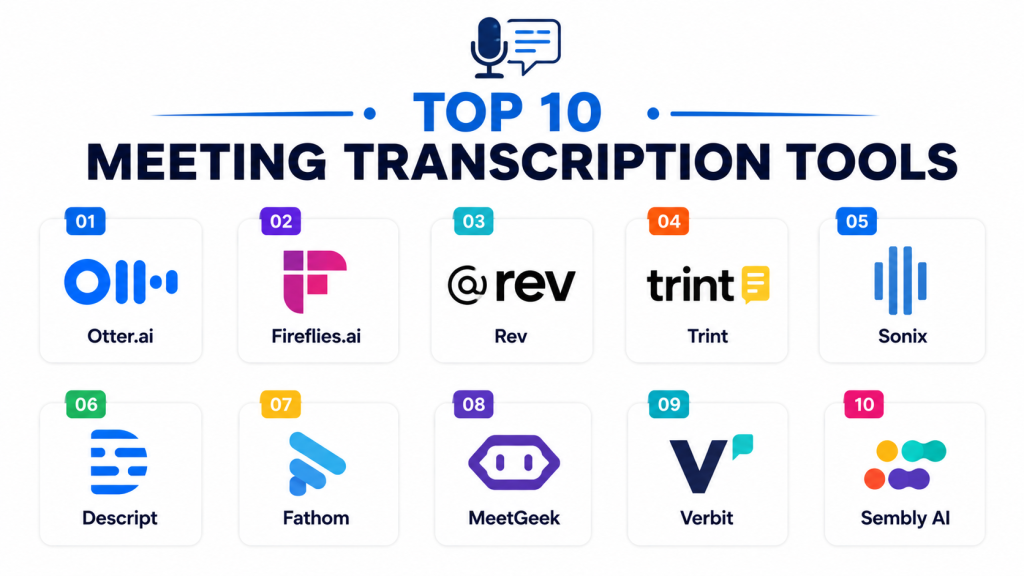
Top 10 Meeting Transcription Tools
#1 — Otter.ai
Short description: Otter.ai is one of the most widely used meeting transcription platforms focused on AI-powered transcription, meeting summaries, collaboration, and searchable meeting records.
Key Features
- Real-time AI transcription
- Speaker identification
- Automated meeting summaries
- Searchable meeting archives
- Collaboration and sharing tools
- Action item extraction
- Live captioning support
Pros
- Strong transcription accuracy
- Excellent searchable transcript management
- Easy collaboration workflows
Cons
- Advanced features require premium plans
- Accuracy may vary in noisy environments
- Limited deep enterprise analytics
Platforms / Deployment
- Web / Windows / macOS / iOS / Android
- Cloud
Security & Compliance
Supports MFA, SSO, encryption, RBAC, and administrative governance controls.
Integrations & Ecosystem
Otter.ai integrates with productivity and collaboration platforms for automated meeting workflows.
- Zoom
- Google Meet
- Microsoft Teams
- Slack
- Dropbox
- APIs
Support & Community
Strong onboarding experience and broad documentation resources.
#2 — Fireflies.ai
Short description: Fireflies.ai is an AI meeting assistant and transcription platform focused on automated transcription, workflow automation, and conversation intelligence.
Key Features
- AI meeting transcription
- Automated summaries
- CRM workflow automation
- Conversation analytics
- Searchable transcript archives
- Speaker recognition
- Action item tracking
Pros
- Strong automation capabilities
- Good CRM integrations
- Broad meeting platform compatibility
Cons
- Premium analytics require higher plans
- AI summaries may require editing
- Enterprise governance setup may require planning
Platforms / Deployment
- Web / Mobile
- Cloud
Security & Compliance
Supports SSO, MFA, encryption, RBAC, and governance administration.
Integrations & Ecosystem
Fireflies.ai integrates with collaboration and CRM systems for workflow automation.
- Zoom
- Google Meet
- Microsoft Teams
- Salesforce
- HubSpot
- APIs
Support & Community
Strong onboarding support and practical workflow guidance.
#3 — Rev
Short description: Rev is a transcription platform offering both AI-powered and human-assisted transcription services for meetings, interviews, webinars, and business conversations.
Key Features
- AI-powered transcription
- Human transcription services
- Multi-language support
- Speaker identification
- Searchable transcripts
- Caption generation
- Export and editing tools
Pros
- Strong transcription flexibility
- Human transcription option available
- Good media and meeting support
Cons
- Human transcription increases costs
- Workflow automation less advanced
- Limited collaborative meeting features
Platforms / Deployment
- Web / iOS / Android
- Cloud
Security & Compliance
Supports encryption, MFA, SSO, and administrative controls.
Integrations & Ecosystem
Rev integrates with media, meeting, and productivity environments.
- Zoom
- Google Meet
- Dropbox
- YouTube
- Productivity tools
- APIs
Support & Community
Strong customer support and accessible onboarding resources.
#4 — Notta
Short description: Notta is an AI transcription platform focused on multilingual meeting transcription, automatic summaries, and searchable conversation management.
Key Features
- AI-powered transcription
- Multi-language support
- Real-time transcription
- Automated summaries
- Searchable transcript archives
- Collaboration and sharing tools
- Export support
Pros
- Strong multilingual capabilities
- Good usability and onboarding
- Affordable pricing options
Cons
- Smaller enterprise ecosystem
- Limited advanced analytics
- Workflow automation less mature
Platforms / Deployment
- Web / Windows / macOS / iOS / Android
- Cloud
Security & Compliance
Supports MFA, encryption, SSO, and administrative controls.
Integrations & Ecosystem
Notta integrates with collaboration and productivity environments.
- Zoom
- Google Meet
- Microsoft Teams
- Slack
- Google Drive
- APIs
Support & Community
Good onboarding support and practical documentation.
#5 — Trint
Short description: Trint is a transcription and content collaboration platform designed for meeting transcription, media workflows, and collaborative transcript editing.
Key Features
- AI-powered transcription
- Collaborative transcript editing
- Multi-language transcription
- Searchable transcript archives
- Media and audio transcription
- Export and publishing tools
- Speaker recognition
Pros
- Strong collaborative editing
- Good media workflow support
- Excellent transcript search functionality
Cons
- Enterprise pricing can become expensive
- Less focused on meeting intelligence
- Workflow automation less advanced
Platforms / Deployment
- Web / Mobile
- Cloud
Security & Compliance
Supports MFA, encryption, SSO, RBAC, and governance administration.
Integrations & Ecosystem
Trint integrates with collaboration and media management systems.
- Zoom
- Adobe tools
- Google Drive
- Dropbox
- Productivity platforms
- APIs
Support & Community
Strong onboarding resources and enterprise support.
#6 — Fathom
Short description: Fathom is an AI-powered meeting assistant focused on automatic transcription, meeting summaries, highlights, and CRM synchronization.
Key Features
- AI meeting transcription
- Meeting summaries
- Highlight and clip generation
- Action item extraction
- CRM synchronization
- Searchable meeting archives
- Collaboration tools
Pros
- Excellent AI-generated summaries
- Strong highlight management
- User-friendly interface
Cons
- Smaller ecosystem than larger vendors
- Limited enterprise governance depth
- Some integrations still evolving
Platforms / Deployment
- Web / Windows / macOS
- Cloud
Security & Compliance
Supports MFA, encryption, SSO, and governance controls.
Integrations & Ecosystem
Fathom integrates with CRM and productivity ecosystems for meeting workflows.
- Zoom
- Google Meet
- Salesforce
- HubSpot
- Slack
- APIs
Support & Community
Good onboarding support and responsive customer service.
#7 — Avoma
Short description: Avoma is a meeting intelligence and transcription platform designed to automate note-taking, summarize meetings, and improve customer conversation workflows.
Key Features
- AI-powered transcription
- Automated summaries
- Sales conversation analytics
- Meeting templates
- Action item tracking
- Collaboration support
- Workflow automation
Pros
- Strong sales meeting functionality
- Good collaborative workflows
- Advanced conversation intelligence
Cons
- Premium pricing for advanced features
- More customer-facing workflow focused
- Enterprise setup may require planning
Platforms / Deployment
- Web / Mobile
- Cloud
Security & Compliance
Supports MFA, SSO, encryption, RBAC, and governance administration.
Integrations & Ecosystem
Avoma integrates with CRM and collaboration systems for automated workflows.
- Zoom
- Microsoft Teams
- Salesforce
- HubSpot
- Slack
- APIs
Support & Community
Strong onboarding resources and customer success support.
#8 — MeetGeek
Short description: MeetGeek is a meeting automation and transcription platform designed to generate summaries, organize transcripts, and automate follow-up workflows.
Key Features
- AI-powered meeting transcription
- Automated summaries
- Action item extraction
- Searchable meeting archives
- Workflow automation
- Meeting analytics
- Team collaboration tools
Pros
- Good workflow automation
- Strong searchable knowledge management
- Easy collaboration support
Cons
- Smaller enterprise ecosystem
- Governance capabilities still evolving
- Some summaries may require editing
Platforms / Deployment
- Web / Mobile
- Cloud
Security & Compliance
Supports MFA, encryption, SSO, and administrative governance controls.
Integrations & Ecosystem
MeetGeek integrates with collaboration and productivity systems for workflow automation.
- Zoom
- Google Meet
- Microsoft Teams
- Slack
- HubSpot
- APIs
Support & Community
Strong onboarding experience and responsive customer support.
#9 — tl;dv
Short description: tl;dv is a meeting recording and transcription platform focused on AI summaries, searchable meeting highlights, and collaborative sharing workflows.
Key Features
- AI-powered transcription
- Searchable meeting archives
- Highlight and clip generation
- Meeting summaries
- Action item extraction
- Collaborative sharing workflows
- Recording management
Pros
- Excellent highlight sharing capabilities
- Strong usability and collaboration
- Good searchable transcript management
Cons
- Limited enterprise governance depth
- Analytics less advanced than enterprise tools
- Smaller ecosystem compared to major vendors
Platforms / Deployment
- Web / Windows / macOS
- Cloud
Security & Compliance
Supports MFA, encryption, SSO, and governance administration.
Integrations & Ecosystem
tl;dv integrates with meeting and productivity platforms for collaboration workflows.
- Zoom
- Google Meet
- Slack
- Notion
- HubSpot
- APIs
Support & Community
Good onboarding guidance and accessible learning resources.
#10 — Sembly AI
Short description: Sembly AI is an AI meeting assistant designed for automatic transcription, task extraction, meeting summaries, and workflow automation.
Key Features
- AI-powered transcription
- Automated action item tracking
- Meeting summaries
- Searchable transcript archives
- Productivity analytics
- Team collaboration support
- Workflow automation
Pros
- Strong task extraction functionality
- Good meeting organization support
- Affordable automation features
Cons
- Smaller ecosystem than leading vendors
- Limited advanced enterprise analytics
- Integrations still expanding
Platforms / Deployment
- Web / Mobile
- Cloud
Security & Compliance
Supports MFA, encryption, SSO, and administrative controls.
Integrations & Ecosystem
Sembly AI integrates with collaboration and productivity systems for automated workflows.
- Zoom
- Google Meet
- Microsoft Teams
- Slack
- Trello
- APIs
Support & Community
Good onboarding support and workflow guidance.
Comparison Table
| Tool Name | Best For | Platforms Supported | Deployment | Standout Feature | Public Rating |
|---|---|---|---|---|---|
| Otter.ai | General meeting transcription | Web, Desktop, Mobile | Cloud | Searchable meeting archives | N/A |
| Fireflies.ai | Workflow automation | Web, Mobile | Cloud | CRM conversation intelligence | N/A |
| Rev | Human-assisted transcription | Web, Mobile | Cloud | Human transcription support | N/A |
| Notta | Multilingual transcription | Web, Desktop, Mobile | Cloud | Multi-language capabilities | N/A |
| Trint | Collaborative transcript editing | Web, Mobile | Cloud | Transcript collaboration | N/A |
| Fathom | AI meeting summaries | Web, Desktop | Cloud | Highlight and clip creation | N/A |
| Avoma | Conversation intelligence | Web, Mobile | Cloud | Sales meeting analytics | N/A |
| MeetGeek | Workflow automation | Web, Mobile | Cloud | Searchable knowledge base | N/A |
| tl;dv | Meeting highlight sharing | Web, Desktop | Cloud | Collaborative transcript sharing | N/A |
| Sembly AI | Task extraction workflows | Web, Mobile | Cloud | Action item automation | N/A |
Evaluation & Scoring of Meeting Transcription Tools
| Tool Name | Core 25% | Ease 15% | Integrations 15% | Security 10% | Performance 10% | Support 10% | Value 15% | Weighted Total |
|---|---|---|---|---|---|---|---|---|
| Otter.ai | 9.0 | 9.0 | 8.5 | 8.0 | 8.5 | 8.5 | 8.5 | 8.7 |
| Fireflies.ai | 9.0 | 8.5 | 9.0 | 8.5 | 8.5 | 8.5 | 8.0 | 8.7 |
| Rev | 8.5 | 8.0 | 7.5 | 8.0 | 8.5 | 8.5 | 8.0 | 8.2 |
| Notta | 8.0 | 8.5 | 7.5 | 8.0 | 8.0 | 8.0 | 8.5 | 8.1 |
| Trint | 8.5 | 8.0 | 8.0 | 8.5 | 8.5 | 8.5 | 7.5 | 8.2 |
| Fathom | 8.5 | 9.0 | 8.0 | 8.0 | 8.5 | 8.0 | 8.5 | 8.4 |
| Avoma | 8.5 | 8.0 | 8.5 | 8.5 | 8.5 | 8.5 | 7.5 | 8.3 |
| MeetGeek | 8.0 | 8.5 | 8.0 | 8.0 | 8.0 | 8.0 | 8.5 | 8.2 |
| tl;dv | 8.0 | 8.5 | 7.5 | 8.0 | 8.0 | 8.0 | 8.5 | 8.1 |
| Sembly AI | 8.0 | 8.0 | 7.5 | 8.0 | 8.0 | 8.0 | 8.5 | 8.0 |
These scores are comparative and intended to help organizations evaluate meeting transcription platforms based on operational priorities. Enterprise-focused tools generally perform better in integrations, analytics, and governance, while lightweight platforms often score highly in usability and affordability. Organizations should align platform selection with transcription needs, workflow complexity, and collaboration requirements.
Which Meeting Transcription Tool Is Right for You?
Solo / Freelancer
Freelancers and solo professionals often prioritize affordability, simplicity, and fast setup. Otter.ai, Fathom, and tl;dv are excellent choices.
SMB
Small and medium businesses usually require automated transcription, searchable meeting records, and collaboration support. Fireflies.ai, MeetGeek, and Notta are strong SMB-friendly options.
Mid-Market
Mid-market organizations typically need workflow automation, CRM integrations, and collaborative meeting intelligence. Avoma, Fireflies.ai, and Sembly AI are practical choices.
Enterprise
Large enterprises generally prioritize governance, analytics, integrations, and scalability. Gong-style conversation intelligence platforms, Fireflies.ai, and Otter.ai are strong enterprise-focused solutions.
Budget vs Premium
Budget-conscious organizations may prefer Notta or tl;dv, while enterprises requiring advanced analytics and workflow intelligence may benefit more from Avoma or Fireflies.ai.
Feature Depth vs Ease of Use
Otter.ai and Fathom emphasize usability and quick collaboration, while Avoma and Fireflies.ai provide deeper workflow automation and meeting intelligence capabilities.
Integrations & Scalability
Fireflies.ai and Avoma integrate strongly into CRM ecosystems, while Otter.ai and MeetGeek provide broader collaboration flexibility across productivity environments.
Security & Compliance Needs
Organizations with stronger governance requirements should prioritize Fireflies.ai, Avoma, Otter.ai, and enterprise-focused transcription platforms because of stronger administrative controls and workflow governance.
Frequently Asked Questions FAQs
1. What are Meeting Transcription Tools?
Meeting Transcription Tools are AI-powered platforms that automatically convert spoken meeting conversations into searchable text transcripts and summaries.
2. Why are meeting transcription tools important?
These tools improve productivity, reduce manual note-taking effort, preserve organizational knowledge, and simplify meeting follow-up workflows.
3. How do AI transcription tools work?
Most platforms connect to meeting systems, record audio, generate transcripts using AI speech recognition, and organize meeting content automatically.
4. Are these tools suitable for remote teams?
Yes. Meeting transcription platforms are especially valuable for remote and hybrid organizations because they improve collaboration and information sharing.
5. What features should buyers prioritize?
Organizations should evaluate transcription accuracy, speaker recognition, integrations, AI summaries, security controls, and workflow automation capabilities.
6. Why are integrations important in meeting transcription tools?
Integrations connect meeting workflows with CRM systems, collaboration platforms, project management tools, and productivity environments for centralized workflow management.
7. Are AI capabilities becoming important in this category?
Yes. AI-generated summaries, action item extraction, searchable knowledge bases, and conversation analytics are becoming major differentiators.
8. What are common implementation mistakes?
Common mistakes include unclear recording policies, weak governance planning, poor transcript organization, and insufficient workflow ownership for follow-up actions.
9. Can these tools improve productivity?
Yes. Meeting transcription tools reduce administrative overhead, improve meeting accountability, and make organizational knowledge more accessible.
10. How long does implementation usually take?
Most meeting transcription platforms can be deployed quickly, especially for SMBs and individual teams. Enterprise deployments may require governance and integration planning.
Conclusion
Meeting Transcription Tools have become essential productivity platforms for organizations seeking automated meeting documentation, searchable knowledge management, and AI-powered workflow automation. The right solution depends on operational priorities such as transcription accuracy, integrations, scalability, governance requirements, and collaboration workflows. Otter.ai and Fireflies.ai remain strong all-purpose transcription platforms because of their usability and broad ecosystem support, while Avoma and conversation intelligence tools provide deeper workflow automation and customer interaction analytics. Businesses prioritizing multilingual support may benefit from Notta, while organizations seeking collaborative transcript management may prefer Trint or tl;dv. Rather than selecting platforms solely based on transcription quality, organizations should evaluate long-term workflow automation needs, integration compatibility, security requirements, and employee adoption potential. A practical next step is to shortlist a few platforms, run pilot transcription workflows with selected teams, validate AI accuracy and integrations, and measure productivity improvements before organization-wide deployment.