Introduction
Document Redaction Tools are software platforms designed to securely remove, hide, or permanently redact sensitive information from documents, PDFs, images, emails, contracts, legal records, financial reports, and compliance files. These tools help organizations protect confidential data, comply with privacy regulations, reduce legal exposure, and securely share documents internally or externally.
As data privacy regulations and cybersecurity risks continue to grow, organizations increasingly rely on automated redaction platforms to detect and remove personally identifiable information, financial records, health information, classified material, and confidential business data. Modern document redaction tools now include AI-powered data detection, OCR processing, automated pattern matching, compliance workflows, batch processing, collaboration features, and cloud-based governance controls.
Real-world use cases include:
- Legal document redaction
- Healthcare compliance workflows
- Government and classified file processing
- Financial document sanitization
- Secure contract and report sharing
Buyers should evaluate:
- Automated redaction accuracy
- OCR and scanned document support
- AI-powered sensitive data detection
- Batch processing capabilities
- Compliance and audit workflows
- Security and encryption controls
- Collaboration and approval workflows
- File format compatibility
- Scalability across departments
- Ease of use and deployment
Best for: legal firms, healthcare organizations, government agencies, financial institutions, enterprises, compliance teams, and businesses handling confidential documents.
Not ideal for: organizations with minimal document security requirements or teams handling only non-sensitive files.
Key Trends in Document Redaction Tools
- AI-powered automated redaction is becoming more accurate.
- OCR-based scanned document processing is improving rapidly.
- Cloud-native redaction workflows are expanding.
- Compliance-driven redaction automation is increasing.
- Multi-language sensitive data detection is evolving.
- Batch processing and workflow automation are becoming standard.
- Collaboration and approval workflows are improving.
- Integration with document management systems is expanding.
- Zero-trust document security workflows are growing.
- AI-based classification and risk detection are becoming strategic capabilities.
How We Selected These Tools
The platforms in this list were selected based on redaction accuracy, compliance readiness, automation capabilities, integrations, and enterprise scalability.
- Market adoption and vendor reputation
- Automated redaction capabilities
- OCR and document processing quality
- Security and compliance controls
- Workflow automation functionality
- Integration ecosystem maturity
- Scalability across enterprise environments
- Ease of deployment and usability
- File format compatibility
- Vendor support and platform reliability
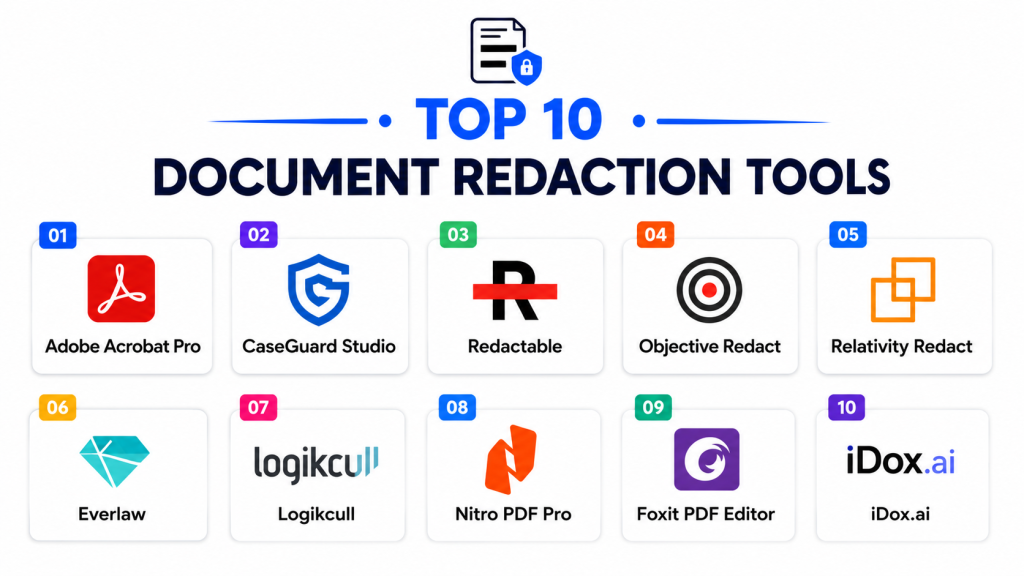
Top 10 Document Redaction Tools
#1 — Adobe Acrobat Pro
Short description: Adobe Acrobat Pro is one of the most widely used document management and PDF redaction platforms, offering secure redaction workflows, OCR support, and enterprise document security features.
Key Features
- Secure PDF redaction
- OCR document processing
- Pattern-based redaction
- Batch redaction workflows
- Digital signatures
- Document security controls
- Multi-format PDF support
Pros
- Industry-standard PDF ecosystem
- Strong OCR and document compatibility
- Broad enterprise adoption
Cons
- Subscription pricing can become expensive
- Advanced automation is limited compared to specialized tools
- Large enterprise workflows may require additional integrations
Platforms / Deployment
- Windows / macOS / Web / Mobile
- Cloud / Desktop
Security & Compliance
Supports encryption, MFA, digital signatures, RBAC, audit workflows, and secure document governance.
Integrations & Ecosystem
Adobe Acrobat integrates with enterprise document and productivity environments.
- Microsoft 365
- Google Workspace
- SharePoint
- Document management systems
- Cloud storage platforms
- APIs
Support & Community
Large global support ecosystem and extensive learning resources.
#2 — CaseGuard
Short description: CaseGuard is an AI-powered redaction platform designed for legal, law enforcement, healthcare, and government organizations needing advanced automated redaction workflows.
Key Features
- AI-powered redaction automation
- Audio and video redaction
- OCR document processing
- Face and object blurring
- Batch redaction workflows
- Compliance reporting
- Multi-format support
Pros
- Strong AI automation capabilities
- Excellent multimedia redaction support
- Good government and legal workflows
Cons
- Enterprise-oriented pricing
- Advanced features require training
- Complex deployments may require planning
Platforms / Deployment
- Windows / Web
- Cloud / Hybrid
Security & Compliance
Supports MFA, encryption, audit logging, RBAC, and compliance-focused governance controls.
Integrations & Ecosystem
CaseGuard integrates with legal, compliance, and investigative workflows.
- Evidence management systems
- Legal document systems
- Cloud storage platforms
- OCR systems
- Security environments
- APIs
Support & Community
Strong enterprise onboarding and compliance-focused support.
#3 — Redactable
Short description: Redactable is a cloud-native redaction platform focused on secure document sharing, AI-powered redaction, and collaborative review workflows.
Key Features
- AI-powered document redaction
- OCR processing
- Secure cloud collaboration
- Batch processing workflows
- Audit trail tracking
- PDF and image support
- Secure document sharing
Pros
- Easy cloud-based usability
- Strong collaboration workflows
- Good automation support
Cons
- Smaller ecosystem than major vendors
- Advanced enterprise integrations are limited
- Large-scale workflows may require premium plans
Platforms / Deployment
- Web
- Cloud
Security & Compliance
Supports encryption, MFA, audit logs, RBAC, and governance administration controls.
Integrations & Ecosystem
Redactable integrates with cloud document and productivity systems.
- Google Drive
- Dropbox
- Microsoft 365
- Cloud storage platforms
- Collaboration systems
- APIs
Support & Community
Good onboarding guidance and responsive support resources.
#4 — iDox.ai
Short description: iDox.ai is an AI-driven document redaction and privacy compliance platform focused on automated sensitive data detection and secure document workflows.
Key Features
- AI-powered sensitive data detection
- Automated redaction workflows
- OCR document processing
- Privacy compliance support
- Batch document handling
- Multi-language recognition
- Secure collaboration workflows
Pros
- Strong AI-based automation
- Good privacy compliance functionality
- Efficient batch processing support
Cons
- Smaller enterprise ecosystem
- Advanced workflows may require tuning
- Limited offline deployment options
Platforms / Deployment
- Web
- Cloud
Security & Compliance
Supports MFA, encryption, audit logging, RBAC, and compliance administration controls.
Integrations & Ecosystem
iDox.ai integrates with compliance and document management environments.
- Microsoft 365
- Cloud storage systems
- OCR workflows
- Compliance platforms
- Document repositories
- APIs
Support & Community
Good onboarding and practical workflow guidance.
#5 — Everlaw
Short description: Everlaw is a legal technology and eDiscovery platform that includes advanced document review, secure redaction, and litigation workflow capabilities.
Key Features
- Legal document redaction
- eDiscovery workflows
- OCR processing
- Batch document review
- Collaborative legal review
- Audit tracking
- Secure document management
Pros
- Excellent legal workflow support
- Strong collaboration features
- Good litigation review capabilities
Cons
- Primarily focused on legal environments
- Premium enterprise pricing
- Complex onboarding for non-legal teams
Platforms / Deployment
- Web
- Cloud
Security & Compliance
Supports SSO, MFA, encryption, audit logging, RBAC, and legal governance controls.
Integrations & Ecosystem
Everlaw integrates with legal technology and compliance ecosystems.
- Legal repositories
- Cloud storage systems
- Litigation platforms
- Document review systems
- Compliance tools
- APIs
Support & Community
Strong legal-focused onboarding and enterprise support.
#6 — Objective Redact
Short description: Objective Redact is a government and enterprise-focused redaction platform designed to automate sensitive information removal from documents and records.
Key Features
- Automated document redaction
- OCR support
- Government compliance workflows
- Batch processing
- Secure audit trails
- Multi-format document support
- Sensitive data detection
Pros
- Strong government workflow support
- Good compliance functionality
- Secure audit capabilities
Cons
- Enterprise-oriented deployments
- Limited broader ecosystem integrations
- Less user-friendly for SMBs
Platforms / Deployment
- Windows / Web
- Cloud / Hybrid
Security & Compliance
Supports MFA, encryption, RBAC, audit logging, and governance administration controls.
Integrations & Ecosystem
Objective Redact integrates with compliance and records management environments.
- Government systems
- Document repositories
- OCR systems
- Compliance platforms
- Security systems
- APIs
Support & Community
Strong enterprise and government support ecosystem.
#7 — Foxit PDF Editor
Short description: Foxit PDF Editor is a PDF editing and document security platform that includes redaction tools, OCR processing, and secure document workflows.
Key Features
- PDF redaction tools
- OCR document processing
- Batch PDF editing
- Secure document workflows
- Annotation and collaboration
- Digital signatures
- Multi-format support
Pros
- Cost-effective PDF management
- Good document compatibility
- Lightweight deployment experience
Cons
- Advanced AI automation is limited
- Enterprise analytics less mature
- Complex workflows require manual setup
Platforms / Deployment
- Windows / macOS / Web / Mobile
- Cloud / Desktop
Security & Compliance
Supports encryption, MFA, digital signatures, RBAC, and secure document controls.
Integrations & Ecosystem
Foxit integrates with document and productivity environments.
- Microsoft 365
- Google Workspace
- SharePoint
- Cloud storage systems
- PDF workflows
- APIs
Support & Community
Strong documentation and broad SMB adoption support.
#8 — PDFTron
Short description: PDFTron is a document processing and redaction platform focused on enterprise-grade document automation, secure workflows, and developer integrations.
Key Features
- Automated document redaction
- OCR processing
- API-driven workflows
- Batch document automation
- Secure document handling
- Multi-format support
- Developer SDK capabilities
Pros
- Strong developer integration support
- Excellent automation flexibility
- Enterprise-grade document processing
Cons
- Requires technical implementation expertise
- Developer-focused ecosystem
- Advanced setup complexity
Platforms / Deployment
- Windows / Linux / macOS / Web
- Cloud / Self-hosted / Hybrid
Security & Compliance
Supports encryption, RBAC, MFA, audit logging, and enterprise governance controls.
Integrations & Ecosystem
PDFTron integrates with enterprise document and developer ecosystems.
- Document management systems
- Enterprise workflows
- Cloud platforms
- Custom enterprise systems
- Developer SDKs
- APIs
Support & Community
Strong developer documentation and enterprise support.
#9 — Nitro PDF Pro
Short description: Nitro PDF Pro is a document productivity and PDF management platform that includes secure redaction, OCR support, and enterprise document collaboration workflows.
Key Features
- PDF redaction workflows
- OCR document processing
- Secure document sharing
- Batch PDF editing
- Digital signatures
- Collaboration tools
- Productivity integrations
Pros
- Good PDF workflow usability
- Strong enterprise productivity support
- Competitive pricing structure
Cons
- Limited advanced AI redaction automation
- Enterprise governance less extensive
- Fewer specialized compliance workflows
Platforms / Deployment
- Windows / macOS / iOS
- Cloud / Desktop
Security & Compliance
Supports encryption, MFA, RBAC, digital signatures, and document security controls.
Integrations & Ecosystem
Nitro integrates with productivity and document environments.
- Microsoft 365
- Google Drive
- SharePoint
- Cloud storage systems
- Collaboration platforms
- APIs
Support & Community
Good onboarding support and productivity-focused guidance.
#10 — ABBYY FineReader PDF
Short description: ABBYY FineReader PDF is an OCR and document management platform focused on scanned document processing, secure PDF editing, and redaction workflows.
Key Features
- OCR document recognition
- PDF redaction tools
- Batch document conversion
- Multi-language support
- Secure PDF editing
- Scanned document workflows
- Annotation support
Pros
- Excellent OCR accuracy
- Strong scanned document processing
- Good multilingual support
Cons
- Advanced AI automation is limited
- Enterprise workflow integrations are narrower
- Cloud-native workflows are less mature
Platforms / Deployment
- Windows / macOS
- Desktop / Hybrid
Security & Compliance
Supports encryption, RBAC, document security controls, and audit workflows.
Integrations & Ecosystem
ABBYY integrates with OCR and document processing environments.
- Microsoft 365
- SharePoint
- OCR workflows
- Document repositories
- Productivity systems
- APIs
Support & Community
Strong OCR-focused support and enterprise documentation.
Comparison Table
| Tool Name | Best For | Platforms Supported | Deployment | Standout Feature | Public Rating |
|---|---|---|---|---|---|
| Adobe Acrobat Pro | General PDF redaction | Windows, macOS, Web, Mobile | Cloud / Desktop | Industry-standard PDF workflows | N/A |
| CaseGuard | AI and multimedia redaction | Windows, Web | Cloud / Hybrid | Audio and video redaction | N/A |
| Redactable | Cloud document collaboration | Web | Cloud | Secure cloud redaction workflows | N/A |
| iDox.ai | AI-powered privacy compliance | Web | Cloud | Automated sensitive data detection | N/A |
| Everlaw | Legal and eDiscovery workflows | Web | Cloud | Litigation document review | N/A |
| Objective Redact | Government compliance workflows | Windows, Web | Cloud / Hybrid | Government-grade audit trails | N/A |
| Foxit PDF Editor | Cost-effective PDF workflows | Windows, macOS, Web | Cloud / Desktop | Lightweight PDF redaction | N/A |
| PDFTron | Developer-driven automation | Windows, Linux, macOS | Cloud / Hybrid / Self-hosted | API-based automation | N/A |
| Nitro PDF Pro | Enterprise PDF productivity | Windows, macOS, iOS | Cloud / Desktop | Productivity-focused workflows | N/A |
| ABBYY FineReader PDF | OCR and scanned documents | Windows, macOS | Desktop / Hybrid | OCR document accuracy | N/A |
Evaluation & Scoring of Document Redaction Tools
| Tool Name | Core 25% | Ease 15% | Integrations 15% | Security 10% | Performance 10% | Support 10% | Value 15% | Weighted Total |
|---|---|---|---|---|---|---|---|---|
| Adobe Acrobat Pro | 9.0 | 8.5 | 9.0 | 8.5 | 8.5 | 8.5 | 8.0 | 8.6 |
| CaseGuard | 9.5 | 7.5 | 8.0 | 9.0 | 9.0 | 8.5 | 7.5 | 8.5 |
| Redactable | 8.5 | 8.5 | 7.5 | 8.5 | 8.0 | 8.0 | 8.5 | 8.2 |
| iDox.ai | 8.5 | 8.0 | 7.5 | 8.5 | 8.5 | 8.0 | 8.0 | 8.2 |
| Everlaw | 9.0 | 7.5 | 8.5 | 9.0 | 8.5 | 8.5 | 7.0 | 8.3 |
| Objective Redact | 8.5 | 7.0 | 7.5 | 9.0 | 8.5 | 8.0 | 7.5 | 8.0 |
| Foxit PDF Editor | 8.0 | 8.5 | 8.0 | 8.0 | 8.0 | 8.0 | 8.5 | 8.1 |
| PDFTron | 9.0 | 7.0 | 9.0 | 9.0 | 8.5 | 8.5 | 7.0 | 8.3 |
| Nitro PDF Pro | 8.0 | 8.5 | 8.0 | 8.0 | 8.0 | 8.0 | 8.5 | 8.1 |
| ABBYY FineReader PDF | 8.5 | 8.0 | 7.5 | 8.0 | 8.5 | 8.0 | 8.0 | 8.1 |
These scores are comparative and intended to help organizations evaluate document redaction platforms based on operational priorities. Enterprise-focused platforms generally score higher in automation, governance, and compliance, while lightweight PDF-focused tools often perform strongly in usability and affordability. Organizations should align tool selection with compliance requirements, workflow complexity, and document security priorities.
Which Document Redaction Tool Is Right for You?
Solo / Freelancer
Freelancers and small teams often prioritize affordability and easy PDF workflows. Foxit PDF Editor and Nitro PDF Pro are practical lightweight options.
SMB
Small and medium businesses usually require secure document handling, OCR support, and collaborative workflows. Adobe Acrobat Pro, Redactable, and Nitro PDF Pro are strong SMB-friendly choices.
Mid-Market
Mid-market organizations typically need workflow automation, compliance support, and scalable document handling. iDox.ai, PDFTron, and ABBYY FineReader PDF are strong options.
Enterprise
Large enterprises generally prioritize governance, auditability, AI automation, and compliance workflows. CaseGuard, Everlaw, and Objective Redact are strong enterprise-focused solutions.
Budget vs Premium
Budget-conscious organizations may prefer Foxit PDF Editor or Nitro PDF Pro, while enterprises requiring advanced AI automation and legal compliance may benefit more from CaseGuard or Everlaw.
Feature Depth vs Ease of Use
Adobe Acrobat Pro and Foxit emphasize usability and document compatibility, while PDFTron and CaseGuard provide deeper automation and enterprise compliance functionality.
Integrations & Scalability
PDFTron and Adobe Acrobat integrate strongly into enterprise ecosystems, while Everlaw focuses heavily on legal workflows and litigation review.
Security & Compliance Needs
Organizations with strong governance requirements should prioritize CaseGuard, Everlaw, Objective Redact, and PDFTron because of their stronger compliance and audit capabilities.
Frequently Asked Questions FAQs
1. What are Document Redaction Tools?
Document Redaction Tools are platforms that securely remove or permanently hide sensitive information from documents, PDFs, images, and records.
2. Why are document redaction tools important?
These tools help organizations protect confidential information, comply with privacy regulations, and reduce legal and cybersecurity risks.
3. How do document redaction platforms work?
Most platforms use OCR, pattern matching, and AI-powered detection to identify and permanently redact sensitive information from files.
4. Are these tools suitable for compliance workflows?
Yes. Document redaction platforms are commonly used in legal, healthcare, government, and financial compliance workflows.
5. What features should buyers prioritize?
Organizations should evaluate OCR accuracy, automation capabilities, compliance support, audit logging, integrations, and batch processing functionality.
6. Why are integrations important in document redaction systems?
Integrations connect redaction workflows with document management, legal review, compliance, and productivity systems for centralized operations.
7. Are AI capabilities becoming important in this category?
Yes. AI-powered sensitive data detection, automated classification, OCR recognition, and workflow automation are becoming major differentiators.
8. What are common implementation mistakes?
Common mistakes include relying solely on manual redaction, poor OCR quality checks, inconsistent compliance policies, and insufficient audit tracking.
9. Can these tools improve operational efficiency?
Yes. Document redaction platforms reduce manual review effort, improve compliance accuracy, and automate secure document sharing workflows.
10. How long does implementation usually take?
Lightweight PDF tools can be deployed quickly, while enterprise compliance-focused deployments may require broader workflow integration and governance planning.
Conclusion
Document Redaction Tools have become essential security and compliance platforms for organizations seeking secure document sharing, privacy protection, and automated sensitive data handling. The right solution depends on operational priorities such as compliance requirements, workflow complexity, automation needs, integrations, and scalability. Adobe Acrobat Pro remains a strong all-purpose PDF redaction platform because of its broad compatibility and document ecosystem support, while CaseGuard and Everlaw provide deeper AI automation and enterprise-grade compliance workflows. Organizations focused on cloud collaboration may benefit from Redactable, while businesses requiring advanced OCR and document processing may prefer ABBYY FineReader PDF or PDFTron. Rather than selecting platforms solely based on PDF editing capabilities, organizations should evaluate long-term compliance strategies, governance requirements, AI automation needs, and document security workflows. A practical next step is to shortlist a few solutions, run pilot redaction workflows with selected departments, validate OCR accuracy and compliance processes, and measure operational efficiency improvements before broader deployment.