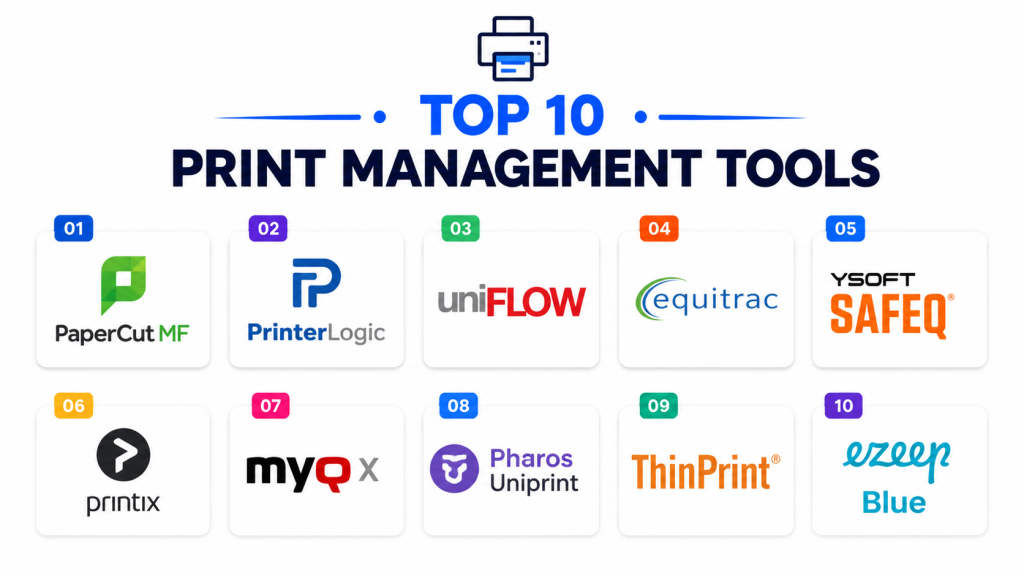
Introduction
Print Management Tools are software platforms designed to control, monitor, secure, and optimize printing environments across organizations. These solutions help businesses manage print queues, reduce printing costs, enforce security policies, automate printer deployment, track usage analytics, and improve overall print infrastructure efficiency.
As hybrid work environments, security concerns, and sustainability goals continue to grow, organizations increasingly rely on centralized print management systems to streamline printing operations across offices, campuses, healthcare facilities, government organizations, and enterprise environments. Modern print management platforms now include secure print release, cloud printing, mobile printing, usage analytics, zero-trust printing workflows, AI-driven print optimization, and integration with identity management systems.
Real-world use cases include:
- Enterprise print fleet management
- Secure document printing
- Hybrid workplace printing
- University and campus print quotas
- Healthcare and government compliance printing
Buyers should evaluate:
- Secure print release functionality
- Printer fleet monitoring
- Cloud and mobile printing support
- User authentication and access control
- Reporting and analytics capabilities
- Print cost optimization
- Scalability across locations
- Driver and printer deployment automation
- Security and compliance controls
- Ease of administration and deployment
Best for: enterprises, educational institutions, healthcare organizations, government agencies, legal firms, coworking environments, and businesses managing large printer fleets.
Not ideal for: very small offices with minimal printing requirements or organizations operating in fully paperless environments.
Key Trends in Print Management Tools
- Cloud-native print management is becoming standard.
- Zero-trust and secure print release workflows are expanding rapidly.
- Mobile and remote printing support is improving.
- AI-powered print analytics and optimization are growing.
- Sustainability tracking and print reduction analytics are increasing.
- Serverless printing architectures are becoming more common.
- Hybrid workplace printing workflows are evolving quickly.
- Identity-based access control integration is improving.
- Touchless print release workflows are expanding.
- Print management platforms are integrating more deeply with security ecosystems.
How We Selected These Tools
The platforms in this list were selected based on print management functionality, enterprise adoption, security readiness, cloud capabilities, and operational scalability.
- Market adoption and vendor reputation
- Secure printing and authentication features
- Cloud and mobile printing support
- Reporting and analytics capabilities
- Security and governance controls
- Printer fleet management functionality
- Scalability across enterprise environments
- Integration ecosystem maturity
- Ease of deployment and usability
- Vendor support and platform reliability
Top 10 Print Management Tools
#1 — PaperCut MF
Short description: PaperCut MF is one of the most widely adopted print management platforms focused on secure printing, print analytics, cost control, and hybrid workplace printing workflows.
Key Features
- Secure print release
- Print usage tracking
- Cloud and mobile printing
- User authentication workflows
- Print quota management
- Sustainability analytics
- Multi-vendor printer support
Pros
- Excellent cross-platform compatibility
- Strong security and print governance
- Broad enterprise adoption
Cons
- Advanced deployments may require configuration effort
- Some analytics features require higher tiers
- Large enterprise environments may require dedicated administration
Platforms / Deployment
- Web / Windows / macOS / Linux / Mobile
- Cloud / Hybrid / Self-hosted
Security & Compliance
Supports MFA, SSO/SAML, encryption, RBAC, audit logging, and secure print release workflows.
Integrations & Ecosystem
PaperCut integrates with enterprise identity, printing, and productivity systems.
- Microsoft 365
- Google Workspace
- Active Directory
- Print device vendors
- Mobile printing systems
- APIs
Support & Community
Strong global support ecosystem and extensive documentation resources.
#2 — PrinterLogic
Short description: PrinterLogic is a serverless print management platform designed to simplify enterprise print deployment, printer management, and secure cloud printing workflows.
Key Features
- Serverless print management
- Secure print release
- Centralized printer deployment
- Mobile printing support
- Print queue management
- Cloud-native administration
- Zero-trust printing workflows
Pros
- Strong cloud-native architecture
- Simplifies printer administration
- Excellent enterprise scalability
Cons
- Enterprise pricing structure
- Advanced workflows may require planning
- Some legacy printer environments require adjustments
Platforms / Deployment
- Web / Windows / macOS / Mobile
- Cloud / Hybrid
Security & Compliance
Supports SSO, MFA, encryption, RBAC, audit controls, and zero-trust print workflows.
Integrations & Ecosystem
PrinterLogic integrates with identity management and enterprise printing environments.
- Azure AD
- Okta
- Microsoft 365
- Print device vendors
- Mobile printing tools
- APIs
Support & Community
Strong enterprise onboarding and deployment support.
#3 — uniFLOW Online
Short description: uniFLOW Online is Canon’s cloud-based print and scan management platform focused on secure printing, document workflows, and enterprise print governance.
Key Features
- Secure print release
- Cloud print management
- Scan workflow automation
- Mobile printing
- User authentication
- Print analytics
- Cost allocation reporting
Pros
- Strong Canon ecosystem support
- Good document workflow automation
- Enterprise-grade print governance
Cons
- Best suited for Canon-centric environments
- Premium enterprise pricing
- Advanced workflows may require configuration
Platforms / Deployment
- Web / Mobile
- Cloud
Security & Compliance
Supports SSO/SAML, MFA, encryption, RBAC, audit logging, and governance administration.
Integrations & Ecosystem
uniFLOW integrates with enterprise document and identity ecosystems.
- Microsoft 365
- Google Workspace
- Canon devices
- Identity providers
- Scan systems
- APIs
Support & Community
Strong enterprise support and Canon partner ecosystem.
#4 — YSoft SAFEQ
Short description: YSoft SAFEQ is an enterprise print management platform designed to improve print security, workflow automation, and centralized print governance.
Key Features
- Secure print release
- Print workflow automation
- Mobile and guest printing
- Cost tracking analytics
- Authentication workflows
- Multi-vendor printer support
- Scan workflow management
Pros
- Strong enterprise security controls
- Good multi-vendor compatibility
- Broad workflow automation support
Cons
- Enterprise deployment complexity
- Premium licensing costs
- Requires administrative expertise for large deployments
Platforms / Deployment
- Web / Windows / Mobile
- Cloud / Hybrid
Security & Compliance
Supports MFA, SSO, encryption, RBAC, audit controls, and governance administration.
Integrations & Ecosystem
YSoft SAFEQ integrates with enterprise identity and printing systems.
- Active Directory
- Azure AD
- Microsoft 365
- Printer vendors
- Smart card systems
- APIs
Support & Community
Strong enterprise deployment and technical support ecosystem.
#5 — Pharos Cloud
Short description: Pharos Cloud is a cloud-native print management platform designed to support secure printing, analytics, sustainability tracking, and hybrid workforce printing workflows.
Key Features
- Cloud print management
- Secure print release
- Sustainability analytics
- Mobile printing support
- Print cost tracking
- User authentication
- Multi-location print management
Pros
- Strong cloud-native usability
- Excellent sustainability reporting
- Good hybrid workplace support
Cons
- Enterprise pricing can increase with scale
- Limited legacy infrastructure support
- Advanced customization may require planning
Platforms / Deployment
- Web / Windows / macOS / Mobile
- Cloud
Security & Compliance
Supports MFA, SSO, encryption, RBAC, and audit controls.
Integrations & Ecosystem
Pharos integrates with cloud productivity and identity ecosystems.
- Microsoft 365
- Google Workspace
- Azure AD
- Mobile printing systems
- Printer vendors
- APIs
Support & Community
Strong onboarding resources and cloud deployment support.
#6 — Equitrac
Short description: Equitrac is a print management and cost recovery platform focused on secure printing, print analytics, and enterprise document governance.
Key Features
- Secure print release
- Cost recovery tracking
- User authentication
- Print analytics dashboards
- Rule-based printing policies
- Mobile printing
- Document workflow controls
Pros
- Strong print cost management
- Good enterprise governance controls
- Mature enterprise print workflows
Cons
- Older interface design
- Complex enterprise deployment
- Less modern cloud flexibility
Platforms / Deployment
- Windows / Mobile
- Hybrid / Self-hosted
Security & Compliance
Supports SSO, MFA, encryption, RBAC, audit logging, and secure printing workflows.
Integrations & Ecosystem
Equitrac integrates with enterprise print and identity systems.
- Active Directory
- Printer vendors
- Authentication systems
- Document management tools
- Cost accounting platforms
- APIs
Support & Community
Strong enterprise support and long-standing industry presence.
#7 — ThinPrint
Short description: ThinPrint is a print management and optimization platform designed for virtual desktop infrastructure, remote work, and enterprise print delivery optimization.
Key Features
- Remote printing optimization
- Virtual desktop printing
- Secure print workflows
- Bandwidth optimization
- Cloud printing support
- Mobile printing
- Print compression technology
Pros
- Excellent VDI printing support
- Strong remote workforce capabilities
- Good network optimization
Cons
- Specialized enterprise focus
- Advanced setup requirements
- Less suited for lightweight SMB environments
Platforms / Deployment
- Windows / Mobile
- Cloud / Hybrid
Security & Compliance
Supports MFA, encryption, SSO, RBAC, and governance administration controls.
Integrations & Ecosystem
ThinPrint integrates with enterprise virtualization and printing systems.
- Citrix
- VMware
- Microsoft environments
- Virtual desktop systems
- Printer vendors
- APIs
Support & Community
Strong enterprise virtualization support ecosystem.
#8 — ezeep Blue
Short description: ezeep Blue is a cloud print management platform focused on serverless printing, mobile printing, and hybrid workplace print workflows.
Key Features
- Serverless printing
- Mobile print support
- Secure cloud printing
- Printer deployment automation
- Print analytics
- User authentication
- Remote workforce printing
Pros
- Easy cloud deployment
- Good hybrid work support
- Simplified print administration
Cons
- Smaller enterprise ecosystem
- Limited advanced enterprise governance
- Some complex printer environments require tuning
Platforms / Deployment
- Web / Windows / macOS / Mobile
- Cloud
Security & Compliance
Supports MFA, encryption, SSO, RBAC, and governance controls.
Integrations & Ecosystem
ezeep Blue integrates with cloud productivity and print environments.
- Microsoft 365
- Google Workspace
- Azure AD
- Printer vendors
- Mobile platforms
- APIs
Support & Community
Good onboarding resources and responsive customer support.
#9 — MyQ X
Short description: MyQ X is an enterprise print and document management platform designed for secure printing, workflow automation, and print cost optimization.
Key Features
- Secure print release
- Print workflow automation
- Mobile printing
- User authentication
- Document scanning workflows
- Cost management analytics
- Multi-vendor printer support
Pros
- Strong workflow automation
- Good print cost optimization
- Broad printer compatibility
Cons
- Enterprise deployment complexity
- Premium licensing structure
- Requires setup planning for advanced workflows
Platforms / Deployment
- Windows / Mobile
- Cloud / Hybrid
Security & Compliance
Supports MFA, SSO, encryption, RBAC, audit controls, and governance administration.
Integrations & Ecosystem
MyQ X integrates with enterprise document and identity systems.
- Microsoft 365
- Azure AD
- Printer vendors
- Scan workflows
- Identity platforms
- APIs
Support & Community
Strong enterprise deployment support and technical documentation.
#10 — Printix
Short description: Printix is a cloud-native print management platform designed for centralized print administration, secure cloud printing, and hybrid workplace support.
Key Features
- Cloud print management
- Secure print release
- Mobile printing
- Printer deployment automation
- User authentication
- Print analytics
- Remote workforce support
Pros
- Simple cloud administration
- Good remote workforce support
- Easy deployment workflows
Cons
- Smaller ecosystem than major vendors
- Advanced enterprise workflows are limited
- Analytics depth varies by deployment
Platforms / Deployment
- Web / Windows / macOS / Mobile
- Cloud
Security & Compliance
Supports SSO, MFA, encryption, RBAC, and governance administration controls.
Integrations & Ecosystem
Printix integrates with cloud productivity and enterprise identity systems.
- Microsoft 365
- Google Workspace
- Azure AD
- Printer vendors
- Mobile printing systems
- APIs
Support & Community
Good onboarding guidance and accessible support resources.
Comparison Table
| Tool Name | Best For | Platforms Supported | Deployment | Standout Feature | Public Rating |
|---|---|---|---|---|---|
| PaperCut MF | Enterprise print governance | Windows, macOS, Linux, Mobile | Cloud / Hybrid / Self-hosted | Secure print release | N/A |
| PrinterLogic | Serverless enterprise printing | Windows, macOS, Mobile | Cloud / Hybrid | Serverless architecture | N/A |
| uniFLOW Online | Canon enterprise environments | Web, Mobile | Cloud | Document workflow automation | N/A |
| YSoft SAFEQ | Enterprise print security | Windows, Mobile | Cloud / Hybrid | Multi-vendor print governance | N/A |
| Pharos Cloud | Hybrid workplace printing | Windows, macOS, Mobile | Cloud | Sustainability analytics | N/A |
| Equitrac | Cost recovery and governance | Windows, Mobile | Hybrid / Self-hosted | Rule-based print policies | N/A |
| ThinPrint | Virtual desktop printing | Windows, Mobile | Cloud / Hybrid | VDI optimization | N/A |
| ezeep Blue | Cloud-native printing | Windows, macOS, Mobile | Cloud | Serverless mobile printing | N/A |
| MyQ X | Workflow automation | Windows, Mobile | Cloud / Hybrid | Print workflow automation | N/A |
| Printix | Remote workforce printing | Windows, macOS, Mobile | Cloud | Centralized cloud administration | N/A |
Evaluation & Scoring of Print Management Tools
| Tool Name | Core 25% | Ease 15% | Integrations 15% | Security 10% | Performance 10% | Support 10% | Value 15% | Weighted Total |
|---|---|---|---|---|---|---|---|---|
| PaperCut MF | 9.5 | 8.5 | 9.0 | 9.0 | 8.5 | 8.5 | 8.5 | 8.9 |
| PrinterLogic | 9.0 | 8.5 | 8.5 | 9.0 | 8.5 | 8.5 | 8.0 | 8.6 |
| uniFLOW Online | 8.5 | 8.0 | 8.5 | 8.5 | 8.5 | 8.5 | 7.5 | 8.3 |
| YSoft SAFEQ | 9.0 | 7.5 | 8.5 | 9.0 | 8.5 | 8.5 | 7.5 | 8.4 |
| Pharos Cloud | 8.5 | 8.5 | 8.5 | 8.5 | 8.5 | 8.0 | 8.0 | 8.4 |
| Equitrac | 8.5 | 7.0 | 8.0 | 8.5 | 8.0 | 8.0 | 7.5 | 7.9 |
| ThinPrint | 8.5 | 7.5 | 8.0 | 8.5 | 8.5 | 8.0 | 7.5 | 8.0 |
| ezeep Blue | 8.0 | 8.5 | 7.5 | 8.0 | 8.0 | 8.0 | 8.5 | 8.1 |
| MyQ X | 8.5 | 7.5 | 8.0 | 8.5 | 8.5 | 8.0 | 7.5 | 8.0 |
| Printix | 8.0 | 8.5 | 7.5 | 8.0 | 8.0 | 8.0 | 8.5 | 8.1 |
These scores are comparative and intended to help organizations evaluate print management platforms based on operational priorities. Enterprise-focused solutions generally score higher in governance, integrations, and security, while lightweight cloud-native platforms often perform strongly in usability and affordability. Organizations should align tool selection with printer fleet complexity, hybrid work strategies, and security requirements.
Which Print Management Tool Is Right for You?
Solo / Freelancer
Freelancers and very small businesses usually require lightweight cloud printing and simple printer management. Printix and ezeep Blue are practical options.
SMB
Small and medium businesses often prioritize affordability, easy deployment, and secure cloud printing. PaperCut MF, Printix, and ezeep Blue are strong SMB-friendly choices.
Mid-Market
Mid-market organizations usually require centralized governance, analytics, and hybrid workplace printing support. PrinterLogic, Pharos Cloud, and MyQ X are strong options.
Enterprise
Large enterprises generally prioritize security, scalability, integrations, and workflow automation. PaperCut MF, YSoft SAFEQ, and PrinterLogic are strong enterprise-focused solutions.
Budget vs Premium
Budget-conscious organizations may prefer Printix or ezeep Blue, while enterprises requiring advanced governance and workflow automation may benefit more from PaperCut MF or YSoft SAFEQ.
Feature Depth vs Ease of Use
Printix and ezeep Blue emphasize simple cloud administration, while YSoft SAFEQ and Equitrac provide deeper enterprise print governance functionality.
Integrations & Scalability
PrinterLogic and PaperCut MF integrate strongly into enterprise identity and print ecosystems, while ThinPrint focuses heavily on virtualization and remote workforce environments.
Security & Compliance Needs
Organizations with strong governance requirements should prioritize PaperCut MF, PrinterLogic, YSoft SAFEQ, and Equitrac because of their stronger enterprise security and audit capabilities.
Frequently Asked Questions FAQs
1. What are Print Management Tools?
Print Management Tools are platforms that help organizations monitor, secure, automate, and optimize printing operations across printer fleets and workplaces.
2. Why are print management systems important?
These systems reduce printing costs, improve security, simplify printer administration, and provide centralized control over enterprise printing environments.
3. How do print management platforms work?
Most platforms connect printers, users, authentication systems, and print queues into a centralized administration and analytics environment.
4. Are these tools suitable for hybrid workplaces?
Yes. Print management platforms are especially valuable for hybrid offices because they support secure remote printing and centralized cloud administration.
5. What features should buyers prioritize?
Organizations should evaluate secure print release, cloud printing, analytics, mobile support, identity integration, and print cost management capabilities.
6. Why are integrations important in print management systems?
Integrations connect printing workflows with identity providers, workplace productivity tools, device management systems, and security platforms for centralized operations.
7. Are AI capabilities becoming important in this category?
Yes. AI-powered print optimization, analytics, sustainability reporting, and workflow automation are becoming increasingly valuable capabilities.
8. What are common implementation mistakes?
Common mistakes include poor printer inventory planning, weak security configurations, inconsistent print policies, and insufficient user training.
9. Can these tools improve operational efficiency?
Yes. Print management platforms reduce administrative overhead, optimize print usage, improve security, and simplify enterprise print workflows.
10. How long does implementation usually take?
SMB deployments can often be completed quickly, while enterprise deployments may require broader infrastructure planning and printer fleet integration.
Conclusion
Print Management Tools have become essential operational platforms for organizations seeking secure printing, centralized printer administration, cost optimization, and hybrid workplace support. The right solution depends on operational priorities such as cloud readiness, enterprise governance, print fleet complexity, security requirements, and scalability needs. PaperCut MF remains one of the strongest all-purpose print management platforms because of its broad compatibility and enterprise governance capabilities, while PrinterLogic and Printix provide strong cloud-native and serverless printing experiences. Organizations requiring deeper enterprise workflow automation may benefit from YSoft SAFEQ or MyQ X, while virtual desktop environments may prefer ThinPrint. Rather than selecting platforms solely based on printer monitoring features, organizations should evaluate long-term workplace printing strategies, identity integration needs, security requirements, and scalability goals. A practical next step is to shortlist a few solutions, run pilot print workflows across selected departments, validate integrations and security policies, and measure operational efficiency improvements before broader deployment.