Introduction
Secure Messaging Apps help individuals and organizations communicate privately using encryption, identity verification, disappearing messages, secure calls, and privacy-focused communication architectures. These applications protect conversations from interception, unauthorized access, surveillance, and data leaks while supporting modern messaging workflows across mobile and desktop devices.
Secure messaging has become essential because cyberattacks, phishing, surveillance concerns, and data privacy regulations continue to increase. Businesses, journalists, healthcare providers, government agencies, remote teams, and privacy-conscious users now require encrypted communication platforms that balance usability, scalability, and strong privacy protections. Modern secure messaging apps increasingly combine end-to-end encryption, decentralized infrastructure, metadata minimization, secure collaboration, and privacy-focused identity systems.
Common real-world use cases include:
- Secure personal and business communications
- Privacy-focused team collaboration
- Encrypted voice and video calls
- Secure file and media sharing
- Anonymous or metadata-minimized messaging
Buyers evaluating Secure Messaging Apps should consider:
- End-to-end encryption quality
- Metadata collection policies
- Open-source transparency
- Cross-platform support
- Ease of onboarding and usability
- Enterprise and collaboration features
- Group chat security
- Voice and video call encryption
- Compliance and governance support
- Identity verification and authentication controls
Best for: enterprises, privacy-focused individuals, journalists, healthcare organizations, remote teams, legal professionals, government agencies, activists, and businesses handling confidential communications.
Not ideal for: organizations needing only basic internal chat, businesses already standardized on broader collaboration suites without additional privacy requirements, or users prioritizing social media features over security and privacy.
Key Trends in Secure Messaging Apps
- End-to-end encryption is becoming the default expectation for messaging platforms.
- Metadata minimization is becoming a major differentiator among secure messaging apps.
- Decentralized messaging architectures are gaining adoption among privacy-focused users.
- Privacy-focused apps are reducing dependence on phone numbers for account creation.
- Secure collaboration and encrypted file sharing are increasingly integrated into messaging platforms.
- AI-driven threat detection and spam protection are being added to encrypted messaging systems.
- Open-source transparency is becoming more important for security validation.
- Enterprises are prioritizing governance, auditability, and secure team collaboration.
- Secure messaging is increasingly integrated with productivity and identity management systems.
- Users are paying closer attention to metadata collection and cloud backup risks.
How We Selected These Tools
The tools included in this list were selected based on encryption quality, usability, privacy protections, platform compatibility, and enterprise adoption.
Evaluation factors included:
- End-to-end encryption implementation
- Metadata privacy protections
- Open-source transparency
- Security and privacy reputation
- Voice and video communication support
- Enterprise collaboration capabilities
- Cross-platform availability
- User experience and onboarding simplicity
- Governance and compliance capabilities
- Community trust and adoption
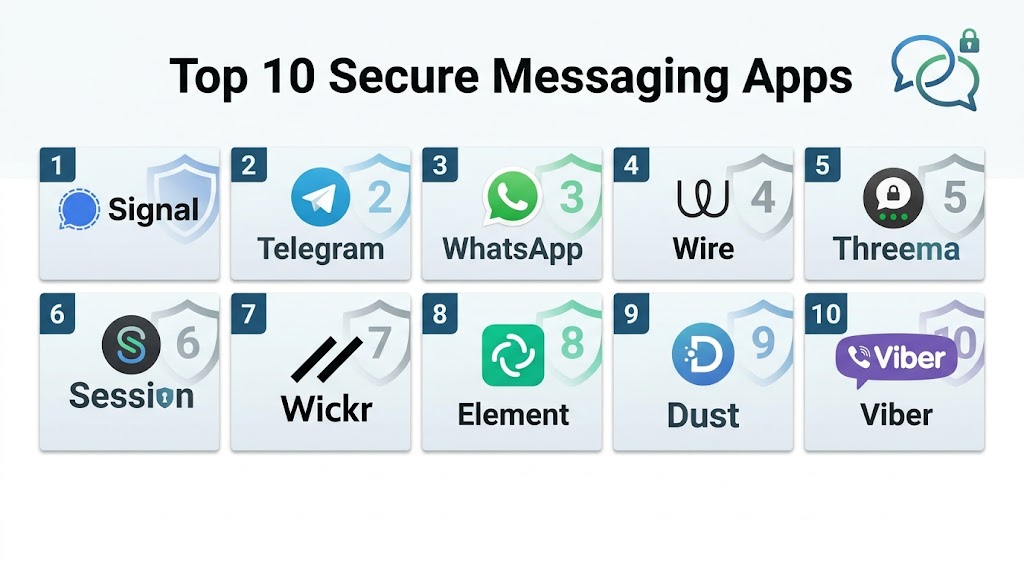
Top 10 Secure Messaging Apps
#1 — Signal
Short description: Signal is widely considered one of the most secure messaging apps available, offering strong end-to-end encryption, open-source transparency, disappearing messages, and minimal metadata collection. It is popular among privacy-conscious users, journalists, enterprises, and security professionals.
Key Features
- End-to-end encryption by default
- Open-source protocol and applications
- Disappearing messages
- Secure voice and video calls
- Username-based privacy improvements
- Group chat encryption
- Screen security protections
Pros
- Strong reputation for privacy and security
- Minimal metadata collection
- Easy-to-use interface
Cons
- Requires phone number registration for most workflows
- Smaller user base than WhatsApp
- Limited business workflow integrations
Platforms / Deployment
- Web
- Windows
- macOS
- Linux
- iOS
- Android
- Cloud
Security & Compliance
- End-to-end encryption
- Open-source architecture
- MFA support
- Disappearing messages
- Privacy-focused metadata policies
Integrations & Ecosystem
Signal focuses on secure communication rather than broad third-party integrations.
- Secure voice calls
- Secure video calls
- Group messaging
- Media sharing
- Desktop synchronization
- Encrypted backups
Support & Community
Large global privacy-focused community with extensive documentation and nonprofit governance support.
#2 — WhatsApp
Short description: WhatsApp combines strong end-to-end encryption using the Signal Protocol with one of the world’s largest messaging ecosystems. It supports encrypted chats, voice calls, video calls, and business messaging workflows across billions of users worldwide.
Key Features
- End-to-end encryption by default
- Voice and video calls
- Large-scale group messaging
- Business messaging support
- Multi-device synchronization
- Media and file sharing
- Disappearing messages
Pros
- Massive global adoption
- Strong usability and accessibility
- Good cross-platform performance
Cons
- Metadata collection concerns
- Owned by Meta
- Cloud backup privacy depends on configuration
Platforms / Deployment
- Web
- Windows
- macOS
- iOS
- Android
- Cloud
Security & Compliance
- Signal Protocol encryption
- MFA support
- Disappearing messages
- Device verification
- Privacy controls
Integrations & Ecosystem
WhatsApp integrates with business communication and customer engagement ecosystems.
- WhatsApp Business
- APIs
- CRM integrations
- Cloud backups
- Business messaging workflows
- Customer communication systems
Support & Community
Extremely large user ecosystem with extensive global adoption and documentation.
#3 — Threema
Short description: Threema is a Swiss privacy-focused messaging app that emphasizes anonymity, minimal data collection, and end-to-end encryption. Unlike many competitors, it does not require a phone number or email address for registration.
Key Features
- End-to-end encryption
- Anonymous account creation
- No phone number requirement
- Secure voice and video calls
- Polls and group chats
- Metadata minimization
- Business collaboration support
Pros
- Strong anonymity protections
- Minimal metadata storage
- Good privacy-focused architecture
Cons
- Paid application
- Smaller user ecosystem
- Fewer mainstream integrations
Platforms / Deployment
- Web
- Windows
- macOS
- Linux
- iOS
- Android
- Cloud
Security & Compliance
- End-to-end encryption
- Anonymous identifiers
- Privacy-focused architecture
- Minimal metadata retention
Integrations & Ecosystem
Threema supports secure communication and business collaboration workflows.
- Group messaging
- File sharing
- Voice calls
- Video calls
- Business collaboration tools
- Secure notifications
Support & Community
Strong privacy-focused community and enterprise support offerings.
#4 — Wire
Short description: Wire is a secure collaboration and messaging platform designed for businesses and teams needing encrypted communication, secure file sharing, and enterprise collaboration capabilities.
Key Features
- End-to-end encrypted messaging
- Secure voice and video calls
- Multi-device synchronization
- Team collaboration support
- Secure file sharing
- Business administration controls
- Encrypted conferencing
Pros
- Strong enterprise collaboration workflows
- Good multi-device support
- GDPR-focused positioning
Cons
- Smaller mainstream user base
- Requires account registration
- Enterprise workflows may require onboarding
Platforms / Deployment
- Web
- Windows
- macOS
- Linux
- iOS
- Android
- Cloud
Security & Compliance
- End-to-end encryption
- Business administration controls
- GDPR-focused workflows
- Access management
Integrations & Ecosystem
Wire integrates with enterprise collaboration and communication workflows.
- Team collaboration tools
- APIs
- File sharing systems
- Enterprise workflows
- Secure conferencing
- Identity management systems
Support & Community
Strong enterprise onboarding and business-focused support resources.
#5 — Session
Short description: Session is a decentralized secure messaging app designed to minimize metadata collection and avoid dependence on centralized infrastructure. It routes messages through a privacy-focused network and does not require a phone number.
Key Features
- End-to-end encryption
- Decentralized infrastructure
- No phone number requirement
- Onion-routed messaging
- Metadata minimization
- Secure voice messages
- Open-source architecture
Pros
- Strong anonymity protections
- Decentralized communication model
- Minimal metadata exposure
Cons
- Slower message delivery in some cases
- Smaller ecosystem
- Fewer enterprise features
Platforms / Deployment
- Windows
- macOS
- Linux
- iOS
- Android
- Cloud
Security & Compliance
- End-to-end encryption
- Decentralized routing
- Metadata minimization
- Open-source architecture
Integrations & Ecosystem
Session focuses on private communication rather than broad business integrations.
- Group chats
- Voice messaging
- File sharing
- Open-source ecosystems
- Secure communication workflows
- Multi-device support
Support & Community
Growing privacy-focused community and active open-source ecosystem.
#6 — Telegram
Short description: Telegram is a cloud-based messaging platform known for speed, scalability, and large group communication. It supports encrypted secret chats, though end-to-end encryption is not enabled by default for all conversations.
Key Features
- Secret chats with end-to-end encryption
- Large group and channel support
- Cloud synchronization
- Voice and video calls
- File sharing
- Bots and automation
- Self-destructing messages
Pros
- Large-scale communication support
- Strong usability and performance
- Rich feature ecosystem
Cons
- End-to-end encryption not enabled by default
- Metadata and server-side architecture concerns
- Encryption model receives criticism from privacy experts
Platforms / Deployment
- Web
- Windows
- macOS
- Linux
- iOS
- Android
- Cloud
Security & Compliance
- Secret chat encryption
- MFA support
- Device management
- Privacy controls
- Self-destructing messages
Integrations & Ecosystem
Telegram supports extensive automation and communication ecosystems.
- Bots
- APIs
- Group management
- Channels
- Automation workflows
- File sharing systems
Support & Community
Massive global user community and extensive developer ecosystem.
#7 — Element
Short description: Element is a secure messaging and collaboration platform built on the Matrix protocol. It supports decentralized communication, encrypted messaging, and enterprise collaboration for organizations needing secure and interoperable communications.
Key Features
- End-to-end encrypted messaging
- Matrix protocol interoperability
- Decentralized communication
- Secure collaboration rooms
- Voice and video conferencing
- Self-hosted deployment options
- Federation support
Pros
- Strong decentralization capabilities
- Good enterprise and government suitability
- Flexible deployment options
Cons
- Learning curve for new users
- Federation management complexity
- UI can feel technical
Platforms / Deployment
- Web
- Windows
- macOS
- Linux
- iOS
- Android
- Cloud
- Self-hosted
Security & Compliance
- End-to-end encryption
- Federation controls
- Access management
- Self-hosted deployment support
Integrations & Ecosystem
Element integrates with open-source collaboration and communication ecosystems.
- Matrix servers
- Enterprise collaboration tools
- APIs
- Self-hosted infrastructure
- Secure conferencing
- Identity management systems
Support & Community
Strong open-source and enterprise community with active development ecosystem.
#8 — Wickr
Short description: Wickr is a secure communication platform focused on encrypted messaging, ephemeral communications, and enterprise-grade collaboration. It has been widely used in privacy-sensitive and enterprise environments.
Key Features
- End-to-end encrypted messaging
- Ephemeral messaging
- Screenshot detection
- Secure file sharing
- Voice and video calls
- Enterprise administration controls
- Team collaboration
Pros
- Strong enterprise security workflows
- Good ephemeral communication features
- Useful for regulated environments
Cons
- Smaller ecosystem compared with mainstream apps
- Interface may feel complex
- Enterprise workflows require onboarding
Platforms / Deployment
- Web
- Windows
- macOS
- Linux
- iOS
- Android
- Cloud
Security & Compliance
- End-to-end encryption
- Ephemeral messaging
- Enterprise administration controls
- Access management
Integrations & Ecosystem
Wickr integrates with enterprise collaboration and secure communication workflows.
- APIs
- Enterprise messaging
- Secure file sharing
- Team collaboration systems
- Administrative workflows
- Compliance tools
Support & Community
Enterprise support and onboarding resources are available for secure collaboration deployments.
#9 — iMessage
Short description: iMessage provides encrypted messaging, media sharing, and communication workflows across Apple devices. It is widely used by Apple ecosystem users and offers strong integration with iOS, macOS, and Apple services.
Key Features
- End-to-end encrypted messaging
- Secure media sharing
- FaceTime integration
- Device synchronization
- Group messaging
- Apple ecosystem integration
- Message effects and collaboration features
Pros
- Strong Apple ecosystem integration
- Good usability and performance
- Seamless cross-device synchronization
Cons
- Best security only inside Apple ecosystem
- Android interoperability limitations
- Cloud backup privacy depends on configuration
Platforms / Deployment
- macOS
- iOS
- Cloud
Security & Compliance
- End-to-end encryption
- Device verification
- MFA support
- Apple ecosystem security controls
Integrations & Ecosystem
iMessage integrates deeply with Apple productivity and communication environments.
- FaceTime
- Apple ID
- iCloud
- Apple ecosystem apps
- Device synchronization
- Media sharing
Support & Community
Massive Apple ecosystem adoption with broad consumer support resources.
#10 — Briar
Short description: Briar is a peer-to-peer secure messaging app designed for high-resilience communication in environments where internet connectivity or centralized infrastructure may be unreliable. It emphasizes decentralization and privacy-focused communication.
Key Features
- Peer-to-peer encrypted messaging
- Offline synchronization support
- Bluetooth and Wi-Fi messaging
- No central servers
- Privacy-focused architecture
- Open-source platform
- Forum and blogging capabilities
Pros
- Strong resilience against network disruption
- Decentralized communication model
- Good anonymity protections
Cons
- Limited mainstream usability
- Smaller feature ecosystem
- Android-focused support
Platforms / Deployment
- Android
- Cloud
- Peer-to-peer
Security & Compliance
- End-to-end encryption
- Peer-to-peer architecture
- Open-source codebase
- Privacy-focused workflows
Integrations & Ecosystem
Briar focuses on resilient decentralized communication rather than enterprise integrations.
- Offline messaging
- Bluetooth synchronization
- Peer-to-peer communication
- Secure forums
- Privacy-focused workflows
- Open-source ecosystems
Support & Community
Active privacy and open-source community supporting decentralized communication initiatives.
Comparison Table
| Tool Name | Best For | Platform(s) Supported | Deployment | Standout Feature | Public Rating |
|---|---|---|---|---|---|
| Signal | Privacy-focused secure messaging | Web / Desktop / Mobile | Cloud | Minimal metadata collection | N/A |
| Mainstream encrypted messaging | Web / Desktop / Mobile | Cloud | Massive global adoption | N/A | |
| Threema | Anonymous secure messaging | Web / Desktop / Mobile | Cloud | No phone number required | N/A |
| Wire | Secure business collaboration | Web / Desktop / Mobile | Cloud | Enterprise collaboration security | N/A |
| Session | Metadata-minimized messaging | Desktop / Mobile | Cloud | Decentralized onion routing | N/A |
| Telegram | Large-scale communication | Web / Desktop / Mobile | Cloud | Large groups and channels | N/A |
| Element | Decentralized collaboration | Web / Desktop / Mobile | Cloud / Self-hosted | Matrix protocol federation | N/A |
| Wickr | Enterprise secure collaboration | Web / Desktop / Mobile | Cloud | Ephemeral communication workflows | N/A |
| iMessage | Apple ecosystem users | macOS / iOS | Cloud | Native Apple integration | N/A |
| Briar | Offline resilient messaging | Android | Peer-to-peer | Offline synchronization support | N/A |
Evaluation & Scoring of Secure Messaging Apps
| Tool Name | Core 25% | Ease 15% | Integrations 15% | Security 10% | Performance 10% | Support 10% | Value 15% | Weighted Total |
|---|---|---|---|---|---|---|---|---|
| Signal | 9.5 | 8.8 | 7.8 | 9.8 | 9.0 | 8.7 | 9.2 | 9.0 |
| 8.8 | 9.5 | 9.0 | 8.2 | 9.3 | 8.8 | 9.4 | 8.9 | |
| Threema | 8.9 | 8.0 | 7.2 | 9.5 | 8.7 | 8.2 | 8.5 | 8.5 |
| Wire | 8.7 | 8.2 | 8.5 | 9.0 | 8.8 | 8.5 | 8.2 | 8.5 |
| Session | 8.8 | 7.2 | 6.8 | 9.6 | 8.0 | 7.8 | 8.8 | 8.3 |
| Telegram | 8.2 | 9.2 | 8.8 | 7.5 | 9.4 | 8.6 | 9.1 | 8.6 |
| Element | 8.9 | 7.5 | 8.6 | 9.2 | 8.5 | 8.4 | 8.3 | 8.5 |
| Wickr | 8.6 | 7.8 | 8.0 | 9.0 | 8.5 | 8.2 | 8.0 | 8.3 |
| iMessage | 8.5 | 9.3 | 8.2 | 8.7 | 9.0 | 8.7 | 8.8 | 8.7 |
| Briar | 8.2 | 6.8 | 5.8 | 9.4 | 7.5 | 7.5 | 8.5 | 7.8 |
These scores are comparative rather than absolute. Privacy-focused apps generally score higher in security and metadata protection, while mainstream platforms perform better in usability, adoption, and integrations. Enterprise collaboration tools typically provide stronger governance and administration capabilities. Organizations should prioritize the categories most aligned with their communication and privacy requirements.
Which Secure Messaging App Is Right for You?
Solo / Freelancer
Individuals and freelancers usually benefit from Signal, WhatsApp, or Threema depending on whether they prioritize maximum privacy, broad reach, or anonymous communication.
SMB
SMBs often need a balance between usability and security. Signal, WhatsApp, Wire, and Microsoft Teams with encrypted workflows can provide secure collaboration without excessive operational complexity.
Mid-Market
Mid-market organizations typically require secure collaboration, governance, and multi-device workflows. Wire, Wickr, Element, and enterprise-focused messaging environments are often better suited.
Enterprise
Large enterprises should prioritize Wire, Element, Wickr, or integrated enterprise communication ecosystems with centralized administration, governance, compliance support, and identity management.
Budget vs Premium
Free platforms such as Signal, WhatsApp, and Telegram offer strong communication capabilities, while premium enterprise platforms provide better governance, administration, compliance, and secure collaboration workflows.
Feature Depth vs Ease of Use
WhatsApp and iMessage prioritize simplicity and mainstream usability, while Session, Element, and Briar provide deeper privacy and decentralization features with more technical learning curves.
Integrations & Scalability
Organizations with collaboration, identity, and productivity ecosystems should prioritize platforms supporting APIs, federation, enterprise identity systems, and secure administration workflows.
Security & Compliance Needs
Healthcare, finance, legal, and government organizations should prioritize end-to-end encryption, metadata minimization, access management, auditability, and compliance-friendly deployment options.
Frequently Asked Questions
1. What is a Secure Messaging App?
A Secure Messaging App uses encryption and privacy-focused technologies to protect messages, calls, and shared files from unauthorized access or interception.
2. What is end-to-end encryption?
End-to-end encryption ensures only the sender and intended recipient can read the message contents. Even the service provider cannot access the encrypted messages.
3. Which secure messaging app is considered the most secure?
Signal is commonly regarded as one of the strongest mainstream secure messaging apps because of its open-source encryption, nonprofit governance, and minimal metadata collection.
4. Is Telegram fully end-to-end encrypted?
No. Telegram only enables end-to-end encryption in Secret Chats. Regular chats and groups are not end-to-end encrypted by default.
5. Why does metadata matter in messaging apps?
Metadata can reveal who communicated, when they communicated, and how frequently they interacted, even if message contents remain encrypted.
6. Are secure messaging apps useful for businesses?
Yes. Businesses use secure messaging apps for confidential communication, secure collaboration, remote work, compliance, and protection against data breaches and interception.
7. Can encrypted messaging apps still be compromised?
Yes. Human error, insecure backups, compromised devices, or poor operational practices can still expose sensitive communications even with strong encryption.
8. Are open-source messaging apps safer?
Open-source apps allow independent security audits and transparency, which many privacy experts consider beneficial for trust and security validation.
9. What are disappearing messages?
Disappearing messages automatically delete after a defined period to reduce long-term exposure of sensitive conversations.
10. What are alternatives to Secure Messaging Apps?
Alternatives include encrypted email platforms, secure collaboration suites, secure file sharing platforms, enterprise communication tools, and decentralized communication networks.
Conclusion
Secure Messaging Apps have become essential for protecting personal and business communications against surveillance, cyber threats, data breaches, and unauthorized access. The best platform depends on the balance between usability, privacy, governance, and ecosystem integration. Signal remains one of the strongest choices for mainstream privacy-focused communication, while WhatsApp provides unmatched reach and usability with strong encryption. Threema and Session are excellent for users prioritizing anonymity and metadata minimization, while Wire, Wickr, and Element are better suited for enterprise collaboration and governance. Telegram offers extensive communication features but requires careful configuration for maximum privacy. Organizations and individuals should shortlist a few platforms, evaluate encryption models, test operational usability, validate backup and metadata practices, and select the solution that best aligns with their communication security requirements.