Introduction
Workplace People Analytics Tools are workforce intelligence platforms designed to help organizations analyze employee behavior, productivity trends, engagement levels, collaboration patterns, and workforce performance. These platforms combine employee data, organizational metrics, communication insights, and predictive analytics to help HR leaders and business executives make informed workforce decisions.
Modern workplace analytics platforms go beyond traditional HR reporting by incorporating AI-powered workforce insights, collaboration analytics, employee wellbeing indicators, productivity trends, and organizational network analysis. Businesses use these tools to improve retention, optimize workforce planning, strengthen employee engagement, enhance productivity, and identify organizational challenges before they become larger operational issues.
Real-world use cases include:
- Workforce productivity analysis
- Employee engagement tracking
- Organizational network analysis
- Collaboration and communication insights
- Retention and attrition forecasting
Buyers should evaluate:
- Workforce analytics depth
- Predictive analytics capabilities
- Dashboard and reporting flexibility
- Collaboration analytics support
- HR system integrations
- Security and governance controls
- AI-powered workforce insights
- Scalability across global teams
- Ease of adoption
- Automation and workflow capabilities
Best for: enterprises, HR analytics teams, workforce planning departments, hybrid workplaces, distributed organizations, and businesses focused on data-driven workforce optimization.
Not ideal for: very small teams with limited workforce data, organizations without centralized HR systems, or businesses requiring only basic employee reporting functionality.
Key Trends in Workplace People Analytics Tools
- AI-powered workforce predictions are becoming increasingly advanced.
- Collaboration analytics and workplace behavior insights are growing rapidly.
- Organizations are prioritizing employee wellbeing analytics.
- Predictive attrition analysis is becoming a strategic HR priority.
- Real-time workforce dashboards are improving executive visibility.
- Skills intelligence and workforce planning capabilities are expanding.
- Privacy and employee data governance controls are receiving greater attention.
- Integration with collaboration platforms is becoming essential.
- Workforce analytics platforms are evolving into strategic business intelligence systems.
- Automated workforce benchmarking is improving organizational comparisons.
How We Selected These Tools
The platforms in this list were selected based on workforce intelligence capabilities, enterprise adoption, scalability, and overall people analytics maturity.
- Market adoption and platform reputation
- Workforce analytics and reporting depth
- Predictive workforce intelligence capabilities
- Collaboration and engagement analytics
- Security and governance controls
- Integration ecosystem maturity
- Scalability across organization sizes
- AI and automation readiness
- Dashboard usability and visualization quality
- Vendor support and implementation strength
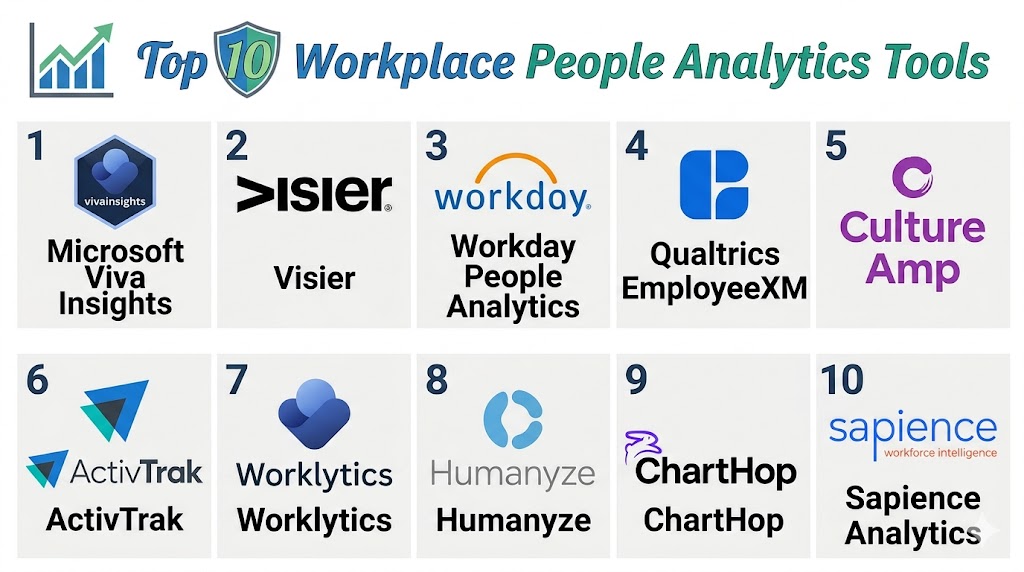
Top 10 Workplace People Analytics Tools
#1 — Visier
Short description: Visier is one of the most recognized people analytics platforms focused on workforce intelligence, predictive workforce planning, and employee analytics for enterprises and global organizations.
Key Features
- Workforce intelligence dashboards
- Predictive attrition analytics
- AI-powered workforce insights
- Diversity and inclusion reporting
- Organizational planning tools
- Benchmarking capabilities
- Executive workforce reporting
Pros
- Advanced workforce analytics depth
- Strong predictive capabilities
- Excellent enterprise scalability
Cons
- Enterprise-focused pricing
- Requires mature HR data infrastructure
- Complex deployment for smaller businesses
Platforms / Deployment
- Web / Mobile
- Cloud
Security & Compliance
Supports SSO/SAML, MFA, encryption, RBAC, audit controls, and enterprise governance capabilities.
Integrations & Ecosystem
Visier integrates with enterprise HR and workforce management systems for centralized people intelligence.
- Workday
- SAP SuccessFactors
- Oracle HCM
- Microsoft Teams
- Payroll systems
- APIs
Support & Community
Strong enterprise onboarding and implementation support resources.
#2 — Microsoft Viva Insights
Short description: Microsoft Viva Insights is a workplace analytics platform designed to provide productivity insights, collaboration analytics, employee wellbeing visibility, and workforce intelligence within the Microsoft ecosystem.
Key Features
- Collaboration analytics
- Employee wellbeing insights
- Productivity trend analysis
- Organizational network analytics
- AI-powered workplace recommendations
- Meeting and communication analytics
- Executive workforce dashboards
Pros
- Deep Microsoft ecosystem integration
- Strong collaboration analytics
- Good employee wellbeing visibility
Cons
- Best suited for Microsoft-centric organizations
- Privacy concerns require governance planning
- Advanced analytics may require premium licensing
Platforms / Deployment
- Web / Windows / macOS / iOS / Android
- Cloud
Security & Compliance
Supports MFA, SSO/SAML, encryption, RBAC, audit logs, and enterprise governance controls.
Integrations & Ecosystem
Viva Insights integrates deeply with Microsoft’s productivity and collaboration ecosystem.
- Microsoft Teams
- Outlook
- Microsoft 365
- Power BI
- Azure
- APIs
Support & Community
Strong enterprise documentation and large Microsoft partner ecosystem.
#3 — Workday People Analytics
Short description: Workday People Analytics is a workforce intelligence platform integrated into Workday’s ecosystem, helping organizations analyze workforce trends, employee engagement, and organizational planning metrics.
Key Features
- Workforce planning analytics
- Employee retention insights
- AI-powered workforce reporting
- Real-time dashboards
- Skills intelligence tracking
- Engagement analytics
- Executive workforce visibility
Pros
- Strong Workday ecosystem integration
- Unified workforce intelligence
- Enterprise-ready scalability
Cons
- Best suited for Workday customers
- Premium enterprise pricing
- Requires structured HR data management
Platforms / Deployment
- Web / Mobile
- Cloud
Security & Compliance
Supports MFA, SSO, encryption, RBAC, audit controls, and governance administration.
Integrations & Ecosystem
Workday People Analytics integrates deeply into Workday HCM and workforce ecosystems.
- Workday HCM
- Payroll systems
- Collaboration platforms
- ERP systems
- HR systems
- APIs
Support & Community
Comprehensive enterprise onboarding and implementation support.
#4 — Qualtrics EmployeeXM
Short description: Qualtrics EmployeeXM is an employee experience and workforce analytics platform focused on engagement measurement, sentiment analysis, and organizational workforce intelligence.
Key Features
- Employee engagement analytics
- AI-powered sentiment analysis
- Workforce experience dashboards
- Predictive workforce insights
- Continuous employee feedback
- Benchmarking and trend analysis
- Organizational health reporting
Pros
- Strong workforce sentiment analysis
- Advanced analytics capabilities
- Excellent enterprise scalability
Cons
- Enterprise-focused complexity
- Premium pricing structure
- Requires strategic survey planning
Platforms / Deployment
- Web / Mobile
- Cloud
Security & Compliance
Supports SSO/SAML, MFA, encryption, RBAC, audit logs, and governance controls.
Integrations & Ecosystem
Qualtrics integrates with enterprise HR and productivity ecosystems.
- SAP SuccessFactors
- Workday
- Slack
- Microsoft Teams
- Salesforce
- APIs
Support & Community
Strong enterprise customer success and onboarding support.
#5 — Tableau Workforce Analytics
Short description: Tableau is a business intelligence and workforce analytics platform used by organizations to visualize employee data, workforce trends, and operational people metrics.
Key Features
- Workforce analytics dashboards
- Interactive workforce reporting
- Predictive analytics visualization
- Collaboration analytics support
- Data blending capabilities
- Executive workforce dashboards
- Real-time reporting environments
Pros
- Excellent dashboard customization
- Strong visualization capabilities
- Broad analytics flexibility
Cons
- Requires analytics expertise
- Not HR-specific by default
- Workforce modeling requires customization
Platforms / Deployment
- Web / Windows / macOS / Mobile
- Cloud / Hybrid
Security & Compliance
Supports MFA, SSO, encryption, RBAC, and governance administration controls.
Integrations & Ecosystem
Tableau integrates with workforce systems, databases, and enterprise analytics environments.
- Workday
- SAP
- Oracle
- Databases
- Salesforce
- APIs
Support & Community
Large analytics community and extensive training ecosystem.
#6 — Crunchr
Short description: Crunchr is a people analytics platform focused on workforce intelligence, organizational planning, and automated workforce reporting for HR leaders and executives.
Key Features
- Workforce analytics dashboards
- Predictive workforce insights
- Organizational planning support
- Diversity reporting
- Automated workforce reporting
- Executive analytics visibility
- Benchmarking capabilities
Pros
- HR-focused analytics environment
- Strong organizational planning support
- Good reporting usability
Cons
- Smaller ecosystem than larger vendors
- Enterprise-focused pricing
- Limited broader business intelligence functionality
Platforms / Deployment
- Web / Mobile
- Cloud
Security & Compliance
Supports MFA, SSO, encryption, RBAC, and governance controls.
Integrations & Ecosystem
Crunchr integrates with workforce management and HR systems.
- Workday
- SAP SuccessFactors
- Oracle HCM
- Payroll systems
- HR systems
- APIs
Support & Community
Strong onboarding guidance and practical support services.
#7 — One Model
Short description: One Model is a workforce intelligence platform designed to centralize HR data, automate workforce analytics, and support predictive people intelligence initiatives.
Key Features
- Centralized HR data management
- Predictive workforce analytics
- Workforce benchmarking
- AI-powered insights
- Custom workforce dashboards
- Executive reporting tools
- Workforce planning support
Pros
- Strong predictive analytics
- Flexible workforce data modeling
- Good enterprise scalability
Cons
- Requires analytics expertise
- Complex enterprise deployments
- Premium pricing structure
Platforms / Deployment
- Web / Mobile
- Cloud
Security & Compliance
Supports SSO, MFA, encryption, RBAC, audit logs, and governance administration.
Integrations & Ecosystem
One Model integrates with enterprise workforce and analytics environments.
- Workday
- SAP
- Oracle HCM
- Payroll systems
- Business intelligence tools
- APIs
Support & Community
Strong enterprise onboarding and implementation guidance.
#8 — ChartHop
Short description: ChartHop is a people operations and workforce visibility platform focused on organizational planning, employee analytics, and workforce visualization.
Key Features
- Organizational chart visualization
- Workforce planning dashboards
- Compensation analytics
- Employee engagement visibility
- Diversity reporting
- Workforce scenario planning
- Headcount management
Pros
- Excellent organizational visualization
- Modern interface design
- Strong workforce planning usability
Cons
- Smaller analytics depth than enterprise platforms
- Limited predictive workforce capabilities
- Growing ecosystem compared to larger vendors
Platforms / Deployment
- Web / iOS / Android
- Cloud
Security & Compliance
Supports MFA, SSO, encryption, and administrative governance controls.
Integrations & Ecosystem
ChartHop integrates with workforce management and people operations systems.
- Workday
- BambooHR
- Greenhouse
- Slack
- Payroll systems
- APIs
Support & Community
Responsive onboarding support and customer success resources.
#9 — SAP SuccessFactors Workforce Analytics
Short description: SAP SuccessFactors Workforce Analytics is an enterprise workforce reporting and people intelligence platform designed for strategic workforce planning and HR analytics.
Key Features
- Workforce planning analytics
- Employee lifecycle reporting
- Predictive workforce insights
- Organizational benchmarking
- Diversity and inclusion analytics
- Executive workforce dashboards
- Strategic workforce planning
Pros
- Strong enterprise workforce reporting
- Broad HR ecosystem integration
- Good global workforce support
Cons
- Complex enterprise implementation
- Requires experienced administration
- Premium enterprise pricing
Platforms / Deployment
- Web / Mobile
- Cloud
Security & Compliance
Supports MFA, SSO, encryption, RBAC, audit logs, and governance administration.
Integrations & Ecosystem
SuccessFactors integrates deeply into SAP enterprise and HR ecosystems.
- SAP ERP
- SAP HCM
- Collaboration systems
- Payroll platforms
- HR systems
- APIs
Support & Community
Strong enterprise support and global implementation ecosystem.
#10 — Power BI Workforce Analytics
Short description: Power BI Workforce Analytics is a customizable workforce intelligence environment built on Microsoft’s analytics platform for employee reporting and workforce visualization.
Key Features
- Workforce analytics dashboards
- Productivity reporting
- Employee trend visualization
- AI-powered reporting
- Real-time workforce monitoring
- Executive workforce dashboards
- Automated reporting workflows
Pros
- Strong Microsoft ecosystem integration
- Flexible dashboard customization
- Competitive value for Microsoft customers
Cons
- Requires analytics expertise
- Not HR-specific by default
- Workforce analytics require setup customization
Platforms / Deployment
- Web / Windows / Mobile
- Cloud / Hybrid
Security & Compliance
Supports SSO/SAML, MFA, encryption, RBAC, audit logs, and governance controls.
Integrations & Ecosystem
Power BI integrates with workforce systems and enterprise analytics environments.
- Microsoft 365
- Azure
- Workday
- SAP
- Databases
- APIs
Support & Community
Strong Microsoft documentation and broad analytics community support.
Comparison Table
| Tool Name | Best For | Platforms Supported | Deployment | Standout Feature | Public Rating |
|---|---|---|---|---|---|
| Visier | Enterprise workforce intelligence | Web, Mobile | Cloud | Predictive workforce analytics | N/A |
| Microsoft Viva Insights | Collaboration analytics | Web, Desktop, Mobile | Cloud | Productivity and wellbeing insights | N/A |
| Workday People Analytics | Workday-based enterprises | Web, Mobile | Cloud | Unified workforce intelligence | N/A |
| Qualtrics EmployeeXM | Employee sentiment analysis | Web, Mobile | Cloud | Workforce experience analytics | N/A |
| Tableau Workforce Analytics | Workforce data visualization | Web, Desktop, Mobile | Cloud / Hybrid | Interactive workforce dashboards | N/A |
| Crunchr | Workforce planning | Web, Mobile | Cloud | HR-focused analytics design | N/A |
| One Model | Predictive workforce intelligence | Web, Mobile | Cloud | Centralized HR data modeling | N/A |
| ChartHop | Organizational planning visibility | Web, Mobile | Cloud | Organizational visualization | N/A |
| SAP SuccessFactors Workforce Analytics | Enterprise workforce reporting | Web, Mobile | Cloud | Strategic workforce planning | N/A |
| Power BI Workforce Analytics | Microsoft-based analytics | Web, Desktop, Mobile | Cloud / Hybrid | Flexible workforce reporting | N/A |
Evaluation & Scoring of Workplace People Analytics Tools
| Tool Name | Core 25% | Ease 15% | Integrations 15% | Security 10% | Performance 10% | Support 10% | Value 15% | Weighted Total |
|---|---|---|---|---|---|---|---|---|
| Visier | 9.5 | 8.0 | 9.0 | 9.0 | 9.0 | 9.0 | 7.5 | 8.9 |
| Microsoft Viva Insights | 8.5 | 8.5 | 9.5 | 9.0 | 8.5 | 8.5 | 8.5 | 8.7 |
| Workday People Analytics | 9.0 | 8.0 | 9.0 | 9.0 | 9.0 | 9.0 | 7.5 | 8.7 |
| Qualtrics EmployeeXM | 9.0 | 7.5 | 8.5 | 9.0 | 8.5 | 8.5 | 7.5 | 8.4 |
| Tableau Workforce Analytics | 8.5 | 7.5 | 9.0 | 8.5 | 8.5 | 8.0 | 8.0 | 8.3 |
| Crunchr | 8.0 | 8.0 | 8.0 | 8.0 | 8.0 | 8.0 | 8.0 | 8.0 |
| One Model | 8.5 | 7.5 | 8.5 | 8.5 | 8.5 | 8.5 | 7.0 | 8.2 |
| ChartHop | 7.5 | 8.5 | 7.5 | 8.0 | 8.0 | 8.0 | 8.5 | 7.9 |
| SAP SuccessFactors Workforce Analytics | 9.0 | 7.5 | 9.0 | 9.0 | 8.5 | 8.5 | 7.0 | 8.5 |
| Power BI Workforce Analytics | 8.5 | 8.0 | 9.0 | 8.5 | 8.5 | 8.5 | 8.5 | 8.5 |
These scores are comparative and designed to help organizations evaluate workplace analytics platforms based on operational priorities. Enterprise-focused tools generally perform better in predictive analytics, governance, and scalability, while visualization-focused platforms often provide greater reporting flexibility and customization. Organizations should align platform selection with workforce data maturity, analytics expertise, and long-term people intelligence strategies.
Which Workplace People Analytics Tool Is Right for You?
Solo / Freelancer
Solo professionals generally do not require advanced people analytics platforms, but lightweight workforce reporting tools may still help small distributed teams and contractor management workflows.
SMB
Small and medium businesses often prioritize usability, affordability, and workforce visibility. ChartHop and Power BI Workforce Analytics are practical SMB-friendly choices.
Mid-Market
Mid-market organizations typically require scalable workforce reporting, collaboration analytics, and workforce planning capabilities. Crunchr, Tableau, and Microsoft Viva Insights are strong options.
Enterprise
Large enterprises usually prioritize predictive analytics, governance, integrations, and workforce intelligence depth. Visier, Workday People Analytics, and SAP SuccessFactors Workforce Analytics are strong enterprise-focused platforms.
Budget vs Premium
Budget-conscious organizations may prefer Power BI or Tableau-based workforce analytics environments, while enterprises requiring advanced predictive workforce intelligence may benefit more from Visier or Qualtrics EmployeeXM.
Feature Depth vs Ease of Use
ChartHop and Viva Insights focus strongly on usability and workforce visibility, while Visier and One Model provide deeper enterprise workforce intelligence functionality.
Integrations & Scalability
Microsoft Viva Insights performs strongly in Microsoft-centric environments, while Workday and SAP analytics platforms integrate deeply into enterprise HR ecosystems.
Security & Compliance Needs
Organizations with stronger governance and compliance requirements should prioritize Visier, Workday People Analytics, SAP SuccessFactors Workforce Analytics, and One Model due to stronger enterprise administrative controls.
Frequently Asked Questions FAQs
1. What are Workplace People Analytics Tools?
Workplace People Analytics Tools are workforce intelligence platforms that help organizations analyze employee behavior, productivity trends, engagement levels, and workforce performance using data-driven insights.
2. Why are people analytics important?
People analytics help organizations improve workforce planning, employee engagement, retention, productivity, and organizational decision-making through actionable workforce intelligence.
3. What is predictive workforce analytics?
Predictive workforce analytics uses historical and real-time employee data to forecast trends such as employee turnover, productivity changes, and workforce planning needs.
4. Are these tools suitable for small businesses?
Some platforms are suitable for SMBs, especially visualization-focused and lightweight analytics tools. Advanced enterprise platforms may be more appropriate for larger organizations.
5. What features should buyers prioritize?
Organizations should evaluate predictive analytics, workforce reporting, integrations, collaboration analytics, AI-powered insights, and governance capabilities.
6. Why are integrations important in workplace analytics tools?
Integrations connect workforce intelligence with HR systems, collaboration tools, payroll platforms, and productivity environments for centralized organizational visibility.
7. Are AI capabilities becoming important in this category?
Yes. AI-powered workforce predictions, employee sentiment analysis, productivity insights, and workforce recommendations are becoming major differentiators.
8. What are common implementation mistakes?
Common mistakes include poor workforce data governance, unclear metrics, weak employee privacy planning, and insufficient executive adoption strategies.
9. Can workplace analytics improve employee retention?
Strong workforce analytics platforms can identify attrition risks, engagement challenges, and collaboration problems early, helping organizations improve retention proactively.
10. How long does implementation usually take?
Implementation timelines vary depending on workforce data complexity, integrations, governance requirements, and organizational scale. Enterprise deployments often require phased rollouts.
Conclusion
Workplace People Analytics Tools have become essential platforms for organizations seeking data-driven workforce optimization, employee engagement visibility, and predictive workforce intelligence. The right solution depends on operational priorities such as analytics depth, ecosystem integration, scalability, governance requirements, and collaboration insights. Visier and Workday People Analytics remain strong enterprise choices because of their predictive workforce intelligence capabilities, while Microsoft Viva Insights provides excellent collaboration and productivity analytics for Microsoft-centric organizations. Businesses looking for flexible workforce visualization may benefit from Tableau or Power BI Workforce Analytics, while organizations focused on organizational planning may prefer ChartHop or Crunchr. Rather than selecting platforms solely based on dashboard features, organizations should evaluate workforce data maturity, privacy governance readiness, integration compatibility, and long-term people intelligence strategy alignment. A practical next step is to shortlist a few platforms, run pilot workforce analytics projects, validate data integrations and reporting workflows, and measure organizational impact before full-scale deployment.