Introduction
Intranet platforms are private digital workplace environments designed to help employees communicate, collaborate, share knowledge, and access company resources from a centralized system. Modern intranet platforms go far beyond static company portals by combining employee communication, document management, workflow automation, social collaboration, and enterprise search into a unified workplace experience.
As organizations continue adopting hybrid and distributed work models, intranet platforms have become essential for maintaining productivity, internal alignment, and employee engagement. Businesses now use intranet solutions to centralize policies, announcements, training materials, HR resources, project collaboration, and company-wide communication. Modern platforms also include AI-powered search, personalized content delivery, employee engagement analytics, and workflow automation capabilities.
Real-world use cases include:
- Employee communication and announcements
- Centralized document and policy management
- Knowledge sharing and collaboration
- HR and onboarding portals
- Digital workplace and remote collaboration
Buyers should evaluate:
- Ease of deployment and usability
- Content and document management
- Employee communication capabilities
- Mobile accessibility
- Search and knowledge discovery
- Integration ecosystem
- Security and governance controls
- Workflow automation support
- Scalability and customization
- Analytics and engagement reporting
Best for: enterprises, hybrid workplaces, HR departments, internal communication teams, distributed organizations, and businesses needing centralized employee collaboration.
Not ideal for: very small businesses with simple communication needs, teams relying only on messaging apps, or organizations requiring highly specialized operational systems only.
Key Trends in Intranet Platforms
- AI-powered enterprise search and content discovery are becoming standard.
- Personalized employee experiences are improving workplace engagement.
- Mobile-first intranet access is increasingly important for distributed workforces.
- Workflow automation and low-code integrations are expanding rapidly.
- Social collaboration and employee engagement features are becoming core capabilities.
- Organizations are prioritizing governance and compliance management.
- Video communication and live engagement tools are becoming more integrated.
- Cloud-based intranet deployments continue replacing legacy systems.
- Knowledge management capabilities are becoming strategic priorities.
- Analytics-driven employee engagement insights are improving workplace optimization.
How We Selected These Tools
The platforms in this list were selected based on enterprise relevance, collaboration functionality, and digital workplace maturity.
- Market adoption and industry recognition
- Collaboration and communication depth
- Document and knowledge management capabilities
- Security and governance controls
- Integration ecosystem maturity
- Employee engagement functionality
- Mobile and remote workforce support
- Scalability across organization sizes
- AI and automation readiness
- Customer support and implementation quality
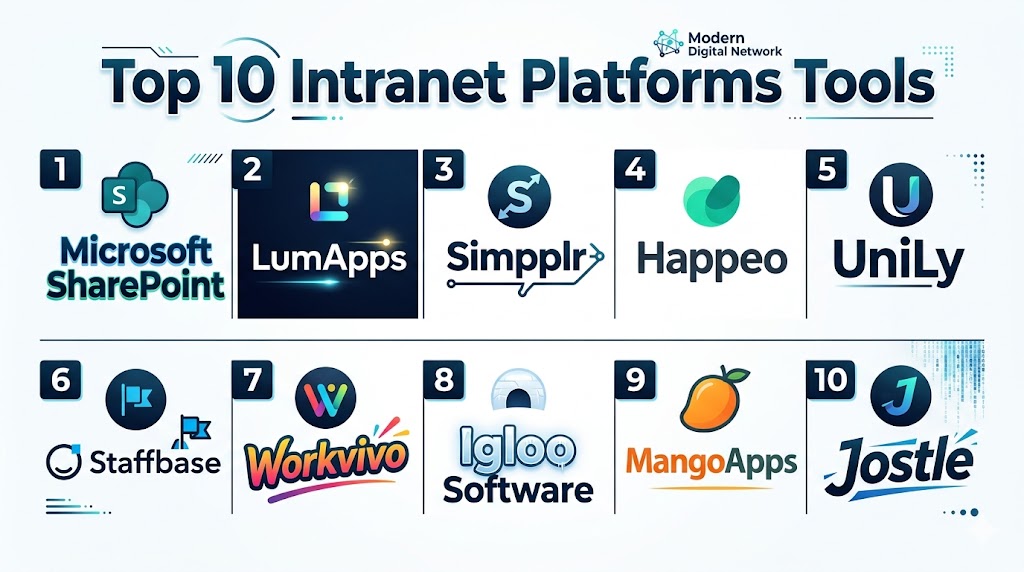
Top 10 Intranet Platforms Tools
#1 — Microsoft SharePoint
Short description: Microsoft SharePoint is one of the most widely adopted intranet and document collaboration platforms globally. It helps organizations build centralized digital workplaces, manage content, and support enterprise collaboration through deep Microsoft ecosystem integration.
Key Features
- Enterprise document management
- Team collaboration sites
- Workflow automation support
- Advanced permission controls
- AI-powered search capabilities
- Integration with Microsoft 365
- Custom intranet development
Pros
- Strong enterprise scalability
- Deep Microsoft integration
- Powerful document management
Cons
- Requires administrative expertise
- Can become complex to manage
- Customization may increase deployment costs
Platforms / Deployment
- Web / Windows / macOS / iOS / Android
- Cloud / Hybrid
Security & Compliance
Supports SSO/SAML, MFA, RBAC, encryption, audit logs, GDPR, SOC 2, and enterprise governance controls.
Integrations & Ecosystem
SharePoint integrates deeply into Microsoft’s productivity and enterprise infrastructure ecosystem.
- Microsoft Teams
- OneDrive
- Outlook
- Power Automate
- Power BI
- Microsoft 365
Support & Community
Extensive enterprise documentation, large implementation partner ecosystem, and global support availability.
#2 — LumApps
Short description: LumApps is a modern employee experience and intranet platform focused on communication, employee engagement, and digital workplace collaboration for enterprises and hybrid organizations.
Key Features
- Personalized employee experiences
- AI-powered content recommendations
- Enterprise communication tools
- Knowledge management capabilities
- Social collaboration features
- Mobile workforce support
- Analytics and engagement insights
Pros
- Strong employee engagement focus
- Modern interface design
- Excellent personalization capabilities
Cons
- Premium pricing for advanced capabilities
- Complex deployments for large organizations
- Advanced governance setup may require planning
Platforms / Deployment
- Web / iOS / Android
- Cloud
Security & Compliance
Supports SSO, MFA, encryption, RBAC, and enterprise governance controls.
Integrations & Ecosystem
LumApps integrates with leading workplace productivity and communication ecosystems.
- Google Workspace
- Microsoft 365
- Slack
- Salesforce
- Zoom
- APIs
Support & Community
Strong enterprise onboarding assistance and customer success resources.
#3 — Happeo
Short description: Happeo is a social intranet and digital workplace platform designed primarily for organizations using Google Workspace. It combines communication, collaboration, and employee engagement tools into a unified platform.
Key Features
- Social intranet channels
- Personalized employee feeds
- Google Workspace integration
- Knowledge sharing hubs
- Employee communication tools
- Mobile collaboration support
- Searchable company resources
Pros
- Excellent Google Workspace integration
- User-friendly interface
- Strong communication capabilities
Cons
- Best suited for Google-centric organizations
- Smaller ecosystem than larger vendors
- Limited self-hosting options
Platforms / Deployment
- Web / iOS / Android
- Cloud
Security & Compliance
Supports SSO, MFA, encryption, and administrative governance controls.
Integrations & Ecosystem
Happeo focuses heavily on productivity and communication integrations for collaborative workplaces.
- Google Drive
- Gmail
- Google Calendar
- Slack
- Zoom
- APIs
Support & Community
Strong onboarding support and growing digital workplace community.
#4 — Simpplr
Short description: Simpplr is an employee experience and intranet platform focused on internal communication, content personalization, and employee engagement within enterprise environments.
Key Features
- AI-powered content delivery
- Personalized employee experiences
- Internal communication feeds
- Knowledge management tools
- Mobile-first collaboration
- Employee engagement analytics
- Searchable information hubs
Pros
- Modern and intuitive interface
- Strong employee engagement features
- Good personalization capabilities
Cons
- Premium enterprise pricing
- Smaller integration ecosystem
- Advanced customization may require planning
Platforms / Deployment
- Web / iOS / Android
- Cloud
Security & Compliance
Supports SSO, MFA, encryption, and enterprise administrative controls.
Integrations & Ecosystem
Simpplr integrates with modern workplace productivity and collaboration systems.
- Microsoft 365
- Google Workspace
- Slack
- Salesforce
- Zoom
- APIs
Support & Community
Strong onboarding support and enterprise customer assistance.
#5 — Igloo Software
Short description: Igloo Software is a digital workplace platform focused on collaboration, internal communication, and knowledge management for enterprises and distributed teams.
Key Features
- Team collaboration workspaces
- Internal communication feeds
- Knowledge management
- Document sharing
- Employee directories
- Governance controls
- Community collaboration spaces
Pros
- Strong document collaboration
- Good communication organization
- Enterprise-ready governance
Cons
- Interface may feel less modern
- Smaller integration marketplace
- Limited advanced AI functionality
Platforms / Deployment
- Web / iOS / Android
- Cloud
Security & Compliance
Supports SSO, MFA, encryption, and governance administration controls.
Integrations & Ecosystem
Igloo supports workplace productivity and collaboration integrations.
- Microsoft 365
- Google Workspace
- Slack
- Salesforce
- Dropbox
- APIs
Support & Community
Reliable enterprise support and implementation guidance.
#6 — Unily
Short description: Unily is an enterprise intranet and employee experience platform designed for large organizations requiring advanced communication, personalization, and workplace collaboration capabilities.
Key Features
- Enterprise intranet management
- Personalized employee experiences
- Advanced communication tools
- Employee engagement analytics
- Knowledge management
- Mobile workforce support
- Workflow automation
Pros
- Strong enterprise scalability
- Advanced personalization features
- Comprehensive communication tools
Cons
- Premium enterprise pricing
- Deployment complexity for large organizations
- Requires governance planning
Platforms / Deployment
- Web / iOS / Android
- Cloud
Security & Compliance
Supports SSO, MFA, encryption, RBAC, and enterprise governance capabilities.
Integrations & Ecosystem
Unily integrates with enterprise productivity and communication ecosystems.
- Microsoft 365
- Google Workspace
- Salesforce
- ServiceNow
- Zoom
- APIs
Support & Community
Strong enterprise implementation and onboarding support.
#7 — MangoApps
Short description: MangoApps combines intranet functionality, employee communication, messaging, and collaboration into an all-in-one workplace platform for businesses of various sizes.
Key Features
- Integrated intranet platform
- Team collaboration spaces
- Employee communication feeds
- Knowledge management
- Workflow automation
- Mobile collaboration support
- Employee recognition tools
Pros
- Broad feature coverage
- Good employee communication tools
- Flexible workplace collaboration
Cons
- Interface may feel crowded
- Learning curve for new users
- Smaller global market presence
Platforms / Deployment
- Web / Windows / macOS / iOS / Android
- Cloud
Security & Compliance
Supports MFA, SSO, encryption, RBAC, and administrative controls.
Integrations & Ecosystem
MangoApps supports workplace productivity and communication integrations.
- Microsoft 365
- Google Workspace
- Salesforce
- Zoom
- Dropbox
- APIs
Support & Community
Comprehensive onboarding resources and practical support services.
#8 — Staffbase
Short description: Staffbase is an employee communication and intranet platform designed to improve workforce engagement, internal communication, and mobile employee experiences.
Key Features
- Mobile-first intranet platform
- Employee communication tools
- Company news feeds
- Content personalization
- Engagement analytics
- Employee apps
- Internal communication management
Pros
- Excellent mobile workforce support
- Strong communication features
- Good employee engagement tools
Cons
- Premium pricing structure
- Smaller collaboration ecosystem
- Less focused on advanced document management
Platforms / Deployment
- Web / iOS / Android
- Cloud
Security & Compliance
Supports SSO, MFA, encryption, and enterprise administration controls.
Integrations & Ecosystem
Staffbase integrates with workplace productivity and communication systems.
- Microsoft 365
- Google Workspace
- Teams
- Slack
- APIs
- HR systems
Support & Community
Strong enterprise customer support and onboarding guidance.
#9 — Jostle
Short description: Jostle is an employee engagement and intranet platform designed to improve workplace communication, company culture, and organizational collaboration.
Key Features
- Employee communication feeds
- Organizational announcements
- Team collaboration spaces
- Employee directories
- Knowledge sharing
- Engagement tracking
- Mobile collaboration support
Pros
- Simple and approachable interface
- Strong communication focus
- Good employee engagement capabilities
Cons
- Smaller enterprise ecosystem
- Limited advanced customization
- Fewer workflow automation features
Platforms / Deployment
- Web / iOS / Android
- Cloud
Security & Compliance
Supports encryption, MFA, SSO, and administrative controls.
Integrations & Ecosystem
Jostle supports collaboration and productivity integrations for workplace communication.
- Microsoft 365
- Google Workspace
- Slack
- Zoom
- APIs
- HR integrations
Support & Community
Practical onboarding support and customer assistance resources.
#10 — Axero
Short description: Axero is an intranet and knowledge management platform designed to help organizations improve collaboration, communication, and centralized content management.
Key Features
- Intranet collaboration hubs
- Knowledge management tools
- Team workspaces
- Social collaboration features
- Employee communication tools
- Workflow coordination
- Searchable company resources
Pros
- Strong knowledge management focus
- Flexible collaboration tools
- Good content organization capabilities
Cons
- Interface less modern than some competitors
- Smaller marketplace ecosystem
- Advanced customization may require expertise
Platforms / Deployment
- Web / iOS / Android
- Cloud / Hybrid
Security & Compliance
Supports SSO, MFA, encryption, RBAC, and governance administration capabilities.
Integrations & Ecosystem
Axero supports integrations for enterprise productivity and communication workflows.
- Microsoft 365
- Google Workspace
- Salesforce
- Dropbox
- APIs
- Collaboration tools
Support & Community
Strong customer onboarding and implementation guidance resources.
Comparison Table
| Tool Name | Best For | Platforms Supported | Deployment | Standout Feature | Public Rating |
|---|---|---|---|---|---|
| Microsoft SharePoint | Enterprise document collaboration | Web, Desktop, Mobile | Cloud / Hybrid | Enterprise content management | N/A |
| LumApps | Employee experience platforms | Web, Mobile | Cloud | Personalized employee engagement | N/A |
| Happeo | Google Workspace organizations | Web, Mobile | Cloud | Social intranet collaboration | N/A |
| Simpplr | Employee communication | Web, Mobile | Cloud | AI-powered employee experience | N/A |
| Igloo Software | Knowledge management | Web, Mobile | Cloud | Internal communication structure | N/A |
| Unily | Large enterprise intranets | Web, Mobile | Cloud | Enterprise personalization | N/A |
| MangoApps | All-in-one workplace collaboration | Web, Desktop, Mobile | Cloud | Broad collaboration feature set | N/A |
| Staffbase | Mobile workforce communication | Web, Mobile | Cloud | Mobile-first employee communication | N/A |
| Jostle | Employee engagement | Web, Mobile | Cloud | Simplicity and communication focus | N/A |
| Axero | Knowledge collaboration | Web, Mobile | Cloud / Hybrid | Knowledge management capabilities | N/A |
Evaluation & Scoring of Intranet Platforms
| Tool Name | Core 25% | Ease 15% | Integrations 15% | Security 10% | Performance 10% | Support 10% | Value 15% | Weighted Total |
|---|---|---|---|---|---|---|---|---|
| Microsoft SharePoint | 9.5 | 7.5 | 10 | 9.5 | 9.0 | 9.0 | 8.0 | 9.0 |
| LumApps | 8.5 | 8.5 | 8.5 | 8.5 | 8.5 | 8.5 | 7.5 | 8.4 |
| Happeo | 8.0 | 8.5 | 8.0 | 8.0 | 8.0 | 8.0 | 8.5 | 8.1 |
| Simpplr | 8.5 | 8.5 | 8.0 | 8.5 | 8.5 | 8.5 | 7.5 | 8.3 |
| Igloo Software | 7.5 | 7.5 | 7.0 | 8.0 | 8.0 | 7.5 | 8.0 | 7.7 |
| Unily | 9.0 | 8.0 | 8.5 | 9.0 | 8.5 | 8.5 | 7.0 | 8.5 |
| MangoApps | 8.0 | 7.5 | 7.5 | 8.0 | 8.0 | 7.5 | 8.5 | 7.9 |
| Staffbase | 8.0 | 8.5 | 7.5 | 8.0 | 8.0 | 8.0 | 8.0 | 8.0 |
| Jostle | 7.0 | 8.5 | 7.0 | 7.5 | 7.5 | 7.5 | 8.5 | 7.6 |
| Axero | 7.5 | 7.5 | 7.5 | 8.0 | 7.5 | 7.5 | 8.0 | 7.7 |
These scores are comparative and designed to help buyers evaluate platforms based on business priorities. Enterprise-focused platforms generally score higher in governance, scalability, and integrations, while SMB-focused platforms often perform better in simplicity and value. Organizations should evaluate operational fit, employee adoption potential, and ecosystem compatibility before making final decisions.
Which Intranet Platforms Tool Is Right for You?
Solo / Freelancer
Solo users typically do not require full intranet platforms. Lightweight collaboration or document-sharing tools are usually more practical for smaller independent workflows.
SMB
Small and medium businesses often prioritize affordability, onboarding simplicity, and employee communication. MangoApps, Jostle, and Happeo are practical SMB-friendly options.
Mid-Market
Mid-market organizations generally require scalable communication, workflow collaboration, and employee engagement features. LumApps, Simpplr, and Staffbase are strong choices in this segment.
Enterprise
Large enterprises typically prioritize governance, scalability, integrations, and advanced knowledge management. Microsoft SharePoint, Unily, and LumApps are strong enterprise-focused platforms.
Budget vs Premium
Budget-conscious organizations may prefer MangoApps or Jostle, while enterprises requiring advanced personalization, governance, and analytics may benefit from SharePoint or Unily.
Feature Depth vs Ease of Use
SharePoint provides extensive enterprise functionality but can require more administrative expertise. Happeo and Simpplr balance modern usability with strong collaboration capabilities.
Integrations & Scalability
SharePoint dominates Microsoft-centric environments, while Happeo performs strongly in Google Workspace ecosystems. Buyers should carefully evaluate long-term integration needs.
Security & Compliance Needs
Organizations with stronger governance and compliance requirements should prioritize SharePoint, Unily, LumApps, and Axero due to stronger administrative and security controls.
Frequently Asked Questions FAQs
1. What is an intranet platform?
An intranet platform is a private digital workplace used by organizations to centralize communication, collaboration, documents, resources, and employee engagement within a secure internal environment.
2. How are intranet platforms different from messaging apps?
Messaging apps focus mainly on real-time communication, while intranet platforms provide broader workplace capabilities such as document management, knowledge sharing, employee engagement, and centralized resources.
3. Are intranet platforms suitable for remote work?
Yes. Modern intranet platforms are designed to support hybrid and distributed workforces through centralized communication, mobile access, collaboration tools, and digital workplace experiences.
4. Which industries benefit most from intranet platforms?
Large enterprises, healthcare organizations, educational institutions, technology companies, financial services firms, and distributed organizations benefit significantly from intranet platforms.
5. What features should buyers prioritize?
Organizations should evaluate search functionality, document management, integrations, mobile accessibility, governance controls, employee engagement tools, and workflow automation capabilities.
6. Why are integrations important for intranet platforms?
Integrations allow employees to access productivity tools, HR systems, communication apps, and collaboration workflows directly from the intranet environment, improving efficiency.
7. Are AI capabilities becoming important in intranet platforms?
Yes. AI-powered search, personalized recommendations, automated summaries, and intelligent content discovery are improving workplace productivity and employee experiences.
8. What are common implementation mistakes?
Common mistakes include poor governance planning, outdated content management, weak onboarding strategies, and failing to encourage employee adoption.
9. Can intranet platforms replace traditional document systems?
Many modern intranet platforms now combine document management, collaboration, and knowledge-sharing features, reducing dependency on separate legacy systems.
10. How long does deployment usually take?
Deployment timelines depend on organization size, integrations, governance requirements, and customization needs. Enterprise deployments generally require phased implementation strategies.
Conclusion
Intranet platforms have evolved into essential digital workplace solutions that help organizations improve communication, collaboration, employee engagement, and knowledge sharing. The best platform depends on operational priorities such as integration depth, governance requirements, employee experience goals, scalability, and deployment complexity. Microsoft SharePoint remains a dominant enterprise solution because of its document management and ecosystem integration capabilities, while platforms like LumApps, Simpplr, and Happeo focus heavily on employee engagement and modern workplace experiences. Businesses seeking broader collaboration functionality may benefit from MangoApps or Unily, while organizations prioritizing communication simplicity may prefer Staffbase or Jostle. Rather than selecting platforms based solely on feature volume, businesses should evaluate long-term employee adoption, workflow compatibility, integration maturity, and governance requirements. A practical next step is to shortlist a few platforms, run pilot programs with internal teams, validate integrations and security controls, and measure employee engagement improvements before organization-wide deployment.