Introduction
Mobile Device Management (MDM) tools help organizations secure, configure, monitor, and manage smartphones, tablets, and mobile endpoints from a centralized console. These platforms are designed to give IT teams control over company-owned devices, BYOD programs, remote teams, and mobile applications while protecting business data.
As mobile workforces continue to expand, MDM has become essential for organizations that need secure access, policy enforcement, remote troubleshooting, and compliance controls. Whether employees use iPhones, Android devices, tablets, or rugged field hardware, MDM platforms simplify administration and reduce risk.
Common use cases include:
- Device enrollment and provisioning
- BYOD policy management
- Remote wipe and lost device actions
- App deployment and updates
- Kiosk mode for dedicated devices
- Security and compliance enforcement
- Remote troubleshooting and support
What buyers should evaluate:
- iOS and Android support quality
- Enrollment and zero-touch deployment
- App management features
- Security controls and compliance tools
- Ease of administration
- Kiosk and shared-device support
- Reporting and analytics
- Integration ecosystem
- Scalability
- Pricing flexibility
Best for: IT teams, enterprises, schools, logistics businesses, healthcare organizations, MSPs, and any company managing mobile fleets.
Not ideal for: Businesses with only a few unmanaged devices where built-in OS controls may be enough.
Key Trends in Mobile Device Management (MDM)
- Unified Endpoint Management replacing standalone MDM
- Zero-touch enrollment becoming standard
- AI-assisted policy remediation
- Stronger BYOD privacy controls
- App containerization and secure work profiles
- Identity-driven access management
- Kiosk mode growth in retail and logistics
- Real-time compliance monitoring
- Deeper Apple and Android enterprise integrations
- Cloud-first administration models
How We Selected These Tools (Methodology)
- Strong market presence and adoption
- Mobile-first feature depth
- Quality of iOS and Android support
- Security and compliance readiness
- Deployment simplicity
- Customer reputation signals
- Integration ecosystem strength
- Suitability for SMB to enterprise buyers
- Scalability for large fleets
- Overall value for cost
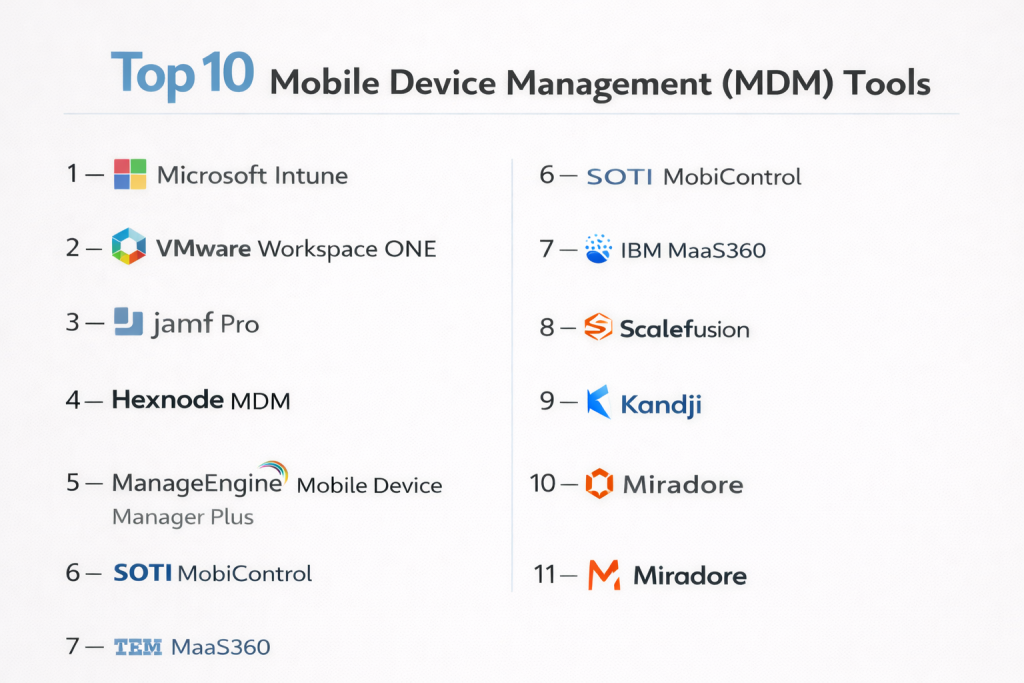
Top 10 Mobile Device Management (MDM) Tools
#1 — Microsoft Intune
Short description: A leading cloud-based MDM platform ideal for organizations already using Microsoft productivity and identity tools.
Key Features
- iOS and Android management
- App protection policies
- Conditional access controls
- Zero-touch enrollment
- Compliance enforcement
- Remote actions and wipe
- Reporting dashboards
Pros
- Excellent Microsoft ecosystem integration
- Strong security controls
- Great for hybrid organizations
Cons
- Best value inside Microsoft stack
- Licensing can be complex
Platforms / Deployment
Cloud
Security & Compliance
SSO, MFA, RBAC, audit logs, encryption
Integrations & Ecosystem
Strong connections across identity, productivity, and security environments.
- Microsoft 365
- Entra ID
- Defender
- APIs
Support & Community
Large ecosystem, mature documentation, enterprise-grade support.
#2 — VMware Workspace ONE
Short description: A premium enterprise mobility platform with powerful cross-platform management and access controls.
Key Features
- Unified mobile management
- Secure app delivery
- Identity-based access
- Compliance automation
- Multi-OS support
- Remote configuration
- Analytics tools
Pros
- Strong enterprise capabilities
- Excellent platform coverage
Cons
- Premium pricing
- Can require expert setup
Platforms / Deployment
Cloud / Hybrid
Security & Compliance
SSO, MFA, RBAC, audit logs
Integrations & Ecosystem
- Identity platforms
- Security suites
- Productivity tools
- APIs
Support & Community
Strong enterprise support model.
#3 — Jamf Pro
Short description: The leading Apple-focused MDM platform for organizations managing iPhone, iPad, and Mac fleets.
Key Features
- Apple device enrollment
- App lifecycle management
- Compliance templates
- Security baselines
- Patch workflows
- Inventory tracking
- Zero-touch provisioning
Pros
- Best Apple ecosystem support
- Strong admin experience
Cons
- Limited for non-Apple fleets
- Premium pricing
Platforms / Deployment
Cloud / Self-hosted
Security & Compliance
SSO, MFA, RBAC, audit logs
Integrations & Ecosystem
- Apple Business Manager
- Identity tools
- Security platforms
- APIs
Support & Community
Very strong Apple admin community.
#4 — Hexnode MDM
Short description: A flexible and cost-effective MDM platform suitable for SMBs and growing organizations.
Key Features
- iOS and Android management
- Kiosk mode
- Zero-touch enrollment
- App management
- Policy enforcement
- Remote actions
- Reporting tools
Pros
- Easy deployment
- Good pricing flexibility
- Strong kiosk support
Cons
- Less enterprise depth than top-tier vendors
- Smaller ecosystem
Platforms / Deployment
Cloud / On-prem
Security & Compliance
RBAC, MFA, encryption
Integrations & Ecosystem
- Identity tools
- Productivity apps
- APIs
Support & Community
Well-regarded support and onboarding.
#5 — ManageEngine Mobile Device Manager Plus
Short description: A practical MDM solution with strong cross-platform support and flexible deployment options.
Key Features
- Device enrollment
- App deployment
- Compliance rules
- Remote troubleshooting
- Kiosk mode
- Asset inventory
- Security actions
Pros
- Strong feature set for price
- Cloud and on-prem options
Cons
- UI can feel dated
- Advanced workflows need tuning
Platforms / Deployment
Cloud / On-prem
Security & Compliance
RBAC, encryption, audit logs
Integrations & Ecosystem
- ITSM tools
- Directory services
- APIs
Support & Community
Strong documentation and active user base.
#6 — SOTI MobiControl
Short description: A feature-rich MDM platform widely used in logistics, retail, and field operations.
Key Features
- Rugged device support
- Android advanced controls
- Remote support tools
- Kiosk management
- App deployment
- Compliance policies
- Multi-OS support
Pros
- Excellent for frontline operations
- Broad device compatibility
Cons
- Interface complexity
- Premium pricing possible
Platforms / Deployment
Cloud / On-prem
Security & Compliance
RBAC, MFA, audit logs
Integrations & Ecosystem
- Enterprise mobility tools
- APIs
- Operational systems
Support & Community
Strong enterprise support presence.
#7 — IBM MaaS360
Short description: A mature enterprise mobility solution with strong security and compliance focus.
Key Features
- Device enrollment
- Secure access controls
- Threat insights
- App management
- Compliance monitoring
- Remote actions
- Analytics dashboards
Pros
- Security-focused platform
- Good enterprise scalability
Cons
- UI may feel less modern
- Can be complex to optimize
Platforms / Deployment
Cloud
Security & Compliance
SSO, MFA, RBAC, audit logs
Integrations & Ecosystem
- Identity systems
- Security tools
- APIs
Support & Community
Enterprise support available.
#8 — Scalefusion
Short description: A user-friendly MDM platform ideal for SMBs, education, and kiosk deployments.
Key Features
- Device enrollment
- Kiosk mode
- App management
- Remote support
- Content distribution
- Policy management
- Multi-OS support
Pros
- Affordable and simple
- Strong kiosk capabilities
Cons
- Less enterprise depth
- Smaller ecosystem
Platforms / Deployment
Cloud
Security & Compliance
RBAC, MFA
Integrations & Ecosystem
- Identity tools
- APIs
- Productivity platforms
Support & Community
Responsive support and growing user base.
#9 — Kandji
Short description: A modern Apple-first MDM platform designed for secure Mac, iPhone, and iPad management.
Key Features
- Apple device lifecycle management
- Automated remediation
- Security templates
- Zero-touch deployment
- Patch automation
- App controls
- Compliance workflows
Pros
- Excellent Apple automation
- Strong user experience
Cons
- Apple-focused only
- Premium pricing
Platforms / Deployment
Cloud
Security & Compliance
SSO, MFA, RBAC, audit logs
Integrations & Ecosystem
- Apple ecosystem
- Security tools
- APIs
Support & Community
Strong customer experience.
#10 — Miradore
Short description: A lightweight cloud MDM platform popular with smaller businesses seeking simplicity.
Key Features
- Device enrollment
- App management
- Security policies
- Remote wipe
- Inventory management
- Compliance alerts
- Multi-platform support
Pros
- Easy to use
- Good SMB fit
Cons
- Less advanced than enterprise suites
- Limited complex automation
Platforms / Deployment
Cloud
Security & Compliance
RBAC, encryption
Integrations & Ecosystem
- APIs
- Basic integrations
Support & Community
Simple onboarding and practical support.
Comparison Table (Top 10)
| Tool Name | Best For | Platform(s) Supported | Deployment | Standout Feature | Public Rating |
|---|---|---|---|---|---|
| Microsoft Intune | Microsoft-first organizations | Web | Cloud | Conditional access | N/A |
| Workspace ONE | Enterprise mobility | Web | Cloud/Hybrid | Unified management | N/A |
| Jamf Pro | Apple fleets | Web | Cloud/Self-hosted | Apple specialization | N/A |
| Hexnode | SMB / Mid-market | Web | Cloud/On-prem | Kiosk mode | N/A |
| ManageEngine MDM | Value buyers | Web | Cloud/On-prem | Flexible deployment | N/A |
| SOTI MobiControl | Field operations | Web | Cloud/On-prem | Rugged device support | N/A |
| IBM MaaS360 | Security-focused enterprise | Web | Cloud | Threat controls | N/A |
| Scalefusion | SMB / Education | Web | Cloud | Device lockdown | N/A |
| Kandji | Apple-first companies | Web | Cloud | Apple automation | N/A |
| Miradore | Small business | Web | Cloud | Simplicity | N/A |
Evaluation & Scoring of Mobile Device Management (MDM)
| Tool Name | Core (25%) | Ease (15%) | Integrations (15%) | Security (10%) | Performance (10%) | Support (10%) | Value (15%) | Weighted Total |
|---|---|---|---|---|---|---|---|---|
| Microsoft Intune | 9 | 8 | 10 | 9 | 9 | 8 | 8 | 8.75 |
| Workspace ONE | 9 | 7 | 9 | 9 | 9 | 8 | 6 | 8.20 |
| Jamf Pro | 9 | 8 | 8 | 8 | 9 | 9 | 7 | 8.25 |
| Hexnode | 8 | 8 | 7 | 7 | 8 | 8 | 9 | 7.95 |
| ManageEngine | 8 | 8 | 7 | 7 | 8 | 8 | 9 | 8.00 |
| SOTI | 8 | 7 | 8 | 8 | 8 | 8 | 7 | 7.80 |
| IBM MaaS360 | 8 | 6 | 8 | 8 | 8 | 7 | 7 | 7.45 |
| Scalefusion | 7 | 8 | 6 | 7 | 7 | 8 | 9 | 7.45 |
| Kandji | 8 | 9 | 7 | 8 | 8 | 8 | 7 | 7.95 |
| Miradore | 7 | 9 | 6 | 7 | 7 | 7 | 9 | 7.50 |
These scores are comparative benchmarks to simplify vendor shortlisting. Higher scores may reflect stronger enterprise controls, not necessarily the best fit for every buyer. Smaller organizations often benefit more from ease of use and value than maximum feature depth.
Which Mobile Device Management (MDM) Tool Is Right for You?
Solo / Freelancer
If you manage only a few devices, Miradore or built-in platform tools may be enough.
SMB
Hexnode, ManageEngine, and Scalefusion provide strong value with easier deployment.
Mid-Market
Intune, Kandji, and SOTI offer better scalability and stronger controls.
Enterprise
Workspace ONE, Microsoft Intune, IBM MaaS360, and Jamf are ideal for complex environments.
Budget vs Premium
- Budget: Miradore, Scalefusion, Hexnode
- Premium: Workspace ONE, Jamf, Intune
Feature Depth vs Ease of Use
- Deep features: Intune, Workspace ONE, SOTI
- Easy to use: Kandji, Miradore, Scalefusion
Integrations & Scalability
- Best integrations: Intune, Workspace ONE, Jamf
- Best scalability: Intune, IBM MaaS360, Workspace ONE
Security & Compliance Needs
- High-security environments: Intune, IBM MaaS360, Jamf
- General business needs: Hexnode, ManageEngine, Scalefusion
Frequently Asked Questions (FAQs)
1. What is MDM?
MDM stands for Mobile Device Management. It helps businesses secure and control mobile devices such as phones and tablets from a central console.
2. Is MDM only for large enterprises?
No. SMBs also use MDM for security, remote setup, and easier device administration.
3. Does MDM support BYOD?
Yes. Many platforms support BYOD with privacy-focused work profiles and separation of personal/business data.
4. Can MDM remotely wipe lost phones?
Most modern MDM tools include remote wipe or lock features for lost or stolen devices.
5. Which operating systems are supported?
Usually iOS, iPadOS, Android, and sometimes Windows or macOS depending on the platform.
6. What is zero-touch enrollment?
It allows devices to be automatically configured and enrolled without manual IT setup.
7. Can MDM install apps remotely?
Yes. IT admins can deploy, update, or remove approved apps remotely.
8. Is MDM useful for schools?
Yes. Schools often use MDM for student tablets, kiosk mode, content restrictions, and app control.
9. How is pricing structured?
Pricing is typically based on number of devices, users, feature tiers, and support levels.
10. How should I choose the right MDM tool?
Start with device types, budget, security needs, and management complexity. Then test 2–3 shortlisted vendors.
Conclusion
Mobile Device Management is now a core requirement for organizations that rely on smartphones, tablets, and mobile-first workforces. The right platform can improve security, reduce IT workload, simplify onboarding, and keep devices compliant at scale. Enterprise buyers may prioritize integrations and advanced controls, while SMBs often need affordability and simplicity. Apple-focused organizations should consider specialist platforms, while mixed-device environments need broader coverage. There is no one-size-fits-all winner, only the best fit for your device strategy and operational needs. Shortlist a few options, run a pilot, and validate deployment, usability, and security controls before making a final decision.