Introduction
Enterprise Mobility Management (EMM) tools help organizations manage, secure, and support mobile devices, applications, content, and access across a distributed workforce. EMM goes beyond basic device control by combining mobile device management (MDM), mobile application management (MAM), identity controls, policy enforcement, and secure access capabilities into one centralized framework.
As businesses rely more on mobile workforces, remote teams, field employees, and BYOD programs, EMM platforms have become critical for maintaining productivity without compromising security. They allow IT teams to manage smartphones, tablets, laptops, and business apps while protecting corporate data.
Common use cases include:
- Mobile device enrollment and provisioning
- BYOD security management
- App deployment and lifecycle control
- Secure email and content access
- Remote wipe and lost device response
- Compliance and policy enforcement
- Identity-based access controls
What buyers should evaluate:
- iOS, Android, Windows, macOS support
- App management capabilities
- BYOD privacy controls
- Identity and access integrations
- Security and compliance features
- Ease of administration
- Reporting and analytics
- Scalability for global teams
- Deployment flexibility
- Licensing value
Best for: Enterprises, healthcare providers, financial services, logistics companies, education institutions, and organizations with mobile-first or hybrid workforces.
Not ideal for: Very small businesses with only a few unmanaged devices that can rely on lightweight device tools.
Key Trends in Enterprise Mobility Management (EMM)
- Unified Endpoint Management replacing standalone EMM suites
- Zero-trust access integrated into mobility tools
- AI-assisted compliance remediation
- Stronger privacy protections for BYOD users
- Secure app containers and work profiles
- Remote-first zero-touch onboarding
- Identity-centric mobile access control
- Real-time risk scoring for devices
- Deeper SaaS and collaboration integrations
- Automation-led policy enforcement
How We Selected These Tools (Methodology)
- Strong market adoption and enterprise trust
- Mature mobility management capabilities
- Multi-platform support quality
- Security and compliance readiness
- App and content management depth
- Integration ecosystem strength
- Scalability for large organizations
- Ease of administration
- Support reputation and documentation quality
- Overall value for cost
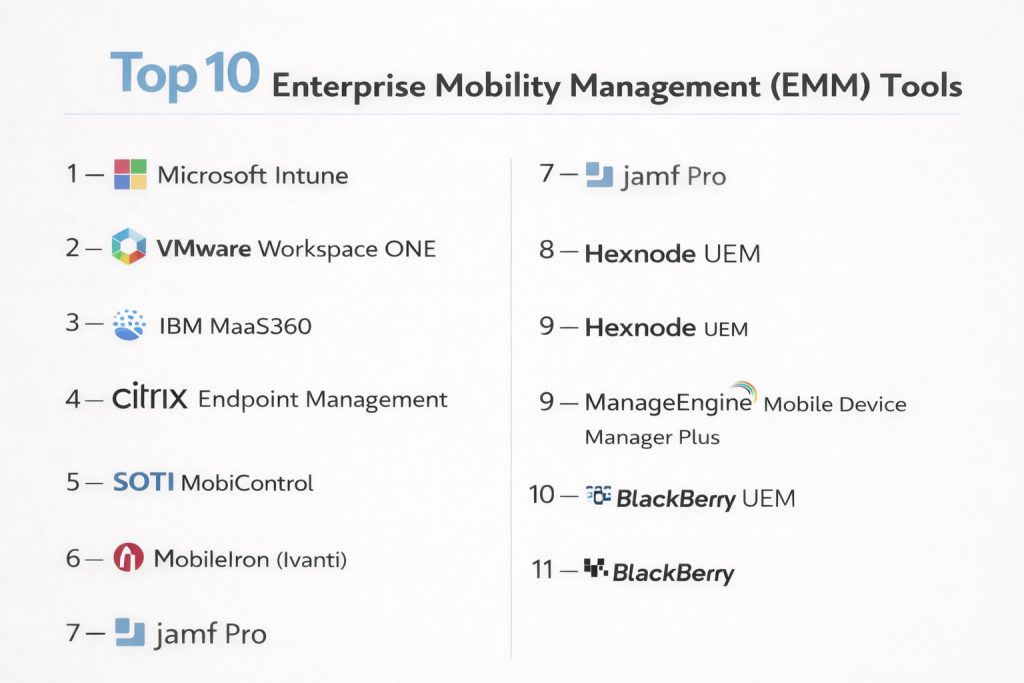
Top 10 Enterprise Mobility Management (EMM) Tools
#1 — Microsoft Intune
Short description: A leading cloud-based EMM platform ideal for organizations already using Microsoft identity, productivity, and security products.
Key Features
- Mobile device management
- App protection policies
- Conditional access
- BYOD controls
- Compliance automation
- Zero-touch enrollment
- Cross-platform support
Pros
- Excellent Microsoft ecosystem integration
- Strong security and access controls
- Scales well globally
Cons
- Best value within Microsoft stack
- Licensing complexity possible
Platforms / Deployment
Cloud
Security & Compliance
SSO, MFA, RBAC, audit logs, encryption
Integrations & Ecosystem
Strong integrations across identity and productivity environments.
- Microsoft 365
- Entra ID
- Defender
- APIs
Support & Community
Large enterprise ecosystem with strong documentation.
#2 — VMware Workspace ONE
Short description: A premium enterprise mobility suite focused on unified management, secure access, and digital workspace delivery.
Key Features
- Unified endpoint management
- Secure app delivery
- Identity-based access
- Analytics dashboards
- Cross-platform controls
- Policy automation
- Remote configuration
Pros
- Strong enterprise mobility depth
- Excellent platform coverage
Cons
- Premium pricing
- Can require specialist admins
Platforms / Deployment
Cloud / Hybrid
Security & Compliance
SSO, MFA, RBAC, audit logs
Integrations & Ecosystem
- Identity systems
- Security tools
- Productivity suites
- APIs
Support & Community
Strong enterprise support model.
#3 — IBM MaaS360
Short description: A mature EMM platform with strong security, analytics, and compliance features for regulated industries.
Key Features
- Device management
- Secure containerization
- Threat insights
- App lifecycle management
- Compliance reporting
- Identity integration
- Analytics dashboards
Pros
- Security-focused platform
- Good enterprise scale support
Cons
- Interface may feel dated
- Can need careful tuning
Platforms / Deployment
Cloud
Security & Compliance
SSO, MFA, RBAC, audit logs
Integrations & Ecosystem
- Identity tools
- Security platforms
- APIs
Support & Community
Reliable enterprise support.
#4 — Citrix Endpoint Management
Short description: A mobility platform ideal for organizations already using Citrix workspace and secure access products.
Key Features
- Mobile device management
- Secure app delivery
- Content collaboration controls
- Policy enforcement
- Remote actions
- Identity integration
- Analytics tools
Pros
- Strong secure workspace capabilities
- Good for Citrix customers
Cons
- Less attractive outside Citrix ecosystem
- Can be complex to optimize
Platforms / Deployment
Cloud / Hybrid
Security & Compliance
SSO, MFA, RBAC
Integrations & Ecosystem
- Citrix Workspace
- Identity tools
- APIs
Support & Community
Strong enterprise support channels.
#5 — SOTI MobiControl
Short description: A feature-rich EMM platform popular in logistics, retail, field services, and rugged device environments.
Key Features
- Rugged device support
- Advanced Android controls
- Kiosk mode
- Remote support
- App deployment
- Compliance controls
- Multi-OS support
Pros
- Excellent frontline device support
- Strong remote troubleshooting
Cons
- Interface complexity
- Pricing may rise with scale
Platforms / Deployment
Cloud / On-prem
Security & Compliance
RBAC, MFA, audit logs
Integrations & Ecosystem
- Operational systems
- APIs
- Enterprise mobility tools
Support & Community
Strong enterprise presence.
#6 — MobileIron (Ivanti)
Short description: A respected enterprise mobility platform now under Ivanti, focused on secure access and device control.
Key Features
- Device management
- Secure access controls
- Threat defense integrations
- App management
- Policy automation
- Compliance monitoring
- Multi-platform support
Pros
- Strong mobility heritage
- Good enterprise controls
Cons
- Product transitions may vary by customer
- Setup complexity possible
Platforms / Deployment
Cloud / Hybrid
Security & Compliance
SSO, MFA, RBAC
Integrations & Ecosystem
- Security tools
- Identity platforms
- APIs
Support & Community
Enterprise support available.
#7 — Jamf Pro
Short description: The best-known Apple-focused mobility management platform for iPhone, iPad, and Mac environments.
Key Features
- Apple enrollment automation
- App deployment
- Security baselines
- Inventory management
- Patch workflows
- BYOD support
- Compliance templates
Pros
- Best Apple ecosystem support
- Excellent admin experience
Cons
- Limited for mixed non-Apple fleets
- Premium pricing
Platforms / Deployment
Cloud / Self-hosted
Security & Compliance
SSO, MFA, RBAC, audit logs
Integrations & Ecosystem
- Apple Business Manager
- Security tools
- APIs
Support & Community
Large Apple admin community.
#8 — Hexnode UEM
Short description: A flexible and cost-effective mobility management platform for SMB and mid-market organizations.
Key Features
- Mobile device management
- Kiosk mode
- App controls
- BYOD policies
- Remote actions
- Content distribution
- Compliance tools
Pros
- Strong value for cost
- Easy deployment
Cons
- Less enterprise depth than top-tier suites
- Smaller ecosystem
Platforms / Deployment
Cloud / On-prem
Security & Compliance
RBAC, MFA, encryption
Integrations & Ecosystem
- Identity tools
- Productivity tools
- APIs
Support & Community
Responsive support and onboarding.
#9 — ManageEngine Mobile Device Manager Plus
Short description: A practical EMM platform offering solid features, flexible deployment, and good value.
Key Features
- Device enrollment
- App deployment
- Kiosk mode
- Remote support
- Security controls
- Reporting dashboards
- Multi-platform support
Pros
- Affordable and capable
- Cloud and on-prem options
Cons
- UI may feel dated
- Advanced automation limited vs premium tools
Platforms / Deployment
Cloud / On-prem
Security & Compliance
RBAC, encryption, audit logs
Integrations & Ecosystem
- ITSM tools
- Directory systems
- APIs
Support & Community
Strong documentation.
#10 — BlackBerry UEM
Short description: A security-focused enterprise mobility platform known for regulated industries and controlled environments.
Key Features
- Secure device management
- App containerization
- Identity controls
- Compliance enforcement
- Cross-platform support
- Secure communications integrations
- Policy automation
Pros
- Strong security reputation
- Good for regulated sectors
Cons
- Less mainstream adoption today
- May exceed SMB needs
Platforms / Deployment
Cloud / Self-hosted / Hybrid
Security & Compliance
SSO, MFA, RBAC, audit logs
Integrations & Ecosystem
- Secure communication tools
- Identity platforms
- APIs
Support & Community
Enterprise-grade support available.
Comparison Table (Top 10)
| Tool Name | Best For | Platform(s) Supported | Deployment | Standout Feature | Public Rating |
|---|---|---|---|---|---|
| Microsoft Intune | Microsoft-first organizations | Web | Cloud | Conditional access | N/A |
| Workspace ONE | Enterprise mobility | Web | Cloud/Hybrid | Unified workspace | N/A |
| IBM MaaS360 | Security-focused enterprise | Web | Cloud | Threat analytics | N/A |
| Citrix Endpoint Management | Citrix customers | Web | Cloud/Hybrid | Secure workspace | N/A |
| SOTI MobiControl | Field operations | Web | Cloud/On-prem | Rugged device support | N/A |
| MobileIron (Ivanti) | Enterprise security | Web | Cloud/Hybrid | Secure mobility | N/A |
| Jamf Pro | Apple fleets | Web | Cloud/Self-hosted | Apple specialization | N/A |
| Hexnode UEM | SMB / Mid-market | Web | Cloud/On-prem | Kiosk mode | N/A |
| ManageEngine MDM | Value buyers | Web | Cloud/On-prem | Flexible deployment | N/A |
| BlackBerry UEM | Regulated industries | Web | Cloud/Hybrid | Security focus | N/A |
Evaluation & Scoring of Enterprise Mobility Management (EMM)
| Tool Name | Core (25%) | Ease (15%) | Integrations (15%) | Security (10%) | Performance (10%) | Support (10%) | Value (15%) | Weighted Total |
|---|---|---|---|---|---|---|---|---|
| Microsoft Intune | 9 | 8 | 10 | 9 | 9 | 8 | 8 | 8.75 |
| Workspace ONE | 9 | 7 | 9 | 9 | 9 | 8 | 6 | 8.20 |
| IBM MaaS360 | 8 | 6 | 8 | 9 | 8 | 7 | 7 | 7.65 |
| Citrix Endpoint Management | 8 | 7 | 8 | 8 | 8 | 8 | 6 | 7.55 |
| SOTI MobiControl | 8 | 7 | 7 | 8 | 8 | 8 | 7 | 7.55 |
| MobileIron (Ivanti) | 8 | 7 | 8 | 8 | 8 | 8 | 7 | 7.70 |
| Jamf Pro | 9 | 8 | 8 | 8 | 9 | 9 | 7 | 8.25 |
| Hexnode UEM | 7 | 8 | 7 | 7 | 8 | 8 | 9 | 7.60 |
| ManageEngine MDM | 8 | 8 | 7 | 7 | 8 | 8 | 9 | 8.00 |
| BlackBerry UEM | 8 | 6 | 7 | 9 | 8 | 7 | 6 | 7.35 |
These scores are comparative benchmarks designed to simplify shortlisting. Higher scores often reflect enterprise depth and broader integrations, while smaller organizations may prioritize ease of use and value over maximum complexity.
Which Enterprise Mobility Management (EMM) Tool Is Right for You?
Solo / Freelancer
Most solo users do not need full EMM suites. Lightweight MDM tools or built-in platform controls may be enough.
SMB
Hexnode, ManageEngine, and Microsoft Intune offer strong functionality with manageable complexity.
Mid-Market
Jamf Pro, MobileIron (Ivanti), and SOTI balance security, control, and scalability.
Enterprise
Workspace ONE, Microsoft Intune, IBM MaaS360, and BlackBerry UEM suit large organizations with strict governance needs.
Budget vs Premium
- Budget: Hexnode, ManageEngine
- Premium: Workspace ONE, Jamf Pro, Intune
Feature Depth vs Ease of Use
- Deep features: Intune, Workspace ONE, IBM MaaS360
- Easy to use: Hexnode, Jamf, ManageEngine
Integrations & Scalability
- Best integrations: Intune, Workspace ONE, Citrix
- Best scalability: Intune, IBM MaaS360, Workspace ONE
Security & Compliance Needs
- High-security environments: BlackBerry UEM, Intune, IBM MaaS360
- General business needs: Hexnode, ManageEngine, SOTI
Frequently Asked Questions (FAQs)
1. What is EMM?
EMM stands for Enterprise Mobility Management. It combines device management, app management, access control, and security for business mobility.
2. How is EMM different from MDM?
MDM mainly focuses on devices. EMM adds app management, identity controls, content security, and broader enterprise workflows.
3. Is EMM only for large enterprises?
No. Mid-sized businesses and growing companies also benefit from secure mobile management and BYOD controls.
4. Does EMM support BYOD?
Yes. Most EMM tools include privacy-focused BYOD policies that separate work and personal data.
5. Can EMM manage laptops too?
Some modern platforms evolved into UEM solutions and support laptops, desktops, and mobile devices.
6. Is cloud deployment common?
Yes. Many EMM tools now prioritize cloud-first management for distributed workforces.
7. Can EMM improve compliance?
Yes. It helps enforce device policies, encryption, patching, and access rules required by many standards.
8. Which industries use EMM most?
Healthcare, finance, retail, logistics, education, and enterprise services commonly rely on EMM platforms.
9. How is pricing structured?
Pricing often depends on users, devices, feature modules, support levels, and deployment type.
10. How should I choose an EMM tool?
Start with device types, security needs, app management requirements, and budget. Then pilot 2–3 shortlisted options.
Conclusion
Enterprise Mobility Management has become essential for organizations that depend on secure mobile productivity across distributed teams. The right platform can simplify device operations, strengthen access controls, improve compliance, and reduce IT workload. Large enterprises may prioritize integrations and governance, while smaller teams often value simplicity and cost efficiency. Apple-first organizations may need specialist tools, while mixed environments benefit from broader platform support. There is no universal best choice—only the best fit for your workforce model and security priorities. Shortlist a few leading platforms, run a pilot, and validate usability, automation, and policy controls before making a final decision.