Introduction
Backup & Recovery Tools help organizations protect business data by creating copies of files, systems, virtual machines, databases, SaaS workloads, and cloud environments. If data is lost due to ransomware, accidental deletion, hardware failure, insider mistakes, or disasters, these tools help restore operations quickly.
Modern businesses rely heavily on digital systems, making downtime expensive and risky. Backup is no longer only about storing copies of files—it now includes cyber resilience, immutable storage, disaster recovery orchestration, ransomware detection, and rapid recovery workflows.
Common use cases include:
- Server and virtual machine backup
- Endpoint and laptop backup
- Microsoft 365 and SaaS backup
- Disaster recovery planning
- Ransomware recovery readiness
- Database and application protection
- Long-term archive retention
What buyers should evaluate:
- Recovery speed and RPO/RTO goals
- Cloud, hybrid, and on-prem support
- Immutable backup capabilities
- Ransomware protection features
- Ease of restore operations
- Storage efficiency and deduplication
- Scalability
- Compliance reporting
- Pricing model
- Vendor support quality
Best for: Enterprises, SMBs, MSPs, healthcare, finance, education, and any business that cannot afford data loss or downtime.
Not ideal for: Very small personal environments where simple consumer backup tools may be enough.
Key Trends in Backup & Recovery Tools
- Immutable backups becoming standard
- Ransomware detection built into backup workflows
- SaaS app backup demand growing rapidly
- Instant recovery for critical workloads
- Unified backup across cloud and on-prem systems
- AI-assisted anomaly detection
- Disaster recovery as a service expansion
- Usage-based cloud pricing models
- Cyber recovery vault strategies
- Automation-led recovery testing
How We Selected These Tools (Methodology)
- Strong market reputation and adoption
- Broad workload protection support
- Recovery speed and reliability reputation
- Security and ransomware resilience features
- Cloud and hybrid readiness
- Ease of deployment and management
- Integration ecosystem quality
- Suitability for SMB to enterprise buyers
- Support quality and documentation
- Overall value for cost
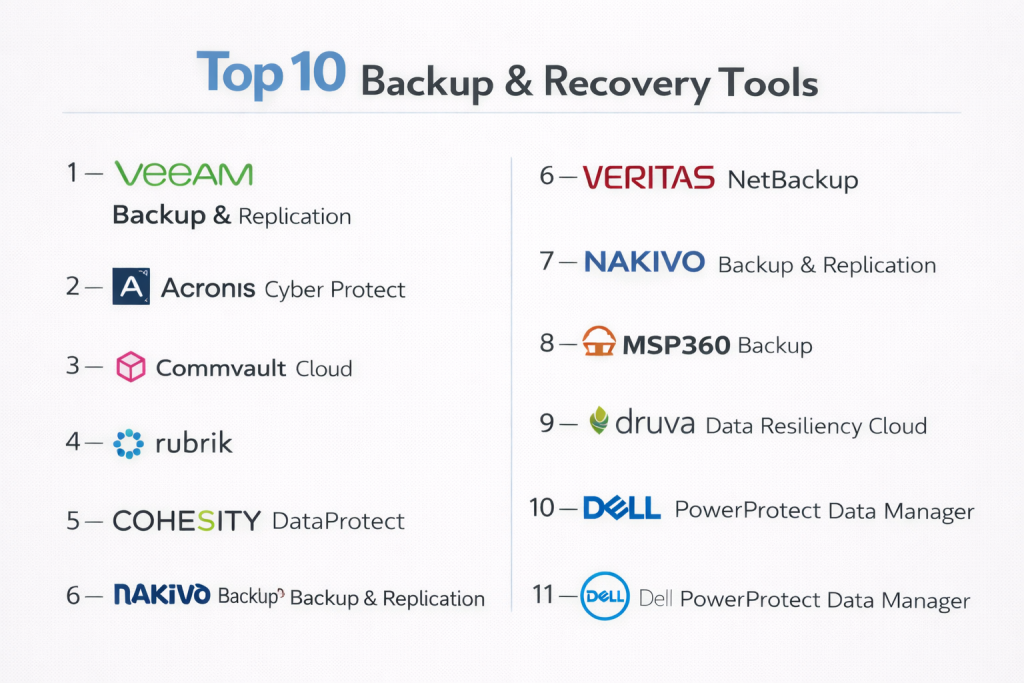
Top 10 Backup & Recovery Tools
#1 — Veeam Backup & Replication
Short description: One of the most widely used backup platforms for virtual, physical, cloud, and enterprise environments.
Key Features
- VM and server backup
- Instant recovery
- Immutable backup support
- Replication workflows
- Cloud integrations
- Granular restore options
- Monitoring ecosystem
Pros
- Strong recovery reputation
- Broad workload support
- Popular enterprise choice
Cons
- Licensing can be complex
- Advanced setups need planning
Platforms / Deployment
Cloud / On-prem / Hybrid
Security & Compliance
RBAC, MFA, encryption, audit logging
Integrations & Ecosystem
- VMware
- Hyper-V
- Cloud providers
- Storage vendors
- APIs
Support & Community
Large global community and strong partner ecosystem.
#2 — Acronis Cyber Protect
Short description: Combines backup, endpoint protection, and cyber resilience in one platform.
Key Features
- Endpoint backup
- Anti-malware integration
- Disk imaging
- Cloud backup
- Recovery automation
- Centralized console
- Ransomware defense tools
Pros
- Strong all-in-one approach
- Good SMB and MSP fit
Cons
- Broad feature set may feel busy
- Enterprise depth varies by use case
Platforms / Deployment
Cloud / On-prem / Hybrid
Security & Compliance
Encryption, MFA, RBAC
Integrations & Ecosystem
- Endpoint tools
- Cloud storage
- MSP workflows
- APIs
Support & Community
Strong channel ecosystem and practical support.
#3 — Commvault Cloud
Short description: Enterprise-grade data protection platform known for scale, governance, and broad workload support.
Key Features
- Multi-workload backup
- SaaS protection
- Policy automation
- Threat detection features
- Disaster recovery workflows
- Compliance controls
- Advanced reporting
Pros
- Excellent enterprise scale
- Broad feature depth
Cons
- Complex administration possible
- Premium pricing likely
Platforms / Deployment
Cloud / Hybrid / On-prem
Security & Compliance
RBAC, encryption, MFA, audit logs
Integrations & Ecosystem
- Databases
- Cloud platforms
- Virtualization stacks
- APIs
Support & Community
Strong enterprise support model.
#4 — Rubrik
Short description: A modern data protection platform focused on simplicity, security, and cyber recovery.
Key Features
- Immutable backup architecture
- Fast recovery workflows
- SaaS backup
- Threat analytics
- Policy automation
- Cloud archive support
- Centralized visibility
Pros
- Modern user experience
- Strong ransomware positioning
Cons
- Premium pricing
- Less budget-friendly for SMBs
Platforms / Deployment
Cloud / Hybrid
Security & Compliance
Encryption, MFA, RBAC, audit trails
Integrations & Ecosystem
- Microsoft 365
- Cloud platforms
- Virtualization tools
- APIs
Support & Community
Strong enterprise support reputation.
#5 — Cohesity DataProtect
Short description: A modern backup platform built for large-scale data management and rapid recovery.
Key Features
- Backup and recovery
- Immutable storage support
- Cloud archive tiering
- Disaster recovery workflows
- Global search
- SaaS protection
- Policy automation
Pros
- Strong scalability
- Efficient data management
Cons
- Enterprise-oriented pricing
- May exceed SMB needs
Platforms / Deployment
Cloud / Hybrid / On-prem
Security & Compliance
RBAC, MFA, encryption
Integrations & Ecosystem
- Cloud providers
- Virtual platforms
- SaaS apps
- APIs
Support & Community
Enterprise-grade support structure.
#6 — Veritas NetBackup
Short description: A long-established enterprise backup platform trusted in complex and regulated environments.
Key Features
- Broad workload coverage
- Policy-driven backup
- Disaster recovery support
- Tape and archive options
- Security features
- Reporting controls
- Large environment scale
Pros
- Proven enterprise history
- Strong complex-environment support
Cons
- Can feel legacy compared with newer tools
- Administration complexity possible
Platforms / Deployment
Cloud / On-prem / Hybrid
Security & Compliance
RBAC, encryption, audit logging
Integrations & Ecosystem
- Databases
- Enterprise apps
- Cloud storage
- APIs
Support & Community
Strong enterprise support presence.
#7 — Nakivo Backup & Replication
Short description: A cost-effective backup solution popular with SMBs and mid-sized organizations.
Key Features
- VM backup
- Replication
- Instant recovery
- Cloud backup options
- Ransomware safeguards
- NAS backup
- Reporting tools
Pros
- Strong value for cost
- Easy deployment
Cons
- Less enterprise breadth
- Smaller ecosystem than top vendors
Platforms / Deployment
Cloud / On-prem / Hybrid
Security & Compliance
Encryption, RBAC
Integrations & Ecosystem
- VMware
- Hyper-V
- NAS platforms
- APIs
Support & Community
Well-regarded support for SMB buyers.
#8 — MSP360 Backup
Short description: A flexible backup platform widely used by MSPs and SMBs for cloud-based protection.
Key Features
- Endpoint backup
- Server backup
- Cloud storage choice
- File-level restore
- Centralized management
- Multi-tenant controls
- Scheduling automation
Pros
- MSP-friendly model
- Flexible storage choices
Cons
- Less enterprise depth
- UI simplicity over advanced complexity
Platforms / Deployment
Cloud / Hybrid
Security & Compliance
Encryption, MFA, RBAC
Integrations & Ecosystem
- Major cloud storage vendors
- MSP workflows
- APIs
Support & Community
Good support and practical onboarding.
#9 — Druva Data Resiliency Cloud
Short description: A cloud-native backup and cyber recovery platform with strong SaaS and endpoint coverage.
Key Features
- SaaS backup
- Endpoint protection
- Cloud-native management
- Automated recovery workflows
- Compliance controls
- Threat monitoring
- Centralized reporting
Pros
- Strong cloud-first model
- Excellent SaaS coverage
Cons
- On-prem preferences may vary
- Premium pricing possible
Platforms / Deployment
Cloud
Security & Compliance
MFA, RBAC, encryption, audit logs
Integrations & Ecosystem
- Microsoft 365
- Google Workspace
- Endpoints
- APIs
Support & Community
Modern enterprise support model.
#10 — Dell PowerProtect Data Manager
Short description: An enterprise backup solution designed for modern workloads and Dell-aligned infrastructure environments.
Key Features
- VM and workload backup
- Policy automation
- Cyber recovery integrations
- Cloud tiering
- Centralized visibility
- Recovery workflows
- Enterprise scale support
Pros
- Strong enterprise infrastructure fit
- Reliable vendor ecosystem
Cons
- Best fit in Dell-oriented environments
- May exceed SMB needs
Platforms / Deployment
Cloud / Hybrid / On-prem
Security & Compliance
RBAC, encryption, MFA
Integrations & Ecosystem
- Dell ecosystem
- Cloud providers
- Virtualization platforms
- APIs
Support & Community
Strong enterprise vendor support.
Comparison Table (Top 10)
| Tool Name | Best For | Platform(s) Supported | Deployment | Standout Feature | Public Rating |
|---|---|---|---|---|---|
| Veeam | Broad enterprise use | Web | Hybrid | Instant recovery | N/A |
| Acronis | SMB / MSP | Web | Hybrid | Backup + security | N/A |
| Commvault | Enterprise scale | Web | Hybrid | Governance depth | N/A |
| Rubrik | Cyber resilience | Web | Cloud/Hybrid | Immutable design | N/A |
| Cohesity | Large environments | Web | Hybrid | Data management | N/A |
| Veritas NetBackup | Regulated enterprise | Web | Hybrid | Legacy enterprise depth | N/A |
| Nakivo | SMB / Mid-market | Web | Hybrid | Strong value | N/A |
| MSP360 | MSPs | Web | Cloud/Hybrid | Flexible storage | N/A |
| Druva | Cloud-first orgs | Web | Cloud | SaaS backup | N/A |
| Dell PowerProtect | Dell enterprises | Web | Hybrid | Infrastructure alignment | N/A |
Evaluation & Scoring of Backup & Recovery Tools
| Tool Name | Core (25%) | Ease (15%) | Integrations (15%) | Security (10%) | Performance (10%) | Support (10%) | Value (15%) | Weighted Total |
|---|---|---|---|---|---|---|---|---|
| Veeam | 9 | 8 | 9 | 9 | 9 | 9 | 8 | 8.70 |
| Acronis | 8 | 8 | 8 | 8 | 8 | 8 | 9 | 8.15 |
| Commvault | 9 | 7 | 9 | 9 | 9 | 8 | 6 | 8.10 |
| Rubrik | 9 | 9 | 8 | 9 | 9 | 8 | 6 | 8.25 |
| Cohesity | 9 | 8 | 8 | 9 | 9 | 8 | 6 | 8.05 |
| Veritas | 8 | 6 | 8 | 8 | 8 | 8 | 6 | 7.30 |
| Nakivo | 8 | 8 | 7 | 8 | 8 | 8 | 9 | 8.00 |
| MSP360 | 7 | 8 | 7 | 8 | 7 | 8 | 9 | 7.80 |
| Druva | 8 | 9 | 8 | 9 | 8 | 8 | 7 | 8.10 |
| Dell PowerProtect | 8 | 7 | 8 | 8 | 8 | 8 | 7 | 7.70 |
These scores are comparative benchmarks to help with shortlisting. Enterprise platforms often score higher in scale and governance, while SMB-focused tools may offer better value and simpler operations.
Which Backup & Recovery Tool Is Right for You?
Solo / Freelancer
Simple consumer backup tools may be enough unless you run business-critical workloads.
SMB
Acronis, Nakivo, and MSP360 offer strong value with manageable complexity.
Mid-Market
Veeam, Druva, and Rubrik provide stronger resilience with easier scaling.
Enterprise
Commvault, Cohesity, Rubrik, Veeam, and Veritas suit large complex environments.
Budget vs Premium
- Budget: Nakivo, MSP360, Acronis
- Premium: Rubrik, Commvault, Cohesity
Feature Depth vs Ease of Use
- Deep features: Commvault, Veeam, Veritas
- Easy to use: Rubrik, Druva, Acronis
Integrations & Scalability
- Best integrations: Veeam, Commvault, Rubrik
- Best scalability: Cohesity, Commvault, Veeam
Security & Compliance Needs
- High-security environments: Rubrik, Veeam, Commvault
- General business needs: Acronis, Nakivo, MSP360
Frequently Asked Questions (FAQs)
1. What is a backup tool?
It is software that creates copies of data and systems so they can be restored after loss, corruption, or cyberattack.
2. Why is backup important?
Without backup, hardware failure, ransomware, or accidental deletion can cause major downtime and permanent data loss.
3. What is recovery time objective?
It is the target time to restore systems after an outage or incident.
4. What is immutable backup?
Immutable backups cannot be changed or deleted for a defined period, helping resist ransomware attacks.
5. Can backup tools protect cloud apps?
Yes. Many tools now protect SaaS apps like Microsoft 365 and Google Workspace.
6. Are backup and disaster recovery the same?
No. Backup stores recoverable data, while disaster recovery focuses on restoring full business operations quickly.
7. How is pricing structured?
Usually by capacity, users, workloads, endpoints, or feature tier.
8. How often should backups run?
That depends on how much data loss your business can tolerate. Critical systems often need frequent backups.
9. Which industries need backup most?
All industries do, especially healthcare, finance, legal, education, and ecommerce.
10. How should I choose a backup tool?
Start with workloads, recovery targets, budget, security needs, and cloud strategy. Then pilot 2–3 vendors.
Conclusion
Backup and recovery tools are no longer optional—they are a core part of operational resilience and cyber defense. The right platform can reduce downtime, improve recovery confidence, and protect your organization from ransomware or accidental data loss. Enterprise buyers may prioritize scale, governance, and advanced automation, while SMBs often focus on simplicity and value. Cloud-first organizations may prefer SaaS-native tools, while hybrid environments need broader workload coverage. There is no universal best solution—only the right fit for your recovery goals and infrastructure strategy. Shortlist a few strong vendors, run restore tests, and validate real-world recovery performance before making a final commitment.