Introduction
Site search tools are technologies that allow users to search within a website or application to quickly find content, products, or information. Unlike general search engines, these tools are optimized for on-site navigation, relevance, and user experience.
Modern site search has evolved from simple keyword matching to AI-driven, intent-aware systems that deliver instant, personalized, and context-rich results. This is critical because users increasingly expect fast, accurate search experiences—many will leave a site if they cannot find what they need quickly.
Common Use Cases
- E-commerce product search
- Documentation and knowledge base search
- Blog and content discovery
- SaaS platform navigation
- Customer support portals
What Buyers Should Evaluate
- Search speed and latency
- AI relevance and semantic search
- Typo tolerance and autocomplete
- Customization and UI flexibility
- Integration with CMS or backend systems
- Analytics and insights
- Scalability for traffic and content
- Deployment model (API, cloud, self-hosted)
- Cost structure (usage-based vs fixed)
Best for: E-commerce businesses, SaaS companies, content-heavy websites, and enterprises needing advanced search experiences.
Not ideal for: Very small websites with minimal content where basic built-in search or static search libraries are sufficient.
Key Trends in Site Search Tools
- AI-powered semantic search replacing keyword-only matching
- Search-as-you-type experiences with instant results
- Personalization based on user behavior
- Conversational search interfaces (chat-style queries)
- Headless and API-first architectures
- Real-time indexing and updates
- Analytics-driven optimization for content gaps
- Voice and multimodal search support
- Edge-based and client-side search models for performance
- Hybrid search (vector + keyword) for better accuracy
How We Selected These Tools (Methodology)
The tools were selected based on:
- Market popularity and adoption
- Performance and speed benchmarks
- Feature completeness (AI, analytics, customization)
- Ease of implementation
- Integration ecosystem
- Scalability across industries
- Developer and non-developer usability
- Security and access control capabilities
- Community and support availability
- Suitability for both SMB and enterprise use cases
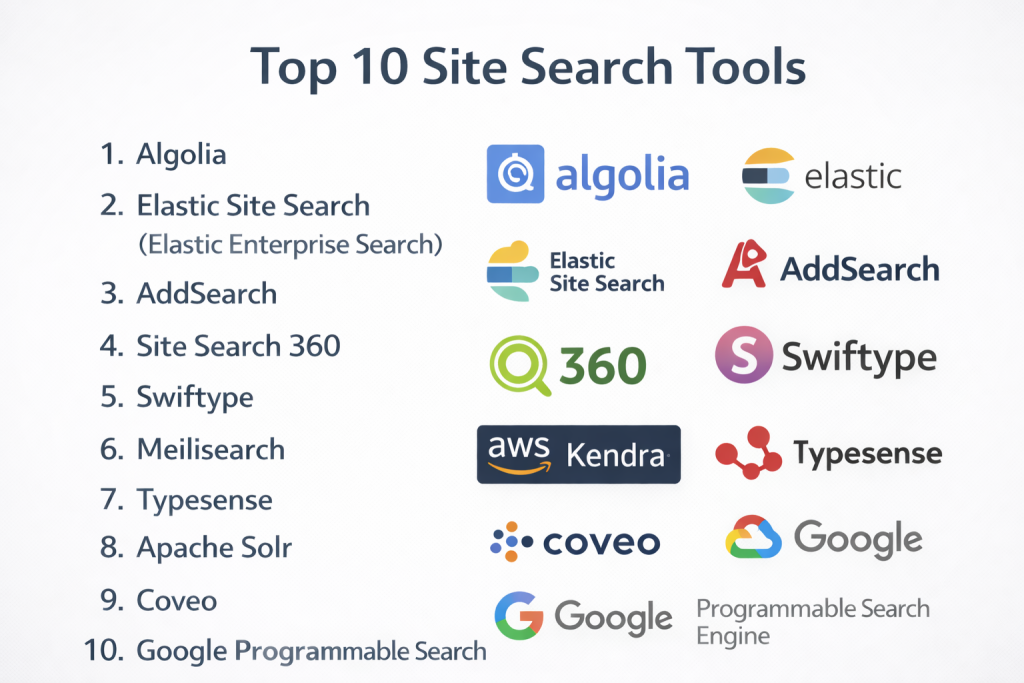
Top 10 Site Search Tools
#1 — Algolia
Short description: A leading search-as-a-service platform known for speed, AI relevance, and developer-friendly APIs.
Key Features
- Instant search-as-you-type
- AI-powered relevance and ranking
- Typo tolerance and autocomplete
- Real-time indexing
- Personalization engine
- Advanced analytics
Pros
- Extremely fast performance
- Highly customizable
Cons
- Can be expensive at scale
- Requires developer setup for advanced use
Platforms / Deployment
Web
Cloud / API-based
Security & Compliance
- Encryption, access control
- Additional compliance: Not publicly stated
Integrations & Ecosystem
Algolia integrates with a wide range of platforms and frameworks.
- E-commerce platforms
- CMS systems
- APIs and SDKs
- Developer tools
Support & Community
Strong global community and extensive documentation.
#2 — Elastic Site Search (Elastic Enterprise Search)
Short description: A powerful search solution built on Elasticsearch, offering scalability and enterprise-level capabilities.
Key Features
- Full-text search
- Custom ranking
- Analytics dashboard
- Scalable architecture
- Content crawling
- API integrations
Pros
- Highly scalable
- Strong analytics
Cons
- Requires configuration
- Learning curve
Platforms / Deployment
Web
Cloud / Self-hosted
Security & Compliance
- RBAC, encryption
- Additional compliance: Not publicly stated
Integrations & Ecosystem
Part of the Elastic ecosystem.
- Data pipelines
- APIs
- Observability tools
Support & Community
Large developer community and enterprise support.
#3 — AddSearch
Short description: A user-friendly site search tool with quick setup and strong customization options.
Key Features
- No-code setup
- Personalization
- Analytics
- Search UI customization
- Autocomplete
- Filtering
Pros
- Easy to implement
- Good for non-technical users
Cons
- Pricing may scale
- Limited deep customization
Platforms / Deployment
Web
Cloud
Security & Compliance
Not publicly stated
Integrations & Ecosystem
Supports integration with major platforms.
- CMS tools
- E-commerce platforms
- APIs
Support & Community
Strong customer support; moderate community.
#4 — Site Search 360
Short description: A flexible site search solution offering semantic search and visual customization tools.
Key Features
- Semantic search
- Multilingual support
- Query mapping
- Visual customization
- Analytics
- Search designer
Pros
- Easy customization
- Free tier available
Cons
- Learning curve for advanced features
- Performance may vary at scale
Platforms / Deployment
Web
Cloud
Security & Compliance
Not publicly stated
Integrations & Ecosystem
Integrates with website builders and CMS tools.
- CMS platforms
- APIs
Support & Community
Moderate support; growing user base.
#5 — Swiftype
Short description: A customizable site search solution designed for both SMB and enterprise use cases.
Key Features
- Advanced search analytics
- Custom ranking
- Autocomplete
- Content crawling
- API access
- Dashboard controls
Pros
- Strong customization
- Good analytics
Cons
- Can be expensive
- Requires setup
Platforms / Deployment
Web
Cloud
Security & Compliance
Not publicly stated
Integrations & Ecosystem
Part of Elastic ecosystem.
- CMS
- APIs
Support & Community
Enterprise-level support.
#6 — Meilisearch
Short description: An open-source, developer-friendly search engine focused on speed and simplicity.
Key Features
- Instant search
- Typo tolerance
- REST API
- Lightweight setup
- Relevance tuning
- Open-source flexibility
Pros
- Easy to deploy
- High performance
Cons
- Limited enterprise features
- Requires hosting
Platforms / Deployment
Web
Self-hosted
Security & Compliance
Not publicly stated
Integrations & Ecosystem
Developer-focused integrations.
- APIs
- SDKs
Support & Community
Active open-source community.
#7 — Typesense
Short description: A fast and open-source search engine designed as an alternative to Elasticsearch and Algolia.
Key Features
- Typo-tolerant search
- Real-time indexing
- Simple API
- Faceted search
- Lightweight architecture
Pros
- Easy to use
- Cost-effective
Cons
- Smaller ecosystem
- Limited enterprise tooling
Platforms / Deployment
Web
Self-hosted / Cloud
Security & Compliance
Not publicly stated
Integrations & Ecosystem
Growing ecosystem.
- APIs
- SDKs
Support & Community
Growing developer community.
#8 — Apache Solr
Short description: A mature open-source search platform built for scalability and advanced search features.
Key Features
- Full-text search
- Faceted search
- Distributed architecture
- Real-time indexing
- Query customization
Pros
- Highly scalable
- Flexible
Cons
- Complex setup
- Requires expertise
Platforms / Deployment
Web
Self-hosted
Security & Compliance
Not publicly stated
Integrations & Ecosystem
Extensive integration options.
- APIs
- Data systems
Support & Community
Strong open-source community.
#9 — Coveo
Short description: An AI-powered search platform focused on personalization and relevance across digital experiences.
Key Features
- AI-driven search relevance
- Personalization
- Analytics
- Recommendations
- Real-time indexing
Pros
- Strong AI capabilities
- Enterprise-ready
Cons
- Complex implementation
- Pricing varies
Platforms / Deployment
Web
Cloud
Security & Compliance
Not publicly stated
Integrations & Ecosystem
Enterprise integrations.
- CRM systems
- Support tools
- APIs
Support & Community
Enterprise-level support.
#10 — Google Programmable Search Engine
Short description: A customizable search solution powered by Google for indexing website content.
Key Features
- Easy setup
- Google-powered search
- Custom ranking
- Ad-supported options
- Basic analytics
Pros
- Simple to implement
- Familiar search experience
Cons
- Limited customization
- Dependency on Google ecosystem
Platforms / Deployment
Web
Cloud
Security & Compliance
Not publicly stated
Integrations & Ecosystem
Google ecosystem integrations.
- Web tools
- APIs
Support & Community
Basic support; widely used.
Comparison Table (Top 10)
| Tool Name | Best For | Platform(s) Supported | Deployment | Standout Feature | Public Rating |
|---|---|---|---|---|---|
| Algolia | AI search | Web | Cloud/API | Instant search speed | N/A |
| Elastic Site Search | Enterprise | Web | Cloud/Self-hosted | Scalability | N/A |
| AddSearch | SMBs | Web | Cloud | No-code setup | N/A |
| Site Search 360 | Custom search | Web | Cloud | Multilingual search | N/A |
| Swiftype | Customization | Web | Cloud | Analytics | N/A |
| Meilisearch | Developers | Web | Self-hosted | Lightweight speed | N/A |
| Typesense | Open-source | Web | Hybrid | Typo tolerance | N/A |
| Apache Solr | Large systems | Web | Self-hosted | Distributed search | N/A |
| Coveo | AI personalization | Web | Cloud | AI relevance | N/A |
| Google Programmable Search | Simplicity | Web | Cloud | Google-powered search | N/A |
Evaluation & Scoring of Site Search Tools
| Tool Name | Core (25%) | Ease (15%) | Integrations (15%) | Security (10%) | Performance (10%) | Support (10%) | Value (15%) | Weighted Total |
|---|---|---|---|---|---|---|---|---|
| Algolia | 9 | 8 | 9 | 7 | 10 | 8 | 7 | 8.5 |
| Elastic Site Search | 9 | 6 | 9 | 8 | 9 | 8 | 8 | 8.3 |
| AddSearch | 7 | 9 | 7 | 6 | 8 | 8 | 7 | 7.6 |
| Site Search 360 | 7 | 8 | 7 | 6 | 7 | 7 | 8 | 7.3 |
| Swiftype | 8 | 7 | 8 | 7 | 8 | 8 | 7 | 7.8 |
| Meilisearch | 7 | 8 | 6 | 6 | 9 | 7 | 9 | 7.6 |
| Typesense | 7 | 8 | 6 | 6 | 9 | 7 | 9 | 7.6 |
| Apache Solr | 8 | 5 | 7 | 7 | 9 | 8 | 9 | 7.8 |
| Coveo | 9 | 6 | 9 | 8 | 9 | 8 | 6 | 8.1 |
| Google Programmable Search | 6 | 9 | 6 | 6 | 8 | 7 | 8 | 7.2 |
How to interpret scores:
- Higher scores indicate better overall balance
- Open-source tools excel in value but require effort
- Enterprise tools score higher in integrations and scalability
- Choose based on your specific use case
Which Site Search Tool Is Right for You?
Solo / Freelancer
- Best options: Google Programmable Search, Meilisearch
- Focus on simplicity and cost
SMB
- Best options: AddSearch, Site Search 360
- Prioritize ease of use and quick setup
Mid-Market
- Best options: Algolia, Swiftype
- Balance between performance and customization
Enterprise
- Best options: Elastic Site Search, Coveo
- Focus on scalability and AI capabilities
Budget vs Premium
- Budget: Meilisearch, Typesense
- Premium: Algolia, Coveo
Feature Depth vs Ease of Use
- Advanced: Elastic, Solr
- Easy: AddSearch, Google
Integrations & Scalability
- Strong integrations: Algolia, Elastic
- Lightweight: Meilisearch
Security & Compliance Needs
- High requirements: Elastic, Coveo
- Basic needs: Google, AddSearch
Frequently Asked Questions (FAQs)
What is a site search tool?
A tool that enables users to search content within a website.
Why is site search important?
It improves user experience and increases engagement and conversions.
Are site search tools only for e-commerce?
No, they are used across blogs, SaaS apps, and documentation platforms.
How do AI-powered search tools work?
They use machine learning to understand intent and deliver relevant results.
Are these tools expensive?
Pricing varies from free open-source tools to enterprise-level subscriptions.
Can I build my own search?
Yes, but it requires significant development effort.
Do site search tools support integrations?
Most modern tools integrate with CMS, APIs, and SaaS platforms.
What are common mistakes?
Poor indexing, lack of relevance tuning, and ignoring analytics.
How long does implementation take?
From a few hours to several weeks depending on complexity.
Are open-source tools good enough?
Yes for many use cases, but they require technical expertise.
Conclusion
Site search tools have become a core part of modern digital experiences, directly impacting user satisfaction and business outcomes.