Introduction
Enterprise Content Management (ECM) tools are platforms designed to capture, manage, store, preserve, and deliver content and documents across an organization. Unlike basic document management systems, ECM solutions handle a broader range of content—including documents, emails, media files, records, and workflows—while ensuring governance, compliance, and lifecycle management.
As organizations scale and digital transformation accelerates, managing content efficiently becomes critical. ECM platforms help businesses reduce information silos, automate workflows, and maintain compliance with regulatory requirements while enabling secure collaboration across departments.
Common use cases include:
- Enterprise-wide document and records management
- Workflow automation and approvals
- Compliance and audit readiness
- Contract and content lifecycle management
- Knowledge management and content distribution
Key evaluation criteria:
- Content lifecycle management capabilities
- Workflow automation and process orchestration
- Metadata and taxonomy management
- Search and content retrieval
- Security and compliance controls
- Integration with enterprise systems (ERP, CRM)
- Scalability across departments
- Deployment flexibility (cloud, hybrid, on-premise)
- AI-driven content classification
- User experience and adoption
Best for: Large enterprises, regulated industries (finance, healthcare, legal), and organizations managing high volumes of structured and unstructured content.
Not ideal for: Small teams or individuals needing simple file storage or lightweight collaboration tools.
Key Trends in Enterprise Content Management (ECM)
- AI-driven content classification: Automated tagging, categorization, and extraction
- Content services platforms: Shift from monolithic ECM to modular services
- Cloud-first ECM: Increasing adoption of SaaS-based ECM solutions
- Compliance automation: Built-in retention policies and audit trails
- Low-code workflow automation: Business users can design workflows without coding
- Integration-first architecture: Deep integration with enterprise ecosystems
- Advanced search and analytics: AI-powered content discovery
- Hybrid deployment models: Combining cloud and on-premise environments
- Security-first design: Zero-trust architecture and granular access controls
- Omnichannel content delivery: Content accessible across multiple platforms
How We Selected These Tools (Methodology)
- Evaluated enterprise adoption and market leadership
- Assessed core ECM capabilities (capture, manage, store, deliver)
- Compared workflow automation and orchestration features
- Reviewed security and compliance readiness
- Analyzed integration ecosystems with enterprise tools
- Considered scalability across large organizations
- Evaluated ease of deployment and usability
- Included cloud-native and hybrid platforms
- Assessed innovation in AI and automation
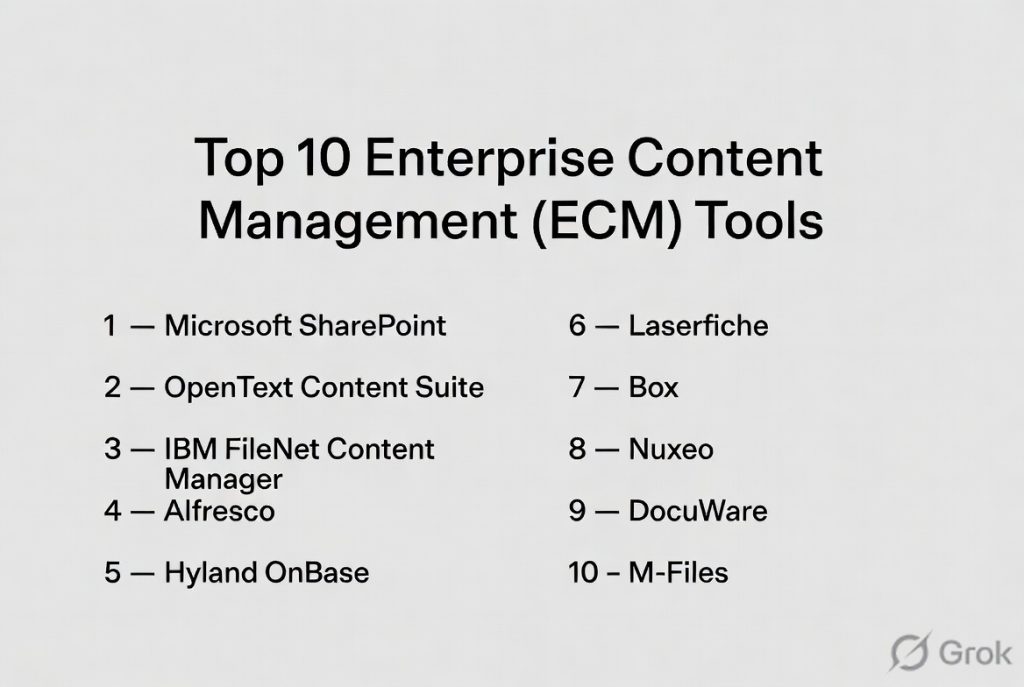
Top 10 Enterprise Content Management (ECM) Tools
#1 — Microsoft SharePoint
Short description: A leading ECM platform integrated with Microsoft 365, enabling content management, collaboration, and workflow automation at scale.
Key Features
- Document and content libraries
- Workflow automation via Power Automate
- Metadata tagging and search
- Version control and audit logs
- Integration with Office apps
- Permissions and access control
- Content publishing
Pros
- Deep integration with enterprise tools
- Highly scalable
Cons
- Requires governance planning
- Complex setup for large deployments
Platforms / Deployment
Web / Windows / macOS / Mobile
Cloud / Hybrid
Security & Compliance
SSO, MFA, encryption, RBAC
GDPR, ISO standards
Integrations & Ecosystem
- Microsoft Teams
- Outlook
- OneDrive
- Power Platform
Support & Community
Extensive enterprise support and global ecosystem.
#2 — OpenText Content Suite
Short description: A comprehensive ECM platform designed for large enterprises with advanced content lifecycle management.
Key Features
- Content lifecycle management
- Records management
- Workflow automation
- Compliance tracking
- Advanced search
- Content analytics
Pros
- Strong enterprise capabilities
- Compliance-focused
Cons
- Complex implementation
- High cost
Platforms / Deployment
Web / Windows
Cloud / On-premise
Security & Compliance
Access control, audit logs
Other certifications not publicly stated
Integrations & Ecosystem
- SAP
- Salesforce
- APIs
Support & Community
Enterprise-grade support with structured onboarding.
#3 — IBM FileNet Content Manager
Short description: A robust ECM solution focused on enterprise content and process automation.
Key Features
- Document and records management
- Workflow automation
- AI-powered classification
- Advanced search
- Content analytics
- Integration with IBM ecosystem
Pros
- Strong automation capabilities
- Enterprise-grade reliability
Cons
- Complex deployment
- Requires technical expertise
Platforms / Deployment
Web / Windows
Cloud / On-premise
Security & Compliance
Encryption, access control
Other certifications not publicly stated
Integrations & Ecosystem
- IBM Cloud
- APIs
- Enterprise systems
Support & Community
Strong enterprise support.
#4 — Alfresco
Short description: An open-source ECM platform offering flexible content services and workflow automation.
Key Features
- Content repository
- Workflow automation
- Metadata management
- Document versioning
- Open APIs
- Cloud and on-premise deployment
Pros
- Open-source flexibility
- Highly customizable
Cons
- Requires technical expertise
- Setup complexity
Platforms / Deployment
Web
Cloud / On-premise
Security & Compliance
Role-based access
Other details not publicly stated
Integrations & Ecosystem
- REST APIs
- Enterprise integrations
Support & Community
Active open-source community.
#5 — Hyland OnBase
Short description: An ECM platform focused on content services, workflow automation, and enterprise process management.
Key Features
- Document and records management
- Workflow automation
- Case management
- Content capture
- Integration tools
Pros
- Strong process automation
- Industry-specific solutions
Cons
- Complex setup
- Higher cost
Platforms / Deployment
Web / Windows
Cloud / On-premise
Security & Compliance
Access control, audit logs
Other certifications not publicly stated
Integrations & Ecosystem
- ERP systems
- CRM tools
Support & Community
Enterprise-focused support.
#6 — Laserfiche
Short description: An ECM and content automation platform designed for enterprise efficiency and compliance.
Key Features
- Workflow automation
- Records management
- Document indexing
- Analytics
- AI-powered classification
Pros
- Strong automation
- Compliance features
Cons
- Complex implementation
- Cost considerations
Platforms / Deployment
Web / Windows / Mobile
Cloud / On-premise
Security & Compliance
Audit logs, access control
Other certifications not publicly stated
Integrations & Ecosystem
- Business systems
- APIs
Support & Community
Enterprise support and training.
#7 — Box
Short description: A cloud-based content management platform focused on secure file sharing and collaboration.
Key Features
- Cloud content storage
- File sharing and collaboration
- Workflow automation
- Security controls
- API integrations
Pros
- Easy to use
- Strong cloud infrastructure
Cons
- Limited deep ECM capabilities
- Costs can scale
Platforms / Deployment
Web / Windows / macOS / iOS / Android
Cloud
Security & Compliance
SSO, encryption
SOC 2, GDPR
Integrations & Ecosystem
- Google Workspace
- Microsoft 365
- Salesforce
Support & Community
Large ecosystem and enterprise support.
#8 — Nuxeo
Short description: A modern ECM platform designed for managing complex digital assets and content workflows.
Key Features
- Content repository
- Workflow automation
- Digital asset management
- Metadata and taxonomy
- APIs
Pros
- Flexible architecture
- Strong for media and assets
Cons
- Requires customization
- Smaller ecosystem
Platforms / Deployment
Web
Cloud / On-premise
Security & Compliance
Access control
Other details not publicly stated
Integrations & Ecosystem
- APIs
- Custom integrations
Support & Community
Moderate enterprise support.
#9 — DocuWare
Short description: A cloud-based ECM platform focused on document workflows and automation.
Key Features
- Document storage
- Workflow automation
- Electronic signatures
- Indexing and search
- Secure sharing
Pros
- Scalable cloud solution
- Strong workflow tools
Cons
- Implementation complexity
- Pricing varies
Platforms / Deployment
Web / Mobile
Cloud
Security & Compliance
Encryption, access control
Other certifications not publicly stated
Integrations & Ecosystem
- ERP systems
- CRM tools
Support & Community
Enterprise support and onboarding.
#10 — M-Files
Short description: A metadata-driven ECM platform focused on organizing content without traditional folder structures.
Key Features
- Metadata-based organization
- Workflow automation
- Version control
- AI-powered classification
- Compliance tracking
Pros
- Eliminates folder dependency
- Strong automation
Cons
- Learning curve
- Pricing not transparent
Platforms / Deployment
Web / Windows / Mobile
Cloud / On-premise / Hybrid
Security & Compliance
SSO, encryption, audit logs
Other certifications not publicly stated
Integrations & Ecosystem
- Microsoft Office
- Salesforce
- APIs
Support & Community
Strong enterprise support.
Comparison Table (Top 10)
| Tool Name | Best For | Platform(s) Supported | Deployment | Standout Feature | Public Rating |
|---|---|---|---|---|---|
| SharePoint | Enterprises | All platforms | Cloud/Hybrid | Microsoft ecosystem | N/A |
| OpenText | Large enterprises | Web, Desktop | Hybrid | Compliance | N/A |
| IBM FileNet | Automation | Web, Desktop | Hybrid | AI workflows | N/A |
| Alfresco | Open-source | Web | Cloud/On-premise | Customization | N/A |
| OnBase | Process automation | Web, Desktop | Hybrid | Case management | N/A |
| Laserfiche | Compliance | Web, Desktop | Hybrid | Automation | N/A |
| Box | Cloud collaboration | All platforms | Cloud | Ease of use | N/A |
| Nuxeo | Digital assets | Web | Cloud/On-premise | Flexibility | N/A |
| DocuWare | Workflow automation | Web | Cloud | Document workflows | N/A |
| M-Files | Metadata organization | Web, Desktop | Hybrid | Metadata system | N/A |
Evaluation & Scoring of Enterprise Content Management (ECM) Tools
| Tool Name | Core (25%) | Ease (15%) | Integrations (15%) | Security (10%) | Performance (10%) | Support (10%) | Value (15%) | Weighted Total |
|---|---|---|---|---|---|---|---|---|
| SharePoint | 9 | 7 | 9 | 9 | 8 | 9 | 8 | 8.5 |
| OpenText | 9 | 6 | 8 | 9 | 8 | 9 | 7 | 8.2 |
| IBM FileNet | 9 | 6 | 8 | 9 | 9 | 9 | 7 | 8.3 |
| Alfresco | 8 | 6 | 7 | 7 | 8 | 7 | 9 | 7.6 |
| OnBase | 8 | 6 | 7 | 8 | 8 | 8 | 7 | 7.6 |
| Laserfiche | 8 | 6 | 7 | 8 | 8 | 8 | 7 | 7.6 |
| Box | 7 | 9 | 9 | 8 | 8 | 8 | 7 | 8.1 |
| Nuxeo | 8 | 6 | 7 | 7 | 8 | 7 | 7 | 7.4 |
| DocuWare | 8 | 7 | 7 | 8 | 8 | 8 | 7 | 7.8 |
| M-Files | 9 | 7 | 8 | 8 | 8 | 8 | 7 | 8.1 |
How to interpret the scores:
- Scores are comparative across tools
- Higher totals indicate broader enterprise capability
- Lower scores may still suit specific industries
- Choose based on workflow, compliance, and scale
Which Enterprise Content Management (ECM) Tool Is Right for You?
Solo / Freelancer
Best options: Box
Focus on simplicity and cloud access.
SMB
Best options: DocuWare, Box
Balance usability and workflow automation.
Mid-Market
Best options: M-Files, Alfresco
Need flexibility and scalability.
Enterprise
Best options: SharePoint, IBM FileNet, OpenText
Focus on compliance, governance, and scale.
Budget vs Premium
- Budget: Alfresco (open-source)
- Premium: OpenText, IBM FileNet
Feature Depth vs Ease of Use
- Feature-rich: IBM FileNet, OpenText
- Easy-to-use: Box
Integrations & Scalability
- Strong: SharePoint, M-Files
- Limited: Nuxeo (depends on setup)
Security & Compliance Needs
- Strong: SharePoint, IBM FileNet, OpenText
- Moderate: Box, DocuWare
Frequently Asked Questions (FAQs)
What is ECM?
A system for managing enterprise content across its lifecycle.
How is ECM different from DMS?
ECM is broader, covering all content types and workflows.
Are ECM tools cloud-based?
Many support cloud, hybrid, and on-premise deployments.
Do ECM tools support automation?
Yes, workflow automation is a core feature.
Are they secure?
Most include strong security and compliance features.
Who uses ECM systems?
Large organizations and regulated industries.
Do they support integrations?
Yes, with ERP, CRM, and other enterprise tools.
Is AI used in ECM?
Yes, for classification, search, and automation.
Are they expensive?
Pricing varies based on scale and features.
What are alternatives?
Document management systems and cloud storage tools.
Conclusion
Enterprise Content Management tools play a critical role in managing complex organizational content and ensuring compliance at scale. They go beyond simple document storage to enable automation, governance, and intelligent content workflows.