Introduction
Vector illustration tools are software applications used to create scalable graphics based on mathematical paths rather than pixels. Unlike raster images, vector graphics can be resized infinitely without losing quality, making them ideal for logos, icons, typography, UI design, and digital illustrations.
As digital design continues to expand across web, mobile, branding, and product interfaces, vector tools have become essential for designers and creative teams. Modern vector illustration platforms now include AI-assisted design, real-time collaboration, cloud workflows, and cross-platform accessibility.
Common use cases include:
- Logo and brand identity design
- UI/UX design and wireframing
- Icon and illustration creation
- Print and marketing materials
- Typography and lettering
Key evaluation criteria buyers should consider:
- Precision drawing tools (pen, shapes, grids)
- Layer and artboard management
- File format compatibility (SVG, AI, EPS, PDF)
- Performance with complex designs
- Collaboration and cloud features
- Plugin and extension ecosystem
- Ease of use vs advanced control
- Cross-platform support
- Integration with design workflows
Best for: Graphic designers, UI/UX designers, illustrators, branding teams, and creative professionals.
Not ideal for: Users focused on photo editing or raster-based workflows—image editing tools are more suitable.
Key Trends in Vector Illustration Tools
- AI-assisted design: Auto-vectorization, layout suggestions, and smart alignment
- Cloud-based collaboration: Real-time editing and team workflows
- Cross-platform tools: Web-first design environments
- Integration with design systems: Shared components and libraries
- Advanced typography tools: Variable fonts and text effects
- Performance optimization: Handling large and complex vector files
- Plugin ecosystems: Extending functionality with third-party tools
- Design-to-development workflows: Exporting assets for developers
- Responsive design support: Multi-device layout creation
- Hybrid vector-raster workflows: Combining illustration with image editing
How We Selected These Tools (Methodology)
- Evaluated market adoption among designers and agencies
- Assessed core vector editing capabilities and precision tools
- Reviewed performance with complex illustrations
- Considered ease of use for beginners vs professionals
- Included tools for desktop, web, and cross-platform workflows
- Analyzed integration with design ecosystems and developer tools
- Evaluated collaboration and cloud features
- Reviewed plugin ecosystems and extensibility
- Balanced free, open-source, and premium tools
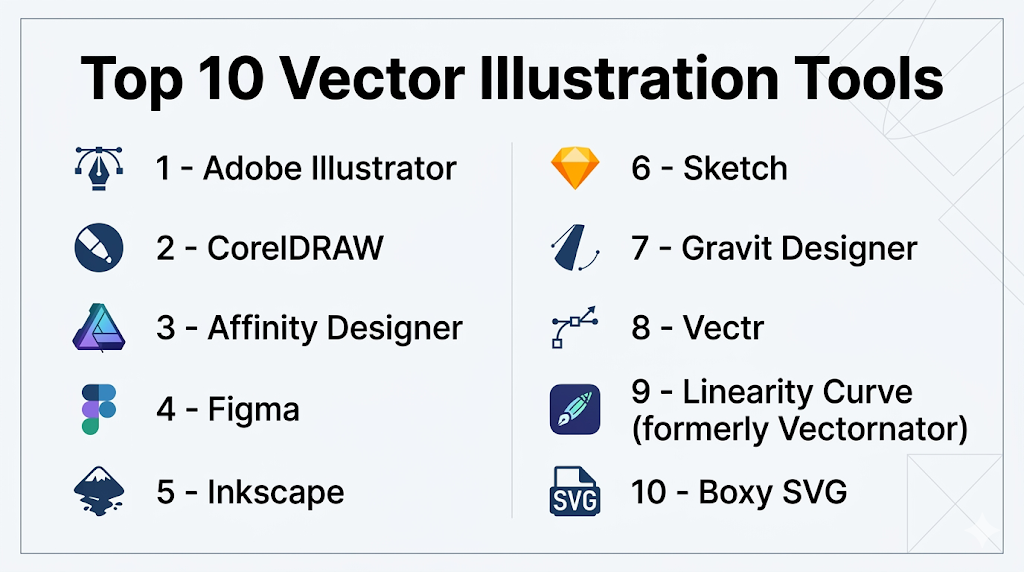
Top 10 Vector Illustration Tools
#1 — Adobe Illustrator
Short description: Industry-standard vector design tool used for professional illustration, branding, and design work.
Key Features
- Advanced pen and drawing tools
- Multiple artboards
- Precision typography tools
- AI-powered vector features
- Extensive plugin ecosystem
- Seamless file export options
Pros
- Industry standard
- Highly powerful and versatile
Cons
- Subscription pricing
- Steep learning curve
Platforms / Deployment
Windows / macOS
Cloud / Local
Security & Compliance
Not publicly stated
Integrations & Ecosystem
Part of a large creative ecosystem.
- Design tools suite
- Plugins and extensions
- Asset libraries
Support & Community
Massive global community with extensive tutorials.
#2 — CorelDRAW
Short description: A professional vector illustration tool offering a comprehensive design suite for print and digital work.
Key Features
- Advanced vector editing tools
- Multi-page layout support
- Typography and color management
- AI-based image enhancements
- File compatibility
- Print design tools
Pros
- Strong for print design
- Feature-rich
Cons
- Expensive
- Interface can feel complex
Platforms / Deployment
Windows / macOS
Local / Cloud
Security & Compliance
Not publicly stated
Integrations & Ecosystem
Comprehensive design ecosystem.
- Plugins
- File export tools
Support & Community
Strong professional user base.
#3 — Affinity Designer
Short description: A modern vector design tool offering professional features with a one-time purchase model.
Key Features
- Vector and raster workflow
- High-performance engine
- Precision tools
- Non-destructive editing
- Artboards
- Export options
Pros
- No subscription
- High performance
Cons
- Smaller ecosystem
- Limited collaboration features
Platforms / Deployment
Windows / macOS / iPad
Local
Security & Compliance
Not publicly stated
Integrations & Ecosystem
Standalone ecosystem.
- Export tools
- File compatibility
Support & Community
Growing user base.
#4 — Figma
Short description: A browser-based design tool focused on collaboration, UI/UX design, and vector editing.
Key Features
- Real-time collaboration
- Vector editing tools
- Design systems and components
- Cloud-based workflows
- Prototyping tools
- Plugin ecosystem
Pros
- Excellent collaboration
- Easy to use
Cons
- Internet dependency
- Limited advanced illustration features
Platforms / Deployment
Web / Windows / macOS
Cloud
Security & Compliance
Not publicly stated
Integrations & Ecosystem
Strong integration ecosystem.
- Plugins
- Developer tools
- Design systems
Support & Community
Massive global adoption.
#5 — Inkscape
Short description: A free, open-source vector illustration tool with powerful editing capabilities.
Key Features
- SVG editing
- Advanced path operations
- Node editing
- Extensions support
- Cross-platform
- Open-source flexibility
Pros
- Free and powerful
- Highly customizable
Cons
- Slower performance
- Outdated interface
Platforms / Deployment
Windows / macOS / Linux
Local
Security & Compliance
Not publicly stated
Integrations & Ecosystem
Open-source ecosystem.
- Extensions
- Plugins
Support & Community
Active community.
#6 — Sketch
Short description: A vector-based design tool popular for UI/UX design on macOS.
Key Features
- Vector editing tools
- Symbol and component systems
- Artboards
- Plugins
- Design system support
- Collaboration tools
Pros
- Great for UI/UX design
- Strong plugin ecosystem
Cons
- macOS-only
- Limited outside UI design
Platforms / Deployment
macOS
Cloud / Local
Security & Compliance
Not publicly stated
Integrations & Ecosystem
UI/UX ecosystem.
- Plugins
- Developer tools
Support & Community
Strong design community.
#7 — Gravit Designer
Short description: A cross-platform vector design tool offering both free and premium versions.
Key Features
- Vector editing tools
- Cloud sync
- Cross-platform support
- Export options
- Templates
- Lightweight interface
Pros
- Cross-platform
- Easy to use
Cons
- Limited advanced features
- Subscription for full features
Platforms / Deployment
Web / Windows / macOS / Linux
Cloud / Local
Security & Compliance
Not publicly stated
Integrations & Ecosystem
Basic integrations.
- Export tools
Support & Community
Moderate support.
#8 — Vectr
Short description: A simple vector design tool designed for beginners and quick design tasks.
Key Features
- Basic vector editing
- Real-time collaboration
- Cloud-based
- Templates
- Easy sharing
Pros
- Beginner-friendly
- Free
Cons
- Limited advanced tools
- Not suitable for professionals
Platforms / Deployment
Web / Desktop
Cloud
Security & Compliance
Not publicly stated
Integrations & Ecosystem
Minimal ecosystem.
- Basic sharing
Support & Community
Limited support.
#9 — Linearity Curve (formerly Vectornator)
Short description: A modern vector design tool optimized for Apple devices.
Key Features
- Vector illustration tools
- Touch and pen support
- Typography tools
- Artboards
- Real-time rendering
Pros
- Great for Apple users
- Free
Cons
- Limited ecosystem
- Apple-only
Platforms / Deployment
macOS / iPad / iOS
Local
Security & Compliance
Not publicly stated
Integrations & Ecosystem
Apple ecosystem integration.
- File export tools
Support & Community
Growing community.
#10 — Boxy SVG
Short description: A lightweight vector editor focused on SVG design and web graphics.
Key Features
- SVG editing
- Lightweight interface
- Browser-based
- Export options
- Precision tools
Pros
- Simple and fast
- Great for web graphics
Cons
- Limited advanced features
- Smaller ecosystem
Platforms / Deployment
Web / Desktop
Cloud / Local
Security & Compliance
Not publicly stated
Integrations & Ecosystem
Web-focused workflows.
- Export tools
Support & Community
Niche user base.
Comparison Table (Top 10)
| Tool Name | Best For | Platform(s) Supported | Deployment | Standout Feature | Public Rating |
|---|---|---|---|---|---|
| Adobe Illustrator | Professionals | Win/macOS | Hybrid | Industry standard | N/A |
| CorelDRAW | Print design | Multi-platform | Hybrid | Print tools | N/A |
| Affinity Designer | Professionals | Multi-platform | Local | One-time purchase | N/A |
| Figma | Collaboration | Multi-platform | Cloud | Real-time editing | N/A |
| Inkscape | Free users | Multi-platform | Local | Open-source | N/A |
| Sketch | UI design | macOS | Hybrid | Design systems | N/A |
| Gravit Designer | Cross-platform | Multi-platform | Hybrid | Accessibility | N/A |
| Vectr | Beginners | Web/Desktop | Cloud | Simplicity | N/A |
| Linearity Curve | Apple users | Apple | Local | Touch support | N/A |
| Boxy SVG | Web graphics | Web/Desktop | Hybrid | SVG focus | N/A |
Evaluation & Scoring of Vector Illustration Tools
| Tool Name | Core (25%) | Ease (15%) | Integrations (15%) | Security (10%) | Performance (10%) | Support (10%) | Value (15%) | Weighted Total |
|---|---|---|---|---|---|---|---|---|
| Illustrator | 10 | 6 | 10 | 5 | 9 | 10 | 7 | 8.8 |
| CorelDRAW | 9 | 7 | 8 | 5 | 9 | 8 | 7 | 8.0 |
| Affinity Designer | 9 | 8 | 7 | 5 | 9 | 7 | 9 | 8.2 |
| Figma | 8 | 10 | 9 | 5 | 8 | 9 | 9 | 8.6 |
| Inkscape | 8 | 6 | 7 | 5 | 7 | 8 | 10 | 7.9 |
| Sketch | 8 | 8 | 8 | 5 | 8 | 8 | 8 | 8.0 |
| Gravit | 7 | 9 | 6 | 5 | 7 | 7 | 8 | 7.4 |
| Vectr | 6 | 10 | 5 | 5 | 6 | 6 | 9 | 7.1 |
| Linearity Curve | 7 | 9 | 6 | 5 | 8 | 7 | 9 | 7.6 |
| Boxy SVG | 7 | 8 | 6 | 5 | 8 | 6 | 8 | 7.3 |
How to interpret the scores:
- Higher scores indicate stronger overall balance
- Professionals should prioritize core features and integrations
- Beginners should prioritize ease of use
- Free tools often score high in value
- Choose based on your workflow and design needs
Which Vector Illustration Tool Is Right for You?
Solo / Freelancer
- Best options: Inkscape, Affinity Designer, Vectr
- Focus on affordability and flexibility
SMB
- Best options: Affinity Designer, Figma
- Balanced features and collaboration
Mid-Market
- Best options: Illustrator, CorelDRAW
- Advanced workflows required
Enterprise
- Best options: Illustrator, Figma
- Need scalability and team collaboration
Budget vs Premium
- Budget: Inkscape, Vectr
- Premium: Illustrator, CorelDRAW
Feature Depth vs Ease of Use
- Advanced: Illustrator, CorelDRAW
- Easy: Figma, Vectr
Integrations & Scalability
- Strong: Illustrator ecosystem, Figma
- Limited: standalone tools
Security & Compliance Needs
- Most tools: Not publicly stated
- Enterprises should validate internally
Frequently Asked Questions (FAQs)
What is vector illustration software?
Software used to create scalable graphics using mathematical paths.
Why use vector instead of raster?
Vector images scale without losing quality.
Which tool is best for beginners?
Vectr and Figma are beginner-friendly.
Is Illustrator worth it?
Yes, for professionals needing advanced features.
Are free tools good enough?
Yes, tools like Inkscape are powerful.
What file formats are supported?
Common formats include SVG, AI, EPS, and PDF.
Can I collaborate with others?
Yes, tools like Figma support real-time collaboration.
Do I need a powerful computer?
Most tools run efficiently, but complex designs may require more power.
Which tool is best for UI design?
Figma and Sketch are strong options.
Can I use these tools offline?
Yes, most desktop tools support offline usage.
Conclusion
Vector illustration tools are essential for modern design workflows, enabling scalable, high-quality graphics across digital and print media. From beginner-friendly platforms to industry-standard software, there is a tool for every level of expertise.