Introduction
Retail Workforce Scheduling tools help businesses plan, assign, and optimize employee shifts across stores, warehouses, and customer-facing operations. In simple terms, these tools ensure the right employees are in the right place at the right time, while balancing labor costs, compliance, and employee satisfaction. Instead of manual spreadsheets or static schedules, modern workforce scheduling platforms use automation, forecasting, and real-time data to streamline operations.
Retailers use these tools for shift scheduling, labor forecasting, time tracking, compliance management, and employee communication. Common use cases include managing peak-hour staffing, handling multi-location scheduling, tracking attendance, and improving workforce productivity. When evaluating these tools, buyers should consider scheduling automation, demand forecasting, mobile access, integrations, compliance features, ease of use, scalability, reporting capabilities, and employee experience.
Best for: retail managers, HR teams, store supervisors, multi-location retailers, franchises, and businesses with hourly workforce models.
Not ideal for: very small teams with fixed schedules or organizations that do not require dynamic staffing adjustments.
Key Trends in Retail Workforce Scheduling
- AI-driven labor forecasting based on sales and foot traffic
- Automated shift scheduling and optimization
- Mobile-first platforms for employee access and communication
- Integration with payroll, POS, and HR systems
- Real-time attendance and time tracking
- Compliance automation for labor laws and regulations
- Employee self-service scheduling and shift swapping
- Cloud-based deployment for scalability
- Analytics dashboards for labor cost optimization
- Focus on employee engagement and retention
How We Selected These Tools (Methodology)
- Evaluated market adoption across retail and hospitality sectors
- Assessed core scheduling, forecasting, and time tracking features
- Reviewed ease of use and onboarding experience
- Analyzed integration capabilities with HR, payroll, and POS systems
- Evaluated scalability across multi-location operations
- Considered compliance and labor law support
- Reviewed reporting and analytics capabilities
- Assessed mobile usability and employee experience
- Evaluated vendor support and ecosystem
- Factored in pricing flexibility and ROI potential
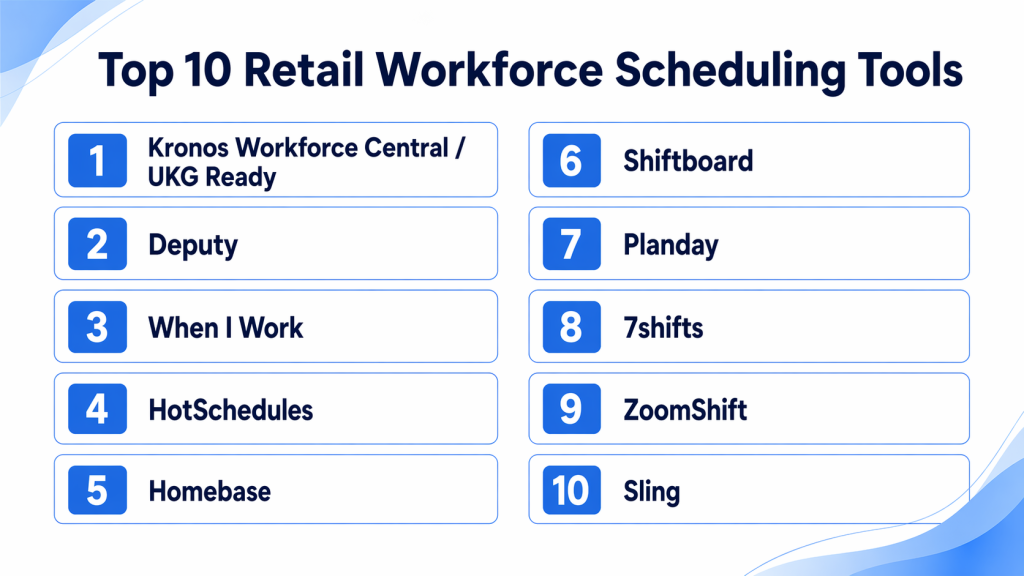
Top 10 Retail Workforce Scheduling Tools
#1 — UKG Ready (Kronos)
Short description : UKG Ready is a comprehensive workforce management platform designed for large retailers, offering scheduling, time tracking, payroll integration, and compliance management.
Key Features
- Advanced workforce scheduling
- Labor forecasting and analytics
- Time and attendance tracking
- Payroll integration
- Compliance management
Pros
- Enterprise-grade capabilities
- Strong compliance support
Cons
- Complex implementation
- Higher cost
Platforms / Deployment
- Web / Mobile / Cloud
Security & Compliance
- SOC 2, GDPR
Integrations & Ecosystem
- Payroll systems
- HR platforms
- POS systems
Support & Community
- Enterprise support and documentation
#2 — Deputy
Short description : Deputy is a user-friendly scheduling tool designed for SMBs and mid-sized retailers, focusing on shift planning, time tracking, and employee communication.
Key Features
- Drag-and-drop scheduling
- Time tracking and attendance
- Labor cost tracking
- Mobile app for employees
- Shift swapping
Pros
- Easy to use
- Strong mobile experience
Cons
- Limited advanced analytics
- Less enterprise depth
Platforms / Deployment
- Web / iOS / Android / Cloud
Security & Compliance
- Not publicly stated
Integrations & Ecosystem
- Payroll systems
- POS platforms
- HR tools
Support & Community
- Chat support and documentation
#3 — When I Work
Short description : When I Work simplifies workforce scheduling with intuitive tools for shift planning, team communication, and time tracking.
Key Features
- Shift scheduling
- Time tracking
- Team messaging
- Attendance management
- Reporting dashboards
Pros
- Simple interface
- Fast onboarding
Cons
- Limited forecasting features
- Basic reporting
Platforms / Deployment
- Web / iOS / Android / Cloud
Security & Compliance
- Not publicly stated
Integrations & Ecosystem
- Payroll integrations
- POS systems
- API support
Support & Community
- Email support and knowledge base
#4 — HotSchedules
Short description : HotSchedules is widely used in retail and hospitality for scheduling, labor forecasting, and workforce optimization.
Key Features
- Scheduling automation
- Labor forecasting
- Time tracking
- Employee communication
- Reporting tools
Pros
- Strong scheduling automation
- Industry-specific features
Cons
- UI can feel outdated
- Learning curve
Platforms / Deployment
- Web / Mobile / Cloud
Security & Compliance
- Not publicly stated
Integrations & Ecosystem
- Payroll systems
- POS integrations
- HR platforms
Support & Community
- Vendor support and training
#5 — Homebase
Short description : Homebase is a popular scheduling and time tracking tool for small retail teams, offering free plans and easy setup.
Key Features
- Employee scheduling
- Time tracking
- Hiring and onboarding
- Payroll integration
- Team communication
Pros
- Free plan available
- Easy to use
Cons
- Limited advanced features
- Not suitable for large enterprises
Platforms / Deployment
- Web / Mobile / Cloud
Security & Compliance
- Not publicly stated
Integrations & Ecosystem
- Payroll systems
- POS tools
- HR integrations
Support & Community
- Email/chat support
#6 — Shiftboard
Short description : Shiftboard provides advanced workforce scheduling for complex operations, including large retail chains and enterprise environments.
Key Features
- Advanced scheduling automation
- Workforce optimization
- Compliance management
- Reporting dashboards
- Time tracking
Pros
- Strong enterprise features
- Flexible scheduling options
Cons
- Complex setup
- Higher cost
Platforms / Deployment
- Web / Cloud
Security & Compliance
- Not publicly stated
Integrations & Ecosystem
- HR systems
- Payroll tools
- APIs
Support & Community
- Enterprise support
#7 — Planday
Short description : Planday is a workforce scheduling platform designed for retail and hospitality, offering shift planning, communication, and reporting tools.
Key Features
- Shift scheduling
- Time tracking
- Payroll integration
- Employee communication
- Reporting
Pros
- Easy scheduling
- Good for mid-sized teams
Cons
- Limited customization
- Less advanced analytics
Platforms / Deployment
- Web / Mobile / Cloud
Security & Compliance
- GDPR
Integrations & Ecosystem
- Payroll systems
- HR tools
- POS integrations
Support & Community
- Vendor support and documentation
#8 — 7shifts
Short description : 7shifts is designed for shift-based businesses, offering scheduling, labor forecasting, and team communication features.
Key Features
- Scheduling automation
- Labor forecasting
- Time tracking
- Communication tools
- Reporting dashboards
Pros
- Easy to use
- Strong scheduling features
Cons
- Limited enterprise capabilities
- Focused on smaller teams
Platforms / Deployment
- Web / Mobile / Cloud
Security & Compliance
- Not publicly stated
Integrations & Ecosystem
- POS systems
- Payroll integrations
- APIs
Support & Community
- Chat support and documentation
#9 — ZoomShift
Short description : ZoomShift is a simple scheduling tool for small teams, focusing on shift planning, time tracking, and employee communication.
Key Features
- Shift scheduling
- Time tracking
- Notifications
- Reporting
- Mobile access
Pros
- Affordable
- Easy to use
Cons
- Limited advanced features
- Not scalable for enterprises
Platforms / Deployment
- Web / Mobile / Cloud
Security & Compliance
- Not publicly stated
Integrations & Ecosystem
- Payroll systems
- Basic integrations
- APIs
Support & Community
- Email support
#10 — Sling
Short description : Sling provides workforce scheduling, communication, and task management tools for retail teams.
Key Features
- Scheduling tools
- Time tracking
- Task management
- Messaging
- Reporting
Pros
- Free plan available
- Simple interface
Cons
- Limited advanced features
- Not suitable for large enterprises
Platforms / Deployment
- Web / Mobile / Cloud
Security & Compliance
- Not publicly stated
Integrations & Ecosystem
- Payroll tools
- POS systems
- APIs
Support & Community
- Documentation and support
Comparison Table (Top 10)
| Tool | Best For | Platform | Deployment | Standout Feature | Public Rating |
|---|---|---|---|---|---|
| UKG Ready | Enterprise | Web/Mobile | Cloud | Workforce analytics | N/A |
| Deputy | SMB | Web/Mobile | Cloud | Easy scheduling | N/A |
| When I Work | SMB | Web/Mobile | Cloud | Simplicity | N/A |
| HotSchedules | Retail/Hospitality | Web/Mobile | Cloud | Automation | N/A |
| Homebase | Small teams | Web/Mobile | Cloud | Free plan | N/A |
| Shiftboard | Enterprise | Web | Cloud | Advanced scheduling | N/A |
| Planday | Mid-market | Web/Mobile | Cloud | Shift planning | N/A |
| 7shifts | SMB | Web/Mobile | Cloud | Forecasting | N/A |
| ZoomShift | Small teams | Web/Mobile | Cloud | Simplicity | N/A |
| Sling | SMB | Web/Mobile | Cloud | Task + scheduling | N/A |
Evaluation & Scoring of Retail Workforce Scheduling Tools
| Tool | Core | Ease | Integrations | Security | Performance | Support | Value | Total |
|---|---|---|---|---|---|---|---|---|
| UKG Ready | 9 | 7 | 8 | 8 | 9 | 8 | 6 | 8.1 |
| Deputy | 8 | 9 | 7 | 7 | 8 | 7 | 8 | 8.0 |
| When I Work | 7 | 9 | 7 | 6 | 7 | 7 | 8 | 7.5 |
| HotSchedules | 8 | 7 | 7 | 7 | 8 | 7 | 7 | 7.6 |
| Homebase | 7 | 9 | 6 | 6 | 7 | 7 | 9 | 7.4 |
| Shiftboard | 8 | 7 | 7 | 7 | 8 | 7 | 7 | 7.6 |
| Planday | 7 | 8 | 7 | 7 | 7 | 7 | 7 | 7.3 |
| 7shifts | 7 | 8 | 7 | 6 | 7 | 7 | 7 | 7.2 |
| ZoomShift | 6 | 9 | 6 | 6 | 6 | 6 | 8 | 6.9 |
| Sling | 6 | 9 | 6 | 6 | 6 | 6 | 8 | 6.9 |
Which Retail Workforce Scheduling Tool Is Right for You?
Solo / Freelancer
- Homebase, Sling, or ZoomShift for simple scheduling and time tracking.
SMB
- Deputy, When I Work, or 7shifts for affordability and ease of use.
Mid-Market
- Planday or HotSchedules for better automation and forecasting.
Enterprise
- UKG Ready or Shiftboard for advanced workforce optimization.
Budget vs Premium
- SMB → cost-effective tools
- Enterprise → advanced platforms with analytics
Feature Depth vs Ease of Use
- Simple tools → faster adoption
- Advanced tools → deeper workforce insights
Integrations & Scalability
- Choose tools that integrate with payroll, POS, and HR systems.
Security & Compliance Needs
- Enterprise organizations should prioritize compliance features.
Frequently Asked Questions (FAQs)
1. What is workforce scheduling?
It is the process of assigning employees to shifts based on business needs.
2. Why is it important?
It helps reduce labor costs and improve productivity.
3. Can these tools integrate with payroll?
Yes, most tools support payroll integration.
4. Are they easy to use?
Many tools are designed for non-technical users.
5. Do they support mobile apps?
Yes, most platforms offer mobile access.
6. Can employees swap shifts?
Yes, many tools support shift swapping.
7. Are these tools expensive?
Pricing varies; many offer free or affordable plans.
8. Do they help with compliance?
Yes, many tools include labor law compliance features.
9. Can small businesses use them?
Yes, there are SMB-friendly options.
10. What is the biggest benefit?
Improved scheduling efficiency and reduced labor costs.
Conclusion
Retail workforce scheduling tools are essential for businesses managing hourly employees and dynamic staffing needs. They help improve efficiency, reduce labor costs, and enhance employee satisfaction by ensuring optimal scheduling and communication. Small teams can benefit from simple tools like Homebase or Sling, while mid-market retailers should consider Deputy or Planday for better automation. Large enterprises can leverage UKG Ready or Shiftboard for advanced analytics and workforce optimization. The best approach is to evaluate your staffing complexity, test a few tools, and choose one that aligns with your operational workflows and long-term growth strategy.