Introduction
Production Scheduling Tools are software platforms that help manufacturers plan, allocate, and optimize production resources such as machines, labor, and materials. These tools ensure that production orders are executed efficiently while meeting delivery deadlines and minimizing downtime.
In modern manufacturing environments, scheduling has become increasingly complex due to fluctuating demand, supply chain disruptions, and multi-stage production processes. Advanced production scheduling tools now incorporate AI, real-time data, and constraint-based optimization to dynamically adjust schedules and improve operational efficiency.
Common use cases include:
- Production planning and sequencing
- Machine and labor allocation
- Order prioritization and delivery management
- Bottleneck identification and optimization
- Real-time schedule adjustments
Key evaluation criteria:
- Scheduling algorithms (finite capacity, constraint-based)
- Real-time data integration
- Integration with ERP, MES, and MRP systems
- Visualization and Gantt chart capabilities
- Scalability across production lines
- Ease of use and implementation
- Automation and optimization features
- Reporting and analytics
Best for: Manufacturing companies, production planners, supply chain managers, and operations teams aiming to optimize production efficiency.
Not ideal for: Businesses with simple workflows or those not requiring detailed production planning.
Key Trends in Production Scheduling Tools for 2026 and Beyond
- AI-driven scheduling optimization
- Real-time rescheduling based on disruptions
- Cloud-based and SaaS scheduling platforms
- Integration with MES, ERP, and IoT systems
- Digital twin-based production planning
- Advanced visualization and simulation tools
- Multi-site production coordination
- Predictive analytics for demand and capacity
- Low-code scheduling customization
- Increased automation in scheduling workflows
How We Selected These Tools (Methodology)
- Evaluated adoption across manufacturing industries
- Assessed scheduling and optimization capabilities
- Compared integration with ERP, MES, and MRP systems
- Reviewed scalability and multi-site support
- Analyzed visualization and reporting features
- Considered ease of use and flexibility
- Included both enterprise and SMB-friendly tools
- Focused on real-world production use cases
- Balanced innovation with reliability
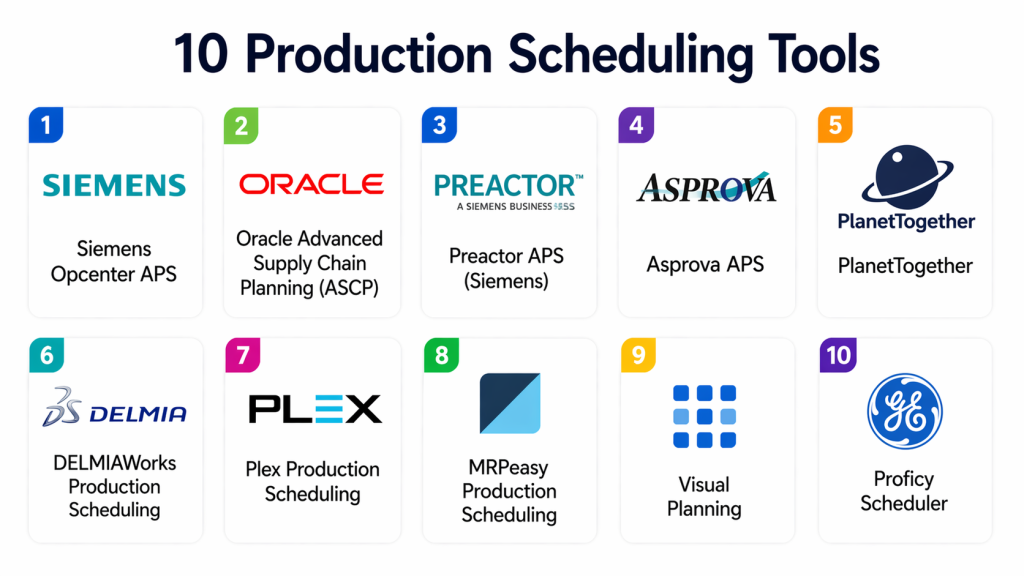
Top 10 Production Scheduling Tools
#1 — Siemens Opcenter APS
Short description:
Siemens Opcenter APS is an advanced planning and scheduling tool designed for complex manufacturing environments with real-time optimization capabilities.
Key Features
- Finite capacity scheduling
- Real-time optimization
- Gantt chart visualization
- Multi-site planning
- Integration with MES and ERP
Pros
- Highly scalable
- Advanced optimization
Cons
- Complex setup
- Expensive
Platforms / Deployment
Cloud / On-premise
Security & Compliance
RBAC, encryption
Integrations & Ecosystem
Deep integration with Siemens manufacturing ecosystem for end-to-end planning.
- ERP
- MES
- SCADA
Support & Community
Enterprise-level support.
#2 — Oracle Advanced Supply Chain Planning (ASCP)
Short description:
Oracle ASCP is a powerful production scheduling and planning solution integrated with Oracle’s supply chain management platform.
Key Features
- Demand-driven scheduling
- Constraint-based planning
- Inventory optimization
- Scenario simulation
- Real-time analytics
Pros
- Strong analytics
- Enterprise-ready
Cons
- Complex implementation
- Oracle dependency
Platforms / Deployment
Cloud
Security & Compliance
RBAC, encryption
Integrations & Ecosystem
Integrates with Oracle ERP and supply chain systems for unified operations.
- ERP
- Supply chain tools
Support & Community
Enterprise support.
#3 — Preactor APS (Siemens)
Short description:
Preactor APS is a production scheduling tool focused on constraint-based planning and detailed scheduling optimization.
Key Features
- Constraint-based scheduling
- Detailed production planning
- Visualization tools
- Scenario analysis
- Integration capabilities
Pros
- Flexible scheduling
- Detailed control
Cons
- Learning curve
- Requires customization
Platforms / Deployment
Cloud / On-premise
Security & Compliance
RBAC
Integrations & Ecosystem
Integrates with manufacturing systems and planning tools.
- ERP
- MES
Support & Community
Strong support.
#4 — Asprova APS
Short description:
Asprova APS is a high-performance scheduling tool known for its speed and scalability in complex manufacturing environments.
Key Features
- High-speed scheduling engine
- Multi-resource optimization
- Real-time adjustments
- Visualization tools
- Integration support
Pros
- High performance
- Scalable
Cons
- Complex configuration
- Limited UI flexibility
Platforms / Deployment
On-premise / Cloud
Security & Compliance
Varies / N/A
Integrations & Ecosystem
Integrates with manufacturing systems and ERP platforms.
- ERP
- APIs
Support & Community
Enterprise support.
#5 — PlanetTogether
Short description:
PlanetTogether is a modern APS platform offering AI-driven production scheduling and optimization.
Key Features
- AI-driven scheduling
- Finite capacity planning
- Real-time analytics
- Scenario simulation
- Integration tools
Pros
- User-friendly
- Advanced analytics
Cons
- Subscription cost
- Requires training
Platforms / Deployment
Cloud
Security & Compliance
RBAC
Integrations & Ecosystem
Integrates with ERP and manufacturing systems for real-time planning.
- ERP
- MES
Support & Community
Strong support.
#6 — DELMIAWorks Production Scheduling
Short description:
DELMIAWorks offers integrated production scheduling capabilities as part of its manufacturing ERP platform.
Key Features
- Real-time scheduling
- Workflow automation
- Resource allocation
- Analytics tools
- Integration with ERP
Pros
- Integrated platform
- Reliable performance
Cons
- Vendor dependency
- Limited flexibility
Platforms / Deployment
Cloud / On-premise
Security & Compliance
RBAC
Integrations & Ecosystem
Integrates with DELMIAWorks ERP and manufacturing tools.
- ERP
- Data tools
Support & Community
Enterprise support.
#7 — Plex Production Scheduling
Short description:
Plex provides cloud-based production scheduling with real-time visibility and automation features.
Key Features
- Cloud-native scheduling
- Real-time updates
- Workflow automation
- Analytics dashboards
- Integration tools
Pros
- Easy deployment
- Cloud scalability
Cons
- Limited customization
- Subscription pricing
Platforms / Deployment
Cloud
Security & Compliance
RBAC, encryption
Integrations & Ecosystem
Integrates with manufacturing and supply chain systems.
- ERP
- APIs
Support & Community
Strong support.
#8 — MRPeasy Production Scheduling
Short description:
MRPeasy provides simple and effective production scheduling tools for small manufacturers.
Key Features
- Production planning
- Inventory tracking
- Order management
- Reporting tools
- Cloud-based access
Pros
- Easy to use
- Affordable
Cons
- Limited scalability
- Basic features
Platforms / Deployment
Cloud
Security & Compliance
Varies / N/A
Integrations & Ecosystem
Integrates with accounting and business tools.
- APIs
- Business apps
Support & Community
Good SMB support.
#9 — Visual Planning
Short description:
Visual Planning is a scheduling tool with strong visualization features for managing resources and production workflows.
Key Features
- Drag-and-drop scheduling
- Resource planning
- Visualization dashboards
- Multi-user collaboration
- Integration tools
Pros
- Easy visualization
- User-friendly
Cons
- Limited advanced features
- Smaller ecosystem
Platforms / Deployment
Cloud / On-premise
Security & Compliance
Varies / N/A
Integrations & Ecosystem
Supports integration with business and planning systems.
- APIs
- Data tools
Support & Community
Moderate support.
#10 — Proficy Scheduler
Short description:
Proficy Scheduler is a production scheduling solution designed for optimizing manufacturing workflows.
Key Features
- Production scheduling
- Resource allocation
- Workflow optimization
- Real-time monitoring
- Analytics tools
Pros
- Reliable
- Industry-focused
Cons
- Limited customization
- Legacy features
Platforms / Deployment
On-premise
Security & Compliance
RBAC
Integrations & Ecosystem
Integrates with industrial systems and data platforms.
- ERP
- SCADA
Support & Community
Enterprise support.
Comparison Table (Top 10)
| Tool Name | Best For | Platform(s) Supported | Deployment | Standout Feature | Public Rating |
|---|---|---|---|---|---|
| Opcenter APS | Enterprise | Web | Cloud/On-prem | Advanced scheduling | N/A |
| Oracle ASCP | Supply chain | Web | Cloud | Demand planning | N/A |
| Preactor APS | Detailed scheduling | Web | Cloud/On-prem | Constraint-based | N/A |
| Asprova APS | High performance | Web | On-prem/Cloud | Speed | N/A |
| PlanetTogether | AI scheduling | Web | Cloud | AI optimization | N/A |
| DELMIAWorks | Integrated ERP | Web | Cloud/On-prem | Workflow automation | N/A |
| Plex | Cloud scheduling | Web | Cloud | Real-time updates | N/A |
| MRPeasy | SMB | Web | Cloud | Simplicity | N/A |
| Visual Planning | Visualization | Web | Cloud/On-prem | Drag-and-drop | N/A |
| Proficy | Industrial | Web | On-prem | Workflow control | N/A |
Evaluation & Scoring of Production Scheduling Tools
| Tool Name | Core (25%) | Ease (15%) | Integrations (15%) | Security (10%) | Performance (10%) | Support (10%) | Value (15%) | Weighted Total (0–10) |
|---|---|---|---|---|---|---|---|---|
| Opcenter APS | 9 | 7 | 9 | 9 | 9 | 9 | 7 | 8.6 |
| Oracle ASCP | 9 | 7 | 9 | 9 | 9 | 9 | 7 | 8.5 |
| Preactor APS | 8 | 7 | 8 | 8 | 8 | 8 | 7 | 7.9 |
| Asprova APS | 9 | 6 | 8 | 7 | 9 | 8 | 7 | 8.0 |
| PlanetTogether | 8 | 8 | 8 | 8 | 8 | 8 | 8 | 8.1 |
| DELMIAWorks | 8 | 7 | 8 | 8 | 8 | 8 | 7 | 7.9 |
| Plex | 8 | 8 | 8 | 8 | 8 | 8 | 8 | 8.1 |
| MRPeasy | 7 | 9 | 6 | 6 | 7 | 7 | 9 | 7.5 |
| Visual Planning | 7 | 9 | 6 | 6 | 7 | 7 | 9 | 7.5 |
| Proficy | 7 | 7 | 7 | 7 | 7 | 7 | 8 | 7.3 |
How to interpret scores:
These scores reflect a comparative evaluation of scheduling tools across key factors such as functionality, usability, and scalability. Higher scores indicate enterprise-ready solutions, while lower scores may still be ideal for smaller or specialized use cases.
Which Production Scheduling Tool Is Right for You?
Solo / Freelancer
MRPeasy or Visual Planning are suitable for simple scheduling needs.
SMB
PlanetTogether and Plex offer scalable and easy-to-use solutions.
Mid-Market
Asprova APS and DELMIAWorks provide strong optimization with manageable complexity.
Enterprise
Siemens Opcenter APS and Oracle ASCP are best for large-scale operations.
Budget vs Premium
- Budget: MRPeasy, Visual Planning
- Premium: Siemens, Oracle
Feature Depth vs Ease of Use
- Deep features: Opcenter APS, Asprova
- Easy to use: MRPeasy, Visual Planning
Integrations & Scalability
Choose tools with strong ERP, MES, and supply chain integrations.
Security & Compliance Needs
Enterprise users should prioritize tools with strong access control and data security.
Frequently Asked Questions (FAQs)
What is production scheduling?
It is the process of planning and organizing production tasks to optimize efficiency and meet deadlines.
Why are scheduling tools important?
They help reduce delays, optimize resource usage, and improve productivity.
Are these tools cloud-based?
Many modern tools are cloud-based, though some offer on-premise options.
What industries use scheduling tools?
Manufacturing, logistics, automotive, and supply chain industries.
Do I need technical expertise?
Yes, especially for integration and optimization.
Are these tools scalable?
Yes, most tools support multi-site and large-scale operations.
Can scheduling tools integrate with ERP?
Yes, integration with ERP and MES is common.
What are the benefits?
Improved efficiency, reduced downtime, and better resource utilization.
How long does implementation take?
It depends on complexity, ranging from weeks to months.
Can I switch tools later?
Yes, but migration may require reconfiguration.
Conclusion
Production Scheduling Tools are essential for optimizing manufacturing operations, enabling organizations to efficiently allocate resources, meet deadlines, and adapt to changing production demands. As manufacturing environments become more complex, these tools provide the intelligence and flexibility needed to maintain efficiency and competitiveness. The tools covered in this guide range from enterprise-grade platforms like Siemens Opcenter APS and Oracle ASCP to user-friendly solutions like MRPeasy and Visual Planning, each catering to different business needs. Choosing the right tool depends on your production scale, integration requirements, and operational complexity. Organizations should prioritize solutions that offer real-time visibility, scalability, and seamless integration with ERP and MES systems. A practical approach is to start with pilot implementations, validate performance, and expand gradually. As Industry 4.0 continues to evolve, production scheduling tools will play a critical role in enabling smart, data-driven manufacturing. Investing in the right platform today can significantly improve efficiency, reduce costs, and enhance operational agility. Begin by shortlisting a few tools, testing them in real scenarios, and scaling based on measurable outcomes.