Introduction
Notebook environments are interactive computational platforms that allow data scientists, analysts, and developers to write, execute, and document code in a single interface. They are widely used for data exploration, analysis, visualization, and prototyping machine learning models. Notebooks combine code execution, rich text, and visual outputs, providing a collaborative environment for reproducible research and experimentation.
In modern data-driven organizations, notebooks play a crucial role in accelerating analytics workflows, supporting experimentation, and enabling collaboration between teams. They bridge the gap between raw code and presentation-ready results, making them essential for data scientists, ML engineers, and analysts.
Real-world use cases include:
- Interactive data exploration and visualization
- Prototyping machine learning and AI models
- Documenting data workflows and experiments
- Sharing insights and reproducible reports
- Collaborative development and version control
Key evaluation criteria for buyers:
- Language and kernel support (Python, R, Julia, Scala)
- Execution flexibility (local, cloud, distributed)
- Integration with data sources and storage
- Collaboration and version control features
- Notebook sharing and presentation tools
- Support for visualization libraries and rich outputs
- Scalability for large datasets
- Security and access control
- Deployment flexibility (cloud, on-prem, hybrid)
- Extensibility with plugins or APIs
Best for:
Notebook environments are ideal for data scientists, machine learning engineers, analysts, and researchers who require interactive, reproducible, and collaborative coding environments.
Not ideal for:
Organizations with minimal data exploration needs or primarily production-focused code may prefer IDEs or automated pipelines over interactive notebooks.
Key Trends in Notebook Environments
- Cloud-native notebooks with auto-scaling compute resources
- Real-time collaboration for team development
- Support for multiple languages and kernels in one notebook
- Integration with ML and AI frameworks like TensorFlow and PyTorch
- Version control and reproducibility features
- Low-code/no-code notebooks for non-technical users
- Integration with data lakes, warehouses, and cloud storage
- Interactive visualization and dashboards
- Security, governance, and compliance for enterprise usage
- Notebook-as-a-service offerings simplifying deployment and maintenance
How We Selected These Tools (Methodology)
- Evaluated interactive coding and visualization capabilities
- Reviewed multi-language and kernel support
- Assessed collaboration and sharing features
- Checked integration with storage, cloud services, and ML frameworks
- Considered scalability and performance for large datasets
- Examined security, governance, and compliance features
- Evaluated ease of deployment and maintenance
- Reviewed community support, documentation, and vendor support
- Factored extensibility through plugins, APIs, and integrations
- Ensured suitability across freelancers, SMBs, and enterprises
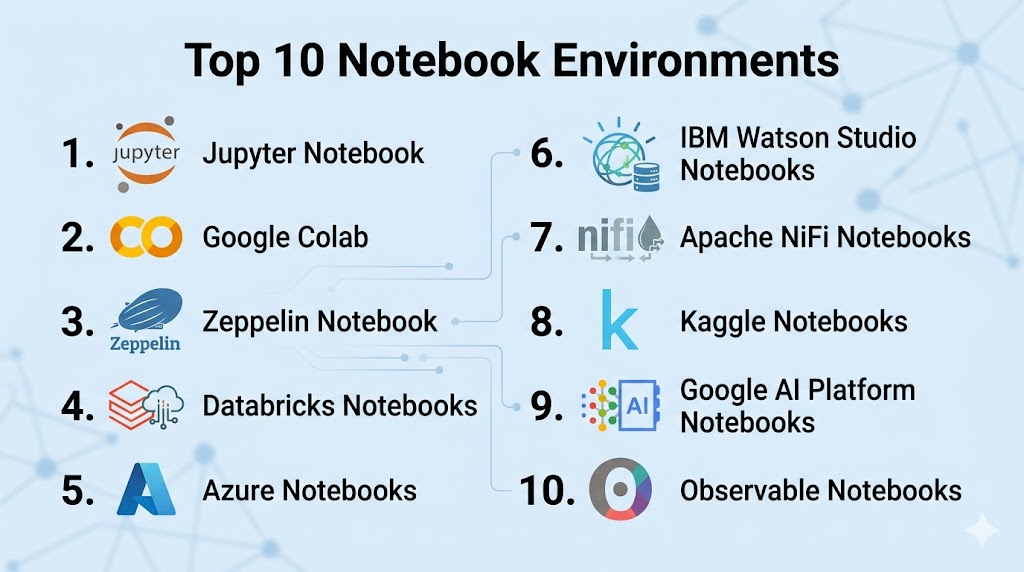
Top 10 Notebook Environments
#1 — Jupyter Notebook
Short description: Jupyter Notebook is an open-source interactive environment supporting Python, R, Julia, and more for data science, visualization, and exploratory computing.
Key Features
- Multi-language kernel support
- Interactive code execution and visualization
- Markdown and rich outputs
- Integration with Python libraries like pandas, matplotlib
- Local and cloud execution
- Export to HTML, PDF, or slides
- Extensible via plugins
Pros
- Widely adopted and flexible
- Strong community support
Cons
- Collaboration features limited without extensions
- Scalability depends on underlying hardware
Platforms / Deployment
- Web / Linux / Windows / macOS
- Local / Cloud / Hybrid
Security & Compliance
- Depends on deployment
- Supports basic authentication
Integrations & Ecosystem
- Python, R, Julia libraries, cloud storage, BI tools
Support & Community
- Large open-source community
- Extensive tutorials and documentation
#2 — Google Colab
Short description: Google Colab is a cloud-based notebook environment offering free GPU/TPU resources and seamless Google Drive integration.
Key Features
- Cloud-hosted with free compute
- GPU and TPU support for ML
- Collaborative editing in real time
- Integration with Google Drive and Sheets
- Python-based execution
- Notebook sharing and commenting
Pros
- Free and easy to access
- Real-time collaboration
Cons
- Cloud-only, dependent on internet
- Limited session durations
Platforms / Deployment
- Web / Cloud
Security & Compliance
- Google account authentication
- SOC 2, GDPR (via Google Cloud)
Integrations & Ecosystem
- Python libraries, GCP services, Drive integration
Support & Community
- Google Cloud support
- Active user community
#3 — Zeppelin Notebook
Short description: Apache Zeppelin is an open-source web-based notebook supporting multi-language data analytics and visualization.
Key Features
- Supports Spark, Python, R, SQL, Scala
- Interactive visualizations and dashboards
- Collaboration and note sharing
- Integration with Hadoop and Spark
- Extensible interpreter architecture
Pros
- Multi-language support
- Strong integration with big data frameworks
Cons
- UI less modern than competitors
- Deployment complexity
Platforms / Deployment
- Web / Cloud / On-prem
Security & Compliance
- LDAP, SSL, and authentication integration
Integrations & Ecosystem
- Spark, Hadoop, SQL databases, cloud storage
Support & Community
- Open-source community
- Documentation and forums
#4 — Databricks Notebooks
Short description: Databricks provides collaborative cloud notebooks integrated with its Lakehouse platform for ML and analytics.
Key Features
- Python, SQL, R, Scala support
- Auto-scaling compute clusters
- MLflow integration for tracking experiments
- Collaborative notebooks with commenting
- Interactive dashboards and visualizations
Pros
- Unified analytics and ML workflow
- Enterprise-ready collaboration
Cons
- Cloud-only
- Can be costly at scale
Platforms / Deployment
- Cloud
Security & Compliance
- RBAC, encryption, SOC 2, GDPR
Integrations & Ecosystem
- Delta Lake, Spark, ML libraries, cloud storage
Support & Community
- Enterprise support
- Large active user base
#5 — Azure Notebooks
Short description: Azure Notebooks is a cloud-based Jupyter environment from Microsoft supporting collaborative Python development.
Key Features
- Python execution environment
- Integration with Azure services
- Notebook sharing and versioning
- Supports common Python libraries
- Cloud execution without local setup
Pros
- Cloud-hosted with Azure integration
- Easy collaboration
Cons
- Python-only
- Limited long-term project management
Platforms / Deployment
- Web / Cloud
Security & Compliance
- Azure authentication, encryption
- SOC 2, GDPR
Integrations & Ecosystem
- Azure ML, Blob Storage, BI tools
Support & Community
- Microsoft support
- Community forums
#6 — IBM Watson Studio Notebooks
Short description: IBM Watson Studio provides cloud-based collaborative notebooks for data science, AI, and analytics projects.
Key Features
- Python, R, and Scala support
- Integration with IBM Cloud and data sources
- Collaboration and version control
- AutoAI and machine learning features
- Visualization and dashboard support
Pros
- Enterprise-grade collaboration
- Integration with AI/ML tools
Cons
- Cloud-only
- Higher cost
Platforms / Deployment
- Cloud / Hybrid
Security & Compliance
- SSO, RBAC, encryption, SOC 2, GDPR
Integrations & Ecosystem
- IBM Cloud, ML frameworks, BI tools
Support & Community
- IBM enterprise support
- Community knowledge base
#7 — Apache NiFi Notebooks
Short description: NiFi notebooks provide interactive environments for designing and testing data flow pipelines and transformations.
Key Features
- Visual flow-based programming
- Real-time data monitoring
- Integration with multiple data sources
- Python, R scripting support
- Collaborative flow design
Pros
- Visual interface simplifies complex workflows
- Real-time testing and monitoring
Cons
- Less focus on traditional data science
- Smaller community than Jupyter/Databricks
Platforms / Deployment
- Cloud / On-prem
Security & Compliance
- SSL, access control
- Enterprise compliance features
Integrations & Ecosystem
- Kafka, Hadoop, cloud storage, databases
Support & Community
- Open-source community
- Enterprise support via NiFi vendors
#8 — Kaggle Notebooks
Short description: Kaggle provides free cloud-hosted notebooks for Python data science with GPU support and dataset integration.
Key Features
- Free Python notebooks
- GPU/TPU access for ML tasks
- Integration with Kaggle datasets
- Sharing and collaboration
- Rich visualization support
Pros
- Free and accessible
- Community sharing and competitions
Cons
- Limited to Python
- Internet-dependent cloud environment
Platforms / Deployment
- Web / Cloud
Security & Compliance
- Kaggle account authentication
- Basic security features
Integrations & Ecosystem
- Python libraries, Kaggle datasets, cloud storage
Support & Community
- Active Kaggle community
- Forum support
#9 — Google AI Platform Notebooks
Short description: AI Platform Notebooks provides managed Jupyter notebooks integrated with GCP for data science and ML workflows.
Key Features
- Python, R, and TensorFlow support
- GPU/TPU compute
- Versioned notebooks
- Integration with BigQuery and cloud storage
- Collaboration and sharing
Pros
- Managed cloud service
- Scalable compute for ML projects
Cons
- Cloud-only
- Pricing based on compute usage
Platforms / Deployment
- Web / Cloud
Security & Compliance
- IAM, encryption, RBAC
- SOC 2, GDPR
Integrations & Ecosystem
- BigQuery, GCS, ML libraries
Support & Community
- Google Cloud support
- Active community
#10 — Observable Notebooks
Short description: Observable is a web-based notebook platform for JavaScript-based data visualization and analysis.
Key Features
- JavaScript-based interactive notebooks
- Real-time collaboration
- Visualization-focused with D3.js support
- Integration with web APIs
- Sharing and publishing notebooks
Pros
- Excellent for data visualization
- Real-time collaboration
Cons
- Limited to JavaScript
- Not suitable for large ML workflows
Platforms / Deployment
- Web / Cloud
Security & Compliance
- User authentication, workspace access control
Integrations & Ecosystem
- Web APIs, D3.js, JSON data sources
Support & Community
- Community support
- Documentation and examples
Comparison Table (Top 10)
| Tool Name | Best For | Platform(s) Supported | Deployment | Standout Feature | Public Rating |
|---|---|---|---|---|---|
| Jupyter Notebook | Open-source flexibility | Web / Linux / Windows / macOS | Local / Cloud / Hybrid | Multi-language kernel support | N/A |
| Google Colab | Free cloud compute | Web / Cloud | Cloud | GPU/TPU support | N/A |
| Zeppelin Notebook | Multi-language analytics | Web / Cloud / On-prem | Hybrid | Spark & Hadoop integration | N/A |
| Databricks Notebooks | Enterprise ML workflows | Cloud | Cloud | MLflow integration | N/A |
| Azure Notebooks | Python in cloud | Web / Cloud | Cloud | Azure integration | N/A |
| IBM Watson Studio Notebooks | Enterprise AI | Cloud / Hybrid | Cloud | Collaboration & AutoAI | N/A |
| Apache NiFi Notebooks | Data flow & ETL | Cloud / On-prem | Hybrid | Visual pipelines | N/A |
| Kaggle Notebooks | Free ML & Python | Web / Cloud | Cloud | Kaggle datasets | N/A |
| Google AI Platform Notebooks | Cloud ML | Web / Cloud | Cloud | BigQuery & GCS integration | N/A |
| Observable Notebooks | Data visualization | Web / Cloud | Cloud | JS & D3.js visualizations | N/A |
Evaluation & Scoring of Notebook Environments
| Tool Name | Core (25%) | Ease (15%) | Integrations (15%) | Security (10%) | Performance (10%) | Support (10%) | Value (15%) | Weighted Total (0–10) |
|---|---|---|---|---|---|---|---|---|
| Jupyter Notebook | 9 | 7 | 8 | 7 | 8 | 7 | 8 | 7.8 |
| Google Colab | 8 | 8 | 8 | 8 | 7 | 7 | 8 | 7.7 |
| Zeppelin Notebook | 8 | 6 | 8 | 7 | 7 | 7 | 7 | 7.2 |
| Databricks Notebooks | 9 | 8 | 8 | 8 | 9 | 8 | 7 | 8.3 |
| Azure Notebooks | 8 | 8 | 8 | 8 | 7 | 7 | 7 | 7.5 |
| IBM Watson Studio | 8 | 7 | 8 | 8 | 8 | 7 | 7 | 7.6 |
| Apache NiFi Notebooks | 7 | 6 | 7 | 7 | 7 | 6 | 6 | 6.6 |
| Kaggle Notebooks | 7 | 8 | 7 | 7 | 6 | 6 | 8 | 7.0 |
| Google AI Platform Notebooks | 8 | 8 | 8 | 8 | 8 | 7 | 7 | 7.7 |
| Observable Notebooks | 7 | 8 | 7 | 7 | 7 | 6 | 7 | 7.0 |
Which Notebook Environment Is Right for You?
Solo / Freelancer
Jupyter Notebook, Kaggle Notebooks, or Google Colab are ideal for lightweight, free, or cloud-hosted personal projects.
SMB
Databricks Notebooks or Dataiku/Zeppelin provide collaborative features for small teams and cloud integration.
Mid-Market
Azure Notebooks, IBM Watson Studio, or Google AI Platform Notebooks enable team collaboration and scalable compute.
Enterprise
Databricks Notebooks and IBM Watson Studio provide enterprise-level collaboration, governance, and integration with ML pipelines.
Budget vs Premium
Open-source or free options like Jupyter, Colab, and Kaggle reduce cost, while enterprise notebooks offer robust collaboration and governance at higher investment.
Feature Depth vs Ease of Use
Data visualization-focused notebooks (Observable) are ideal for interactive reporting, while Databricks or IBM notebooks support end-to-end ML workflows.
Integrations & Scalability
Choose notebooks that integrate with cloud storage, ML frameworks, and BI tools for end-to-end workflows.
Security & Compliance Needs
For sensitive data, select platforms with RBAC, encryption, SSO, and audit logging.
Frequently Asked Questions (FAQs)
What is a notebook environment?
An interactive platform combining code execution, rich text, and visualization for data analysis, ML, and experimentation.
Are notebooks suitable for team collaboration?
Yes, many provide real-time collaboration, version control, and sharing features.
Can non-technical users use notebooks?
Some platforms like Observable or Dataiku provide low-code or visual interfaces for non-coders.
Do notebooks support multiple languages?
Yes, Jupyter and Zeppelin support Python, R, Julia, Scala, and more via kernels.
Can notebooks handle big data?
Platforms integrated with Spark, Databricks, or cloud services scale to large datasets.
Are notebooks secure?
Enterprise notebooks provide RBAC, encryption, SSO, and audit logs.
Can ML models be trained in notebooks?
Yes, cloud GPUs/TPUs and ML frameworks are supported in most modern notebooks.
Are cloud notebooks better than local ones?
Cloud notebooks simplify deployment, collaboration, and scaling but require internet access.
Can notebooks be exported for reporting?
Yes, outputs can be exported as HTML, PDF, or slides for sharing.
How do I choose the right notebook?
Consider team size, language support, collaboration needs, compute resources, and integrations.
Conclusion
Notebook environments are essential for interactive, reproducible, and collaborative data analysis and ML workflows. Freelancers and small teams can use Jupyter, Kaggle, or Google Colab for free and flexible access. SMBs benefit from Databricks or Zeppelin for team collaboration and scalable computing. Mid-market organizations can adopt Azure Notebooks or IBM Watson Studio for cloud integration and enterprise collaboration. Enterprises seeking full-featured platforms for large-scale ML and analytics workflows should consider Databricks Notebooks or IBM Watson Studio for governance, reproducibility, and MLOps capabilities. Choosing the right notebook involves balancing ease of use, scalability, collaboration, and integration with existing data workflows. Piloting with a subset of data and team members ensures the chosen platform meets technical and business requirements, empowering data-driven decision-making and accelerating insights.