Introduction
IP Address Management (IPAM) Tools help organizations plan, track, allocate, and manage IP address space across networks. Instead of relying on spreadsheets or manual tracking, IPAM platforms provide centralized visibility into IP usage, DNS, and DHCP, ensuring efficient and error-free network operations.
In modern environments with cloud infrastructure, hybrid networks, containers, and large-scale device connectivity, IP management has become increasingly complex. IP conflicts, misallocations, and lack of visibility can lead to downtime and security issues. IPAM tools solve this by offering automation, real-time tracking, and integration with network services, enabling teams to manage IP resources effectively.
Real-World Use Cases
- Tracking IP address usage across networks
- Managing DHCP and DNS integrations
- Preventing IP conflicts and overlaps
- Planning IP allocation for new infrastructure
- Auditing and reporting IP usage
What Buyers Should Evaluate
- IP address tracking and visualization
- Integration with DNS and DHCP (DDI)
- Automation and IP allocation workflows
- Multi-site and multi-cloud support
- Role-based access control
- Reporting and auditing capabilities
- Scalability for large networks
- Ease of deployment and usability
Best for: Network engineers, IT operations teams, cloud architects, and enterprises managing large or distributed networks.
Not ideal for: Small networks with minimal IP management requirements.
Key Trends in IPAM Tools
- Integration with cloud and multi-cloud environments
- Automation of IP allocation and lifecycle management
- Convergence with DNS and DHCP (DDI solutions)
- API-first IPAM platforms for DevOps integration
- Visualization of IP address space and topology
- Support for IPv6 adoption
- Integration with network automation tools
- Real-time monitoring and alerts
- Security-focused IP tracking and auditing
- Infrastructure as Code (IaC) integration
How We Selected These Tools (Methodology)
- Strong adoption in enterprise and networking environments
- Comprehensive IP management capabilities
- Integration with DNS, DHCP, and cloud platforms
- Scalability and reliability
- Ease of use and visualization features
- Security and compliance capabilities
- Active community or vendor support
- Balance between enterprise and open-source tools
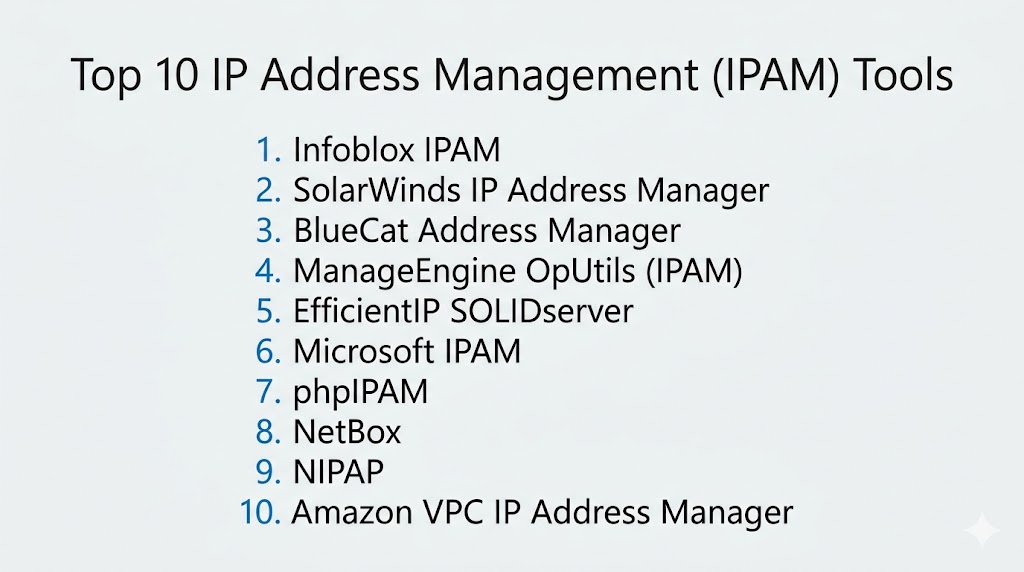
Top 10 IP Address Management (IPAM) Tools
#1 — Infoblox IPAM
Short description: An enterprise-grade IPAM solution with integrated DNS and DHCP capabilities.
Key Features
- Centralized IP management
- DNS/DHCP integration
- Automation
- Reporting
- Security features
Pros
- Enterprise-ready
- Strong DDI integration
Cons
- Expensive
- Complex setup
Platforms / Deployment
Web
Cloud / On-premise
Security & Compliance
RBAC, audit logs
Not publicly stated
Integrations & Ecosystem
- Network tools
- Security platforms
Support & Community
Enterprise support
#2 — SolarWinds IP Address Manager
Short description: A scalable IPAM solution with strong visualization and reporting.
Key Features
- IP tracking
- Subnet management
- Alerts
- Reporting
- DHCP/DNS integration
Pros
- Easy to use
- Good visualization
Cons
- Windows dependency
- Pricing
Platforms / Deployment
Windows
Self-hosted
Security & Compliance
RBAC
Not publicly stated
Integrations & Ecosystem
- SolarWinds tools
- IT systems
Support & Community
Strong support
#3 — BlueCat Address Manager
Short description: A DDI platform for managing IP, DNS, and DHCP services.
Key Features
- IP management
- DNS/DHCP integration
- Automation
- Reporting
- Security
Pros
- Enterprise-grade
- Scalable
Cons
- Expensive
- Complex setup
Platforms / Deployment
Web
Cloud / Hybrid
Security & Compliance
Not publicly stated
Integrations & Ecosystem
- Enterprise systems
- Cloud platforms
Support & Community
Enterprise support
#4 — ManageEngine OpUtils (IPAM)
Short description: A cost-effective IPAM solution with network monitoring capabilities.
Key Features
- IP tracking
- Switch port mapping
- Alerts
- Reporting
- DHCP/DNS integration
Pros
- Affordable
- Easy deployment
Cons
- Limited advanced features
- UI complexity
Platforms / Deployment
Windows / Linux
Cloud / Self-hosted
Security & Compliance
Not publicly stated
Integrations & Ecosystem
- IT tools
- Network systems
Support & Community
Vendor support
#5 — EfficientIP SOLIDserver
Short description: A high-performance DDI platform for enterprise networks.
Key Features
- IPAM
- DNS/DHCP integration
- Automation
- Security
- Analytics
Pros
- Strong performance
- Enterprise-ready
Cons
- Pricing
- Learning curve
Platforms / Deployment
Web
Cloud / Hybrid
Security & Compliance
Not publicly stated
Integrations & Ecosystem
- Security tools
- Cloud platforms
Support & Community
Enterprise support
#6 — Microsoft IPAM
Short description: A built-in IPAM solution for Windows Server environments.
Key Features
- IP tracking
- DHCP/DNS integration
- Monitoring
- Reporting
- Automation
Pros
- Included with Windows Server
- Easy integration
Cons
- Limited features
- Windows-only
Platforms / Deployment
Windows
Self-hosted
Security & Compliance
RBAC
Not publicly stated
Integrations & Ecosystem
- Microsoft ecosystem
Support & Community
Vendor support
#7 — phpIPAM
Short description: An open-source IPAM tool for managing IP address space.
Key Features
- IP tracking
- Subnet management
- Visualization
- API support
- Automation
Pros
- Free
- Flexible
Cons
- Requires setup
- Limited enterprise features
Platforms / Deployment
Linux
Self-hosted
Security & Compliance
Not publicly stated
Integrations & Ecosystem
- APIs
- DevOps tools
Support & Community
Active community
#8 — NetBox
Short description: An open-source infrastructure management tool with IPAM capabilities.
Key Features
- IP address management
- Device inventory
- API support
- Automation
- Visualization
Pros
- Flexible
- Strong community
Cons
- Requires setup
- Not full DDI
Platforms / Deployment
Linux
Self-hosted
Security & Compliance
Not publicly stated
Integrations & Ecosystem
- DevOps tools
- APIs
Support & Community
Large community
#9 — NIPAP
Short description: A lightweight IPAM tool focused on IP allocation and tracking.
Key Features
- IP tracking
- Subnet management
- Automation
- API support
- Reporting
Pros
- Lightweight
- Flexible
Cons
- Limited UI
- Smaller community
Platforms / Deployment
Linux
Self-hosted
Security & Compliance
Not publicly stated
Integrations & Ecosystem
- DevOps tools
Support & Community
Moderate support
#10 — Amazon VPC IP Address Manager
Short description: A cloud-native IPAM solution for AWS environments.
Key Features
- IP allocation
- VPC management
- Automation
- Integration with AWS
- Reporting
Pros
- Native AWS integration
- Scalable
Cons
- AWS dependency
- Limited outside AWS
Platforms / Deployment
Web
Cloud
Security & Compliance
RBAC
Not publicly stated
Integrations & Ecosystem
- AWS services
Support & Community
Strong support
Comparison Table (Top 10)
| Tool Name | Best For | Platform(s) Supported | Deployment | Standout Feature | Public Rating |
|---|---|---|---|---|---|
| Infoblox | Enterprise | Web | Hybrid | DDI integration | N/A |
| SolarWinds | SMB | Windows | Self-hosted | Visualization | N/A |
| BlueCat | Enterprise | Web | Hybrid | Scalability | N/A |
| OpUtils | SMB | Multi-OS | Hybrid | Affordability | N/A |
| EfficientIP | Enterprise | Web | Hybrid | Performance | N/A |
| Microsoft | Windows users | Windows | Self-hosted | Integration | N/A |
| phpIPAM | Open-source | Linux | Self-hosted | Free | N/A |
| NetBox | DevOps | Linux | Self-hosted | API-first | N/A |
| NIPAP | Lightweight | Linux | Self-hosted | Simplicity | N/A |
| AWS IPAM | Cloud | Web | Cloud | AWS-native | N/A |
Evaluation & Scoring of IPAM Tools
| Tool Name | Core | Ease | Integrations | Security | Performance | Support | Value | Weighted Total |
|---|---|---|---|---|---|---|---|---|
| Infoblox | 10 | 7 | 9 | 9 | 9 | 9 | 6 | 8.9 |
| SolarWinds | 9 | 8 | 8 | 8 | 8 | 8 | 8 | 8.5 |
| BlueCat | 10 | 7 | 9 | 9 | 9 | 9 | 6 | 8.9 |
| OpUtils | 8 | 8 | 8 | 8 | 8 | 8 | 9 | 8.4 |
| EfficientIP | 9 | 7 | 8 | 9 | 9 | 9 | 7 | 8.6 |
| Microsoft | 8 | 8 | 7 | 8 | 8 | 7 | 9 | 8.1 |
| phpIPAM | 8 | 7 | 7 | 7 | 8 | 7 | 10 | 8.0 |
| NetBox | 9 | 7 | 8 | 7 | 8 | 8 | 9 | 8.2 |
| NIPAP | 7 | 7 | 7 | 7 | 8 | 7 | 9 | 7.8 |
| AWS IPAM | 9 | 8 | 9 | 8 | 9 | 8 | 7 | 8.5 |
How to interpret scores:
These scores compare tools based on functionality, usability, and value. Enterprise tools excel in scalability and integration, while open-source tools provide flexibility and cost efficiency.
Which IPAM Tool Is Right for You?
Solo / Freelancer
phpIPAM or NetBox for cost-effective solutions.
SMB
OpUtils and SolarWinds for ease of use.
Mid-Market
AWS IPAM and EfficientIP for scalability.
Enterprise
Infoblox and BlueCat for advanced DDI capabilities.
Budget vs Premium
- Budget: phpIPAM, NIPAP
- Premium: Infoblox, BlueCat
Feature Depth vs Ease of Use
- Feature-rich: Infoblox
- Easy-to-use: SolarWinds
Integrations & Scalability
- Best integrations: AWS IPAM
- Scalable: BlueCat
Security & Compliance Needs
- Strong security: Infoblox
- Moderate: NetBox
Frequently Asked Questions (FAQs)
What is IPAM?
It manages IP address allocation and tracking.
Why is it important?
It prevents IP conflicts and improves visibility.
Do these tools support DNS and DHCP?
Many tools include DDI integration.
Are they cloud-based?
Many support cloud and hybrid deployments.
Can small teams use them?
Yes, especially open-source tools.
Do they support automation?
Yes, automation is common.
What is DDI?
DNS, DHCP, and IPAM integration.
Are they secure?
Most include access control features.
What is the best tool overall?
Depends on your infrastructure.
Do they support IPv6?
Yes, most modern tools support IPv6.
Conclusion
IP Address Management (IPAM) Tools are essential for maintaining organized, efficient, and scalable network environments. By automating IP allocation, providing real-time visibility, and integrating with DNS and DHCP services, these tools help reduce errors and improve operational efficiency. Whether you choose enterprise solutions like Infoblox and BlueCat or open-source tools like phpIPAM and NetBox, the right tool depends on your network size, complexity, and budget. Start by evaluating your requirements, testing a few tools, and selecting the one that best aligns with your infrastructure needs.