Introduction
On-call Scheduling Tools are platforms that help teams manage on-call rotations, alert the right people during incidents, and ensure continuous system availability. These tools automate scheduling, escalation policies, and notifications so that incidents are handled promptly without confusion or delays.
In modern DevOps and SRE environments, systems run 24/7, and downtime can directly impact business operations. On-call tools ensure that the right engineer is notified at the right time, reducing response times and preventing alert fatigue. With distributed teams and global operations, these tools have become essential for maintaining reliability and operational efficiency.
Real-World Use Cases
- Managing on-call rotations across teams
- Automating alert routing and escalation
- Ensuring 24/7 system monitoring
- Reducing alert fatigue and burnout
- Coordinating incident response teams
What Buyers Should Evaluate
- Scheduling and rotation flexibility
- Alert routing and escalation policies
- Integration with monitoring tools
- Mobile and notification support
- Calendar synchronization
- Reporting and analytics
- Ease of setup and usability
- Scalability for large teams
Best for: DevOps teams, SREs, IT operations teams, and organizations requiring continuous monitoring and rapid incident response.
Not ideal for: Teams with minimal uptime requirements or no need for structured on-call rotations.
Key Trends in On-call Scheduling Tools
- AI-driven alert prioritization and routing
- Integration with incident management platforms
- ChatOps workflows via Slack and Teams
- Automation of escalation policies
- Focus on reducing alert fatigue
- Mobile-first alerting experiences
- Integration with observability tools
- Global scheduling for distributed teams
- Analytics for on-call performance
- API-driven customization
How We Selected These Tools (Methodology)
- High adoption in DevOps and SRE environments
- Strong scheduling and alerting capabilities
- Integration with monitoring and incident tools
- Reliability and scalability
- Ease of use and onboarding
- Automation features
- Active community or vendor support
- Balance between enterprise and lightweight tools
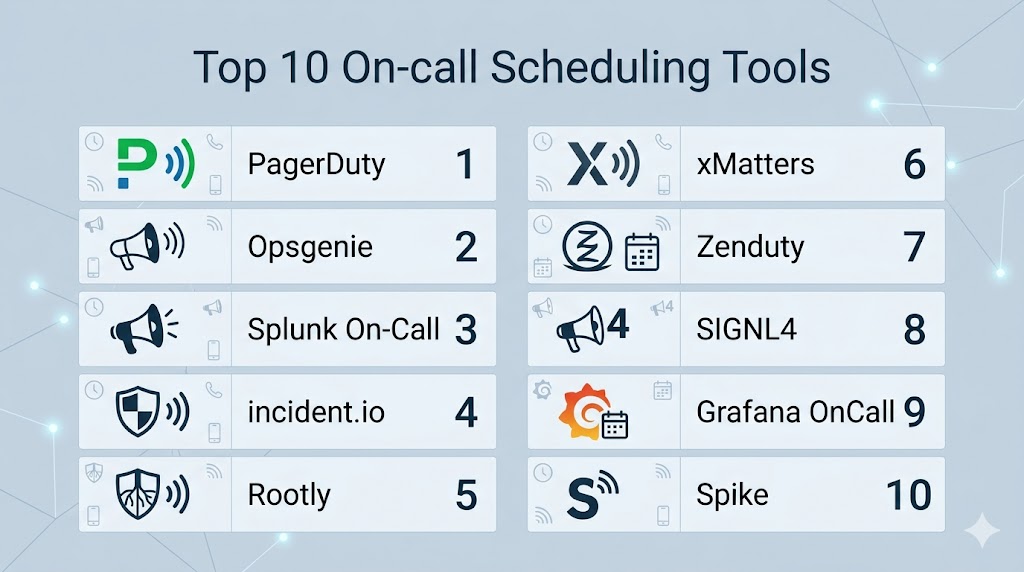
Top 10 On-call Scheduling Tools
#1 — PagerDuty
Short description: A leading platform for on-call scheduling, alerting, and incident response automation.
Key Features
- On-call scheduling
- Alert routing and escalation
- Real-time notifications
- Automation workflows
- Reporting and analytics
Pros
- Industry standard
- Strong integrations
Cons
- Expensive
- Complex pricing
Platforms / Deployment
Web / Mobile
Cloud
Security & Compliance
RBAC, audit logs
Not publicly stated
Integrations & Ecosystem
- Monitoring tools
- DevOps platforms
- Cloud services
Support & Community
Strong enterprise support.
#2 — Opsgenie
Short description: A flexible alerting and scheduling tool with deep DevOps integrations.
Key Features
- On-call rotations
- Alert routing
- Escalation policies
- Incident tracking
- Reporting
Pros
- Flexible configuration
- Strong integrations
Cons
- Learning curve
- Interface complexity
Platforms / Deployment
Web / Mobile
Cloud
Security & Compliance
RBAC
Not publicly stated
Integrations & Ecosystem
- Jira
- Slack
- Monitoring tools
Support & Community
Strong ecosystem support.
#3 — Splunk On-Call
Short description: A real-time alerting and on-call management tool integrated with observability.
Key Features
- Alert notifications
- On-call scheduling
- Escalation policies
- Incident tracking
- Analytics
Pros
- Strong observability integration
- Reliable alerts
Cons
- Expensive
- Complex setup
Platforms / Deployment
Web / Mobile
Cloud
Security & Compliance
RBAC, encryption
Not publicly stated
Integrations & Ecosystem
- Splunk platform
- DevOps tools
Support & Community
Enterprise support.
#4 — incident.io
Short description: A modern, Slack-native tool for managing incidents and on-call workflows.
Key Features
- On-call scheduling
- ChatOps workflows
- Automation
- Incident tracking
- Reporting
Pros
- Developer-friendly
- Strong automation
Cons
- Slack dependency
- Paid plans
Platforms / Deployment
Web
Cloud
Security & Compliance
Not publicly stated
Integrations & Ecosystem
- Slack
- DevOps tools
Support & Community
Growing community.
#5 — Rootly
Short description: A modern incident management tool with built-in on-call scheduling features.
Key Features
- On-call rotations
- Slack integration
- Automation workflows
- Incident timelines
- Reporting
Pros
- Modern UI
- ChatOps integration
Cons
- Smaller ecosystem
- Paid plans
Platforms / Deployment
Web
Cloud
Security & Compliance
Not publicly stated
Integrations & Ecosystem
- Slack
- Monitoring tools
Support & Community
Growing support.
#6 — xMatters
Short description: An enterprise platform for on-call scheduling and workflow automation.
Key Features
- On-call scheduling
- Alert notifications
- Workflow automation
- Reporting
- Communication tools
Pros
- Strong automation
- Enterprise-ready
Cons
- Complex setup
- Pricing
Platforms / Deployment
Web / Mobile
Cloud
Security & Compliance
Not publicly stated
Integrations & Ecosystem
- DevOps tools
- ITSM platforms
Support & Community
Enterprise support.
#7 — Zenduty
Short description: A cost-effective on-call scheduling and alerting platform.
Key Features
- On-call rotations
- Alert routing
- Escalation policies
- Reporting
- Mobile alerts
Pros
- Affordable
- Easy to use
Cons
- Smaller ecosystem
- Limited enterprise features
Platforms / Deployment
Web / Mobile
Cloud
Security & Compliance
Not publicly stated
Integrations & Ecosystem
- Monitoring tools
- DevOps platforms
Support & Community
Growing support.
#8 — SIGNL4
Short description: A mobile-first alerting and on-call scheduling tool.
Key Features
- Mobile alerts
- On-call scheduling
- Escalation workflows
- Real-time notifications
- Integration support
Pros
- Mobile-focused
- Easy setup
Cons
- Limited advanced features
- Smaller ecosystem
Platforms / Deployment
Web / Mobile
Cloud
Security & Compliance
Not publicly stated
Integrations & Ecosystem
- Monitoring tools
- IoT platforms
Support & Community
Moderate support.
#9 — Grafana OnCall
Short description: An open-source on-call management tool integrated with Grafana.
Key Features
- On-call scheduling
- Alert routing
- Integration with Grafana
- Open-source
- Automation
Pros
- Free and flexible
- Strong integration with observability
Cons
- Requires setup
- Limited enterprise features
Platforms / Deployment
Linux
Cloud / Self-hosted
Security & Compliance
Not publicly stated
Integrations & Ecosystem
- Grafana
- Prometheus
Support & Community
Active open-source community.
#10 — Spike
Short description: A lightweight incident and on-call management tool.
Key Features
- On-call scheduling
- Alerting
- Incident tracking
- Automation
- Reporting
Pros
- Simple and easy to use
- Lightweight
Cons
- Limited advanced features
- Smaller ecosystem
Platforms / Deployment
Web
Cloud
Security & Compliance
Not publicly stated
Integrations & Ecosystem
- DevOps tools
- Monitoring platforms
Support & Community
Growing community.
Comparison Table (Top 10)
| Tool Name | Best For | Platform(s) Supported | Deployment | Standout Feature | Public Rating |
|---|---|---|---|---|---|
| PagerDuty | Enterprise | Web/Mobile | Cloud | Alerting | N/A |
| Opsgenie | DevOps | Web/Mobile | Cloud | Routing | N/A |
| Splunk On-Call | Observability | Web/Mobile | Cloud | Analytics | N/A |
| incident.io | Slack teams | Web | Cloud | ChatOps | N/A |
| Rootly | Modern teams | Web | Cloud | Automation | N/A |
| xMatters | Enterprise | Web/Mobile | Cloud | Workflows | N/A |
| Zenduty | SMB | Web/Mobile | Cloud | Cost-effective | N/A |
| SIGNL4 | Mobile-first | Web/Mobile | Cloud | Mobile alerts | N/A |
| Grafana OnCall | Open-source | Linux | Hybrid | Free | N/A |
| Spike | Startups | Web | Cloud | Simplicity | N/A |
Evaluation & Scoring of On-call Scheduling Tools
| Tool Name | Core | Ease | Integrations | Security | Performance | Support | Value | Weighted Total |
|---|---|---|---|---|---|---|---|---|
| PagerDuty | 10 | 8 | 10 | 9 | 9 | 9 | 7 | 9.0 |
| Opsgenie | 9 | 8 | 9 | 9 | 9 | 9 | 8 | 8.8 |
| Splunk | 9 | 7 | 9 | 9 | 9 | 9 | 7 | 8.6 |
| incident.io | 9 | 9 | 8 | 8 | 8 | 8 | 8 | 8.4 |
| Rootly | 8 | 9 | 8 | 7 | 8 | 8 | 8 | 8.2 |
| xMatters | 9 | 7 | 8 | 9 | 9 | 8 | 7 | 8.3 |
| Zenduty | 8 | 9 | 7 | 7 | 8 | 7 | 9 | 8.1 |
| SIGNL4 | 8 | 9 | 7 | 7 | 8 | 7 | 9 | 8.0 |
| Grafana | 8 | 7 | 8 | 7 | 8 | 7 | 10 | 8.1 |
| Spike | 7 | 9 | 7 | 7 | 8 | 7 | 9 | 7.9 |
How to interpret scores:
These scores compare tools based on scheduling capabilities, ease of use, and integrations. Enterprise tools excel in automation and scalability, while lightweight tools provide affordability and simplicity.
Which On-call Scheduling Tool Is Right for You?
Solo / Freelancer
Spike and Zenduty are simple and affordable.
SMB
Opsgenie and SIGNL4 offer flexibility and ease of use.
Mid-Market
PagerDuty and Rootly provide strong integrations and automation.
Enterprise
xMatters and Splunk On-Call deliver advanced workflows and scalability.
Budget vs Premium
- Budget: Grafana OnCall
- Premium: PagerDuty, xMatters
Feature Depth vs Ease of Use
- Feature-rich: PagerDuty
- Easy-to-use: Zenduty
Integrations & Scalability
- Best integrations: PagerDuty
- Scalable: xMatters
Security & Compliance Needs
- Strong security: PagerDuty
- Moderate: SIGNL4
Frequently Asked Questions (FAQs)
What is an on-call scheduling tool?
It manages on-call rotations and alerts for incidents.
Why are these tools important?
They ensure fast response to system issues.
Do they support automation?
Yes, automation is a core feature.
Can they integrate with monitoring tools?
Yes, integration is essential.
Are they cloud-based?
Most modern tools are cloud-based.
Can small teams use them?
Yes, many tools support SMB use cases.
What is alert fatigue?
Too many alerts causing reduced effectiveness.
Are they secure?
Most include security features.
What is escalation policy?
A rule defining how alerts are escalated.
What is the best tool overall?
Depends on your team and infrastructure.
Conclusion
On-call Scheduling Tools are essential for maintaining continuous system availability and ensuring rapid incident response. By automating scheduling, alert routing, and escalation workflows, these tools help teams reduce downtime and avoid alert fatigue. Whether you choose enterprise solutions like PagerDuty and xMatters or lightweight tools like Zenduty and Spike, the right choice depends on your team size, budget, and operational complexity. Start by evaluating your requirements, testing a few tools, and integrating them into your monitoring stack to ensure efficient and reliable on-call management.