Introduction
Geographic Information Systems GIS are software platforms used to capture, manage, analyze, visualize, and interpret spatial and geographic data. These systems help governments, enterprises, utilities, environmental agencies, transportation organizations, and smart city programs make better decisions using location intelligence and geospatial analytics.
Modern organizations rely heavily on GIS platforms for mapping infrastructure, tracking assets, planning urban development, monitoring environmental conditions, managing logistics, and supporting emergency response operations. Traditional static maps and isolated geographic datasets are no longer sufficient for complex operational needs. Today’s GIS platforms integrate AI-driven analytics, real-time sensor data, drone imagery, satellite feeds, cloud computing, IoT systems, and advanced visualization technologies to improve operational visibility and decision-making.
Real-world use cases include:
- Urban planning and smart city management
- Utility and infrastructure mapping
- Environmental and climate monitoring
- Transportation and logistics optimization
- Emergency response and disaster management
Buyers evaluating GIS platforms should focus on:
- Spatial analytics capabilities
- Mapping and visualization quality
- GIS data management and scalability
- Real-time data integration support
- Mobile GIS functionality
- API and integration ecosystem
- Cloud and hybrid deployment flexibility
- Security and access management
- AI and predictive analytics capabilities
- Industry-specific GIS workflows
Best for: Government agencies, utilities, transportation companies, environmental organizations, infrastructure operators, telecom providers, smart city programs, and enterprises requiring advanced location intelligence capabilities.
Not ideal for: Organizations that only require simple map visualization or lightweight location tracking without advanced geospatial analysis requirements.
Key Trends in Geographic Information Systems GIS
- AI-assisted spatial analytics improving predictive decision-making
- Cloud-native GIS platforms replacing legacy desktop-only environments
- Real-time IoT and sensor integrations enabling live geospatial monitoring
- Drone and satellite imagery becoming standard GIS data sources
- 3D digital twins expanding smart city and infrastructure planning capabilities
- Mobile GIS applications improving field operations and inspections
- GIS and AI integration supporting automated anomaly detection
- Increased use of geospatial analytics in climate and sustainability initiatives
- Cross-platform interoperability improving enterprise GIS integration
- Stronger cybersecurity requirements for critical infrastructure GIS systems
How We Selected These Tools (Methodology)
- Adoption across government and enterprise industries
- Depth of spatial analytics and mapping capabilities
- Scalability for large geospatial datasets
- Integration support for enterprise systems and APIs
- Real-time analytics and IoT compatibility
- GIS visualization and user experience quality
- Security and governance capabilities
- Mobile and field operation support
- Vendor support and developer ecosystem strength
- Balance between enterprise, open-source, and cloud-native solutions
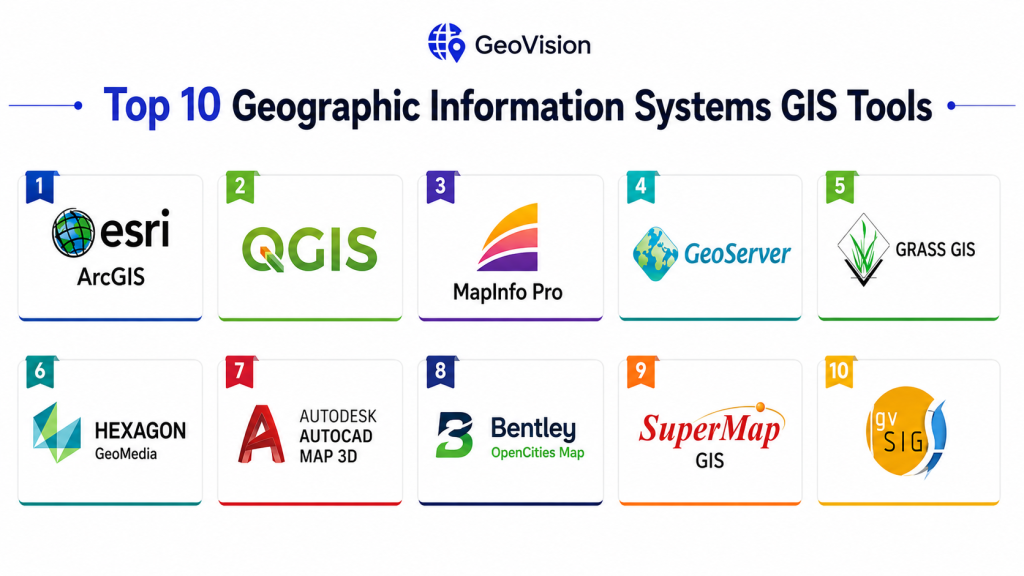
Top 10 Geographic Information Systems GIS Tools
1- Esri ArcGIS
Short description:
Esri ArcGIS is the most widely recognized enterprise GIS platform globally. It provides advanced mapping, spatial analytics, GIS visualization, and location intelligence capabilities for governments and enterprises.
Key Features
- Advanced GIS mapping and visualization
- Spatial analytics and modeling
- Real-time GIS dashboards
- 3D mapping and digital twins
- Mobile GIS applications
- Drone and satellite imagery integration
- AI-assisted geospatial analytics
Pros
- Industry-leading GIS ecosystem
- Extensive enterprise integrations
- Excellent scalability and analytics depth
Cons
- Premium licensing costs
- Requires GIS expertise
- Complex enterprise deployment
Platforms / Deployment
- Web / Windows / Android / iOS
- Cloud / Self-hosted / Hybrid
Security & Compliance
Supports RBAC, MFA, encryption, audit logging, and enterprise authentication integrations.
Integrations & Ecosystem
ArcGIS integrates with IoT platforms, ERP systems, databases, AI tools, and smart city infrastructure.
- APIs
- IoT integrations
- ERP systems
- GIS databases
- Analytics tools
Support & Community
Massive global GIS community with strong enterprise support and training resources.
2- QGIS
Short description:
QGIS is a highly popular open-source GIS platform used for geospatial analysis, mapping, and spatial data visualization across government, education, and enterprise sectors.
Key Features
- Open-source GIS framework
- Spatial analysis tools
- Raster and vector processing
- Plugin ecosystem
- GIS data visualization
- Python scripting support
- Multi-format compatibility
Pros
- No licensing costs
- Strong customization flexibility
- Large global community
Cons
- Requires technical expertise
- Limited enterprise governance tools
- Support quality varies by provider
Platforms / Deployment
- Windows / Linux / macOS
- Self-hosted
Security & Compliance
Varies depending on deployment infrastructure and security configuration.
Integrations & Ecosystem
Integrates with spatial databases, APIs, and open-source GIS tools.
- PostGIS
- GeoServer
- APIs
- Python tools
- OpenStreetMap
Support & Community
Very large open-source GIS community with strong academic and public-sector adoption.
3- Google Earth Engine
Short description:
Google Earth Engine is a cloud-based geospatial analysis platform designed for large-scale satellite imagery processing and environmental analytics.
Key Features
- Satellite imagery analysis
- Cloud-based GIS processing
- Geospatial AI capabilities
- Environmental monitoring tools
- Massive geospatial datasets
- Time-series analysis
- Remote sensing workflows
Pros
- Extremely powerful geospatial processing
- Strong environmental analytics capabilities
- Cloud scalability
Cons
- Requires coding expertise
- Less traditional GIS workflow support
- Primarily cloud-dependent
Platforms / Deployment
- Web
- Cloud
Security & Compliance
Supports secure cloud access and identity management through Google Cloud infrastructure.
Integrations & Ecosystem
Integrates with Google Cloud, AI tools, and satellite imagery services.
- Google Cloud
- AI platforms
- Satellite datasets
- APIs
Support & Community
Strong research and environmental science community adoption.
4- MapInfo Pro
Short description:
MapInfo Pro is a GIS and spatial analytics platform commonly used for mapping, urban planning, and infrastructure visualization.
Key Features
- GIS mapping tools
- Spatial analytics
- Thematic visualization
- Geocoding capabilities
- Data management tools
- Reporting dashboards
- Business intelligence integration
Pros
- Easier learning curve
- Good mapping performance
- Strong visualization tools
Cons
- Less advanced than enterprise GIS suites
- Limited cloud-native functionality
- Smaller developer ecosystem
Platforms / Deployment
- Windows
- Self-hosted
Security & Compliance
Varies / Not publicly stated.
Integrations & Ecosystem
- BI tools
- Databases
- GIS connectors
- APIs
Support & Community
Stable long-term GIS user base with enterprise support availability.
5- Hexagon GeoMedia
Short description:
Hexagon GeoMedia is an enterprise GIS platform focused on spatial analytics, infrastructure mapping, and geospatial data management.
Key Features
- Spatial analytics engine
- Infrastructure mapping
- Multi-source data integration
- 3D geospatial visualization
- Workflow automation
- GIS data validation
- Real-time analytics
Pros
- Strong enterprise scalability
- Excellent interoperability
- Advanced spatial analytics
Cons
- Steeper learning curve
- Complex deployment
- Higher operational cost
Platforms / Deployment
- Windows / Web
- Hybrid / Self-hosted
Security & Compliance
Supports enterprise authentication, encryption, and access management controls.
Integrations & Ecosystem
- CAD systems
- GIS databases
- APIs
- Remote sensing tools
Support & Community
Enterprise support ecosystem with implementation partners and training resources.
6- AutoCAD Map 3D
Short description:
AutoCAD Map 3D combines CAD and GIS capabilities for infrastructure design, utility mapping, and engineering workflows.
Key Features
- CAD and GIS integration
- Utility infrastructure mapping
- Spatial data editing
- Asset management workflows
- Data conversion tools
- Engineering visualization
- GIS interoperability
Pros
- Strong engineering workflows
- Excellent CAD integration
- Good utility mapping capabilities
Cons
- Less advanced spatial analytics
- Requires Autodesk ecosystem familiarity
- Premium licensing costs
Platforms / Deployment
- Windows
- Self-hosted
Security & Compliance
Supports enterprise authentication and secure data access capabilities.
Integrations & Ecosystem
- Autodesk ecosystem
- CAD systems
- GIS databases
- APIs
Support & Community
Strong engineering and infrastructure support ecosystem.
7- GeoServer
Short description:
GeoServer is an open-source GIS server platform used for publishing geospatial data and enabling interoperable mapping services.
Key Features
- GIS data publishing
- WMS and WFS services
- Spatial APIs
- Raster and vector processing
- Open geospatial standards
- Lightweight deployment
- Extensible architecture
Pros
- Strong interoperability
- Open-source flexibility
- Lightweight infrastructure requirements
Cons
- Requires technical expertise
- Limited advanced GIS analytics
- Enterprise support varies
Platforms / Deployment
- Windows / Linux / macOS
- Self-hosted / Cloud
Security & Compliance
Supports authentication, secure APIs, and access management features.
Integrations & Ecosystem
- QGIS
- PostGIS
- OpenLayers
- APIs
Support & Community
Large open-source GIS developer community.
8- Bentley OpenCities Map
Short description:
Bentley OpenCities Map provides GIS and digital twin capabilities for infrastructure and smart city projects.
Key Features
- Infrastructure GIS management
- 3D city modeling
- Digital twin integration
- Spatial analytics
- Utility mapping
- Data federation
- Engineering workflow support
Pros
- Excellent infrastructure focus
- Strong engineering integrations
- Advanced 3D visualization
Cons
- Complex implementation
- Premium pricing
- Requires GIS and engineering expertise
Platforms / Deployment
- Windows / Web
- Cloud / Hybrid
Security & Compliance
Supports enterprise authentication and encryption controls.
Integrations & Ecosystem
- BIM systems
- CAD tools
- Infrastructure platforms
- APIs
Support & Community
Strong enterprise infrastructure support ecosystem.
9- SuperMap GIS
Short description:
SuperMap GIS provides geospatial analytics, smart city visualization, and cloud GIS capabilities for government and enterprise organizations.
Key Features
- Cloud GIS platform
- Smart city analytics
- Spatial visualization
- AI-assisted GIS workflows
- Mobile GIS tools
- 3D geospatial modeling
- GIS data management
Pros
- Good smart city support
- Competitive feature set
- Strong cloud capabilities
Cons
- Smaller global ecosystem
- Limited adoption in some regions
- Documentation quality varies
Platforms / Deployment
- Web / Windows / Mobile
- Cloud / Hybrid
Security & Compliance
Supports access controls, authentication, and encryption capabilities.
Integrations & Ecosystem
- APIs
- GIS databases
- IoT systems
- Smart city platforms
Support & Community
Growing enterprise GIS ecosystem with strong regional adoption.
10- GRASS GIS
Short description:
GRASS GIS is an open-source GIS and geospatial analysis platform widely used in research, environmental science, and advanced spatial modeling.
Key Features
- Advanced spatial analysis
- Raster and vector processing
- Terrain and hydrology modeling
- Geospatial scripting support
- Open-source architecture
- Scientific GIS workflows
- Data visualization tools
Pros
- Powerful scientific analysis capabilities
- Open-source flexibility
- Strong academic adoption
Cons
- Steep learning curve
- Less polished interface
- Limited enterprise usability
Platforms / Deployment
- Windows / Linux / macOS
- Self-hosted
Security & Compliance
Varies depending on deployment configuration.
Integrations & Ecosystem
- QGIS
- APIs
- Open geospatial standards
- Scientific tools
Support & Community
Strong research and environmental science community support.
Comparison Table
| Tool Name | Best For | Platforms Supported | Deployment | Standout Feature | Public Rating |
|---|---|---|---|---|---|
| ArcGIS | Enterprise GIS | Web, Mobile | Cloud / Hybrid | Advanced spatial analytics | N/A |
| QGIS | Open-source GIS | Windows, Linux, macOS | Self-hosted | Flexible customization | N/A |
| Google Earth Engine | Environmental analytics | Web | Cloud | Satellite imagery processing | N/A |
| MapInfo Pro | Mapping visualization | Windows | Self-hosted | Easy GIS usability | N/A |
| Hexagon GeoMedia | Enterprise infrastructure GIS | Windows, Web | Hybrid | Multi-source analytics | N/A |
| AutoCAD Map 3D | Engineering GIS | Windows | Self-hosted | CAD + GIS integration | N/A |
| GeoServer | GIS publishing | Windows, Linux | Self-hosted | Open standards support | N/A |
| Bentley OpenCities | Digital twin GIS | Windows, Web | Cloud / Hybrid | Infrastructure modeling | N/A |
| SuperMap GIS | Smart city GIS | Web, Mobile | Cloud / Hybrid | Cloud GIS workflows | N/A |
| GRASS GIS | Scientific GIS analysis | Windows, Linux | Self-hosted | Advanced modeling tools | N/A |
Evaluation & Scoring of Geographic Information Systems GIS
| Tool Name | Core 25% | Ease 15% | Integrations 15% | Security 10% | Performance 10% | Support 10% | Value 15% | Weighted Total |
|---|---|---|---|---|---|---|---|---|
| ArcGIS | 9.8 | 8.2 | 9.7 | 9.5 | 9.6 | 9.7 | 7.8 | 9.2 |
| QGIS | 9.0 | 7.8 | 8.8 | 8.0 | 8.7 | 9.1 | 9.6 | 8.9 |
| Google Earth Engine | 9.3 | 7.5 | 9.0 | 8.8 | 9.5 | 8.8 | 8.5 | 8.9 |
| MapInfo Pro | 8.4 | 8.8 | 8.0 | 7.8 | 8.4 | 8.5 | 8.6 | 8.4 |
| Hexagon GeoMedia | 9.1 | 7.2 | 9.0 | 9.0 | 9.1 | 8.8 | 7.8 | 8.7 |
| AutoCAD Map 3D | 8.8 | 8.0 | 8.7 | 8.5 | 8.8 | 8.7 | 7.9 | 8.5 |
| GeoServer | 8.2 | 7.4 | 8.9 | 7.9 | 8.4 | 8.5 | 9.3 | 8.4 |
| Bentley OpenCities | 9.0 | 7.5 | 8.9 | 8.9 | 9.0 | 8.8 | 7.7 | 8.6 |
| SuperMap GIS | 8.7 | 8.0 | 8.5 | 8.4 | 8.6 | 8.4 | 8.5 | 8.5 |
| GRASS GIS | 8.5 | 6.9 | 8.0 | 7.5 | 8.5 | 8.2 | 9.4 | 8.2 |
These scores are comparative and help organizations evaluate GIS platforms based on analytics depth, scalability, integrations, usability, security, and long-term operational value. Enterprise solutions lead in governance and scalability, while open-source tools provide flexibility and cost efficiency.
Which Geographic Information Systems GIS Tool Is Right for You?
Solo / Research Teams
Best suited: QGIS, GRASS GIS
These provide powerful open-source GIS capabilities for academic, research, and small-scale spatial analysis projects.
SMB / Regional Organizations
Best suited: MapInfo Pro, QGIS, GeoServer
These balance usability, mapping capabilities, and manageable deployment complexity.
Mid-Market Enterprises
Best suited: Hexagon GeoMedia, SuperMap GIS, AutoCAD Map 3D
These platforms provide stronger analytics and infrastructure-focused GIS workflows.
Enterprise / Smart City Programs
Best suited: ArcGIS, Bentley OpenCities, Google Earth Engine
These offer advanced analytics, scalability, and enterprise integration ecosystems.
Budget vs Premium
Budget-friendly: QGIS, GeoServer, GRASS GIS
Premium enterprise: ArcGIS, Bentley, Hexagon
Feature Depth vs Ease of Use
Deep analytics: ArcGIS, Hexagon, Google Earth Engine
Ease of use: MapInfo Pro, QGIS
Integrations & Scalability
Best integrations: ArcGIS, Bentley, Hexagon
Best scalability: ArcGIS, Google Earth Engine
Security & Compliance Needs
Organizations managing critical infrastructure GIS systems should prioritize platforms supporting RBAC, MFA, encryption, audit logging, and secure API management.
Frequently Asked Questions
1. What is a GIS platform?
A GIS platform is software used to collect, analyze, visualize, and manage geographic and spatial data for decision-making and operational planning.
2. Why are GIS systems important?
They help organizations understand spatial relationships, optimize operations, improve planning, and support data-driven decisions using location intelligence.
3. Are cloud GIS platforms becoming common?
Yes, cloud-native GIS platforms are increasingly popular because they improve scalability, collaboration, and real-time accessibility.
4. Can GIS systems integrate with IoT devices?
Many modern GIS platforms support IoT and sensor integrations for real-time geospatial monitoring and analytics.
5. What security features are essential?
RBAC, MFA, encryption, secure APIs, and audit logging are important for protecting sensitive geospatial and infrastructure data.
6. Are open-source GIS tools reliable?
Yes, platforms like QGIS and GeoServer are widely used globally and provide strong flexibility and community support.
7. What industries use GIS the most?
Government, utilities, transportation, telecommunications, environmental science, defense, logistics, and smart city programs heavily rely on GIS platforms.
8. What are common implementation challenges?
Data migration, interoperability, staff training, and managing large spatial datasets are common GIS deployment challenges.
9. Do GIS systems support mobile field operations?
Yes, many GIS platforms provide mobile applications for inspections, surveying, field mapping, and asset management workflows.
10. How should organizations choose a GIS platform?
Organizations should evaluate scalability, analytics depth, integrations, usability, deployment flexibility, and long-term operational requirements.
Conclusion
Geographic Information Systems GIS platforms have become essential operational and analytical tools for governments, enterprises, utilities, and smart city programs seeking to leverage location intelligence for better decision-making. Modern GIS platforms combine advanced spatial analytics, AI-driven insights, real-time IoT integrations, drone imagery, cloud infrastructure, and 3D visualization to support increasingly complex operational requirements. Enterprise leaders such as ArcGIS, Hexagon GeoMedia, and Bentley OpenCities provide deep scalability and integration ecosystems, while open-source platforms like QGIS and GRASS GIS offer flexibility and cost efficiency. The best GIS solution depends on organizational scale, technical expertise, integration requirements, and operational priorities. A structured evaluation process combined with pilot deployments and interoperability testing can significantly improve long-term GIS implementation success and operational value.