Introduction
Cartography & Map Design Tools are specialized software platforms used to create, edit, visualize, and publish maps for geographic analysis, navigation, urban planning, research, business intelligence, and public communication. These tools help governments, GIS professionals, designers, researchers, publishers, and enterprises transform complex spatial data into visually understandable and interactive maps.
Modern cartography is no longer limited to static printed maps. Organizations now require interactive web maps, 3D visualization, real-time geospatial dashboards, mobile accessibility, AI-assisted design, and cloud-based collaboration capabilities. Today’s map design platforms integrate GIS analytics, vector rendering, satellite imagery, geospatial databases, API ecosystems, and advanced styling engines to support professional-grade cartographic workflows.
Real-world use cases include:
- Urban planning and infrastructure visualization
- Navigation and transportation mapping
- Environmental and climate data visualization
- Business intelligence and location analytics
- Tourism, education, and public communication maps
Buyers evaluating Cartography & Map Design Tools should focus on:
- Map styling and visualization quality
- GIS compatibility and spatial analytics support
- Web mapping and interactive publishing capabilities
- Scalability for large geospatial datasets
- Real-time mapping support
- API and developer ecosystem
- Mobile and responsive visualization support
- Security and access controls
- Collaboration and workflow management features
- Integration flexibility with GIS and enterprise systems
Best for: GIS professionals, urban planners, government agencies, publishers, researchers, designers, transportation organizations, smart city initiatives, and enterprises requiring professional geospatial visualization and map publishing capabilities.
Not ideal for: Organizations that only require simple navigation maps or lightweight location display without advanced cartographic design and geospatial visualization needs.
Key Trends in Cartography & Map Design Tools
- AI-assisted cartographic styling improving map design automation
- Interactive web mapping replacing traditional static map publishing
- 3D visualization and digital twins expanding spatial storytelling capabilities
- Cloud-based collaborative map editing becoming more common
- Real-time geospatial dashboards improving operational visibility
- Mobile-first cartography improving accessibility and field usability
- Integration with satellite imagery and IoT systems increasing data richness
- Vector tile technology improving map performance and scalability
- Open-source mapping ecosystems gaining stronger enterprise adoption
- Increased accessibility and multilingual support for public-facing maps
How We Selected These Tools (Methodology)
- Adoption across GIS, government, and enterprise sectors
- Depth of cartographic and visualization capabilities
- GIS interoperability and geospatial compatibility
- Interactive web mapping and publishing functionality
- Scalability for large geospatial datasets
- API ecosystem and developer flexibility
- Performance and rendering quality
- Security and governance capabilities
- Collaboration and workflow support
- Balance between enterprise, cloud-native, and open-source solutions
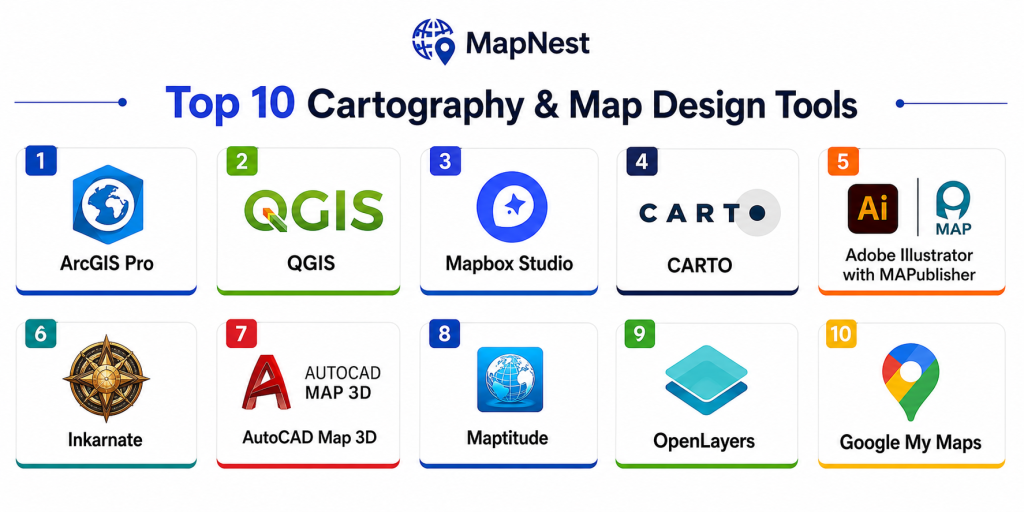
Top 10 Cartography & Map Design Tools
1- Esri ArcGIS Pro
Short description:
ArcGIS Pro is a leading professional GIS and cartography platform used for advanced map creation, spatial analytics, and enterprise geospatial visualization.
Key Features
- Advanced cartographic design tools
- 2D and 3D map visualization
- GIS analytics integration
- Interactive web map publishing
- Real-time geospatial dashboards
- Spatial data editing
- High-quality print map generation
Pros
- Industry-leading GIS ecosystem
- Excellent visualization quality
- Strong enterprise integrations
Cons
- Premium licensing costs
- Requires GIS expertise
- Complex enterprise deployment
Platforms / Deployment
- Windows / Web
- Cloud / Hybrid / Self-hosted
Security & Compliance
Supports MFA, RBAC, encryption, and enterprise authentication controls.
Integrations & Ecosystem
Integrates with ArcGIS ecosystem tools, IoT systems, databases, and analytics platforms.
- ArcGIS ecosystem
- APIs
- GIS databases
- IoT integrations
- Analytics tools
Support & Community
Massive global GIS community with strong enterprise support resources.
2- QGIS
Short description:
QGIS is a widely used open-source cartography and GIS platform supporting professional map creation, geospatial analysis, and interactive spatial visualization.
Key Features
- Open-source GIS framework
- Professional cartographic styling
- Raster and vector editing
- Plugin ecosystem
- Print layout generation
- Spatial analysis tools
- Web mapping support
Pros
- Free and open-source
- Strong customization flexibility
- Large global GIS community
Cons
- Requires technical knowledge
- Enterprise governance varies
- Some plugins have inconsistent support
Platforms / Deployment
- Windows / Linux / macOS
- Self-hosted
Security & Compliance
Varies depending on deployment infrastructure and integrations.
Integrations & Ecosystem
- PostGIS
- GeoServer
- OpenStreetMap
- APIs
- Spatial databases
Support & Community
Very large global open-source GIS and mapping community.
3- Mapbox Studio
Short description:
Mapbox Studio is a cloud-based map design platform focused on interactive web maps, custom cartography, and developer-friendly geospatial visualization.
Key Features
- Custom map styling
- Interactive web mapping
- Vector tile rendering
- Real-time geospatial visualization
- Mobile SDK support
- API-driven map publishing
- 3D visualization support
Pros
- Excellent modern map styling
- Strong developer ecosystem
- High-performance rendering
Cons
- Requires development knowledge for advanced use
- Usage-based pricing can scale quickly
- Less focused on advanced GIS analytics
Platforms / Deployment
- Web / Mobile
- Cloud
Security & Compliance
Supports secure APIs, authentication, and cloud access controls.
Integrations & Ecosystem
Integrates with web applications, mobile platforms, and spatial databases.
- APIs
- Mobile SDKs
- GIS databases
- JavaScript frameworks
Support & Community
Large developer and geospatial visualization ecosystem.
4- CARTO
Short description:
CARTO is a cloud-native geospatial analytics and map visualization platform designed for enterprise location intelligence and spatial data analysis.
Key Features
- Cloud-based geospatial analytics
- Interactive map dashboards
- Spatial SQL support
- AI-assisted location analytics
- Data visualization tools
- Real-time mapping workflows
- Enterprise GIS integrations
Pros
- Strong cloud scalability
- Excellent analytics capabilities
- Good business intelligence integration
Cons
- Premium enterprise pricing
- Requires SQL and GIS knowledge
- Advanced workflows need configuration
Platforms / Deployment
- Web
- Cloud
Security & Compliance
Supports RBAC, encryption, secure APIs, and enterprise authentication controls.
Integrations & Ecosystem
- Cloud data warehouses
- APIs
- GIS systems
- BI platforms
- Analytics tools
Support & Community
Strong enterprise geospatial analytics ecosystem.
5- Adobe Illustrator with MAPublisher
Short description:
Adobe Illustrator combined with MAPublisher provides professional cartographic design and publishing capabilities for high-quality print and digital maps.
Key Features
- Professional vector map styling
- GIS data import support
- High-quality print publishing
- Advanced typography controls
- Spatial data editing
- Custom symbol libraries
- Design-focused workflows
Pros
- Excellent design flexibility
- High-quality publication output
- Strong typography capabilities
Cons
- Less advanced GIS analytics
- Requires design expertise
- Premium software costs
Platforms / Deployment
- Windows / macOS
- Self-hosted
Security & Compliance
Varies / Not publicly stated.
Integrations & Ecosystem
- Adobe Creative Cloud
- GIS data formats
- Spatial databases
- APIs
Support & Community
Strong cartography and graphic design community support.
6- Google My Maps
Short description:
Google My Maps is a lightweight mapping platform used for creating and sharing interactive maps with simple collaboration capabilities.
Key Features
- Interactive map creation
- Layer-based visualization
- Google Maps integration
- Collaborative editing
- Location sharing
- Basic geospatial visualization
- Cloud accessibility
Pros
- Easy to use
- Strong accessibility
- Quick deployment workflows
Cons
- Limited advanced GIS functionality
- Minimal professional cartography controls
- Less enterprise scalability
Platforms / Deployment
- Web / Mobile
- Cloud
Security & Compliance
Supports Google account authentication and cloud security controls.
Integrations & Ecosystem
- Google Maps ecosystem
- APIs
- Cloud integrations
- Mobile platforms
Support & Community
Large general-user and educational adoption community.
7- OpenLayers
Short description:
OpenLayers is an open-source JavaScript library used for building custom interactive web mapping applications and geospatial interfaces.
Key Features
- Interactive web mapping
- Vector and raster rendering
- Open-source flexibility
- API extensibility
- GIS layer support
- Real-time map visualization
- Cross-platform compatibility
Pros
- Strong customization flexibility
- Open-source ecosystem
- Excellent web mapping support
Cons
- Requires development expertise
- No native desktop GIS workflows
- Advanced styling can be complex
Platforms / Deployment
- Web
- Cloud / Self-hosted
Security & Compliance
Supports secure APIs and authentication depending on deployment setup.
Integrations & Ecosystem
- GIS databases
- APIs
- JavaScript frameworks
- OpenStreetMap
Support & Community
Large open-source geospatial developer community.
8- Leaflet
Short description:
Leaflet is a lightweight open-source JavaScript mapping library designed for responsive interactive web maps and mobile-friendly geospatial applications.
Key Features
- Lightweight web mapping
- Mobile-friendly rendering
- Plugin ecosystem
- Interactive layers
- Open-source architecture
- API integration support
- Real-time visualization
Pros
- Fast and lightweight
- Easy integration workflows
- Strong open-source ecosystem
Cons
- Limited advanced GIS functionality
- Requires developer skills
- Less suitable for enterprise GIS analytics
Platforms / Deployment
- Web
- Cloud / Self-hosted
Security & Compliance
Varies depending on deployment and API integrations.
Integrations & Ecosystem
- OpenStreetMap
- APIs
- JavaScript frameworks
- GIS layers
Support & Community
Large developer community and extensive plugin ecosystem.
9- Tableau Maps
Short description:
Tableau Maps provides geospatial visualization and location-based analytics capabilities integrated into Tableau’s business intelligence ecosystem.
Key Features
- Interactive location dashboards
- Business intelligence integration
- Geospatial data visualization
- Real-time analytics support
- Mapping overlays
- Cloud dashboard sharing
- Enterprise reporting tools
Pros
- Strong BI integration
- Easy-to-use dashboards
- Excellent analytics visualization
Cons
- Limited advanced cartography controls
- Less suitable for deep GIS analysis
- Premium enterprise pricing
Platforms / Deployment
- Web / Windows / macOS
- Cloud / Self-hosted
Security & Compliance
Supports enterprise authentication, RBAC, encryption, and governance controls.
Integrations & Ecosystem
- Databases
- BI tools
- APIs
- Cloud analytics platforms
Support & Community
Strong business intelligence and analytics ecosystem.
10- Maptitude
Short description:
Maptitude is a GIS and mapping platform focused on business mapping, logistics visualization, and demographic analysis.
Key Features
- Business mapping tools
- Demographic analytics
- Route optimization support
- Spatial analysis capabilities
- Interactive dashboards
- Territory mapping
- Data visualization
Pros
- Good business intelligence workflows
- Easier learning curve
- Strong logistics mapping capabilities
Cons
- Smaller ecosystem than enterprise GIS tools
- Limited advanced geospatial analytics
- Less cloud-native functionality
Platforms / Deployment
- Windows
- Self-hosted
Security & Compliance
Varies / Not publicly stated.
Integrations & Ecosystem
- Databases
- GIS systems
- APIs
- Business analytics tools
Support & Community
Established business mapping support ecosystem.
Comparison Table
| Tool Name | Best For | Platforms Supported | Deployment | Standout Feature | Public Rating |
|---|---|---|---|---|---|
| ArcGIS Pro | Enterprise GIS cartography | Windows, Web | Hybrid | Advanced map design | N/A |
| QGIS | Open-source cartography | Windows, Linux, macOS | Self-hosted | Flexible GIS workflows | N/A |
| Mapbox Studio | Interactive web maps | Web, Mobile | Cloud | Modern vector styling | N/A |
| CARTO | Cloud geospatial analytics | Web | Cloud | Spatial analytics dashboards | N/A |
| Illustrator + MAPublisher | Professional print maps | Windows, macOS | Self-hosted | High-quality cartography | N/A |
| Google My Maps | Lightweight collaboration | Web, Mobile | Cloud | Easy interactive mapping | N/A |
| OpenLayers | Custom web mapping | Web | Self-hosted | Open-source flexibility | N/A |
| Leaflet | Lightweight web GIS | Web | Self-hosted | Mobile-friendly maps | N/A |
| Tableau Maps | BI geospatial analytics | Web, Windows | Hybrid | Business dashboards | N/A |
| Maptitude | Business mapping | Windows | Self-hosted | Demographic analytics | N/A |
Evaluation & Scoring of Cartography & Map Design Tools
| Tool Name | Core 25% | Ease 15% | Integrations 15% | Security 10% | Performance 10% | Support 10% | Value 15% | Weighted Total |
|---|---|---|---|---|---|---|---|---|
| ArcGIS Pro | 9.8 | 8.0 | 9.7 | 9.5 | 9.5 | 9.6 | 7.8 | 9.2 |
| QGIS | 9.0 | 7.9 | 8.8 | 8.0 | 8.8 | 9.2 | 9.6 | 8.9 |
| Mapbox Studio | 9.1 | 8.5 | 9.3 | 8.7 | 9.4 | 8.9 | 8.3 | 8.9 |
| CARTO | 8.9 | 8.2 | 9.0 | 8.9 | 9.0 | 8.8 | 8.2 | 8.7 |
| Illustrator + MAPublisher | 8.7 | 8.0 | 8.0 | 7.8 | 8.8 | 8.7 | 8.1 | 8.4 |
| Google My Maps | 7.8 | 9.4 | 7.9 | 8.4 | 8.3 | 8.5 | 9.2 | 8.4 |
| OpenLayers | 8.6 | 7.5 | 8.9 | 8.0 | 8.8 | 8.7 | 9.0 | 8.5 |
| Leaflet | 8.4 | 8.2 | 8.5 | 7.9 | 8.6 | 8.8 | 9.1 | 8.5 |
| Tableau Maps | 8.3 | 8.9 | 8.8 | 8.8 | 8.7 | 8.9 | 8.0 | 8.5 |
| Maptitude | 8.2 | 8.5 | 8.1 | 7.9 | 8.3 | 8.4 | 8.7 | 8.3 |
These scores are comparative and designed to help organizations evaluate cartography and mapping tools based on visualization quality, GIS compatibility, scalability, integrations, usability, security, and long-term operational value.
Which Cartography & Map Design Tool Is Right for You?
Solo / Research Teams
Best suited: QGIS, Leaflet
These provide flexible and cost-effective mapping capabilities for research and small projects.
SMB / Creative Mapping Teams
Best suited: Mapbox Studio, Illustrator + MAPublisher
These platforms balance design flexibility and interactive visualization capabilities.
Mid-Market Enterprises
Best suited: CARTO, Tableau Maps, OpenLayers
These provide stronger analytics, dashboarding, and enterprise integration support.
Enterprise / Government Programs
Best suited: ArcGIS Pro, Mapbox Studio, CARTO
These offer advanced scalability, governance, and enterprise GIS integration ecosystems.
Budget vs Premium
Budget-friendly: QGIS, Leaflet, OpenLayers
Premium enterprise: ArcGIS Pro, CARTO, Mapbox Studio
Feature Depth vs Ease of Use
Deep analytics: ArcGIS Pro, CARTO
Ease of use: Google My Maps, Tableau Maps
Integrations & Scalability
Best integrations: ArcGIS Pro, Mapbox, CARTO
Best scalability: ArcGIS Pro, Mapbox Studio
Security & Compliance Needs
Organizations handling government or infrastructure mapping should prioritize platforms supporting RBAC, MFA, encryption, secure APIs, and audit logging.
Frequently Asked Questions
1. What are cartography and map design tools?
These are software platforms used to create, visualize, analyze, and publish maps for professional, business, and public applications.
2. Why are modern cartography tools important?
They help organizations communicate spatial information more effectively through interactive and visually rich geospatial experiences.
3. Can these tools integrate with GIS systems?
Yes, most modern map design platforms support GIS integrations and spatial database connectivity.
4. Are cloud-based mapping platforms common?
Yes, cloud-native mapping tools are increasingly popular because they support collaboration and scalable interactive web publishing.
5. What security features are essential?
RBAC, MFA, secure APIs, encryption, and audit logging are important for enterprise and government mapping environments.
6. Are open-source mapping tools reliable?
Yes, tools like QGIS, Leaflet, and OpenLayers are widely used globally and supported by strong developer communities.
7. Which industries use cartography tools most?
Government, transportation, utilities, environmental science, logistics, smart cities, tourism, and media organizations commonly use cartography platforms.
8. What are common implementation challenges?
Managing spatial datasets, performance optimization, user training, and integration complexity are common deployment challenges.
9. Do these tools support mobile mapping?
Many modern platforms provide responsive web mapping and mobile visualization support for field operations and public access.
10. How should organizations choose a cartography platform?
Organizations should evaluate visualization quality, GIS compatibility, scalability, integrations, usability, and long-term operational needs.
Conclusion
Cartography & Map Design Tools have evolved into powerful geospatial visualization platforms supporting governments, enterprises, researchers, and smart city programs in communicating complex spatial information effectively. Modern platforms combine GIS analytics, AI-assisted styling, real-time dashboards, vector rendering, cloud collaboration, and interactive web publishing to support increasingly advanced geospatial workflows. Enterprise leaders such as ArcGIS Pro, Mapbox Studio, and CARTO provide strong scalability and analytics ecosystems, while open-source platforms like QGIS, Leaflet, and OpenLayers offer flexibility and cost efficiency. The right solution ultimately depends on organizational scale, technical expertise, visualization requirements, and integration priorities. A structured evaluation process combined with pilot projects and workflow testing can significantly improve long-term mapping platform success and operational value.