Introduction
Enterprise Social Networks are internal collaboration platforms designed to improve communication, knowledge sharing, employee engagement, and cross-functional collaboration within organizations. Unlike traditional messaging apps, enterprise social networks focus more on company-wide interaction, communities, social collaboration, employee recognition, and organizational knowledge management. These platforms help employees stay connected across departments, locations, and remote work environments.
Modern enterprises increasingly use enterprise social networks to reduce communication silos, improve internal transparency, and strengthen digital workplace culture. As hybrid work environments continue expanding, organizations need centralized platforms where employees can collaborate, share updates, participate in discussions, access resources, and engage socially in a professional environment.
Real-world use cases include:
- Internal employee communication
- Company-wide announcements and engagement
- Knowledge sharing communities
- Employee onboarding and collaboration
- Cross-department project discussions
Buyers should evaluate:
- Ease of use and employee adoption
- Community and collaboration capabilities
- Integration ecosystem
- Mobile accessibility
- Security and governance controls
- Content sharing and knowledge management
- AI and automation features
- Scalability across large organizations
- Analytics and engagement tracking
- Deployment flexibility
Best for: enterprises, distributed organizations, HR teams, internal communications departments, hybrid workplaces, and organizations focused on employee engagement and collaboration.
Not ideal for: very small teams with basic communication needs, organizations relying only on email workflows, or businesses requiring highly specialized operational messaging tools only.
Key Trends in Enterprise Social Networks
- AI-powered knowledge discovery and content summarization are becoming common.
- Employee engagement analytics are increasingly integrated into collaboration platforms.
- Organizations are prioritizing hybrid workplace communication experiences.
- Social collaboration platforms are integrating workflow automation tools.
- Video-first communication and live engagement features continue growing.
- Mobile-first employee communication strategies are becoming essential.
- Integration with productivity and HR systems is expanding rapidly.
- Enterprise social platforms are evolving into digital workplace hubs.
- Governance, compliance, and moderation controls are becoming more advanced.
- Community-driven collaboration models are replacing siloed communication structures.
How We Selected These Tools
The platforms in this list were selected based on business collaboration value, market adoption, scalability, and long-term enterprise relevance.
- Strong enterprise adoption and market visibility
- Collaboration and employee engagement capabilities
- Security and governance functionality
- Integration ecosystem maturity
- User experience and onboarding simplicity
- Mobile and remote workforce support
- Scalability for global organizations
- AI and automation readiness
- Vendor stability and platform maturity
- Community and administrative capabilities
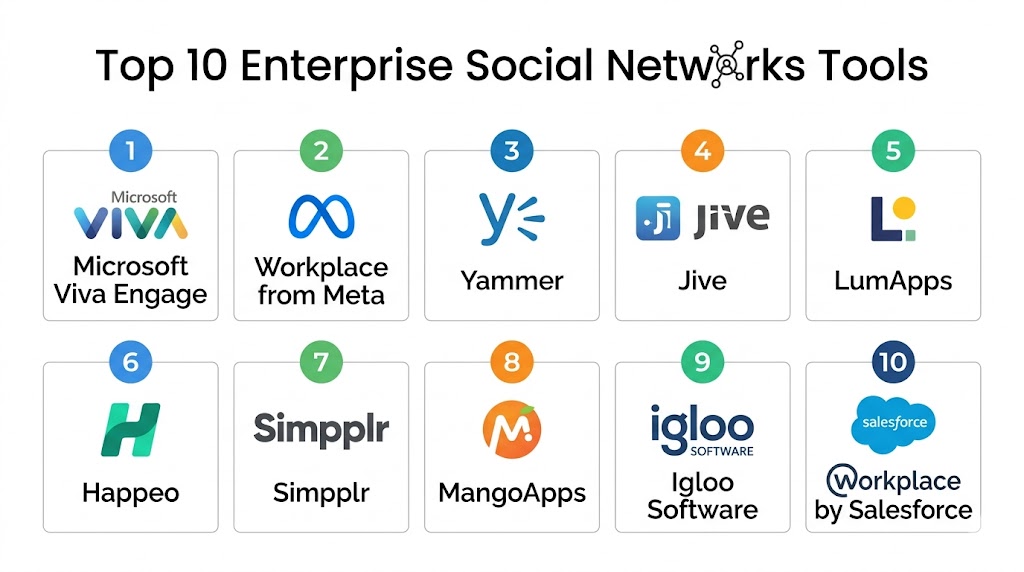
Top 10 Enterprise Social Networks Tools
#1 — Microsoft Viva Engage
Short description: Microsoft Viva Engage is Microsoft’s enterprise social networking platform built into the Microsoft ecosystem. It focuses on employee engagement, organizational communication, communities, and knowledge sharing for enterprises already using Microsoft 365.
Key Features
- Community-based collaboration
- Leadership communication tools
- AI-powered engagement insights
- Company-wide announcements
- Integration with Microsoft Teams
- Employee recognition features
- Enterprise knowledge sharing
Pros
- Strong Microsoft ecosystem integration
- Enterprise-ready governance controls
- Familiar interface for Microsoft users
Cons
- Best suited for Microsoft-centric organizations
- Can feel complex for smaller teams
- Some advanced features require premium licensing
Platforms / Deployment
- Web / Windows / macOS / iOS / Android
- Cloud
Security & Compliance
Supports SSO/SAML, MFA, encryption, audit logs, GDPR, RBAC, and enterprise governance controls.
Integrations & Ecosystem
Viva Engage integrates deeply into Microsoft’s productivity and workplace collaboration ecosystem.
- Microsoft Teams
- SharePoint
- Outlook
- OneDrive
- Power BI
- Microsoft 365
Support & Community
Strong enterprise documentation, onboarding support, and global Microsoft partner ecosystem.
#2 — Workplace from Meta
Short description: Workplace from Meta is an enterprise communication and collaboration platform inspired by social networking experiences. It helps organizations improve employee engagement, communication, and collaboration through familiar social-style interactions.
Key Features
- Social-style news feeds
- Live video streaming
- Workplace groups and communities
- Employee engagement tools
- Knowledge sharing features
- Mobile-first communication
- Company-wide announcements
Pros
- Familiar social networking experience
- Strong mobile usability
- Excellent engagement features
Cons
- Some organizations prefer non-Meta ecosystems
- Limited customization compared to some competitors
- Enterprise adoption uncertainty in some regions
Platforms / Deployment
- Web / Windows / macOS / iOS / Android
- Cloud
Security & Compliance
Supports SSO, MFA, encryption, administrative controls, and enterprise governance features.
Integrations & Ecosystem
Workplace integrates with productivity and collaboration systems commonly used in enterprises.
- Microsoft 365
- Google Workspace
- Zoom
- ServiceNow
- Okta
- APIs
Support & Community
Strong onboarding resources and enterprise customer support capabilities.
#3 — Jive
Short description: Jive is an enterprise collaboration and social networking platform focused on employee engagement, knowledge sharing, and community-driven communication for large organizations.
Key Features
- Enterprise community management
- Knowledge sharing portals
- Employee engagement tools
- Collaboration workspaces
- Content publishing
- Social communication feeds
- Administrative analytics
Pros
- Strong enterprise collaboration capabilities
- Good knowledge management functionality
- Flexible community structures
Cons
- Interface may feel dated to some users
- Requires administrative planning
- Higher complexity for smaller organizations
Platforms / Deployment
- Web / iOS / Android
- Cloud / Hybrid
Security & Compliance
Supports SSO, encryption, administrative controls, RBAC, and enterprise governance capabilities.
Integrations & Ecosystem
Jive supports enterprise collaboration integrations and business productivity connectivity.
- Microsoft 365
- Salesforce
- SharePoint
- Google Workspace
- APIs
- CRM systems
Support & Community
Strong enterprise support options and experienced implementation ecosystem.
#4 — Happeo
Short description: Happeo is a digital workplace and enterprise social networking platform designed for organizations using Google Workspace. It combines communication, intranet functionality, and social collaboration tools.
Key Features
- Social intranet capabilities
- Employee communication channels
- Google Workspace integration
- Knowledge management
- Personalized employee feeds
- Searchable content hubs
- Mobile collaboration support
Pros
- Excellent Google Workspace integration
- Modern and clean interface
- Strong internal communication tools
Cons
- Best suited for Google-centric organizations
- Smaller ecosystem than major enterprise vendors
- Limited self-hosted flexibility
Platforms / Deployment
- Web / iOS / Android
- Cloud
Security & Compliance
Supports SSO, MFA, encryption, and administrative governance controls.
Integrations & Ecosystem
Happeo focuses heavily on productivity integration and internal communication workflows.
- Google Drive
- Gmail
- Google Calendar
- Slack
- Zoom
- APIs
Support & Community
Good onboarding experience and growing enterprise collaboration community.
#5 — LumApps
Short description: LumApps is an employee experience and enterprise communication platform designed to improve internal engagement, social collaboration, and digital workplace communication.
Key Features
- Personalized employee experiences
- Enterprise communication hubs
- AI-powered content targeting
- Social collaboration communities
- Internal knowledge sharing
- Analytics and engagement insights
- Mobile workforce support
Pros
- Strong employee experience focus
- Good personalization capabilities
- Enterprise-ready scalability
Cons
- Premium pricing for advanced features
- Requires planning for content governance
- Complexity for smaller organizations
Platforms / Deployment
- Web / iOS / Android
- Cloud
Security & Compliance
Supports SSO, MFA, encryption, and enterprise governance capabilities.
Integrations & Ecosystem
LumApps integrates with productivity suites and enterprise communication environments.
- Google Workspace
- Microsoft 365
- Slack
- Salesforce
- Zoom
- APIs
Support & Community
Strong enterprise implementation assistance and onboarding support.
#6 — MangoApps
Short description: MangoApps is an all-in-one employee communication and collaboration platform combining social networking, intranet functionality, messaging, and project collaboration.
Key Features
- Employee social networking
- Integrated intranet platform
- Team collaboration workspaces
- Knowledge management
- Employee recognition tools
- Workflow automation
- Mobile workforce support
Pros
- Broad collaboration feature set
- Good employee engagement tools
- Flexible communication options
Cons
- Interface may feel crowded
- Learning curve for new users
- Smaller market presence
Platforms / Deployment
- Web / Windows / macOS / iOS / Android
- Cloud
Security & Compliance
Supports SSO, MFA, encryption, RBAC, and enterprise administration controls.
Integrations & Ecosystem
MangoApps supports productivity and communication integrations for workplace collaboration.
- Microsoft 365
- Google Workspace
- Zoom
- Salesforce
- Dropbox
- APIs
Support & Community
Comprehensive onboarding support and practical customer service resources.
#7 — Igloo Software
Short description: Igloo Software is a digital workplace and enterprise collaboration platform designed to support knowledge sharing, employee communication, and organizational collaboration.
Key Features
- Digital workplace hubs
- Team collaboration spaces
- Social communication feeds
- Document sharing
- Employee directories
- Knowledge management
- Governance controls
Pros
- Strong document collaboration
- Good internal communication structure
- Enterprise administrative capabilities
Cons
- Less modern interface compared to some rivals
- Smaller integration marketplace
- Limited advanced AI capabilities
Platforms / Deployment
- Web / iOS / Android
- Cloud
Security & Compliance
Supports encryption, MFA, SSO, and administrative governance controls.
Integrations & Ecosystem
Igloo supports workplace collaboration and document-sharing integrations.
- Microsoft 365
- Google Workspace
- Slack
- Salesforce
- APIs
- Dropbox
Support & Community
Reliable enterprise support and implementation guidance.
#8 — Simpplr
Short description: Simpplr is an employee experience and social collaboration platform focused on internal communication, engagement, and personalized workplace experiences.
Key Features
- AI-powered employee experiences
- Internal communication feeds
- Social collaboration spaces
- Personalized content delivery
- Employee engagement analytics
- Mobile-first communication
- Searchable knowledge hubs
Pros
- Modern user experience
- Strong employee engagement focus
- Personalized communication features
Cons
- Premium enterprise focus
- Smaller ecosystem than major vendors
- Advanced setup may require planning
Platforms / Deployment
- Web / iOS / Android
- Cloud
Security & Compliance
Supports SSO, MFA, encryption, and enterprise security administration.
Integrations & Ecosystem
Simpplr integrates with workplace productivity and communication systems.
- Microsoft 365
- Google Workspace
- Slack
- Salesforce
- Zoom
- APIs
Support & Community
Strong onboarding assistance and enterprise customer support resources.
#9 — Yammer
Short description: Yammer is Microsoft’s enterprise social networking platform focused on organization-wide communication, employee communities, and knowledge sharing within enterprise environments.
Key Features
- Organization-wide communities
- Leadership engagement tools
- Employee communication feeds
- Knowledge sharing
- Microsoft integration
- Polls and discussions
- Enterprise collaboration spaces
Pros
- Strong Microsoft ecosystem integration
- Familiar enterprise collaboration environment
- Good organization-wide communication tools
Cons
- Overlap with Microsoft Teams functionality
- Less modern user experience
- Primarily valuable for Microsoft customers
Platforms / Deployment
- Web / iOS / Android
- Cloud
Security & Compliance
Supports SSO, MFA, encryption, audit controls, and enterprise governance features.
Integrations & Ecosystem
Yammer integrates tightly with Microsoft’s collaboration and productivity stack.
- Microsoft Teams
- Outlook
- SharePoint
- OneDrive
- Microsoft 365
- Power Platform
Support & Community
Strong Microsoft support ecosystem and enterprise documentation resources.
#10 — Zoho Connect
Short description: Zoho Connect is an enterprise social collaboration platform designed for businesses using the Zoho productivity ecosystem. It combines communication, communities, collaboration, and knowledge sharing.
Key Features
- Team communication feeds
- Employee communities
- Knowledge sharing tools
- Task collaboration
- Built-in discussions
- Event and announcement management
- Workflow coordination
Pros
- Affordable pricing
- Strong Zoho ecosystem integration
- Simple onboarding experience
Cons
- Best suited for Zoho-centric organizations
- Smaller enterprise ecosystem
- Limited advanced enterprise governance
Platforms / Deployment
- Web / iOS / Android
- Cloud
Security & Compliance
Supports MFA, encryption, SSO, and administrative controls.
Integrations & Ecosystem
Zoho Connect integrates strongly with Zoho business applications and productivity tools.
- Zoho CRM
- Zoho Projects
- Zoho Mail
- Google Workspace
- Microsoft 365
- APIs
Support & Community
Good SMB-focused onboarding support and practical documentation.
Comparison Table
| Tool Name | Best For | Platforms Supported | Deployment | Standout Feature | Public Rating |
|---|---|---|---|---|---|
| Microsoft Viva Engage | Microsoft enterprises | Web, Desktop, Mobile | Cloud | Deep Microsoft integration | N/A |
| Workplace from Meta | Employee engagement | Web, Desktop, Mobile | Cloud | Social-style communication | N/A |
| Jive | Enterprise knowledge sharing | Web, Mobile | Cloud / Hybrid | Community collaboration | N/A |
| Happeo | Google Workspace organizations | Web, Mobile | Cloud | Social intranet functionality | N/A |
| LumApps | Employee experience platforms | Web, Mobile | Cloud | Personalized communication | N/A |
| MangoApps | All-in-one collaboration | Web, Desktop, Mobile | Cloud | Integrated workplace suite | N/A |
| Igloo Software | Internal communication hubs | Web, Mobile | Cloud | Knowledge management | N/A |
| Simpplr | Employee engagement | Web, Mobile | Cloud | AI-powered employee experience | N/A |
| Yammer | Enterprise communities | Web, Mobile | Cloud | Organization-wide discussions | N/A |
| Zoho Connect | SMB collaboration | Web, Mobile | Cloud | Zoho ecosystem integration | N/A |
Evaluation & Scoring of Enterprise Social Networks
| Tool Name | Core 25% | Ease 15% | Integrations 15% | Security 10% | Performance 10% | Support 10% | Value 15% | Weighted Total |
|---|---|---|---|---|---|---|---|---|
| Microsoft Viva Engage | 9.0 | 8.5 | 9.5 | 9.5 | 9.0 | 9.0 | 8.5 | 9.0 |
| Workplace from Meta | 8.5 | 9.0 | 8.0 | 8.0 | 8.5 | 8.0 | 8.5 | 8.4 |
| Jive | 8.5 | 7.5 | 8.5 | 8.5 | 8.5 | 8.5 | 7.5 | 8.2 |
| Happeo | 8.0 | 8.5 | 8.0 | 8.0 | 8.0 | 8.0 | 8.5 | 8.1 |
| LumApps | 8.5 | 8.0 | 8.5 | 8.5 | 8.5 | 8.5 | 7.5 | 8.3 |
| MangoApps | 8.0 | 7.5 | 7.5 | 8.0 | 8.0 | 7.5 | 8.5 | 7.9 |
| Igloo Software | 7.5 | 7.5 | 7.0 | 8.0 | 8.0 | 7.5 | 8.0 | 7.7 |
| Simpplr | 8.5 | 8.5 | 8.0 | 8.5 | 8.5 | 8.5 | 7.5 | 8.3 |
| Yammer | 8.0 | 7.5 | 8.5 | 8.5 | 8.0 | 8.0 | 8.0 | 8.1 |
| Zoho Connect | 7.5 | 8.5 | 7.5 | 7.5 | 7.5 | 7.5 | 9.0 | 7.9 |
These scores are comparative and intended to help buyers evaluate platforms across multiple operational priorities. Enterprise-focused platforms typically score higher in governance and integration depth, while SMB-focused tools often perform better in pricing and ease of onboarding. Organizations should prioritize platforms that align with long-term collaboration strategies, employee engagement goals, and ecosystem compatibility rather than selecting tools based only on overall scores.
Which Enterprise Social Networks Tool Is Right for You?
Solo / Freelancer
Solo users generally do not require full enterprise social networking platforms. Lightweight collaboration tools or community-focused communication platforms are often more practical.
SMB
Small and medium businesses often prioritize affordability, ease of onboarding, and employee communication simplicity. Zoho Connect and MangoApps are practical SMB-focused options.
Mid-Market
Mid-market organizations typically require scalable collaboration, employee engagement, and productivity integrations. Happeo, LumApps, and Simpplr are strong choices in this segment.
Enterprise
Large enterprises often prioritize governance, scalability, analytics, and ecosystem integration. Microsoft Viva Engage, Jive, and Workplace from Meta are strong enterprise-focused solutions.
Budget vs Premium
Budget-focused organizations may prefer Zoho Connect or MangoApps, while enterprises requiring advanced personalization, analytics, and governance may benefit from LumApps or Microsoft Viva Engage.
Feature Depth vs Ease of Use
Platforms like Workplace from Meta and Happeo provide strong usability, while Jive and Viva Engage offer broader enterprise collaboration depth and governance controls.
Integrations & Scalability
Microsoft Viva Engage leads for Microsoft-centric environments, while Happeo performs strongly in Google Workspace ecosystems. Enterprise buyers should evaluate integration maturity carefully.
Security & Compliance Needs
Organizations with stronger governance and compliance requirements should prioritize Microsoft Viva Engage, Jive, LumApps, and Simpplr due to stronger enterprise administrative capabilities.
Frequently Asked Questions FAQs
1. What is an Enterprise Social Network?
An Enterprise Social Network is an internal collaboration platform that helps employees communicate, share knowledge, participate in communities, and improve organizational collaboration within a centralized environment.
2. How is an Enterprise Social Network different from a messaging app?
Messaging apps primarily focus on direct communication and operational collaboration, while enterprise social networks emphasize employee engagement, community interaction, and organizational knowledge sharing.
3. Are Enterprise Social Networks useful for remote work?
Yes. These platforms help remote and hybrid employees stay connected through company-wide communication, collaboration communities, social engagement, and centralized information sharing.
4. Which industries benefit most from Enterprise Social Networks?
Large enterprises, healthcare organizations, technology companies, educational institutions, and distributed workforces often benefit significantly from enterprise social collaboration platforms.
5. What security features should buyers evaluate?
Organizations should review encryption, MFA, SSO/SAML, administrative governance, audit logging, RBAC, and compliance management capabilities before selecting a platform.
6. Why are integrations important in these platforms?
Integrations help employees access productivity tools, HR systems, communication platforms, and collaboration workflows directly within the social networking environment.
7. Are AI capabilities becoming important in Enterprise Social Networks?
Yes. AI-powered search, content recommendations, employee insights, and automated summaries are improving knowledge discovery and employee engagement significantly.
8. What are common implementation mistakes?
Common mistakes include poor governance planning, unclear communication structures, weak onboarding strategies, and insufficient employee engagement initiatives.
9. Can Enterprise Social Networks replace intranet systems?
Many modern platforms now combine intranet functionality with social collaboration capabilities, reducing the need for separate traditional intranet systems.
10. How long does deployment typically take?
Deployment timelines depend on organization size, integrations, governance requirements, and employee onboarding complexity. SMB deployments may be faster, while enterprises often require phased rollouts.
Conclusion
Enterprise Social Networks have become critical platforms for improving employee communication, engagement, collaboration, and knowledge sharing across modern organizations. The right solution depends on business priorities such as ecosystem integration, governance requirements, scalability, employee experience goals, and operational complexity. Microsoft Viva Engage continues to perform strongly for Microsoft-centric enterprises, while platforms like LumApps, Happeo, and Simpplr focus heavily on employee experience and digital workplace engagement. Organizations seeking broader collaboration environments may benefit from MangoApps or Jive, while SMB-focused businesses may prefer more affordable options like Zoho Connect. Rather than selecting a platform solely based on feature count, businesses should evaluate long-term adoption potential, integration compatibility, governance requirements, and employee engagement strategies. A practical next step is to shortlist a few platforms, run pilot programs with internal teams, validate integrations and administrative controls, and measure employee adoption before full-scale implementation.