Introduction
Shader authoring tools are specialized software used to create, edit, and optimize shaders—programs that control how surfaces, lighting, and visual effects are rendered in real-time graphics. These tools are essential for producing materials, post-processing effects, and advanced visuals in games, simulations, and interactive applications.
As visual fidelity expectations rise and real-time rendering becomes more complex, shader authoring tools have evolved into powerful environments combining visual editors, code-based workflows, and increasingly, AI-assisted generation. They help both technical artists and developers create high-performance, visually rich outputs without manually writing every line of shader code.
Common use cases include:
- Creating materials and textures for games and 3D environments
- Designing real-time visual effects (VFX)
- Prototyping shaders for web and interactive media
- Building AR/VR visual experiences
- Optimizing rendering performance and pipelines
Key evaluation criteria buyers should consider:
- Visual vs code-based workflow flexibility
- Real-time preview and debugging capabilities
- Integration with game engines and rendering pipelines
- Support for shader languages (GLSL, HLSL, etc.)
- Performance profiling tools
- Node-based vs scripting-based editing
- Collaboration and version control
- Extensibility via plugins or APIs
- Learning curve and usability
Best for: Technical artists, graphics programmers, game developers, VFX designers, and web developers working with real-time rendering.
Not ideal for: Projects that do not involve real-time rendering or advanced visual effects. Basic material editing inside game engines may be sufficient for simpler needs.
Key Trends in Shader Authoring Tools
- AI-assisted shader creation: Tools now generate shaders from text prompts or templates
- Node-based visual workflows: Increasing adoption of graph-based editors for non-programmers
- Real-time preview and iteration: Instant feedback loops are now standard
- Cross-platform shader support: Tools support GLSL, HLSL, and modern GPU pipelines
- Web-based shader editors: Browser-based tools enabling quick prototyping without installation
- Integration with modern engines: Tight coupling with Unity, Unreal, and WebGL ecosystems
- Advanced debugging and profiling: Built-in tools to analyze shader execution and performance
- Procedural and generative design: Automated shader variations and evolution using algorithms
- Low-code/no-code approaches: Visual systems lowering barriers for artists
- Cloud and collaborative workflows: Emerging support for shared shader development
How We Selected These Tools (Methodology)
- Evaluated industry adoption in game dev, VFX, and web graphics
- Assessed shader authoring capabilities (visual + code)
- Reviewed real-time preview, debugging, and profiling tools
- Considered integration with major engines and pipelines
- Included tools for different user types (artists to engineers)
- Analyzed performance optimization features
- Evaluated community support and documentation
- Prioritized tools with active development and modern workflows
- Balanced open-source and commercial offerings
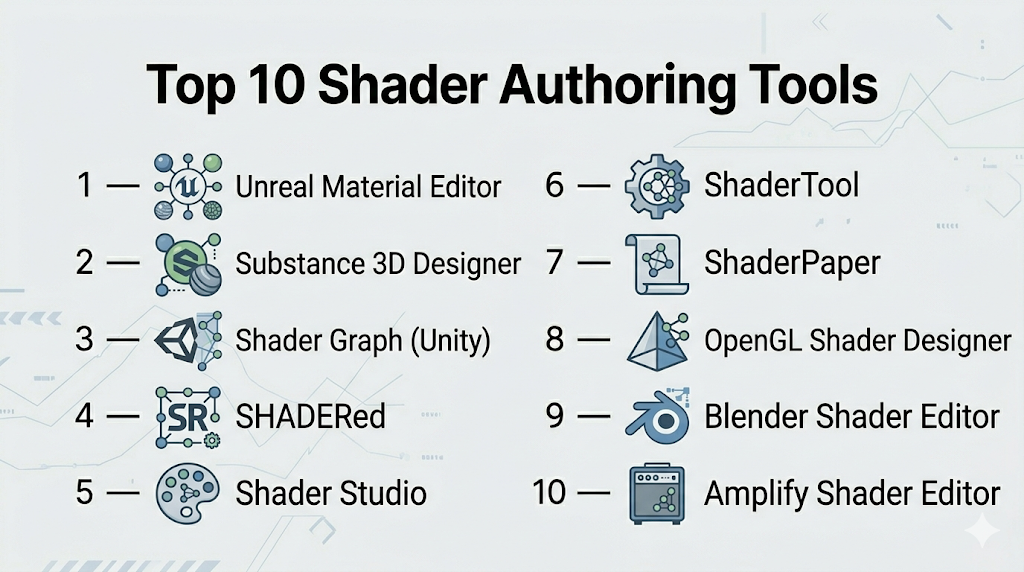
Top 10 Shader Authoring Tools Tools
#1 — Shader Graph (Unity)
Short description: A node-based shader editor within Unity that allows visual shader creation without writing code.
Key Features
- Node-based shader creation
- Real-time preview
- Integration with Unity rendering pipelines
- Custom function nodes
- Shader variants and optimization
Pros
- Easy for beginners
- Deep Unity integration
Cons
- Limited outside Unity
- Less control than manual coding
Platforms / Deployment
Windows / macOS
Local
Security & Compliance
Not publicly stated
Integrations & Ecosystem
Part of Unity ecosystem.
- Unity Editor
- Asset Store
- Rendering pipelines
Support & Community
Strong community with tutorials and documentation.
#2 — Unreal Material Editor
Short description: A powerful visual shader editor used in Unreal Engine for creating complex materials.
Key Features
- Node-based material system
- Real-time rendering preview
- Advanced lighting models
- Parameterized materials
- Integration with Unreal rendering
Pros
- Highly flexible
- Production-ready
Cons
- Steep learning curve
- Engine-dependent
Platforms / Deployment
Windows / macOS
Local
Security & Compliance
Not publicly stated
Integrations & Ecosystem
Fully integrated with Unreal Engine.
- Unreal tools
- Marketplace assets
Support & Community
Extensive documentation and large community.
#3 — Substance 3D Designer
Short description: A professional tool for procedural material and shader creation used in game and film production.
Key Features
- Node-based material authoring
- Procedural texture generation
- PBR workflows
- Export to multiple engines
- Parameter control
Pros
- Industry-standard tool
- High-quality outputs
Cons
- Paid software
- Complex for beginners
Platforms / Deployment
Windows / macOS
Local
Security & Compliance
Not publicly stated
Integrations & Ecosystem
Strong integration ecosystem.
- Unreal Engine
- Unity
- 3D modeling tools
Support & Community
Large professional community and learning resources.
#4 — SHADERed
Short description: An open-source shader IDE focused on real-time editing, debugging, and prototyping.
Key Features
- Live shader preview
- Built-in debugger and profiler
- Support for multiple shader types
- Plugin system
- Cross-platform support
Pros
- Free and open-source
- Strong debugging tools
Cons
- Smaller ecosystem
- Less enterprise adoption
Platforms / Deployment
Windows / Linux / Web
Security & Compliance
Not publicly stated
Integrations & Ecosystem
Extensible via plugins.
- Custom shader languages
- Engine integrations
Support & Community
Active niche community with documentation.
#5 — Shader Studio
Short description: A modern web-based shader editor with AI-assisted workflows and real-time previews.
Key Features
- AI-assisted shader generation
- Real-time visual editor
- Template library
- Multi-framework export
- WebGL support
Pros
- Fast prototyping
- Beginner-friendly
Cons
- Limited advanced control
- Web-focused
Platforms / Deployment
Web / Cloud
Security & Compliance
Not publicly stated
Integrations & Ecosystem
Focused on web development.
- React
- Vue
- HTML
Support & Community
Growing community and documentation.
#6 — ShaderTool
Short description: A standalone shader IDE combining code and node-based workflows.
Key Features
- GLSL and HLSL support
- Node-based pipeline
- Real-time preview
- Asset import support
- Shader export capabilities
Pros
- Flexible workflow
- Good for experimentation
Cons
- Older interface
- Limited updates
Platforms / Deployment
Windows
Local
Security & Compliance
Not publicly stated
Integrations & Ecosystem
Supports standard pipelines.
- DirectX
- OpenGL
Support & Community
Moderate support with limited recent activity.
#7 — ShaderPaper
Short description: An open-source shader editor for prototyping and learning shader development.
Key Features
- Real-time shader editing
- Built-in renderer
- Node-based workflow
- Asset importing
- Scene graph support
Pros
- Easy to use
- Great for learning
Cons
- Limited advanced features
- Not production-focused
Platforms / Deployment
Windows / macOS / Linux
Security & Compliance
Not publicly stated
Integrations & Ecosystem
Basic ecosystem.
- Custom workflows
- Export options
Support & Community
Small but active community.
#8 — OpenGL Shader Designer
Short description: A visual tool for creating shaders using a graph-based interface.
Key Features
- Node-based shader creation
- OpenGL support
- Multiple shader types
- Visual workflow
Pros
- No coding required
- Lightweight
Cons
- Limited features
- Smaller ecosystem
Platforms / Deployment
Windows / Linux
Security & Compliance
Not publicly stated
Integrations & Ecosystem
Focused on OpenGL workflows.
- Custom engines
Support & Community
Limited documentation and community.
#9 — Blender Shader Editor
Short description: A node-based shader editor within Blender for material and rendering workflows.
Key Features
- Node-based materials
- Real-time rendering
- PBR workflows
- Integration with Blender
- Custom node systems
Pros
- Free and powerful
- Strong ecosystem
Cons
- Not engine-specific
- Can be complex
Platforms / Deployment
Windows / macOS / Linux
Security & Compliance
Not publicly stated
Integrations & Ecosystem
Extensive integrations.
- Game engines
- Rendering pipelines
Support & Community
Large global community.
#10 — Amplify Shader Editor
Short description: A Unity plugin providing advanced node-based shader creation.
Key Features
- Node-based editing
- Advanced shader control
- Custom templates
- Real-time preview
- Optimization tools
Pros
- More control than Unity Shader Graph
- Flexible workflows
Cons
- Paid plugin
- Unity-dependent
Platforms / Deployment
Windows / macOS
Security & Compliance
Not publicly stated
Integrations & Ecosystem
Works within Unity.
- Unity pipelines
- Asset ecosystem
Support & Community
Strong Unity-focused community.
Comparison Table (Top 10)
| Tool Name | Best For | Platform(s) Supported | Deployment | Standout Feature | Public Rating |
|---|---|---|---|---|---|
| Shader Graph | Unity users | Windows/macOS | Local | Node-based simplicity | N/A |
| Material Editor | Unreal users | Windows/macOS | Local | Advanced materials | N/A |
| Substance Designer | Professionals | Windows/macOS | Local | Procedural materials | N/A |
| SHADERed | Debugging | Windows/Linux/Web | Hybrid | Debugger & profiler | N/A |
| Shader Studio | Web dev | Web | Cloud | AI shader generation | N/A |
| ShaderTool | Hybrid workflows | Windows | Local | Node + code editor | N/A |
| ShaderPaper | Learning | Windows/macOS/Linux | Local | Real-time prototyping | N/A |
| OpenGL Designer | Visual shaders | Windows/Linux | Local | Graph-based workflow | N/A |
| Blender Editor | Materials | Windows/macOS/Linux | Local | Integrated workflow | N/A |
| Amplify Shader Editor | Unity advanced | Windows/macOS | Local | Advanced control | N/A |
Evaluation & Scoring of Shader Authoring Tools
| Tool Name | Core (25%) | Ease (15%) | Integrations (15%) | Security (10%) | Performance (10%) | Support (10%) | Value (15%) | Weighted Total |
|---|---|---|---|---|---|---|---|---|
| Shader Graph | 8 | 9 | 9 | 5 | 8 | 9 | 9 | 8.4 |
| Material Editor | 10 | 6 | 9 | 5 | 9 | 9 | 8 | 8.5 |
| Substance Designer | 10 | 6 | 9 | 6 | 9 | 9 | 7 | 8.6 |
| SHADERed | 7 | 8 | 6 | 5 | 8 | 7 | 10 | 7.6 |
| Shader Studio | 7 | 9 | 6 | 5 | 7 | 7 | 9 | 7.5 |
| ShaderTool | 7 | 7 | 6 | 5 | 7 | 6 | 7 | 6.9 |
| ShaderPaper | 6 | 9 | 5 | 5 | 6 | 6 | 10 | 7.0 |
| OpenGL Designer | 6 | 8 | 5 | 5 | 6 | 6 | 8 | 6.8 |
| Blender Editor | 9 | 6 | 9 | 5 | 8 | 10 | 10 | 8.5 |
| Amplify Shader Editor | 9 | 7 | 9 | 5 | 8 | 8 | 8 | 8.2 |
How to interpret the scores:
- Scores reflect relative strengths across key criteria
- Higher scores indicate balanced performance across categories
- Choose tools based on workflow fit, not just total score
- Artists should prioritize ease of use
- Engineers should prioritize control and integrations
Which Shader Authoring Tools Tool Is Right for You?
Solo / Freelancer
- Best options: Shader Graph, Shader Studio, ShaderPaper
- Focus on ease of use and speed
SMB
- Best options: Unity Shader Graph, Amplify Shader Editor
- Balance control and usability
Mid-Market
- Best options: Unreal Material Editor, Blender
- Require scalability and flexibility
Enterprise
- Best options: Substance Designer, Unreal Material Editor
- Need production-grade tools and pipelines
Budget vs Premium
- Budget: Blender, SHADERed, ShaderPaper
- Premium: Substance Designer, Amplify
Feature Depth vs Ease of Use
- Deep control: Substance Designer, Amplify
- Easy tools: Shader Graph, Shader Studio
Integrations & Scalability
- Strong: Unity, Unreal, Substance
- Limited: OpenGL Designer, ShaderPaper
Security & Compliance Needs
- Most tools: Not publicly stated
- Enterprises should validate internally
Frequently Asked Questions (FAQs)
What are shader authoring tools?
They are tools used to create and edit shaders for rendering graphics.
Do I need coding skills?
Not always—many tools offer visual editors.
Which tool is best for beginners?
Shader Graph and Shader Studio are beginner-friendly.
Are these tools free?
Some are free or open-source, others are paid.
Can I use them for web development?
Yes, especially WebGL-focused tools.
Do they support real-time preview?
Most modern tools offer real-time previews.
What languages do they support?
Common ones include GLSL and HLSL.
Can I integrate them with game engines?
Yes, many are built directly into engines.
What are common mistakes?
Choosing tools without considering workflow compatibility.
Can I switch tools later?
Yes, but migration can be complex.
Conclusion
Shader authoring tools are essential for creating modern visual experiences across games, web applications, and simulations. From beginner-friendly visual editors to advanced procedural systems, the ecosystem offers a wide range of options tailored to different skill levels and workflows.