Introduction
Capacity Planning Tools help organizations forecast resource demand, allocate workloads efficiently, and ensure optimal utilization of people, infrastructure, and budgets. These tools provide visibility into current and future capacity, enabling teams to avoid bottlenecks, over-utilization, or underuse of resources.
In modern environments where businesses operate with distributed teams, complex projects, and dynamic workloads, capacity planning has become essential. Whether it’s managing IT infrastructure, workforce allocation, or project timelines, these tools enable data-driven decisions and improve operational efficiency.
Real-World Use Cases
- Forecasting team workload and staffing needs
- Planning project timelines and resource allocation
- Managing infrastructure capacity in IT environments
- Avoiding overbooking or underutilization
- Improving project delivery and ROI
What Buyers Should Evaluate
- Resource forecasting and demand planning
- Real-time visibility into capacity and workloads
- Integration with project management tools
- Scalability for teams and enterprises
- Reporting and analytics capabilities
- Ease of use and onboarding
- Automation and scheduling features
- Cost and value
Best for: Project managers, operations teams, IT leaders, and organizations managing multiple projects or resources.
Not ideal for: Small teams with simple workflows or minimal resource planning needs.
Key Trends in Capacity Planning Tools
- AI-driven forecasting and predictive analytics
- Integration with project and workforce management tools
- Real-time dashboards and analytics
- Cloud-based collaboration platforms
- Automation of resource allocation
- Scenario planning and simulation capabilities
- Integration with financial planning tools
- Focus on workforce optimization
- API-driven integrations
- Remote and hybrid workforce support
How We Selected These Tools (Methodology)
- Strong adoption across project and resource management use cases
- Comprehensive forecasting and planning capabilities
- Integration with modern work management tools
- Scalability for different organization sizes
- Ease of use and user experience
- Reporting and analytics features
- Balance between enterprise and SMB tools
- Active vendor support and ecosystem
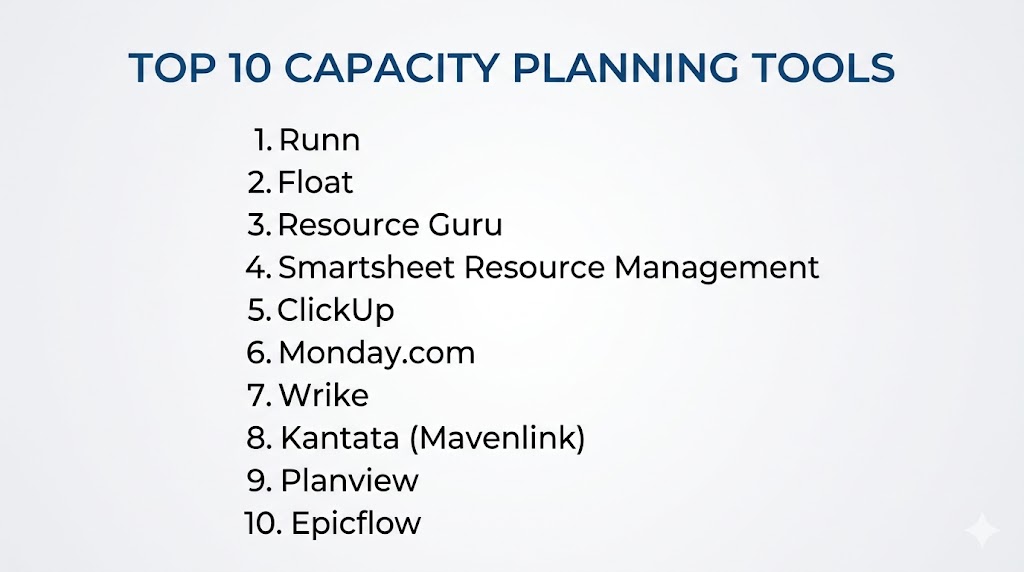
Top 10 Capacity Planning Tools
#1 — Runn
Short description: A modern capacity planning tool focused on real-time resource forecasting and scheduling.
Key Features
- Resource forecasting
- Real-time scheduling
- Scenario planning
- Reporting dashboards
- Team utilization tracking
Pros
- Clean UI
- Strong forecasting features
Cons
- Limited enterprise features
- Paid plans
Platforms / Deployment
Web
Cloud
Security & Compliance
Not publicly stated
Integrations & Ecosystem
- Project management tools
- Calendar integrations
Support & Community
Growing support.
#2 — Float
Short description: A resource planning tool designed for scheduling teams and managing workloads.
Key Features
- Resource scheduling
- Capacity planning
- Time tracking
- Reporting
- Team management
Pros
- Easy to use
- Flexible scheduling
Cons
- Limited advanced analytics
- Paid plans
Platforms / Deployment
Web
Cloud
Security & Compliance
Not publicly stated
Integrations & Ecosystem
- Slack
- Project tools
Support & Community
Strong support.
#3 — Resource Guru
Short description: A lightweight capacity planning tool for managing team schedules and availability.
Key Features
- Resource scheduling
- Availability tracking
- Booking system
- Reporting
- Alerts
Pros
- Simple interface
- Easy onboarding
Cons
- Limited customization
- Basic analytics
Platforms / Deployment
Web
Cloud
Security & Compliance
Not publicly stated
Integrations & Ecosystem
- Calendar tools
- Project tools
Support & Community
Good documentation.
#4 — Smartsheet Resource Management
Short description: A resource management solution integrated with Smartsheet’s project platform.
Key Features
- Resource allocation
- Capacity forecasting
- Reporting
- Project tracking
- Collaboration tools
Pros
- Strong reporting
- Enterprise-ready
Cons
- Learning curve
- Pricing
Platforms / Deployment
Web
Cloud
Security & Compliance
RBAC
Not publicly stated
Integrations & Ecosystem
- Smartsheet
- Business tools
Support & Community
Enterprise support.
#5 — ClickUp
Short description: A project management platform with built-in capacity planning features.
Key Features
- Task management
- Resource allocation
- Workload views
- Automation
- Reporting
Pros
- All-in-one platform
- Highly customizable
Cons
- Complex UI
- Feature overload
Platforms / Deployment
Web / Mobile
Cloud
Security & Compliance
RBAC
Not publicly stated
Integrations & Ecosystem
- DevOps tools
- Collaboration tools
Support & Community
Large community.
#6 — Monday.com
Short description: A work management platform with resource and capacity planning capabilities.
Key Features
- Resource tracking
- Workflow automation
- Dashboards
- Collaboration
- Reporting
Pros
- Easy to use
- Visual interface
Cons
- Pricing
- Limited advanced forecasting
Platforms / Deployment
Web / Mobile
Cloud
Security & Compliance
RBAC
Not publicly stated
Integrations & Ecosystem
- Business apps
- Dev tools
Support & Community
Strong support.
#7 — Wrike
Short description: A project management tool with advanced resource planning features.
Key Features
- Resource allocation
- Workload management
- Reporting
- Collaboration
- Automation
Pros
- Scalable
- Strong reporting
Cons
- Complex setup
- Pricing
Platforms / Deployment
Web / Mobile
Cloud
Security & Compliance
RBAC
Not publicly stated
Integrations & Ecosystem
- Business tools
- DevOps tools
Support & Community
Enterprise support.
#8 — Kantata (Mavenlink)
Short description: A professional services automation platform with capacity planning features.
Key Features
- Resource planning
- Financial management
- Project tracking
- Reporting
- Collaboration
Pros
- Enterprise features
- Strong analytics
Cons
- Expensive
- Learning curve
Platforms / Deployment
Web
Cloud
Security & Compliance
Not publicly stated
Integrations & Ecosystem
- Business tools
- CRM systems
Support & Community
Enterprise support.
#9 — Planview
Short description: An enterprise platform for portfolio and capacity planning.
Key Features
- Capacity planning
- Portfolio management
- Forecasting
- Reporting
- Workflow automation
Pros
- Enterprise-grade
- Scalable
Cons
- Complex setup
- Expensive
Platforms / Deployment
Web
Cloud / Hybrid
Security & Compliance
RBAC
Not publicly stated
Integrations & Ecosystem
- Enterprise systems
- DevOps tools
Support & Community
Enterprise support.
#10 — Epicflow
Short description: A capacity planning tool focused on resource optimization and predictive analytics.
Key Features
- Resource optimization
- Predictive analytics
- Project management integration
- Reporting
- Scenario planning
Pros
- Strong forecasting
- Advanced analytics
Cons
- Learning curve
- Smaller ecosystem
Platforms / Deployment
Web
Cloud
Security & Compliance
Not publicly stated
Integrations & Ecosystem
- Project tools
- Business systems
Support & Community
Growing support.
Comparison Table (Top 10)
| Tool Name | Best For | Platform(s) Supported | Deployment | Standout Feature | Public Rating |
|---|---|---|---|---|---|
| Runn | Forecasting | Web | Cloud | Scenario planning | N/A |
| Float | Scheduling | Web | Cloud | Flexibility | N/A |
| Resource Guru | SMB | Web | Cloud | Simplicity | N/A |
| Smartsheet | Enterprise | Web | Cloud | Reporting | N/A |
| ClickUp | All-in-one | Web/Mobile | Cloud | Customization | N/A |
| Monday | Teams | Web/Mobile | Cloud | Visual UI | N/A |
| Wrike | Mid-market | Web/Mobile | Cloud | Reporting | N/A |
| Kantata | Enterprise | Web | Cloud | Analytics | N/A |
| Planview | Enterprise | Web | Hybrid | Portfolio mgmt | N/A |
| Epicflow | Forecasting | Web | Cloud | Predictive analytics | N/A |
Evaluation & Scoring of Capacity Planning Tools
| Tool Name | Core | Ease | Integrations | Security | Performance | Support | Value | Weighted Total |
|---|---|---|---|---|---|---|---|---|
| Runn | 9 | 9 | 8 | 7 | 8 | 8 | 9 | 8.6 |
| Float | 8 | 9 | 7 | 7 | 8 | 8 | 9 | 8.3 |
| Resource Guru | 8 | 10 | 7 | 7 | 8 | 7 | 9 | 8.2 |
| Smartsheet | 9 | 7 | 9 | 8 | 9 | 9 | 7 | 8.6 |
| ClickUp | 9 | 7 | 9 | 8 | 8 | 8 | 9 | 8.5 |
| Monday | 8 | 9 | 8 | 8 | 8 | 8 | 8 | 8.3 |
| Wrike | 9 | 7 | 8 | 8 | 9 | 9 | 7 | 8.4 |
| Kantata | 9 | 7 | 8 | 8 | 9 | 9 | 6 | 8.3 |
| Planview | 10 | 6 | 9 | 9 | 9 | 9 | 6 | 8.7 |
| Epicflow | 9 | 7 | 7 | 7 | 8 | 7 | 8 | 8.0 |
How to interpret scores:
These scores compare tools across usability, features, and value. Enterprise tools excel in scalability and analytics, while lightweight tools offer ease of use and affordability.
Which Capacity Planning Tool Is Right for You?
Solo / Freelancer
Resource Guru or Float for simplicity.
SMB
Runn and ClickUp for flexibility and cost efficiency.
Mid-Market
Monday and Wrike for scalability.
Enterprise
Planview and Smartsheet for advanced planning.
Budget vs Premium
- Budget: Resource Guru
- Premium: Planview
Feature Depth vs Ease of Use
- Feature-rich: Planview
- Easy-to-use: Float
Integrations & Scalability
- Best integrations: ClickUp
- Scalable: Planview
Security & Compliance Needs
- Strong security: Planview
- Moderate: Runn
Frequently Asked Questions (FAQs)
What is capacity planning software?
It helps forecast and manage resource utilization.
Why is it important?
It prevents bottlenecks and improves efficiency.
Do these tools support automation?
Yes, many include automation features.
Can they integrate with project tools?
Yes, integration is common.
Are they cloud-based?
Most tools are cloud-based.
Can small teams use them?
Yes, many tools support SMB use cases.
What data do they analyze?
Resource availability, workload, and demand.
Are they secure?
Most include access controls.
What is the best tool overall?
Depends on your needs.
Do they support forecasting?
Yes, forecasting is a core feature.
Conclusion
Capacity Planning Tools are essential for organizations looking to optimize resource utilization, improve project delivery, and avoid operational bottlenecks. By providing real-time insights and predictive analytics, these tools enable teams to make smarter decisions and plan effectively for future demands. Whether you choose enterprise solutions like Planview or user-friendly tools like Float and Runn, the right choice depends on your scale, complexity, and budget. Start by evaluating your requirements, testing a few tools, and integrating them into your workflows to maximize efficiency and productivity.