Introduction
Endpoint Management Tools help organizations monitor, secure, configure, update, and control devices connected to their network. These endpoints can include laptops, desktops, mobile phones, tablets, rugged devices, and remote workstations. In simple terms, endpoint management gives IT teams one centralized platform to manage every company device efficiently.
As hybrid work, BYOD policies, zero-trust security models, and distributed teams continue to grow, endpoint management has become a business-critical requirement. Organizations need visibility into device health, patch status, software inventory, compliance posture, and security risks across thousands of devices.
Common use cases include:
- Device enrollment and provisioning
- Patch management and OS updates
- Remote troubleshooting and support
- Security policy enforcement
- Software deployment and inventory control
- Mobile device management (MDM)
- Compliance monitoring
What buyers should evaluate:
- Multi-OS support (Windows, macOS, Linux, iOS, Android)
- Automation and patching depth
- Remote support capabilities
- Security integrations
- Reporting and analytics
- Ease of deployment
- Scalability
- Compliance controls
- Pricing model
- API and integration ecosystem
Best for: IT teams, MSPs, enterprises, educational institutions, healthcare organizations, and fast-growing businesses managing multiple devices.
Not ideal for: Very small businesses with only a few unmanaged devices where lightweight remote support tools may be enough.
Key Trends in Endpoint Management Tools
- Unified Endpoint Management (UEM) replacing siloed tools
- AI-assisted remediation and auto-healing devices
- Zero-trust policy enforcement at device level
- Remote-first device onboarding and provisioning
- Integrated endpoint detection and response features
- Real-time compliance monitoring dashboards
- Cross-platform management from a single console
- Automation-first patching workflows
- Deeper SaaS identity integrations
- Usage-based and flexible licensing models
How We Selected These Tools (Methodology)
- Strong market adoption and brand recognition
- Broad endpoint management feature depth
- Multi-platform support quality
- Security and compliance readiness
- Automation capabilities
- Customer satisfaction signals
- Reliability and performance reputation
- Integration ecosystem strength
- Suitability for SMB, mid-market, and enterprise buyers
- Overall value for cost
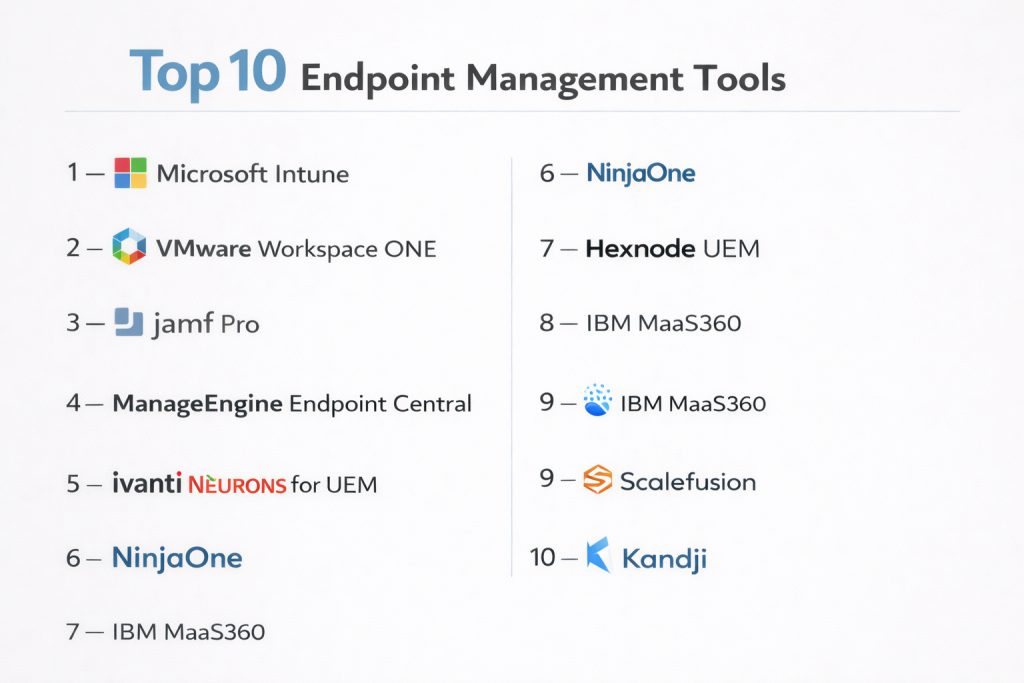
Top 10 Endpoint Management Tools
#1 — Microsoft Intune
Short description: A leading cloud-based endpoint management platform designed for organizations using Microsoft ecosystems. Strong choice for modern workplaces.
Key Features
- Windows, macOS, iOS, Android management
- Mobile application management
- Compliance policy enforcement
- Zero-touch provisioning
- Conditional access integration
- Patch and update management
- Endpoint security controls
Pros
- Excellent Microsoft ecosystem integration
- Strong cloud-first management model
- Great for hybrid workforces
Cons
- Best experience tied to Microsoft stack
- Licensing can be confusing
Platforms / Deployment
Cloud
Security & Compliance
SSO, MFA, RBAC, audit logs, encryption; compliance features available
Integrations & Ecosystem
Strong integrations with identity, productivity, and security platforms.
- Microsoft 365
- Azure AD / Entra
- Defender
- APIs
Support & Community
Large enterprise support ecosystem, extensive docs, strong community.
#2 — VMware Workspace ONE
Short description: A premium unified endpoint management platform focused on enterprise mobility and secure device management.
Key Features
- Unified endpoint management
- Identity-based access control
- App lifecycle management
- Mobile and desktop support
- Analytics dashboards
- Remote configuration
- Secure workspace delivery
Pros
- Strong enterprise mobility capabilities
- Excellent cross-platform support
Cons
- Premium pricing
- Can require expert setup
Platforms / Deployment
Cloud / Hybrid
Security & Compliance
SSO, MFA, RBAC, audit logs
Integrations & Ecosystem
- Identity tools
- Productivity suites
- Security platforms
- APIs
Support & Community
Strong enterprise support and documentation.
#3 — Jamf Pro
Short description: The leading Apple-focused endpoint management solution for organizations managing macOS, iPhone, and iPad fleets.
Key Features
- macOS management
- iOS and iPadOS control
- Zero-touch Apple deployment
- Security baselines
- Patch management
- App deployment
- Inventory tracking
Pros
- Best-in-class Apple management
- Excellent user experience
Cons
- Limited outside Apple ecosystem
- Premium pricing for large fleets
Platforms / Deployment
Cloud / Self-hosted
Security & Compliance
SSO, MFA, RBAC, audit logs
Integrations & Ecosystem
- Apple Business Manager
- Security tools
- Identity platforms
- APIs
Support & Community
Very strong Apple admin community and documentation.
#4 — ManageEngine Endpoint Central
Short description: A feature-rich endpoint management platform offering strong value for SMBs and mid-market organizations.
Key Features
- Patch management
- Remote control
- Software deployment
- Asset inventory
- USB/device control
- OS imaging
- Compliance reporting
Pros
- Excellent value for price
- Broad management capabilities
Cons
- Interface can feel dated
- Advanced workflows need tuning
Platforms / Deployment
Cloud / On-prem
Security & Compliance
RBAC, encryption, audit logs
Integrations & Ecosystem
- ITSM tools
- Directory services
- APIs
Support & Community
Good documentation and reliable support.
#5 — Ivanti Neurons for UEM
Short description: A modern endpoint management platform with automation and self-healing capabilities.
Key Features
- Device lifecycle management
- Patching automation
- Self-healing workflows
- Compliance enforcement
- Unified console
- Analytics
- Remote actions
Pros
- Strong automation focus
- Good enterprise scalability
Cons
- Pricing may be premium
- Learning curve for admins
Platforms / Deployment
Cloud / Hybrid
Security & Compliance
SSO, MFA, RBAC
Integrations & Ecosystem
- Security tools
- ITSM systems
- APIs
Support & Community
Enterprise-grade support available.
#6 — NinjaOne
Short description: A fast-growing endpoint management and RMM platform popular with MSPs and IT teams.
Key Features
- Endpoint monitoring
- Patch management
- Remote access
- Software deployment
- Backup integrations
- Scripting automation
- Reporting dashboards
Pros
- Easy to use
- Strong MSP fit
- Fast deployment
Cons
- Less enterprise depth than larger suites
- Advanced customization can be limited
Platforms / Deployment
Cloud
Security & Compliance
RBAC, MFA, audit logs
Integrations & Ecosystem
- PSA tools
- Backup tools
- Security products
- APIs
Support & Community
Well-rated support and modern onboarding.
#7 — Hexnode UEM
Short description: A flexible unified endpoint management solution suitable for SMB and mid-market organizations.
Key Features
- Mobile device management
- Kiosk mode
- App management
- Device policies
- Remote actions
- Content distribution
- Compliance rules
Pros
- Easy deployment
- Strong mobile management
Cons
- Less brand recognition
- Some advanced enterprise features limited
Platforms / Deployment
Cloud
Security & Compliance
MFA, RBAC, encryption
Integrations & Ecosystem
- Identity tools
- Productivity apps
- APIs
Support & Community
Responsive support and growing ecosystem.
#8 — IBM MaaS360
Short description: A long-established enterprise mobility and endpoint management platform with security focus.
Key Features
- Device enrollment
- Mobile management
- Threat insights
- Secure access controls
- App management
- Compliance reporting
- Containerization options
Pros
- Strong security orientation
- Mature enterprise product
Cons
- UI may feel less modern
- Can be complex to optimize
Platforms / Deployment
Cloud
Security & Compliance
SSO, MFA, RBAC, audit logs
Integrations & Ecosystem
- Identity systems
- Security tools
- APIs
Support & Community
Enterprise support structure available.
#9 — Scalefusion
Short description: A user-friendly endpoint and mobile device management platform with strong SMB appeal.
Key Features
- Device enrollment
- Kiosk mode
- App management
- Remote troubleshooting
- Compliance policies
- Content management
- Multi-OS support
Pros
- Affordable and easy to use
- Strong kiosk/device lockdown features
Cons
- Less enterprise depth
- Smaller ecosystem than top vendors
Platforms / Deployment
Cloud
Security & Compliance
RBAC, MFA
Integrations & Ecosystem
- Identity tools
- Productivity apps
- APIs
Support & Community
Good onboarding and responsive support.
#10 — Kandji
Short description: A modern Apple device management platform built for security-conscious Mac-first organizations.
Key Features
- Mac lifecycle management
- Automated remediation
- Compliance templates
- Zero-touch deployment
- Patch workflows
- App management
- Security controls
Pros
- Excellent for Mac environments
- Strong automation experience
Cons
- Apple-focused only
- Premium pricing
Platforms / Deployment
Cloud
Security & Compliance
SSO, MFA, RBAC, audit logs
Integrations & Ecosystem
- Apple ecosystem
- Security tools
- APIs
Support & Community
Strong customer experience and modern support model.
Comparison Table (Top 10)
| Tool Name | Best For | Platform(s) Supported | Deployment | Standout Feature | Public Rating |
|---|---|---|---|---|---|
| Microsoft Intune | Microsoft-first organizations | Web | Cloud | Conditional access | N/A |
| Workspace ONE | Enterprise UEM | Web | Cloud/Hybrid | Unified management | N/A |
| Jamf Pro | Apple fleets | Web | Cloud/Self-hosted | Apple specialization | N/A |
| Endpoint Central | SMB / Mid-market | Web | Cloud/On-prem | Value + patching | N/A |
| Ivanti Neurons | Enterprise automation | Web | Cloud/Hybrid | Self-healing | N/A |
| NinjaOne | MSPs / IT teams | Web | Cloud | Ease of use | N/A |
| Hexnode UEM | SMB mobility | Web | Cloud | Kiosk mode | N/A |
| IBM MaaS360 | Security-focused enterprise | Web | Cloud | Mobile security | N/A |
| Scalefusion | SMB device control | Web | Cloud | Device lockdown | N/A |
| Kandji | Mac-first companies | Web | Cloud | Mac automation | N/A |
Evaluation & Scoring of Endpoint Management Tools
| Tool Name | Core (25%) | Ease (15%) | Integrations (15%) | Security (10%) | Performance (10%) | Support (10%) | Value (15%) | Weighted Total (0–10) |
|---|---|---|---|---|---|---|---|---|
| Microsoft Intune | 9 | 8 | 10 | 9 | 9 | 8 | 8 | 8.75 |
| Workspace ONE | 9 | 7 | 9 | 9 | 9 | 8 | 6 | 8.20 |
| Jamf Pro | 9 | 8 | 8 | 8 | 9 | 9 | 7 | 8.25 |
| Endpoint Central | 8 | 8 | 7 | 7 | 8 | 8 | 9 | 8.00 |
| Ivanti Neurons | 8 | 7 | 8 | 8 | 8 | 8 | 7 | 7.75 |
| NinjaOne | 8 | 9 | 7 | 7 | 8 | 9 | 8 | 8.05 |
| Hexnode UEM | 7 | 8 | 7 | 7 | 8 | 8 | 8 | 7.60 |
| IBM MaaS360 | 8 | 6 | 8 | 8 | 8 | 7 | 7 | 7.45 |
| Scalefusion | 7 | 8 | 6 | 7 | 7 | 8 | 9 | 7.45 |
| Kandji | 8 | 9 | 7 | 8 | 8 | 8 | 7 | 7.95 |
These scores are comparative benchmarks designed to simplify vendor shortlisting. Higher scores do not automatically mean the best fit for every buyer. Some tools score higher in enterprise controls, while others win on simplicity or value. Always compare scores against your device mix, team skills, and security needs.
Which Endpoint Management Tool Is Right for You?
Solo / Freelancer
If you only manage a few devices, lightweight tools or built-in OS management may be enough. Full enterprise suites may be excessive.
SMB
ManageEngine Endpoint Central, Hexnode, and Scalefusion offer strong value, easy deployment, and practical management features.
Mid-Market
NinjaOne, Intune, and Ivanti provide better automation and scalable controls without excessive complexity.
Enterprise
Microsoft Intune, Workspace ONE, and Ivanti are ideal for large organizations with compliance, identity, and automation needs.
Budget vs Premium
- Budget: Scalefusion, Hexnode, ManageEngine
- Premium: Workspace ONE, Jamf Pro, Ivanti
Feature Depth vs Ease of Use
- Deep features: Intune, Workspace ONE, Ivanti
- Easy to use: NinjaOne, Kandji, Scalefusion
Integrations & Scalability
- Best integrations: Intune, Workspace ONE, Jamf
- Best scalability: Intune, Ivanti, Workspace ONE
Security & Compliance Needs
- High-security environments: Intune, IBM MaaS360, Workspace ONE
- General business needs: NinjaOne, ManageEngine, Hexnode
Frequently Asked Questions (FAQs)
1. What is an endpoint management tool?
It is software used to manage, secure, monitor, and update employee devices such as laptops, desktops, tablets, and phones from one central console.
2. What devices can these tools manage?
Most modern platforms support Windows, macOS, iOS, Android, and sometimes Linux or rugged devices depending on the vendor.
3. Is endpoint management only for enterprises?
No. SMBs also benefit from patching, device inventory, remote support, and security controls, especially with remote employees.
4. What is the difference between UEM and MDM?
MDM focuses mainly on mobile devices. UEM expands management to desktops, laptops, and broader endpoint ecosystems.
5. Can endpoint management improve security?
Yes. These tools enforce policies, manage updates, detect risky devices, and help maintain compliance standards.
6. How hard is implementation?
Cloud-native tools are generally faster to deploy, while complex enterprise environments may require planning and staged rollout.
7. Do these tools support remote workforces?
Yes. Many platforms are designed for remote provisioning, cloud policy enforcement, and remote troubleshooting.
8. Can I deploy software using these platforms?
Most endpoint management tools include software deployment, patching, and update automation capabilities.
9. How are these tools priced?
Pricing usually depends on number of devices, users, modules, and support tiers. Enterprise licensing can vary significantly.
10. How should I choose the right tool?
Start with device mix, operating systems, security needs, budget, and integration requirements. Then test 2–3 shortlisted vendors.
Conclusion
Endpoint management has moved from a helpful IT tool to a core business requirement as organizations manage more devices across more locations. The right platform can reduce manual workload, improve security posture, simplify onboarding, and strengthen compliance readiness. Enterprise buyers may prioritize automation and integrations, while SMBs often focus on simplicity and value. Apple-first environments should consider specialist tools, while mixed-device organizations need broad platform coverage. There is no universal winner—only the best fit for your operational model. Shortlist a few strong options, run a pilot deployment, and validate usability, reporting, and policy controls before committing long term.