Introduction
Low-code app development platforms are tools that enable users to build applications with minimal coding using visual interfaces, drag-and-drop components, and prebuilt logic. Unlike no-code tools, low-code platforms allow developers to extend functionality with custom code when needed, offering a balance between speed and flexibility.
These platforms are widely used for enterprise applications, internal tools, automation, and digital transformation initiatives, helping organizations reduce development time and costs while maintaining scalability. Businesses adopt low-code solutions to accelerate app delivery, streamline workflows, and empower both developers and non-developers to collaborate effectively.
Common Use Cases
- Enterprise application development
- Workflow automation and process management
- Internal tools and dashboards
- Customer-facing apps and portals
- Rapid prototyping and MVPs
What Buyers Should Evaluate
- Flexibility between visual and custom coding
- Integration capabilities (APIs, databases, enterprise systems)
- Scalability and performance
- Security and compliance features
- Ease of use for both developers and business users
- Deployment options (cloud, hybrid, on-premise)
- Collaboration and DevOps features
- Pricing and long-term value
Best for: Enterprises, IT teams, developers, and organizations looking to build scalable apps faster with some coding flexibility.
Not ideal for: Users who want fully no-code solutions or highly specialized applications requiring full custom development.
Key Trends in Low-Code App Development Platforms
- AI-assisted app development and automation
- Increased adoption in enterprise digital transformation
- Expansion of hybrid development (low-code + pro-code)
- API-first architecture for integrations
- Real-time collaboration and DevOps integration
- Focus on scalability and performance
- Growth of citizen development within organizations
- Integration with cloud and microservices
- Enhanced security and governance controls
- Automation of workflows and business processes
How We Selected These Tools (Methodology)
- Market adoption and enterprise usage
- Feature completeness (UI, backend, automation)
- Integration ecosystem and flexibility
- Scalability and performance capabilities
- Security and compliance indicators
- Ease of use across technical levels
- Support and community strength
- Innovation in automation and AI
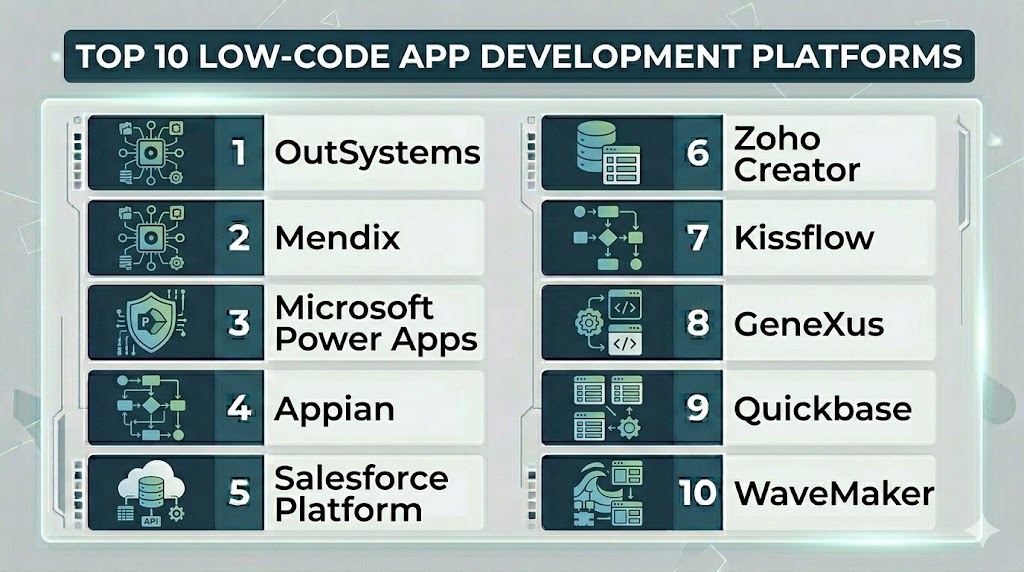
Top 10 Low-Code App Development Platforms
#1 — OutSystems
Short description: A leading enterprise-grade low-code platform for building scalable web and mobile applications.
Key Features
- Full-stack visual development
- Built-in DevOps automation
- Real-time monitoring
- One-click deployment
- Scalable architecture
- Agile development support
Pros
- Highly scalable
- Strong enterprise capabilities
Cons
- Expensive
- Complex for beginners
Platforms / Deployment
- Web
- Cloud / Hybrid
Security & Compliance
- Role-based access
- Other: Not publicly stated
Integrations & Ecosystem
Supports extensive enterprise integrations.
- APIs
- Enterprise systems
- Data platforms
Support & Community
Strong enterprise support and resources.
#2 — Mendix
Short description: A collaborative low-code platform for rapid development of enterprise applications.
Key Features
- Visual development environment
- Workflow automation
- Version control
- Multi-channel deployment
- Analytics tools
Pros
- Strong collaboration features
- Scalable
Cons
- Learning curve
- Pricing complexity
Platforms / Deployment
- Web
- Cloud / Hybrid
Security & Compliance
- Role-based access
- Other: Not publicly stated
Integrations & Ecosystem
- APIs
- Enterprise integrations
Support & Community
Large enterprise ecosystem.
#3 — Microsoft Power Apps
Short description: A low-code platform for building business apps integrated with Microsoft ecosystem.
Key Features
- Drag-and-drop app builder
- Integration with Microsoft 365
- Workflow automation
- Data connectors
- Mobile and web apps
Pros
- Strong integration with Microsoft tools
- Easy for business users
Cons
- Limited outside ecosystem
- Licensing complexity
Platforms / Deployment
- Web / Mobile
- Cloud
Security & Compliance
- Not publicly stated
Integrations & Ecosystem
- Microsoft ecosystem
- APIs
Support & Community
Strong documentation and enterprise support.
#4 — Appian
Short description: A low-code platform focused on process automation and enterprise workflows.
Key Features
- Process automation
- Workflow management
- AI capabilities
- Data integration
- Analytics dashboards
Pros
- Strong automation tools
- Enterprise focus
Cons
- Expensive
- Complex setup
Platforms / Deployment
- Web
- Cloud
Security & Compliance
- Not publicly stated
Integrations & Ecosystem
- APIs
- Enterprise systems
Support & Community
Enterprise-level support.
#5 — Salesforce Platform
Short description: A cloud-based platform for building apps integrated with CRM and business workflows.
Key Features
- Data modeling
- Workflow automation
- App development tools
- Reporting and analytics
- Integration with CRM
Pros
- Strong CRM integration
- Scalable
Cons
- Expensive
- Requires Salesforce ecosystem
Platforms / Deployment
- Web
- Cloud
Security & Compliance
- Access control
- Other: Not publicly stated
Integrations & Ecosystem
- Salesforce ecosystem
- APIs
Support & Community
Large ecosystem and support network.
#6 — Zoho Creator
Short description: A low-code platform for building business applications with automation and integrations.
Key Features
- Drag-and-drop builder
- Workflow automation
- Data management
- Mobile apps
- Reporting tools
Pros
- Affordable
- Easy to use
Cons
- Limited advanced customization
- UI limitations
Platforms / Deployment
- Web / Mobile
- Cloud
Security & Compliance
- Not publicly stated
Integrations & Ecosystem
- Zoho ecosystem
- APIs
Support & Community
Good support for SMBs.
#7 — Kissflow
Short description: A low-code platform focused on workflow automation and business process management.
Key Features
- Workflow automation
- Process management
- Drag-and-drop builder
- Analytics
- Reporting tools
Pros
- Easy to use
- Strong workflow features
Cons
- Limited advanced features
- Not ideal for complex apps
Platforms / Deployment
- Web
- Cloud
Security & Compliance
- Not publicly stated
Integrations & Ecosystem
- APIs
- Business tools
Support & Community
Moderate support.
#8 — GeneXus
Short description: A low-code platform for building scalable applications across multiple platforms.
Key Features
- Multi-platform development
- Code generation
- AI-assisted development
- Integration tools
- Analytics
Pros
- Strong scalability
- Multi-platform support
Cons
- Learning curve
- Complex setup
Platforms / Deployment
- Web / Mobile
- Cloud / Hybrid
Security & Compliance
- Not publicly stated
Integrations & Ecosystem
- APIs
- Enterprise systems
Support & Community
Enterprise-level support.
#9 — Quickbase
Short description: A platform for building custom business applications and workflows.
Key Features
- Drag-and-drop builder
- Workflow automation
- Data management
- Reporting tools
- Integration capabilities
Pros
- Easy to use
- Good for internal tools
Cons
- Limited customization
- Pricing varies
Platforms / Deployment
- Web
- Cloud
Security & Compliance
- Not publicly stated
Integrations & Ecosystem
- APIs
- Business tools
Support & Community
Good support resources.
#10 — WaveMaker
Short description: A low-code platform focused on building scalable enterprise applications.
Key Features
- Visual development
- API integrations
- Reusable components
- Workflow automation
- Data management
Pros
- Open architecture
- Scalable
Cons
- Learning curve
- Smaller ecosystem
Platforms / Deployment
- Web
- Cloud
Security & Compliance
- Not publicly stated
Integrations & Ecosystem
- APIs
- Data platforms
Support & Community
Moderate support.
Comparison Table (Top 10)
| Tool Name | Best For | Platform(s) Supported | Deployment | Standout Feature | Public Rating |
|---|---|---|---|---|---|
| OutSystems | Enterprise apps | Web | Cloud/Hybrid | Full-stack development | N/A |
| Mendix | Collaboration | Web | Cloud/Hybrid | Visual development | N/A |
| Power Apps | Business apps | Web/Mobile | Cloud | Microsoft integration | N/A |
| Appian | Automation | Web | Cloud | Workflow automation | N/A |
| Salesforce | CRM apps | Web | Cloud | CRM integration | N/A |
| Zoho Creator | SMB apps | Web/Mobile | Cloud | Workflow automation | N/A |
| Kissflow | Workflows | Web | Cloud | Process management | N/A |
| GeneXus | Multi-platform | Web/Mobile | Cloud/Hybrid | Code generation | N/A |
| Quickbase | Internal tools | Web | Cloud | Custom apps | N/A |
| WaveMaker | Enterprise | Web | Cloud | Open architecture | N/A |
Evaluation & Scoring of Low-Code App Development Platforms
| Tool Name | Core | Ease | Integrations | Security | Performance | Support | Value | Weighted Total |
|---|---|---|---|---|---|---|---|---|
| OutSystems | 9 | 6 | 9 | 8 | 9 | 8 | 6 | 8.1 |
| Mendix | 9 | 6 | 9 | 8 | 9 | 8 | 6 | 8.1 |
| Power Apps | 8 | 8 | 9 | 7 | 8 | 8 | 7 | 8.0 |
| Appian | 9 | 6 | 8 | 8 | 9 | 8 | 6 | 7.9 |
| Salesforce | 8 | 6 | 9 | 8 | 8 | 8 | 6 | 7.8 |
| Zoho Creator | 8 | 8 | 8 | 7 | 8 | 7 | 8 | 7.9 |
| Kissflow | 7 | 9 | 7 | 6 | 7 | 7 | 8 | 7.5 |
| GeneXus | 8 | 6 | 8 | 7 | 8 | 7 | 7 | 7.6 |
| Quickbase | 7 | 8 | 7 | 6 | 7 | 7 | 8 | 7.4 |
| WaveMaker | 8 | 6 | 8 | 7 | 8 | 7 | 7 | 7.6 |
How to interpret scores:
- Scores are comparative benchmarks
- Higher scores indicate stronger capabilities
- Enterprise tools excel in scalability and integrations
- Simpler tools focus on usability and value
- Choose based on your technical needs
Which Low-Code App Development Platform Is Right for You?
Solo / Freelancer
Use Zoho Creator or Quickbase for simplicity and affordability.
SMB
Power Apps or Kissflow provide ease of use and integration.
Mid-Market
Mendix or WaveMaker offer flexibility and scalability.
Enterprise
OutSystems, Appian, and Salesforce are best for large-scale applications.
Budget vs Premium
- Budget: Zoho Creator, Kissflow
- Premium: OutSystems, Appian
Feature Depth vs Ease of Use
- Deep features: OutSystems, Mendix
- Easy to use: Power Apps, Zoho Creator
Integrations & Scalability
- Strong integrations: Power Apps, Salesforce
- Moderate: Kissflow, Quickbase
Security & Compliance Needs
Enterprises should prioritize platforms with strong governance and access control features.
Frequently Asked Questions (FAQs)
What are low-code platforms?
They are tools that allow building apps with minimal coding using visual interfaces.
How are they different from no-code?
Low-code allows some custom coding, while no-code does not.
Are they suitable for enterprises?
Yes, many are designed for enterprise-scale applications.
Can they scale?
Yes, especially enterprise platforms like OutSystems and Mendix.
Do they require coding knowledge?
Basic knowledge helps but is not always required.
Are they secure?
Security varies by platform.
Can they integrate with other tools?
Yes, most platforms support APIs and integrations.
Are they expensive?
Pricing varies from affordable to enterprise-level.
Can I switch platforms later?
Yes, but migration may be complex.
Are they faster than traditional development?
Yes, they significantly reduce development time.
Conclusion
Low-code platforms bridge the gap between speed and flexibility in app development. The right platform depends on your project complexity, team skills, and integration needs. Enterprise tools offer scalability and advanced features, while simpler platforms focus on usability. It’s important to evaluate customization, integrations, and long-term scalability before choosing. No single platform fits all needs, so aligning the tool with your development strategy is key. Start by testing a few platforms and select the one that best supports your business goals.