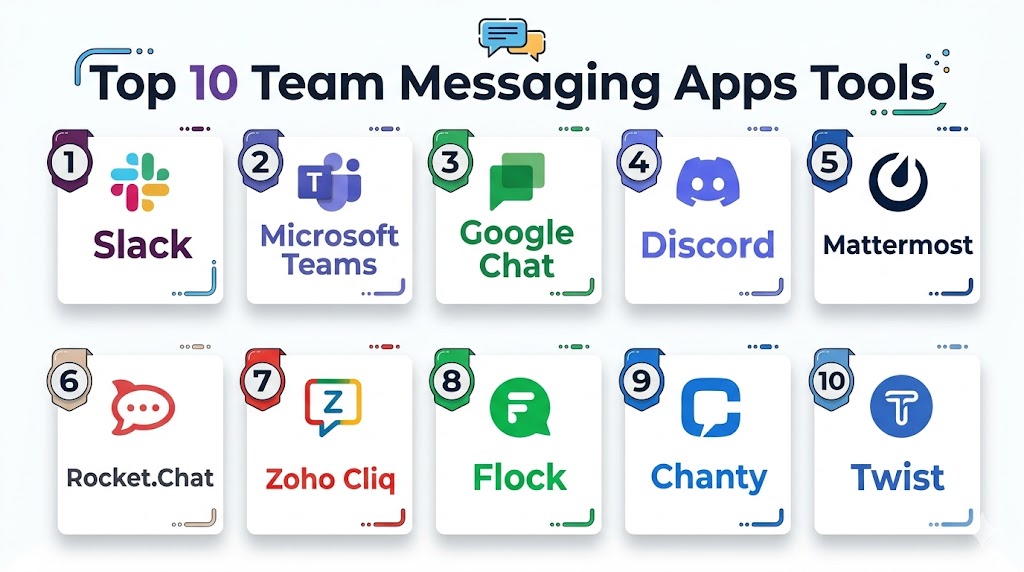
Introduction
Team messaging apps are modern communication platforms designed to help employees, departments, and distributed teams collaborate in real time. These platforms combine chat, file sharing, voice calls, video meetings, workflow automation, and productivity integrations into one centralized workspace. Instead of relying entirely on long email threads, businesses use messaging apps to speed up decision-making, improve coordination, and support remote collaboration.
As organizations continue adopting hybrid work models and distributed operations, team messaging apps have become essential business infrastructure. Modern platforms now include AI-powered summaries, workflow automation, searchable knowledge management, and advanced compliance controls to support growing operational complexity.
Real-world use cases include:
- Engineering and DevOps collaboration
- Customer support escalation management
- Marketing and campaign coordination
- Remote workforce communication
- Cross-functional project collaboration
Buyers should evaluate:
- Ease of onboarding and usability
- Channel and thread management
- Voice and video collaboration quality
- Integration ecosystem
- Security and compliance features
- AI and workflow automation capabilities
- Scalability and reliability
- Mobile accessibility
- Administrative controls
- Pricing flexibility
Best for: startups, enterprises, distributed teams, IT departments, agencies, customer support operations, and businesses needing fast real-time collaboration.
Not ideal for: organizations with very limited collaboration needs, teams operating entirely through email workflows, or businesses requiring fully isolated communication environments only.
Key Trends in Team Messaging Apps
- AI-powered summaries and smart search are becoming standard features.
- Messaging platforms are evolving into complete workplace collaboration hubs.
- Workflow automation is reducing repetitive operational tasks.
- Secure external collaboration with clients and vendors is becoming increasingly important.
- Organizations are prioritizing compliance, governance, and data residency controls.
- Async communication models are reducing dependency on meetings.
- Embedded AI assistants are improving productivity and knowledge discovery.
- Open-source and self-hosted deployments are gaining traction in regulated industries.
- Integration ecosystems are becoming key competitive differentiators.
- Mobile-first collaboration experiences continue improving for distributed workforces.
How We Selected These Tools
The tools in this list were selected using practical business and technical evaluation criteria.
- Market adoption and industry recognition
- Feature completeness and collaboration depth
- Reliability and operational maturity
- Security and governance capabilities
- Integration ecosystem strength
- Scalability across different company sizes
- Deployment flexibility
- User experience and onboarding quality
- AI and automation readiness
- Community and vendor support strength
Top 10 Team Messaging Apps Tools
#1 — Slack
Short description: Slack is one of the most recognized workplace communication platforms for startups, technology companies, and distributed teams. It combines channels, messaging, automation, and integrations into a highly collaborative environment designed for fast-moving organizations.
Key Features
- Persistent team channels
- AI-powered conversation summaries
- Workflow automation builder
- Huddles for quick audio collaboration
- Advanced search functionality
- Shared channels for external collaboration
- Large integration marketplace
Pros
- Excellent integration ecosystem
- User-friendly interface
- Strong scalability for growing teams
Cons
- Pricing can increase at enterprise scale
- Notifications may become overwhelming
- Search history limitations on lower plans
Platforms / Deployment
- Web / Windows / macOS / Linux / iOS / Android
- Cloud
Security & Compliance
Supports SSO/SAML, MFA, encryption, audit logs, RBAC, GDPR, and enterprise administrative controls.
Integrations & Ecosystem
Slack has one of the broadest integration ecosystems in workplace collaboration. It supports business automation, engineering workflows, customer support coordination, and productivity management.
- Google Workspace
- Microsoft 365
- Jira
- GitHub
- Zoom
- Salesforce
Support & Community
Strong documentation, extensive onboarding resources, enterprise support options, and a large developer ecosystem.
#2 — Microsoft Teams
Short description: Microsoft Teams is an enterprise collaboration platform deeply integrated into the Microsoft productivity ecosystem. It combines messaging, meetings, calling, document collaboration, and enterprise governance tools into a unified workplace platform.
Key Features
- Deep Microsoft 365 integration
- Team channels and threaded messaging
- Built-in video conferencing
- AI meeting summaries
- Enterprise calling support
- Real-time document collaboration
- Advanced administration capabilities
Pros
- Excellent value for Microsoft customers
- Strong enterprise governance controls
- Unified collaboration experience
Cons
- Interface complexity for some users
- Can consume significant system resources
- Less flexible customization compared to some competitors
Platforms / Deployment
- Web / Windows / macOS / iOS / Android
- Cloud / Hybrid
Security & Compliance
Supports SSO/SAML, MFA, encryption, audit logs, GDPR, RBAC, SOC 2, ISO 27001, and enterprise compliance capabilities.
Integrations & Ecosystem
Teams integrates deeply with enterprise productivity environments and Microsoft infrastructure services.
- Outlook
- SharePoint
- OneDrive
- Power BI
- Azure
- ServiceNow
Support & Community
Comprehensive enterprise documentation, large partner ecosystem, and strong global support infrastructure.
#3 — Google Chat
Short description: Google Chat is Google’s workplace messaging platform designed for teams using Google Workspace. It focuses on lightweight communication, seamless collaboration, and integrated productivity workflows.
Key Features
- Native Google Workspace integration
- Spaces for team collaboration
- Integrated video meetings
- Smart reply assistance
- Shared document collaboration
- Mobile-friendly interface
- Lightweight onboarding experience
Pros
- Simple and clean user experience
- Strong productivity integration
- Easy adoption for Google users
Cons
- Limited advanced workflow automation
- Smaller third-party ecosystem
- Fewer enterprise customization options
Platforms / Deployment
- Web / Android / iOS
- Cloud
Security & Compliance
Supports encryption, MFA, SSO, and enterprise administrative controls through Google Workspace.
Integrations & Ecosystem
Google Chat works best for organizations already operating within Google’s productivity ecosystem.
- Gmail
- Google Drive
- Google Meet
- Calendar
- Trello
- Asana
Support & Community
Strong onboarding simplicity with broad business productivity support resources.
#4 — Discord
Short description: Discord is a communication platform originally built for gaming communities but now widely used by creators, developer groups, startups, and online communities for real-time collaboration and voice communication.
Key Features
- Voice-first collaboration
- Persistent channels and threads
- Streaming and screen sharing
- Community moderation tools
- Custom bots and automation
- Cross-platform messaging
- Server customization
Pros
- High-quality voice communication
- Flexible community management
- Strong developer ecosystem
Cons
- Limited enterprise compliance tools
- Informal interface for some businesses
- Fewer administrative governance controls
Platforms / Deployment
- Web / Windows / macOS / Linux / iOS / Android
- Cloud
Security & Compliance
Supports MFA, role-based permissions, and moderation controls.
Integrations & Ecosystem
Discord provides extensive automation and bot support for community-driven workflows.
- GitHub
- Twitch
- YouTube
- Zapier
- Streamlabs
- Custom bots
Support & Community
Large global user community with active third-party development support.
#5 — Mattermost
Short description: Mattermost is an open-source collaboration platform designed for organizations requiring deployment flexibility, operational security, and self-hosted communication infrastructure.
Key Features
- Self-hosted deployment support
- Incident collaboration workflows
- Operational playbooks
- Secure team messaging
- Open-source extensibility
- Granular administrative controls
- Technical workflow integrations
Pros
- Strong deployment flexibility
- Good fit for regulated industries
- Open-source customization
Cons
- Requires technical administration
- Smaller integration marketplace
- Less polished user interface
Platforms / Deployment
- Web / Windows / macOS / Linux / iOS / Android
- Cloud / Self-hosted / Hybrid
Security & Compliance
Supports SSO/SAML, MFA, encryption, RBAC, and audit logging capabilities.
Integrations & Ecosystem
Mattermost integrates strongly with DevOps, engineering, and operational infrastructure environments.
- GitLab
- Jenkins
- Jira
- ServiceNow
- Kubernetes
- APIs
Support & Community
Strong open-source community with enterprise support availability.
#6 — Rocket.Chat
Short description: Rocket.Chat is an open-source communication platform focused on secure messaging, deployment flexibility, and sovereign collaboration environments for businesses and regulated sectors.
Key Features
- Open-source messaging platform
- Omnichannel communication support
- Self-hosted infrastructure
- Workflow automation
- Voice and video collaboration
- Federation support
- White-label customization
Pros
- Strong data control capabilities
- Flexible deployment options
- Good customization support
Cons
- Administrative complexity
- Smaller marketplace ecosystem
- Some advanced features require enterprise plans
Platforms / Deployment
- Web / Windows / macOS / Linux / iOS / Android
- Cloud / Self-hosted / Hybrid
Security & Compliance
Supports MFA, encryption, SSO, audit logs, and RBAC capabilities.
Integrations & Ecosystem
Rocket.Chat supports APIs and workflow connectivity for enterprise collaboration.
- LDAP
- Jira
- GitHub
- CRM integrations
- WhatsApp integrations
- REST APIs
Support & Community
Strong open-source community and enterprise support offerings.
#7 — Cisco Webex Teams
Short description: Cisco Webex Teams combines enterprise messaging, meetings, calling, and collaboration into a secure communication environment designed for large organizations and enterprise operations.
Key Features
- Enterprise messaging and meetings
- Persistent collaboration spaces
- AI-powered meeting summaries
- Enterprise calling support
- Administrative analytics
- Hardware ecosystem integration
- Secure collaboration tools
Pros
- Strong enterprise security posture
- Reliable communication infrastructure
- Excellent meeting integration
Cons
- Can feel complex for SMBs
- Licensing structure may be confusing
- User interface less modern than some competitors
Platforms / Deployment
- Web / Windows / macOS / iOS / Android
- Cloud / Hybrid
Security & Compliance
Supports encryption, MFA, SSO, audit controls, GDPR, and enterprise governance capabilities.
Integrations & Ecosystem
Webex integrates strongly with enterprise communication infrastructure and productivity systems.
- Microsoft 365
- Salesforce
- Google Workspace
- ServiceNow
- Cisco hardware
- APIs
Support & Community
Strong enterprise support network and large global partner ecosystem.
#8 — Zoom Team Chat
Short description: Zoom Team Chat extends the Zoom collaboration ecosystem into persistent messaging and workplace communication. It works well for organizations already using Zoom for meetings and video collaboration.
Key Features
- Persistent team channels
- Zoom meeting integration
- Whiteboarding support
- AI-generated summaries
- File sharing
- External collaboration support
- Lightweight collaboration interface
Pros
- Seamless transition between meetings and chat
- Easy onboarding experience
- Strong video communication integration
Cons
- Messaging depth less advanced than some competitors
- Smaller workflow ecosystem
- Limited advanced customization
Platforms / Deployment
- Web / Windows / macOS / Linux / iOS / Android
- Cloud
Security & Compliance
Supports encryption, MFA, SSO, and enterprise administration controls.
Integrations & Ecosystem
Zoom Team Chat focuses on extending collaboration across the Zoom productivity ecosystem.
- Zoom Meetings
- Microsoft 365
- Google Workspace
- Asana
- APIs
- Productivity integrations
Support & Community
Strong onboarding support and enterprise customer assistance.
#9 — Chanty
Short description: Chanty is a lightweight team messaging solution built for small businesses and growing teams that need affordable collaboration without enterprise-level complexity.
Key Features
- Team messaging channels
- Built-in task management
- Voice and video calling
- Searchable communication history
- File sharing
- Team activity feeds
- Simple onboarding tools
Pros
- Affordable pricing
- Easy for small teams to use
- Lightweight interface
Cons
- Limited enterprise features
- Smaller integration ecosystem
- Fewer automation capabilities
Platforms / Deployment
- Web / Windows / macOS / Android / iOS
- Cloud
Security & Compliance
Supports encryption and administrative access controls.
Integrations & Ecosystem
Chanty supports common business productivity integrations for SMB collaboration.
- Trello
- Google Drive
- Zapier
- Asana
- GitHub
- Dropbox
Support & Community
Simple onboarding experience with practical SMB-focused support resources.
#10 — Flock
Short description: Flock is a collaboration and messaging platform designed for SMB productivity, team coordination, and communication management through channels, meetings, and integrated collaboration tools.
Key Features
- Team messaging channels
- Built-in video conferencing
- Shared notes and reminders
- Productivity integrations
- Polls and collaboration tools
- File sharing
- Lightweight workflow automation
Pros
- Easy deployment for SMBs
- Competitive pricing
- Built-in productivity features
Cons
- Smaller global ecosystem
- Limited enterprise governance
- Fewer advanced AI capabilities
Platforms / Deployment
- Web / Windows / macOS / Linux / Android / iOS
- Cloud
Security & Compliance
Supports encryption, MFA, and administrative controls.
Integrations & Ecosystem
Flock focuses on practical integrations for SMB productivity and communication workflows.
- Google Workspace
- Jira
- Asana
- Trello
- GitHub
- Zapier
Support & Community
Accessible onboarding resources and practical customer support for smaller businesses.
Comparison Table
| Tool Name | Best For | Platforms Supported | Deployment | Standout Feature | Public Rating |
|---|---|---|---|---|---|
| Slack | Startups and technology teams | Web, Desktop, Mobile | Cloud | Massive integration ecosystem | N/A |
| Microsoft Teams | Enterprise collaboration | Web, Desktop, Mobile | Cloud / Hybrid | Microsoft ecosystem integration | N/A |
| Google Chat | Google Workspace users | Web, Mobile | Cloud | Lightweight productivity collaboration | N/A |
| Discord | Communities and creators | Web, Desktop, Mobile | Cloud | Voice-first communication | N/A |
| Mattermost | Secure self-hosted communication | Web, Desktop, Mobile | Cloud / Self-hosted / Hybrid | Open-source flexibility | N/A |
| Rocket.Chat | Data sovereignty environments | Web, Desktop, Mobile | Cloud / Self-hosted / Hybrid | Deployment customization | N/A |
| Cisco Webex Teams | Enterprise communication | Web, Desktop, Mobile | Cloud / Hybrid | Enterprise reliability | N/A |
| Zoom Team Chat | Zoom-based organizations | Web, Desktop, Mobile | Cloud | Meeting-to-chat workflow | N/A |
| Chanty | Small business collaboration | Web, Desktop, Mobile | Cloud | Simplicity and affordability | N/A |
| Flock | SMB productivity teams | Web, Desktop, Mobile | Cloud | Built-in collaboration tools | N/A |
Evaluation & Scoring of Team Messaging Apps
| Tool Name | Core 25% | Ease 15% | Integrations 15% | Security 10% | Performance 10% | Support 10% | Value 15% | Weighted Total |
|---|---|---|---|---|---|---|---|---|
| Slack | 9.5 | 9.0 | 10 | 9.0 | 9.0 | 9.0 | 7.5 | 9.0 |
| Microsoft Teams | 9.5 | 8.0 | 9.0 | 9.5 | 9.0 | 9.0 | 9.0 | 9.0 |
| Google Chat | 7.5 | 9.0 | 7.0 | 8.5 | 8.5 | 8.0 | 9.0 | 8.1 |
| Discord | 8.0 | 8.5 | 8.0 | 6.5 | 8.5 | 8.0 | 9.0 | 8.0 |
| Mattermost | 8.5 | 7.0 | 7.5 | 9.0 | 8.5 | 8.0 | 8.0 | 8.1 |
| Rocket.Chat | 8.0 | 7.0 | 7.5 | 8.5 | 8.0 | 7.5 | 8.5 | 7.9 |
| Cisco Webex Teams | 8.5 | 7.5 | 8.0 | 9.5 | 9.0 | 8.5 | 7.0 | 8.3 |
| Zoom Team Chat | 7.5 | 8.5 | 7.0 | 8.0 | 8.5 | 8.0 | 8.5 | 8.0 |
| Chanty | 6.5 | 8.5 | 6.0 | 6.5 | 7.5 | 7.0 | 9.0 | 7.3 |
| Flock | 6.5 | 8.0 | 6.5 | 6.5 | 7.5 | 7.0 | 8.5 | 7.2 |
These scores are comparative and intended to help buyers understand strengths across different operational priorities. Enterprise-focused tools often score higher in governance and integrations, while SMB-focused platforms perform strongly in usability and pricing efficiency. Open-source tools may require more administration but provide better deployment flexibility. Buyers should align scores with real business needs rather than selecting tools purely based on total rankings.
Which Team Messaging Apps Tool Is Right for You?
Solo / Freelancer
Freelancers and solo professionals usually benefit from lightweight and affordable tools. Discord, Chanty, and Google Chat are practical choices for simple collaboration and client communication.
SMB
Small and medium businesses often prioritize affordability, onboarding simplicity, and productivity integrations. Slack remains a strong SMB option, while Chanty and Flock provide lower-cost alternatives with easier deployment.
Mid-Market
Mid-market organizations generally require stronger integrations, workflow automation, and scalability. Slack and Microsoft Teams offer strong operational depth for growing organizations.
Enterprise
Enterprises typically prioritize governance, compliance, scalability, and centralized administration. Microsoft Teams, Cisco Webex Teams, Mattermost, and Slack are strong enterprise candidates.
Budget vs Premium
Budget-conscious teams may prefer Google Chat, Chanty, or Flock because of bundled productivity value. Premium enterprise environments may benefit more from Slack, Teams, or Cisco Webex.
Feature Depth vs Ease of Use
Slack provides one of the best balances between usability and advanced collaboration features. Teams delivers broader enterprise functionality but can require more onboarding effort.
Integrations & Scalability
Slack and Microsoft Teams lead in ecosystem maturity and enterprise integrations. Technical organizations may prefer Mattermost or Rocket.Chat for infrastructure-level flexibility.
Security & Compliance Needs
Regulated industries should evaluate Mattermost, Microsoft Teams, Cisco Webex Teams, and Rocket.Chat because of stronger governance and deployment control capabilities.
Frequently Asked Questions FAQs
1. What are team messaging apps used for?
Team messaging apps help organizations centralize communication through channels, direct messaging, file sharing, meetings, and workflow collaboration. They improve operational speed and reduce dependency on email communication.
2. Are team messaging apps suitable for remote teams?
Yes. These platforms are specifically designed to support distributed workforces, remote collaboration, async communication, and virtual coordination across departments and locations.
3. Which platform is best for enterprises?
Microsoft Teams, Slack, Cisco Webex Teams, and Mattermost are commonly used in enterprise environments because of their scalability, integrations, governance capabilities, and security controls.
4. Are open-source messaging platforms reliable?
Open-source platforms such as Mattermost and Rocket.Chat are reliable for organizations with strong technical administration capabilities and deployment management requirements.
5. Why are integrations important in messaging apps?
Integrations help teams centralize workflows and reduce context switching. Messaging platforms increasingly serve as operational hubs connected to project management, support, DevOps, and productivity systems.
6. Can messaging apps replace email?
Most organizations still use email for formal external communication, but team messaging platforms now handle the majority of day-to-day internal collaboration and coordination.
7. What security features should businesses prioritize?
Organizations should evaluate encryption, MFA, SSO/SAML, audit logs, RBAC, compliance controls, and administrative governance capabilities before selecting a messaging platform.
8. Are AI features useful in team messaging apps?
AI capabilities such as smart summaries, automated responses, intelligent search, and workflow automation can improve productivity and reduce operational friction significantly.
9. What are common mistakes during implementation?
Common mistakes include poor channel organization, excessive notifications, weak governance policies, lack of onboarding training, and insufficient workflow integration planning.
10. Is switching messaging platforms difficult?
Migration complexity depends on integrations, historical data, workflow dependencies, and user adoption. Most organizations perform phased rollouts and pilot testing before full migration.
Conclusion
Team messaging apps have evolved into essential collaboration infrastructure for modern businesses. The right platform depends on organizational priorities such as scalability, governance, deployment flexibility, integration depth, security requirements, and budget. Slack continues to perform strongly for fast-moving collaborative teams, while Microsoft Teams remains dominant in enterprise productivity ecosystems. Mattermost and Rocket.Chat provide strong flexibility for regulated and self-hosted environments, while simpler platforms like Chanty and Flock offer practical value for smaller organizations. Businesses should focus on operational fit rather than feature volume alone and evaluate long-term workflow alignment, compliance requirements, user adoption, and ecosystem compatibility before making a decision. A practical next step is to shortlist two or three platforms, run pilot deployments with real teams, validate integrations and governance requirements, and measure productivity improvements before organization-wide adoption.