To amend (correct) an export invoice in GST, you can use the amendment facility in GSTR-1 for the period following the original invoice period. The amendment is usually needed for errors such as in invoice value, shipping bill number, port code, or any export-specific detail.
Step-by-Step: How to Amend an Export Invoice in GST
- Log in to the GST portal using your credentials.
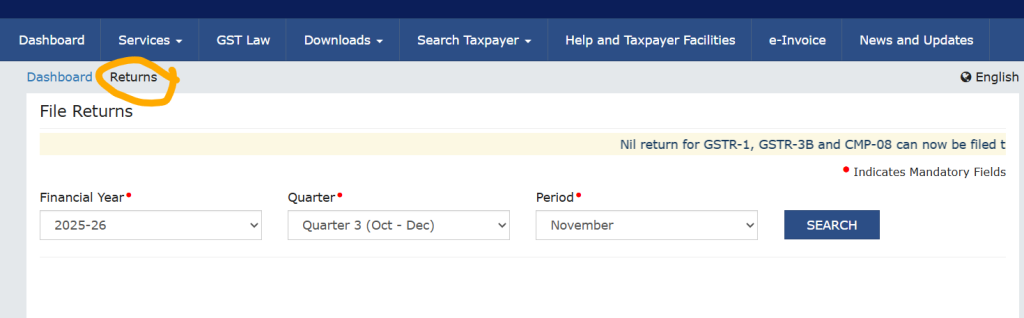
- Go to Services > Returns > Returns Dashboard.
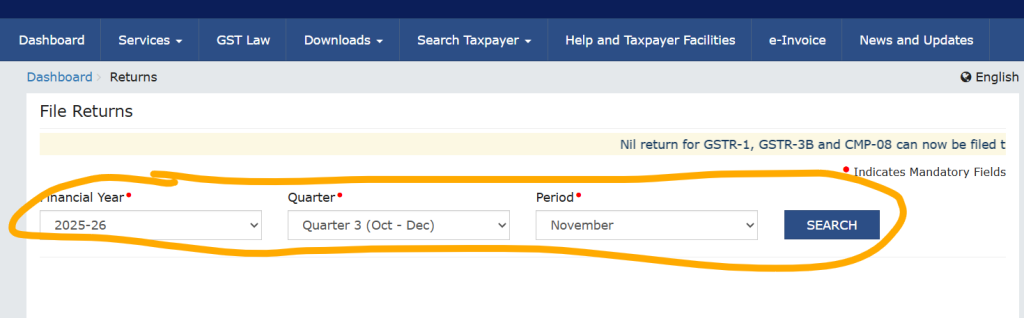
- Select the appropriate financial year and tax period for the amendment (the month after the original invoice was reported).
- In GSTR-1, navigate to the “Amendments to Outward Supplies” section.
- For export invoices, use the section for “Amendments to exports of goods or services” (often Table 9A for previous period amendments).
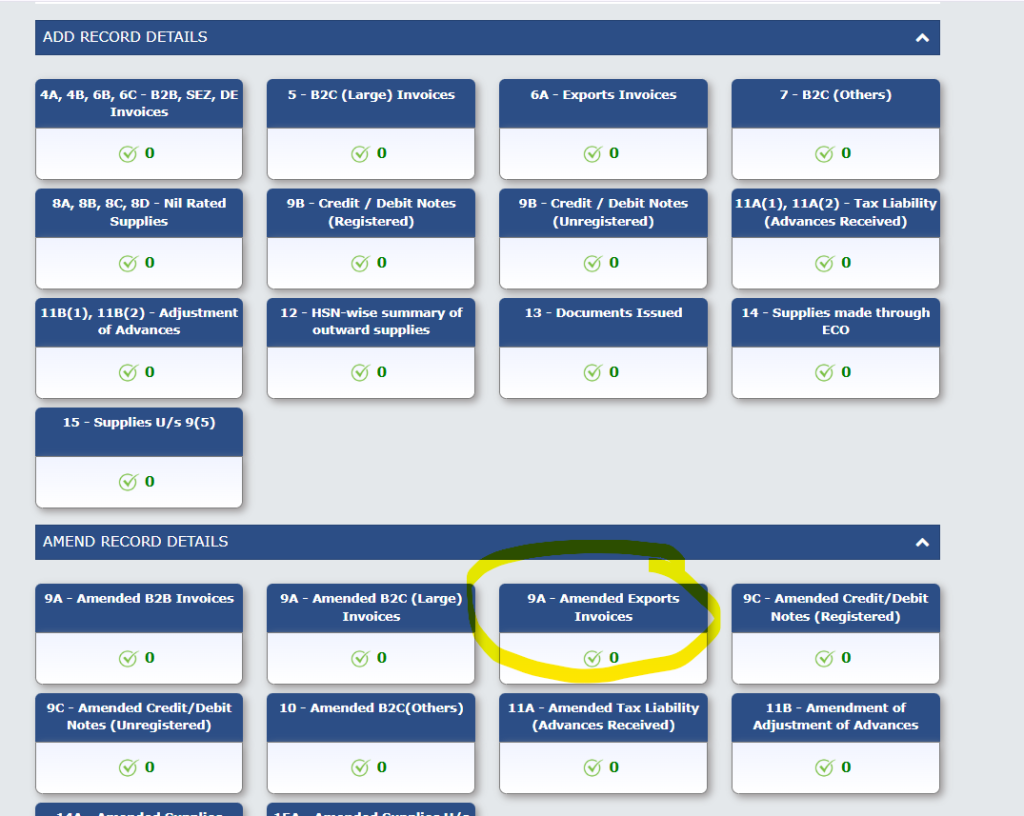
- Select “Amend Export Invoices” and enter:
- The original invoice number and date.
- The corrected details such as value, shipping bill, port code, etc..
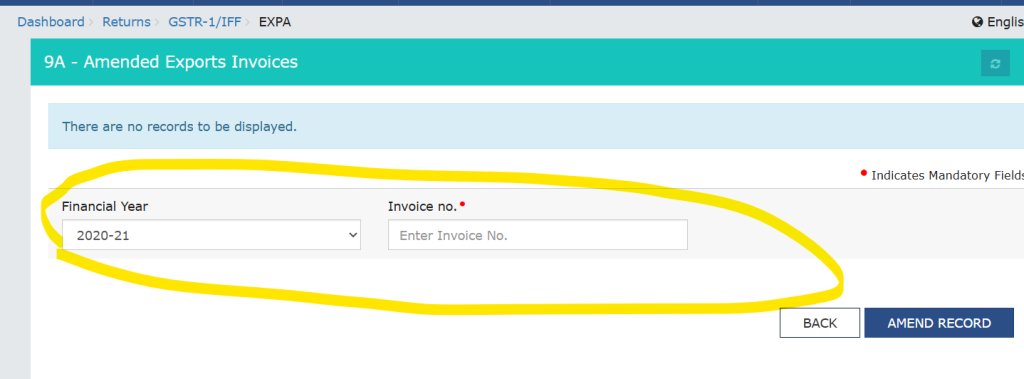
- Save and submit the amendment with your GSTR-1 for that period.
Important Points
- You cannot amend the original financial year; the amendment must be made in the subsequent period’s GSTR-1.
- Some fields (like supply type—export with/without payment, GSTIN of your entity) cannot be changed via amendment. If the invoice period is very old or the error involves a core field, you’ll need to disclose/rectify in your annual return (GSTR-9) as well for complete compliance.
- There is a time limit: generally, up to 30th November of the year following the relevant financial year or filing of annual return, whichever is earlier.
Amending export invoices in this way ensures records match for GST compliance and that any export refunds (if applicable) can be processed correctly.
Thanks,