Introduction
Subtitle & Captioning Tools help creators, educators, marketers, broadcasters, agencies, and businesses add readable text to videos and audio content. Subtitles usually translate or display spoken dialogue, while captions also include sound cues such as music, applause, speaker changes, and background sounds for accessibility.
These tools matter because video is watched across websites, social platforms, learning portals, internal training systems, webinars, events, and mobile-first channels. Captions improve accessibility, support silent viewing, help multilingual audiences, and make editing workflows faster. Modern platforms now combine AI transcription, human review, translation, caption styling, subtitle file export, and burned-in captions.
Real-world use cases include:
- Adding captions to YouTube, Vimeo, webinars, and training videos
- Creating subtitles for social media clips and short-form videos
- Translating videos for global audiences
- Producing accessibility-ready captions for education and enterprise content
- Generating SRT, VTT, TXT, or burned-in subtitle files
- Supporting live events, broadcasts, meetings, and online courses
Buyer evaluation criteria should include:
- Caption accuracy
- AI vs human captioning options
- Subtitle translation support
- Live captioning support
- Export formats such as SRT, VTT, TXT, and burned-in captions
- Styling and brand customization
- Editing workflow and transcript correction
- Speaker identification and sound cue support
- Security, privacy, and compliance controls
- Pricing, turnaround time, and support quality
Best for: Video creators, educators, course teams, podcasters, marketers, agencies, broadcasters, accessibility teams, corporate trainers, event teams, and businesses that need captions, subtitles, transcripts, translations, or live captioning.
Not ideal for: Users who only need basic platform-generated captions and do not need editing, exports, compliance workflows, translation, brand styling, or accuracy control.
Key Trends in Subtitle & Captioning Tools
- AI captioning is becoming standard: Most modern tools now generate captions automatically, reducing manual transcription time.
- Human review remains important: Legal, education, healthcare, enterprise, and broadcast teams often still need human-reviewed captions for accuracy.
- Short-form video captions are growing: Social platforms have increased demand for stylized, animated, and burned-in captions.
- Multilingual subtitles are more important: Brands want to translate content for global audiences without rebuilding every video manually.
- Live captioning is expanding: Events, webinars, broadcasts, classrooms, and meetings increasingly need real-time captioning.
- Accessibility workflows are becoming a buying factor: Teams want captions that support viewers who are deaf, hard of hearing, or watching without audio.
- Transcript-based editing is popular: Tools like Descript let users work with audio and video through transcript-style workflows, making caption editing easier.
- Export flexibility matters: Teams need SRT, VTT, burned-in subtitles, transcript files, and platform-ready caption formats.
- Brand-styled captions are in demand: Creators want captions that match fonts, colors, layouts, and social video formats.
- Broadcast captioning is becoming more automated: AI-Media offers AI-powered live captioning products for live TV, streaming, meetings, and events.
How We Selected These Tools
The tools in this list were selected using practical buyer-focused evaluation logic:
- Strong recognition in captioning, transcription, subtitling, video editing, accessibility, or localization workflows
- Ability to generate, edit, export, or deliver subtitles and captions
- Fit across creators, agencies, educators, enterprises, broadcasters, and social media teams
- Support for AI captioning, human captioning, translation, live captioning, or professional review
- Practical export options such as SRT, VTT, TXT, and burned-in captions
- Ease of use for non-technical users, editors, reviewers, and content teams
- Support for accuracy correction, timing adjustments, speaker labels, and sound cues
- Collaboration features for teams, reviewers, translators, or accessibility workflows
- Security and privacy controls suitable for business or sensitive content
- Overall value based on accuracy, speed, workflow depth, integrations, support, and scalability
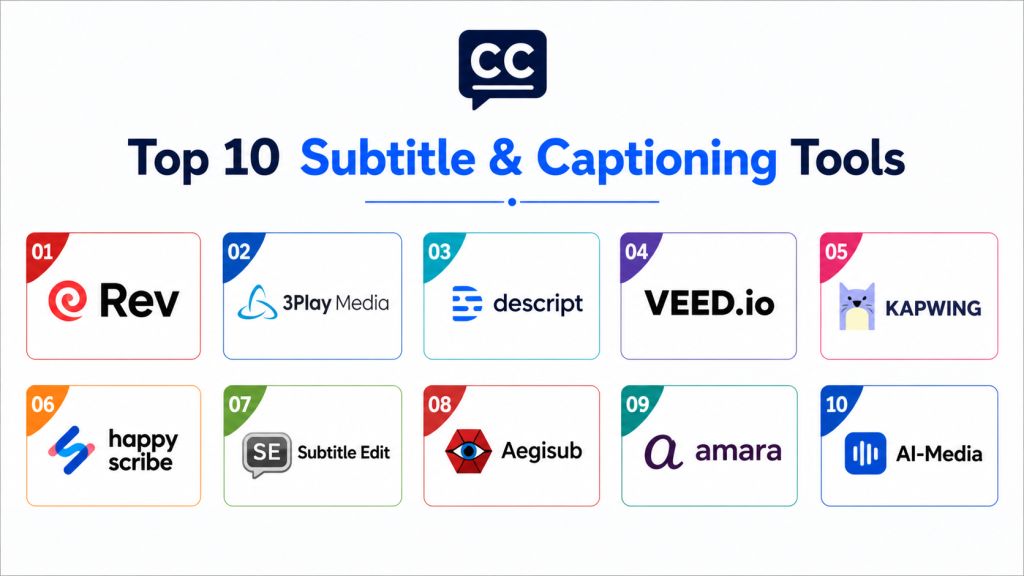
Top 10 Subtitle & Captioning Tools
#1 — Rev
Short description: Rev is a transcription, captioning, and subtitling platform that offers AI transcription, AI captions, human transcription, human captions, and global subtitles. It is useful for teams that need both speed and professional review options. Rev is especially strong for businesses, legal teams, creators, educators, and content teams that need reliable caption workflows.
Key Features
- AI transcription and captions
- Human transcription and human captions
- Global subtitle support
- Caption and subtitle editing workflows
- Pay-per-minute service options
- Transcript and caption file delivery
- Business and professional use cases
Pros
- Strong mix of AI and human-reviewed services
- Useful for accuracy-sensitive workflows
- Good fit for captions, subtitles, and transcripts together
Cons
- Human-reviewed services may cost more than AI-only tools
- Turnaround time may vary by service type
- Styling and social-video editing may require another tool
Platforms / Deployment
Cloud
Web-based platform
Security & Compliance
Rev provides professional transcription and captioning workflows, but buyers should validate access controls, privacy terms, data handling, retention, and industry-specific compliance needs directly.
Integrations & Ecosystem
Rev fits video publishing, legal transcription, education captions, webinar captions, podcast transcripts, and subtitle workflows.
- Video platforms
- Legal workflows
- Education content
- Podcast production
- Webinar recordings
- Subtitle file delivery
Support & Community
Rev provides customer support, service documentation, help resources, and professional captioning guidance. Support depth may vary by service and account type.
#2 — 3Play Media
Short description: 3Play Media is a video accessibility and localization platform offering captioning, subtitling, dubbing, audio description, and live captioning. It combines AI workflows with expert human review for accuracy-focused accessibility needs. It is especially useful for enterprises, education teams, media organizations, and accessibility-driven content teams.
Key Features
- Captioning services
- Subtitling and translation support
- Live captioning
- Audio description
- Dubbing workflows
- AI plus expert review model
- Accessibility-focused workflows
Pros
- Strong for accessibility and localization
- Useful for enterprise, education, and media teams
- Broad support beyond basic captions
Cons
- May be more advanced than simple creator workflows need
- Pricing and turnaround should be reviewed carefully
- Some workflows may require account setup and process planning
Platforms / Deployment
Cloud
Web-based platform
Service-based workflows
Security & Compliance
3Play Media is positioned around accessibility workflows. Buyers should validate security, access control, privacy handling, retention, and compliance requirements directly.
Integrations & Ecosystem
3Play Media fits accessibility programs, higher education, enterprise video, media publishing, live events, and localization workflows.
- LMS workflows
- Video platforms
- Accessibility programs
- Live events
- Localization workflows
- Media publishing
Support & Community
3Play Media provides support resources, accessibility guidance, customer service, and professional services. Support depth may vary by package and use case.
#3 — Descript
Short description: Descript is an AI video and podcast editing platform that includes caption and subtitle generation. It lets users transcribe media, edit audio or video through text, customize captions, and export captioned content. Descript is especially useful for creators, podcasters, marketers, educators, and social video teams that need editing and captions in one workflow.
Key Features
- AI transcription
- Caption and subtitle generation
- Text-based audio and video editing
- Caption styling and customization
- Screen recording workflows
- Podcast and video editing
- Export options for captioned content
Pros
- Excellent for editing and captions together
- Great for creators and podcast-video workflows
- Easy transcript-based correction experience
Cons
- Not primarily a human captioning service
- Accuracy may require manual review
- Enterprise accessibility workflows should be validated
Platforms / Deployment
Cloud
Web-based platform
Desktop app availability may vary
Security & Compliance
Buyers should validate privacy settings, team access, AI data handling, storage, retention, and compliance requirements before using it for sensitive content.
Integrations & Ecosystem
Descript fits creator editing, podcast production, social clips, training videos, tutorials, and marketing content workflows.
- Podcast workflows
- Screen recordings
- Social clips
- Marketing videos
- Creator content
- Transcript-based editing
Support & Community
Descript provides tutorials, documentation, learning resources, community support, and customer support options depending on plan.
#4 — VEED.io
Short description: VEED.io is an online video editing and subtitle tool that can automatically generate subtitles, let users edit them, style them, burn them into videos, or download subtitle files. It is especially useful for social media creators, marketers, educators, and small teams that want fast browser-based captioning. VEED also supports multilingual caption workflows and downloadable subtitle files.
Key Features
- Auto subtitle generation
- Online subtitle editor
- Caption styling and branding
- Burned-in captions
- Subtitle file downloads
- Multilingual caption support
- Browser-based editing workflow
Pros
- Easy for social media and marketing videos
- Good styling controls for branded captions
- No complex setup required
Cons
- AI output should be reviewed for accuracy
- Not a full enterprise captioning service
- Advanced compliance workflows should be validated
Platforms / Deployment
Cloud
Web-based platform
Security & Compliance
Buyers should validate team permissions, privacy settings, media retention, export rights, and compliance requirements before uploading sensitive videos.
Integrations & Ecosystem
VEED.io fits social media captions, marketing clips, creator videos, tutorials, internal videos, and lightweight editing workflows.
- Social video workflows
- YouTube content
- TikTok and Instagram-style videos
- Marketing clips
- Training videos
- Browser-based editing
Support & Community
VEED.io provides help resources, templates, tutorials, customer support options, and creator-focused guidance. Support depth may vary by plan.
#5 — Kapwing
Short description: Kapwing is an online video editor with automatic subtitle generation, editable transcripts, and subtitle exports. It helps users upload video or audio, generate word-by-word subtitles, correct transcript text, adjust timing, and export hardcoded captions or subtitle files. Kapwing is practical for creators, marketers, educators, and social teams that need quick captioned videos.
Key Features
- Auto subtitle generation
- Editable transcript workflow
- Timing adjustment
- Hardcoded captions
- SRT, VTT, and TXT export support
- Browser-based video editing
- Social video formatting
Pros
- Fast and easy for online caption editing
- Useful export options for subtitle files
- Good for creators and small marketing teams
Cons
- AI captions need proofreading
- Not built primarily for enterprise compliance captioning
- Large team workflows may require higher plans
Platforms / Deployment
Cloud
Web-based platform
Security & Compliance
Buyers should validate privacy, media storage, account access, team settings, and compliance requirements before using it with confidential content.
Integrations & Ecosystem
Kapwing fits online video editing, social captions, training clips, marketing videos, YouTube content, and quick subtitle file generation.
- Social media videos
- Creator workflows
- YouTube content
- Training videos
- Short-form clips
- Caption file export workflows
Support & Community
Kapwing provides tutorials, help documentation, creator resources, templates, and support options depending on account type.
#6 — Happy Scribe
Short description: Happy Scribe is a transcription, subtitle, and translation platform used by creators, businesses, educators, journalists, and content teams. It supports automatic transcription, human services, subtitle editing, and multilingual workflows. Happy Scribe is useful when teams need both caption files and translated subtitles for wider audience reach.
Key Features
- Automatic transcription
- Subtitle generation
- Human transcription and subtitle options
- Translation workflows
- Subtitle editor
- Export formats for common subtitle needs
- Team collaboration features may vary
Pros
- Strong for transcription and subtitles together
- Useful for multilingual content workflows
- Good balance of automation and professional services
Cons
- Human services may cost more than AI-only tools
- Accuracy and turnaround depend on service type
- Advanced enterprise governance should be validated
Platforms / Deployment
Cloud
Web-based platform
Security & Compliance
Security details should be verified directly. Buyers should validate privacy terms, data handling, retention, team access, and compliance requirements.
Integrations & Ecosystem
Happy Scribe fits creators, educators, podcasters, interview workflows, documentary production, multilingual subtitles, and business video content.
- Podcast transcription
- Video subtitles
- Translation workflows
- Interview transcripts
- Education videos
- Content localization
Support & Community
Happy Scribe provides help resources, support options, product documentation, and creator-friendly guidance. Support level may vary by plan.
#7 — Subtitle Edit
Short description: Subtitle Edit is a free desktop subtitle editor used for creating, editing, syncing, converting, and correcting subtitle files. It is popular with editors, translators, accessibility workers, and technical users who need detailed control over subtitle timing and formats. It is best for users who want manual precision rather than a fully automated cloud workflow.
Key Features
- Subtitle creation and editing
- Timing correction and synchronization
- Format conversion
- Waveform and visual timing support
- Spell check and cleanup tools
- Batch subtitle utilities
- Local desktop workflow
Pros
- Free and powerful for manual subtitle editing
- Strong timing and format control
- Useful for translators and professional subtitle cleanup
Cons
- Interface is more technical than browser-based tools
- Not ideal for beginners needing one-click captions
- Collaboration and cloud workflows are limited
Platforms / Deployment
Windows
Desktop / Local deployment
Linux or macOS workflows may require additional setup
Security & Compliance
Security depends on local workstation practices. It can be useful for privacy-sensitive work because files can stay local, but organizations should validate workstation security and internal policies.
Integrations & Ecosystem
Subtitle Edit fits subtitle correction, translation editing, timing cleanup, format conversion, and professional subtitle preparation.
- Local video files
- SRT and VTT workflows
- Translation projects
- Post-production workflows
- Subtitle QC
- Accessibility preparation
Support & Community
Subtitle Edit has open-source community resources, documentation, forums, and user guides. Support is community-driven.
#8 — Aegisub
Short description: Aegisub is a free subtitle editing tool known for detailed subtitle timing, styling, typesetting, and karaoke-style subtitle workflows. It is often used by subtitle editors, anime fansub groups, translators, and timing-focused creators. Aegisub is useful when styling and precise timing matter more than automated caption generation.
Key Features
- Subtitle timing and editing
- Advanced styling and typesetting
- ASS subtitle format support
- Audio waveform timing
- Karaoke subtitle effects
- Manual subtitle correction
- Local editing workflow
Pros
- Strong for styled subtitles and precise timing
- Useful for translators and subtitle hobbyists
- Free desktop-focused workflow
Cons
- Not designed for AI caption generation
- Interface may feel technical for beginners
- Collaboration and cloud workflows are limited
Platforms / Deployment
Windows / macOS / Linux availability may vary
Desktop / Local deployment
Security & Compliance
Security depends on local installation source and workstation practices. It is best suited for local subtitle editing, not enterprise captioning operations.
Integrations & Ecosystem
Aegisub fits styled subtitle creation, fan subtitles, translation timing, karaoke subtitles, and detailed subtitle formatting.
- ASS subtitle workflows
- Local video timing
- Translation projects
- Typesetting workflows
- Subtitle styling
- Fan and creative subtitle projects
Support & Community
Aegisub has community documentation, tutorials, user forums, and subtitle-editing community support.
#9 — Amara
Short description: Amara is an online subtitle and captioning platform that supports individual and team subtitle creation, editing, and collaboration. It offers an online subtitle editor and professional subtitle service options. Amara is especially useful for community subtitling, educational content, nonprofits, localization teams, and collaborative translation workflows.
Key Features
- Online subtitle editor
- Team subtitle collaboration
- Professional subtitle service options
- Caption and subtitle creation
- Translation workflow support
- Browser-based editing
- Community-friendly subtitling model
Pros
- Strong for collaborative subtitling
- Useful for education and nonprofit workflows
- Good online editor for team-based caption projects
Cons
- May not be as creator-style focused as VEED or Kapwing
- Advanced AI and enterprise features should be validated
- Workflow fit depends on team structure
Platforms / Deployment
Cloud
Web-based platform
Security & Compliance
Buyers should validate team permissions, privacy controls, data handling, access rights, and compliance requirements before using it for sensitive videos.
Integrations & Ecosystem
Amara fits educational video, community translation, nonprofit accessibility, team subtitling, and localization workflows.
- Education content
- Community subtitle projects
- Nonprofit video accessibility
- Translation teams
- Online video workflows
- Collaborative caption editing
Support & Community
Amara provides platform documentation, community resources, service options, and support resources. Support level may vary by plan or service type.
#10 — AI-Media
Short description: AI-Media provides AI-powered captioning technology for live and recorded content, including its LEXI captioning products. It is especially useful for broadcasters, events, education teams, corporate AV, streaming teams, and organizations that need live automatic captions. AI-Media’s LEXI tool kit supports captioning, translation, archiving, search, and disaster recovery workflows.
Key Features
- AI-powered live captioning
- Recorded content captioning
- Caption translation workflows
- Broadcast and event caption support
- Speaker identification support may be available
- Caption placement intelligence
- Enterprise and professional caption workflows
Pros
- Strong for live captioning and broadcast workflows
- Useful for events, streaming, and enterprise accessibility
- Supports both live and recorded caption needs
Cons
- May be more advanced than creator-only tools need
- Pricing and deployment should be reviewed carefully
- Workflow setup may require technical planning
Platforms / Deployment
Cloud / Broadcast workflow options may vary
Professional captioning technology and services
Security & Compliance
Buyers should validate caption delivery architecture, data handling, access controls, live workflow security, retention, and compliance requirements directly.
Integrations & Ecosystem
AI-Media fits live broadcasts, events, streaming, corporate AV, education, accessibility programs, and multilingual caption workflows.
- Broadcast workflows
- Live event production
- Streaming platforms
- Corporate AV
- Education events
- Translation workflows
Support & Community
AI-Media provides product resources, professional support, implementation guidance, and enterprise captioning assistance. Support depth may vary by contract.
Comparison Table
| Tool Name | Best For | Platform Supported | Deployment | Standout Feature | Public Rating |
|---|---|---|---|---|---|
| Rev | Human and AI captions | Web-based | Cloud | Human captions plus AI transcription workflows | N/A |
| 3Play Media | Accessibility and localization | Web-based | Cloud / Service-based | Captioning, subtitling, dubbing, and audio description | N/A |
| Descript | Creators and podcast-video editing | Web-based, desktop varies | Cloud | Transcript-based editing with captions | N/A |
| VEED.io | Social video captions | Web-based | Cloud | Styled auto captions and subtitle downloads | N/A |
| Kapwing | Quick online subtitle editing | Web-based | Cloud | Editable transcript with SRT, VTT, TXT exports | N/A |
| Happy Scribe | Transcription and multilingual subtitles | Web-based | Cloud | Automatic and human transcription workflows | N/A |
| Subtitle Edit | Manual subtitle editing | Windows | Desktop | Precise timing and format conversion | N/A |
| Aegisub | Styled subtitles and typesetting | Windows, macOS, Linux varies | Desktop | Advanced subtitle styling and timing | N/A |
| Amara | Collaborative subtitling | Web-based | Cloud | Team subtitle editor and community workflows | N/A |
| AI-Media | Live and broadcast captions | Professional workflows vary | Cloud / Varies | AI-powered live captioning and translation | N/A |
Evaluation & Scoring of Subtitle & Captioning Tools
| Tool Name | Core 25% | Ease 15% | Integrations 15% | Security 10% | Performance 10% | Support 10% | Value 15% | Weighted Total |
|---|---|---|---|---|---|---|---|---|
| Rev | 9 | 9 | 8 | 8 | 9 | 9 | 8 | 8.65 |
| 3Play Media | 10 | 8 | 9 | 9 | 9 | 9 | 7 | 8.80 |
| Descript | 8 | 9 | 8 | 8 | 8 | 8 | 8 | 8.20 |
| VEED.io | 8 | 10 | 7 | 7 | 8 | 8 | 9 | 8.20 |
| Kapwing | 8 | 10 | 7 | 7 | 8 | 8 | 9 | 8.20 |
| Happy Scribe | 8 | 9 | 7 | 8 | 8 | 8 | 8 | 8.05 |
| Subtitle Edit | 8 | 7 | 6 | 8 | 8 | 7 | 10 | 7.85 |
| Aegisub | 7 | 6 | 6 | 8 | 8 | 7 | 9 | 7.35 |
| Amara | 8 | 8 | 7 | 8 | 8 | 8 | 8 | 7.95 |
| AI-Media | 9 | 7 | 9 | 9 | 9 | 9 | 7 | 8.50 |
These scores are comparative and should be used as a shortlist guide. Human-reviewed platforms score higher for accuracy-sensitive and accessibility-heavy work. Creator-focused tools score higher for ease, speed, and styled captions. Desktop subtitle editors score higher for manual precision and value. Live captioning platforms score higher for broadcast, events, and real-time accessibility workflows.
Which Subtitle & Captioning Tool Is Right for You?
Solo / Freelancer
Solo creators should choose tools that are fast, affordable, and easy to edit. VEED.io, Kapwing, Descript, Happy Scribe, and Subtitle Edit are practical options. If you need stylish captions for short-form videos, VEED.io or Kapwing are strong choices. If you need more precise manual subtitle timing, Subtitle Edit or Aegisub may work better.
SMB
SMBs should prioritize accuracy, simple editing, export formats, and quick turnaround. Rev, Descript, Happy Scribe, VEED.io, Kapwing, and Amara can all fit depending on the workflow. If the content is customer-facing and accuracy matters, use human review or strong manual proofreading. If speed matters most, AI captioning tools can reduce production time.
Mid-Market
Mid-market teams usually need collaboration, brand styling, subtitle exports, translation, and predictable workflows. Rev, 3Play Media, Descript, Happy Scribe, Amara, and AI-Media are strong candidates depending on whether the work is recorded, live, multilingual, or accessibility-focused. Teams should test caption accuracy with real audio, accents, background noise, and industry terms.
Enterprise
Enterprises should prioritize accuracy, compliance, privacy, live captioning, auditability, integrations, accessibility standards, and service reliability. 3Play Media, Rev, AI-Media, Amara, and enterprise captioning workflows are strong candidates. Large organizations should involve accessibility, legal, security, training, communications, and video operations teams before rollout.
Budget vs Premium
Budget-focused users should consider Subtitle Edit, Aegisub, Kapwing, VEED.io, Descript, or Happy Scribe depending on the task. Premium buyers should evaluate Rev, 3Play Media, AI-Media, and professional human-reviewed services when accuracy, compliance, turnaround, and accessibility accountability matter more than lowest cost.
Feature Depth vs Ease of Use
If ease of use matters most, VEED.io, Kapwing, Descript, Rev, and Happy Scribe are practical choices. If feature depth matters more, 3Play Media, AI-Media, Amara, Subtitle Edit, and Aegisub provide stronger accessibility, live captioning, team subtitling, or manual timing workflows. The right choice depends on whether you need quick captions, translated subtitles, live captions, or precise subtitle editing.
Integrations & Scalability
Subtitle & Captioning Tools should fit into video editing, LMS, webinar, broadcast, streaming, YouTube, Vimeo, DAM, CMS, and social media workflows. As teams scale, they should evaluate API access, team permissions, reviewer workflows, glossary support, subtitle file formats, translation quality, and live caption delivery. Poor integration can create manual upload and rework problems.
Security & Compliance Needs
Captioning workflows may involve training videos, legal recordings, healthcare content, internal meetings, product launches, executive messages, and customer interviews. Buyers should validate access controls, data retention, file security, AI training policies, user permissions, encryption, and compliance requirements. For accessibility-sensitive content, teams should also review accuracy, speaker labels, sound cues, and quality control processes.
Frequently Asked Questions
1. What are Subtitle & Captioning Tools?
Subtitle & Captioning Tools create, edit, translate, and export text for video and audio content.
They help viewers understand spoken dialogue and, in the case of captions, important sound cues.
They are used by creators, educators, marketers, broadcasters, enterprises, and accessibility teams.
2. What is the difference between subtitles and captions?
Subtitles usually show spoken dialogue and are often used for translation or language support.
Captions include dialogue plus sound cues such as music, applause, speaker changes, or background sounds.
Captions are especially important for accessibility and silent viewing.
3. What features should buyers prioritize?
Buyers should prioritize accuracy, editing controls, export formats, translation, timing adjustment, speaker labels, and workflow speed.
Teams with accessibility needs should also evaluate human review, sound cues, live captioning, and quality control.
Social teams should prioritize styling and burned-in captions.
4. Are AI captions accurate enough?
AI captions can be fast and useful, but accuracy depends on audio quality, accents, background noise, speaker overlap, and technical vocabulary.
For casual content, AI captions may be enough after review.
For legal, educational, broadcast, or accessibility-critical content, human review is often safer.
5. Which tools are best for social media captions?
VEED.io, Kapwing, Descript, and Happy Scribe are practical for social media captions.
They help generate captions quickly and often support styling, resizing, and burned-in text.
Creators should still proofread captions before publishing.
6. Which tools are best for professional accessibility captions?
Rev, 3Play Media, AI-Media, and Amara are strong options for professional captioning and accessibility workflows.
They are better suited for teams that need accuracy, quality review, translation, or live caption support.
Buyers should validate service levels, turnaround, security, and compliance requirements.
7. Can Subtitle & Captioning Tools export SRT and VTT files?
Yes, many tools support common subtitle formats such as SRT and VTT.
Kapwing supports exports such as SRT, VTT, and TXT for generated subtitles.
Teams should confirm export formats before choosing a tool.
8. What mistakes should buyers avoid?
A common mistake is publishing AI captions without proofreading them.
Another mistake is confusing subtitles with accessibility captions and leaving out sound cues or speaker labels.
Teams should also avoid choosing tools without checking file formats, privacy, and editing controls.
9. Are Subtitle & Captioning Tools secure?
Many platforms provide account access controls, file handling policies, and privacy settings, but security varies by vendor.
Buyers should validate encryption, retention, team permissions, AI data usage, and compliance requirements.
Sensitive legal, healthcare, training, or internal content should be handled with extra care.
10. What are alternatives to dedicated Subtitle & Captioning Tools?
Alternatives include built-in captions from video platforms, manual caption typing, video editor captions, transcription tools, and professional captioning services.
These options may work for simple needs or low-volume content.
Dedicated tools are better when teams need accuracy, exports, translation, styling, collaboration, or live captioning.
Conclusion
Subtitle & Captioning Tools help make video and audio content more accessible, searchable, understandable, and ready for wider audiences.
Rev and 3Play Media are strong choices for teams that need professional transcription, captioning, subtitles, and accessibility-focused workflows.
Descript, VEED.io, and Kapwing are practical for creators and marketers who need fast AI captions, styling, editing, and social-ready outputs.
Happy Scribe is useful for transcription, subtitles, and multilingual content workflows.
Subtitle Edit and Aegisub are strong desktop tools for users who need detailed manual subtitle timing and formatting.
Amara is valuable for collaborative subtitling, education, nonprofit, and localization workflows.
AI-Media is a strong option for live captioning, broadcast, corporate AV, and real-time accessibility use cases.