Introduction
Conversation Intelligence Platforms help businesses capture, transcribe, analyze, and learn from customer conversations across sales calls, support calls, meetings, demos, emails, chats, and contact center interactions. These tools turn unstructured conversations into useful insights such as customer pain points, buying intent, objections, sentiment, competitor mentions, coaching opportunities, and deal risks.
Modern teams use conversation intelligence to improve sales performance, customer experience, agent training, revenue forecasting, quality assurance, and compliance monitoring. Instead of relying only on manual notes or manager reviews, companies can use AI-powered summaries, searchable transcripts, keyword tracking, coaching scorecards, and analytics dashboards to understand what is happening across customer-facing conversations.
Real-world use cases include:
- Reviewing sales calls and improving rep coaching
- Detecting customer objections and buying signals
- Monitoring support quality and customer sentiment
- Improving onboarding and training for sales or service teams
- Capturing call notes automatically inside CRM systems
- Identifying deal risks, churn signals, and product feedback
Buyer evaluation criteria should include:
- Transcription accuracy
- AI summary quality
- CRM and meeting platform integrations
- Coaching workflow depth
- Conversation search and tagging
- Analytics and reporting quality
- Deal intelligence capabilities
- Security and access controls
- Ease of use for managers and reps
- Scalability across teams and regions
Best for: Sales teams, revenue leaders, customer success teams, support organizations, contact centers, account managers, enablement teams, and businesses that rely heavily on customer conversations to drive revenue, retention, and service quality.
Not ideal for: Very small teams with limited call volume, businesses that only need basic meeting recording, or organizations that do not use CRM, sales engagement, contact center, or support workflows where conversation insights can be acted upon.
Key Trends in Conversation Intelligence Platforms
- AI summaries are becoming standard: Teams expect every meeting or call to generate clean summaries, action items, next steps, and CRM notes automatically.
- Revenue intelligence is merging with conversation intelligence: Platforms are moving beyond transcripts to deal risk detection, pipeline insights, forecasting signals, and coaching analytics.
- Manager coaching is becoming more data-driven: Sales and support leaders want scorecards, talk ratios, objection tracking, competitor mentions, and behavior trends.
- Customer sentiment analysis is expanding: Teams want to understand emotion, urgency, satisfaction, frustration, and churn signals from conversations.
- CRM automation is a major buying factor: Businesses want conversation notes, next steps, call outcomes, and activity logs pushed into CRM without manual effort.
- Privacy and consent controls matter more: Recording customer conversations requires clear permission, access controls, retention settings, and data governance.
- Multi-channel analysis is growing: Buyers increasingly want insights from calls, video meetings, emails, chats, and support tickets in one platform.
- AI coaching is becoming more practical: Platforms now help recommend follow-up actions, identify weak discovery questions, and highlight missed topics.
- Searchable conversation libraries are becoming knowledge assets: Teams use recorded conversations to train new reps, understand objections, and improve messaging.
- Integration depth is becoming a key differentiator: Tools that connect deeply with CRM, calendar, dialers, meeting tools, help desk systems, and sales platforms deliver stronger operational value.
How We Selected These Tools
The tools in this list were selected using practical buyer-focused evaluation logic:
- Strong recognition in conversation intelligence, sales coaching, revenue intelligence, call analytics, or customer interaction analysis
- Ability to capture and analyze customer conversations across calls, meetings, or contact center channels
- Practical AI capabilities such as transcription, summaries, sentiment, keyword detection, and automated insights
- Strong integration ecosystem with CRM, meeting platforms, dialers, sales engagement tools, and support systems
- Clear value for sales, support, revenue operations, customer success, or enablement teams
- Coaching workflows that help managers review calls, score conversations, and guide team improvement
- Reporting depth for pipeline visibility, customer feedback, performance trends, and deal intelligence
- Security and administrative features such as permissions, access control, and data handling options
- Suitability across SMB, mid-market, and enterprise environments
- Overall usability, scalability, and buyer value compared with similar tools
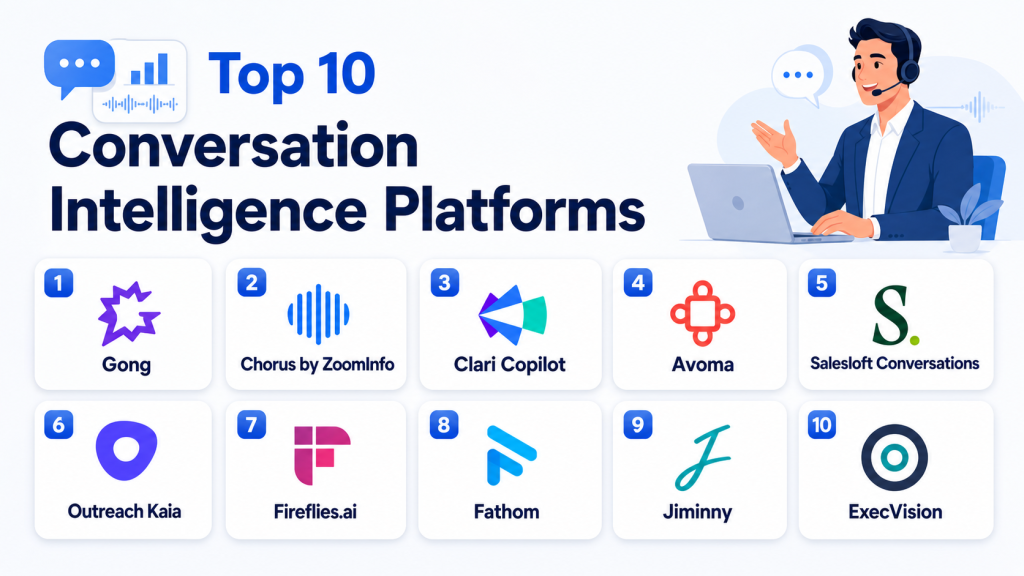
Top 10 Conversation Intelligence Platforms
#1 — Gong
Short description: Gong is a leading conversation intelligence and revenue intelligence platform used by sales, customer success, and revenue teams. It captures customer interactions, analyzes conversations, identifies deal risks, and helps managers coach teams using real conversation data. It is especially useful for organizations that want deep visibility into pipeline, rep behavior, customer objections, and revenue execution.
Key Features
- Call recording and AI-powered transcription
- Deal intelligence and pipeline risk insights
- Sales coaching dashboards and scorecards
- Keyword, topic, and competitor tracking
- CRM activity capture and automation
- Conversation search and call library
- Forecasting and revenue analytics support
Pros
- Strong fit for revenue teams that need deep conversation and deal insights
- Excellent for sales coaching, pipeline inspection, and rep performance analysis
- Broad adoption across sales-driven organizations
Cons
- May be expensive for smaller teams
- Can require strong CRM hygiene to maximize value
- Some teams may find the platform broad if they only need basic call recording
Platforms / Deployment
Cloud
Web-based platform
Integrations with meeting, CRM, and sales systems
Security & Compliance
Gong provides enterprise-oriented security and administrative capabilities. Buyers should validate SSO, role-based access, encryption, audit logs, retention controls, and compliance requirements directly for their selected package.
Integrations & Ecosystem
Gong integrates deeply with CRM, meeting, calendar, dialer, sales engagement, and communication systems. Its ecosystem is designed around revenue workflows, making it especially valuable for sales and customer success teams.
- Salesforce
- HubSpot
- Zoom
- Microsoft Teams
- Google Workspace
- Sales engagement platforms
Support & Community
Gong provides onboarding resources, documentation, training, customer success support, and enablement materials. Support level may vary by plan, contract, and customer size.
#2 — Chorus by ZoomInfo
Short description: Chorus by ZoomInfo is a conversation intelligence platform focused on sales call recording, transcription, coaching, deal visibility, and revenue team insights. It helps sales managers understand what happens during customer conversations and provides data for coaching, onboarding, and pipeline improvement. It is useful for teams already invested in sales intelligence and revenue operations workflows.
Key Features
- Call recording and transcription
- Sales coaching and call review workflows
- Deal intelligence and conversation analytics
- Keyword and topic tracking
- CRM activity sync
- Meeting summaries and call notes
- Rep performance insights
Pros
- Strong fit for sales teams and revenue organizations
- Useful for onboarding, coaching, and deal review
- Works well when connected with sales intelligence workflows
Cons
- Best value depends on sales team call volume
- May require CRM and sales process discipline
- Smaller teams may find it more than they need
Platforms / Deployment
Cloud
Web-based platform
Meeting and CRM integrations
Security & Compliance
Security and compliance capabilities should be verified directly based on the selected package and enterprise requirements. Use “Not publicly stated” for any certification or compliance claim that is not contractually confirmed.
Integrations & Ecosystem
Chorus connects with CRM, meeting, sales engagement, and revenue operations systems. It is particularly useful when teams want call insights linked with account, opportunity, and pipeline data.
- Salesforce
- Zoom
- Microsoft Teams
- Outreach
- Salesloft
- Calendar and productivity tools
Support & Community
Chorus provides documentation, onboarding resources, product support, and customer success assistance. Support depth may vary by customer agreement and package.
#3 — Clari Copilot
Short description: Clari Copilot is a conversation intelligence solution within the broader Clari revenue platform. It helps teams record calls, generate summaries, analyze buyer conversations, and connect conversation insights with pipeline and forecasting workflows. It is a strong fit for revenue organizations that want conversation data tied closely to forecasting, deal inspection, and revenue execution.
Key Features
- Meeting recording and transcription
- AI-generated call summaries and next steps
- Deal and pipeline intelligence
- Sales coaching workflows
- Conversation search and topic tracking
- CRM sync and revenue workflow support
- Integration with broader revenue operations processes
Pros
- Strong fit for revenue teams using pipeline and forecasting workflows
- Connects call insights with deal execution
- Helpful for sales managers and revenue operations teams
Cons
- Best value comes when used with a structured revenue process
- May be more complex than basic conversation recording tools
- Smaller teams may not need the full revenue platform approach
Platforms / Deployment
Cloud
Web-based platform
CRM and meeting platform integrations
Security & Compliance
Clari provides enterprise-oriented security and administrative controls. Buyers should validate SSO, encryption, audit logs, permission models, retention, and compliance requirements directly.
Integrations & Ecosystem
Clari Copilot works best when connected with CRM, sales engagement, forecasting, and meeting systems. It is designed for teams that want conversation intelligence connected to revenue execution.
- Salesforce
- Microsoft Teams
- Zoom
- Sales engagement tools
- Forecasting workflows
- Revenue operations systems
Support & Community
Clari offers onboarding, documentation, implementation support, and customer success resources. Support level may vary by package and business size.
#4 — Avoma
Short description: Avoma is an AI meeting assistant and conversation intelligence platform for sales, customer success, and customer-facing teams. It records meetings, transcribes conversations, creates summaries, highlights action items, and supports coaching workflows. It is a practical option for teams that want a balance of meeting productivity, conversation insights, and revenue-focused collaboration.
Key Features
- AI meeting recording and transcription
- Automated summaries and action items
- Conversation intelligence and topic tracking
- Coaching scorecards and call review
- CRM note syncing
- Meeting collaboration workspace
- Searchable conversation library
Pros
- Easy to use for sales and customer success teams
- Strong meeting productivity features
- Good balance of affordability and functionality
Cons
- May not have the same enterprise depth as larger revenue platforms
- Advanced analytics may not satisfy highly complex teams
- Best results depend on consistent meeting capture
Platforms / Deployment
Cloud
Web-based platform
Meeting and CRM integrations
Security & Compliance
Security controls may include access permissions and administrative features. Buyers should verify SSO, encryption, audit logs, retention, and compliance coverage for their selected plan.
Integrations & Ecosystem
Avoma integrates with meeting, CRM, calendar, and collaboration tools. It is useful for teams that want meeting notes, call insights, and coaching workflows in one system.
- Zoom
- Microsoft Teams
- Google Meet
- Salesforce
- HubSpot
- Calendar tools
Support & Community
Avoma provides documentation, onboarding resources, support options, and customer success assistance. Support depth may vary by plan.
#5 — Salesloft Conversations
Short description: Salesloft Conversations is part of the Salesloft sales engagement platform and helps sales teams record, analyze, and coach around buyer conversations. It is designed for teams that already use sales engagement workflows and want conversation insights connected with cadences, outreach, pipeline, and rep performance. It is especially useful for sales organizations that want one platform for engagement and coaching.
Key Features
- Call and meeting recording
- Conversation transcription and analysis
- Sales coaching workflows
- CRM and sales activity sync
- Buyer engagement insights
- Call library and searchable transcripts
- Integration with sales engagement workflows
Pros
- Strong for teams already using Salesloft
- Connects engagement workflows with conversation insights
- Helpful for coaching and rep development
Cons
- Best value is tied to Salesloft ecosystem adoption
- May not be ideal as a standalone conversation intelligence tool
- Advanced analytics needs should be validated before purchase
Platforms / Deployment
Cloud
Web-based platform
Sales engagement and CRM integrations
Security & Compliance
Salesloft provides business and enterprise security features, but buyers should verify SSO, audit logs, encryption, role-based access, and compliance details directly.
Integrations & Ecosystem
Salesloft Conversations fits naturally into outbound sales, sales engagement, and revenue workflows. It is especially useful when conversation intelligence needs to connect with cadences and sales activity.
- Salesforce
- Microsoft Dynamics
- Sales engagement workflows
- Meeting platforms
- Email and dialer workflows
- Productivity tools
Support & Community
Salesloft offers documentation, onboarding, customer success support, and enablement resources. Support level may vary by package and contract.
#6 — Outreach Kaia
Short description: Outreach Kaia is a conversation intelligence and meeting assistant solution connected to the Outreach sales execution platform. It helps sales teams capture meetings, generate insights, guide reps, and connect conversation data with sales engagement activity. It is best for organizations already using Outreach or teams that want conversation intelligence inside a broader sales execution workflow.
Key Features
- Meeting recording and transcription
- Real-time conversation assistance
- AI-generated summaries and action items
- Sales coaching support
- CRM and sales engagement sync
- Searchable conversation records
- Deal and rep activity insights
Pros
- Strong fit for Outreach users
- Useful for real-time sales guidance and follow-up
- Connects conversation insights with sales execution workflows
Cons
- Best value depends on Outreach ecosystem usage
- May be less attractive for teams not using Outreach
- Setup and adoption require sales process alignment
Platforms / Deployment
Cloud
Web-based platform
Meeting, CRM, and sales engagement integrations
Security & Compliance
Security capabilities should be verified directly for the selected package. Buyers should confirm SSO, access controls, encryption, data retention, audit logs, and compliance requirements.
Integrations & Ecosystem
Outreach Kaia works inside a larger sales engagement ecosystem. It is strongest when sales calls, emails, sequences, CRM records, and coaching workflows are connected.
- Salesforce
- Microsoft Dynamics
- Outreach workflows
- Meeting tools
- Calendar tools
- Sales productivity systems
Support & Community
Outreach provides documentation, onboarding, training resources, and customer success support. Support level may vary by contract and customer size.
#7 — Fireflies.ai
Short description: Fireflies.ai is an AI meeting assistant and conversation intelligence platform that records, transcribes, summarizes, and organizes meetings. It is popular with teams that want simple call notes, searchable transcripts, and collaboration around meeting content. It works well for startups, SMBs, sales teams, recruiters, consultants, and internal teams that need affordable meeting intelligence.
Key Features
- Meeting recording and transcription
- AI summaries and action items
- Searchable conversation library
- Topic and keyword tracking
- Collaboration and commenting on transcripts
- CRM and productivity integrations
- Meeting analytics and shared workspaces
Pros
- Easy to adopt and practical for many teams
- Good value for meeting transcription and summaries
- Useful across sales, recruiting, consulting, and internal meetings
Cons
- May not offer the same deep revenue intelligence as enterprise platforms
- Advanced QA and deal analytics may be limited
- Sensitive industries should carefully validate compliance needs
Platforms / Deployment
Cloud
Web-based platform
Meeting platform integrations
Security & Compliance
Fireflies.ai provides security and administration features, but buyers should verify specific access controls, retention settings, encryption, and compliance requirements directly.
Integrations & Ecosystem
Fireflies.ai integrates with common meeting, calendar, CRM, collaboration, and productivity tools. It is a flexible option for teams that want conversation capture without heavy implementation.
- Zoom
- Microsoft Teams
- Google Meet
- Salesforce
- HubSpot
- Slack
Support & Community
Fireflies.ai provides documentation, help resources, support options, and a broad user community. Support level may vary by plan.
#8 — Fathom
Short description: Fathom is an AI meeting assistant that records calls, transcribes meetings, creates summaries, and helps users share highlights quickly. It is designed for individuals and teams that want simple, fast meeting documentation without a complex setup. It is especially useful for sales reps, customer success managers, consultants, and founders who need clean notes and follow-ups.
Key Features
- Meeting recording and transcription
- AI-generated summaries
- Highlight clips and shareable moments
- Action item capture
- CRM note support
- Meeting search and organization
- Simple user experience
Pros
- Very easy to use
- Strong for quick meeting summaries and follow-ups
- Good fit for individuals and small teams
Cons
- Less advanced for enterprise revenue intelligence
- Limited compared with full QA or contact center platforms
- May not fit complex governance needs
Platforms / Deployment
Cloud
Web-based platform
Meeting integrations
Security & Compliance
Security and compliance details should be validated based on the selected plan and business requirements. Not publicly stated for any unverified certification or compliance claim.
Integrations & Ecosystem
Fathom is designed around meeting productivity and simple conversation capture. It works best for teams that need quick summaries, easy sharing, and basic CRM updates.
- Zoom
- Google Meet
- Microsoft Teams
- CRM workflows
- Calendar tools
- Productivity tools
Support & Community
Fathom provides help resources, documentation, product guidance, and support options. Support depth may vary by plan and user type.
#9 — Jiminny
Short description: Jiminny is a conversation intelligence and coaching platform for sales and customer-facing teams. It helps organizations record calls, review meetings, coach reps, analyze performance, and improve team communication. It is a strong option for sales managers and enablement leaders who want structured call coaching and a searchable conversation library.
Key Features
- Call and meeting recording
- Conversation transcription
- Sales coaching and scorecards
- Call library and playlist creation
- Topic and keyword tracking
- CRM integration support
- Team performance analytics
Pros
- Strong coaching-focused workflow
- Useful for sales enablement and manager reviews
- Helps build repeatable training from real conversations
Cons
- May not offer the same enterprise-scale revenue analytics as larger platforms
- Best value depends on coaching culture and manager adoption
- Integration depth should be validated for each stack
Platforms / Deployment
Cloud
Web-based platform
CRM and meeting integrations
Security & Compliance
Security features may include access controls and administrative settings. Buyers should validate encryption, SSO, audit logs, data retention, and compliance needs directly.
Integrations & Ecosystem
Jiminny integrates with CRM, dialer, meeting, and sales workflow tools. Its ecosystem is especially relevant for teams that want conversation review and coaching to be part of daily sales management.
- Salesforce
- HubSpot
- Zoom
- Microsoft Teams
- Dialer systems
- Sales productivity tools
Support & Community
Jiminny provides onboarding resources, support, customer success guidance, and training materials. Support level may vary by package and customer size.
#10 — ExecVision
Short description: ExecVision is a conversation intelligence and coaching platform focused on helping sales and customer-facing teams improve performance through call review, coaching, and behavior change. It is designed for managers who want to turn real conversations into coaching moments. It works well for organizations that prioritize enablement, skill development, and structured feedback.
Key Features
- Call recording and conversation review
- Coaching workflows and feedback tools
- Call scoring and evaluation support
- Conversation search and tagging
- Manager coaching dashboards
- Rep performance insights
- Training and enablement support
Pros
- Strong focus on coaching and behavior improvement
- Useful for sales enablement teams
- Helps managers create structured feedback loops
Cons
- May not be as broad as full revenue intelligence platforms
- Best results require active manager participation
- Integration and analytics depth should be validated by buyers
Platforms / Deployment
Cloud
Web-based platform
Integration availability may vary
Security & Compliance
Security and compliance details should be verified directly. Not publicly stated for any certification or compliance claim that is not confidently validated.
Integrations & Ecosystem
ExecVision is designed to connect conversation review with coaching and enablement workflows. It is useful for organizations that want structured feedback from customer conversations.
- CRM systems
- Dialer platforms
- Meeting tools
- Sales enablement workflows
- Call review processes
- Reporting workflows
Support & Community
ExecVision provides onboarding, documentation, customer support, and coaching-focused implementation guidance. Support level may vary by contract.
Comparison Table
| Tool Name | Best For | Platform(s) Supported | Deployment | Standout Feature | Public Rating |
|---|---|---|---|---|---|
| Gong | Revenue teams and enterprise sales organizations | Web-based | Cloud | Deep revenue and deal intelligence | N/A |
| Chorus by ZoomInfo | Sales coaching and call analysis | Web-based | Cloud | Conversation insights connected to sales intelligence | N/A |
| Clari Copilot | Revenue teams using forecasting workflows | Web-based | Cloud | Conversation intelligence tied to pipeline execution | N/A |
| Avoma | Sales and customer success teams | Web-based | Cloud | AI meeting notes plus coaching workflows | N/A |
| Salesloft Conversations | Sales engagement teams | Web-based | Cloud | Conversation intelligence inside sales engagement workflows | N/A |
| Outreach Kaia | Outreach users and sales execution teams | Web-based | Cloud | Real-time meeting assistance and sales guidance | N/A |
| Fireflies.ai | SMBs and cross-functional teams | Web-based | Cloud | Affordable AI meeting transcription and summaries | N/A |
| Fathom | Individuals and small teams | Web-based | Cloud | Simple meeting summaries and highlights | N/A |
| Jiminny | Sales coaching and enablement teams | Web-based | Cloud | Coaching-focused conversation review | N/A |
| ExecVision | Sales enablement and manager coaching | Web-based | Cloud | Structured coaching and behavior improvement | N/A |
Evaluation & Scoring of Conversation Intelligence Platforms
| Tool Name | Core (25%) | Ease (15%) | Integrations (15%) | Security (10%) | Performance (10%) | Support (10%) | Value (15%) | Weighted Total (0–10) |
|---|---|---|---|---|---|---|---|---|
| Gong | 10 | 8 | 9 | 9 | 9 | 9 | 7 | 8.75 |
| Chorus by ZoomInfo | 9 | 8 | 9 | 8 | 8 | 8 | 7 | 8.25 |
| Clari Copilot | 9 | 8 | 8 | 8 | 8 | 8 | 7 | 8.10 |
| Avoma | 8 | 9 | 8 | 8 | 8 | 8 | 9 | 8.30 |
| Salesloft Conversations | 8 | 8 | 9 | 8 | 8 | 8 | 8 | 8.15 |
| Outreach Kaia | 8 | 8 | 9 | 8 | 8 | 8 | 8 | 8.15 |
| Fireflies.ai | 7 | 9 | 8 | 7 | 8 | 8 | 9 | 7.95 |
| Fathom | 7 | 10 | 7 | 7 | 8 | 8 | 9 | 7.95 |
| Jiminny | 8 | 8 | 8 | 7 | 8 | 8 | 8 | 7.85 |
| ExecVision | 8 | 7 | 7 | 7 | 8 | 8 | 7 | 7.45 |
These scores are comparative and should be used as a shortlist guide, not as a universal ranking. Enterprise revenue teams may value deal intelligence, governance, and deep CRM integration more than simplicity. Smaller teams may prefer ease of use, quick setup, and affordable meeting summaries. The right platform depends on team size, call volume, coaching maturity, CRM discipline, security needs, and budget.
Which Conversation Intelligence Platform Is Right for You?
Solo / Freelancer
Solo professionals usually need simple meeting recording, transcripts, summaries, and action items. Fathom and Fireflies.ai are practical choices because they are easy to use and do not require a complex revenue operations setup. Consultants, founders, recruiters, and independent sellers can use these tools to capture meeting notes, follow-ups, and client commitments without manually documenting everything.
SMB
SMBs should focus on usability, affordability, CRM integration, and fast onboarding. Avoma, Fireflies.ai, Fathom, Jiminny, and Dialer-connected coaching tools can work well depending on the team’s workflow. If the SMB has a growing sales team, Avoma or Jiminny may provide stronger coaching value. If the need is mostly meeting summaries, Fireflies.ai or Fathom may be enough.
Mid-Market
Mid-market companies usually need stronger coaching workflows, CRM syncing, searchable call libraries, manager dashboards, and pipeline visibility. Gong, Chorus by ZoomInfo, Clari Copilot, Avoma, Salesloft Conversations, Outreach Kaia, and Jiminny are strong candidates. The right choice depends on whether the team already uses a sales engagement platform, needs revenue forecasting visibility, or wants standalone conversation intelligence.
Enterprise
Enterprises should prioritize governance, security, scalability, CRM integration depth, admin controls, reporting, and revenue analytics. Gong, Chorus by ZoomInfo, Clari Copilot, Salesloft Conversations, and Outreach Kaia are strong options for enterprise sales organizations. Enterprises should run a pilot across multiple teams, validate security requirements, test transcript accuracy, and measure whether managers actually use coaching insights.
Budget vs Premium
Budget-focused buyers should consider Fireflies.ai, Fathom, Avoma, or Jiminny depending on feature needs. These tools can provide meeting capture, summaries, and coaching support without the cost or complexity of larger revenue intelligence platforms. Premium buyers should evaluate Gong, Chorus by ZoomInfo, Clari Copilot, Salesloft Conversations, or Outreach Kaia when deal intelligence, forecasting signals, and enterprise workflows are important.
Feature Depth vs Ease of Use
If ease of use matters most, Fathom, Fireflies.ai, and Avoma are strong options. If feature depth matters more, Gong, Chorus by ZoomInfo, and Clari Copilot provide broader sales and revenue intelligence. Salesloft Conversations and Outreach Kaia are best when conversation intelligence must connect tightly with sales engagement workflows. ExecVision and Jiminny are good choices when coaching structure is a top priority.
Integrations & Scalability
Sales-led organizations should prioritize CRM, calendar, meeting, dialer, and sales engagement integrations. Customer success teams should look for CRM, account management, support, and renewal workflow connections. Enterprise teams should evaluate APIs, data exports, permission models, identity provider support, and reporting flexibility. A tool with weak integrations may create more manual work than it removes.
Security & Compliance Needs
Organizations should review consent capture, call recording laws, access permissions, encryption, data retention, audit logs, and user-level controls before selecting a platform. Regulated industries should involve legal, security, IT, and compliance teams before rollout. Conversation data often contains sensitive customer information, so governance should be treated as a core buying requirement, not an afterthought.
Frequently Asked Questions
1. What is a Conversation Intelligence Platform?
A Conversation Intelligence Platform records, transcribes, analyzes, and summarizes customer conversations.
It helps teams understand call quality, sales performance, customer needs, objections, and follow-up actions.
These platforms are widely used by sales, support, revenue, customer success, and enablement teams.
2. How is conversation intelligence different from call recording?
Call recording mainly captures and stores audio or video conversations.
Conversation intelligence goes further by adding transcripts, summaries, analytics, keyword tracking, coaching insights, and CRM updates.
It helps teams act on conversations instead of simply saving them.
3. Who should use Conversation Intelligence Platforms?
Sales teams, customer success teams, support teams, revenue leaders, account managers, and enablement teams benefit most.
These tools are useful when teams have regular customer conversations and need better visibility into performance.
They are especially helpful for coaching, deal review, onboarding, and customer insight analysis.
4. What features should buyers prioritize?
Buyers should prioritize transcription accuracy, AI summaries, CRM integration, coaching workflows, search, analytics, and access controls.
Sales teams should also check deal intelligence, pipeline insights, and follow-up automation.
Support teams should focus on sentiment, quality review, customer issue trends, and escalation visibility.
5. Are AI summaries reliable?
AI summaries can be very helpful, but they should still be reviewed for important customer commitments or legal details.
Accuracy depends on audio quality, speaker clarity, accents, domain vocabulary, and meeting structure.
Teams should test summaries with real calls before fully relying on them.
6. How much do Conversation Intelligence Platforms cost?
Pricing usually depends on users, recording volume, AI features, CRM integrations, storage, and enterprise controls.
Some platforms are priced for individual productivity, while others are priced for revenue teams or enterprise deployments.
Buyers should request quotes based on their real team size and usage needs.
7. Can these platforms integrate with CRM tools?
Yes, many conversation intelligence tools integrate with CRM platforms to sync notes, activities, call summaries, and opportunity insights.
Strong CRM integration reduces manual data entry and improves sales visibility.
Buyers should confirm whether the integration is native, API-based, or limited by plan.
8. What common mistakes should buyers avoid?
A common mistake is choosing a platform only for transcription without checking coaching workflows, CRM syncing, and analytics depth.
Another mistake is ignoring consent, access control, and retention policies.
Teams should also avoid buying advanced revenue intelligence if managers are not ready to use the insights.
9. Are Conversation Intelligence Platforms secure?
Many platforms offer security features such as encryption, permissions, role-based access, and administrative controls.
However, security features vary by vendor, plan, and deployment model.
Buyers should validate data retention, access policies, audit logs, and compliance requirements before purchase.
10. What are alternatives to Conversation Intelligence Platforms?
Alternatives include basic meeting recorders, manual notes, CRM call logs, call recording tools, and support QA platforms.
These options may work for small teams with simple needs.
Dedicated conversation intelligence tools are better when teams need coaching, insights, automation, and scalable conversation analysis.
Conclusion
Conversation Intelligence Platforms help businesses turn customer conversations into useful sales, support, coaching, and revenue insights. They reduce manual note-taking, improve manager visibility, strengthen follow-up quality, and help teams learn from real customer interactions. Enterprise revenue teams may prefer Gong, Chorus by ZoomInfo, Clari Copilot, Salesloft Conversations, or Outreach Kaia for deeper deal and pipeline intelligence. SMB and productivity-focused teams may prefer Avoma, Fireflies.ai, or Fathom for faster setup and simpler meeting intelligence. Coaching-focused teams may evaluate Jiminny or ExecVision when structured feedback and behavior improvement are top priorities. The best platform depends on team size, budget, CRM usage, call volume, security needs, and coaching maturity. Before selecting a tool, shortlist two or three platforms that match your workflow and test them with real customer conversations. Validate transcription quality, CRM syncing, privacy controls, reporting, and manager adoption before scaling.
This blog clearly explains conversation intelligence platforms and how they improve sales and customer communication strategies effectively
The tools look impressive, but handling large volumes of call data can get expensive. Storage and processing costs are something teams often underestimate.