Introduction
Contact management software helps businesses store, organize, and track customer and prospect information in a centralized system. It acts as a digital database that keeps contact details, communication history, notes, and interactions in one place, making it easier to manage relationships and follow-ups.
Unlike spreadsheets or basic address books, these tools automatically update records and maintain interaction history such as emails, calls, and meetings. This ensures teams always have full context before engaging with a contact.
These tools are widely used for sales tracking, customer communication, lead management, and relationship building across teams.
Common use cases include:
- Managing customer and lead databases
- Tracking communication history
- Organizing contacts for marketing campaigns
- Scheduling follow-ups and reminders
- Improving sales and relationship workflows
What buyers should evaluate:
- Contact organization and search capabilities
- Automation and tracking features
- Integration with email and CRM tools
- Ease of use and onboarding
- Scalability for growing teams
- Mobile and cross-platform access
- Security and data control
- Customization and tagging
- Reporting and analytics
- Pricing and value
Best for: Sales teams, startups, SMBs, enterprises, freelancers, and customer-facing teams that need structured contact management and relationship tracking.
Not ideal for: Users with very small contact lists or those who only need basic email contacts without tracking or collaboration.
Key Trends in Contact Management Software
- Shift from simple contact tools to full CRM platforms
- AI-driven contact enrichment and automation
- Integration with email, calendar, and communication tools
- Cloud-first deployment with mobile access
- Automated activity tracking and logging
- Data centralization for better team collaboration
- Enhanced privacy and security features
- Real-time syncing across devices
- Custom workflows and tagging systems
- Growing use in remote and distributed teams
How We Selected These Tools
- High adoption across businesses and sales teams
- Strong contact management capabilities
- Integration with major tools and ecosystems
- Ease of use for different user levels
- Performance and reliability
- Security and privacy features
- Scalability for growing organizations
- Active development and updates
- Community and support availability
- Balance between simple tools and advanced platforms
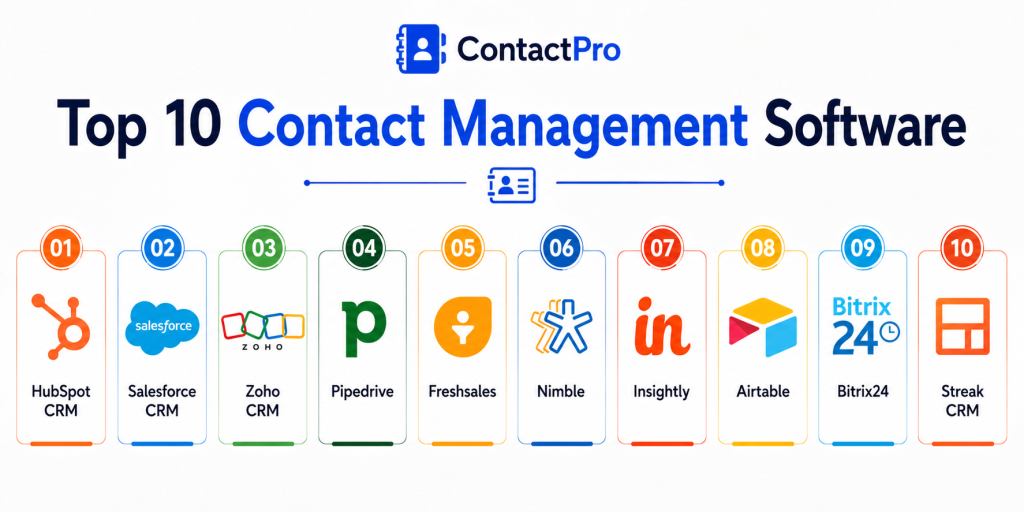
Top 10 Contact Management Software
1. HubSpot CRM
Short description:
HubSpot CRM is a widely used contact management platform that combines contact tracking with sales and marketing tools. It provides a clean interface and automation features that reduce manual work. It is ideal for teams looking for a free and scalable solution. It works well for both startups and growing businesses.
Key Features
- Contact database management
- Email tracking
- Activity logging
- Pipeline management
- Automation tools
- Reporting dashboards
- Integration with marketing tools
Pros
- Free plan available
- Easy to use
- Strong integrations
Cons
- Advanced features require paid plans
- Can become complex as usage grows
- Limited customization in free tier
Platforms / Deployment
Web / Windows / macOS / Android / iOS
Deployment: Cloud
Security & Compliance
Not publicly stated
Integrations & Ecosystem
HubSpot integrates with many business tools and workflows.
- Gmail
- Outlook
- Marketing tools
- Sales tools
- APIs
- Automation platforms
Support & Community
Strong documentation and large user community
2. Salesforce CRM
Short description:
Salesforce CRM is a leading enterprise platform offering advanced contact management and sales automation. It provides a centralized view of customer data and interactions. It is ideal for large organizations and complex workflows. It is widely used across industries for scalability and customization.
Key Features
- Contact and lead management
- Sales pipeline tracking
- Automation workflows
- Reporting and analytics
- AI-driven insights
- Custom dashboards
- Integration ecosystem
Pros
- Highly scalable
- Advanced features
- Strong ecosystem
Cons
- Expensive
- Complex setup
- Requires training
Platforms / Deployment
Web / Windows / macOS / Android / iOS
Deployment: Cloud
Security & Compliance
Enterprise-level controls available, details vary
Integrations & Ecosystem
Salesforce offers one of the largest ecosystems.
- App marketplace
- APIs
- Enterprise tools
- Data platforms
- Marketing systems
- Analytics tools
Support & Community
Extensive enterprise support and global community
3. Zoho CRM
Short description:
Zoho CRM is a flexible contact management solution designed for small and mid-sized businesses. It offers automation, analytics, and customization features. It is part of a broader Zoho ecosystem. It is ideal for teams seeking affordability and functionality.
Key Features
- Contact and lead tracking
- Workflow automation
- Reporting tools
- Email integration
- AI assistant
- Custom dashboards
- Mobile access
Pros
- Affordable pricing
- Good feature set
- Easy integration
Cons
- UI can feel complex
- Setup may take time
- Limited advanced analytics
Platforms / Deployment
Web / Android / iOS
Deployment: Cloud
Security & Compliance
Not publicly stated
Integrations & Ecosystem
Zoho CRM integrates with business tools.
- Zoho apps
- Email tools
- APIs
- Analytics tools
- Collaboration apps
- Automation tools
Support & Community
Good support and growing ecosystem
4. Pipedrive
Short description:
Pipedrive is a sales-focused contact management tool designed to simplify pipeline management. It provides a visual interface for tracking deals and contacts. It is ideal for sales teams that prioritize simplicity and efficiency. It helps teams stay organized and focused.
Key Features
- Contact management
- Visual sales pipeline
- Activity tracking
- Automation tools
- Reporting
- Email integration
- Mobile app
Pros
- Easy to use
- Sales-focused design
- Quick setup
Cons
- Limited marketing features
- Paid plans required
- Not a full CRM suite
Platforms / Deployment
Web / Android / iOS
Deployment: Cloud
Security & Compliance
Not publicly stated
Integrations & Ecosystem
Pipedrive supports integrations with sales tools.
- Email platforms
- CRM tools
- APIs
- Automation tools
- Analytics platforms
- Collaboration tools
Support & Community
Strong support and onboarding
5. Freshsales
Short description:
Freshsales is a CRM tool with built-in contact management and AI-powered insights. It helps businesses track leads and manage customer relationships efficiently. It offers automation and analytics features. It is ideal for growing sales teams.
Key Features
- Contact tracking
- AI insights
- Sales automation
- Email integration
- Pipeline management
- Reporting
- Workflow automation
Pros
- AI capabilities
- Easy to use
- Good automation
Cons
- Paid features required
- Limited customization
- Learning curve
Platforms / Deployment
Web / Android / iOS
Deployment: Cloud
Security & Compliance
Not publicly stated
Integrations & Ecosystem
Freshsales integrates with business tools.
- Email tools
- CRM systems
- Analytics tools
- APIs
- Automation tools
- Collaboration apps
Support & Community
Good support and documentation
6. Nimble
Short description:
Nimble is a simple and social-focused contact management tool designed for small teams. It aggregates contact data from multiple sources. It is ideal for relationship-driven sales and networking. It provides a unified view of contacts.
Key Features
- Contact enrichment
- Social integration
- Activity tracking
- Email integration
- Task management
- Pipeline view
- Mobile access
Pros
- Easy to use
- Strong contact insights
- Affordable
Cons
- Limited advanced features
- Smaller ecosystem
- Basic reporting
Platforms / Deployment
Web / Android / iOS
Deployment: Cloud
Security & Compliance
Not publicly stated
Integrations & Ecosystem
Nimble integrates with communication tools.
- Gmail
- Outlook
- Social platforms
- APIs
- Collaboration tools
- Productivity apps
Support & Community
Moderate support availability
7. Insightly
Short description:
Insightly is a CRM platform with strong contact management and project tracking features. It helps teams manage relationships and workflows together. It is ideal for businesses needing both CRM and project management. It provides flexibility and scalability.
Key Features
- Contact management
- Project tracking
- Workflow automation
- Reporting
- Email integration
- Custom dashboards
- Task management
Pros
- Combines CRM and projects
- Good integrations
- Scalable
Cons
- Paid plans required
- Interface complexity
- Setup time
Platforms / Deployment
Web / Android / iOS
Deployment: Cloud
Security & Compliance
Not publicly stated
Integrations & Ecosystem
Insightly integrates with business tools.
- CRM systems
- Email tools
- APIs
- Productivity apps
- Data platforms
- Automation tools
Support & Community
Good documentation and support
8. Airtable
Short description:
Airtable is a flexible database tool that can be used for contact management. It combines spreadsheet simplicity with database functionality. It is ideal for teams that want customization. It allows users to build their own workflows.
Key Features
- Custom database
- Contact tracking
- Views and filters
- Collaboration
- Automation
- Templates
- Integrations
Pros
- Highly customizable
- Easy to use
- Flexible workflows
Cons
- Not a dedicated CRM
- Requires setup
- Limited automation
Platforms / Deployment
Web / Android / iOS
Deployment: Cloud
Security & Compliance
Not publicly stated
Integrations & Ecosystem
Airtable integrates with many tools.
- APIs
- Automation tools
- Productivity apps
- Data tools
- Collaboration tools
- Templates
Support & Community
Strong community and documentation
9. Bitrix24
Short description:
Bitrix24 is an all-in-one platform that includes contact management, CRM, and collaboration tools. It offers a wide range of features in a single system. It is ideal for teams needing multiple tools in one place. It supports both small and large teams.
Key Features
- Contact management
- CRM tools
- Collaboration features
- Task management
- Automation
- Reporting
- Communication tools
Pros
- All-in-one platform
- Free plan available
- Strong features
Cons
- Complex interface
- Learning curve
- Overloaded features
Platforms / Deployment
Web / Windows / macOS / Android / iOS
Deployment: Cloud and on-premise
Security & Compliance
Not publicly stated
Integrations & Ecosystem
Bitrix24 integrates with various tools.
- CRM tools
- Communication apps
- APIs
- Automation tools
- Collaboration tools
- Data systems
Support & Community
Large user base and support
10. Streak CRM
Short description:
Streak CRM is a lightweight contact management tool built inside Gmail. It allows users to manage contacts directly from their inbox. It is ideal for individuals and small teams. It provides simplicity and convenience.
Key Features
- Gmail integration
- Contact tracking
- Pipeline management
- Email tracking
- Notes and tasks
- Automation
- Reporting
Pros
- Works inside Gmail
- Easy to use
- Quick setup
Cons
- Limited outside Gmail
- Basic features
- Not scalable for enterprises
Platforms / Deployment
Web / Chrome extension
Deployment: Cloud
Security & Compliance
Not publicly stated
Integrations & Ecosystem
Streak integrates with Gmail and related tools.
- Gmail
- Google Workspace
- APIs
- Extensions
- Productivity tools
- Automation tools
Support & Community
Moderate support and documentation
Comparison Table
| Tool Name | Best For | Platform Supported | Deployment | Standout Feature | Public Rating |
|---|---|---|---|---|---|
| HubSpot CRM | All-in-one | Multi-platform | Cloud | Free CRM | N/A |
| Salesforce | Enterprise | Multi-platform | Cloud | Scalability | N/A |
| Zoho CRM | SMB | Web, mobile | Cloud | Affordable CRM | N/A |
| Pipedrive | Sales teams | Web, mobile | Cloud | Visual pipeline | N/A |
| Freshsales | Growing teams | Web, mobile | Cloud | AI insights | N/A |
| Nimble | Small teams | Web, mobile | Cloud | Contact enrichment | N/A |
| Insightly | CRM + projects | Web, mobile | Cloud | Project tracking | N/A |
| Airtable | Custom workflows | Web, mobile | Cloud | Flexibility | N/A |
| Bitrix24 | All-in-one | Multi-platform | Hybrid | Collaboration suite | N/A |
| Streak CRM | Gmail users | Web | Cloud | Inbox integration | N/A |
Evaluation & Scoring of Contact Management Software
| Tool Name | Core | Ease | Integrations | Security | Performance | Support | Value | Weighted Total |
|---|---|---|---|---|---|---|---|---|
| HubSpot CRM | 9 | 9 | 10 | 8 | 9 | 9 | 10 | 9.2 |
| Salesforce | 10 | 7 | 10 | 9 | 9 | 9 | 7 | 8.9 |
| Zoho CRM | 8 | 8 | 9 | 8 | 8 | 8 | 9 | 8.4 |
| Pipedrive | 8 | 9 | 8 | 7 | 8 | 8 | 8 | 8.2 |
| Freshsales | 8 | 8 | 8 | 7 | 8 | 8 | 8 | 8.0 |
| Nimble | 7 | 9 | 7 | 7 | 8 | 7 | 9 | 7.9 |
| Insightly | 8 | 7 | 8 | 7 | 8 | 8 | 8 | 7.9 |
| Airtable | 7 | 8 | 9 | 7 | 8 | 8 | 9 | 7.9 |
| Bitrix24 | 8 | 7 | 9 | 7 | 8 | 8 | 9 | 8.0 |
| Streak CRM | 7 | 9 | 7 | 7 | 8 | 7 | 9 | 7.8 |
These scores are comparative and reflect overall balance. The best tool depends on your team size, workflow, and integration needs.
Which Contact Management Software Is Right for You
Solo / Freelancer
Streak CRM, Nimble, and Airtable are ideal for individuals. They are simple, affordable, and easy to manage without heavy setup.
SMB
Zoho CRM, HubSpot CRM, and Pipedrive offer the right balance of features and usability. They help manage growing customer bases efficiently.
Mid-Market
Freshsales and Insightly provide more advanced automation and scalability. They are suitable for structured workflows and growing teams.
Enterprise
Salesforce and Bitrix24 are best for large organizations. They provide scalability, integrations, and advanced customization.
Budget vs Premium
Free tools like HubSpot CRM and Airtable provide strong value. Premium tools offer advanced automation and enterprise features.
Feature Depth vs Ease of Use
Salesforce offers deep functionality, while HubSpot and Pipedrive are easier to use. Choose based on your team’s experience level.
Integrations & Scalability
Salesforce and HubSpot lead in integrations. Airtable offers flexibility but requires setup.
Security & Compliance Needs
Enterprise tools provide better security controls. Smaller tools focus more on usability than compliance.
Frequently Asked Questions
1. What is contact management software
Contact management software helps store and organize customer and prospect information in one place. It tracks communication history and interactions. This allows businesses to manage relationships more effectively. It is a core part of many CRM systems.
2. How is it different from CRM
Contact management focuses on storing and tracking contact data. CRM includes additional features like sales pipelines and marketing automation. Contact management is often the starting point. CRM builds on it for advanced workflows.
3. Do small businesses need it
Yes, small businesses benefit from organizing contacts and tracking interactions. It helps improve communication and follow-ups. Even simple tools can add value. It becomes more important as the business grows.
4. Is it easy to use
Most modern tools are designed to be user-friendly. Some advanced tools may require training. Simpler tools are easy to start with. Ease of use depends on the platform.
5. Can it integrate with email
Yes, most tools integrate with email platforms. This allows automatic tracking of communication. It improves workflow efficiency. Integration is a key feature.
6. Is it secure
Security depends on the provider. Many tools include encryption and access controls. Businesses should review security features. Data protection is important.
7. Can I access it on mobile
Yes, most tools support mobile access. This allows users to manage contacts anywhere. Mobile apps improve flexibility. It is useful for field teams.
8. Does it support automation
Yes, many tools include automation features. They can track interactions and schedule follow-ups. Automation saves time. It improves productivity.
9. Can I import contacts
Yes, most tools allow importing from spreadsheets or other systems. This makes migration easy. Data mapping is usually required. The process is simple.
10. How do I choose the right tool
Identify your needs and compare features. Consider ease of use, integrations, and scalability. Test a few tools before deciding. Choose based on your workflow.
Conclusion
Contact management software is essential for organizing relationships and improving communication across teams. It provides a centralized system for storing contact data, tracking interactions, and managing follow-ups. As businesses grow, these tools become critical for maintaining consistency and efficiency. From simple tools like Streak and Nimble to advanced platforms like Salesforce and HubSpot, the market offers a wide range of solutions. Each tool serves a different purpose depending on team size and complexity. Smaller teams benefit from simplicity, while enterprises need scalability and integration. There is no one-size-fits-all solution. The right choice depends on your workflow, budget, and business goals. Start by identifying your requirements, shortlist a few tools, and test them in real scenarios.
This blog clearly explains contact management software and how it improves customer relationship organization for businesses effectively.
Very useful comparison showing how contact management tools help organize customer details, communication history, and business interactions efficiently.