Introduction
Test Case Management Tools help QA teams organize, track, execute, and report software testing activities in a structured way. Instead of storing test cases in spreadsheets or scattered documents, these platforms centralize test scenarios, reusable steps, test runs, defects, traceability, and release readiness.
As software delivery speeds increase through Agile, DevOps, and CI/CD workflows, manual test tracking becomes inefficient and risky. Modern teams need better collaboration between testers, developers, product managers, and stakeholders. A strong test case management platform improves visibility, consistency, auditability, and faster release confidence.
Common use cases include:
- Manual test case management
- Regression test planning
- Release readiness tracking
- QA team collaboration
- Requirement traceability
- Defect linkage
- Compliance documentation
- Multi-project test governance
Buyers should evaluate:
- Ease of use
- Test case organization depth
- Test execution workflows
- Jira and DevOps integrations
- Reporting dashboards
- Requirement traceability
- User permissions
- API access
- Scalability for teams
- Pricing and support quality
Best for: QA teams, product teams, Agile organizations, enterprises, software vendors, regulated industries, and growing SaaS companies.
Not ideal for: Solo hobby projects, tiny apps with no formal QA process, or teams that never document testing workflows.
Key Trends in Test Case Management Tools
- AI-assisted test case generation growing
- Stronger Jira ecosystem integrations
- Shift-left QA planning increasing
- Real-time dashboards becoming standard
- Test automation result syncing improving
- Risk-based testing workflows rising
- Better requirement traceability demand increasing
- Cloud-first collaboration platforms expanding
- Role-based governance becoming stronger
- Unified QA platforms gaining traction
How We Selected These Tools (Methodology)
These tools were selected based on:
- Market adoption and trust
- Test management depth
- Reporting and dashboards
- Integration ecosystem
- Ease of onboarding
- Scalability for growing teams
- Collaboration features
- Automation compatibility
- Support quality
- Long-term relevance
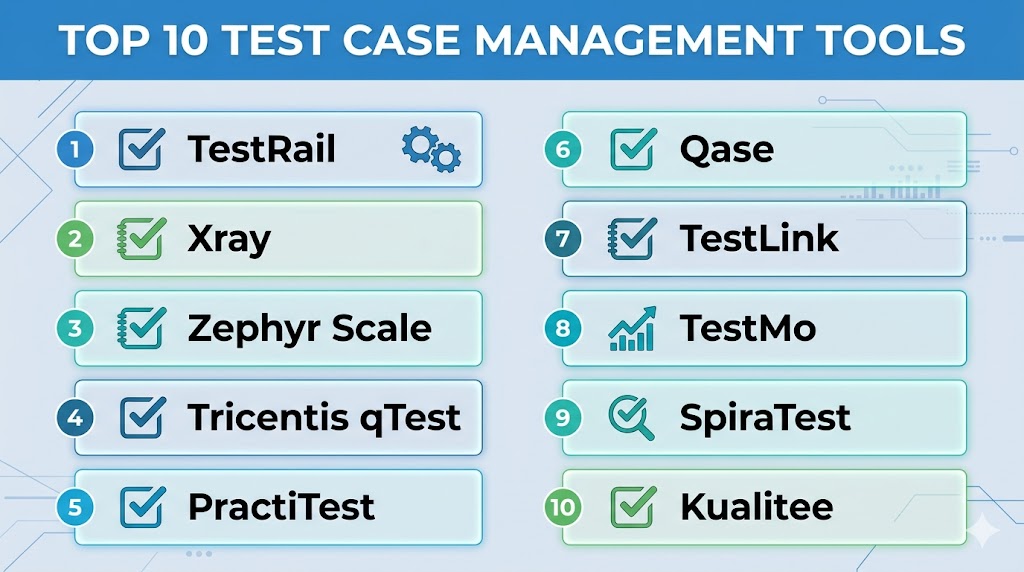
Top 10 Test Case Management Tools
#1 — TestRail
Short description:
One of the most recognized test case management platforms for organizing manual and automated testing at scale.
Key Features
- Test case repositories
- Test runs and plans
- Milestones tracking
- Reporting dashboards
- Role permissions
- API access
- Automation result imports
Pros
- Strong QA-focused depth
- Mature reporting tools
- Widely trusted platform
Cons
- Premium pricing for larger teams
- UI preferences vary by users
- Advanced customization may need setup
Platforms / Deployment
Web / Cloud / Self-hosted
Security & Compliance
RBAC, audit controls vary by plan.
Integrations & Ecosystem
Strong compatibility with Jira and automation pipelines.
Support & Community
Large QA user base.
#2 — Xray
Short description:
Popular test management platform closely aligned with Jira workflows and Agile teams.
Key Features
- Native Jira alignment
- Requirement traceability
- Test executions
- Defect linkage
- Reports
- Automation result support
- Agile workflow support
Pros
- Excellent for Jira-centric teams
- Strong traceability model
- Good enterprise adoption
Cons
- Best value in Jira environments
- Less ideal outside same ecosystem
- Complexity grows with Jira setups
Platforms / Deployment
Cloud / Self-hosted
Security & Compliance
Permissions tied to deployment model.
Integrations & Ecosystem
Strong Jira ecosystem compatibility.
Support & Community
Strong commercial support presence.
#3 — Zephyr Scale
Short description:
Widely used Jira-aligned test management solution for Agile planning and execution.
Key Features
- Test repositories
- Requirement linkage
- Test cycles
- Reports
- Automation imports
- Reusable assets
- Jira workflow support
Pros
- Strong Jira fit
- Good team collaboration
- Familiar workflow model
Cons
- Best suited for Jira users
- Reporting needs vary by plan
- Large implementations need governance
Platforms / Deployment
Cloud / Self-hosted
Security & Compliance
Permissions and controls vary by edition.
Integrations & Ecosystem
Strong Jira ecosystem alignment.
Support & Community
Large enterprise visibility.
#4 — Tricentis qTest
Short description:
Enterprise test management platform built for large-scale QA operations and continuous testing programs.
Key Features
- Centralized test management
- Requirement traceability
- Automation orchestration links
- Dashboards
- Enterprise workflows
- Defect integrations
- Release insights
Pros
- Strong enterprise governance
- Good reporting depth
- Broad QA program support
Cons
- Premium pricing
- Better for larger organizations
- Implementation effort may be higher
Platforms / Deployment
Cloud / Hybrid
Security & Compliance
RBAC, audit features, enterprise controls.
Integrations & Ecosystem
Strong enterprise QA ecosystem compatibility.
Support & Community
Commercial enterprise support.
#5 — PractiTest
Short description:
Comprehensive QA management platform combining test cases, defects, and reporting workflows.
Key Features
- Test case management
- Defect tracking integrations
- Requirement traceability
- Dashboards
- API access
- Workflow customization
- Team collaboration
Pros
- Broad QA workflow coverage
- Strong dashboards
- Good mid-market fit
Cons
- Premium pricing for growth teams
- UI preferences vary
- Advanced setups need planning
Platforms / Deployment
Cloud
Security & Compliance
Role controls and workspace permissions.
Integrations & Ecosystem
Strong compatibility with development tools.
Support & Community
Commercial support model.
#6 — Qase
Short description:
Modern cloud-first test management platform focused on usability, speed, and growing QA teams.
Key Features
- Clean interface
- Test suites
- Test runs
- API access
- Automation sync
- Permissions
- Reporting dashboards
Pros
- User-friendly experience
- Good modern workflows
- Fast onboarding
Cons
- Newer market presence than legacy leaders
- Deep enterprise governance varies
- Some advanced needs depend on plan
Platforms / Deployment
Cloud
Security & Compliance
Role permissions vary by plan.
Integrations & Ecosystem
Good fit with modern DevOps tools.
Support & Community
Growing business adoption.
#7 — TestLink
Short description:
Open-source test management platform used by teams seeking budget-friendly structured QA workflows.
Key Features
- Test case repository
- Test execution tracking
- Requirement linkage
- User management
- Reports
- Open-source flexibility
- Custom workflows
Pros
- Free and open-source
- Useful structured workflows
- Good for budget-conscious teams
Cons
- Older interface experience
- Self-management overhead
- Smaller modern ecosystem
Platforms / Deployment
Web / Self-hosted
Security & Compliance
Depends on self-hosted controls.
Integrations & Ecosystem
Useful with custom QA environments.
Support & Community
Community-driven support.
#8 — TestMo
Short description:
Modern testing management platform combining manual, exploratory, and automation result visibility.
Key Features
- Test case management
- Exploratory session support
- Automation result tracking
- Clean dashboards
- API integrations
- Team collaboration
- Modern UI experience
Pros
- Modern design
- Balanced manual + automation workflows
- Fast onboarding
Cons
- Smaller market visibility
- Enterprise scale depth varies
- Newer ecosystem than legacy tools
Platforms / Deployment
Cloud / Self-hosted
Security & Compliance
Permissions and controls vary by edition.
Integrations & Ecosystem
Strong modern QA workflow alignment.
Support & Community
Growing adoption.
#9 — SpiraTest
Short description:
ALM-oriented quality management platform combining tests, requirements, and defects.
Key Features
- Test management
- Requirements tracking
- Defect management
- Dashboards
- Role permissions
- Reports
- Multi-project support
Pros
- Broad lifecycle coverage
- Good governance features
- Useful regulated workflows
Cons
- Interface preferences vary
- Smaller mainstream visibility
- Setup planning recommended
Platforms / Deployment
Cloud / Self-hosted
Security & Compliance
RBAC, audit and workflow controls vary.
Integrations & Ecosystem
Useful for structured QA programs.
Support & Community
Commercial support model.
#10 — Kualitee
Short description:
Affordable test management platform built for QA teams needing structured planning and execution.
Key Features
- Test repositories
- Test execution cycles
- Defect linkage
- Dashboards
- Requirement support
- Team workflows
- Reporting tools
Pros
- Budget-friendly option
- Good structured workflows
- Useful SMB fit
Cons
- Smaller ecosystem than leaders
- Advanced enterprise depth varies
- Lower global visibility
Platforms / Deployment
Cloud
Security & Compliance
Role permissions vary by plan.
Integrations & Ecosystem
Useful for growing QA teams.
Support & Community
Commercial support available.
Comparison Table (Top 10)
| Tool Name | Best For | Platform(s) Supported | Deployment | Standout Feature | Public Rating |
|---|---|---|---|---|---|
| TestRail | Dedicated QA teams | Web | Hybrid | Mature test management | N/A |
| Xray | Jira teams | Web | Hybrid | Native Jira alignment | N/A |
| Zephyr Scale | Agile Jira teams | Web | Hybrid | Jira workflows | N/A |
| qTest | Enterprise QA | Web | Hybrid | Governance depth | N/A |
| PractiTest | Mid-market QA | Web | Cloud | Broad QA workflows | N/A |
| Qase | Modern teams | Web | Cloud | Usability | N/A |
| TestLink | Budget teams | Web | Self-hosted | Open-source value | N/A |
| TestMo | Mixed testing teams | Web | Hybrid | Manual + automation | N/A |
| SpiraTest | ALM teams | Web | Hybrid | Lifecycle coverage | N/A |
| Kualitee | SMB QA | Web | Cloud | Affordable structure | N/A |
Evaluation & Scoring of Test Case Management Tools
| Tool Name | Core | Ease | Integrations | Security | Performance | Support | Value | Weighted Total |
|---|---|---|---|---|---|---|---|---|
| TestRail | 9 | 8 | 9 | 8 | 8 | 8 | 8 | 8.4 |
| Xray | 9 | 7 | 10 | 8 | 8 | 8 | 8 | 8.4 |
| Zephyr Scale | 8 | 8 | 9 | 8 | 8 | 8 | 8 | 8.2 |
| qTest | 9 | 7 | 9 | 9 | 8 | 9 | 6 | 8.1 |
| PractiTest | 8 | 8 | 8 | 8 | 8 | 8 | 7 | 7.9 |
| Qase | 8 | 9 | 8 | 8 | 8 | 7 | 9 | 8.3 |
| TestLink | 7 | 6 | 6 | 7 | 7 | 6 | 10 | 7.1 |
| TestMo | 8 | 9 | 8 | 8 | 8 | 7 | 8 | 8.1 |
| SpiraTest | 8 | 7 | 8 | 8 | 8 | 7 | 7 | 7.7 |
| Kualitee | 7 | 8 | 7 | 7 | 8 | 7 | 9 | 7.7 |
These scores are comparative benchmarks. The best tool depends on team size, Jira reliance, compliance needs, and QA maturity.
Which Test Case Management Tool Is Right for You?
Solo / Freelancer
Choose Qase, TestLink, or lightweight spreadsheets if minimal needs.
SMB
Choose Qase, Kualitee, or PractiTest.
Mid-Market
Choose TestRail, Zephyr Scale, or TestMo.
Enterprise
Choose qTest, Xray, TestRail, or PractiTest.
Budget vs Premium
Budget: TestLink, Kualitee
Premium: qTest, TestRail
Feature Depth vs Ease of Use
Depth: qTest, TestRail, Xray
Ease: Qase, TestMo
Integrations & Scalability
Strong options: Xray, Zephyr Scale, TestRail.
Security & Compliance Needs
Strong choices: qTest, TestRail, SpiraTest.
Frequently Asked Questions (FAQs)
1. What is a test case management tool?
It helps organize, execute, and report software testing work.
2. Why not use spreadsheets?
Spreadsheets lack traceability, collaboration, and scalable reporting.
3. Which tool is best for Jira users?
Xray and Zephyr Scale are popular options.
4. Which tool is best for enterprises?
qTest, TestRail, and Xray are common choices.
5. Are open-source options available?
Yes, TestLink is a known option.
6. Can these tools track automation results?
Many modern platforms support automation sync.
7. Do developers use these tools too?
Yes, especially in Agile cross-functional teams.
8. What should I migrate first?
Critical regression suites and active release cases.
9. How many test cases should be documented?
Focus on high-risk and repeatable scenarios first.
10. What matters most when choosing one?
Ease of use, integrations, reporting, and scalability.
Conclusion
Test Case Management Tools are essential for bringing structure, visibility, and confidence to growing software quality programs. The best platform depends on your team size, workflow maturity, integrations, and compliance requirements. Some teams need lightweight usability, while others require enterprise governance and deep traceability. Reporting quality, collaboration, and automation compatibility should guide your decision. Shortlist two or three options, migrate your most valuable test assets first, and scale your QA process strategically over time.