Introduction
Operating Systems are the foundation of every computer, server, mobile device, and enterprise workload. They manage hardware resources, run applications, control security permissions, handle networking, and provide the user interface or command environment needed to operate systems efficiently.
As businesses move toward hybrid work, cloud infrastructure, edge computing, AI workloads, and cybersecurity-focused environments, choosing the right operating system has become more strategic than ever. The right OS affects stability, licensing costs, software compatibility, manageability, and long-term scalability.
Common use cases include:
- Desktop productivity environments
- Server infrastructure hosting
- Software development systems
- Cloud workloads
- Mobile device ecosystems
- Embedded and edge computing
Buyers should evaluate:
- Performance and reliability
- Security model
- Software compatibility
- Hardware support
- Ease of management
- Licensing cost
- Community or vendor support
- Update model
- Enterprise controls
- Cloud readiness
Best for: Businesses, developers, IT teams, enterprises, students, creators, and organizations selecting platforms for endpoints or infrastructure.
Not ideal for: Buyers choosing only by brand without checking application needs, hardware compatibility, or management requirements.
Key Trends in Operating Systems
- AI-powered assistant features growing rapidly
- Zero Trust security models becoming standard
- ARM processor support expanding
- Stronger container and virtualization support
- Cloud-managed endpoint operations increasing
- Faster release cycles and continuous updates
- Enhanced privacy controls
- Better cross-device ecosystem syncing
- Linux growth in development and cloud workloads
- Energy efficiency optimization becoming more important
How We Selected These Tools (Methodology)
These operating systems were selected based on:
- Global adoption and relevance
- Stability and reliability
- Security posture
- Ecosystem and software support
- Enterprise manageability
- Developer friendliness
- Hardware compatibility
- Community or vendor backing
- Innovation pace
- Long-term viability
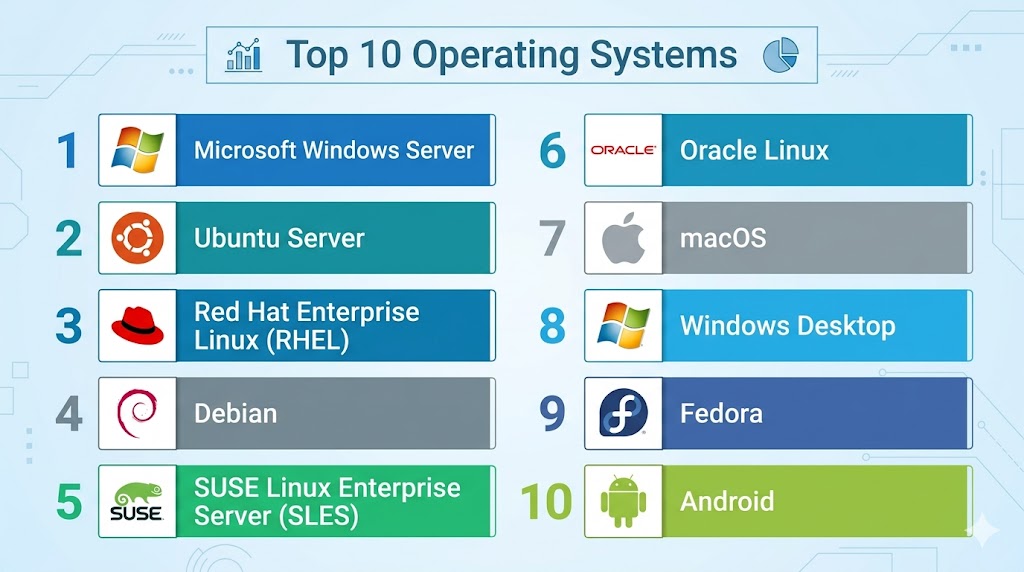
Top 10 Operating Systems
#1 — Microsoft Windows Server
Short description:
A leading enterprise server operating system widely used for infrastructure, identity services, virtualization, and business applications.
Key Features
- Active Directory support
- Broad enterprise compatibility
- GUI and command tools
- Virtualization support
- Security policies
- File and print services
- Hybrid cloud integrations
Pros
- Strong enterprise adoption
- Broad software compatibility
- Familiar admin experience
Cons
- Licensing costs can be higher
- Resource intensive in some workloads
- Update planning required
Platforms / Deployment
Server / On-prem / Cloud / Hybrid
Security & Compliance
RBAC, policy controls, encryption, auditing.
Integrations & Ecosystem
Strong compatibility with enterprise business ecosystems.
Support & Community
Large enterprise support network.
#2 — Ubuntu Server
Short description:
Popular Linux server operating system known for usability, cloud readiness, and strong developer adoption.
Key Features
- Package management simplicity
- Cloud image availability
- Container-friendly design
- Long support releases
- Security updates
- Automation compatibility
- Large software repositories
Pros
- Strong cloud relevance
- Easy Linux onboarding
- Large community
Cons
- Commercial support tier optional
- Some enterprise shops prefer other Linux vendors
- GUI less central for server users
Platforms / Deployment
Server / Cloud / Hybrid
Security & Compliance
User controls, permissions, patching, encryption support.
Integrations & Ecosystem
Excellent fit with cloud-native and DevOps tooling.
Support & Community
Large global community and commercial options.
#3 — Red Hat Enterprise Linux (RHEL)
Short description:
Enterprise Linux platform known for stability, support, and mission-critical production workloads.
Key Features
- Enterprise lifecycle support
- Security hardening
- Automation ecosystem
- Container tooling
- Certification ecosystem
- Stable release cadence
- Hybrid cloud readiness
Pros
- Excellent enterprise trust
- Long support lifecycle
- Strong compliance positioning
Cons
- Subscription pricing model
- Less casual-user friendly
- Conservative release pace
Platforms / Deployment
Server / Cloud / Hybrid
Security & Compliance
SELinux, auditing, policy controls, enterprise-grade security features.
Integrations & Ecosystem
Strong enterprise vendor compatibility.
Support & Community
Premium enterprise support.
#4 — Debian
Short description:
Highly respected Linux distribution known for stability, open-source governance, and vast package availability.
Key Features
- Stable releases
- Large package repository
- Strong community governance
- Low overhead
- Security updates
- Broad architecture support
- Reliable server use
Pros
- Excellent stability
- Free and open-source
- Great server choice
Cons
- Slower release cycle
- Less commercial polish
- New packages may lag latest versions
Platforms / Deployment
Desktop / Server / Cloud
Security & Compliance
Permissions model, security patching, encryption support.
Integrations & Ecosystem
Strong open-source ecosystem compatibility.
Support & Community
Very large technical community.
#5 — SUSE Linux Enterprise Server (SLES)
Short description:
Enterprise Linux platform focused on reliability, SAP workloads, and mission-critical infrastructure.
Key Features
- Enterprise support
- High availability options
- Strong SAP alignment
- Security tooling
- Lifecycle management
- Virtualization support
- Hybrid readiness
Pros
- Strong enterprise stability
- Excellent for SAP use cases
- Reliable support model
Cons
- Smaller mindshare than some rivals
- Subscription model
- Best fit for enterprise buyers
Platforms / Deployment
Server / Cloud / Hybrid
Security & Compliance
Enterprise controls, patching, auditing.
Integrations & Ecosystem
Strong enterprise infrastructure compatibility.
Support & Community
Commercial enterprise support.
#6 — Oracle Linux
Short description:
Enterprise Linux distribution designed for database and enterprise infrastructure workloads.
Key Features
- Enterprise kernel options
- Database alignment
- Cloud compatibility
- Security updates
- Container support
- Management tooling
- Enterprise support options
Pros
- Strong enterprise workload focus
- Good cloud compatibility
- Familiar Linux environment
Cons
- Best fit in aligned ecosystems
- Smaller community than Ubuntu
- Enterprise-centric positioning
Platforms / Deployment
Server / Cloud / Hybrid
Security & Compliance
Patching, controls, enterprise security tooling.
Integrations & Ecosystem
Strong fit with database and enterprise workloads.
Support & Community
Commercial support available.
#7 — macOS
Short description:
Desktop operating system designed for premium productivity, creative workflows, and integrated device ecosystems.
Key Features
- Strong UI experience
- Ecosystem syncing
- Unix-based foundation
- Creative software support
- Security protections
- Developer tooling
- Hardware optimization
Pros
- Excellent user experience
- Strong creative ecosystem
- Good security posture
Cons
- Hardware tied ecosystem
- Premium device costs
- Less enterprise server relevance
Platforms / Deployment
Desktop / Laptop
Security & Compliance
Encryption, permissions, device management support.
Integrations & Ecosystem
Strong integration across ecosystem devices.
Support & Community
Strong commercial support.
#8 — Windows Desktop
Short description:
Widely used desktop operating system known for broad software compatibility and enterprise manageability.
Key Features
- Huge software library
- Enterprise management tools
- Gaming support
- Productivity ecosystem
- Broad hardware compatibility
- Security controls
- Remote management support
Pros
- Massive app compatibility
- Strong business familiarity
- Flexible hardware choices
Cons
- Security management needed
- Licensing costs vary
- Update timing needs planning
Platforms / Deployment
Desktop / Laptop / Workstation
Security & Compliance
BitLocker, policy controls, identity integrations.
Integrations & Ecosystem
Strong enterprise and consumer ecosystem support.
Support & Community
Large global support base.
#9 — Fedora
Short description:
Modern Linux distribution known for innovation, developer features, and newer package availability.
Key Features
- Modern packages
- Developer tools
- Strong security defaults
- Container support
- Open-source ecosystem
- GNOME desktop experience
- Frequent updates
Pros
- Great for developers
- Modern software stack
- Strong Linux innovation
Cons
- Faster release cadence
- Less enterprise lifecycle focus
- More frequent updates required
Platforms / Deployment
Desktop / Server
Security & Compliance
SELinux, patching, permissions.
Integrations & Ecosystem
Strong developer and open-source compatibility.
Support & Community
Strong community support.
#10 — Android
Short description:
The world’s most widely used mobile operating system powering smartphones, tablets, and embedded devices.
Key Features
- Broad device ecosystem
- App marketplace access
- Mobile productivity tools
- Customization options
- Security updates model varies
- Enterprise mobility controls
- Developer ecosystem
Pros
- Huge hardware variety
- Massive app ecosystem
- Flexible price ranges
Cons
- Fragmentation across devices
- Update consistency varies
- Vendor experience differs
Platforms / Deployment
Mobile / Tablet / Embedded
Security & Compliance
Device encryption, app sandboxing, management controls vary by vendor.
Integrations & Ecosystem
Strong mobile and business app ecosystem.
Support & Community
Massive global user base.
Comparison Table (Top 10)
| Tool Name | Best For | Platform(s) Supported | Deployment | Standout Feature | Public Rating |
|---|---|---|---|---|---|
| Windows Server | Enterprise infra | Server | Hybrid | Business compatibility | N/A |
| Ubuntu Server | Cloud workloads | Server | Hybrid | Ease + cloud fit | N/A |
| RHEL | Mission-critical ops | Server | Hybrid | Enterprise stability | N/A |
| Debian | Stable servers | Multi-platform | Hybrid | Reliability | N/A |
| SLES | SAP workloads | Server | Hybrid | Enterprise support | N/A |
| Oracle Linux | Database workloads | Server | Hybrid | Enterprise alignment | N/A |
| macOS | Creators | Desktop | Local | User experience | N/A |
| Windows Desktop | Business desktops | Desktop | Local | App compatibility | N/A |
| Fedora | Developers | Desktop/Server | Local | Innovation | N/A |
| Android | Mobile users | Mobile | Device | Ecosystem scale | N/A |
Evaluation & Scoring of Operating Systems
| Tool Name | Core | Ease | Integrations | Security | Performance | Support | Value | Weighted Total |
|---|---|---|---|---|---|---|---|---|
| Windows Server | 9 | 8 | 10 | 8 | 8 | 9 | 7 | 8.5 |
| Ubuntu Server | 9 | 9 | 9 | 8 | 8 | 8 | 9 | 8.7 |
| RHEL | 9 | 7 | 9 | 10 | 9 | 10 | 7 | 8.7 |
| Debian | 8 | 7 | 8 | 8 | 8 | 8 | 10 | 8.1 |
| SLES | 8 | 7 | 8 | 9 | 8 | 9 | 7 | 7.9 |
| Oracle Linux | 8 | 7 | 8 | 8 | 8 | 8 | 8 | 7.9 |
| macOS | 8 | 9 | 8 | 9 | 8 | 8 | 7 | 8.1 |
| Windows Desktop | 9 | 8 | 10 | 7 | 8 | 9 | 8 | 8.5 |
| Fedora | 8 | 8 | 8 | 8 | 8 | 7 | 9 | 8.0 |
| Android | 8 | 9 | 9 | 7 | 8 | 8 | 9 | 8.3 |
These scores are comparative benchmarks. The best operating system depends on workload type, hardware, management needs, security priorities, and budget.
Which Operating System Is Right for You?
Solo / Freelancer
Choose Windows Desktop, macOS, Ubuntu, or Android based on device needs.
SMB
Choose Windows Desktop, Ubuntu Server, or Windows Server.
Mid-Market
Choose Windows Server, Ubuntu Server, or RHEL.
Enterprise
Choose Windows Server, RHEL, SLES, or hybrid combinations.
Budget vs Premium
Budget: Debian, Ubuntu, Fedora
Premium: RHEL, SLES, macOS ecosystems
Feature Depth vs Ease of Use
Depth: RHEL, Windows Server
Ease: macOS, Windows Desktop, Ubuntu
Integrations & Scalability
Strong options: Windows ecosystems, Linux server platforms.
Security & Compliance Needs
Strong choices: RHEL, SLES, macOS, managed Windows environments.
Frequently Asked Questions (FAQs)
1. What does an operating system do?
It manages hardware, software, files, memory, and user interactions.
2. Which OS is best for servers?
Ubuntu Server, RHEL, and Windows Server are common choices.
3. Which OS is best for developers?
Ubuntu, Fedora, macOS, and Windows with dev tooling are popular.
4. Is Linux free?
Many Linux distributions are free, with optional paid support.
5. Is Windows better than Linux?
It depends on software needs, admin skills, and workload type.
6. Which OS is most secure?
Security depends on configuration, patching, and controls.
7. Is macOS good for business?
Yes, especially for creative and premium productivity workflows.
8. What is the best OS for budget users?
Ubuntu, Debian, Fedora, and Android devices offer strong value.
9. Can I run containers on operating systems?
Yes, many modern OS platforms support containers.
10. What should I evaluate first?
Compatibility, cost, manageability, security, and performance.
Conclusion
Operating Systems remain the core foundation of every digital environment, from desktops and mobile devices to enterprise servers and cloud workloads. The right choice depends on how you work, what applications you run, your security needs, and your budget. Some platforms excel in enterprise infrastructure, while others shine in personal productivity or developer workflows. Stability, ecosystem support, and manageability should guide your decision. Shortlist the platforms that fit your real use case, test compatibility, and choose the one that supports your long-term goals best.