Introduction
Cloud Backup Tools help organizations protect data by storing backup copies in remote cloud infrastructure instead of relying only on local hardware. These tools secure servers, endpoints, SaaS apps, databases, virtual machines, and workloads so businesses can recover quickly after ransomware, accidental deletion, outages, or disasters.
Cloud backup has become a core IT requirement because businesses now run hybrid systems, remote teams, SaaS applications, and distributed infrastructure. Compared with traditional backup methods, cloud backup often offers better scalability, geographic redundancy, easier management, and faster disaster recovery options.
Common use cases include:
- Endpoint and laptop backup
- Server and virtual machine protection
- Microsoft 365 and SaaS backup
- Ransomware recovery readiness
- Hybrid cloud disaster recovery
- Long-term retention storage
- Multi-site business continuity
What buyers should evaluate:
- Recovery speed and restore flexibility
- Storage scalability
- Security and encryption controls
- Immutable backup support
- SaaS workload protection
- Ease of deployment
- Pricing model and egress costs
- Compliance readiness
- Automation features
- Multi-cloud compatibility
Best for: SMBs, enterprises, MSPs, SaaS companies, healthcare, finance, education, and remote-first organizations.
Not ideal for: Personal users with minimal data who only need basic consumer sync storage.
Key Trends in Cloud Backup Tools
- Immutable cloud backups becoming standard
- Ransomware detection integrated into backup platforms
- SaaS backup demand growing rapidly
- AI-powered anomaly detection
- Cross-cloud recovery strategies expanding
- Pay-as-you-go storage models increasing
- Automated recovery testing
- Backup + DR convergence
- Zero-trust backup access controls
- Lower-cost archival tier integrations
How We Selected These Tools (Methodology)
- Strong market reputation and adoption
- Broad workload protection support
- Recovery and restore capabilities
- Security feature maturity
- Hybrid and multi-cloud readiness
- Ease of administration
- Integration ecosystem strength
- Suitability for SMB to enterprise buyers
- Support reputation
- Overall value for cost
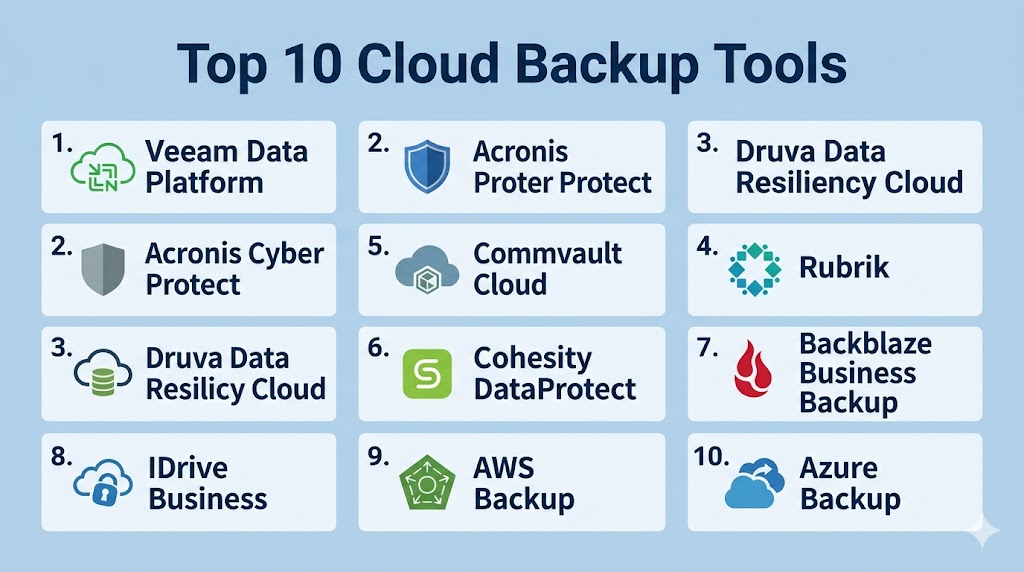
Top 10 Cloud Backup Tools
#1 — Veeam Data Platform
Short description: One of the most widely recognized enterprise backup platforms supporting on-prem, virtual, and cloud workloads. Veeam highlights hybrid cloud protection and broad workload coverage.
Key Features
- VM and server backup
- Cloud tiering
- Instant recovery
- Immutable repository support
- Microsoft 365 backup options
- Replication workflows
- Monitoring ecosystem
Pros
- Strong enterprise reputation
- Broad platform support
- Mature recovery workflows
Cons
- Licensing can be complex
- Advanced setups may need expertise
Platforms / Deployment
Cloud / On-prem / Hybrid
Security & Compliance
RBAC, MFA, encryption, audit logging
Integrations & Ecosystem
- VMware
- Hyper-V
- Cloud providers
- Storage vendors
- APIs
Support & Community
Large community and strong partner ecosystem.
#2 — Acronis Cyber Protect
Short description: A combined backup and cyber protection platform offering cloud backup plus endpoint security capabilities.
Key Features
- Cloud backup
- Endpoint protection
- Disk imaging
- Recovery automation
- Ransomware defense tools
- Centralized console
- Multi-device support
Pros
- Strong all-in-one approach
- Good SMB fit
Cons
- Interface may feel busy
- Enterprise depth varies
Platforms / Deployment
Cloud / Hybrid / On-prem
Security & Compliance
Encryption, MFA, RBAC
Integrations & Ecosystem
- Endpoint tools
- Cloud storage
- MSP workflows
- APIs
Support & Community
Strong channel ecosystem.
#3 — Druva Data Resiliency Cloud
Short description: A cloud-native backup platform designed for enterprise data protection without managing backup infrastructure.
Key Features
- SaaS backup
- Endpoint backup
- Cloud-native management
- Automated recovery workflows
- Compliance controls
- Centralized reporting
- Threat monitoring
Pros
- No hardware to manage
- Strong SaaS protection
Cons
- Less ideal for some on-prem preferences
- Premium pricing possible
Platforms / Deployment
Cloud
Security & Compliance
MFA, RBAC, encryption, audit logs
Integrations & Ecosystem
- Microsoft 365
- Google Workspace
- Endpoints
- APIs
Support & Community
Modern enterprise support model.
#4 — Rubrik
Short description: A modern data protection platform focused on secure cloud backup, cyber resilience, and fast recovery.
Key Features
- Immutable backup design
- Fast restore workflows
- SaaS backup
- Threat analytics
- Policy automation
- Centralized management
- Cloud archive support
Pros
- Strong ransomware positioning
- Modern interface
Cons
- Premium pricing
- Enterprise-oriented focus
Platforms / Deployment
Cloud / Hybrid
Security & Compliance
Encryption, MFA, RBAC, audit trails
Integrations & Ecosystem
- Microsoft 365
- Cloud platforms
- Virtual environments
- APIs
Support & Community
Strong enterprise support.
#5 — Commvault Cloud
Short description: A broad enterprise data protection platform with backup, governance, and cloud resilience capabilities.
Key Features
- Multi-workload backup
- Threat detection features
- Policy automation
- SaaS protection
- Compliance reporting
- Broad restore options
- Hybrid support
Pros
- Excellent enterprise scale
- Deep feature set
Cons
- Complexity for smaller teams
- Premium pricing likely
Platforms / Deployment
Cloud / Hybrid / On-prem
Security & Compliance
RBAC, MFA, encryption, audit logs
Integrations & Ecosystem
- Databases
- Cloud platforms
- Virtualization tools
- APIs
Support & Community
Strong enterprise support.
#6 — Cohesity DataProtect
Short description: A scalable backup platform built for enterprise workloads, data management, and cloud recovery.
Key Features
- Backup and recovery
- Cloud archive tiering
- Global search
- Immutable storage support
- SaaS protection
- Policy automation
- Centralized controls
Pros
- Strong scalability
- Good operational efficiency
Cons
- Enterprise pricing focus
- May exceed SMB needs
Platforms / Deployment
Cloud / Hybrid / On-prem
Security & Compliance
RBAC, MFA, encryption
Integrations & Ecosystem
- Cloud providers
- Virtual platforms
- SaaS apps
- APIs
Support & Community
Enterprise-grade support.
#7 — Backblaze Business Backup
Short description: A popular cloud backup service known for simple management and accessible pricing. Backblaze also offers S3-compatible storage.
Key Features
- Endpoint backup
- Simple deployment
- Cloud storage platform
- Fast uploads
- Restore options
- Centralized billing
- Lightweight management
Pros
- Easy to use
- Strong value
Cons
- Less enterprise governance depth
- Limited advanced workflows
Platforms / Deployment
Cloud
Security & Compliance
Encryption, MFA, access controls
Integrations & Ecosystem
- Endpoint tools
- Cloud storage workflows
- APIs
Support & Community
Popular SMB and creator ecosystem.
#8 — IDrive Business
Short description: A flexible cloud backup platform supporting computers, servers, mobile devices, and SaaS add-ons.
Key Features
- Multi-device backup
- Server backup
- Mobile backup
- SaaS add-ons
- Immutable storage options
- Centralized console
- Affordable tiers
Pros
- Strong feature-to-price ratio
- Broad device coverage
Cons
- Interface may feel busy
- Enterprise depth varies
Platforms / Deployment
Cloud
Security & Compliance
Encryption, MFA; public claims include multiple compliance programs.
Integrations & Ecosystem
- Microsoft 365
- Google Workspace
- NAS devices
- APIs
Support & Community
Well-known SMB backup provider.
#9 — AWS Backup
Short description: Native backup service for organizations running workloads across AWS environments.
Key Features
- Centralized AWS backup policies
- Automated scheduling
- Cross-region options
- Lifecycle tiering
- IAM integration
- Recovery automation
- Service-native support
Pros
- Excellent AWS fit
- Scalable consumption model
Cons
- Best for AWS-centric environments
- Multi-cloud needs may require extra tools
Platforms / Deployment
Cloud
Security & Compliance
IAM, encryption, logging
Integrations & Ecosystem
- AWS ecosystem
- Compute services
- Storage services
- APIs
Support & Community
Strong cloud documentation.
#10 — Azure Backup
Short description: Microsoft’s native cloud backup platform for Azure workloads, hybrid servers, and enterprise environments.
Key Features
- VM backup
- Hybrid server backup
- Policy automation
- Retention controls
- Centralized dashboards
- Recovery workflows
- Security integrations
Pros
- Strong Microsoft ecosystem fit
- Good hybrid support
Cons
- Best value for Azure users
- Less universal outside Microsoft estates
Platforms / Deployment
Cloud / Hybrid
Security & Compliance
RBAC, MFA, encryption, logging
Integrations & Ecosystem
- Azure ecosystem
- Windows Server
- Microsoft tools
- APIs
Support & Community
Strong enterprise ecosystem.
Comparison Table (Top 10)
| Tool Name | Best For | Platform(s) Supported | Deployment | Standout Feature | Public Rating |
|---|---|---|---|---|---|
| Veeam | Broad enterprise use | Web | Hybrid | Instant recovery | N/A |
| Acronis | SMB / MSP | Web | Hybrid | Backup + security | N/A |
| Druva | Cloud-first orgs | Web | Cloud | No infrastructure | N/A |
| Rubrik | Cyber resilience | Web | Cloud/Hybrid | Secure recovery | N/A |
| Commvault | Enterprise scale | Web | Hybrid | Governance depth | N/A |
| Cohesity | Large environments | Web | Hybrid | Scalable resilience | N/A |
| Backblaze | SMB simplicity | Web | Cloud | Ease of use | N/A |
| IDrive | Multi-device SMB | Web | Cloud | Broad device support | N/A |
| AWS Backup | AWS users | Web | Cloud | Native AWS backup | N/A |
| Azure Backup | Azure users | Web | Cloud/Hybrid | Native Azure backup | N/A |
Evaluation & Scoring of Cloud Backup Tools
| Tool Name | Core (25%) | Ease (15%) | Integrations (15%) | Security (10%) | Performance (10%) | Support (10%) | Value (15%) | Weighted Total |
|---|---|---|---|---|---|---|---|---|
| Veeam | 9 | 8 | 9 | 9 | 9 | 9 | 8 | 8.70 |
| Acronis | 8 | 8 | 8 | 8 | 8 | 8 | 9 | 8.15 |
| Druva | 8 | 9 | 8 | 9 | 8 | 8 | 7 | 8.10 |
| Rubrik | 9 | 9 | 8 | 9 | 9 | 8 | 6 | 8.25 |
| Commvault | 9 | 7 | 9 | 9 | 9 | 8 | 6 | 8.10 |
| Cohesity | 8 | 8 | 8 | 9 | 8 | 8 | 7 | 7.95 |
| Backblaze | 7 | 9 | 6 | 8 | 8 | 7 | 9 | 7.85 |
| IDrive | 8 | 8 | 7 | 8 | 8 | 7 | 9 | 8.00 |
| AWS Backup | 8 | 8 | 8 | 8 | 8 | 8 | 8 | 8.00 |
| Azure Backup | 8 | 8 | 8 | 8 | 8 | 8 | 8 | 8.00 |
These scores are comparative benchmarks to help shortlist vendors. Enterprise tools often score higher in scale and governance, while SMB-focused tools may deliver better value and simplicity.
Which Cloud Backup Tool Is Right for You?
Solo / Freelancer
Backblaze or IDrive can be practical for low-complexity needs.
SMB
Acronis, IDrive, and Backblaze offer strong value and simpler deployment.
Mid-Market
Veeam, Druva, and Azure Backup balance scale and manageability.
Enterprise
Commvault, Rubrik, Cohesity, and Veeam are strong for complex environments.
Budget vs Premium
- Budget: Backblaze, IDrive, Acronis
- Premium: Rubrik, Commvault, Cohesity
Feature Depth vs Ease of Use
- Deep features: Commvault, Veeam, Rubrik
- Easy to use: Druva, Backblaze, Acronis
Integrations & Scalability
- Best integrations: Veeam, Azure, AWS
- Best scalability: Rubrik, Cohesity, Commvault
Security & Compliance Needs
- High-security environments: Rubrik, Veeam, Commvault
- General business needs: IDrive, Backblaze, Acronis
Frequently Asked Questions (FAQs)
1. What is cloud backup?
Cloud backup stores copies of data in remote cloud infrastructure for recovery after loss or outages.
2. How is cloud backup different from sync storage?
Backup focuses on restore and recovery, while sync tools mainly keep files mirrored across devices.
3. Is cloud backup secure?
Most leading platforms use encryption, access controls, and audit capabilities.
4. Can cloud backup stop ransomware?
It cannot prevent all attacks, but it can greatly improve recovery readiness.
5. Do SMBs need cloud backup?
Yes. SMBs are often heavily impacted by downtime and accidental data loss.
6. What can be backed up?
Endpoints, servers, SaaS apps, VMs, databases, and files depending on the vendor.
7. Is restore speed important?
Yes. Fast recovery is often more valuable than low backup cost.
8. How is pricing structured?
Usually by storage used, workloads protected, endpoints, or feature tier.
9. Which industries need cloud backup most?
Healthcare, finance, SaaS, ecommerce, education, and legal sectors commonly rely on it.
10. How should I choose a tool?
Start with workloads, recovery goals, budget, security needs, and cloud strategy. Then pilot 2–3 options.
Conclusion
Cloud backup tools have become essential because modern businesses depend on data that must stay available and recoverable. The right platform can reduce downtime, improve ransomware resilience, and simplify protection across distributed environments. Enterprise buyers may prioritize governance, automation, and scale, while SMBs often focus on affordability and ease of use. Cloud-native organizations may prefer native provider tools, while hybrid environments need broader multi-platform coverage. There is no universal best choice—only the best fit for your recovery goals and infrastructure model. Shortlist a few strong vendors, run restore tests, and validate real-world performance before making a final commitment.