Introduction
A Learning Management System (LMS) is a software platform used to create, manage, deliver, and track training or educational programs. It acts as a centralized hub where organizations can host courses, monitor learner progress, and evaluate outcomes.
LMS platforms are widely used across corporate training, education, onboarding, compliance, and skill development. As organizations move toward digital learning, LMS tools have become essential for scaling training programs, improving engagement, and ensuring consistent knowledge delivery.
Common use cases include:
- Employee onboarding and training
- Compliance and certification programs
- Online course creation and delivery
- Academic learning and virtual classrooms
- Skill development and upskilling
What buyers should evaluate:
- Course creation and content management
- Learning analytics and reporting
- Integration with HRIS and other systems
- Mobile and remote accessibility
- Automation and AI features
- Scalability and multi-user support
- Security and compliance
- Ease of use for admins and learners
Best for: Enterprises, educational institutions, HR teams, training providers, and organizations scaling learning programs.
Not ideal for: Very small teams with minimal training requirements.
Key Trends in Learning Management Systems (LMS)
- AI-driven personalized learning paths
- Microlearning and bite-sized content delivery
- Integration with HRIS, performance, and analytics platforms
- Mobile-first and remote learning environments
- Gamification and interactive learning experiences
- Real-time analytics and learner tracking
- Cloud-based LMS replacing legacy systems
- Social and collaborative learning features
- Automation of training workflows and certifications
- Integration with content authoring tools
How We Selected These Tools (Methodology)
- Strong global adoption across industries
- Comprehensive LMS functionality (content, tracking, analytics)
- Proven scalability for enterprise and education use
- Integration ecosystem with HR and collaboration tools
- Security features like RBAC and encryption
- Ease of use for instructors and learners
- Reporting and analytics capabilities
- Vendor reputation and innovation
- Flexibility across learning environments
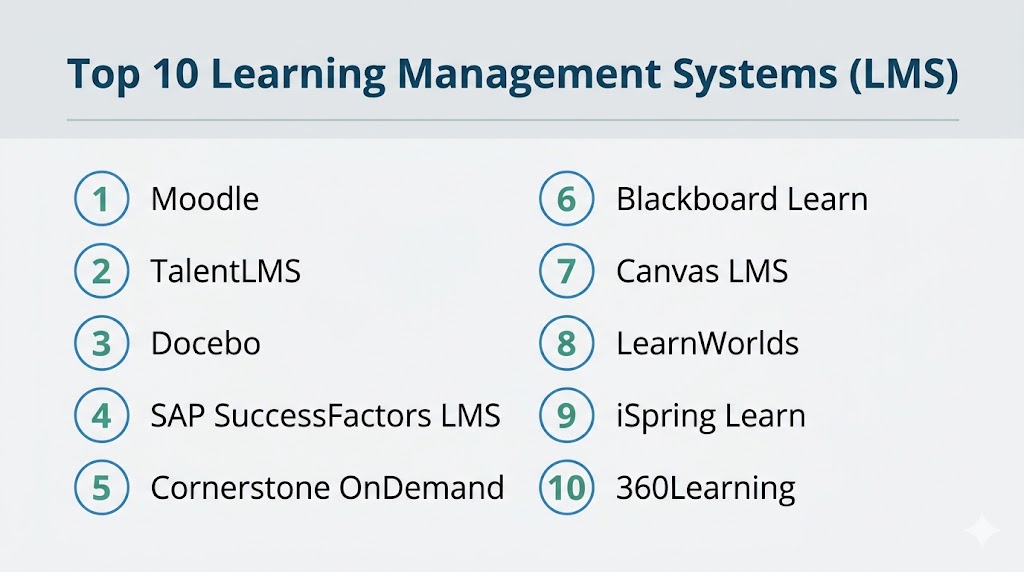
Top 10 Learning Management Systems (LMS)
#1 — Moodle
Short description: A widely used open-source LMS known for flexibility and customization.
Key Features
- Open-source architecture
- Course management tools
- Plugin ecosystem
- Assessment and grading tools
- Community support
Pros
- Highly customizable
- Free and open-source
Cons
- Requires technical setup
- UI can feel outdated
Platforms / Deployment
Web / Mobile / Cloud / Self-hosted
Security & Compliance
RBAC, encryption
Integrations & Ecosystem
- Plugins marketplace
- APIs
- HR tools
Support & Community
Large global community.
#2 — TalentLMS
Short description: A cloud-based LMS designed for corporate training and SMBs.
Key Features
- Course creation tools
- Gamification
- Reporting dashboards
- Certification management
- Mobile learning
Pros
- Easy to use
- Quick deployment
Cons
- Limited deep customization
- Pricing tiers
Platforms / Deployment
Web / Mobile / Cloud
Security & Compliance
SSO, encryption
Integrations & Ecosystem
- HR systems
- APIs
Support & Community
Strong SMB support.
#3 — Docebo
Short description: An enterprise LMS with AI-powered learning and automation.
Key Features
- AI-driven learning recommendations
- Content management
- Reporting and analytics
- Social learning
- Automation workflows
Pros
- Strong AI features
- Scalable
Cons
- Expensive
- Complex setup
Platforms / Deployment
Web / Mobile / Cloud
Security & Compliance
SSO, MFA, encryption
Integrations & Ecosystem
- HR tools
- APIs
Support & Community
Enterprise-grade support.
#4 — SAP SuccessFactors LMS
Short description: A corporate LMS integrated with SAP’s HCM ecosystem.
Key Features
- Compliance training
- Learning analytics
- Content management
- Certification tracking
- Integration with HR
Pros
- Enterprise-ready
- Strong compliance features
Cons
- Complex implementation
- High cost
Platforms / Deployment
Web / Mobile / Cloud
Security & Compliance
SSO, MFA
Integrations & Ecosystem
- SAP ecosystem
- ERP systems
Support & Community
Enterprise support.
#5 — Cornerstone OnDemand
Short description: A talent and learning platform with strong enterprise capabilities.
Key Features
- Learning management
- Performance integration
- Analytics
- Content library
- Compliance tools
Pros
- Comprehensive platform
- Strong analytics
Cons
- Expensive
- Learning curve
Platforms / Deployment
Web / Mobile / Cloud
Security & Compliance
SSO, MFA
Integrations & Ecosystem
- HR systems
- APIs
Support & Community
Strong enterprise support.
#6 — Blackboard Learn
Short description: A popular LMS for higher education institutions.
Key Features
- Virtual classrooms
- Course management
- Assessment tools
- Collaboration tools
- Analytics
Pros
- Strong academic features
- Widely adopted
Cons
- Complex UI
- Expensive
Platforms / Deployment
Web / Mobile / Cloud
Security & Compliance
Not publicly stated
Integrations & Ecosystem
- Education tools
- APIs
Support & Community
Strong academic support.
#7 — Canvas LMS
Short description: A modern LMS with strong usability and integration capabilities.
Key Features
- Course management
- Mobile learning
- Analytics
- Collaboration tools
- Integration ecosystem
Pros
- User-friendly interface
- Strong integrations
Cons
- Pricing
- Limited offline features
Platforms / Deployment
Web / Mobile / Cloud
Security & Compliance
SSO, encryption
Integrations & Ecosystem
- Google Workspace
- Microsoft Teams
Support & Community
Strong global adoption.
#8 — LearnWorlds
Short description: A platform for creating and selling online courses.
Key Features
- Course creation tools
- Monetization features
- Interactive videos
- Analytics
- Website builder
Pros
- Great for creators
- Monetization features
Cons
- Not enterprise-focused
- Pricing
Platforms / Deployment
Web / Cloud
Security & Compliance
Not publicly stated
Integrations & Ecosystem
- Marketing tools
- APIs
Support & Community
Growing ecosystem.
#9 — iSpring Learn
Short description: A corporate LMS focused on training and compliance.
Key Features
- Course management
- Reporting and analytics
- Mobile learning
- Certification tracking
- Integration with authoring tools
Pros
- Easy content upload
- Strong reporting
Cons
- Limited customization
- Pricing
Platforms / Deployment
Web / Mobile / Cloud
Security & Compliance
Not publicly stated
Integrations & Ecosystem
- PowerPoint integration
- APIs
Support & Community
Strong support.
#10 — 360Learning
Short description: A collaborative LMS focused on peer-driven learning.
Key Features
- Collaborative course creation
- AI-powered recommendations
- Analytics
- Social learning
- Automation
Pros
- Strong collaboration
- Modern UX
Cons
- Pricing
- Learning curve
Platforms / Deployment
Web / Mobile / Cloud
Security & Compliance
SSO, encryption
Integrations & Ecosystem
- HR tools
- APIs
Support & Community
Growing adoption.
Comparison Table (Top 10)
| Tool Name | Best For | Platform(s) Supported | Deployment | Standout Feature | Public Rating |
|---|---|---|---|---|---|
| Moodle | Open-source LMS | Web, Mobile | Cloud / Self-hosted | Customization | N/A |
| TalentLMS | SMB training | Web, Mobile | Cloud | Ease of use | N/A |
| Docebo | Enterprise AI LMS | Web, Mobile | Cloud | AI learning | N/A |
| SAP SuccessFactors | Enterprise HR | Web, Mobile | Cloud | Compliance | N/A |
| Cornerstone | Talent + learning | Web, Mobile | Cloud | Analytics | N/A |
| Blackboard | Education | Web, Mobile | Cloud | Academic tools | N/A |
| Canvas LMS | Modern education | Web, Mobile | Cloud | UX + integrations | N/A |
| LearnWorlds | Course creators | Web | Cloud | Monetization | N/A |
| iSpring Learn | Corporate training | Web, Mobile | Cloud | Reporting | N/A |
| 360Learning | Collaborative learning | Web, Mobile | Cloud | Social learning | N/A |
Evaluation & Scoring of Learning Management Systems (LMS)
| Tool Name | Core | Ease | Integrations | Security | Performance | Support | Value | Weighted Total |
|---|---|---|---|---|---|---|---|---|
| Moodle | 9 | 7 | 9 | 8 | 8 | 8 | 10 | 8.6 |
| TalentLMS | 8 | 9 | 8 | 7 | 8 | 8 | 9 | 8.3 |
| Docebo | 10 | 7 | 9 | 9 | 9 | 9 | 6 | 8.6 |
| SAP LMS | 10 | 6 | 9 | 9 | 9 | 9 | 6 | 8.5 |
| Cornerstone | 9 | 7 | 8 | 9 | 9 | 9 | 6 | 8.3 |
| Blackboard | 9 | 6 | 7 | 7 | 8 | 8 | 6 | 7.6 |
| Canvas | 9 | 9 | 9 | 8 | 8 | 8 | 7 | 8.5 |
| LearnWorlds | 8 | 9 | 7 | 6 | 8 | 7 | 8 | 7.9 |
| iSpring Learn | 9 | 8 | 7 | 7 | 8 | 8 | 8 | 8.1 |
| 360Learning | 9 | 8 | 8 | 7 | 8 | 7 | 8 | 8.0 |
How to interpret:
These scores compare tools relative to each other. Enterprise LMS platforms score higher in scalability and analytics, while SMB and creator-focused tools excel in usability and affordability. Use this as a shortlist—not a final decision.
Which Learning Management System (LMS) Is Right for You?
Solo / Freelancer
LearnWorlds is ideal for course creators and monetization.
SMB
TalentLMS and iSpring Learn provide simplicity and quick setup.
Mid-Market
360Learning and Canvas LMS offer strong balance and scalability.
Enterprise
Docebo, SAP SuccessFactors, and Cornerstone are best for large organizations.
Budget vs Premium
Moodle is cost-effective, while Docebo and SAP are premium.
Feature Depth vs Ease of Use
TalentLMS = easiest, Docebo = most advanced.
Integrations & Scalability
Canvas and Docebo excel.
Security & Compliance Needs
SAP LMS and Cornerstone are best suited.
Frequently Asked Questions (FAQs)
What is an LMS?
It is software used to create, deliver, and track learning programs.
Who uses LMS platforms?
Businesses, schools, universities, and training providers.
Are LMS platforms cloud-based?
Most modern LMS tools are cloud-based.
Can LMS integrate with HR systems?
Yes, integration is a core capability.
Do LMS platforms support mobile learning?
Yes, most support mobile apps.
Are LMS tools expensive?
Pricing varies from free (open-source) to enterprise-level.
What is SCORM?
A standard for e-learning content compatibility.
Can LMS track progress?
Yes, tracking and reporting are key features.
Do LMS tools support remote learning?
Yes, they are widely used for remote training.
What mistakes should be avoided?
Choosing tools without scalability or integration.
Conclusion
Learning Management Systems have become essential for organizations and institutions looking to deliver scalable, efficient, and engaging learning experiences. These platforms centralize training, enable real-time tracking, and support continuous skill development across teams. While tools like Moodle and TalentLMS offer flexibility and ease of use, platforms like Docebo, SAP SuccessFactors, and Cornerstone provide enterprise-grade capabilities with advanced analytics and automation. The best choice depends on your organization’s size, learning goals, and integration requirements. Instead of selecting a single solution immediately, shortlist a few LMS platforms, run pilot programs, and evaluate how effectively they support your training strategy and long-term growth.