Introduction
eLearning Authoring Tools are platforms used to create digital learning content such as courses, quizzes, simulations, and training modules. These tools enable instructional designers and organizations to build engaging, interactive learning experiences without requiring advanced programming skills.
As digital learning continues to scale across organizations, authoring tools have become critical for delivering consistent, high-quality training. Modern tools now support AI-assisted content creation, responsive design, multimedia integration, and seamless LMS compatibility—making them essential for both corporate and educational environments.
Common use cases include:
- Employee training and onboarding
- Compliance and certification programs
- Online course creation
- Microlearning modules
- Interactive simulations and assessments
What buyers should evaluate:
- Ease of content creation
- Interactivity and multimedia support
- SCORM/xAPI compatibility
- LMS integration
- Collaboration features
- AI and automation capabilities
- Scalability
- Security and access control
Best for: Instructional designers, L&D teams, enterprises, educators, and training providers.
Not ideal for: Teams needing only basic document-based or informal training.
Key Trends in eLearning Authoring Tools
- AI-powered content generation and voiceovers
- No-code and low-code course creation
- Cloud-based collaborative authoring
- Mobile-first responsive design
- Gamification and interactive simulations
- Integration with LMS and analytics tools
- Microlearning and bite-sized content
- Real-time collaboration and version control
- Accessibility compliance (WCAG)
- Video-based and immersive learning formats
How We Selected These Tools (Methodology)
- Strong adoption across corporate and education sectors
- Feature completeness (content, interactivity, standards)
- Ease of use for non-technical users
- Integration with LMS and HR systems
- Support for SCORM, xAPI, and standards
- Performance and scalability
- Security capabilities
- Vendor reputation and innovation
- Flexibility across industries
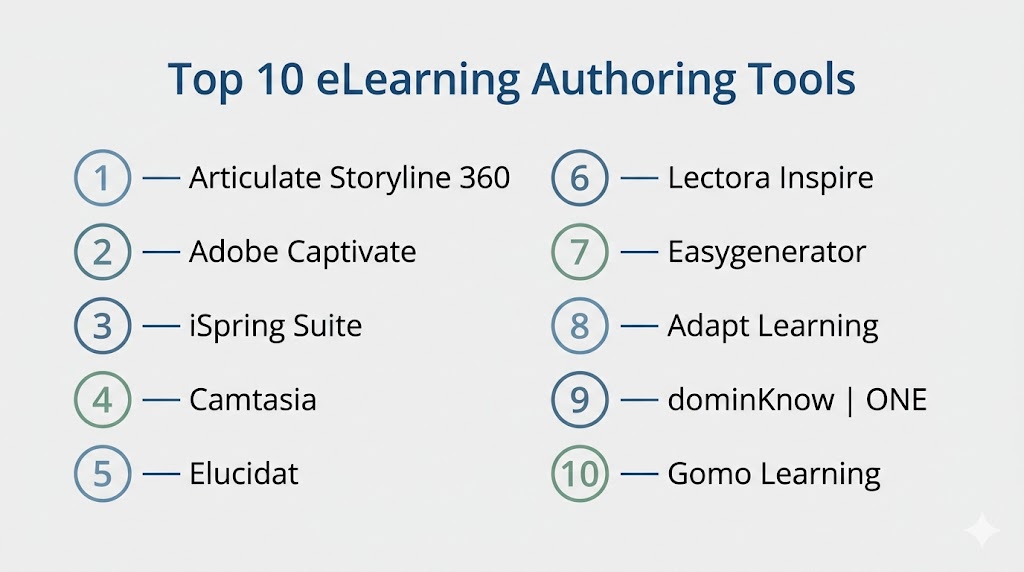
Top 10 eLearning Authoring Tools
#1 — Articulate Storyline 360
Short description: A powerful authoring tool for creating highly interactive and custom eLearning content.
Key Features
- Drag-and-drop course builder
- Advanced triggers and interactions
- Responsive design
- SCORM/xAPI support
- Templates and content library
Pros
- Industry-standard tool
- Highly customizable
Cons
- Learning curve
- Desktop-heavy
Platforms / Deployment
Windows / Cloud
Security & Compliance
SSO, encryption
Integrations & Ecosystem
Strong LMS compatibility and content ecosystem
- LMS platforms
- Content libraries
- APIs
Support & Community
Large global community and training resources
#2 — Adobe Captivate
Short description: A feature-rich tool for simulations, responsive learning, and immersive content.
Key Features
- Software simulations
- Responsive design
- VR learning support
- Interactive quizzes
- Multimedia integration
Pros
- Strong simulation capabilities
- Enterprise-ready
Cons
- Complex UI
- Pricing
Platforms / Deployment
Windows / macOS / Cloud
Security & Compliance
SSO, encryption
Integrations & Ecosystem
- Adobe ecosystem
- LMS platforms
Support & Community
Strong enterprise support
#3 — iSpring Suite
Short description: A PowerPoint-based tool for rapid course creation and deployment.
Key Features
- PowerPoint integration
- Quiz builder
- Screen recording
- SCORM export
- Analytics
Pros
- Easy to learn
- Fast development
Cons
- Limited advanced interactivity
- Windows dependency
Platforms / Deployment
Windows / Cloud
Security & Compliance
Not publicly stated
Integrations & Ecosystem
- LMS systems
- APIs
Support & Community
Strong SMB and enterprise support
#4 — Camtasia
Short description: A video-based tool for creating tutorials and training content.
Key Features
- Screen recording
- Video editing
- Annotations
- Interactive quizzes
- Templates
Pros
- Easy video creation
- Great for tutorials
Cons
- Limited interactivity
- Not a full authoring suite
Platforms / Deployment
Windows / macOS
Security & Compliance
Not publicly stated
Integrations & Ecosystem
- Video platforms
- LMS export
Support & Community
Strong community
#5 — Elucidat
Short description: A cloud-based platform for scalable enterprise learning content.
Key Features
- Cloud authoring
- Templates
- Collaboration tools
- Responsive design
- Analytics
Pros
- Strong collaboration
- Scalable
Cons
- Expensive
- Limited offline use
Platforms / Deployment
Web / Cloud
Security & Compliance
SSO, encryption
Integrations & Ecosystem
- LMS tools
- APIs
Support & Community
Enterprise support
#6 — Lectora Inspire
Short description: A flexible authoring tool focused on accessibility and compliance.
Key Features
- Accessibility compliance
- Advanced scripting
- Responsive design
- Multimedia support
- SCORM compatibility
Pros
- Strong compliance features
- Flexible
Cons
- Complex UI
- Learning curve
Platforms / Deployment
Windows / Cloud
Security & Compliance
Not publicly stated
Integrations & Ecosystem
- LMS platforms
- APIs
Support & Community
Moderate support
#7 — Easygenerator
Short description: A no-code cloud authoring tool designed for fast course creation.
Key Features
- Drag-and-drop editor
- Templates
- Collaboration tools
- SCORM export
- Analytics
Pros
- Very easy to use
- No coding required
Cons
- Limited customization
- Feature depth
Platforms / Deployment
Web / Cloud
Security & Compliance
Not publicly stated
Integrations & Ecosystem
- LMS platforms
- APIs
Support & Community
Strong SMB support
#8 — Adapt Learning
Short description: An open-source tool for creating responsive eLearning content.
Key Features
- Open-source framework
- Responsive design
- Plugin ecosystem
- SCORM compatibility
- Custom themes
Pros
- Free and flexible
- Highly customizable
Cons
- Requires technical skills
- Setup complexity
Platforms / Deployment
Web / Self-hosted
Security & Compliance
Not publicly stated
Integrations & Ecosystem
- LMS systems
- Plugins
Support & Community
Active open-source community
#9 — dominKnow | ONE
Short description: A collaborative platform for enterprise content development.
Key Features
- Cloud authoring
- Collaboration tools
- Responsive design
- Version control
- Analytics
Pros
- Strong collaboration
- Scalable
Cons
- Pricing
- Learning curve
Platforms / Deployment
Web / Cloud
Security & Compliance
SSO, encryption
Integrations & Ecosystem
- LMS tools
- APIs
Support & Community
Enterprise support
#10 — Gomo Learning
Short description: A cloud-based tool focused on mobile and responsive learning.
Key Features
- Responsive design
- Templates
- Cloud authoring
- Analytics
- Multi-device support
Pros
- Mobile-friendly
- Easy deployment
Cons
- Limited advanced features
- Pricing
Platforms / Deployment
Web / Cloud
Security & Compliance
Not publicly stated
Integrations & Ecosystem
- LMS platforms
- APIs
Support & Community
Moderate support
Comparison Table (Top 10)
| Tool Name | Best For | Platform(s) Supported | Deployment | Standout Feature | Public Rating |
|---|---|---|---|---|---|
| Articulate Storyline | Advanced courses | Windows | Cloud | Interactivity | N/A |
| Adobe Captivate | Simulations | Windows, macOS | Cloud | VR learning | N/A |
| iSpring Suite | Rapid authoring | Windows | Cloud | PowerPoint integration | N/A |
| Camtasia | Video training | Windows, macOS | Desktop | Screen recording | N/A |
| Elucidat | Enterprise training | Web | Cloud | Collaboration | N/A |
| Lectora Inspire | Compliance | Windows | Cloud | Accessibility | N/A |
| Easygenerator | No-code | Web | Cloud | Ease of use | N/A |
| Adapt Learning | Open-source | Web | Self-hosted | Customization | N/A |
| dominKnow | ONE | Enterprise | Web | Cloud | Collaboration |
| Gomo Learning | Mobile learning | Web | Cloud | Responsive design | N/A |
Evaluation & Scoring of eLearning Authoring Tools
| Tool Name | Core | Ease | Integrations | Security | Performance | Support | Value | Weighted Total |
|---|---|---|---|---|---|---|---|---|
| Articulate | 10 | 7 | 9 | 8 | 9 | 8 | 7 | 8.4 |
| Captivate | 10 | 6 | 9 | 8 | 9 | 8 | 6 | 8.2 |
| iSpring | 8 | 9 | 8 | 7 | 8 | 8 | 9 | 8.3 |
| Camtasia | 7 | 9 | 7 | 6 | 8 | 7 | 9 | 7.8 |
| Elucidat | 9 | 7 | 8 | 8 | 8 | 8 | 6 | 7.9 |
| Lectora | 9 | 6 | 8 | 8 | 8 | 7 | 7 | 7.8 |
| Easygenerator | 8 | 10 | 7 | 6 | 8 | 7 | 9 | 8.2 |
| Adapt | 8 | 6 | 7 | 6 | 7 | 7 | 10 | 7.9 |
| dominKnow | 9 | 7 | 8 | 8 | 8 | 8 | 7 | 8.0 |
| Gomo | 8 | 8 | 7 | 6 | 8 | 7 | 8 | 7.8 |
How to interpret:
Scores are comparative across tools. Enterprise tools rank higher in features and scalability, while SMB tools perform better in ease of use and affordability. Use this table to shortlist tools based on your priorities.
Which eLearning Authoring Tool Is Right for You?
Solo / Freelancer
Easygenerator and Camtasia are ideal for quick and simple content creation.
SMB
iSpring Suite and Easygenerator offer affordability and ease of use.
Mid-Market
Articulate Storyline and Lectora provide flexibility and strong features.
Enterprise
Adobe Captivate, Elucidat, and dominKnow are best for scalability and compliance.
Budget vs Premium
Adapt Learning is cost-effective, while Captivate and Elucidat are premium.
Feature Depth vs Ease of Use
Easygenerator = easiest, Storyline = most powerful.
Integrations & Scalability
Storyline and Captivate excel.
Security & Compliance Needs
Lectora and enterprise tools are best suited.
Frequently Asked Questions (FAQs)
What are eLearning authoring tools?
They are platforms used to create interactive digital learning content.
Who should use these tools?
Instructional designers, HR teams, educators, and training providers.
Do these tools require coding?
Most modern tools are no-code or low-code.
What is SCORM?
A standard for eLearning content compatibility with LMS systems.
Can these tools integrate with LMS platforms?
Yes, integration is a core feature.
Are they cloud-based?
Most modern tools are cloud-based, though some support desktop use.
Do they support mobile learning?
Yes, most tools support responsive design.
Are they expensive?
Pricing ranges from free open-source to enterprise-level.
What industries use them?
Corporate, education, healthcare, IT, and training industries.
What mistakes should be avoided?
Choosing tools without scalability or ignoring learner experience.
Conclusion
eLearning Authoring Tools play a critical role in enabling organizations to create engaging, scalable, and effective digital learning experiences. These platforms simplify content creation, support interactive learning, and integrate seamlessly with LMS systems to deliver measurable outcomes. While tools like Easygenerator and iSpring Suite are ideal for simplicity and rapid development, platforms like Articulate Storyline and Adobe Captivate provide advanced capabilities for complex training needs. The best choice depends on your team’s technical expertise, content complexity, and scalability requirements. Start by shortlisting a few tools, testing their workflows, and selecting the one that best aligns with your learning strategy and long-term goals.